Tag

iOS 27

Browsing

By 

The upcoming iOS 27 update that Apple unveiled last week includes some new features and enhancements for Apple’s Notes app on the iPhone.

iOS 27 is currently available as a developer beta, with a public beta to follow in July. The update is expected to be released to all users in September.

Below, we have outlined four additions to Apple’s Notes app on iOS 27.

Siri AI

iOS 27 Adds Four New Features to Apples Notes App Article 4
On the iPhone 15 Pro and newer, the more intelligent and personal version of Siri known as “Siri AI” can create notes with generated content. For example, you can ask Siri AI to create a note with a list of all iPhone models that are compatible with iOS 27, and it will do so after retrieving this information from the internet.

On iOS 26 and earlier, Siri can only create notes based on the words you actually say.

In addition, Siri AI will intelligently show an “Add to Notes” shortcut below certain messages in the Messages app based on the context of the conversation.

iOS 27 Messages Notes Suggestion

Copy and Paste in Markdown

iOS 27 Adds Four New Features to Apples Notes App Article 3
iOS 27 introduces the ability to copy and paste text that is formatted in the Markdown language, created by well-known Apple commentator John Gruber.

Markdown lets you add formatting to text without using HTML:

  • Bold text: **bold**
  • Italic text: *italic*
  • Linked text: [Apple](https://apple.com)
  • List item: - Example

For example, if you paste “Apple’s next CEO is **John Ternus**” into the Notes app on iOS 27, “John Ternus” will appear in bold text.

In reverse, if you select formatted text in the Notes app and tap on the right arrow in the Cut/Copy/Paste menu that pops open, there is a new “Copy as Markdown” option on iOS 27. If you tap on this option, any rich text formatting in your selection will automatically be converted to Markdown that can be pasted elsewhere.

Apple Notes already gained support for importing and exporting Markdown files on iOS 26.

Divider Lines

iOS 27 Adds Four New Features to Apples Notes App Article 2
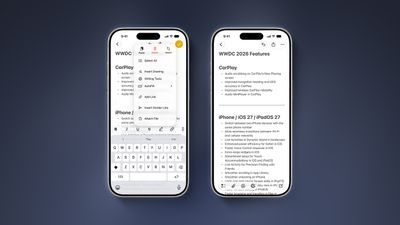
iOS 27 lets you organize notes with divider lines. Simply place the text cursor where you want the line to be inserted, tap on the right arrow in the Cut/Copy/Paste menu that pops open, and tap on the new “Insert Divider Line” option.

Section Links

iOS 27 Adds Four New Features to Apples Notes App Article 1
You can now add a link to a specific section of a note. When you tap on the link, the Notes app automatically jumps to that section of text.

For example, you could create a new note that links back to a section of a previous note.

By 

Sourced from MacRumors

By

iOS 27 includes new features for Apple CalendarWalletMessagesMaps, and also the Weather app. Here are two new features coming to Apple Weather in iOS 27.

#1: ‘Highlights’ is a new summary of expected conditions

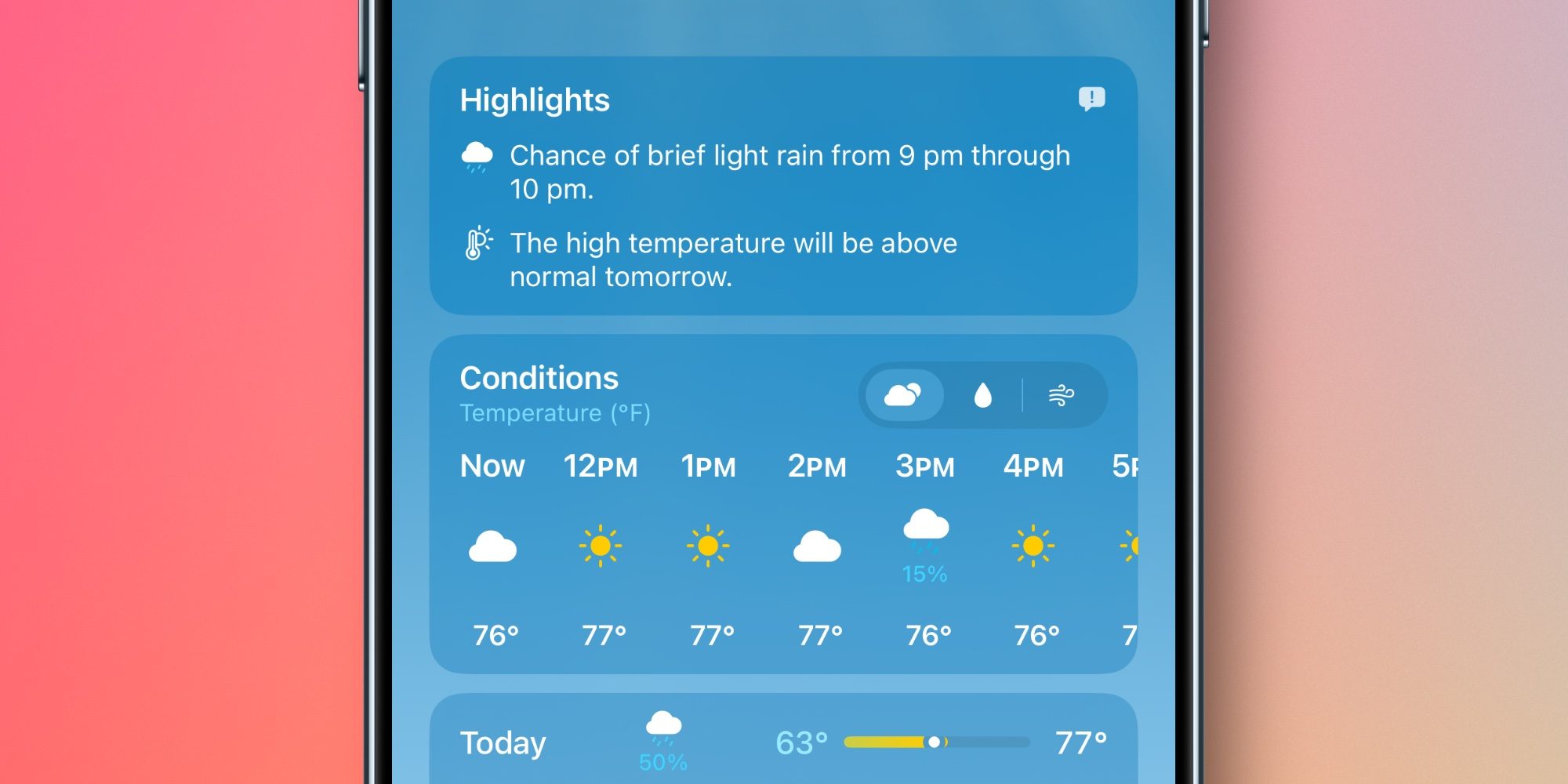
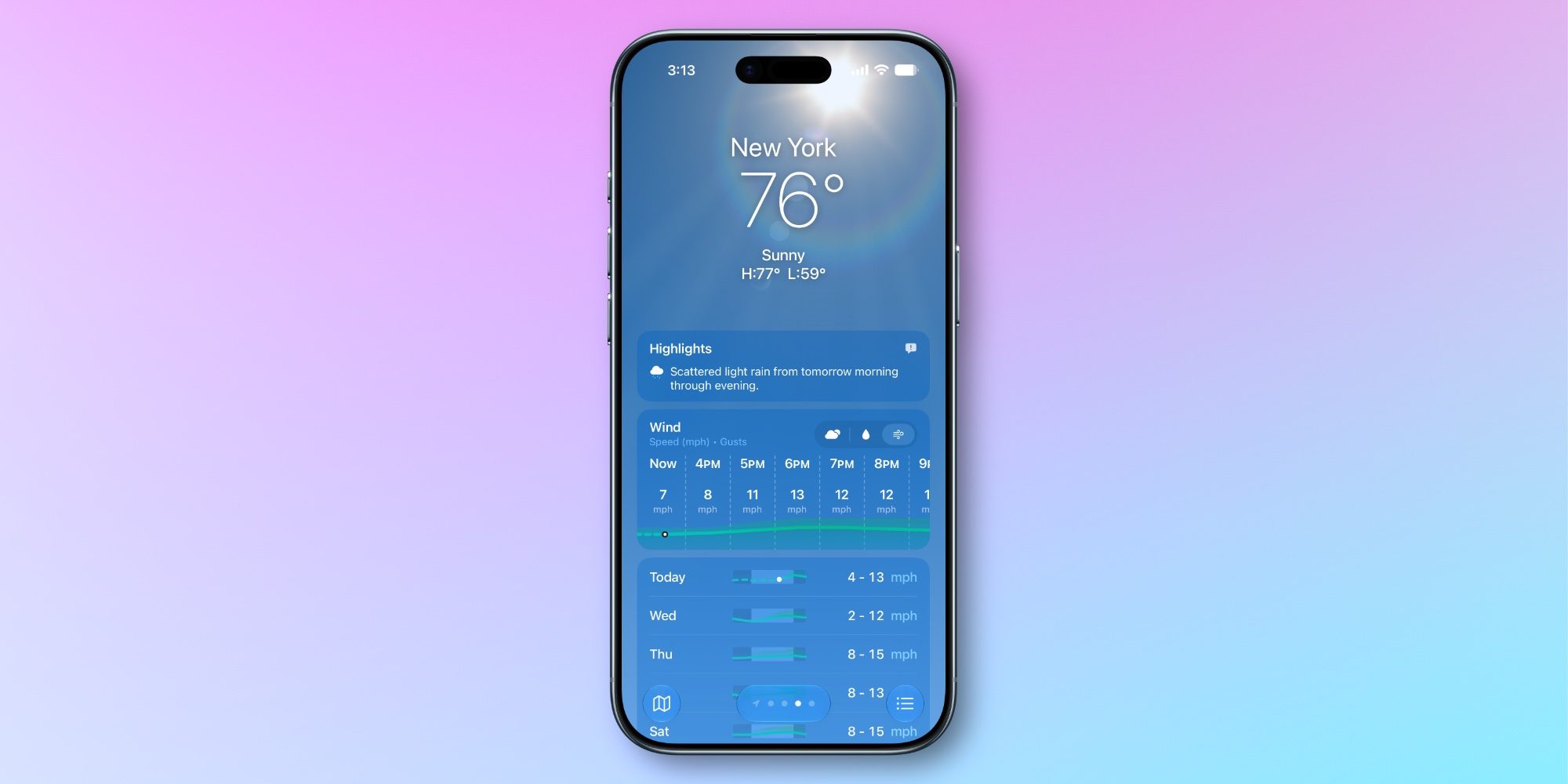
The Weather app has always offered a brief written overview of conditions near the top of the home page. But in iOS 27, Apple has upgraded and expanded this feature into a new ‘Highlights’ section.

’Highlights’ informs you of any noteworthy weather updates happening in the next day or so. It might inform you of rising temperatures, chances of rain or high winds, and the like.

Though Apple hasn’t said this, I suspect the feature might be powered by AI in some way. The iOS 27 beta placement of the ‘Feedback’ icon in the top-right corner of Highlights makes this seem likely.

So far in early testing, I’ve definitely found Highlights more helpful than the condition summaries available in iOS 26 and earlier. The updates seem more descriptive and relevant than what was offered before.

#2: New rain and wind forecast views

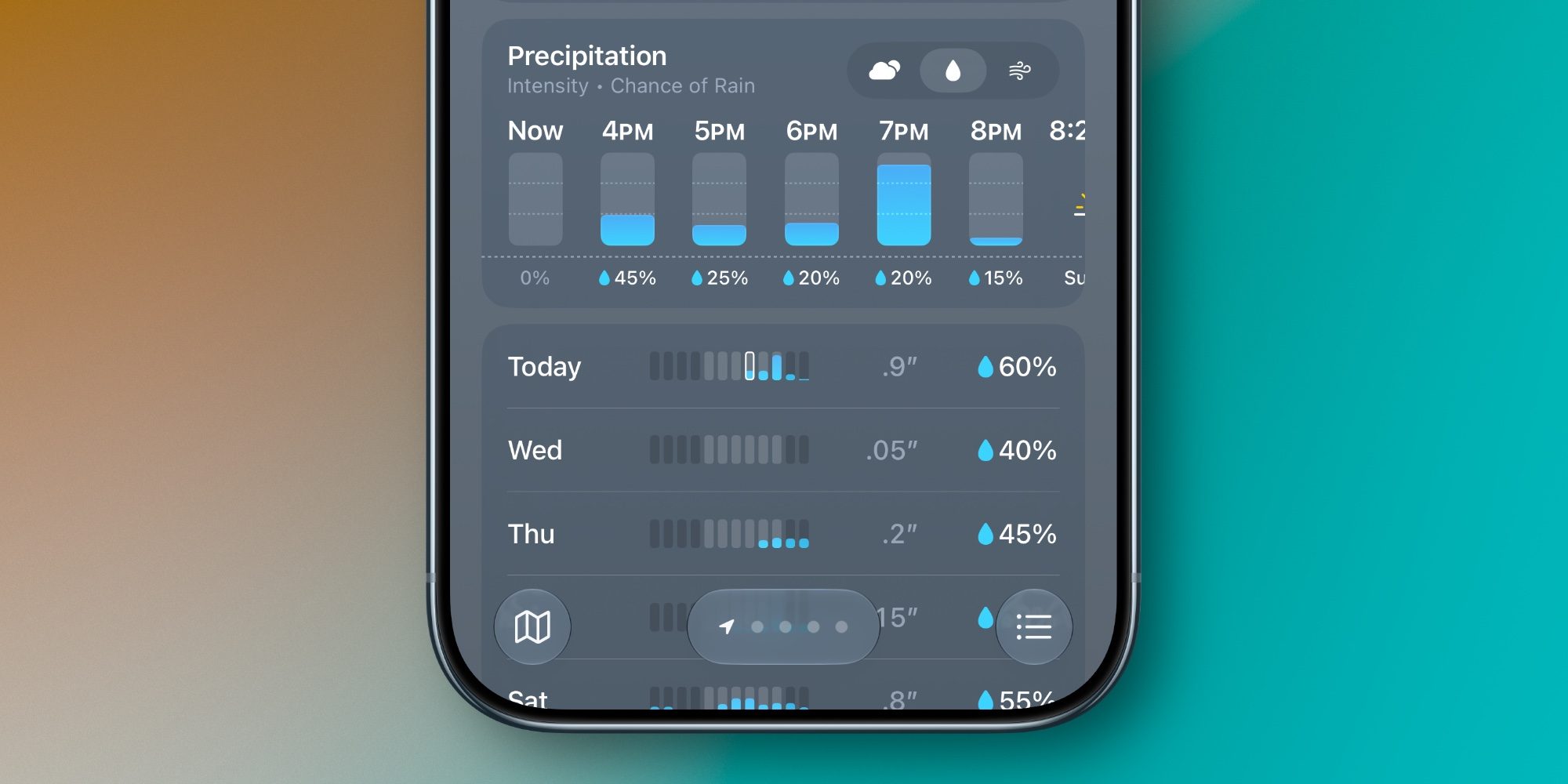
Another big change in iOS 27’s Weather app involves convenient new forecast views for Precipitation and Wind that live right on the home page.

You’ll notice in the images above and below that the Weather app now lets you switch between the default forecast view (signified by the cloud icon with sun behind it) and new rain and wind-focused views.

When you tap on the rain or wind icons, the hourly and daily summaries on the home page change from their default to focus solely on your chosen condition.

I’ve found the new forecast views a great addition to the Weather app. They let you stay in a familiar interface while providing in-depth data on precipitation and wind that you would previously need to dig to find.

By

Sourced from 9TO5Mac

By  

When Apple unveiled iOS 27, it highlighted only a pair of new AirPods features initially. But there are several more AirPods additions in iOS 27, here’s everything new.

Custom EQ

Custom EQ is a feature that some AirPods users thought Apple would never ship. But it’s here in iOS 27, available now in the AirPods beta.

With Custom EQ, Apple now lets you set your own sound profile for AirPods. Per Apple:

AirPods are designed and engineered by Apple to faithfully represent music, TV shows and movies, and calls. If you prefer a different sound profile, you can customize how AirPods represent any audio played.

You can change the EQ by going to your AirPods’ settings ⇾ Audio & Routing ⇾ Equalizer ⇾ Custom. From here, you can adjust the sound profile for low, mid, and high frequencies.

Custom EQ is available on AirPods Pro 3, AirPods Pro 2, AirPods Max 2, and AirPods 4.

GymKit can sync AirPods Pro 3’s heart rate data

Apple GymKit has been available for years, but only for Apple Watch. It lets you pair and sync workout data with compatible cardio equipment, like treadmills, ellipticals, indoor bikes, and more.

In iOS 27, GymKit expands to support iPhone using AirPods Pro 3’s heart rate sensor. My colleague Zac gave it a try:

The setup is simple. I tapped my iPhone to the treadmill, picked Indoor Walk (Indoor Run is also offered), and started the workout from the treadmill. With GymKit, workout data is stored privately on iPhone and removed from the equipment.

Once the workout started, the treadmill received heart-rate data from AirPods Pro 3. Meanwhile, the Fitness app on iPhone received the treadmill’s distance, pace, incline, and calorie data. Treadmills know details that an iPhone and AirPods can’t know on their own, especially incline and precise belt distance.

For more details on iOS 27’s GymKit feature for AirPods Pro 3, check out Zac’s full hands-on below.

Siri AI

Siri AI is powered by Gemini models, but is not Gemini – what does that mean? | Siri AI animation shown

For most AirPods users, the single biggest upgrade in iOS 27 will be Siri AI.

Siri AI is available on compatible iPhone hardware in iOS 27, and Apple made sure to expand full support for the AI assistant to AirPods too.

AirPods are essentially becoming an AI wearable thanks to the new Siri. It will let users do a lot more than the current Siri. Here are some key features via Apple’s website:

  • World Knowledge: “Ask about virtually any topic that’s on your mind, from important facts to recipes and restaurant recommendations. Siri AI can reference information online to give you detailed, up-to-date insights.”
  • Conversational: “Siri AI is your conversational AI assistant with entirely new capabilities…Ask open-ended questions, brainstorm ideas for work or creative projects on the go, and engage in natural, back-and-forth conversations.”
  • Personal Context: “Siri AI can find relevant answers to what you’re looking for just by asking. Search for a photo from years ago, easily locate an email buried in your inbox, or pull up a note you saved on your iPhone.”

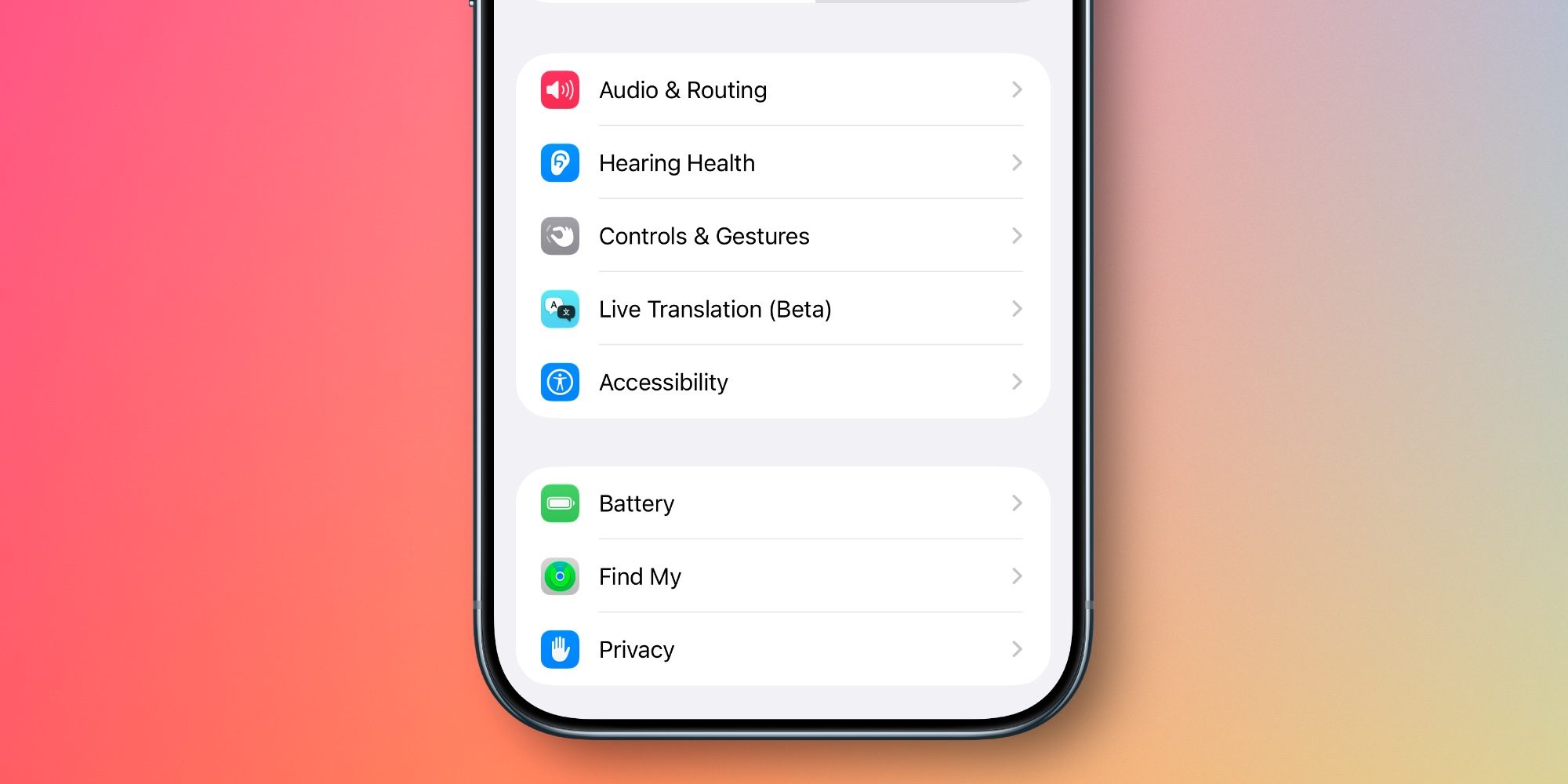
Redesigned Settings menus

With every batch of new AirPods features that debuts, the AirPods settings screen in the Settings app gets more cluttered.

But in iOS 27, Apple has a welcome fix: it’s redesigned and reorganized all AirPods settings.

Now, you’ll find AirPods settings organized into more categories and submenus, accompanied by colorful icons. It makes finding the right setting way easier and more intuitive than before.

Read moreiOS 27 revamps AirPods settings in a big way, here’s the new design

Precision Finding via Apple Watch

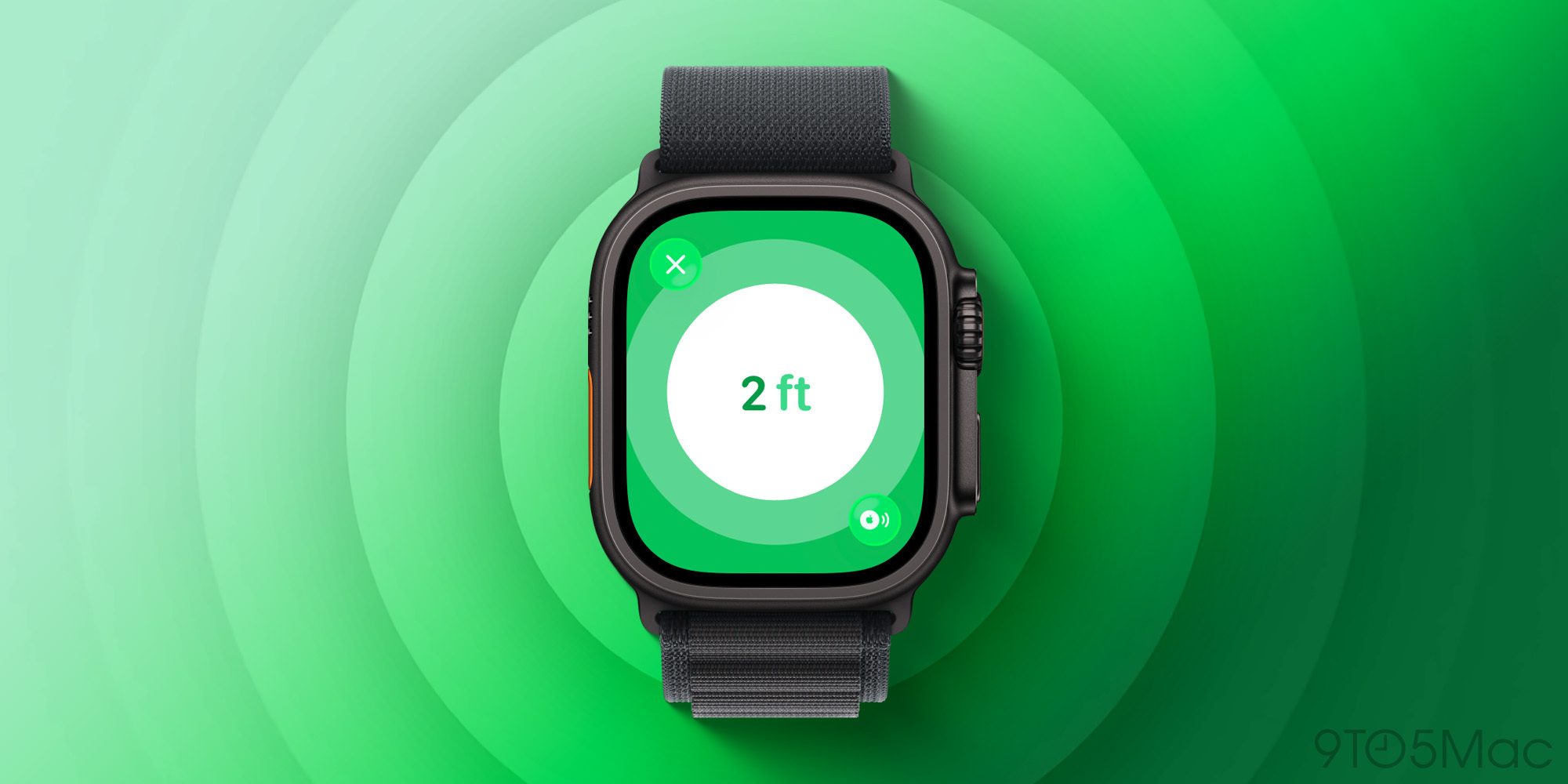
Earlier this year when AirTag 2 launched, Apple brought Precision Finding support to Apple Watch for the first time. Until now though, it’s been limited to AirTag 2.

But with iOS 27 and watchOS 27, Apple expands Precision Finding on the Watch to AirPods Pro 3.

AirPods Pro 3’s case includes the latest second-generation Ultra Wideband (UWB) chip, letting you find it with greater precision and step-by-step guidance right from your wrist.

Which new AirPods features in iOS 27 are you most excited about? Let us know in the comments.

By  

Sourced from 9TO5Mac