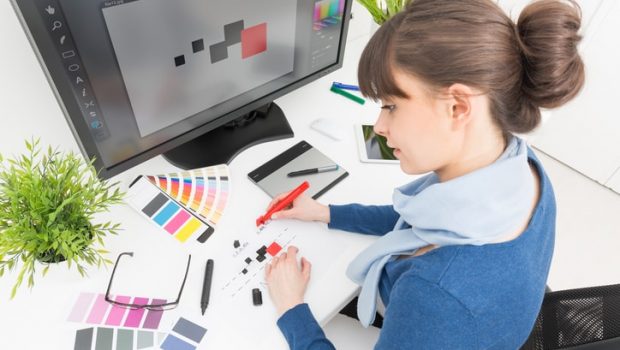
Get more from imagery in your design work with our essential advice, covering graphic design, web design, apps and more…
Images are an integral part of the design process, and when it comes to selecting them and using them in a project, it’s important to make the right choices: one of them speaks 1,000 words, after all.
So whether you’re art directing an on-location photoshoot for a glamorous ad campaign, or searching a stock image library for the perfect visual asset for an email newsletter, you should still apply a discerning eye and not settle.
While there’s no one-size-fits-all approach, there are a few key dos and don’ts for using images in your design projects – and some hard and fast rules for using them for different purposes, from catching attention to making the hard sell.
Read on for our essential guide to using images more effectively in your design work. We will continue to add to this collection with more tips and advice each month…
01. How to use images in graphic design
5 ways to create better brand imagery
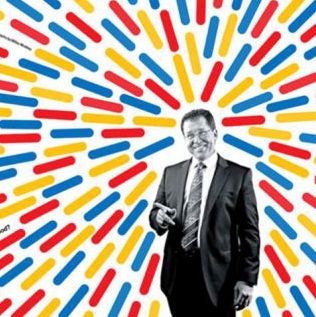
Five brands that have mastered the art of creating powerful brand imagery, and what you can learn from them. Featuring First Direct, Aizone, London Symphony Orchestra, Apprenticeships and D&AD.
Use images more effectively in editorial design Improve your editorial design work with these expert tips, which include: letting the content lead the design, using photography more creatively, telling stories with illustration, not being afraid to go big, and cropping images in a dynamic way.
5 reasons to use photography in your designs
Why you should choose photography for your next design project: you’re looking for realism, you’re showing something specific, you want wow factor, you need a visual metaphor, or you have the budget to do it properly.
5 reasons to use illustration in your designs
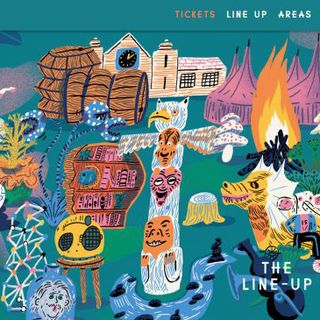
Why you should choose illustration for your next design project: you want to express something abstract, the subject is too ambitious to photograph, you want to tell a story, you have some data to visualise, or a particular style is required.
02. How to use images in digital design
Use imagery more effectively in app design
Select the perfect visual assets for more engaging, user-friendly apps. Advice includes optimising for HD screens, making savvy use of animation, paring back to basics, keeping all UI elements consistent and designing with touch in mind.
How to create a killer social media campaign
Five pro tips to use images more effectively in branded social posts, including: tailoring images to different platforms, having a clear goal in mind, considering why people will share it, picking images that tell a story, and designing for short attention spans.
Use images more effectively in digital ad campaigns
Pick the perfect assets to create engaging online ads. Advice includes knowing your ad formats, picking a single message, choosing one killer image, cropping images more dynamically, and emphasising the call to action.
Use images more effectively in web design
Pick the perfect visual assets for any frontend design task: source the perfect hero image, consider different crop sizes and ratios, curate assets for an online shop, choose images for UI elements and icons, and find editorial images for pages.
03. How to source the best images
4 tasks that stock imagery makes easier
Make your stock assets work harder, and your life easier, on common tasks such as sourcing supplementary photography for a brochure, adding depth and texture to your artwork, and developing UI elements for a digital design.
5 stock image uses you may not have thought of
Pro designers do use stock libraries – and in clever ways, too. These include social media campaigns; moodboards and presentations; mockups, wireframes and prototypes; email newsletters; and just for general inspiration.
Find unusual images for your design projects
Stuck for a visual idea? Here are some places that can help, including stock image libraries, The British Library, SpaceX, Jay Mantri, Realistic Shots, Life of Pix and PicJumbo.
If you’re in business, branding is an important part of that. Branding affects how others perceive your business, and ultimately it affects your bottom line since people choose whether to do business with you based on their perception of you.
Strengthening your brand identity is important as you start your business or if you’ve changed your branding strategy. Branding is never more important than when you send out a design project proposal.
The right graphic design proposal templates can help you grow your own brand since they let you to incorporate branding elements right into your design proposal. Fortunately, there are plenty of branding proposal templates that will help you strengthen your brand. In this article, we’ll explore twenty design proposal templates to help you build your own brand and also land design clients. Here’s a popular design proposal template that’s trending in 2018:
This high quality design proposal template is just one example of a template proposal that you can find on Envato Elements.
We’ll also share five project proposal tips in this article to help you create the best design proposals for your needs.
What Is a Design Proposal?
A design proposal is used by a freelance designer, design agency, or other design business. It’s sent out to prospective design clients to provide details on design and branding work.
A design project proposal needs to be crisp and professional since it represents the business that sends it out. It also needs to be consistent with the organization’s own branding. For more information on branding, review this tutorial:
Branding
What Is Branding?
Julia Melymbrose
Top Branding Project Proposal Templates (2018 Product Showcase)
Choose between four different design templates with cover letter and table of contents. Use the free fonts and choose between three different color combinations.
Keeping your branding consistent for all of your communication needs is easy with this bundle. The template set also includes business card templates and a Facebook timeline template as well as some high-resolution background textures.
This full business proposal template is a great choice for your design and branding proposals. From start to finish, this professional proposal leaves a powerful impression. It’s perfect for agencies and other creative professionals.
Start by choosing one of three eye-catching different cover designs. Then take advantage of some of the unique features such as a milestone schedule, portfolio section, and pricing plans. The proposal template even includes a section for terms and conditions and a contract.
This 16-page proposal template is a great find if you’re looking for a proposal with a clean, attractive look. There are two different cover designs. INDD and IDML files are included. Plus, it’s fully editable and easy for you to add your own information!
This well-organized proposal template makes it easy for your design project proposals to look good. It’s been separated into five layers to make it easy for you to work with. Plus, the template includes a help text file.
Customers love this one. Here’s just some of what they say:
“This is really good work!”
“With this design the project is already a success! =) Great Work!”
Whether you’re an agency or a solo creative, the Apps Design proposal has a clean, modern look that you’re going to love. This 24-page template supports both A4 and US Letter sizes. The images, text, and objects are all on different layers–making it easy for you to edit. Plus, there’s an auto page numbering option!
This gorgeous creative proposal template is designed to meet the needs of creative professionals. With this template you’ll find lots of agency-friendly features such as:
With 14 templates, this proposal package has everything you need to make a pitch. You’ll find templates for a cover letter and resume as well as templates for project proposals and design quotes or estimates. There’s even a matching invoice for billing.
The template’s easy to use and customize. Plus, you can change the colors in the proposal to match your own unique branding.
No discussion of branding guidelines would be complete without a look at this brand logo document. If you do a lot of banding work, you’ll want this to use with your own clients. The beautiful design is based on a document grid and can be used for both print and web guideline documents. You’ll find this template has titled master pages with real text.
Impress your clients with the clean, modern look of this creative branding proposal template. You may even find this ideal for building your corporate identity. Some of the user-friendly features include:
The image your branding project proposal projects is important. This professional-looking template is great for branding and other creative projects. Plus, it’s full of features to help you succeed. Choose from two layout sizes and customize the colors to match your company’s brand. The bonus invoice template includes the Autosum feature.
This 40-page proposal template boasts a 12-column grid and also includes a baseline grid. Icons are included with the template. The graphic design proposal template also has many popular proposal sections including a table of contents, an about section, a case study, and a project timeline. There’s even a section for frequently asked questions (FAQs). It’s print ready and works for both A4 and US letter size pages.
The flexible format of the Kinney Proposal template makes it perfect for use by an agency or creative professional. The design is aligned to a 12-column grid. Images, text, and background are all separate layers to make it easy for you to edit. Plus, you’ll get a help file.
Here’s what customers say about this popular proposal template:
With a unique landscape format, this professional proposal is bound to catch your client’s eye. The fully editable graphic design proposal template file includes 30 professionally designed pages. There’s also a professionally designed front and back cover to further enhance your brand. And you’ll get a file with help and instruction text to make using the template even easier.
Take full advantage of the way this design proposal template bundle uses color to help your proposal stand out. You can use this proposal template with A4 or and US letter size pages. Here are some of the other powerful features that make this creative proposal template work:
The bold design of this creative design proposal template is bound to impress. The template comes with 24 pages, but you can add more pages by duplicating existing page layouts. Personalize the colors in this template using the one-click color panel. A documentation file is included for your convenience.
This print-ready project proposal is great for creatives or anyone who needs to make a good impression. It’s easy to customize–add your own colors with the palette. It’s based on free fonts. Plus, all the graphics are included with the template. The template files include a PDF preview file and a help file.
The clean design of this modern graphic designer proposal is good template choice for creatives and anyone else who needs their proposal to have a clean, professional look. The portrait proposal template design is 26 pages long and based on free fonts. In addition, you’ll find:
This comprehensive, easy-to-edit branding proposal is a great template choice for many reasons. It’s based on a 12-column grid. It includes clearly labeled layers as well as paragraph and character styles. Plus, it has editable tables. It’s no wonder that customers said this about this template:
The professional design of this creative proposal template is sure to please. It’s got a master page for layout consistency. You can customize the fonts and colors to reflect your company’s branding. The template is 18 pages long, but it’s easy to add additional pages as needed. Plus, there’s an invoice template included to help keep your project branding consistent.
Graphic design is one of the most important elements to a small business owner’s branding strategy, yet it’s often taken for granted. Everything from marketing emails to web design to social media posts need to incorporate elements of design and help to mold the image of your business.
Statistically speaking – bad graphic design can seriously harm a business’s earning potential. Studies have consistently found that users rank well-designed websites as more trustworthy than poorly-designed sites. On top of this – good graphic design has been shown to be directly correlated with brand recognition.
With good design meaning more trust and more brand awareness – it pays to invest in graphic design if you’re a small business owner. But herein lies a dilemma. Smaller companies tend to have less disposable funds, which means they’re more likely to have less resources allocated to graphic design. While large businesses can hire experienced, professional designers – an up-and-coming brand doesn’t have this luxury. That’s where free online tools come in handy.
With so much riding on the design of your brand, knowing how to create cost-effective, yet professional-looking graphics is critical to success for a small business. Check out the list below for some amazing tools that will make graphic design a breeze for small business owners.
Burst is an image-hosting database that offers hundreds of professionally-taken public domain photographs. Images on Burst come with a creative commons zero license for free commercial use. This means the you can download professionally taken photographs for use in everything from marketing to web-graphics to print advertisements.
Finding quality photographs is no easy task. Shooting professional photographs on your own can be costly and time-consuming. If you’re a small business owner, you know that money and time are two things you can’t afford to waste.
You could pay for stock-photos, but with expensive licensing fees and complex legal requirements – purchasing stock photos can end up being more hassle than it’s worth. With Burst – you can browse stock photos, download them and upload them into your marketing materials – all in a couple of clicks.
Canva is a free graphic design tool that can be used to make everything from Facebook posts to album covers to advertorial posters. Offering a number of ready-made templates for things like marketing emails and social media posts – Canva has become an increasingly popular tool for non-experienced graphic designers looking to give their designs a more professional polish.
Canva’s strength is in its easy-to-use drag-and-drop design interface that allows users to select from millions of fonts, graphics, icons and photographs. With Canva, you can easily arrange elements onto a template to create professional-looking designs.
It’s wildly fun and incredibly easy to play around with text, images, icons, borders and shapes to create your own designs. Even if you’re not the creative type – Canva offers a number of ready-made, preloaded professional templates with fully-customizable text and formatting options.
PicMonkey is a free online photo editing tool that can be used on any desktop computer or through a mobile app. While there are paid versions of the app with more features – the free version still offers a ton of basic photo-editing and touch-up tools.
From PicMonkey’s use interface, you can upload your own photos, crop them to your liking, adjust their brightness and contrast, add filters and a whole lot more. My personal favorite feature to PicMonkey is the portrait editing capabilities. PicMonkey has special portrait touch-up tools to fix blemishes, remove wrinkles, reduce shine, boost blush and more. Professional photo-editing can be costly and time-consuming – but with PicMonkey you can give your photographs a professional edge in a matter of minutes.
Infographics have become one of the most widely used tools for businesses and organizations in both digital and print media. You can attribute this popularity to the convenience of using infographics. They’re a clear, effective and artistic way to present data without losing the attention of your reader. With internet-users being bombarded by information and attention spans steadily decreasing – infographics are quickly becoming the modern tool for presenting information in a fun and interesting way.
Professional-looking infographics can be tricky to create with expensive graphic design software – and that’s where Piktochart comes in. With Piktochart – you can create beautifully-designed infographics using a ready-made templates and your own data sets that you can input manually or import it from a spreadsheet program. Piktochart makes it easy for any business owner to present their info in fun and interesting way without having any prior knowledge of graphic design.
Any graphic designer will be able to tell you about the importance of color when it comes to branding. It’s nearly impossible to think about an iconic brand like McDonalds and not think of the bright, golden-yellow arches accented by a vibrant red background.
The truth is that graphic designers make very calculated decisions about which colors to use. Professionals have spent years studying – not just color harmony in design – but the psychological triggers associated with certain colors and ways to make an audience experience a certain mood based on the colour palette being used.
Without being a professional – simple design decisions like which colors to use together can seem daunting. That’s where Coolors comes in handy. Coolors is a free tool that allows you to upload any image and automatically generate a harmonized color scheme by sampling colors in the image. From there – you have the option to save your color palette or make adjustments to one or more of the colors in your pallette and auto-generate complementary colors. This means you can create complex, harmonious color-schemes without having any sort of graphic design experience
By Evan Ferguson
Evan Ferguson – aka @HarveyStewartTO is a writer and digital artist based in Toronto, Canada. He’s written about content marketing, futurism, and technology. He graduated from York University in 2012 with a degree in Journalism.
Shapes are at the root of graphic design. They are figures and forms that make up logos, illustrations and countless other elements in all types of designs.
Shapes help the designer to add interest or organize elements of a design. They are not strictly ornamental, either, as shapes can have symbolic meanings, invoke feelings, or be used to direct the eye to the most important information.
The Different Types of Shapes
Shapes are one of the basic elements of graphic design and you have a great variety of shapes to choose from.
There are three basic types of shapes: geometric, organic, and abstract.
Geometric Shapes. These are your basic squares, rectangles, circles, triangles, and the like. These typically include sharp corners but may have rounded elements.
Organic Shapes. This type of shape has flowing lines and are also called ‘natural shapes.’ They resemble objects found in nature such as a pond (a squiggly blob), an apple, or a leaf.
Abstract Shapes. There are also those shapes which we cannot relate to reality. These are the freeform shapes like spirals, cloud-like formations, and multi-dimensional shapes that have become popular in modern logo design.
Using Shapes in Your Designs
Using shapes properly is one of the keys to successful graphic design. The form, color, size and other characteristics for the shapes in a layout can determine its mood and message.
Soft, curved and rounded shapes are perceived differently than sharp, angled shapes.
For instance, a company whose primary customer base is women may use circles and curves in their logo. Likewise, a business in the sports industry will want shapes with sharp lines that portray movement and action like the Nike logo.
Also, consider the invisible shapes of your designs such as the general outline for a website or brochure.
Your wireframe may include shapes for the header and placement of design elements, but the boundaries may not necessarily be drawn out or outlined in the final design.
Shapes can be grouped or used in patterns to add emphasis.
The “white space” or negative space left between shapes will also significantly impact a design.
Experimentation and altering of shapes within a design can ultimately lead to the desired result.
Graphics software has transformed the way graphic designers can deal with shapes and Adobe Illustrator is the most useful tool the creation and manipulation of shapes.
Simple shapes such as circles, squares, and triangles can be created with a click and drag.
Adjusting lines and curves using the tools in Illustrator and similar programs can create more complex shapes, of limitless dimensions.
Colors, patterns, opacity and other characteristics of shapes can easily be altered.
It is important for designers to master the shape tools within their favorite software, as almost any shape that can be imagined can now be created.







.jpg)

.jpg)
.jpg)
.jpg)
.jpg)
.jpg)
.jpg)
.jpg)
.jpg)
.jpg)
.jpg)
.jpg)
.jpg)
.jpg)
.jpg)
.jpg)
.jpg)
.jpg)
.jpg)
.jpg)