Since the nascent days of influencer marketing, the concept has been simple: Brands deliver an experience or message through a creator who is perceived as more valuable than traditional advertising.
As influencer culture has exploded, the industry has shifted dramatically. Suddenly, there are more creators and advertisers than there are impressions to go around. As the various social media platforms have grown, they demand monetization from brands to access their target audiences and beyond, essentially restricting the odds for organic reach.
Today, with an overwhelming number of creators and an increasingly fickle consumer audience inundated by content, the future effectiveness of influencer marketing is understandably in question. Is organic reach still possible? Yes, but it’s extremely limited and progressively rare. I believe the solution lies in pairing the right creator with paid media.
A New Model
Right now, the top platforms have their own self-serve partnership ad programs that work in congruence with brands and creators, including Spark Ads on TikTok, BrandConnect on YouTube and Partnership Ads on Meta. By paying the respective platform to run ads linked to native creator accounts, the brand benefits from entertaining creator content that looks organic but has platform support that boosts visibility, encourages brand engagement and increases reach. The content remains authentic to the creator, while the brand leverages it to connect with the creator’s audience, who can instantly follow the brand with one click on the creator’s post. This is a strategy I’ve used with great success to help a number of household names amplify their influence.
As these in-platform services continue to evolve and expand their features, it will be exciting to see how they’ll further enhance the value of brand-creator pairings.
Another benefit of platform ad programs is that they’re official creator marketplaces, which offer brands the opportunity to search for in-app influencers who best meet their needs in terms of identity, content and performance numbers.
The caveat to limiting your search to creator marketplaces is that the talent has, of course, already established themselves as influencers. Personally, I think there’s significant value in independently researching for creators who aren’t necessarily “influencers” yet but are organically making influential content and speaking to an audience you want to reach.
Effective Influencer Marketing
For an influencer campaign to succeed, brands need to map out exactly who their desired consumer group is and then match that buyer persona with a creator who genuinely believes in the brand and aligns with its creative and analytical goals. That might mean searching through all the posts in a hashtag to see who’s talking about the topic in an authentic way. Doing this kind of due diligence yourself as a user on the platform is really the best way to determine their relevancy. Generally, influencers create personas or constructs that express who they are and what they’re passionate about.
Brands also need to understand that influencer content shouldn’t be comparable to ads or commercials. Creators should be allowed a reasonable amount of freedom to lead the narrative. For example, you could strategize ways to marry your research to their content and then determine a theme that works for both parties. As long as they stay within that agreed-upon theme, you need to give them the flexibility to showcase it in a way most effective and authentic to their style.
In addition to moving toward a seamless blend of organic and paid content, platforms are starting to reward live content in a way that hasn’t interested them before. When an influential creator promotes upcoming live content, they can draw users to their live stream and communicate directly with their audience without a moderator. It’s an influencing trend that Gen-Z—who, as consumers, prefer real interactions over polished content—are eagerly starting to engage in. Right now, live content is still new and a little scary, but that’s also a combination that often leads to brands being first in their category to enjoy success by being bold enough to experiment with it. Test it out, spend time under the live construct, and understand how brands outside of your category are having success with it. You have to be a student.
At the end of the day, people want to buy from people. If you think about it, the influencer market is not new to the advent of social media or even the Internet. Lucille Ball was doing brand sponsorships 70 years ago. Influencer marketing will always be around and will evolve in nature as the mediums of consumer consumption evolve as well.
In the dynamic realm of AI, crafting effective prompts is pivotal for success. Matt Wolfe, an AI reporter and analyst, stresses the importance of specificity and goal-oriented prompts. For instance, transforming a generic request into a refined prompt involves defining clear intentions, considering context and persona, and envisioning the desired output. A concrete illustration of this approach involves upgrading a generic prompt for a blog post into a detailed, AI-ready masterpiece.
Developing an AI workflow
Once mastered, AI prompts open the door to a transformative workflow. A day in the life of an AI-enabled marketer involves leveraging AI at various stages, from summarizing performance metrics and generating email subject lines to organizing customer feedback and developing blog post titles. The integration of AI-driven audience segmentation and retrieval augmented generation (RAG) techniques can lead to significant improvements, as demonstrated by a 38% lift in click-through rates achieved through AI-personalized email campaigns.
Testing AI tools
HubSpot’s AI Marketing Report reveals a notable increase in the adoption of AI and automation among marketers. Dharmesh Shah, HubSpot’s CTO, emphasizes the rapid evolution of AI and encourages marketers to test its capabilities. With breakthroughs like web-browsing capabilities in ChatGPT, marketers are advised to explore a variety of AI tools tailored to their specific challenges. Matt Wolfe recommends tools like Conveyor for chatbot latency reduction and image generation tools like Leonardo and Kaiber for creative assets.
AI integration across marketing workflows
AI has proven to be a valuable contributor across marketing workflows, exemplified by HubSpot’s AI-powered content assistant streamlining creative processes. Ramon Berrios from DTC Pod integrates AI extensively in marketing tasks, showcasing its versatility in newsletter production, podcast automation, social media management, and content creation. However, it’s crucial to note that AI should complement, not replace, human creativity, as high-quality and engaging content remains the cornerstone of marketing success.
Identifying AI-generated content
As AI-generated content becomes more prevalent, marketers must discern between quality and spam. Key indicators include the content’s originality, insightfulness, and alignment with the brand’s voice. The article stresses the enduring importance of high-quality content, emphasizing that engaging and captivating material will always prevail. As AI evolves, marketers will need to identify tasks best suited for AI while maintaining a human touch in areas requiring creativity and authenticity.
Ensuring brand safety
With the integration of AI, brand safety becomes paramount. Transparent communication and the ethical use of AI are essential to preventing unintended consequences. Privacy concerns are addressed by HubSpot through clear terms and conditions for data import. Marketers are urged to be cautious about data security and aligning AI usage with brand values. Transparent communication within the organization is crucial when using multiple AI platforms with distinct models.
Integrating AI intentionally
While AI presents significant opportunities, there are inherent risks that marketers must navigate cautiously. The article outlines five AI no-go’s, including gathering data without consent, having unrealistic expectations, using AI tools with unclean data, neglecting source verification, and ignoring ethical considerations. The emphasis is on specificity, purpose, and ethical data use, as these principles are foundational to HubSpot’s AI strategy.
The human touch in AI
Despite AI’s advancements, it remains a work in progress, subject to biases and limitations. The article concludes by highlighting the importance of humanity in marketing. Kipp Bodnar, CMO at HubSpot, emphasizes the need for a real point of view in marketing, rooted in belief and humanity. The key to winning with AI is strategic, intentional, and vigilant use, amplifying human potential rather than overshadowing it.
In the rapidly evolving landscape of AI marketing, these seven must-know tips from HubSpot’s AIMS team provide a comprehensive guide to navigating the complexities, ensuring marketers make the most of AI while upholding brand values and delivering meaningful experiences
Disclaimer. The information provided is not trading advice. Cryptopolitan.com holds no liability for any investments made based on the information provided on this page. We strongly recommend independent research and/or consultation with a qualified professional before making any investment decisions.
Derrick is a freelance writer with an interest in blockchain and cryptocurrency. He works mostly on crypto projects’ problems and solutions, offering a market outlook for investments. He applies his analytical talents to theses.
“TikTok made me buy it!” is a phrase you might have seen heard or seen floating around the Internet. It’s about the power Tiktok has in driving consumer behaviour, especially when it comes to quirky and niche products.
It’s all about the power of influencer marketing.
You know, when you scroll through your “For You” page and see a product being used in a video. You can’t help but think “I need that in my life!” Then you click a link in bio and buy, making a purchasing decision based on the influence of the creator and power of the platform’s algorithm?
Well… Tiktok made you buy it.
The TikTok phenomenon has led to many products being purchased by users. Some popular TikTok made me buy it items include:
Fashion and beauty products, such as clothing, makeup, and skincare.
Home goods, such as furniture, decour, and organization items.
Food and drink products, such as snacks, cooking ingredients, and supplements.
Technology and electronics, such as phone cases, chargers, and headphones.
Outdoor and fitness equipment, such as bicycles, trampolines, and gym equipment.
Art and crafts supplies, such as paints, markers, and journals.
Millions and millions of people have reported making a purchase after seeing it on TikTok. That’s great for the creators, ecomm businesses, and marketers hawking their wares.
But that’s also exactly where the problem lies.
While it’s great that businesses can connect with potential customers through the platform, it’s important to remember that not all influencers are truthful about their experiences with the products they’re promoting.
Some may be paid to promote certain items, and may not have actually used or even like the product.
TikTok’s algorithm is freakishly powerful at matching a charming and charismatic influencer with a high-intent audience.
Except…
Audiences aren’t dumb. They have critical thinking skills. We’re all human, at the end of the day. People know when they’re being duped by a snake oil salesperson eager to make a buck.
Influencers on TikTok, whether they’re using the platform as their primary source of income or as a side hustle, use brand deals and affiliate offers to make money. These deals involve getting paid in advance for creating content about a product or service, or earning a commission from sales generated by featuring items on their channel.
Just think about how you behave when someone approaches you with a pamphlet on the street. If you’re anything like me, you recoil and cringe a little bit. Then you politely decline or ignore them, no matter what they’re pushing.
That same thing happens online, when influencers try to overly push a product for financial gain to their audience. You probably cringe a little bit. Or, if it’s someone you like and the content is a blatant sales pitch, you brain probably thinks “sellout.”
The bottom line: No one likes being sold or solicited.
At the end of the day, advertising is the nature of influencing someone’s behavior. It’s really just brainwashing by playing into human needs and desires.
Too many TikTokers have forgotten that consumer trust and their relationship with their audience is a two-way street.
On TikTok and other social media platforms, people are starting to become keenly aware of creators and influencers promoting unnecessary products.
In other words, they’re starting to get over the phoniness.
This is exactly where the deinfluencing TikTok trend comes in.
What is the deinfluencing trend on TikTok?
A new trend on TikTok called “deinfluencing” is emerging as a result of user frustration with influencers who are seen as overly aggressive or insincere.
Deinfluencing trend is already striking a chord. At the time of this writing, TikTok is currently displaying over 33 million views on the #Deinfluencing hashtag.
The “deinfluencing” trend on TikTok involves users expressing their dissatisfaction with influencer content and culture, particularly in the crowded fashion and beauty industry. They want content creators to be more authentic and natural, and less focused on aggressively promoting products.
Especially concerning is how many content creators start out with the specific aspiration to be influencers at the get go, rather than just using makeup or wearing outfits to look their best or building an organic, symbiotic relationship with their audience.
Here are five specific reasons why the deinfluencing movement is starting to be embraced:
Gatekeeping
Social media is meant to be inclusive, where participation means being on equal footing with others in the ecosystem. All members in the social media ecosystem should be on equal footing. At least, in theory.
Gatekeeping by influencers on TikTok can be obnoxious because it creates an exclusive environment where certain products, lifestyles, or memes are deemed “cool” and only accessible to a select group. It can be pressure-inducing, disingenuous, and out of touch with their audience, making people feel excluded and fed up.
Influencer oversaturation
The influencer market is oversaturated with too many individuals vying for attention and pushing similar content, leading to a decrease in perceived value. People are also getting sick of influencers who are insincere, fake or gatekeepers.
Just like Holden Caulfield, no one likes a phony.
The constant bombardment of sponsored content can also feel overwhelming and inauthentic, leading the audience to question the authenticity of the influencers, making them less trustworthy and less likely to be followed.
Product oversaturation
Product oversaturation is a problem in the influencer market because it leads to repetitive content, decreased perceived value, and a lack of authenticity. People get burned out from hearing about the same product from multiple influencers, leading to a decrease in trust and engagement.
It also creates pressure to keep up with the latest trends, making it tiring for the audience. As influencers are competing with one another, they may end up promoting products they don’t use or believe in, making them less authentic and less valuable to their audience.
Empty content
Influencer content is seen as shallow, superficial and lacking in substance. Think: Infomercials and cable shopping channels. When shilling a product, many influencers aren’t genuine or honest about a product and its utility – they’re simply shilling it.
It’s all about promoting products and brands instead of providing real value to the audience. They are seen as lacking authenticity, originality, and insincerity.
The high number of influencers leads to saturation and decrease in perceived value, making people less likely to trust and follow them. The constant pressure of consumption of new products and trends is tiring and overwhelming, leaving people feeling like they are being sold to and not receiving genuine content.
It encourages overconsumption and troubling consumer behavior
Influencers on TikTok and other platforms often push a culture of overconsumption by constantly promoting the latest products and trends. They create a sense of FOMO, making their followers feel like they need to have the latest items to keep up with the influencer’s lifestyle, leading to impulsive buying and overspending.
The “TikTok made me buy it” trend is a prime example, with products like the Stanley 40oz tumbler being promoted as a must-have, even though it may not be necessary or affordable, leading to a cycle of overconsumption and financial strain.
For the influencers themselves, the constant pressure to promote consumerism and purchase and promote items you do not personally need can be very toxic and draining.
Ever try to be someone you’re just not at the end of the day? It’s exhausting.
Both of those reasons why both infleuncers themselves and their audiences are championing the ethos of the deinfluencing trend.
WG
What are other content creators saying about the deinfluencing trend on TikTok?
Many Tiktok influencers themselves embrace the deinfluencing trend, speaking out about their own experiences as influencers.
In a YouTube vlog titled WHY EVERYONE IS SICK OF INFLUENCERS about what she calls “The LA Influencer Epidemic”, creator Sonya Esman explains why her experience with the influencer industrial complex was so troubling:
—
“I’ve gone through a lot of phases throughout the years ranging from feeling incredibly influenced, wanting to literally go to Sephora and buy like 50 things that I do not need. This was mostly when I was probably like in high school. Beauty gurus were a huge thing and having a lot of money in your bank account was not.
Becoming that very same influencer that then influences other people’s shopping decisions a few years later in my influencing career, I realized the only things I want are the things that I need or that I use and love every single day and if I don’t use them I don’t want it.
PR packages and purchases that I lug into my apartment every single day. I don’t have the space for the amount of things people send me that I buy.
I used to buy things and just leave them in the shopping bag – like I wouldn’t even open it for weeks, at which point I threw away quite literally 80 to 90 percent of the things that I owned. Not just threw away, I donated it if I could donate it. Or sold it if it was of good value.
At that point, I was also really resenting the work I was doing. I’d never wanted to be a marketer. I wanted to be a creative and somehow I’ve fallen into this like soul-selling, soul-draining job.”
—
Sonya argues that the word “influencer” should be retired and replaced with more accurate terms like “creators”, “shoppers,” or “educators.”
In another video on the #deinfluencing hashtag, a brand strategist named Madison declares that “influencer marketing is no longer working.”
Madison pins the blame on brands and marketers ignoring customer feedback.
—
“You need to listen to your consumers. These people here are your customers. They’re your consumers, and they’re tired of it. And they’re giving you everything you need to know. Creators and normal people were creating this trend, telling you to not buy the Stanley Cup, not buy the mini Uggs because they’ve caught on that influencers are selling you product. Influencers don’t really love the Charlotte Tilbury. They’re getting a fat check. And in the back of our minds, do we always know that?
That is why advertising is so effective and it can be so overall consuming. If you see everybody have something, it’s a natural instinct to want it. But now people are looking at everything they’ve bought and consumed since 2020, and they’re going, “why the f*ck do I have 10 blushes that are the same colour? I don’t need this.”
They are desperate right now to find brands that offer authenticity. Find creators that offer authenticity. Put that budget somewhere else. Focus on your brand… look at [the] customer and let [them decide] what their actual desires and needs are. Let’s try to sell them a good product.”
Watch the video here:
Resist the influencer trap, be intentional with what you buy
If you’re tired of the same old, fake influencer content, there’s a simple solution:
Seek authenticity in your digital content consumption.
Authenticity is the biggest takeaway about deinfluencing.
TikTok users are on the hunt for creators who are real, relatable, and authentic. Forget the polished, rehearsed, and fake posts – they want to see the real person on the other side of their phone screen.
Authentic content is all about being unscripted, unedited, and genuine. It’s about being true to yourself and your experiences, not just trying to please brands. So, unfollow or block the influencer content that doesn’t make you happy.
Authenticity is what makes content engaging and relatable, and that’s what TikTok users are craving.
Another takeaway from deinfluencing:
As a consumer, it’s on you to be intentional with what you buy online.
Make smart choices about what you need, not just buying whatever TikTok influencers are shoving in your face. It’s about thinking before you click “add to cart” and considering if it aligns with your values, needs, and budget.
Don’t fall for the instant gratification trap.
Sure, the rush of dopamine is rewarding at the time, but it can lead to overspending, financial strain and unnecessary accumulation of things that just lead to clutter and stress.
Stick to what you need and save for what truly matters.
Contributing editor at Wealth Gang. An entrepreneur at heart, he’s passionate about meaningful ways to leverage technology and social media for business opportunities and side hustles.
Worried about spam and scams? Signing up to a service you only intend to use once or twice? A burner email might be exactly what you need.
Email is now the primary way through which businesses interact with us, be it through login notifications, marketing material, or spam. We’re so often asked for our email address when signing up for accounts, that it’s natural to be bombarded by mail on a daily basis, most of which you have no interest in.
So, should you be using a burner email address? How does this work, and can it help you?
What Is a Burner Email Address?
A burner email address is one which you use for undesired mail, particularly spam and malicious content. Unlike a burner phone, a burner email isn’t necessarily meant to be used once or twice and then deleted, though you can do this if you wish.
You can use your burner email address on a one-off basis, and then never again, or you can use it on a long-term basis as a sort of trash can for mail you don’t want sent to your primary address. Some incredibly privacy-focused individuals only use burner addresses, ensuring that their online activity or identity cannot be easily traced.
Say you’re signing up for a service that you only intend to use once, or a service that you don’t trust fully. This service will likely continue to send you marketing and promotional material unless you explicitly opt out. Shadier sites may not even give you the ability to opt out of marketing material and other kinds of spam. Even hitting the “Unsubscribe” button could be a scam!
If you’re dealing with such a platform, it’s wise to provide a burner email address when asked, not your main address.
How to Create a Burner Email Address
Creating a burner email address is pretty easy. First, choose your email platform (Outlook, Gmail, ProtonMail, etc.). If you’ve already got an account with a given email provider, it’s best not to link your burner to your original. By linking your burner email to one you use regularly, malicious actors may be able to access the latter if they hack the former.
Some email providers require you to use your phone number upon signup, which they’ll then use to link one to the other. So, to keep your burner email entirely separate from your main email address, it’s best to choose a provider you haven’t used before.
To create a burner address, all you have to do is create a new email account as you normally would. However, unlike your main email address, try not to include any personal information, such as your name or birthday, in your burner email address. Keep things anonymous, including the name on your account.
Do You Need a Burner Email Address?
It’s generally a good idea to have a burner email address, especially if you regularly use smaller, less reputable sites and services.
A lot of shadier sites tend to flood you with spam once you provide your email, and if a site’s developers haven’t worked to make it secure, it can easily be hacked. Hacking a site gives cybercriminals access to customer information, including email addresses, which can even be sold on the dark web.
If you’re looking to sign up for a temporary trial of a service that you don’t intend to use permanently, you can also provide the company with a burner email. This way, you won’t get irritating marketing material from a service you’ve long since stopped using. Some services even sell your email address on!
If you feel like you can’t trust a site but really want to use it, a burner email is a must.
Burner Email Addresses Are a Nifty Security Tool
It’s quick and free to create a burner email, and it may save you from being targeted by scam sites and hackers.
These 10 options are the best HubSpot alternatives that offer a quality product that rivals or exceeds HubSpot in its functionality:
1. ActiveCampaign: Best Overall Hubspot Alternative
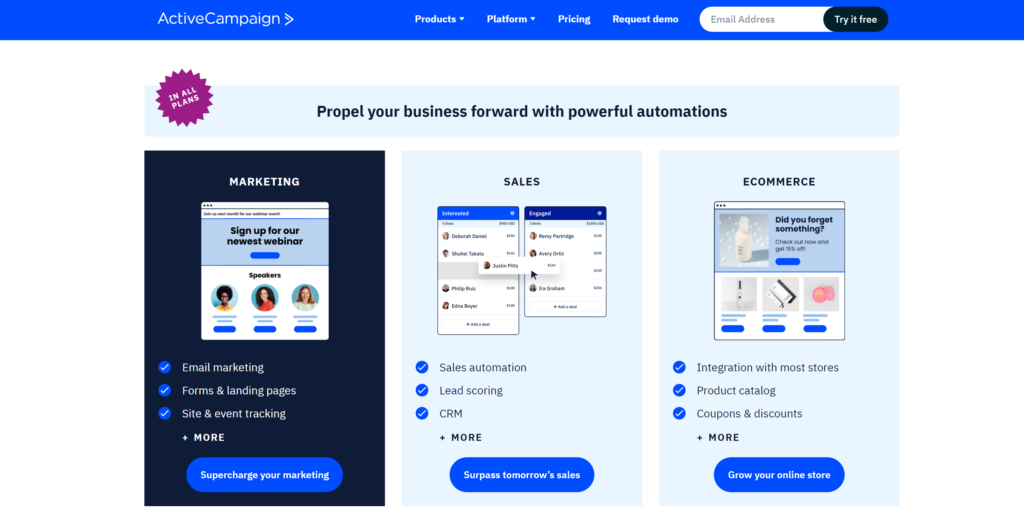
ActiveCampaign can help you streamline your email marketing campaigns with targeted emails based on customer behaviour, automated funnels, and even SMS marketing. Its CRM & sales tools offer hands-off management, a deals app, and seamless Gmail and Outlook integration.
ActiveCampaign is a powerhouse of automation features for small businesses, eCommerce ventures, bloggers, and even higher education institutions.
This email marketing platform comes packed with:
Predictive sending based on email behaviour
Templates for early customer journey stages
Automated segmentation, win probabilities, and lead scoring
Advanced reporting and goals tracking
Automated sign-up forms and site tracking
Impressively, unlike many Hubspot CRM alternatives, this platform includes support features in all packages. With its robust customer relationship management capabilities and drag-and-drop functionality, ActiveCampaign empowers marketing teams to save time, improve their business, and deliver compelling customer experiences.
Pricing: An ActiveCampaign account starts at $29 a month
2. AWeber: Best Email Marketing Alternative
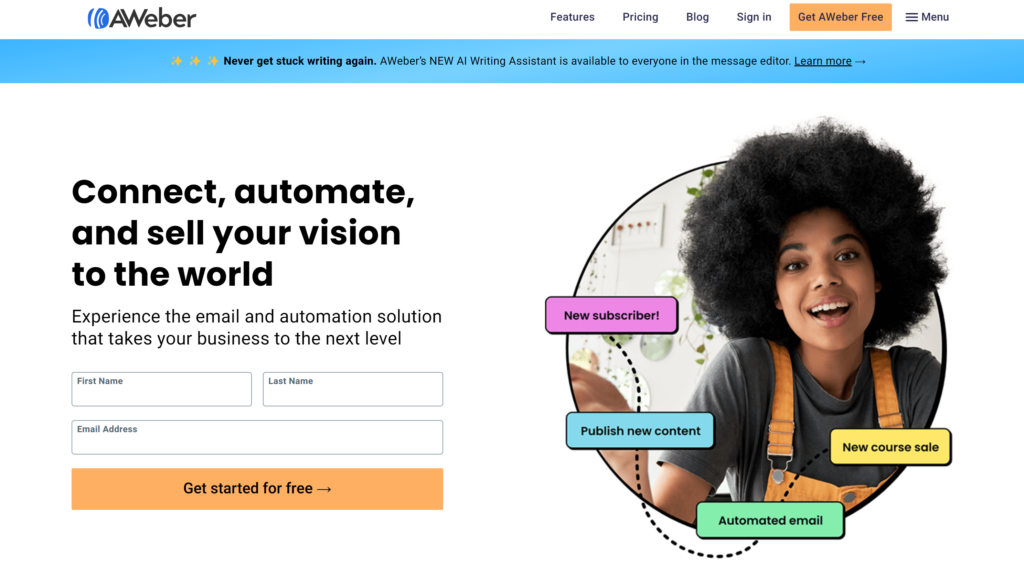
Another one of our favourite powerful email marketing Hubspot alternatives is AWeber. Founded in 1998, this Pennsylvania-based email marketing platform has been helping businesses across verticals to scale their marketing campaigns for decades.
With AWeber, you can:
Craft personalized emails using the Smart Designer editor.
Embed interactive AMP carousels in emails without any coding.
Automate email marketing with a series builder and autoresponder.
Easily preview link content with the magic link option.
AWeber’s landing page builder can help grow your email list and sell products, offering 46 creative templates for diverse use cases like promoting special offers or growing newsletter subscriptions.
You can also create inline, pop-over, pop-up, or lightbox sign-up forms in various styles. Plus, AWeber’s email automation builder allows you to send one-time autoresponder emails or create email sequences based on triggers.
To help decide if this program is right for you, check out this ActiveCampaign vs AWeber breakdown.
Pricing: AWeber has a generous free plan and paid plans start at $12.50 per month
3. Systeme.io: Best All-In-One Marketing Alternative
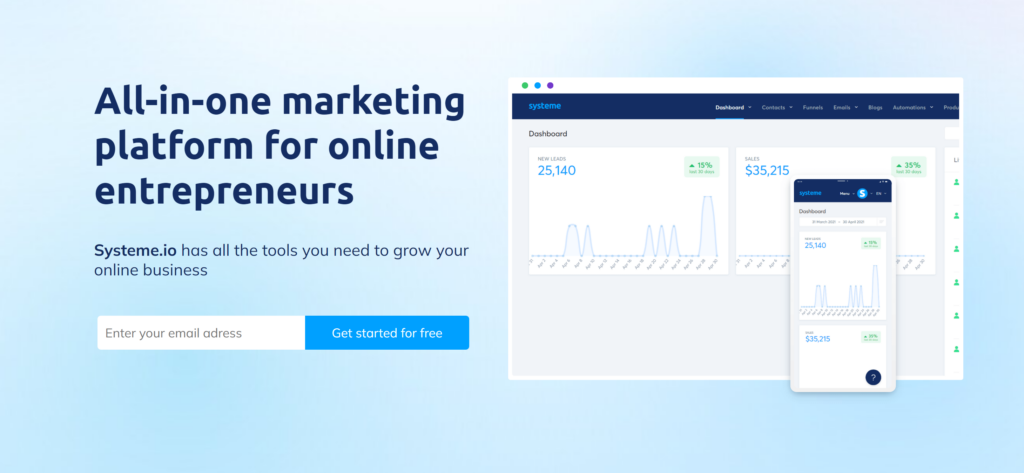
If you’re seeking a practical, user-friendly marketing automation platform, consider Systeme.io. This tool, developed by Aurelien Amacker, offers a suite of features that can streamline your marketing efforts and save time.
Key features of this marketing automation tool include:
Sales funnel builder for tailored marketing campaigns.
Email marketing management to nurture leads.
Tools for creating and hosting online courses.
Affiliate program management capabilities.
Systeme.io’s drag-and-drop interface simplifies the creation of landing pages, and its CRM software aids in managing customer relationships. The platform supports third-party integrations like Stripe and PayPal and offers features like A/B testing, one-click upsell, and custom domains.
In short, Systeme.io is a solid alternative to Hubspot for sales and marketing teams needing a comprehensive yet straightforward set of marketing automation tools.
Learn more about this tool and Aurelien Amacker’s impressive story in our Systeme.io review.
Pricing: Systeme.io has a free plan that has plenty of features for getting started. Paid plans begin at $27 per month
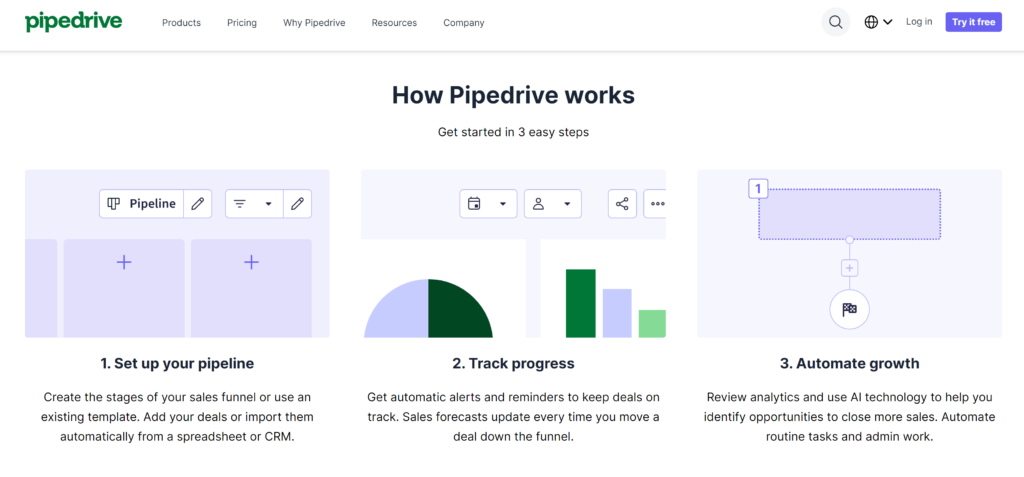
4. Pipedrive: Best for Sales Teams
In the realm of CRM platforms, a standout alternative to HubSpot is Pipedrive. This sales-centric software, tailored for marketing and sales teams, offers an affordable solution to HubSpot, specifically focusing on the sales process.
Pipedrive’s appeal lies in its:
Visual sales pipeline for efficient lead management.
Customizable pipelines and fields for personalized strategy.
Deal management and rotting feature for tracking deal progress.
Activity management and 2-way email sync for productivity.
This tool includes an intelligent sales assistant for insights and advice and workflow automation to reduce manual work. Its reporting features provide activity, revenue reports, and visual dashboards for clear insights.
If you’re seeking a sales-focused tool to streamline your sales and marketing processes, optimize customer data handling, and improve your e-commerce business’s efficiency, Pipedrive is an excellent consideration among HubSpot competitors.
Pricing: Pipedrive plans start at $14 each month
5. Aritic: Best Analytics-Rich Software
If you’re a small or medium-sized business owner, Aritic can help streamline your tasks into a well-organized marketing hub. This all-in-one marketing automation software is designed to help you understand your customers better, streamline your sales process, and save time.
This marketing automation software offers:
Advanced automation for streamlined workflows.
Data-informed lead scoring for identifying valuable prospects.
Integrations with platforms like Salesforce and WordPress.
Aritic’s email marketing automation features allow you to track page visits, form completions, and interactions.
This in-depth customer data can be crucial for your inbound marketing strategy, helping your sales team close more deals.
For example, your sales reps can use Aritic’s contact management feature to prioritize leads based on their activities on your e-commerce business website.
Aritic is also a good choice if you’re looking for a high-quality customer service team. Users have reported that their questions are answered in a timely manner and that the team goes out of their way to help troubleshoot any issues.
Pricing: Aritic Lite’s monthly plans start at $49
6. Marketo: Best Enterprise Solution
If you’re an enterprise leader, you need robust tools to streamline your operations. Adobe Marketo, a powerful marketing automation platform, can be your solution.
It aligns marketing and sales teams, driving organizational revenue and growth efficiently. The platform integrates natively with Salesforce.com, Microsoft Dynamics CRM, and SugarCRM, providing clear visibility into lead pipelines for sales reps.
This sales automation tool offers
Cross-channel marketing capabilities.
AI-powered sales insights and account profiling.
Advanced inbound marketing analytics.
With Adobe Marketo, you can coordinate engagement across various channels, including social media and email. Its real-time behavior analysis allows for personalized campaigns that resonate with your audience.
The platform’s sales intelligence tools provide valuable insights for your sales and marketing teams, aiding in target account management.
Despite the high cost and limited analytics compared to other alternatives, its enterprise-grade features and security make it a viable alternative to HubSpot for larger businesses.
Pricing: Contact Marketo directly for custom pricing information
7. Salesforce: Most Popular CRM
Salesforce is one of the best HubSpot alternatives because it offers plenty of the same features. Both platforms provide marketing solutions, management capabilities, CRM functionalities, predictive sales analytics, customer support options, contact ranking, VoIP, and various marketing tools.
There are some important distinctions to mention as well. HubSpot is commonly seen as an inbound marketing tool, whereas Salesforce is more geared towards sales automation, affecting everything from user interface to feature sets and pricing.
Salesforce allows for greater customization with its a-la-carte features, which could lead to complexity, but it also provides teams with scalability and the ability to better customize workflows.
This powerful HubSpot alternative also offers:
Sales automation
A customizable interface
Detailed sales reports
Forecasting capabilities
Salesforce’s advanced functionality comes with a higher price tag, pricier add-ons, and a steeper learning curve. But if you’re looking for a CRM platform designed for a big sales team, Salesforce may be one of the best HubSpot alternatives for your business.
Pricing: The SalesForce monthly plans begin at $25 a month
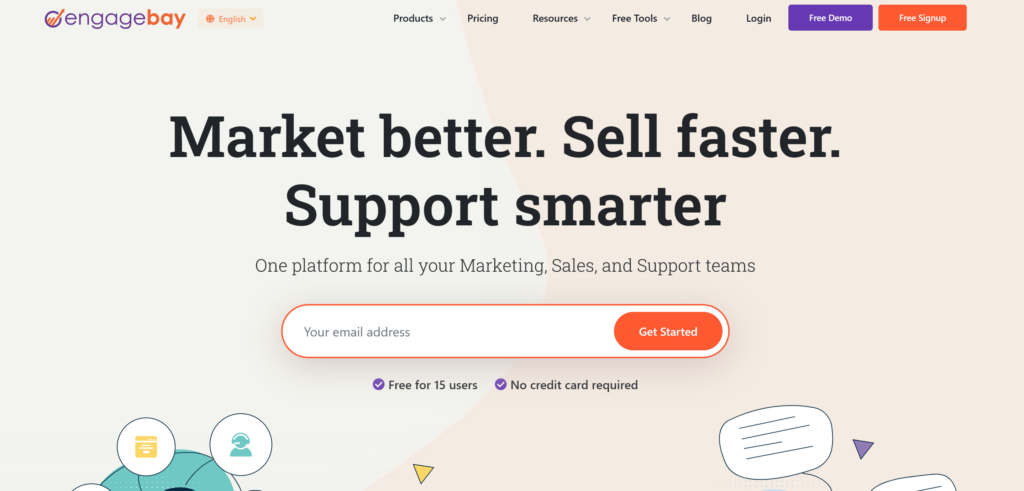
8. EngageBay
EngageBay is a viable alternative to HubSpot, designed specifically for startups and small businesses seeking comprehensive CRM software. It’s an all-in-one suite at a reasonable cost, offering a robust Pro plan subscription at a fraction of HubSpot’s onboarding cost.
This is one of the best HubSpot alternatives for your business due to its:
Marketing automation tools
Email marketing tools with automation features
A free drag-and-drop landing page builder
Segmentation capabilities
Tracking tools for performance metrics
This HubSpot alternative is segmented into three ‘Bays’: Marketing, Sales, and Customer Support.
The Marketing Bay houses email marketing, web forms, landing pages, and email sequences. The Sales Bay provides CRM, sales enablement tools, and appointment scheduling, while the Customer Support Bay features a powerful Help Desk and Live Chat tool.
EngageBay can help you target your audience effectively, automate your marketing efforts, and streamline your business operations, saving both time and money.
Pricing: EngageBay offers a free plan for up to 250 contacts and paid plans starting at $12.74 a month
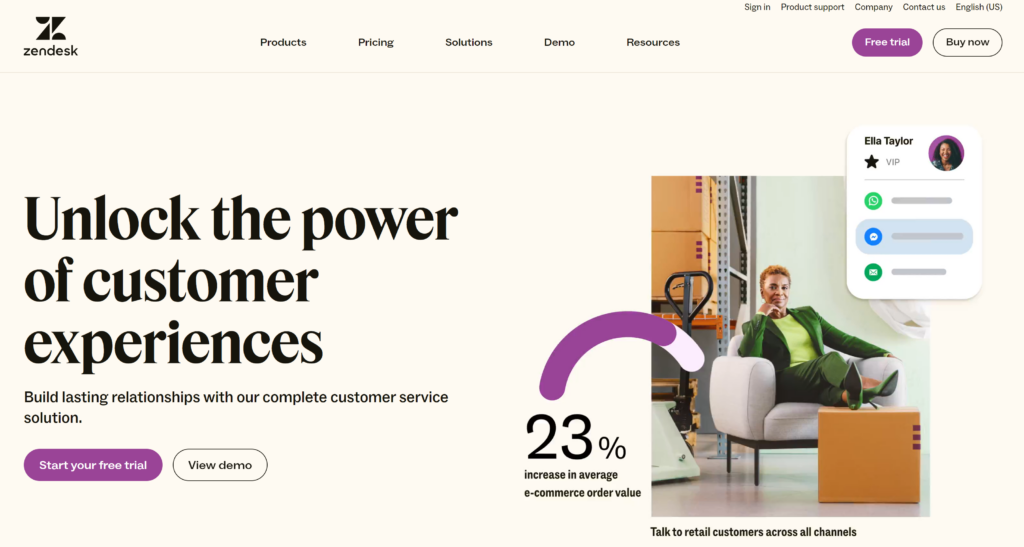
9. Zendesk
As an enterprise company, if you’re seeking a customer service solution that can streamline your support operations, Zendesk is a value-packed HubSpot alternative. It’s an all-in-one lead-generation tool that is well-known and used by many notable businesses.
This award-winning software is a trusted HubSpot alternative, serving over 200K customers with its comprehensive suite of tools.
This HubSpot alternative offers:
Centralized communication via text, mobile, phone, email, live chat, and social media
Knowledge base, self-service platform, chat, and call centre software in one place
Advanced ticket management system
Customization options and integrations with third-party applications
Powerful advanced sales reporting and analytics
Zendesk’s ticket management feature lets you assign tickets based on agent expertise, creating efficient workflows.
The platform is rich in marketing features, including inbound tools and email marketing automation, beneficial for e-commerce businesses. It also fosters a collaborative environment with its active online community forums.
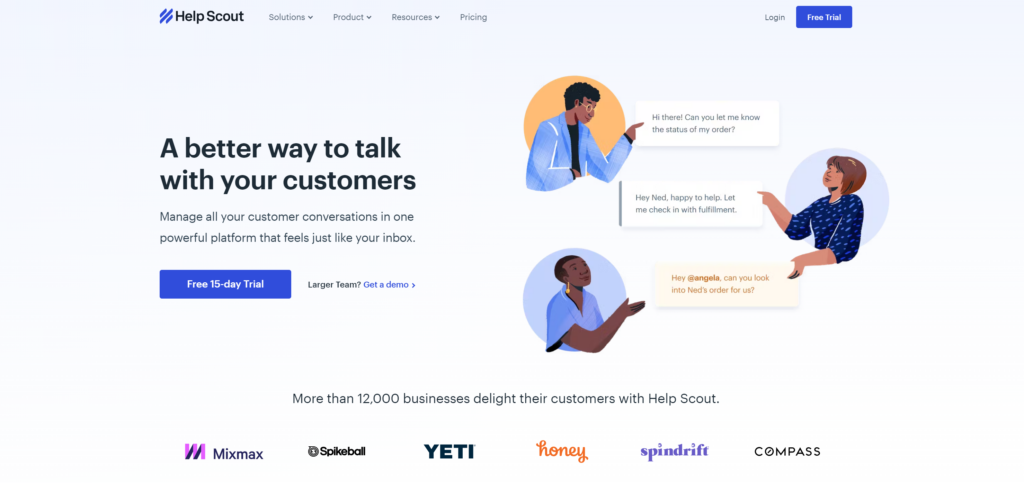
If you’re searching for a customer-focused HubSpot alternative, consider Help Scout. This CRM software is designed to optimize both agent and customer experiences.
Help Scout is one of the best HubSpot alternatives for the following features:
Intuitive interface for easy onboarding and storing of customer data
Comprehensive customer profiles for personalized support
Real-time, trigger-based Messages for proactive engagement
Centralized shared inboxes with saved replies and automated workflows
Beacon for live chat support and self-service knowledge base
Hassle-free data migration from other platforms
With Help Scout, you can view all customer data and previous interactions alongside each request, enabling personalized and efficient service. Its message feature allows real-time, proactive customer support.
Shared inboxes centralize all customer conversations, facilitating quick responses and effective team collaboration. Beacon offers live chat support and directs customers to relevant knowledge base articles.
Plus, migrating existing customers from another platform is easy with Help Scout, alleviating any roadblocks in transitioning to a new CRM platform.
Pricing: Help Scout plans start at $20 each month
Final Thoughts: 10 Hubspot Alternatives to Try
Choosing the right CRM isn’t just about features; it’s about finding a platform that resonates with your business ethos.
This list contains some of the most compelling HubSpot alternatives, offering solutions that can propel your customer service to new heights.
So, seize the opportunity and test out a HubSpot alternative so both your team and customers can enjoy a smooth, efficient experience.
For most B2B companies, it’s important to focus on both inbound marketing and outbound marketing.
These distinctive approaches are complementary in many ways, so if you use both efficiently, you can maximize your brand visibility and ultimately reach more people.
However, splitting your time and resources between these differentiated approaches can be a difficult balancing act to practice.
How do you split your time effectively between inbound and outbound marketing?
Inbound marketing is a set of different strategies all designed to naturally attract people to your business. These strategies work together synergistically, boosting the visibility of your brand, increasing the number of channels on which it appears, improving your reputation, and ultimately building consumer awareness and trust.
Among the most popular inbound marketing strategies are things like search engine optimization (SEO), content marketing, and social media marketing. If you’re familiar with these strategies, you understand how effectively they support each other.
Inbound Marketing
Inbound marketing strategies have unique advantages, including:
Cost-effective
Many marketers are drawn to the world of inbound marketing because it’s incredibly cost-effective. Producing content doesn’t cost much. Posting on social media doesn’t cost anything. And while you probably won’t see immediate results from these types of efforts, they have a permanent and accumulating effect; most of the assets you produce here are going to be indefinitely relevant and valuable to your brand, boosting its visibility and reputation for years to come. Overall, inbound marketing strategies are capable of attracting upwards of millions of people to your website for a relatively small amount of money.
Highly Scalable
People also appreciate how scalable inbound marketing is. Even if you work at a snail’s pace, producing only one new piece of content every week, as long as you’re consistent in your efforts, you’ll eventually have a gigantic archive of content to support your brand. And if you’re willing to spend a bit more money, you can accomplish a year’s worth of work in a week. Similarly, small startups and large enterprises alike can benefit from inbound marketing – as long as they know their niche.
Natural/Organic
Inbound marketing is also appealing to some because it’s a bit more natural and organic. Instead of calling a prospect and trying to convince them to buy a product they’ve never heard of before, you’ll be appealing to people who are already conducting organic searches for your type of product. It makes it much easier to build trust, establish rapport, and land sales – even if you can’t reach everyone this way.
Contextually Targeted
Most of your inbound marketing work is going to be contextually targeted. In other words, your materials are going to be relevant to the people seeing them. This isn’t necessarily the case with certain outbound marketing strategies like cold calling or cold emailing.
Tactically Diverse
Finally, inbound marketing strategies are tactically diverse. SEO isn’t the same as social media, and neither of these strategies is the same as content marketing. You can use one, some, or all inbound marketing strategies together, based on your needs.
In contrast, outbound marketing is a set of different strategies, all designed to reach people in your target demographics and deliberately market or sell to them. These strategies are capable of reaching total strangers, attempting to persuade them by showcasing your unique value or overcoming their key objections.
Among the most popular outbound marketing strategies are things like cold calling, cold emailing, and targeted advertising. These strategies can be used individually or as part of a bigger, more comprehensive sales funnel, designed to generate B2B leads over time.
Outbound Marketing
Outbound marketing strategies also have unique advantages, including:
Fast
One of the most important drawbacks of inbound marketing is that it takes a long time to develop. But with outbound marketing, you can see results almost immediately. As long as you have a coherent strategy and a talented team of people to execute that strategy, tactics like cold calling can land you sales today.
Capable of Broader Reach
Inbound marketing benefits from being contextually relevant, but at the cost of alienating at least some other people. In contrast, outbound marketing is capable of a much broader reach. If you’re trying to grow your business, or simply reach as many people as possible, outbound marketing becomes a practical necessity.
Specifically Targeted
It’s possible to use inbound marketing materials to target groups of people based on past interest, search history, and other relevant details. But with outbound marketing, you can target people much more specifically. This is especially true if you cultivate your own lists and gather more data from your pool of prospects.
Easy to Analyse
The effectiveness of outbound marketing is surprisingly easy to measure and analyze. It provides you with a pool of data that’s much more concrete, numerical, and objective. You can figure out exactly how many of your sales calls result in sales, or calculate the difference between two different, contrasting emails. Equipped with more objective data from which you can form better conclusions, you can polish these strategies to perfection.
Tactically Diverse
Outbound marketing is home to a variety of strategies and tactics as well. Cold calling and cold emailing are just the beginning – you can also practice many forms of online advertising, attend tradeshows, send direct mail, and more.
Important Variables to Consider
When discussing the matter of balance between the time you spend on inbound versus outbound marketing, there are several important variables you need to consider. These include:
Budget: First, you’ll need to think about your budget. Outbound marketing can help your business out of the gate, but it’s also more expensive to start up. If you’re working with limited resources, inbound marketing could be a preferable alternative.
Timing: You’ll also need to think about your desired timing. If you simply want to build your company reputation over the course of years, inbound marketing is fine. But if you need to start generating sales, you’ll need to lean toward outbound marketing more.
Industry/competition: Certain industries preferentially choose inbound or outbound marketing, due to the needs of their customers or because of certain tactics that work especially well in this environment. Study your competitors to see what they’re doing.
Target demographics: Some people respond better to inbound marketing over outbound marketing, or vice versa. Consider the preferences and behavioural patterns of your target demographics when choosing how to balance your time.
Historical performance: If you’ve been practicing inbound and outbound marketing for some time, take a look at your historical performances. Whichever group of strategies has consistently performed better should get more of your time and attention (keeping in mind that inbound marketing takes time to build momentum).
Future plans: Finally, think about where you want your business to be in the future. If you don’t have much of an inbound marketing strategy in place, but you like the idea of having an inbound empire eventually, you should spend more time developing your inbound strategies.
We’ve established that inbound and outbound marketing are both important, for different reasons. Accordingly, you’ll need to spend at least some time and effort on both if you want your B2B business to succeed.
These are the time management and coordination strategies that can help you do it:
Focus efforts on developing a consistent philosophy.
Prioritizing time expenditure in marketing is much easier when you have a consistent marketing philosophy underlining both your inbound and outbound approaches. Are you aggressive? Or, are you passive? Are you more trustworthy or more available?
Appoint leaders in each department.
If your team is big enough to support this idea, appoint leaders in each department: a captain for your inbound marketing and a captain for your outbound marketing. These people can make it much easier for you to make decisions and balance resources, since they’ll be specialized experts in each field.
Prioritize permanent/evergreen assets.
In both areas, focus on creating permanent, evergreen assets that will continue providing value to your organization indefinitely. This way, you can practically guarantee that whatever time you spend will be a valuable investment.
Record and analyse data.
Always record and analyse data associated with these marketing strategies. If you’re just getting started, you won’t have any data to work with, so you’ll be relying on instincts and the advice of others to balance your time effectively. But once the objective data starts rolling in, you’ll have no more excuses; you’ll have numerical proof that you should be spending more of your time in one area over another.
Automate what you can.
In both inbound and outbound marketing, you should automate whatever you can. Automation spares you manual effort and greatly reduces the amount of time you need to spend. If employed at a large enough scale, it could dramatically reduce the hours demanded of you and allow you to balance your time more freely.
Trim the fat and optimize.
Be willing to trim the fat and optimize your efforts. The balance of your time expenditure isn’t going to matter much if the hours you’re spending aren’t generating results for your business – even if you’re dedicating those hours to the “better” of the two approaches.
Both inbound and outbound marketing are effective in helping B2B businesses promote themselves and find new customers. But splitting your time between these two fundamentally diverse strategy sets can be a headache.
With smarter prioritization and more effective time management, you can figure out the perfect balance between them.
Here’s what you can do to reach more business-to-business customers and make your campaigns more efficient through the power of personalization.
It’s getting harder and harder to win the attention of business-to-business buyers. I’m sure you’ve noticed this too–especially today when it seems every other email or social post is generated by AI. We can view it as a challenge or as an opportunity. I recommend the latter.
Surveys say that 77 percent of B2B buyers will not purchase without personalized content. At the same time, only 4 in 10 B2B marketers believe they are using personalization effectively. That’s a massive discrepancy, especially given the fact that a B2B buyer’s journey is not linear and extremely long. And that’s why B2B marketing requires a unique touch.
You cannot overestimate the importance of accurate and detailed customer profiling. Knowing your audience’s needs and expectations is essential for effective marketing. Take the time to figure out who your ideal customers are and what pains they are trying to solve.
To get a better idea of what businesses you want to attract, start by analysing your existing customers. Based on this data, you can create your buyer personas. It’s okay to have more than one persona as long as you make a clear distinction between them, recognizing that each has different concerns and priorities.
2. Personalize your email campaigns.
Email marketing can be an effective way to reach your ideal buyers. However, too many B2B marketers do not segment their email lists and there’s a huge opportunity in this simple change. All of the people on your list belong to the B2B sector, but if you think beyond this characteristic, what else do they represent?
Think about the different industries you serve, different job roles, and different stages of the buying journey your buyers are at. Use automation tools to segment your email list and tailor your content accordingly. For example, if you were to sell cybersecurity solutions, you could have separate campaigns for IT managers and company CEOs and talk about problems and solutions that would be the most relevant for each of those personas.
3. Implement account-based marketing.
One of the most personalized strategies is account-based marketing. Contrary to traditional marketing, ABM is all about targeting a very specific, high-value set of customers. This approach is especially effective for industries that typically have very long buying cycles. Make a list of specific companies you’d like to reach and go all in with super-specific content that addresses their unique challenges.
The beauty of ABM is in its focus and attention to detail, which is exactly what most B2B buyers expect. Instead of “spraying and praying,” as the saying goes, you can concentrate all your resources on trying to reach a very particular person or people who are going to play a critical role in the decision-making process once the company is ready to buy.
4. Recognize challenges and considerations.
As great as it sounds, personalized marketing has quite a few lines, and you need to be especially careful not to cross them. Otherwise, your campaigns could have the opposite effect from what you’ve expected. These challenges include:
Privacy concerns and ethical implications: Be mindful of diving too deep when trying to help your potential customers. Some of them might not like it when you gather data, so never attempt personalizing without people’s consent.
Data accuracy: Make sure you maintain up-to-date information to make sure your personalization remains relevant. Things like making sure the recipient still works in the targeted company must become a part of your data hygiene routine.
The balance between personalization and scalability: You can’t maintain personalization and exponential growth. There’s a careful balance there, and it often does not go in line with scalability.
All in all, just like any great strategy, personalization has its benefits and drawbacks. But if this is something you can see your business doing, I say go ahead and try it. In my experience, the results can be impressive.
Featured Image Credit: Getty Images
By Samuel Thimothy
VP at OneIMS.com, an inbound marketing agency, and co-founder of Clickx.io, the digital marketing intelligence platform.
If you are looking for ways to improve your productivity and workflows, by harnessing the power of artificial intelligence within the OpenAI ChatGPT chatbot You will be pleased to know there are plenty of automated solutions you can set up to help you with those daily mundane tasks that seem to eat away at your precious time.
Whether you’re managing a small team, running a large enterprise, or simply looking to streamline your personal projects, connections between ChatGPT and your daily software and applications are easy to set up and require no coding at all. In this guide, we provide a wealth of information and inspiration on how you can harness the capabilities of ChatGPT and combine them with no code systems such as Zapier or Make to name just a few. Once learnt the simple automations can transform your approach to work and personal productivity.
In the following sections, we’ll explore a versatile range of ChatGPT integrations offered by Make that promise to enhance your efficiency. From automating routine email responses to conducting in-depth sentiment analysis on customer feedback, these tools cater to a wide spectrum of needs. You will learn how to use ChatGPT for generating SEO-friendly content, translating messages in multiple languages, and even repurposing social media content across different platforms.
Additionally, we will investigate more advanced automation workflows such as transcribing audio files and categorizing support tickets based on agent expertise. Each automation is designed to not only save you time but also to ensure accuracy and creativity in your outputs. By the end of this article, you will have a comprehensive understanding of how to leverage these 27 ChatGPT automations to streamline both your professional and personal workflows.
Automate your work using AI
AI Andy has created a fantastic overview of how you can use the Make online automation service to carry out a wealth of automation improving your productivity and removing those annoying tedious tasks from your daily workflow.
SEO Keyword Generation:
Function: This automation utilizes ChatGPT to generate SEO keywords whenever new rows are added to Google Sheets.
Application: Ideal for content creators and digital marketers, this tool simplifies the process of identifying relevant keywords for articles, blogs, and web content. By automating this step, it significantly reduces the time and effort spent on keyword research, allowing for a more streamlined content strategy.
Benefit: Ensures that your content is optimized for search engines, potentially increasing visibility and audience reach.
Email Response Automation:
Function: ChatGPT, when integrated with Google Sheets, can automatically respond to business emails.
Application: This is particularly valuable for handling repetitive queries like sponsorship or partnership inquiries. It can be customized to respond based on specific triggers or keywords found in the emails.
Benefit: This automation saves time, reduces the workload on your team, and ensures timely responses to important emails, enhancing business communication efficiency.
Customer Feedback Sentiment Analysis:
Function: ChatGPT can analyze the sentiment of customer feedback inputted into Google Sheets.
Application: This is a powerful tool for recruiters, surveyors, and data analysts, who can use it to gauge customer satisfaction, employee feedback, or market research responses.
Benefit: Provides valuable insights into customer opinions and experiences, helping businesses make informed decisions and improve customer satisfaction.
Airtable for Advanced Automations:
Function: Similar to Google Sheets, Airtable rows can trigger ChatGPT to create new outputs.
Application: This can be used for a variety of tasks, such as content generation, data organization, and project management.
Benefit: Airtable’s versatile database structure coupled with ChatGPT’s language processing capabilities makes for powerful, customized automations across different business functions.
Sales Analysis for Online Businesses:
Function: Businesses using e-commerce platforms like WooCommerce or Shopify can automate their sales analysis reports with OpenAI integration.
Application: This automation can compile sales data, analyze trends, and generate comprehensive reports.
Benefit: It provides businesses with detailed insights into their sales performance, helping them make data-driven decisions to boost sales and optimize their marketing strategies.
Automated Slack Status Updates:
Function: Create new Slack statuses based on specified topics using OpenAI.
Application: This is particularly useful in remote or hybrid work setups, where team members can update their status to reflect their current tasks or availability automatically.
Benefit: Enhances communication and coordination within remote teams, ensuring everyone is aware of each other’s focus areas or availability.
Function: This feature allows for the translation of Telegram bot messages into multiple languages using ChatGPT.
Application: It’s particularly useful for businesses and individuals who communicate with a global audience. Whether it’s customer support, information dissemination, or casual conversations, this tool breaks the language barrier.
Benefit: Enhances global communication and engagement, ensuring messages reach a broader audience in their preferred language.
Interactive Telegram Bot Responses:
Function: ChatGPT enables the Telegram bot to provide automated responses to direct questions asked in the app.
Application: This can be used for a variety of purposes such as customer service, information queries, or interactive engagements.
Benefit: Speeds up information access and improves user interaction, offering real-time, accurate responses to queries.
Social Media Content Generation:
Function: Automatically converts published articles into social media posts.
Application: Ideal for content marketers and social media managers, this tool helps in repurposing blog posts or articles for platforms like Twitter, Facebook, and LinkedIn.
Benefit: Saves time in content creation and ensures consistent online presence, expanding the reach of existing content.
Google Drive Audio File Transcription:
Function: Utilizes OpenAI Whisper to transcribe audio files from Google Drive, with the option to send summaries via email.
Application: Perfect for businesses and teams that record meetings, interviews, or lectures and need them transcribed for record-keeping or follow-ups.
Benefit: Streamlines the process of converting spoken words to text, facilitating easy access and review of audio content.
LinkedIn Content from TikTok Videos:
Function: ChatGPT assists in repurposing TikTok video content for LinkedIn posts.
Application: Useful for content creators and marketers aiming to leverage their TikTok content in a professional context on LinkedIn.
Benefit: Maximizes the utility of video content across different platforms, enhancing social media presence and engagement.
Zoom Meeting Summaries:
Function: Transcribe and summarize Zoom meeting recordings efficiently.
Application: Beneficial for businesses and educational institutions to keep records of meetings, lectures, or discussions.
Benefit: Ensures important details and decisions from meetings are captured and made easily accessible for future reference.
E-commerce Product Description Creation:
Function: Generates high-converting product descriptions for e-commerce platforms like WooCommerce and Shopify.
Application: This is a boon for e-commerce businesses looking to enhance their product listings with compelling descriptions.
Benefit: Improves SEO and the potential for organic traffic, leading to better conversion rates and sales.
Support Ticket Categorization:
Function: ChatGPT helps in categorizing support tickets and matching them with the most suitable customer service agents based on their expertise.
Application: This is particularly beneficial for customer support teams in managing a large volume of inquiries and ensuring that each ticket is addressed by the right agent.
Benefit: Enhances the efficiency of customer service, leading to quicker resolution times and improved customer satisfaction.
Function: This feature enables direct posting of content on social media platforms from blog articles using ChatGPT.
Application: It’s useful for bloggers, content creators, and digital marketers looking to maximize their online presence without additional effort in content creation for social media.
Benefit: Saves time and ensures a consistent and broadened digital footprint, increasing audience engagement.
Automated Competitor Analysis:
Function: Analyse competitor strategies from Gong calls and store the insights in Airtable.
Application: Sales and marketing teams can use this feature to stay informed about competitors’ tactics and strategies.
Benefit: Provides valuable intelligence for refining sales approaches and marketing strategies, keeping businesses competitive.
Follow-up Question Responses:
Function: OpenAI GPT-3 offers the capability to provide quick and accurate responses to follow-up questions.
Application: Ideal for customer service, help desks, and interactive platforms where prompt responses are crucial.
Benefit: Enhances customer service efficiency, ensuring that users receive timely and relevant information.
Custom Messaging Workflows:
Function: Personalize messaging workflows using OpenAI’s ‘write me’ feature based on specific prompts.
Application: This can be used by businesses for customized marketing messages, personalized emails, or unique content creation.
Benefit: Allows for greater flexibility and creativity in communications, tailored to specific audiences or purposes.
Meeting Summaries with Audio Files:
Function: Generate concise audio summaries of meetings, making them accessible for reference and team updates.
Application: Useful for corporate teams, project groups, and educational settings where meeting recaps are essential.
Benefit: Saves time in revisiting meeting content and ensures key points and decisions are effectively communicated.
Product Satisfaction Survey Analysis:
Function: Perform sentiment analysis on product satisfaction surveys to gauge customer opinions and experiences.
Application: Essential for businesses seeking to understand customer feedback in depth and improve their products or services.
Benefit: Offers valuable insights into customer satisfaction, aiding in product development and customer relationship management.
Function: Utilize Eden AI to send audio files generated by ChatGPT in Telegram for effective audio notifications.
Application: Can be used for reminders, updates, or alerts in a more engaging and accessible format than traditional text notifications.
Benefit: Enhances the effectiveness of communication, particularly in scenarios where quick information dissemination is critical.
Sales Insights from Gong Call Summaries:
Function: Summarize Gong calls using OpenAI for in-depth sales insights and strategy development.
Application: Sales teams can use this feature to analyse call recordings for understanding customer interactions, objections, and responses.
Benefit: Provides a concise overview of sales calls, helping in identifying successful tactics and areas for improvement.
Workflow Customization with Airtable:
Function: Similar to Google Sheets, this integration allows for automating responses and data analysis with Airtable.
Application: Suitable for a variety of business processes including project management, CRM updates, and content planning.
Benefit: Offers a more flexible and robust system for managing complex workflows, enhancing productivity and data organization.
Blog Content Repurposing Across Platforms:
Function: ChatGPT aids in adapting blog content for use across multiple social media platforms.
Application: Content creators and digital marketers can extend the reach of their blog posts by converting them into format-specific content for platforms like Facebook, Twitter, and Instagram.
Benefit: Maximizes the value of existing content, ensuring wider dissemination and engagement without additional content creation efforts.
Streamlined Customer Service:
Function: Automate the allocation of support tickets to customer service agents based on their expertise.
Application: Ideal for customer support centres dealing with a range of inquiries requiring different levels of expertise.
Benefit: Ensures that customer queries are handled by the most qualified agents, improving resolution time and customer satisfaction.
Multilingual Telegram Bot Interactions:
Function: Automatically translate Telegram bot messages into various languages.
Application: Useful for businesses and communities that interact with a diverse, global audience.
Benefit: Breaks down language barriers, enabling more inclusive and effective communication with international users.
Creative Content Generation:
Function: ChatGPT is used to generate a variety of creative content, from social media posts to complete blog articles.
Application: Valuable for marketers, bloggers, and content creators who need regular, high-quality content.
Benefit: Streamlines the content creation process, providing fresh, engaging, and tailored content while saving time and resources.
Automated Social Media Analytics:
Function: ChatGPT can analyse social media metrics and generate comprehensive reports.
Application: Ideal for social media managers and marketers who need to track the performance of their campaigns across various platforms.
Benefit: Provides detailed insights into engagement rates, audience growth, and content performance, enabling more informed social media strategies.
Project Management Optimization:
Function: Utilize ChatGPT to streamline project management tasks such as updating project statuses, generating progress reports, and automating task assignments.
Application: Useful for project managers and teams in both small-scale and large-scale projects.
Benefit: Improves project tracking and team coordination, ensuring timely completion of tasks and efficient resource allocation.
Automated Market Research Summaries:
Function: ChatGPT can summarize extensive market research data and provide key insights.
Application: Valuable for businesses and market analysts looking to quickly understand market trends, consumer behaviour, and industry changes.
Benefit: Offers a swift and comprehensive overview of complex market data, aiding in strategic decision-making and business planning.
The world of automation, especially with tools like ChatGPT, opens up a realm of possibilities for enhancing productivity and streamlining workflows. By automating repetitive tasks, from managing emails and social media posts to analysing complex data, you free up valuable time and resources. This allows you and your team to focus on more creative and strategic endeavours.
The key advantage of these automations lies in their ability to handle a wide array of tasks efficiently and accurately. Whether it’s generating content, summarizing meetings, or analysing customer feedback, these tools not only save time but also bring a level of consistency and precision that is hard to achieve manually. In essence, embracing these automation solutions can lead to a more organized, efficient, and productive work environment, ultimately driving success and growth in your personal and professional life.
Seeking content inspiration for your holiday schedule? Maybe you’re planning for 2024?
Whatever you’re targeting, this new overview of four effective content types, from the team at Giraffe Social Media, may help.
The Giraffe team have put together an overview of some of the best, most responsive content options for your posts, which could help to get you thinking about your marketing plan.
A combination of these approaches could be a great way to boost brand awareness, and grow your following. My only additional note of advice is that you don’t just go and slap these idea prompts into ChatGPT, and end up pumping out generic rubbish.
You can check out Giraffe Social’s full tips here.
Technology is advancing, changing how users navigate websites, digital products, apps and interfaces. The user experience has become more enjoyable and much more efficient than it used to be.
Although these changes have become widely accepted by users and the teams that design them, there are still hurdles that can impact your website. There are design elements that have the power to enhance user experience, but if overused or not used correctly, they can cause your users to feel cognitive strain in order to get what they are seeking. Cognitive strain occurs when users have to go through hurdles when they are navigating complicated interfaces, leading to difficulty enjoying an experience or making decisions. Cognitive strain becomes distracting and can cause your users to leave your website.
Let’s explore a few digital design advancements, and how to use them just right.
Use Your Animations Purposefully
Interactive web animations are one of the many common ways designers create visually appealing web experiences that feel immersive. Web animations add a delightful extra layer to a design. However, it is key to ensure that they are not overused, as then they can lose their appeal and overstimulate your users. The best way to incorporate animation in a meaningful way is by analysing how to use them. Is the animation propelling the user forward in their journey in any way through a transition to another webpage? Is the loading time of the animation interrupting the flow of the overall experience—potentially causing increased bounce rates? These are elements to consider when incorporating animations into your website.
Subtle but powerful ways to include animations can be hover animations that grow or pulse, scroll animations that offer a dynamic transition to the next part of a website without too much motion, or even a moving graphical element that offers visual interest without getting in the way of any content. Fast-moving animations or animations that overtake the page can overstimulate your audience if overused; therefore, minimal movement is usually the better choice.
Consider Your Chatbot
Chatbots have been around for a while. They are used mainly to help with the automation of customer support, answering questions and more. Chatbots are integrated into e-commerce websites for product recommendations or streamlining questions for customer support, while service websites often use them for tasks such as scheduling appointments. Although they are handy when it comes to enabling businesses to handle larger quantities of user interactions, do you really need them on your website if it extends beyond e-commerce purposes?
Depending on your target audience and demographic, chatbots can be hit or miss. According to a study that surveyed different generations on their thoughts about chatbots, 20% of Gen Zers prefer to start customer service interactions with a chatbot, compared to only 4% of baby boomers. The latter are particularly unaccepting of chatbots that pop up on websites automatically: “53% of Boomer respondents indicated that uninitiated chatbots ‘annoyed’ them, compared to only 28% of millennials and 24% of Gen Z consumers.”
To create an overall enjoyable user experience for all, make sure that all of your users can easily and painlessly use your website to do the things they need to do. If your brand caters more to older generations, consider alternative communication and calls-to-actions that lead to fillable contact forms or email and phone number options. If your audience is a mixed bag, including chatbots can be helpful, as long as they don’t completely overtake the screen or are presented as a pop-up. Therefore, consider whether your website benefits from having a chatbot, or whether you can opt out with alternative options.
Optimize Your Assets
Grabbing your users’ attention is one of the main goals for robust web design; your visuals can impact that. Regarding the photography and other visual assets across your website, ensure that they are optimized for the web. Images that are too large can impact the loading time it takes for users to see them—furthering the chance of users experiencing cognitive strain and ultimately leaving your website. Forty percent of people will leave a website if it takes more than three seconds to load. To decrease the loading time of your photo assets, make sure they are no more than around 150 kilobytes, and that you resize original photos down closer to that resolution.
Images that have not been properly optimized also might not fit well within the design of your site. They might be too large or too small, or their resolution might not match the display capabilities of the device users are on. These inconsistencies can be distracting, making it harder for users to concentrate on the main content.
Optimizing your assets can also mean what kinds of images you’re using and how you’re using them. Using stock imagery, for example, can be a great way to incorporate elements that help tell the visual story of a website, but including photos of your actual company or brand can help elevate your user-centric approach and carry out your brand ethos further. Users are more likely to trust and feel the authenticity of your brand if you include photos that are company-related versus stock photography.
Using photos in the right context is also important. If a stock image isn’t directly related to the content it’s paired with, it can confuse users. They might exert unnecessary mental effort trying to connect the image with the content, causing cognitive strain.
As you navigate the ever-evolving landscape of digital design, it is imperative to make thoughtful and purposeful design decisions to avoid causing unnecessary cognitive acrobatics for your users. By fostering an environment of simplicity, user-centricity and contextual relevance, you can ensure that your website not only captivates and engages users but also that it facilitates a seamless and intuitive journey.
Creative Director of ArtVersion, a Chicago design consultancy. We craft ideal user experiences for the world’s most innovative companies. Read Goran Paun’s full executive profile here.