Social media is an essential tool for any budding entrepreneur to connect with their audience. Platforms like Twitter, Instagram, TikTok, and YouTube offer unique methods of marketing to engage your audience and show off your brand’s identity. But if you’re a social media newbie or have only used social media for personal reasons, you might want to conduct research before delving into the world of social media marketing. In some ways, social media marketing for business and pleasure do share some similarities.
When we curate an online identity for ourselves, we create our own personal brand. We choose images and videos that present our best selves to our friends and family. When marketing their business on social media, many entrepreneurs make the mistake of over-promoting themselves or creating ads with too much text. Social media is an image and video-driven advertising tool and each platform requires a different promotional format. Furthermore, while our personal social media accounts represent our best or ideal selves, business accounts may benefit from emphasizing their authenticity. As author and social media expert Paul Gillin says, “Transparency may be the most disruptive and far-reaching innovation to come out of social media.”
Depending on their age, social media users may react to online advertisements differently, but most social media users have become accustomed to a constant stream of fake news and overexaggerated advertising. That’s why presenting a unique and authentic brand identity while also capitalizing on social media trends and tags will help your business stand out in a flood of identical ads. Sounds kind of like learning a whole new language? It can seem that way. Luckily, these business professionals have worked with social media and had firsthand experience with some of the most common social media mistakes. Read on to find out which social media marketing mistakes you should avoid when you’re just starting out.
Know Your Platforms
There are plenty of social media platforms to choose from. Facebook, Instagram, Twitter, TikTok, YouTube, Snapchat, Pinterest, and LinkedIn are probably the biggest players right now. Each platform is made up of a different audience—Facebook users, for instance, tend to be older than 40 while TikTok is steadily growing in popularity with Gen Z. Eric Elggren, Co-Founder of Andar recommends knowing your target audience and the type of media most prevalent on each platform before starting an account.
“There is a learning curve with social media and it’s okay to start slow. I would choose one or two platforms to focus on until you get the hang of things. If your target audience is older, I would steer clear of TikTok and master platforms like Facebook and Instagram. Also, think about what you’re selling and what format it is best presented in, and think outside of the box. If you have a very aesthetically pleasing product like clothing or makeup, I would say that Instagram is going to be best for those high-quality photos.
YouTube is also great for high-quality videos presenting the scope of a product or service, but the average consumer’s attention span is only a couple of seconds. If you want to introduce your team or present testimonials in an authentic way, a shorter video on TikTok or Instagram Reels can grab your audience’s attention for those few seconds. Whichever platforms you choose, I would spend some time on those platforms looking at the formatting of the ads there.”
Track Analytics and Trends
Guna Kakulapati, CEO of CureSkin recommends using a social media analytics tracker to ensure your ads are receiving views and engagement. He also encourages the use of tags and trends to boost your posts when you’re first starting out.
“Even if your team works for weeks on a beautiful ad campaign, it won’t do you any good if nobody sees it. You have a higher likelihood of your brand getting noticed with paid ads, but if you’re shooting for a viral moment, scoring those organic impressions can be one of the hardest humps to get over. If you want to make sure your product is seen, you have to track how many likes and saves you’re getting on each post. I would recommend using analytics tracking tools like Facebook Insights and Twitter Analytics. If your impressions and reach are really low, a paid ad might be best. But I think any post can go viral if it follows the trends. As silly as it sounds, that means those viral songs, dances, and memes could be the key to your next sale.”
Interact with Your Audience
If there’s one aspect of social media as a marketing method that sets it apart from TV or billboard advertising, it’s the fact that it’s interactive. You can actively engage your audience’s organic reactions to your advertisements or products in real-time. Most social media platforms allow users to repost and share products that they find interesting, leading to even more eyes on your product. On the flip side, social media users can also share bad reviews and their opinions on poor customer service. Jeff Bezos says, “If you make customers unhappy in the physical world, they might each tell six friends. If you make customers unhappy on the Internet, they can each tell 6,000 friends.” That’s why it’s even more important to ensure customer satisfaction online. Mark Sider, CEO and Co-Founder of Greater Than, suggests that entrepreneurs interact directly with social media users by responding to comments or direct messages.
“If someone posts a funny comment or asks a question in the Instagram or Facebook comments of your post, that likely means they’re interested in further interacting with your business. It’s so important to take advantage of those moments of authentic business-to-client interaction. If it’s a silly comment, leave a response in return. If it’s a question, answer it in a timely manner. Not only will your asker be impressed by that one-on-one attention, but anyone else who looks through the comments will see those interactions as proof that your company cares about its clients.”
Set Social Media Goals and a Schedule
Theresia Le Battistini, CEO and Founder of Fashion League recommends setting business-minded goals on social media involving specific numbers and metrics.
“Like every other form of advertising, social media marketing needs specific goals to work. I would recommend setting SMART business goals—goals that are specific, measurable, attainable, relevant, and time-based. So you wouldn’t just say that you want to increase sales or improve engagement through social media. You would choose a specific number of followers or sales as your goal. From there, you can schedule your social media posts on each platform with that goal in mind. If you’re aiming for more followers, you may need to post and create new content more regularly. If you’re aiming for more sales, then maybe you need to prioritize a few crucial interactions. In any case, the more clearly defined your goals are, the better off you’ll be. And that’s true for any business interaction—not just social media.”
A deep history of mass manipulation, from the 1920s through the mid-1970s.
n a house in Cambridge, Massachusetts, in 1990, a 40-something Marxian critical scholar of consumerism interviewed a wizened man of nearly 100 years, a man who had helped build the very consumer society the scholar was criticizing. The younger man was Stuart Ewen, a professor of film and media studies at Hunter College. The older was Edward Bernays, one of the most important public relations pioneers of the 20th century.
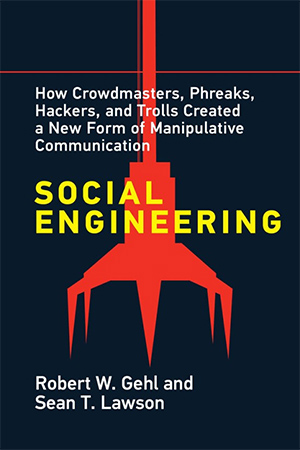
This article is adapted from Robert Gehl and Sean Lawson’s book “Social Engineering.” An Open Access edition of the book can be freely accessed here.
Although their backgrounds were different, Bernays warmed up to Ewen, seeing him as a member of an “intelligent few” who was “charged with the responsibility of contemplating and influencing the tide of history.” Ewen was, after all, a published author and a professor. Bernays saw himself as an intellectual, a theorist of public relations — the field he had helped create in the 1920s.
In his interview with Ewen, Bernays explained his theory of the role of public relations in society. Since Ewen was a member of the “intelligent few,” Bernays felt that he could be frank about the field’s elitism. In his book “PR!: A Social History of Spin,” Ewen writes:
As a member of that intellectual elite who guides the destiny of society, the [public relations] “professional,” Bernays explained, aims his craft at a general public that is essentially, and unreflectively, reactive. Working behind the scenes, out of public view, the public relations expert is an “applied social scientist,” educated to employ an understanding of “sociology, psychology, social psychology, and economics” to influence and direct public attitudes. Throughout our conversation, Bernays conveyed his hallucination of democracy: A highly educated class of opinion-moulding tacticians is continuously at work, analysing the social terrain and adjusting the mental scenery from which the public mind, with its limited intellect, derives its opinions.
Ewen, who had studied the writing of Bernays for years and had authored books on “captains of consciousness” and consent engineering, was probably not surprised to hear this hierarchical vision of society, where “people in power . . . shape the attitudes of the general population.”
Right up to the end of his life, Bernays held fast to his belief that leadership would come from an elite, technocratic few who would shape the masses’ reality and thus produce a better society.
Today, Bernays’s elitism sounds out of date, even dangerously anti-democratic. This is especially so when we are told that our opinions matter, that social movements can use contemporary media to spread their messages, and that we can finally speak truth to power. Even in the 1990s, when Ewen interviewed Bernays, the old man’s ideas seemed offensive.
Indeed, Bernays was a product of another time, the early 20th century, a time when elite experts — especially engineers — were seen as humanity’s saviours. Right up to the end of his life (Bernays died in 1995, a few years after Ewen’s visit), he held fast to his belief that the masses needed leadership, and that leadership would come from an elite, technocratic few who would shape the masses’ reality and thus produce a better society.
These elites used a variety of names for themselves: “public relations professional,” “news engineers,” “engineers of consent,” “crowd-men.” We will call them mass social engineers. Their roots lie in the turn of the 20th century, a period when engineering was held in high esteem, so much so that people believed society itself could be engineered just as easily as a bridge or canal could be.
Engineering Society
Writing in 1976, civil engineer and author Samuel C. Florman pined for the “Golden Age of Engineering” — a period he defined as 1850 to 1950. During this Golden Age, especially in the early 1900s, engineers aspired to be “benefactors to mankind.” Flush with pride over massive successes — canals, bridges, dams, and public infrastructures — engineers came to believe that their profession would lead to democratically distributed prosperity for all of mankind. “Since the lot of the common man had traditionally been one of unrelenting hardship,” Florman writes, “engineers during the golden age looked upon their works as man’s ‘redeemer from despairing drudgery and labour.’” Once the common man was released from drudgery, the engineers reasoned, he would inevitably become educated, cultured and ennobled, and this improvement in the race would also be to the credit of the engineering profession. Improved human beings, of course, would be happier human beings.
Hence, turn-of-the-century engineers aspired to take their skills in practical application of scientific knowledge and improve the lot of humanity. Arguably, they did — for example, new sanitation systems contributed greatly to the health of urban environments.
Given the seemingly boundless power of engineering and the flexibility of its central approach of applying scientific knowledge to practical problems, perhaps it is no surprise that the label “engineer” began to be used beyond the civil domain. At the beginning of the 20th century, we see specializations of the field: electrical engineering, municipal engineering, sanitary engineering, and industrial engineering, to name a few.
All engineering is social, of course, affecting how societies function. Some subfields of engineering are more directly targeted at human action than others. Sanitary engineering, for example, affected habits of waste and consumption in urban centres. Through a seemingly politically neutral process of building infrastructures such as sewage systems, engineers started to see how their work could directly shape society.
Through a seemingly politically neutral process of building infrastructures such as sewage systems, engineers started to see how their work could directly shape society.
The most direct expression of this engineering-of-society mindset that appeared in the early 1900s could not be clearer: the title of “social engineer.” In the late 19th and early 20th centuries, a new wave of experts emerged. They sought facts, spread middle-class white American values, and worked to make everything more efficient. They placed expertise and elite knowledge above mass democratic decision-making. Their use of the title “social engineer” helped them gain legitimacy by appropriating the successes of civil and mechanical engineering. They argued that scientific thinking could be applied to society.
Social engineers of this period came in three varieties. There were social reformers — Social Gospel Christian activists and early sociologists — who sought to reform society. There were management theorists, who were studying ways to manage workers in industrial capitalism. And later, there were public relations specialists, who mixed the language of social reform with the elitism of management and took to new mass media to shape society as a whole. This is the group we call mass social engineers.
Social Reformers
As multiple historians have noted, late 19th- and early 20th-century America was marked by anxieties: New immigrants from Eastern Europe were thought to be diluting American values. Striking workers and socialists clashed with laissez-faire capitalists, causing social unrest with competing visions of political economy. And growth in production was leading to inefficiencies in the market because of a lack of consumers. Perhaps the best expression of these anxieties came in the symbol of the crowd — the irrational masses of humanity who could not govern themselves due to their overwhelming passions, hysteria, and lack of conformity. Turn-of-the-century thinkers such as Gustave Le Bon, Walter Lippmann, and Gerald Stanley Lee warned of the dangers of these crowds. As Le Bon famously argued, “the divine right of the masses is about to replace the divine right of kings.” The crowd was supplanting traditional leaders, bringing about fears of mob rule.
As an antidote to the unruly crowd, social theorists began to explore ways to engineer a better society. This positivist vision was fuelled in part by the advent of new social sciences at the turn of the 20th century, particularly sociology, economics, and psychology, which promised to illuminate the previously messy world of human action. The basic idea was to implement the expert knowledge gleaned from sociological surveys, economic analysis, or psychological theorizing into specific social programs meant to guide the newly ascendant masses. As the president of the American Statistical Association put it in 1937, the application of social science to social ills would be social engineering, just as the application of physics to bridge-building was called engineering.
As social reformers scaled up their efforts, they found that their social expertise alone wasn’t enough; they needed to partner with powerful interests to implement their visions of benevolent social control.
An early example of this line of thinking is found in the work of Edwin Earp, a professor of Christian sociology at the Drew Theological Seminary. Blending together Methodist theology and social science, Earp’s 1911 book “The Social Engineer” promoted “greater emphasis in education upon applied science, upon those studies in mechanics and engineering that will equip men for doing things as well as knowing things.” Such practical application of social scientific knowledge — mixed with the moral guidance of Christian theology — would alleviate a range of social problems, including class conflict, racial strife, “woman and child labour,” divorce, “gamblers versus the people,” and above all, unemployment. For Earp,
Social engineering means not merely charities and philanthropies that care for the victims of vice and poverty, but also intelligent organized effort to eliminate the causes that make these philanthropies necessary, and it means also an attempt at a readjustment of our economic and industrial system by wise statesmanship through social control, so that the profits of social production may be more equitably distributed to all the legitimate factors in society.“
“Social control” was indeed a watchword of the social reformers, a watchword that would remain central to the mass social engineers we will discuss below.
Social control through social engineering found advocates among middle-class Americans concerned about integrating the waves of predominantly Eastern European immigrants into U.S. society. The Settlement House Movement is a key example. Found in cities such as Chicago, New York, and Boston, settlement houses were located in tenement neighbourhoods populated by new immigrants who came to work in factories. In them, affluent young men and women would settle “among the urban poor, share their lot, and help them improve their lives,” writes historian John F. McClymer in his book “War and Welfare: Social Engineering in America.” These social reformers ran English classes, kindergartens, arts, crafts, and music classes, and discussion salons, all with the intention of “Americanizing” the immigrants.
Initially, the settlement house movement was driven by followers of Social Gospel evangelism, but over time, it became secularized and professionalized. The administrators and participants of settlement houses started college programs and began collecting data on the inhabitants of the neighbourhoods they were located in, seeking out social causes for poverty and failures to assimilate into mainstream U.S. society, and offering solutions to this problem. This data collection was eventually scaled up from neighbourhoods to the metropolitan level in the form of the famous Pittsburgh Survey or the 1919 report Social Engineering in Cincinnati. As McClymer argues, “social engineers gloried in ‘facts.’ Their first recommendation, no matter what the issue, was invariably the collection of information.” Such sociological data gathering, analysis, and intervention became a “gateway to careers in social engineering.” Data gathering provided a wealth of professional opportunities for social reformers and a platform for social engineering intervention in municipal politics.
During World War I, these social reformers began to target society as a whole for social engineering via government bureaucracies, arguing that their expertise would be invaluable to the war effort. However, as social reformers scaled up their efforts to metropolitan or even national scale, they found that their social expertise alone wasn’t enough; they needed to partner with powerful interests to implement their visions of benevolent social control. They found such a partner among another set of engineer-minded people: scientific managers, who also adopted the term social engineering.
Managerialist Social Engineers
The social reformers were not the only ones using the term social engineering. So, too, were the Scientific Managers, adherents of the philosophy of Frederick Winslow Taylor, a trained engineer famous for his studies of how industrial workers did their jobs. Scientific management targeted the world of industrial work, seeking to make production more efficient.
Turn-of-the-century scientific managers believed, writes historian John Jordan, that “the same laws governing the physical world governed society, so discovery of these laws would lead to the possibility of rational social control, full employment, and economic stability.” This is precisely the same engineering mindset found among the social reformers. Indeed, the fact that many of these managers were actually university-trained engineers only increased their credibility. And the object of social control was eerily similar: The social reformers sought to address the anxiety of assimilating new immigrants, and the managerialists addressed the anxiety brought by labour unrest — that is, unruly crowds of workers brought together in the factories.
Scientific management was, of course, the brainchild of Frederick Taylor, who sought to manage industrial workers by forcing them to operate machinery and move through space in predetermined, efficient ways — the so-called “one best way” to get work done. But Taylor was not alone. His colleague Morris Cooke, explains Jordan, “expanded the domain of engineering from the study and control of materials and physical forces to the study and control of human beings. ‘Social engineering’ is a literal translation of [Cooke’s] definition of scientific management.” Scientific managers like Cooke see the application of an engineering approach as “simply another indication of the passing of what may be called the ‘craft spirit’ in human affairs,” where workers had control over the conception and execution of their jobs, in favor of “the rise of the scientific spirit,” where the manager-engineers would take control over work and the worker is akin to a cog in a machine. Taylor, Cooke, and their colleagues argued that such management would lead to happier and more prosperous workers, eliminating labor unrest.
Managerialism even found its way into the home. Frank Gilbreth’s partner Lillian (another engineer — indeed, one of the first women to get an engineering PhD) made scientific management a way of life in the home. As historian and journalist Jill Lepore writes in an article on the subject, in the 1920s, Lillian Gilbreth
engineered model kitchens — one was called the Kitchen Efficient — and purported to eliminate, for instance, five out of every six steps in the making of coffee cake. To make a lemon-meringue pie, a housewife working in an ordinary kitchen walked two hundred and twenty-four feet; in the Kitchen Efficient, Gilbreth claimed, it could be done in ninety-two.
Scientific Management’s entry into the home was accompanied by its entry into the communities around factories, meeting up with the social reformers who sought to Americanize the immigrant communities flocking to factory towns.
Thus, the social reformer and managerialist strains of social engineering intersected in several ways. They both valued efficiency — social welfare types wanted it for governance, the managers in industry. Both were deeply affected by World War I, subsuming their specific ambitions to the war effort, seeing the war effort as a means to establish the importance of expertise in managing society. For the social welfare school, the war was a chance to help, as historian Nancy Bristow puts it, “make men moral.” For the managerialists, it was an opportunity to further implement their schemes during wartime industrial production and thus keep unruly crowds of laborers under control. And both sought to manage the seemingly unruly crowds of new immigrants who were coming to America around the turn of the 20th century.
However, despite their societal-scale ambitions, both the social reformers and managerialists’ scope were limited to their specific domains. The social reformers operated through bureaucracies, often butting heads against politicians and old-money aristocrats. The managerialists were more successful — after all, they were working with powerful industrialists — but their scope was limited to the workplace, and they too butted heads with government regulators who were leery of big industry. The fullest expression of societal-scale, mass social engineering as a program of social control would take its final shape among a new profession that emerged in the 1920s, drew on the ideas of the social reformers, served the same industrial capitalists the managerialists served, and took as its vehicle the new communication technologies of the day. That profession was public relations, a field dedicated to the “engineering of consent.” These were the mass social engineers.
Public Relations and the Mass Social Engineers
Mass social engineers owe their livelihoods to the electrical engineers who brought about new, electronic mass media in the late 1800s and early 1900s. Telegraphy, radio, cinema, and later television, along with the older technology of newspapers, all created conditions of possibility for coordinated, nation-wide media campaigns.
Very quickly, the ambitions of previous social reformers and managerialists to shape society as a whole seemed possible: Mass media could reach more people than just those in settlement houses or on machine shop floors. Social control on a national level appeared within reach.
The first inklings of this newfound power came from the press agents and publicists of the turn of the 20th century. Social reform-minded journalists, dubbed “muckrakers,” “utilized the power of [the] new mass media to cause a political revolt against the continued abuse of the public interest by ruthless businessmen,” writes Scott Cutlip, a historian and a pioneer in the field of public relations. The businesses under attack, especially railroad corporations, fought back by hiring publicists who would provide industry-friendly news stories to newspapers and magazines and shift the tide of opinion in their favour. However, these efforts were often clumsy, leading to further backlash against railroad corporations.
The clumsiness of the early publicists quickly gave way to a more disciplined — indeed, engineering-like — approach in the form of a new field of public relations, led by Ivy Lee, Doris Fleischman, and Edward Bernays. Their new field of public relations borrowed the language of the social reformers and managerialists.
One of the borrowed terms was “social engineering.” For example, in a chapter in “The Engineering of Consent,” Bernays describes public relations as “a broad social-engineering process.” Like the social reformers and managerialists, the mass social engineers recognized the rhetorical power of claiming to do “engineering.”
They also shared the anxieties the social reformers and managerialists had about social upheaval and crowds. As public relations pioneer Ivy Lee argued in 1915, “this is a period of great unrest. Many strange economic and political theories are being preached.” Such times call for elite experts. “The crowd craves leadership,” Lee argued. The experts must lead, he argued, because demagogues would do so if they did not: if the crowd “does not get intelligent leadership, it is going to take fallacious leadership.” If that is so, Lee reasoned, then public relations professionals, working on behalf of the nation’s social, industrial, and political elites, ought to become the masters of crowds.
Lee’s thinking was heavily influenced by crowd theorists like Gustave Le Bon. And he wasn’t the only Lee concerned about crowds. His second cousin, clergyman Gerald Stanley Lee, argued in his 1913 book “Crowds: A Moving-Picture of Democracy” that the job of the public relations professional is “news engineering.” For Gerald Lee, the news engineer could control unruly crowds and rise to power: “The Secretaries of What People Think, and the President of What People Think—the engineers of the news in this nation—will be the men [sic] who govern it.” The news engineer would be a “crowd-man” capable of leading the masses. Gerald Lee’s arguments appear as a more forceful version of the Christian sociologist Edwin Earp and mix in the elitism of Taylor and the Scientific Managers. His innovation was to turn to the newspaper — the mass medium capable of shaping society if only a conscious news engineer would lead the way.
Gerald Lee’s theory of the news engineer was put into practice by his cousin Ivy Lee. Like the social reformers and managerialists, Ivy Lee and his fellow public relations pioneers took on the task of elite leadership, teaching crowds American values through social control. In addition, public relations adopted the social reformers and managerialists’ love of facts. As Lee argued,
We should see to it that in all matters the public learns the truth but we should take special pains to emphasize those facts which show that we are doing our job as best we can, and which will create the idea that we should be believed in. We should get so many good facts, so many illuminating facts, before the public that they will not magnify the bad. There will always be some bad facts in every business, as long as human nature is frail.
This love of facts translated to an engineering approach to public relations, what Fleischman and Bernays called the “engineering of consent.” A husband and wife team who began a successful public relations firm together in the 1920s, Bernays and Fleischman argued that consent engineering could take place via communication technologies, particularly newspapers and radio. Their use would be guided by the facts gathered from the emerging social and psychological sciences to understand and target “the group mind.” With “the aid of technicians . . . of communication” deploying the cutting edge, social scientific data collection and analysis techniques of the day — e.g., polls, surveys, interviews, and statistics — they believed that political leaders would be able to achieve the engineering of consent for their programs and to do so “scientifically.” Knowledge of the group mind would allow consent engineers to move beyond the techniques of “the old-fashioned propagandist,” who was not versed in science, to control crowds through systematic engineering.
Like Lee, Bernays cautioned that we must recognize that the emerging tools and techniques of mass communication could be used for good or evil, to promote or to subvert democracy, and that, as a result, “mastering the techniques of communication” for promoting socially constructive ends would be necessary for the maintenance of democratic societies. If done right, the consent engineers can become an “invisible government . . . the true ruling power of our country.”
Lee’s news engineering and Bernays and Fleischman’s engineering of consent are the fullest expressions of what we call mass social engineering: the implementation of social science knowledge for the purposes of controlling the crowd. Such a mass social engineering approach echoed the Christian social reformer Earp’s earlier call for “doing things as well as knowing things,” defining the practice of mass social engineering as “action based only on thorough knowledge of the situation and on the application of scientific principles and tried practices to the task of getting people to support ideas and programs.”
Mass social engineering is every bit as practical as bridge building: “Just as the civil engineer must analyze every element of the situation before he builds a bridge,” Bernays wrote, “so the engineer of consent, in order to achieve a worth-while social objective, must operate from a foundation of soundly planned action.” And like any engineer, the mass social engineer has to apply science. Fleischman clarified the engineering approach, arguing for a methodology that public relations professionals continue to use to this day: research, plan, communicate, evaluate. In a 1935 speech, Fleischman called for the women’s fashion industry to adopt this method for a more efficient propaganda program that could communicate the latest fashions with “engineering exactness.” “With this as a basis,” she informs her audience,
you will set the keynote for the public, you will eliminate waste . . . and enable yourself really to avail yourself of the tools and techniques of propaganda without loss, with fullest efficiency and ultimately with the wholehearted approval of the public and the individual industries.
Thus, much like the social reformers who gathered data on their target neighborhoods, or the managerialists with their efficiency-minded work motion studies, Lee, Bernays, and Fleischman prescribed a method for mass social engineers: get the facts, study the public, discern psychological ways to influence them, and communicate with them, ideally by creating newsworthy events.
But more so than social reformers or managerialists, their approach was expansive. Mass social engineering had wide applications across every domain of American life, from consumption (e.g., Fleischman’s recommendations to the fashion industry) to support for industry (e.g., Lee’s work for the railroads) to support for war efforts (e.g., Bernays’s work as part of the World War I Creel Committee). This was crowd mastery on a large scale. Overall, if the mass social engineer is successful, Bernays famously argued “the ideas conveyed by the words will become part and parcel of the people themselves.”
An Open Access edition of “Social Engineering” can be freely accessed here.
Robert W. Gehl is F. Jay Taylor Endowed Research Chair of Communication at Louisiana Tech University, author of “Weaving the Dark Web,” and co-author (with Sean Lawson) of “Social Engineering,” from which this article is adapted.
Sean T. Lawson is Associate Professor of Communication at the University of Utah, Non-Resident Fellow at the Brute Krulak Center for Innovation & Future Warfare at the Marine Corps University, and author of “Cybersecurity Discourse in the United States.“
Previously if you only had GA4 set up for your site, Search Console Insights would not work but now it does.
Google has added support for sites using Google Analytics 4 to show data in Google Search Console Insights. Previously, if you only set up GA4 for your site, Search Console Insights would show you almost no information but now that has changed.
The announcement. Google announced this on Twitter saying “Have a GA4 property but couldn’t use it with Search Console Insights? Now you can! We are rolling out GA4 support, check it out!”
What is Search Console Insights. Search Console Insights is designed specifically for content creators and publishers and “can help them understand how audiences discover their site’s content and what resonates with their audiences,” according to Google. The Search Console Insights reporting is powered by data from both Google Search Console and Google Analytics.
When did it first launch. Google launched a beta of this last year and then opened limited access to some content creators to debug it and give Google feedback on the reports. Back then, Google said, “it’s a way to provide content creators with the data they need to make informed decisions and improve their content.”
What it looks like. Here is a screenshot of some of the reports:
Why we care. If you have set up a new site and only used Google Analytics 4, now you can see a lot more data in your Search Console Insights report. Also, with Google doing away with Universal Analytics 3 in about a year from now, this is an important integration Google had to make.
Barry Schwartz a Contributing Editor to Search Engine Land and a member of the programming team for SMX events. He owns RustyBrick, a NY based web consulting firm. He also runs Search Engine Roundtable, a popular search blog on very advanced SEM topics. Barry can be followed on Twitter here.
During my time in search, there are certain ranking factors that I’ve changed my perspective on. For instance, after coming to Go Fish Digital and working on internal linking initiatives, I started to realize the power of internal links over time. By implementing internal links at scale, we were able to see consistent success.
Freshness is another one of these factors. After working with a news organization and testing the learnings gained from that work on other sites, I started to see the immense power that content refreshes could produce. As a result, I think the entire SEO community has underrated this concept for quite some time. Let’s dig into why.
Reviewing news sites
This all started when we began to work with a large news publisher who was having trouble getting in Google’s Top Stories for highly competitive keywords. They were consistently finding that their content wasn’t able to get inclusion in this feature, and wanted to know why.
Inclusion in “Top stories”
We began to perform a lot of research around news outlets that seemed quite adept at getting included in Top Stories. This immediately turned our attention to CNN, the site that is by far the most skilled in acquiring coveted Top Stories positions.
By diving into their strategies, one consistent trend we noticed was that they would always create a brand new URL the day they wanted to be included in the Top Stories carousel:
As an example, here you can see that they create a unique URL for their rolling coverage of the Russia-Ukraine war. Since they know that Google will show Top Stories results daily for queries around this, they create brand new URLs every single day:
This flies in the face of traditional SEO advice that indicates web owners need to keep consistent URLs in order to ensure equity isn’t diluted and keywords aren’t cannibalized. But to be eligible for Top Stories, Google needs a “fresh” URL to be indexed in order for the content to qualify.
After we started implementing the strategy of creating unique URLs every day, we saw much more consistent inclusion for this news outlet in Top Stories for their primary keywords.
However, the next question we wanted to address was not just how to get included in this feature, but also how to maintain strong ranking positions once there.
Ranking in “Top stories”
The next element that we looked at was how frequently competitors were updating their stories once in the Top Stories carousel, and were surprised at how frequently top news outlets refresh their content.
We found that competitors were aggressively updating their timestamps. For one query, when reviewing three articles over a four-hour period, we found the average time between updates for major outlets:
USA Today: Every 8 Minutes
New York Times: Every 27 minutes
CNN: Every 28 minutes
For this particular query, USA Today was literally updating their page every 8 minutes and maintaining the #1 ranking position for Top Stories. Clearly, they were putting a lot of effort into the freshness of their content.
But what about the rest of us?
Of course, it’s obvious how this would apply to news sites. There is certainly no other vertical where the concept of “freshness” is going to carry more weight to the algorithm. However, this got us thinking about how valuable this concept would be to the broader web. Are other sites doing this, and would it be possible to see SEO success by updating content more frequently?
Evergreen content
Fortunately, we were able to perform even more research in this area. Our news client also had many non-news specific sections of their site. These sections contain more “evergreen” articles where more traditional SEO norms and rules should apply. One section of their site contains more “reviews” type of content, where they find the best products for a given category.
When reviewing articles for these topics, we also noticed patterns around freshness. In general, high ranking articles in competitive product areas (electronics, bedding, appliances) would aggressively update their timestamps on a monthly (sometimes weekly) cadence.
For example, as of the date of this writing (May 25th, 2022), I can see that all of the top three articles for “best mattress” have been updated within the last 7 days.
Looking at the term “best robot vacuum”, it looks like all of the articles have been updated in the last month (as of May 2022):
Even though these articles are more “evergreen” and not tied to the news cycle, it’s obvious that these sites are placing a high emphasis on freshness with frequent article updates. This indicated to us that there might be more benefits to freshness than just news story results.
Performing a test
We decided to start testing the concept of freshness on our own blog to see what the impact of these updates could be. We had an article on automotive SEO that used to perform quite well for “automotive seo” queries. However, in recent years, this page lost a lot of organic traffic:
The article still contained evergreen information, but it hadn’t been updated since 2016:
It was the perfect candidate for our test. To perform this test, we made only three changes to the article:
Updated the content to ensure it was all current. This changed less than 5% of the text.
Added “2022” to the title tag.
Updated the timestamp.
Immediately, we saw rankings improve for the keyword “automotive seo”. We moved from ranking on the third page to the first page the day after we updated the content:
To verify these results, we tested this concept on another page. For this next article, we only updated the timestamp and title tag with no changes to the on-page content. While we normally wouldn’t recommend doing this, this was the only way we could isolate whether “freshness” was the driving change, and not the content adjustments.
However, after making these two updates, we could clearly see an immediate improvement to the traffic of the second page:
These two experiments combined with other tests we’ve performed are showing us that Google places value on the recency of content. This value extends beyond just articles tied to the news cycle.
Why does Google care?
E-A-T considerations
Thinking about this more holistically, Google utilizing the concept of freshness makes sense from their E-A-T initiatives. The whole concept of E-A-T is that Google wants to rank content that it can trust (written by experts, citing facts) above other search results. Google has a borderline public responsibility to ensure that the content it serves is accurate, so it’s in the search giant’s best interest to surface content that it thinks it can trust.
So how does freshness play into this? Well, if Google thinks content is outdated, how is it supposed to trust that the information is accurate? If the search engine sees that your article hasn’t been updated in five years while competitors have more recent content, that might be a signal that their content is more trustworthy than yours.
For example, for the term “best camera phones”, would you want to read an article last updated two years ago? For that matter, would you even want an article last updated six months ago?
As we can see, Google is only ranking pages that have been updated within the last one or two months. That’s because the technology changes so rapidly in this space that, unless you’re updating your articles every couple of months or so, you’re dramatically behind the curve.
Marketplace threats
The concept of freshness also makes sense from a competitive perspective. One of the biggest weaknesses of an indexation engine is that it’s inherently hard to serve real-time results. To find when content changes, a search engine needs time to recrawl and reindex content. When combined with the demands of crawling the web at scale, this becomes extremely difficult.
On the other hand, social media sites like Twitter don’t have this issue and are made to serve real-time content. The platform isn’t tasked with indexing results, and engagement metrics can help quickly surface content that’s gaining traction. As a result, Twitter does a much better job of surfacing trending content.
Thinking about the web from a platform based perspective, it makes sense that most users would choose Twitter over Google when looking for real-time information. This causes a big threat to Google, as it’s a reason for users to migrate off the ecosystem, thus presenting fewer opportunities to serve ads.
Recently in Top Stories, you now see a lot more “Live Blog Posts”. These articles utilize LiveBlogPosting structured data, which signals to Google that the content is getting updated in real-time. While looking for real-time URLs across the entire web is daunting, using this structured data type can help them better narrow in on content they need to be crawling and indexing more frequently.
Google seems to be aggressively pushing these live blogs in Top Stories as they often see strong visibility in Top Stories results:
This might be a strategic move to encourage publishers to create real-time content. The goal here could be increased adoption of content that’s updated in real-time with the end result of showcasing to users that they can get this type of content on Google, not just Twitter.
Utilizing these concepts moving forward
I think as an industry, sometimes there’s room for us to be more creative when thinking about our on-page optimizations. When looking at how to improve pages that have lost traffic and positions over time, we could take freshness into consideration. When looking at pages that have lost prominence over time, we might want to consider checking if that content is also outdated. Through testing and experimentation, you could see if updating the freshness of your content has noticeable positive impacts on ranking improvements.
You’re crushing your job interview. You’ve nailed every question thrown at you, and nothing has tripped you up. As the conversation winds down, you’re oozing confidence. Then your interviewer hits you with one final test:
“So, do you have any questions for me?”
It’s your last chance to impress the employer and make sure the job is a good fit for you — but you need to tread carefully. If you ask the wrong type of question, or the wrong number of them, you risk leaving a bad impression.
The purpose of an interview isn’t just for the company to see whether you’re a good fit for them — it’s also to make sure the company is a good fit for you.
That’s why you should always prepare questions to ask in an interview. While it’s likely that questions will come up naturally during the conversation, you will want to have a list ready for the end of the interview just in case.
Career counsellors recommend that each question on your list serves at least one of three purposes:
To confirm the job is a good fit for you.
To demonstrate your drive and passion for the position.
To uncover and overcome any doubts your interviewer may have about you.
As you brainstorm potential questions, consider topics like company culture, work environment, expectations and growth opportunities.
How many questions should you ask during your interview?
If you don’t have any questions to ask at the end of your interview, you may look disinterested and unprepared.
Put yourself in the interviewer’s shoes. What would impress you more: a candidate who doesn’t want to know anything about the company or role, or one who confidently slides out a prepared list of insightful questions?
Recruiting experts recommend choosing your number of questions based on the stage of the application process. For example, you wouldn’t want to unleash a fire hose of questions during an initial phone screening. During preliminary stages, limit yourself to five questions max.
If you have more, save them for later interviews. During in-person interviews, shoot for a minimum of two or three questions. It’s useful to have several backup questions ready and listed in order of importance.
During your final interview, it’s about quality over quantity. One dumb question is one question too many. But if you have insightful questions that serve a specific purpose, don’t limit yourself.
7 questions to ask at the end of an interview
1. What objectives do you expect the person in this position to achieve in the first six months?
Job descriptions cover general requirements, but they don’t usually get into the nitty-gritty. By uncovering what a company is hoping to achieve, you can show how you’re equipped to accomplish those specific goals.
2. Is this a new role, or did it recently open up?
There are two reasons companies hire: for growth or because someone has left a position. If the company is hiring because someone left, dig deeper. How long were they in the position? Did they get promoted? The answer could offer you important insights into the position, including potential red flags.
3. Is there anything that makes you doubt my ability to take on this role?
This question takes guts. But if you can handle a bit of criticism, it’s an opportunity to speak to whatever may be making your interviewer hesitant. It’s similar to a sales meeting — the more objections you can snuff out on the spot, the more likely you are to close the deal. Even if you aren’t hired, you’ll leave knowing how to improve for your next interview.
4. What growth opportunities are available?
Good employees want to keep growing. Good employers want their employees to keep growing. If the company supports professional development, asking this question shows that your goals align. If you discover the role has limited growth opportunities, it’s good to know now, before accepting the job.
5. How is extra workflow managed?
This question may help you determine whether the company respects work-life boundaries. Most businesses have never-ending to-do lists, which tend to leak beyond normal work hours. If there is extra work to do, will your boss expect you to work long hours or make yourself available from home? If their policies and expectations don’t align with your vision, it might not be a good fit.
6. In what ways would you gauge my success, and how could I exceed your expectations?
Clarifying expectations can help you decide if you’re up for the job. It also shows your interviewer how serious you are about helping the company. Asking this question indicates that you’re not content to simply meet the status quo and collect your paycheck.
7. How did you come to work for the company?
If all of your questions were covered during the interview, this is a clever backup option. People love talking about themselves, so getting your interviewer to share their story can make your time together seem more enjoyable and memorable for them.
What not to ask during an interview
Asking the wrong questions at the end of an interview might leave a bad impression. Experts recommend that you never ask questions about:
Easy-to-find information. Asking questions you could find with a quick Google search shows you don’t respect your interviewer’s time.
Background checks. If you ask about the company’s background checks or drug-testing policies, you’re guaranteed to look suspicious.
Overly personal information. You want your interviewers to like you. Don’t pry into personal matters and make them feel uncomfortable.
Know you’re a great match
We tell you if you’re a strong candidate so you can prioritize where to apply. ZipRecruiter uses AI technology to match your skills to jobs you may not have found otherwise.
It took a global pandemic to slow many of us down and make others reassess their entire lives. For Sarah Madden, a graphic designer based in Leeds, she realised she wanted to embrace freelance illustration and design full-time to explore a better lifestyle.
Now, for those of you working as sole traders, you might think freelancing doesn’t quite offer the escape from the rat race many of us dream of, but Sarah Madden has made it possible. Having previously worked for a couple of design studios in Leeds, Sarah worked longer hours when other staff had been put on furlough.
Verging on the edge of burnout, an affliction sadly imposed on so many of us recently, Sarah decided enough was enough. She’d been illustrating on the side to make some extra cash and had the realisation that she could go for it and make illustration part of her full-time gig. So at the beginning of June, she handed in her notice to her agency boss and declared herself an official freelance illustrator and designer.
With clients already ranging from Adobe, Facebook, Google and – the dream for any artist – The New Yorker, Sarah’s future looks very promising. We wanted to hear more about her epiphany and move to launch her own business. And we wanted to discover how she’s made it all possible and whether that dream of escape has come true.
You’ve had a lot of success so far. Have you always been a driven person?
I’ve always been interested in art, drawing, and being creative. My parents were supportive and allowed me to explore and flourish in this space. They didn’t go to university and were from working-class backgrounds. My dad was a welder, and my mother was a support worker. There was never any pressure to go to uni or focus on maths and science. I was also the third child, so I’m sure they just wanted me to get on with it and do my own thing. [Laughs]
I’ve had a few pivots during my career. I’ve made changes and followed my gut. Truthfully, though, I don’t really feel like I know what I’m doing. [Laughs]
That’s refreshing to hear. It feels like the creative industry is becoming more honest. Would you agree with that?
Yes. I worked for a couple of design agencies around Leeds before going freelance. The managing director at my last workplace was very honest and talked openly about her mental health, encouraging her staff to do the same. She would admit when she felt anxious or overwhelmed. That shared vulnerability was something we appreciated. It made me realise that we’re all figuring things out, and none of us is working at 100% all of the time. Successful people are human like me. It’s a relief.
You’re based in Leeds?
Yes, I’m from Sheffield, where my mum still lives, and I came here to study Fine Art at Leeds University. I graduated and found a job in marketing initially. It was a role linked to the industry I was hoping to eventually break into. And that would give me relative experience and insights. It was a really useful experience.
You’re lucky because you live in a city where the first thing someone asks you isn’t ‘What do you do?’. It’s not like London.
Yeah, we were always told that London was the place to be – particularly if you want a decent creative career or to be a successful artist. The impression was that London was home to the best agencies and galleries and was the only real city to consider. But, to be honest, even though I love visiting London, I can’t imagine myself living there. I’m not keen on crowds. Being a girl from Yorkshire, I just wanted to stay near my home.
Do you think this idea that you only “make it” in London is true?
I don’t know what “make it” means. I’ve been questioning this a lot lately. What does it mean to be successful, and what does success even look like? It means different things to different people. As for London, the tutors on my course hadn’t worked in the creative industry for some time, so it’s no surprise they considered the capital a great career move. But today, there are so many thriving studios and agencies outside of London that it’s possible to be a success anywhere. For instance, there’s loads of opportunity blossoming here in the North, especially in Leeds and Manchester. And there are loads of talented individuals up this way, too.
So, what does success look like to you?
I’m not sure. It’s interesting that you previously described me as ‘driven’. That’s definitely true. But I didn’t realise I was like that until about a year ago. After speaking to friends, it seems to be one of my traits. In that, I take the initiative, set goals, and work hard. I figure out what I need to do to achieve whatever I’ve set my heart on. If that’s a definition of success – the ability to be constantly improving – then that’s enough for me.
There has been so much self-doubt and imposter syndrome throughout my career that I’ve had to fight. It’s a common thing for all of us. Every day you have to overcome it. Otherwise, it will keep eating away at your ability to succeed.
You’ve just gone freelance. How does that feel?
You know, it’s interesting. I’m usually risk-averse and have a lot of financial anxiety because I didn’t grow up in a super stable environment – money was sometimes tight. But on this occasion, I’ve just gone for it. I’m totally unprepared. My website hasn’t yet been updated. And to not have a consistent income every month is terrifying. [Laughs] Despite all that, I felt I had no other choice. I was doing really well at my former agency, and my boss was happy with my performance. But there was something not quite right. I couldn’t put my finger on it, but I knew I had to leave.
But you were somewhat prepared?
Absolutely. I was lucky enough to have been freelancing on the side for 18 months. It meant I’d built a portfolio and clients, so it wasn’t a cold start. I also saved money to have a buffer zone, just in case.
So, would you define yourself as an illustrator now? Is it difficult to describe what you do, given you’re also a designer?
Hybrid jobs are a thing. Job titles don’t really relate to the creative multidisciplinary roles we now have. You could be doing UX design as a graphic designer or dabbling in illustration, so what would you call that?
Having enjoyed a varied background, you’ll only add strength to your list of skills as an illustrator.
There has been so much self-doubt and imposter syndrome throughout my career that I’ve had to fight. It’s a common thing for many of us. You have to actively overcome it with every challenge and every career stepping stone. Otherwise, it will keep eating away at your ability to succeed. I’ve had to throw myself into freelancing and embrace those low confidence days, reminding myself that we all struggle. And that it’s normal.
A big thing that has helped me is to believe that I add value. I’m constantly reminding myself that I got the job because I do good work. I am in this meeting because I have good ideas and opinions. Creative Boom has asked me to do an interview because I’m doing something interesting.
Give yourself a deadline of September to refresh your website. But take this summer to prioritise yourself and rest.
I appreciate that so much. Do you have any other tips? [Laughs]
[Laughs] Well, I think we’re all feeling exhausted now. It’s no surprise, given we’ve just endured a pandemic.
It feels a bit bleak, doesn’t it! I’m counting my blessings, though. My family and friends are safe and well. I worked throughout the pandemic and avoided furlough, which felt like I had more of a sense of security than others. And working from home was lovely, as I have a nice peaceful flat. I had a very easy ride compared to others. But gosh, it was a massive world-changer. I wondered what the world might look like in future.
It also made me reevaluate my life. Do I want to slow down? Well, yes. Agency life has hard deadlines and crazy hours, occasionally working until the early hours. And that was normal and doable for me. But it’s hard to manage if your mental health and wellbeing take a hit. I am questioning whether there is a different way, a better way. I hope to figure that out during my time freelancing.
It makes you question what’s important. We’re all still figuring out what’s next.
I don’t know what it looks like. It’s important to keep an open mind and address these thoughts and questions. And to know that everything is going to be ok.
Looking at your illustration style, how would you describe it?
It’s a space I’m still exploring. It feels like the beginning of an exciting journey. Illustration might be new to me, given I only got into it three years ago, but it follows from the painting I did during my Fine Arts degree at Leeds. When I stepped onto the career ladder, I was thrown into the world of marketing and graphic design – typography, layouts, brand and logos. There was an element of illustration but not much. Until one day, an illustrator came into our agency to help with storyboarding, and the penny dropped: Ah, this guy draws for a living. That’s when I started to explore illustration more and integrate it into my skillset.
Around that time, my dad passed away, and I’d had a breakup, plus my mother was struggling with her mental health. I wanted to do something positive to help me cope, so I turned to illustration as a way of therapy. And I started an Instagram account that included drawings and thoughts on themes of mental health. My work had a lot of self-reflection, so there was an element of vulnerability and humility. It helped when others engaged and wrote about how they had the same challenges. It also attracted the attention of potential clients and made me realise I could become an illustrator. It was then that I started to explore my style. I love simple illustrations with simple compositions, line work and bold colours. I feel like I’ve got back into an old hobby, so I’m still exploring it.
You’ve come full circle – that’s wonderful to see. It’s been almost a decade since you graduated. What do you think you’ve learnt the most about yourself?
I find myself in the self-doubt camp way too often. I tend to think about all the things I want to do and all the ways I want to get better at what I do. Which is good, but I need to make time to recognise my current achievements and abilities – otherwise, that will hold me back in its own way. I’ve also learnt that it’s ok to make mistakes and trust that I’ll always figure it out. That’s all any of us can hope for – that we do our best at the time.
Speak to your people about your own failures—not just in terms of how far you fell, but how you came back. That’s where the focus needs to be. It’s not about failing fast. It’s about learning fast.
My life experiences with failure started as a child. In sixth grade, I failed in math—dismally. But when I brought my test report home to my mother, she celebrated by popping a bottle of champagne. She said, “Now you know how to fail. Good for you!”
She understood that the only way I would truly grow as a person was by failing—and by learning from that failure.
Of course, the most important part about failing is how you respond to it. Do you give up, or do you dust yourself off and try again? My mother encouraged me to do the latter, to improve one step at a time. I didn’t find immediate success in math, but with hard work, I managed to eventually score a D, then a C, and finally an A in my exams.
THE PROBLEM WITH STIGMATIZING FAILURE
At school in Israel, if I didn’t score the marks I hoped for on an exam, I could take it as many times as I wanted. In the U.S., when a student fails a test, there’s usually no chance for them to learn from their mistakes and try again.
If we instil a fear of failure in children at school, we’re not teaching them about learning, only about grading. Worse still, it can create the perception that you need to be seen as perfect or correct in every instance. It allows no space to be human.
Conventionally, the concept of “failure”‘ means being unsuccessful, making mistakes, or not achieving your goals. By contrast, as an engineering student, I was taught to iterate often, and failing fast was encouraged.
What if we applied this thinking in other ways to overcome perfectionism? What if we could put it to work to create more opportunities for employee growth, innovation, and retention?
THE ROLE OF FAILURE IN BUSINESS
In my own career, I’ve adopted a mindset of accepting—even embracing—my failures because I know they’ll make me a better, wiser leader. For example, in a former role, I once set KPIs that didn’t align across my different teams. The unintended consequence of this was that I created a divide between my teams and obstructed the flow of communication.
From this experience—my failure—I learned the importance of sharing goals to avoid misalignment. Without experiencing that tough failure, I would never have become the effective team leader I am today.
Working with digital leaders teaches us how to leverage any challenges or friction they face as new opportunities. As long as you have the processes and the tools to achieve the right visibility and the speed for fast iteration, failure can become the best tool for success.
Fear of failure limits our ability to innovate. Conversely, when employees have permission to fail occasionally, they flourish.
I want my team to be successful, but it doesn’t have to happen the very first time. I’d rather they make multiple attempts, earn their success, and learn along the way.
The outcome? My team takes more risks. More importantly, it transforms them into better team members. If you don’t fear failure, you have no need for a scapegoat when something goes wrong. You can take accountability for your actions and ideas. This helps build that collaborative and innovative environment we all strive for.
ENTREPRENEURS SHOULD LEAD—AND FAIL—BY EXAMPLE
Every successful leader or entrepreneur has failed at one point or another. It’s part of the fabric of business and life. I believe that business leaders should be intentional about never cultivating a culture of fear in their organizations.
Speak to your people about your own failures—not just in terms of how far you fell, but how you came back. That’s where the focus needs to be. It’s not about failing fast. It’s about learning fast.
When you’re about to embark on a big project or new venture, have discussions with your team about how you might fail and how you’ll recover. What will you learn? How will you make sure you don’t repeat the same mistakes in the next project?
Your message to them needs to be: “Go ahead, try out something new, and get creative with that idea. I appreciate that you’ll be entering uncharted territory, and you might encounter some treacherous ground. If that causes a temporary setback, well, that’s OK.”
Modern customers are evolving faster than ever expected, and marketers must evolve with them. Here’s how.
The verdict is in: A whopping 76 percent of marketers know that deep customer understanding is the key to unlocking sustained success, but only two in five are actually conducting market research to fuel this understanding. As a marketer myself, I understand this conflict.
Great marketers prioritize the end audience in all the content they produce. They target marketing campaigns to connect with customers across their various need states. They centre their content strategies on the channels where their customers can be found. They adjust the tone, visual styles, and messaging of content to ensure it resonates with diverse customer segments. But even many of the best marketers admit to relying on their gut instincts over hard data to inform these decisions.
It can be easy to rest on one’s laurels as a marketer, especially if you’ve celebrated a history of successful campaigns and steady growth. But, thanks to the pandemic and a wave of new innovations, the modern customer is evolving faster than ever expected. Nearly half of marketing professionals surveyed admit to fear in this new normal. They fear they won’t be able to keep up with this state of constant change. They fear their teams do not have the skills or tools necessary to be fully present for their customers. And they fear a future where new data collected on their customers one day will feel old and dated the next.
From these fears comes great opportunity. In a world where fewer than half of marketers compile relevant insights, it’s those who are willing to adapt who have the upper hand. Modern marketers must change the way they think about marketing entirely. They must become truly customer-centric by thinking like researchers and designers first, before letting this new mentality inform their forward-looking strategies.
Ultimately, if you are a marketer seeking long-term success, you must become an expert in CX. How you achieve this may vary, but here are some changes you can make today to revolutionize your marketing strategy tomorrow:
1. Invest in nimble learning systems to support proactive strategy adjustments
Collecting relevant insights about your customers can be an arduous task. For many brands, it’s a manual process requiring months of field research, one-on-one interviews with brand loyalists, and in-depth surveying to get a thorough understanding of one’s customer base. While this method is extremely valuable and one that can validate or challenge long-held assumptions, it can be hard to invest in this approach more than once every two to three years. And with the rate of change the modern customer is experiencing, data gathered more than a year ago might already be moot.
Marketers rely heavily on analytics tools to measure the digital actions of their customers. Through tools like Google Analytics, for example, we can determine onsite user behaviour and adjust the user experience to drive more conversions. We can identify the channels our customers find us on, the pages in which they lose interest, and the content that truly matters to them. This data is a gold mine for marketers eager to optimize and adjust campaigns. But onsite analytics doesn’t have to be our only tool.
Marketers looking to compete in this new world must think beyond onsite analytics and invest in customer and social analytics solutions as well. These powerful insights programs can deliver data at a regular cadence to support proactive strategy adjustments. They can be used in addition to more robust field studies or as standalone tools to keep your finger on the pulse of your customer in real time.
Most marketers, however, continue to ignore this opportunity. Only 44 percent of marketers today even conduct research to re-evaluate their predetermined target audiences, only 42 percent are taking action to better understand their existing customers, and only 40 percent are segmenting their audiences to better target their campaigns. To get ahead of your competitors, start investing in more nimble, real-time analytics systems that can take some of the guesswork out of your CX strategy.
2. Consider your whole marketplace—consumers, competitors, and category
While you might feel that knowing your customer is all you need to become an expert in CX, its actually just one leg in a three-legged stool of sorts. Understanding your customers is essential, but you must also stay on top of changes in your category and moves among your competitors. By culling insights in these two arenas, you will have a far better understanding of your customer needs, motivations, and loyalties.
For example, finding out that your customers are choosing to purchase from a competitor might encourage a re-evaluation of your strategy. But understanding why your customers have chosen the competitor can prove even more valuable. A shift in your category may have impacted your customer’s ability to buy from you. Maybe a competitor changed its value proposition just slightly and that resonated better with your customer. Whatever the shift may be, simply knowing that you are losing out to the competition is not enough to provide deep insights into your customer’s motivations for choosing that brand over yours.
Prioritizing data collection that will fuel insights into your brand awareness in your category, your competitors’ movements in the marketplace, and how your customers perceive your overall industry can make a huge impact on your marketing strategy. But marketers continue to deprioritize this trifecta of understanding. Only 37 percent of marketers spent the previous year learning about their competitors, only 31 percent took the time to learn more about their category, and only 34 percent invest in competitive research. Join this small group of marketers by prioritizing research beyond your customer and you’ll have a great competitive edge.
3. Pursue data-driven execution to drive future success
The next time you plan a marketing campaign without up-to-date customer, competitor, and category data to support it, consider the adage “to assume is to make a fool out of you and me.” It’s wrong to assume that your customer hasn’t evolved over the years. From the pandemic to political unrest and so much more, we have all shifted our behaviours greatly.
Today’s customers have changed where they shop, how they shop, what they believe, how they want to interact with brands, how they hold brands accountable, and so much more. It’s clear that most marketers are not gathering the data necessary to adjust their strategies to meet the current moment. Marketers who become experts in CX, on the other hand, have a real opportunity to leap ahead of the competition.
Starting a business is hard. Starting a business without funding is even harder.
I started selling social media services when I was 17 years old. After spending $9 on a logo and domain for my newly created brand, I sat back and waited for my email to fill with orders and partnership opportunities — but that didn’t happen.
Four weeks later, my inbox was completely empty. I had no way to advertise to customers, my social channels weren’t generating leads and nobody knew my company’s name or what we did.
It became strikingly apparent that I wouldn’t get by without some kind of advertising. But I knew that I’d have to find unorthodox ways to match my competitors if I didn’t want to break the bank. These are the three strategies I utilized to elevate my company’s marketing with a budget of $0.
1. Targeted online forums
The first (and most successful) strategy that I employed was finding websites, group chats and marketplaces for people in need of the services that I provide.
The founding principle of marketing is pretty simple: Reach people that you can sell to. What they don’t tell you, though, is that you can access your target demographics without a full-scale campaign. In fact, online marketplaces make it easy to find free hotspots for advertising your services.
Targeted forums like Fiverr, for example, are a surprisingly frequent destination for two types of customers: those looking to purchase services directly, and companies who need something for a client. The second group can be incredibly important to your success — building a relationship with brands that manage a variety of clients can lead to repeat purchases. Becoming a company’s supplier via freelance forums thus represents a unique way to access large groups of customers without spending money on marketing.
Even more advantageous than larger freelance platforms like Fiverr and Upwork, the niche-specific forums and marketplaces are typically the best way to reach your target audience. Being the Behances (creative art), the StockXs (fashion), and the Steams (video games), these hyper-targeted markets represent the most effective opportunities for conversions.
For me, those outlets came in surprising forms. They were random group chats for buyers and sellers of social media services, aforementioned larger forums similar to Fiverr, and talent forums like Publicist.
Being an active member of my niche’s targeted forums gave me access to a client base of active customers and marketing agency representatives. In doing so, it allowed me to sell my services and build relationships with other social media professionals.
2. Networking and outreach
Branding experts tend to tout networking as the best way to build a resource base for your business. But, what does that actually look like? For my brand, it meant messaging other industry figures by any means necessary. LinkedIn, Twitter, Instagram, TikTok, email and support phone numbers were all fair game. I’d write a letter explaining my services, attach my portfolio and send it out to hundreds of companies. Eventually, some of my “Hail Mary” attempts were received by people with the power to bring me on board.
The second part of my outreach plan was more personalized. I sent messages to smaller brands and creators who were in similar positions to me, and I offered to trade my non-rival resources. By swapping lists of profitable niche forums, descriptions of social media growth mechanisms and other industry knowledge, I was able to expand my marketing strategies and company verticals.
Offering to combine resources ended up being one of the best outreach strategies I’ve ever pursued, especially when I didn’t have to worry about competing with anyone. Provided that my disclosure of a strategy didn’t prevent me from utilizing it, every exchange was a net positive.
While most narratives portray sharing information as a recipe for compromising market share, they neglect that it can be a useful tool for catapulting smaller businesses into the realm of owning a market share at all. Especially for inexperienced companies on a small budget, mutual collaboration can yield the same results as an expensive consultancy, a lot of research or a year of prerequisite industry experience.
3. Diversify your verticals
The extent to which marketing matters varies significantly by the area you choose to pursue. Certain products or services may only require one client to sustain a relatively profitable business, while others may need 10 consistent customers to break even.
I found that focusing on services that required smaller customer bases (and thereby a smaller marketing effort) was significantly easier to handle in the early stages of my company. I then used the budget and knowledge to open and market a larger array of products, and now have an aggressive service marketing plan with a safety net of relationships that lead to consistent purchases.
Diversification isn’t easy, and the way I went about it involved pulling from all the strategies listed above. I used targeted forums to build relationships and target an active clientele, then subsequently used my newfound connections to learn more about the industry and how certain services could be pragmatically provided.
Listing a wide variety of services eventually led to more customers. By using my prior collaborations to learn about certain strategies, I was able to appeal to a larger percentage of my already incredibly narrow targeted audience.
In the end, building a brand takes time and consistency. By trusting your process, drive and structure, you’ll ensure that your business reflects the effort you put into it.
Video marketing is a powerful way to connect with existing customers, improve brand awareness with new prospects and improve sales. You can also use video to grow your email list, build social proof and much more. Here are a few video-related statistics worth considering:
• 55% (download required) of adults in the U.S. between 18-34 watch online videos daily.
• 80% of small business owners say that YouTube helped them grow their customer base.
• 54% of consumers want to see more videos from brands they love
It’s easy to see that video marketing is here to stay. If you want to learn how to boost the ROI of your content, keep reading. Today, I’m going to share four ways you can get started.
Create content with your audience in mind.
The key to boosting video conversions is to make sure your content resonates with your target audience. It doesn’t matter how many videos you upload; if your subscribers don’t care about the content, you will lose out on a lot of potential traffic and sales.
I recommend using your customer personas to create high-quality content that touches on your subscribers’ goals, interests and pain points. You can also learn more about the people watching your videos through feedback forms.
Social media, email and your website are all excellent ways to connect with your audience and learn more about what types of content they would like to see. As you develop more relevant videos, you’ll see more users engage with your content and your online store.
Optimize for search.
Another way to see better results from your videos is to optimize your content for searchability. If users can’t find your content organically, you’re going to have a difficult time seeing noticeable results.
The good news is there are a few quick ways to easily improve the odds of appearing for your chosen keywords on YouTube or through Google search.
First, choose long-tail keywords and use them strategically throughout your video. Not only should you say it a few times, but make sure it’s included in the description and title.
You’ll also want to transcribe your videos manually. Captions can help the hearing impaired understand your video, which is crucial for building a welcoming and accessible platform. The keywords you picked for your videos will also appear in the transcript, which will make it easier for Google and YouTube to rank your video accurately.
If you’re adding videos to your website, don’t forget to include them in your sitemap. Google uses your sitemap to rank and determine the intent of your content. Adding videos with relevant copy can help draw more traffic to your site, which is a surefire way to boost your ROI.
Use a clear call to action.
Each video you create should have a clear purpose. Your goal is to direct visitors to take action in one way or another after watching your video. For example, you may want to ask your audience to join your email list. Alternatively, you might upload a product demonstration video and include a coupon code at the end.
Whatever your marketing goals are, make sure it’s clear to the viewer at the end of your video. A compelling call to action can help you clarify your message and drive people to take the next step.
Before you ask users to take action, explain the benefits in a way that makes sense to them. So, if you want to talk people into joining your email list, tell them how it will benefit them and add value to their lives. You have to sell the idea of your call to action if you want to maximize your conversions.
Harness the power of user-generated content.
Finally, let’s talk about user-generated content. UGC is any content created by a customer in an attempt to engage with your brand. This type of content can vary across different industries, but the benefits are usually the same.
UGC is an excellent way to build social proof for your business. Social proof in marketing is the idea that people are more likely to trust your company if they see that other people also trust you.
Despite UGC being video content not created in-house, I still consider it a factor in terms of ROI. Social proof, such as video reviews, can be incredibly compelling for new visitors who have never heard of your brand. Research shows that 70% of people check one to six reviews before buying something online. Visitors who see positive video reviews on your website and social media from real customers are more likely to engage with your brand.
As you can see, video is a great way to grow your audience and improve sales. But it takes some time to truly unlock the potential of your campaigns. The tips I outlined today can give you the framework you need to add to your existing video marketing strategy and increase your ROI.
Feature Image Credit: Getty
By Chris Christoff
Co-founder of MonsterInsights, a leading WordPress plug-in for Google Analytics.