From Britpop references to cinematic one-liners and philosophy-led wordplay, we asked creative studios to unpack the stories behind their names and what those first impressions really say about who they are.
Creating a name for something is always high stakes. Whether it’s your child, your pet, your business, or even your car. Whatever it is, you kind of have to get it right the first time (unless you’re Kylie Jenner, of course).
For creative businesses especially, your name is your first opportunity to make a good impression and show some personality. They say you shouldn’t judge a book by its cover, but of course, people do anyway, so you’ve got to make it count.
So, we asked a couple of studios to share the stories behind their names. Some are values-led, while others are inspired by their love of film and music – but all of them are unique and offer a peek into what that studio has to offer.
Coffee & TV was established in London in 2012 by Chris Chard (producer), Derek Moore (VFX artist), Jon Trussler (VFX artist) and Phil Hurrell (CGI artist).
Excited to start their new adventure as an independent start-up, the four boys were keen to give it a name that resonated with their shared history, having worked together for many years, and their love for Blur…
It just so happened that Jon had worked on Blur’s iconic music video for ‘Coffee & TV’. Chris was totally in awe, and so it was, VFX somehow collided with Britpop. Coffee & TV was born.
The studio revealed that the name has been a big draw for many of their artists, who love that video too. The team even had a fabulous tribute to the origin of their name at Halloween when one of them dressed as the infamous Milky from the Blur video.
Butterfly Cannon is certainly a name that sticks in your mind and makes you instantly curious. At first glance, it seems a little random, but when asked why they chose that name, the studio gave two answers.
The short one: because contrast is interesting.
The longer version is that it’s a visual metaphor for how they see branding. “The butterfly is the beauty, mesmerising, intricate, emotionally powerful. The cannon is the force, focused, impactful, impossible to ignore,” says Jon Davies, the studio’s co-founder. “Put them together and you get what we believe in: that powerful stories need to be beautifully told.”
The real origin story is also a bit more personal. Before setting up the studio, the co-founders – Natalie Alexander and Jon – took a personality test. One came out as a social butterfly; the other, a loose cannon. “We’ll never say who’s who, but we loved the pairing straight away,” says Jon.
“Two real words. Heavy with meaning. Uncomfortably contradictory. The kind of combination that feels like it must be telling a story,” he explains. “Is it an idiom? Is it the butterfly effect? Who knows.
“What we do know is that it’s noticed, it’s remembered, and it always begs the question: why Butterfly Cannon?”
Butterfly Cannon founders Jon Davies and Natalie Alexander
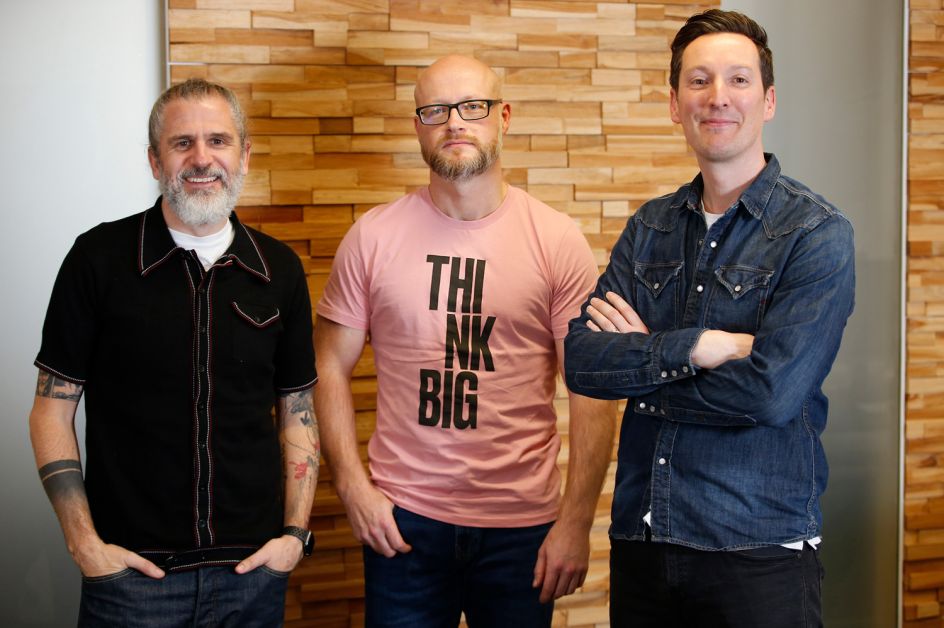
This might just be one of our favourite stories behind an agency name. It will be no surprise that founders Doug Main, Andrew McCaul and Lee Boothroyd are BIG fans of the film Jaws. Specifically, the line that Chief Brody delivers when he sees the size of the shark: “We’re going to need a bigger boat”.
Therefore, the agency was named The Bigger Boat, positioning them as the answer to big creative problems. The name also goes some way toward explaining the creative side of what they do, including the meaning in the little things and the rationale behind everything they create.
Some might know that ThreeTenSeven used to be known as Thompson Brand Partners, named after the venerable Ian Thompson, who founded it in 1984. Back then, it was very common for companies to be named after founders, and many studios today still are.
When Rachel Burrell-Cook, Chris Skelton and Paul McGuigan took over in 2018, they felt they needed a fresh start and something more ownable. Naturally, they never got around to rebranding themselves, because whenever they started, they couldn’t find a name they all loved.
Then Paul came across a brilliant quote by Jim Rohn: “There are only three colours, ten digits, & seven notes; it’s what we do with them that’s important”– hence the brilliant name ThreeTenSeven. “The name captures our shared beliefs about creativity, and it gave us plenty of inspo for our graphic identity and logo system (shout out Al Connolly),” says Rachel.
She adds: “Partly I think we were just glad to have a name that we could all agree on for the first time ever.”
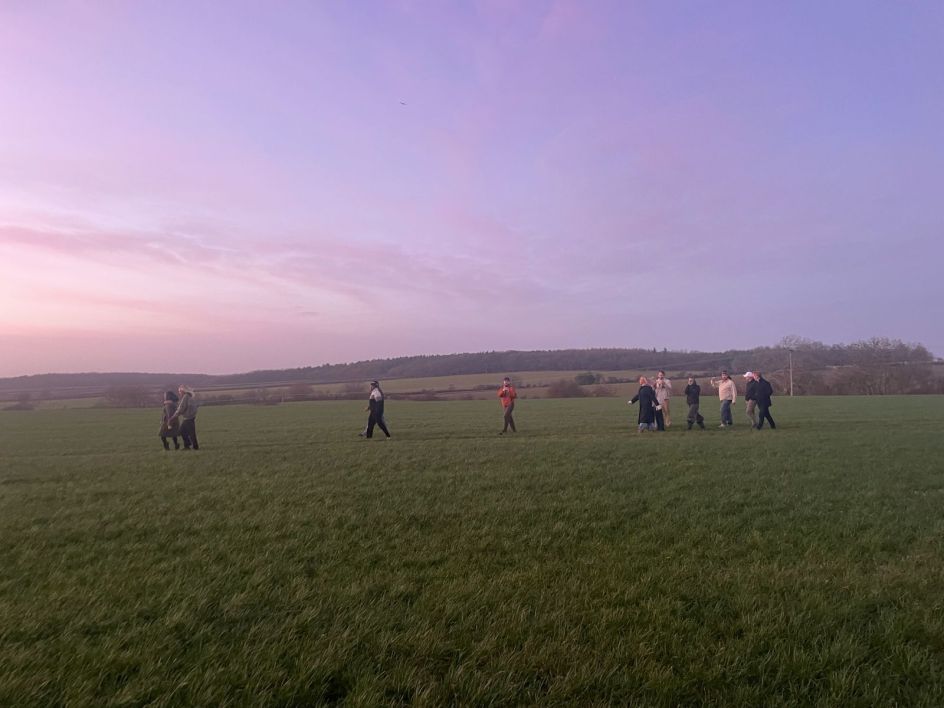
Andrew Barnard, co-founder and managing director of 20(SOMETHING), starts their story with a bit of honesty, admitting that naming the company was one of the hardest things they’ve ever had to do. He says: “For a creative company that specialises in brand and comms, that’s really saying something.
“It’s a real challenge that comes with pressure and demands conviction. This is a name you’re going to live with, stand behind, commit to, fill with meaning and repeat a thousand times over the phone, in writing and during countless awkward round-table moments.”
He adds: “You must be comfortable with it, it’s not going anywhere fast – and you need a why. People do ask, and it’s a small but precious moment for a mini elevator pitch.” So, here it goes…
20(SOMETHING) was founded in 2019, at a point when Will Thacker, co-founder and creative partner, and Andrew felt a little lost and let down by the industry. They were keen to step away from adland’s tired, repeat patterns and reorganise around an emerging supply-and-demand landscape. “As we sat staring at a blank screen asking ourselves, ‘What does commercial creativity look like for the next decade?’ we were also asking ourselves, ‘And what the f*ck are we going to call ourselves?!’,” says Andrew.
They were looking for a name that reflected their renewed creative commitment to the decade ahead. 20(SOMETHING) is rooted in the 2020s; a period that they suspected would be defined by seismic moves in innovation, cultural shifts and consumer transformation. Andrew notes: “As we move through the second half of the decade, some of what we anticipated has come to pass, some hasn’t, and some of the tipping points we face today were beyond anything we could have imagined.
“But the specifics of change aren’t the point, because what defines us is the belief that things will always change. Embracing that change is the only way forward, and that belief is what really sits behind the name and how we holistically think about life.”
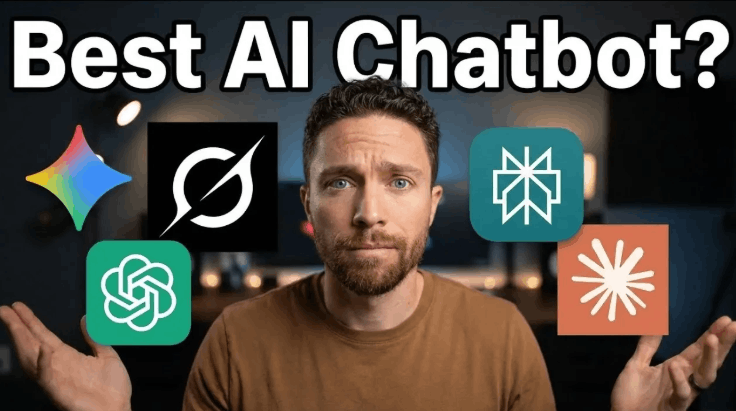
What if the perfect AI assistant for your needs is already out there, but you’re not sure which one it is? With so many options, ChatGPT, Claude, Gemini, Grok, and Perplexity, it’s easy to feel overwhelmed by the choices. Paul J Lipsky walks through how each of these AI chatbots excels in specific areas, from managing massive datasets to tracking live social media trends. The video doesn’t just skim the surface; it dives into how these platforms are tailored for developers, researchers, content creators, and more. Whether you’re looking for an all-in-one powerhouse or a niche specialist, this breakdown will help you make sense of the crowded AI landscape.
In this guide, you’ll discover the unique strengths and quirks of each platform, like how ChatGPT’s multimodal capabilities make it a creative juggernaut, or why Perplexity’s citation-backed answers are a researcher’s dream. You’ll also explore the surprising ways Grok and Gemini cater to social media and multimedia professionals, respectively. By the end, you’ll not only understand what sets these AI chatbots apart but also how to match their features to your specific goals. The question isn’t just which AI is the best, it’s which one is the best for you.
AI Chatbot 2026 Comparison Guide
TL;DR Key Takeaways :
ChatGPT is a versatile, all-in-one AI tool ideal for creativity, research, and coding, featuring multimodal capabilities, voice chat, and productivity integrations.
Claude excels in managing large datasets and collaborative projects but lacks image generation and has strict usage caps.
Gemini specializes in multimedia tasks, seamlessly integrating with Google tools, making it perfect for visual content creators and project managers.
Perplexity is a research-focused AI offering citation-backed answers and real-time internet search capabilities, ideal for detailed analysis and accuracy.
Grok is tailored for social media managers and content creators, providing live data from X (formerly Twitter) to track trends and craft timely content.
ChatGPT: The All-Purpose Problem Solver
ChatGPT, developed by OpenAI, is a highly versatile AI designed to tackle a wide range of tasks. Its multimodal capabilities enable it to generate and analyse both text and images, making it an excellent choice for creative projects such as brainstorming, content creation, and multimedia editing. Additionally, its voice chat feature allows for natural, conversational interactions, while integrations with tools like Gmail and Chrome enhance productivity by streamlining workflows.
For developers, ChatGPT provides robust coding support, including debugging tools and code generation, making it a valuable resource for software development. Researchers benefit from its ability to deliver detailed, structured responses, often organizing data into tables for clarity and ease of analysis. If you’re looking for a comprehensive, all-in-one solution that combines creativity, technical expertise, and research capabilities, ChatGPT stands out as a strong contender.
Claude: The Data Management Expert
Anthropic’s Claude excels in managing large files, such as PDFs and CSVs, making it a preferred choice for researchers and developers working with extensive datasets. Its “Projects” feature helps users organize conversations effectively, while the “Co-work” tool simplifies file management on Mac systems. Claude is also proficient in coding and generating long-form content, making it a reliable resource for technical and academic tasks.
However, Claude has its limitations. It lacks image generation capabilities and imposes strict daily and weekly usage caps, which may pose challenges for users with high-volume needs. Despite these constraints, Claude is an excellent option for those focused on analysing complex data or collaborating on detailed projects, offering tools tailored to these specific requirements.
Google’s Gemini is designed for users deeply integrated into the Google ecosystem, offering seamless connectivity with tools like Gmail, Docs, and Chrome. It is particularly well-suited for multimedia tasks, excelling in generating and editing images and videos. This makes Gemini a top choice for professionals in visual content creation. Advanced tools like Notebook LM and Flow, available through subscription plans, further enhance its capabilities, providing users with powerful options for managing and executing creative projects.
If your work revolves around multimedia production or you’re already using Google’s suite of applications, Gemini is an ideal fit. Whether you’re editing videos, creating visual assets, or managing projects across platforms, Gemini’s focus on multimedia functionality sets it apart from other AI tools.
Perplexity: The Research Powerhouse
Perplexity is tailored for users who prioritize research and real-time internet searches. It delivers citation-backed answers and organizes information into tables for easy analysis, making sure both accuracy and reliability. The “Comet Browser” feature enhances web exploration, allowing users to delve deeper into topics with AI-powered assistance.
While Perplexity is exceptional for research tasks, its scope is narrower compared to other AI tools. It is not the best choice for creative or multimedia projects. However, if your primary focus is on conducting detailed research or obtaining quick, reliable answers, Perplexity is a dependable and efficient option.
Grok: The Social Media Trend Tracker
Grok, developed by XAI, specializes in accessing live data from X (formerly Twitter), making it an invaluable tool for tracking trending topics and staying updated on current events. Its conversational style and engaging personality create a dynamic user experience, appealing to those who prefer personalized interactions.
Grok is particularly useful for content creators and social media managers who need to monitor trends and craft timely, relevant content. While it lacks the versatility of other AI tools, its niche focus on live data and social media makes it a standout choice for users in the digital marketing and social media space.
Choosing the Right AI Chatbot for Your Needs
Each AI chatbot offers unique features and excels in specific areas, making the right choice dependent on your priorities and use cases. Here’s a breakdown to guide your decision:
ChatGPT: Best for users seeking an all-in-one solution for creativity, research, and coding support.
Claude: Ideal for researchers and developers managing large datasets or collaborating on complex projects.
Gemini: Perfect for multimedia professionals and those embedded in Google’s ecosystem.
Perplexity: Tailored for researchers needing accurate, citation-backed answers and real-time internet search capabilities.
Grok: A must-have for social media managers and content creators tracking live trends and current events.
By understanding the strengths and limitations of each tool, you can select the AI chatbot that aligns with your goals and enhances your workflow. Whether you need a versatile assistant, a research specialist, or a multimedia powerhouse, there’s an AI solution designed to meet your specific needs.
From the Creator Fund to brand deals, these monetization methods help content creators turn engagement into actual income
TikTok has evolved from a simple short-form video platform into a powerful ecosystem where creators can build audiences, express creativity and earn substantial income. With millions of users worldwide, the platform offers a range of monetization options that allow individuals and businesses to transform engagement into real revenue streams.
Understanding these earning opportunities helps creators choose the best strategies for their content style, audience demographics and financial goals. The key lies in knowing which methods align with your strengths and how to maximize each opportunity.
Platform-supported payment systems
The TikTok Creator Fund represents one of the platform’s primary monetization mechanisms, paying creators based on engagement, views and activity on their videos. While the exact payout per view varies, consistent posting and high engagement increase earnings substantially. Eligibility typically requires meeting a minimum follower count and a set number of views over a defined period. Once accepted into the fund, creators earn money as their eligible videos generate views, with more interaction translating to higher potential payments.
Live gifts and diamonds allow creators to interact with audiences in real time during streaming sessions. Viewers can purchase virtual gifts using TikTok coins, which they send to their favourite creators during live broadcasts. Creators then convert these virtual gifts into diamonds, which can be exchanged for actual money. This system creates a direct support channel between audiences and creators, offering immediate interaction and feedback while tying revenue to live performance quality.
Leveraging business relationships
Brand partnerships and sponsored content represent one of the most lucrative earning methods on TikTok. Companies pay creators to produce content featuring or promoting products and services. These partnerships vary widely, from single-post sponsorships to long-term collaborations involving multiple videos or entire campaigns. The value of these deals depends on audience size, engagement rate, niche relevance and creative influence. Brands seek TikTok creators with authentic voices and loyal followers since genuine endorsements tend to perform better than traditional advertisements.
Affiliate marketing allows creators to earn commissions by promoting products and linking to online stores. When followers click unique links and make purchases, creators earn a percentage of the sale. TikTok supports affiliate integrations and shopping features that make it easier to tag products and track revenue, creating passive income potential that works especially well with product reviews, tutorials and recommendations.
Direct sales opportunities
TikTok Shop enables creators to sell products directly through the platform, whether merchandise, digital goods or curated items. The integrated shopping experience allows followers to buy without leaving the app, combining social engagement with direct sales in a seamless way.
Selling digital products and services like ebooks, courses, tutorials, presets and templates positions creators as experts in their fields while turning knowledge into income. Educational and specialized content often attracts dedicated followers willing to invest in tools and learning materials.
Building deeper connections
Fan subscriptions and exclusive content offer subscription-based access to special perks or private communities. These subscriptions can be hosted on TikTok or external platforms that link through social profiles, providing benefits like behind-the-scenes videos, exclusive tutorials, early content access and personalized messages. This model creates steady revenue streams while fostering deeper connections with fans.
Crowdfunding through platforms like Patreon, Ko-fi or Buy Me a Coffee allows followers to contribute financially to support ongoing content creation. TikTok videos can drive traffic to these external pages, turning engagement into recurring support with predictable monthly income and diverse reward tiers.
Expanding beyond the platform
Licensing and media opportunities emerge when viral content attracts attention from television programs, advertising agencies or larger media networks, leading to paid appearances and extended creative collaborations.
Cross-platform monetization converts TikTok popularity into wider opportunities on YouTube, Instagram or podcasts, each with their own monetization systems. This approach amplifies audience reach and diversifies income streams.
Success requires strategy, consistency and creativity combined with authentic engagement that resonates with audiences.
Feature image credit: Shutterstock.com / 19 STUDIO
Tega Egwabor is a writer with RollingOut, covering diverse stories that span politics, health, fitness, finance, and more. Guided by a philosophical background, Tega approaches stories with depth, balance, and nuance. Passionate about connecting ideas with everyday life, her work seeks to spark curiosity, encourage reflection, and open up meaningful conversations.
Zoe Hitzig says chatbot holds “archive of human candour” that must not be commercialised
OpenAI has moved in the direction that Sam Altman had always denied. ChatGPT now started testing ads on its platform. While industry folks have raised privacy concerns, OpenAI maintains the stance that advertisers do not have access to your chats, chat history, memories, or personal details.
Now the AI giant is facing scrutiny after one of its researchers, Zoe Hitzig, resigned with a strong warning about the company’s future direction. Hitzig, who worked on ChatGPT’s development and governance, cautioned that introducing advertising into the chatbot could compromise user trust and create risks similar to those seen in social media platforms.
Her concern is not about simple banner ads or sponsored replies. Instead, she highlighted the sensitive nature of the information users share with ChatGPT. Conversations with AI often tend to be private and unfiltered. People use chatbots to discuss health worries, relationship struggles, faith, and deeply personal dilemmas.
Hitzig described chatbots as an “archive of human candour” that has no precedent. She warned that embedding ads into such a system could open the door to manipulation. “Advertising built on that archive creates a potential for influencing users in ways we don’t have the tools to understand,” she wrote in a guest essay for The New York Times.
Hitzig believes that once ads become part of the revenue model, financial incentives could gradually reshape priorities. She compared this to Facebook’s early promises of privacy and user control, which were later abandoned as advertising became central to its business.
Her resignation comes just as OpenAI begins testing ads inside ChatGPT. Critics worry that even if ads are initially labelled and kept separate from responses, commercial pressure could eventually push the system to prioritise engagement over restraint.
Hitzig called for stronger safeguards, including independent oversight and legal mechanisms to protect user data. She stressed that the issue is not ads themselves, but the incentives they create.
People want to hear from people, not faceless corporations, explains Harriet Mumford of Nelson Bostock (part of Accenture Song). And B2B marketers would do well to remember it.
If the last decade has proved anything, it’s this: the B2B marketing space is becoming more about people, stories, and meaningful connections. No more is it simply about product manuals and sales sheets; the landscape of B2B communications is taking on creative traits typically reserved only for B2C brands. And this development is a constantly accelerating force, fuelled by the social media revolution that’s made brands and professionals more visible, accessible, and human than ever before.
Platforms such as LinkedIn have morphed from a digital CV storage space into buzzing hubs of authentic personal and professional interaction. LinkedIn is a place for funny people to be funny, creative people to be creative, and interesting people to be accessible. Suddenly, it’s not just about what you do, it’s about who you are, what you stand for, and how you make others feel.
The big question for today’s marketers: how do you inject the human element into every message, every campaign, and every conversation? The TL;DR version: it’s all about having the right messenger.
People want positive
Let’s be honest: facts and features are necessary, but they rarely move the heart. Data is the bedrock on which stories are often told, but it’s never the story by itself. The emotional punch, the optimism, the humour, the empathy are what keep brands top of mind. Think of those unforgettable Christmas ads: you don’t remember which products were on offer that year, but you remember the images and the messages. Well, it’s no different in B2B.
Take Currys’ recent ‘Mind the Grab’ campaign. Tackling the tough reality of phone stealing, electronics retailer Currys painted a bold purple line down London’s Oxford Street to highlight the hot spots for previous phone thefts, grabbing attention and sparking conversations. But the brand didn’t stop at awareness: by teaming up with Birkbeck University, it studied how to shift behaviour and piloted in-store support hubs for victims, turning the campaign into real-world impact. Instead of presenting negative facts about rising criminal behaviour, the message was flipped into one that looked to offer solutions.
Then there’s business insurance broker Simply Business’s ‘Young Entrepreneur Fund.’ Given that 75% of UK teens aged 16-19 dream of launching their own business, and 36% already have a side hustle, the initiative gave £50,000 in grants and six weeks of expert guidance to 10 budding entrepreneurs, with musician Professor Green lending a hand. The result: not just inspiration, but real momentum for the next generation of business leaders.
What’s the lesson here? The campaigns that stick aren’t just creative, they’re constructive. They bring optimism, offer practical help, and team up with those who know their stuff with those who want to learn the stuff. The best B2B content pushes positivity while signposting the next actions to take.
The person is the message
Advertising has always been an influencer industry. Athletes, musicians, actors have all been the faces and voices of endless products for years. Customers put stock in human endorsement and, even in the B2B realm, a single authentic voice is a sure fire way to spark engagement, drive decisions, and build trust.
The Influencer Marketing Hub Benchmark Report tells us the industry has grown by 29%, leaping from $16.4bn to $21.1bn. Why? Because people want to hear from people, not faceless corporations.
Influencers, brand ambassadors, subject matter experts, even micro-influencers connect with audiences on a human level that brands find difficult to achieve. Their recommendations feel genuine, not scripted. Think about how much more likely you are to trust a recommendation from a close friend who knows you than a review from the very brand trying to sell you that product.
Choosing the right influencer builds a bridge between brand and client that feels effortless and authentic. But tread carefully: the wrong messenger can send your campaign off the rails. Remember the infamous Kendall Jenner/Coca-Cola moment, or Sydney Sweeney’s recent American Eagle drama? The messages fall flat, fail to resonate, or cause a backdraft of bad blood that can backfire on the brand.
Authenticity is everything. Content that feels forced, or worse, fabricated, erodes trust faster than it can be recovered. Just look at recent incidents where Wired and Business Insider had to pull AI-generated articles featuring unverifiable case studies. When real stories are replaced by fictional voices, credibility suffers.
In B2B, trust is your currency, humanity your cache. By seeing the person as the message, brands can speak directly to an audience’s experience, without needing to force an issue.
Think small for big impact
B2B outreach often feels like shouting into the void or blasting emails to an anonymous list. We’ve all deleted enough ‘Hi (Insert First Name)’ emails without ever reading them. But the most effective communications target smaller, more tightly defined groups: a specific team, an industry niche, or even an individual decision-maker. Broad, one-size-fits-all messaging rarely hits home as fishing with dynamite is nowhere near as effective as using proper bait. Targeted, thoughtful outreach builds stronger relationships and better results than generic blasts ever could.
That’s where micro-influencers come in. Unlike the mega-influencers with millions of followers (and a fraction of meaningful engagement), micro-influencers have close-knit, highly interactive communities. The stats don’t lie: micro-influencers see a 6% engagement rate on Instagram, compared to just 1.97% for their larger counterparts.
This is something that brands can use to their own advantage. Consider BOX’s campaign with Rob Mayhew, known as ‘adland’s favourite social media star.’ With over 140,000 followers on TikTok and 90,000 on LinkedIn, Rob’s creative, satirical takes on the world of work resonate deeply with his audience, people who know the challenges of modern workplaces. BOX leveraged his voice to address tech issues in relatable, trustworthy ways, turning a sponsored post into a genuine conversation. Talking directly to people who connect with their influencer, rather than just consume their content while suffering from ‘scrolliosis’.
More than content
There is no secret to B2B success. Simply, make campaigns personal, optimistic, and above all, human. When you prioritize authentic connections, whether through campaigns that uplift, influencers that inspire, or messages that speak directly to the needs of your audience, you create more than content. You build trust, loyalty, and partnerships that stand the test of time.
So, next time you’re reviewing campaign results, remember: don’t shoot the B2B messenger. Instead, choose one who believes in your story, speaks your language, and engages your audience. That’s how business gets personal, and how brands win in today’s B2B world.
Since 2020, readers have used Blacklight, our pioneering website privacy inspector tool, to run more than 18 million scans. Previously, Blacklight detected tracking pixels from Google and Meta. Today, we’re announcing that it can scan for two more digital trackers: TikTok and X pixels.
A tracking pixel is a small piece of code added to a website that sends information about the site’s users to the platform that operates the pixel. That can include details of a user’s activities, such as their browsing activity, purchases and searches. A website that embeds a pixel often does so to inform its advertising campaigns on the platform that create the pixel. When its pixel is embedded across many websites, the platform can compile a user’s data to build a detailed profile of their interests, behaviour and other personal information. These profiles allow other businesses to buy ads from the platform to target categories of users — though this data can also be used for other purposes.
When you look up a website in Blacklight, it will now report if it finds the TikTok pixel or X pixel. More detailed information about the specific data being passed through pixels is also available by clicking on “Learn more” in the top right of the results, then clicking the link to “download an archive.”
To develop these new features, we partnered with a group of computer science students in Brandeis University’s Capstone in Software Engineering course. These students – Yiyou “Felix” Fan, Jiawen “Zena” Hu, Hengye Li, Hongchen “Steven” Yang and Yiquan “Frank” Zhang – researched and developed the features with the support of our product team.
Blacklight’s pixel detection features have already powered our Pixel Hunt investigations, which revealed that sensitive personal user information was being shared from government websites with Meta and Google, leading to lawsuits, removal of pixels from sites and increased government scrutiny. These new features give a fuller picture of the digital privacy landscape by exposing tracking pixels from two more companies.
We hope these new features will help you better understand what happens to your data as you navigate the internet. While Blacklight can’t say exactly what companies like TikTok and X do with our data, it can provide a starting point for deeper investigation into how that data is stored, shared and used across the web.
Do you have questions, suggestions or need help understanding your Blacklight results? You can always reach us at [email protected].
CalMatters is a nonpartisan and nonprofit news organization bringing Californians stories that probe, explain and explore solutions to quality of life issues while holding our leaders accountable. For more information about its mission, donors, staff and contact information, see CalMatters’ About Us page.
Publisher efficiency. Newsletter teams can streamline workflows and enhance content quality.
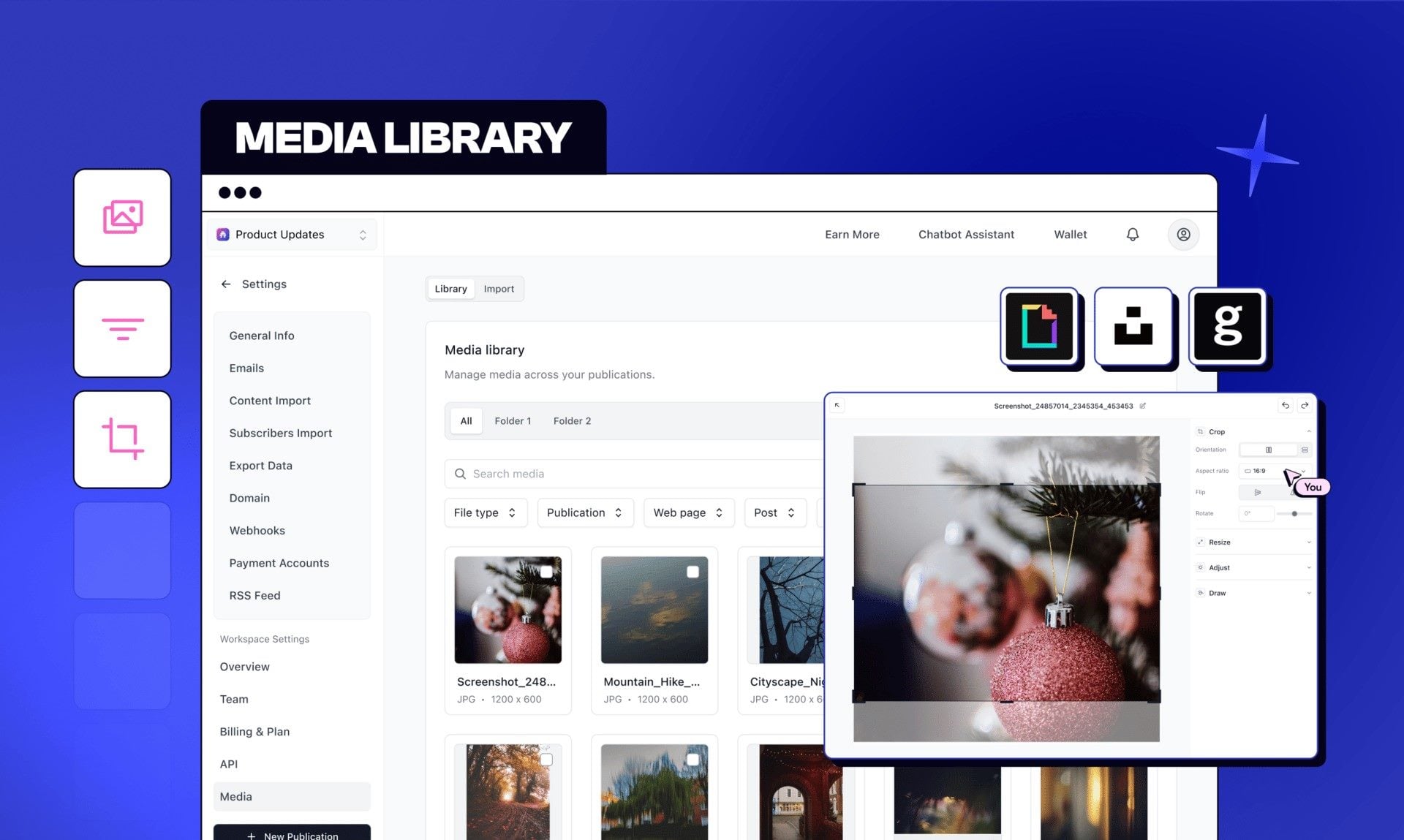
Beehiiv wants AI-powered asset management to become essential infrastructure for newsletter publishers competing on visual quality and speed.
The company on Feb. 12 launched an AI-powered Media Library for its newsletter platform, introducing built-in editing tools and direct integration with Getty Images for premium, fully licensed visuals, according to company officials. Getty Images access is limited to Max and Enterprise plan subscribers, who receive three and 10 image credits per month, respectively.
Beehiiv executed a significant strategic expansion in November 2025, positioning itself beyond its newsletter roots to become what CEO Tyler Denk called “the operating system for the content economy.” The company’s November 13 Winter Release introduced an AI-native website builder, native podcast hosting, real-time website analytics and a digital products marketplace with a zero-commission model.
Founded in 2024, beehiiv targets independent creators, publishers and startups seeking to manage and monetize direct audience relationships. It now serves legacy publishers such as TIME, Newsweek and the Texas Tribune. In January 2026, beehiiv introduced Dynamic Content, enabling code-free email personalization.
On Dec. 17, 2025, beehiiv released Automations v3 alongside a redesigned Workflow Builder. The update delivered behaviour-based triggers, subscriber-level insights, a Journey Overview dashboard and a Performance Overview showing email-level contribution metrics.
Beehiiv’s ad network has become a significant revenue driver, paying publishers over $1 million monthly and attracting advertisers including Google, Netflix, Notion and Roku. With revenue projected to nearly double to $50 million in 2026, beehiiv now has more than 40,000 monthly active users and nearly 15,000 paying subscribers.
How AI-Enhanced DAM Platforms Are Becoming Strategic Content Command Centres
AI-enhanced digital asset management systems have evolved from basic storage into strategic content command centres that reshape how newsletter publishers manage creative workflows. Modern platforms integrate centralized media libraries with AI capabilities that automate labour-intensive tasks while maintaining brand governance.
AI-powered DAM systems reduce manual effort by automatically tagging images and videos with relevant keywords and descriptions. Enhanced search functionality leverages AI to understand intent and context beyond simple keywords, delivering relevant results even as asset libraries scale.
Filter by date, file type, publication and dimensions
More About Beehiiv
Beehiiv targets independent creators, journalists and publisher-led businesses seeking to manage and monetize direct audience relationships. The platform provides newsletter creation, a no-code website builder, campaign analytics, A/B testing and AI-driven automation. These capabilities help publishers deliver a stronger customer experience by enabling personalization at scale.
Sheryl Hodge is assistant managing editor at Simpler Media Group, where she plays a vital role in keeping the editorial operations running smoothly across the company’s three sites: CMSWire, Reworked and VKTR. Known for her organizational skills and attention to detail, Sheryl acts as the glue that binds the publications together, ensuring that workflows remain seamless and deadlines are met. Connect with Sheryl Hodge:
The framework behind “Design After the Prompt” moves past the chaotic novelty of text-to-image generation toward a systematic era of creative orchestration. Modern studios now realize that typing words into a box represents only the beginning of a workflow. Design After the Prompt demands that we view artificial intelligence as a precise ingredient rather than a replacement. That’s why Adobe has positioned itself as the architect of this professional shift while competitors prioritize mere spectacle. This report examines why a systemic approach to creative tools determines the future of global brand integrity. Design After the Prompt provides the technical and ethical infrastructure required for the next decade of digital craft.
Does the shift toward Design After the Prompt render current prompting techniques obsolete?
Design After the Prompt forces a fundamental reassessment of how professional creators interact with generative artificial intelligence. Scott Belsky recently noted that the initial Prompt Era actually undermined the craft of experienced creative professionals. He argued that summoning images with simple words cheapens the judgment and taste honed over many decades. Therefore, the industry now enters the Controls Era, where creators demand specific levers and knobs for refinement. Design After the Prompt dictates that professional work requires granular adjustments rather than lucky rolls of the dice. Creators no longer want to manage unpredictable tools but instead wish to direct a personalized creative team. This transition ensures that the human eye remains the ultimate arbiter of every pixels’ final placement.
Evolution Phase
Primary Toolset
Creative Philosophy
Professional Role
Prompt Era
Text Boxes, Discord Commands
Summoning and Random Discovery
Prompt Engineer
Controls Era
Sliders, Nodes, Reference Images
Precision and Iterative Direction
Creative Director
Design After the Prompt
Orchestrated Agents, Graph Workflows
Systemic Logic and Brand Mastery
Creative Orchestrator
The transition toward Design After the Prompt moves the creative process from isolation into deep system integration. Adobe Firefly facilitates this by living inside the applications that designers already use for their daily work. Specifically, tools like Generative Fill in Photoshop allow for non-destructive edits directly on the active canvas. This capability allows designers to add or remove elements while maintaining the original artistic intent. Design After the Prompt focuses on the final mile of production rather than just the initial spark. The software starts to become almost invisible as conversational interfaces handle the tedious technical setup. This transformation empowers creators to spend more time exploring the full surface area of creative possibility.
The infrastructure of professional trust through Content Credentials
Design After the Prompt requires a robust system to verify the authenticity of digital content in a crowded market. Adobe addresses this need through the Content Authenticity Initiative and the development of the C2PA standard. Content Credentials act as a digital nutrition label that records the history and origin of an asset. Specifically, these credentials use cryptographic signing to bind metadata directly to the image or video file. Every manifest includes statements about the capture device, the software used, and any AI involvement. These manifests are tamper-evident, ensuring that any unauthorized changes invalidate the cryptographic signature. Design After the Prompt provides this necessary layer of transparency for brands that value audience trust.
Manifest Component
Technical Description
Impact on Design After the Prompt
Assertions
Labelled data representing specific facts about the asset
Provides granular proof of the human-AI collaboration
Claims
A structure connecting assertions to a specific signer
Ensures that every edit has a verifiable author
Hard Binding
Cryptographic hashes linking manifest to digital content
Prevents the detachment of provenance from pixels
Soft Binding
Watermarks and fingerprints for metadata recovery
Maintains trust even if metadata is stripped
Design After the Prompt relies on a well-defined trust model established through a hierarchy of X.509 certificates. These certificates allow applications to verify the identity of the claim generator and the integrity of the data. An organization can prove that its marketing assets are legitimate and free from malicious tampering. Adobe also introduced the Content Authenticity API to help enterprise customers sign assets at massive scale. This programmatic approach ensures that thousands of files receive tamper-resistant certificates automatically during the production process. Therefore, Design After the Prompt is as much about the content supply chain as it is about aesthetics. This commitment to provenance distinguishes Adobe from competitors who ignore the ethical implications of synthetic media.
Strategic differences between Adobe Firefly and Midjourney
Design After the Prompt highlights the divergent paths taken by the industry’s most prominent generative AI platforms. Midjourney focuses on artistic excellence and has become the aesthetic pioneer of the current AI generation. Its model produces images with exceptional mood, atmosphere, and stylistic coherence that often exceed user expectations. However, Midjourney’s reliance on Discord creates friction for professional teams who need private and organized workspaces. In contrast, Adobe Firefly prioritizes practical utility and seamless integration into the existing creative software suite. Firefly produces consistent, production-ready outputs that fit into a larger, professional brand strategy. Design After the Prompt favours this integrated approach because it solves real-world workflow challenges for designers.
The legal landscape significantly influences how professionals adopt the Design After the Prompt framework in their daily practice. Adobe trains Firefly exclusively on licensed content from its own library and public domain materials. Consequently, the company offers legal indemnification to enterprise users, making it the safest option for big brands. Midjourney faces numerous lawsuits because its crawlers inhaled copyrighted work from the internet without any licensing. While Midjourney is great for ideation, its outputs often lack the commercial safety required for major campaigns. Therefore, professional creators often use Midjourney for initial concepts and Firefly for the final production refinement. Design After the Prompt encourages this strategic multi-tool approach to leverage the unique strengths of each platform.
Ethics and the synthetic laundering controversy
Design After the Prompt does not exist without significant ethical friction and ongoing debates within the creative community. Adobe recently faced criticism when reports revealed that Firefly was partially trained on AI-generated images. These images came from Adobe Stock, which allows contributors to upload assets created with Midjourney. Critics dubbed this practice “synthetic laundering” because it indirectly uses data from models that scraped the web. Although Adobe claims these images represent a small subset, the ethical optics remain problematic for many. Design After the Prompt necessitates a closer look at how datasets are curated and verified for professional use.
Adobe manages these concerns by implementing strict governance processes and mandatory AI ethics courses for its employees. The company uses an ethics advisory board to oversee every new generative tool before its public release. Additionally, Adobe pays a bonus to Stock contributors whose work helps train the first versions of Firefly. This proactive approach contrasts with the “reckless” strategies of startups that offer no compensation to original creators. Design After the Prompt requires this level of accountability to ensure that innovation does not destroy the creator economy. Adobe also enables creators to request that AI models do not train on their personal uploaded content. Consequently, the firm attempts to balance the need for high-quality data with the rights of human artists.
How does Project Graph redefine the architecture of Design After the Prompt?
Design After the Prompt finds its most technical evolution in the upcoming release of Adobe Project Graph. This system introduces a node-based editor that moves beyond the limitations of simple text prompts. Designers can visually connect different AI models, Adobe tools, and custom effects to build complex workflows. This modular architecture allows for the creation of “capsules” that store specific creative logic for reuse. Consequently, a designer can package a proprietary process and share it across an entire creative organization. Design After the Prompt empowers professionals to build scalable systems that maintain perfect brand consistency across thousands of assets.
Graph Element
Functionality
Strategic Advantage
Node
Represents a single operation, model, or tool
Modular control over every creative step
Connection
Defines the data flow between different nodes
Enables complex, multi-stage transformations
Capsule
A self-contained, portable creative workflow
Reusability and easy sharing for teams
Interface
Visual editor for connecting diverse elements
Intuitive design for non-technical creators
The Project Graph system supports a multi-model future by allowing the integration of third-party models. Design After the Prompt embraces the idea that different tasks require different specialized artificial intelligence engines. For example, a creator might use Google Gemini for structure and Runway for motion within one graph. This flexibility prevents platform lock-in and gives designers the best tools for their specific creative goals. Furthermore, Project Graph makes complex tasks reusable, which saves hours of repetitive work for professional agencies. This shift toward systemic creativity ensures that the focus remains on high-level direction rather than manual panels. Design After the Prompt turns the creative process into a sophisticated engineering task that preserves the artist’s soul.
Project Moonlight and agentic creative assistance
Design After the Prompt gains further momentum through Project Moonlight, Adobe’s planned cross-app AI assistant. This assistant operates like a conductor of an orchestra, bringing multiple Adobe applications together in harmony. It carries context across different tasks and understands the creative intent behind every conversational request. For instance, a designer can tell Moonlight to organize a project or apply specific brand styles. The assistant then orchestrates the necessary steps across Photoshop, Premiere, and Illustrator automatically. Design After the Prompt relies on these agentic experiences to handle the tedious “final mile” of production.
The implementation of Project Moonlight allows for a hybrid workflow that combines natural conversation with precise hands-on editing. Users can engage with the assistant for ideation and then transition back to manual tools for refinement. This flexibility ensures that the designer always remains in control of the final creative outcome. Specifically, the assistant learns from user choices and adapts its recommendations to match an individual’s unique style. Design After the Prompt moves toward a world where the software anticipates needs before the user even articulates them. Consequently, creative teams can meet the soaring demand for content without sacrificing the quality of their work. This proactive partnership represents the ultimate realization of a truly human-centric AI strategy.
Why is Generative Engine Optimization crucial for the Design After the Prompt era?
Design After the Prompt also transforms how creators and agencies market their work to a digital audience. As traditional search engines evolve into answer engines, Generative Engine Optimization (GEO) becomes an essential practice. GEO involves structuring content so that AI systems like ChatGPT or Gemini cite it in their responses. In this new landscape, visibility depends on being the “source of truth” for a generated answer. Research indicates that GEO strategies can boost visibility by up to 40% in generative engine summaries. Therefore, designers must optimize their digital footprint to be easily interpreted and summarized by large language models.
To succeed in a GEO-led world, a brand must be understood as a structured entity rather than just a website. This requires using detailed schema markup, clear definitions, and evidence-based writing across all platforms. Specifically, including quantitative statistics and authoritative citations significantly increases the probability of an AI mention. Furthermore, the overlap between traditional top search results and AI-cited sources is now below 20%. This means that ranking first on Google no longer guarantees a place in the AI’s final answer. Design After the Prompt demands a strategy that prioritizes synthesis and authority over simple keyword density.
Strategic tactics for successful GEO implementation
Design After the Prompt forces agencies to document their decision-making logic as transparent and traceable digital content. Creators should publish “how we choose” articles and explainer videos to help machines learn their unique perspective. Additionally, implementing FAQ schema in JSON-LD format improves extraction accuracy for AI bots by 300%. Notably, AI engines track unlinked brand mentions across reputable sites, making digital PR more important than ever. Therefore, Design After the Prompt requires a consistent message and terminology across all social media and portfolios.
GEO Strategy
Primary Action
Expected Benefit
Entity Authority
Optimize about pages and author bios
Increases trust and likelihood of AI citation
Statistical Claims
Use specific numbers in headers and text
Boosts visibility by up to 40%
Extraction Ease
Use TL;DR blocks and short paragraphs
Helps AI engines summarize content faster
Consistency
Use the same phrasing for services everywhere
Strengthens the brand signal for LLMs
Digital PR
Earn mentions in authoritative industry blogs
Validates brand expertise to AI engines
Consistent language around primary services and target audiences helps AI systems connect a business to specific queries. Conversely, swapping terminology or mixing niches breaks the pattern recognition that generative engines rely on. Design After the Prompt demands that creators publish original research and whitepapers to establish topical authority. By earning citations from high-authority domains, a small design studio can compete with massive global brands. Consequently, GEO becomes the most important marketing frontier for anyone operating in the professional creative space. This focus on authority ensures that only the most reliable and expert voices are amplified by AI.
What are the leading trends in Design After the Prompt for 2026?
Design After the Prompt is shaping a visual landscape defined by high-impact aesthetics and human imperfections. Adobe’s 2026 Creative Trends report highlights a strong desire for content that engages all our senses. Tactile textures that mimic touch, sound, and motion are becoming a primary driver of digital engagement. People want to be immersed in hyper-realistic objects combined with playful distortions that feel truly physical. Furthermore, “All the Feels” signifies a move toward emotionally resonant imagery that sparks a deep human connection. This shift reflects a reaction against the cold, uniform perfection often associated with early AI-generated media.
Ironically, the heavy influence of technology is driving a massive backlash toward messy and chaotic design. The “Imperfect by Design” trend celebrates human flaws, hand-drawn scribbles, and sketchy underlines. Designers are becoming unbothered by perfection and instead embrace the raw and honest nature of their work. Consequently, Design After the Prompt encourages creators to use technology on their own terms to regain creative control. This trend prioritizes imagination and curiosity over creating for a predictable algorithm. Therefore, 2026 is the year where humanity becomes the most valuable asset in the creative process.
2026 Design Trend
Visual Elements
Emotional Goal
Tactile Maximalism
Squishy, puffy, and high-gloss 3D textures
To create a magnetizing sensory experience
Kinetic Typography
Liquifying, bouncing, and stretching text
To make reading feel high-energy and fun
Organic Imperfection
Earthy textures and hand-rendered fonts
To signal authenticity and human touch
Surreal Silliness
Visual jokes and exaggerated absurdist scales
To intrigue and entertain the audience
Cyber Gradients
Electric neon paired with deep blacks
To provide a futuristic, scifi aesthetic
Typography is also leaning toward excess and the absurd as a reaction against uniform computer fonts. We see oversized sans-serifs, bubbly letterforms, and wavy distorted fonts appearing in global branding. Additionally, “Bento Grids 2.0” bring organized chaos to layouts, providing scannable yet satisfying modular structures. Notable examples include Myntra FWD, which uses these grids to show mood boards instead of boring product lists. Design After the Prompt creates a new creative playground where tech empowerment and the inner child collaborate. This approach ensures that digital products feel helpful, human, and responsible in an overstimulated world.
The evolution of multimodal and sentient interfaces
Design After the Prompt moves beyond the screen to incorporate voice, gesture, and biometry into user interfaces. By 2026, UX design will focus on multimodal experiences that allow users to interact in whatever way feels natural. A user might start a request via voice and then switch to typing without losing the conversation’s context. Furthermore, interfaces are becoming “sentient” by adjusting their tone and empathy based on the user’s emotional state. This accessibility ensures that digital products are useful for everyone, including those with physical or mental limitations. Design After the Prompt requires a “lighter by default” mindset that prioritizes functional minimalism.
Specifically, “Explainable AI” is becoming a non-negotiable standard for professional digital products in 2026. Users won’t trust systems they cannot understand, making transparency a primary design challenge. Designers must create interfaces that show their reasoning before they act and allow for human intervention. Additionally, agentic UX means that master agents will coordinate specialized tasks automatically based on the user’s current context. This transition forces designers to oversee human-agent ecosystems rather than just designing fixed screens. Therefore, Design After the Prompt is a move toward intelligent, flexible, and responsible digital experiences.
Performance marketing at scale: The GenStudio revolution
Design After the Prompt enables marketing teams to deliver personalized content with incredible speed and accuracy. Adobe GenStudio for Performance Marketing allows brands to go from campaign intent to final assets in minutes. This application uses a conversational UI agent to understand campaign objectives, brand guidelines, and target personas. Marketers can then generate thousands of variations for A/B/n testing to see what resonates with their audience. Specifically, the platform tracks creative-level attributes like photography style and emotional tone. Consequently, teams can double down on high-performing content and refresh fatiguing ads instantly.
GenStudio Feature
Marketing Capability
Business Benefit
Content Production Agent
Conversations to content in minutes
Dramatically accelerates speed to market
Video Ad Assembly
Reframing and stitching hero videos
Reduces costs by avoiding manual reedits
Omnichannel Insights
Centralized data from TikTok, Meta, LinkedIn
Rationalizes return on ad spend (ROAS)
Multi-language Support
On-brand localized content in 12+ languages
Ensures consistency across global markets
Content Checks
Automatic brand and accessibility validation
Protects brand integrity at massive scale
Design After the Prompt ensures that content is never created for “content’s sake” but is driven by data. GenStudio integrates with Adobe Real-Time CDP to personalize experiences based on journey stage and persona preferences. This ensures that every asset is optimized for engagement and conversion in real-time. Notably, the system allows marketers to stitch branded intro and outro cards to videos automatically. This helps maintain compliance and brand safety across diverse social platforms like LinkedIn and TikTok. Therefore, Design After the Prompt allows creative and marketing teams to unify their workflows into a single campaign view. This closed-loop system transforms performance insights into actionable creative and maximizes impact across every channel.
Firefly Services: The programmatic future of professional design
Design After the Prompt finds its ultimate scalability through the Firefly Services API ecosystem. Organizations can embed over 30 generative and creative APIs into their existing marketing and production pipelines. These APIs cover a wide range of tasks, including text-to-image generation, video reframing, and lip-syncing. Specifically, the Object Composite API allows for placing product shots into realistic backgrounds with automatic lighting adjustments. Furthermore, the Custom Models API enables businesses to train private AI models on their own proprietary data. This ensures that every generated asset remains 100% on-brand and unique to the organization.
Notably, Firefly Services supports asynchronous processing for high-volume content demands and complex integration requirements. The system uses AES 256-bit encryption for all data at rest and provides pre-signed URLs for secure asset access. Consequently, developers can integrate professional-grade AI without having to manage complex on-premise infrastructure. Design After the Prompt is therefore a move toward a programmatic approach to creativity where every asset is an API call away. Adobe also provides managed services to help teams refine their use cases and optimize their models post-launch. This comprehensive support ensures that AI becomes a sustainable and highly profitable ingredient in the modern enterprise workflow.
Predictions for the post-prompt landscape of 2026
Design After the Prompt will reach full maturity when the distinction between AI and human creation becomes less relevant than the story. Scott Belsky predicts that consumers will crave scarcity, story, and process more than ever as AI content becomes ubiquitous. The story behind a marketing campaign or a film will determine its effectiveness in moving an audience. Specifically, effective creativity is what moves us, and models alone cannot achieve that emotional resonance. Consequently, professional opportunities for creators will grow as they focus on high-level questions rather than manual production.
As we approach the end of 2026, several technical milestones will redefine our expectations of visual quality. Adobe Firefly Image Model 5 will offer native 4MP resolution, capturing photorealistic details like lighting and skin texture. Furthermore, video generation will move from simple clips to timeline-based “creative assembly spaces” for generative storytelling. Users will direct scenes surgically by removing people or changing backgrounds with precise natural language prompts. Therefore, the role of the designer shifts toward a director who orchestrates a team of specialized AI agents.
2026 Milestone
Technological Driver
Practical Impact on Design After the Prompt
Native 4MP Generation
Firefly Image Model 5
High-definition print assets without upscaling
Node-Based Creativity
Project Graph
Reusable and scalable brand design systems
Agentic Assistance
Project Moonlight
Automatic orchestration of cross-app tasks
Universal Provenance
C2PA Compliance
Global verification of content integrity
Tactile Sentient UI
Multimodal UX Trends
Higher audience engagement via sensory depth
Notably, the rise of “vibe coding” will allow creators to design for emotional impact first. Visual elements like spreadsheets or bits of code will become a creative playground for new expressions. Design After the Prompt also predicts a surge in hyper-local vernacular design that roots global brands in regional cultures. We will see custom-designed typography in diverse languages that looks “hype” while staying culturally authentic. Therefore, the future of design is a flexible landscape where technology serves the unique and glorious humanity of the creator. This shift ensures that creativity remains a force that connects us deeply rather than a process that separates us.
Final conclusions on the Adobe AI strategy
Design After the Prompt is the only sustainable path for a creative industry that demands both speed and responsibility. Adobe’s strategy matters more than Midjourney because it builds the necessary systems for commercial safety and professional trust. By prioritizing provenance through the C2PA standard, Adobe ensures that authenticity remains a core value of the digital ecosystem. Specifically, the move toward the Controls Era provides designers with the precision they need to maintain their unique style. Furthermore, the integration of agentic AI through Project Moonlight and Project Graph will unlock a whole new category of creative exploration.
The controversy surrounding training data will likely continue as the industry defines the boundaries of ethical AI. However, Adobe’s transparent approach and legal indemnification provide a clear blueprint for responsible innovation. Design After the Prompt forces us to recognize that how we build is just as important as what we build. As creative scarcity disappears, the value of human taste, judgment, and emotional storytelling will only increase. Therefore, the goal of artificial intelligence is not to replace the creator but to expand the surface area of what is possible. Adobe Firefly and its surrounding ecosystem are the tools that will bring these possibilities to life in a way that respects the past while defining the future.
Frequently Asked Questions
What exactly is Design After the Prompt?
Design After the Prompt is a professional framework that moves beyond basic text-to-image generation toward a “Controls Era.” It emphasizes systematic integration, granular creative levers, and human-led orchestration within professional software suites rather than isolated prompt boxes.
How does Adobe Firefly ensure commercial safety for brands?
Adobe trains Firefly exclusively on licensed Adobe Stock and public domain content. Consequently, the company offers full legal indemnification to enterprise users, protecting them from potential copyright claims associated with AI-generated outputs.
What are Content Credentials and why do they matter?
Content Credentials are cryptographically bound metadata labels that record an asset’s history. They are vital in the Design After the Prompt era because they allow audiences to verify the origin and editing process of digital content, establishing essential trust.
What is the difference between Project Graph and standard AI tools?
Project Graph is a node-based editor that allows designers to connect multiple AI models and Adobe tools visually. This architecture enables the creation of reusable creative “capsules,” turning complex tasks into scalable and shareable brand systems.
What is Generative Engine Optimization (GEO)?
GEO is the practice of optimizing content to be cited and summarized by AI answer engines like ChatGPT or Gemini. It involves using structured schema, authoritative citations, and clear logic to ensure a brand remains visible in a post-search digital landscape.
Will AI replace professional designers in 2026?
No, AI will likely enhance the professional designer’s role. Design After the Prompt predicts that creators will move into high-level direction and orchestration, spending less time on tedious production and more time on strategic storytelling and creative exploration.
What is “synthetic laundering” and is it a real risk?
Synthetic laundering refers to training an AI on a library that already contains AI-generated images. While it creates some ethical optics issues, Adobe mitigates risk through rigorous moderation and a commitment to using only licensed or public domain data.
What visual trends should designers watch for in 2026?
Designers should focus on “Tactile Maximalism,” “Imperfect by Design,” and “Kinetic Typography.” These trends prioritize sensory engagement, human imperfections, and high-energy motion as a reaction against uniform, early-stage AI aesthetics.
Don’t hesitate to browse WE AND THE COLOR’s AI and Design categories for more inspiring content. In addition, feel free to check out our selection of the hottest graphic design trends in 2026.
Dirk Petzold is a graphic designer, content strategist, and the founder of WE AND THE COLOR. With a sharp eye for visual culture and a deep passion for emerging trends, Dirk has spent over a decade building one of the most respected platforms in the creative industry. His mission is to inspire and connect designers, artists, and creative minds across the globe through high-quality content, curated discoveries, and thoughtful commentary. When he’s not creating or curating, you’ll likely find him running mountain trails or exploring new ideas at the intersection of design and technology.
Conflict is a natural and healthy part of our daily lives, so it can be very productive when we know how to have productive disagreements. In fact, you can argue that learning to have difficult and challenging, even confrontational conversations, with others is essential to a happy life.
However, it’s extremely difficult to keep conflicts from spinning out of control into arguments. Has getting into a heated argument with your significant other, a co-worker, or a child ever solved anything? Probably not. Heated arguments often lead people down the dark path of personal attacks, animosity, and getting so riled up that they stop making sense altogether.
“If no one ever argues, you’re not likely to give up on old ways of doing things, let alone try new ones. Disagreement is the antidote to groupthink,” organizational psychologist Adam Grant said, according to Psychology Today. “We’re at our most imaginative when we’re out of sync.”
So the big question is, how do we prevent heated arguments from happening and steer them to more productive territory instead? Researchers have been on the case and may have a solution.
A group of scholars at the University of Wisconsin found that it’s essential for people to create a safe environment for discussion, and the key to doing so is to ask open-ended questions that lead to points of agreement. Specifically, the researchers say to use “I” statements, such as “I feel frustrated” or “I feel concerned,” when expressing yourself during the disagreement. It’s an old therapy trick that’s often used to prevent other people from feeling attacked by accusations.
However, the most effective phrase researchers identified is one that clearly directs the discussion toward agreement.
The best way to stop an argument, they say, is with the phrase: “I’d actually like to focus on all the things we agree on.”
There are 3 big reasons why the phrase is so effective at stopping arguments from happening. First, the phrase immediately changes the mindset of both people from the areas where they disagree to one of agreement. We are no longer arguing about why we like or don’t like pineapple on pizza. Instead, we’re focusing on the toppings we both enjoy, such as pepperoni or black olives.
This subtle shift turns the person we disagree with from enemy to collaborator.
Another big reason “I’d actually like to focus on all the things we agree on” is such an effective phrase because it extinguishes the other person’s anger. When we search for a way to agree, we suddenly become an unappealing target for the other person’s rage.
Finally, this phase makes you the good guy in the disagreement because you are looking for a positive solution. You’ve just taken a right turn onto the high road and have become the rational party in the conversation. This tactic is especially effective when a third party, such as a boss or sibling, is involved in the disagreement and wants to see who is acting in good faith. This will encourage the person you’re having a dispute with to be more cooperative to save face.
The key is to be genuine about seeking agreement and maintain a sincere tone when presenting your approach. Once the potential fight has been quelled, you can work together to reach the best possible agreement.
The paper provides some helpful acronyms anyone can remember during their next disagreement, in addition to the one key phrase:
Validate
Ask (open-ended questions)
Listen (to test assumptions)
Uncover interests
Explore options
Decide (on solutions)
The researchers also further recommended some active listening techniques in addition to asking question, like mirroring or paraphrasing the other person’s statements and words, and priming. Priming involves “[making] a guess out loud about what the other person might be thinking or feeling. One must choose the words carefully and use a calm tone to avoid worsening the situation. The goal is to make the other person feel comfortable speaking.”
Using “I” statements also helps because we’re avoiding using “you” statements. “Anyone who’s ever been in conflict with someone knows that hearing a you-statement is hearing yourself be blamed for something, identified as the problem. ‘You never listen to me,’ ‘You’re always late,’ ‘Why are you so stubborn?’ And even if you don’t know consciously that you’re being blamed, your reflexive reaction of defensiveness tells you that you know it when you hear it,” Gregg Levoy, author of “Vital Signs: The Nature and Nurture of Passion,” writes in Psychology Today.
Learning how to prevent heated arguments can strengthen the relationship with the person you disagree with. Resolving a conflict together makes their relationship stronger and more enduring. So, a conflict can be a gift that you can use to skillfully bring yourself closer to someone. The key is to focus on the areas of agreement and to be sincere so you can resolve the issue together without leaving any lingering resentment.
AI is coming for unprepared businesses. The tools that seemed futuristic last year are now mainstream. Your customers can access the same information, generate the same content, build the same websites. What if your business became obsolete because you didn’t see what was right in front of you?
The businesses that thrive in 2026 will be the ones that take action today. They’llbuild trust through human connection and prove their value beyond what any tool can replicate. ChatGPT can help you do the same. Copy, paste and edit the square brackets in ChatGPT, and keep the same chat window open so the context carries through.
Protect your business from AI: ChatGPT prompts to future-proof your company
Build a personal brand that AI cannot replicate
Faceless companies are dying. People want to know who runs the show. They want to buy into a belief system, not just a product. Someone in your company needs to show up online. They need to share strong opinions. They need to tell the story behind your brand. Astrong personal brand reduces your marketing cost to zero because people already trust you before they buy.
“Based on what you know about me, help me build a personal brand strategy for my business. Identify my strongest beliefs and values that could resonate with my target audience of [describe your ideal customer]. Create a 30-day content plan that shares these beliefs boldly across LinkedIn, including the specific topics I should cover and the stance I should take on each. Ask for more detail if required.”
Equip your team to outperform any AI tool
Stop hiring people who produce work worse than ChatGPT. Marketing assistants, copywriters, and social media managers who cannot outperform AI will drain your budget. You will spend money on resources you do not need. This does not mean replacing humans with robots. It means equipping your team to use AI as a multiplier. The result is faster output, better iterations, and content that improves every single week. Content is becoming a commodity. Slop will not cut it. Your team needs to create work that actually stands out.
“Based on what you know about my business, create an AI training framework for my team of [number] people in [their roles]. Include the specific AI tools they should master, the tasks they should automate, and the skills they should develop to stay irreplaceable. Design a 4-week implementation plan with measurable outcomes for each team member. Ask for more detail if required.”
Define your value beyond what AI can deliver
Here is the uncomfortable question every service provider needs to answer: Are you better than ChatGPT? If you sell coaching, consultancy, or any service, your value has to exceed what someone gets from a free tool. Most people are probably not paying you for what you think they are paying you for. Figure out what makes you human and go all in on that. Your lived experience. Your intuition. Your ability to hold someone accountable in real time.Quadruple down on the things no machine can touch.
“Based on what you know about me and my business, identify 5 unique value propositions that differentiate my service from what ChatGPT or any AI tool could provide. For each one, explain why a human client would pay premium rates for this specific value. Then create messaging I can use on my website and sales calls to communicate these differentiators powerfully.”
Collect social proof that AI cannot fake
Anyone can code a proof of concept in a few hours now. That is not the differentiator. The differentiator is brand and social proof. You need testimonials from happy customers. The more personal the better. Videos, quotes, screenshots of WhatsApp messages they send you. Solutions will flood the market. Anyone in their garage can create a business and start getting customers. The only way people know which to trust is through reviews. This is your competitive advantage.
“Based on what you know about me, create a systematic approach for collecting powerful testimonials from my customers. Include the specific questions I should ask to elicit compelling responses, the best format for each testimonial type, and where to display them for maximum impact. Design 5 follow-up message templates I can send after delivering results.”
Test and pivot faster than ever before
Because AI makes it so easy to add new services, redesign websites, and build new features, speed wins. You must rapidly test new features, new market approaches, and interrogate your customers to understand exactly why they buy and what else they want. The sooner you can pivot into the next profitable niche, the quicker you avoid being overtaken by AI.Stop playing small. Run experiments weekly. Let the data guide you. The businesses that move fastest will dominate 2026.
“Based on what you know about my business, create a rapid testing framework I can implement this month. Include 5 experiments I should run to validate new opportunities, the metrics I should track for each, and decision criteria for when to double down or pivot. Design a weekly review process that keeps me moving at speed.”
Future-proof your business before AI changes everything
The threat is real and the timeline is short. Build a personal brand that connects on a human level. Equip your team to use AI as a superpower. Define your unique value that no tool can replicate. Collect social proof that builds trust instantly. Test and pivot faster than anyone else in your space.