Cutting Through the Noise: Why Brand Strategy Is the Secret Weapon for Social Impact
n a world where attention is a precious commodity, capturing the hearts and minds of an audience has never been more challenging or more critical. As social feeds flood with headlines, causes, and calls to action, even the most urgent messages can get buried in the scroll. For organizations committed to social impact, the question isn’t just what you stand for, but how you get people to stop, listen, and act.
That’s exactly the topic explored in a recent episode of the RENEWables podcast featuring Eric Ressler, founder and creative director of Cosmic, a creative agency focused on empowering mission-driven organizations to rise above the noise.
A Podcast for the Impact-Driven Age
In this episode, Ressler shares his belief that strong brand strategy and compelling digital experiences aren’t optional for today’s change-makers—they’re essential. While many nonprofits and advocacy organizations still treat branding as secondary, Ressler argues that in the age of information overload, your visual identity, messaging, and online presence may be the most powerful tools you have.
And it’s not just about looking polished. It’s about making sure your message resonates, your mission is clearly understood, and your audience feels inspired to engage. When attention spans are short and distractions are endless, the organizations that communicate clearly and authentically are the ones that make the biggest impact.
“If we want to compete in the digital space where attention is limited, we need to meet people where they are—with a message that breaks through.” — Eric Ressler
Why This Matters More Than Ever
While the episode focuses on storytelling and branding, its underlying relevance is hard to miss. Across the globe, nonprofits are navigating tighter budgets, donor fatigue, and increased competition for engagement. At the same time, they’re being asked to respond to complex issues like climate change, equity, education and mental health with speed and scale.
In this context, effective communication isn’t a luxury, it’s a strategic necessity.
Cosmic’s work bridges this gap by helping social impact organizations clarify their theory of change, craft purposeful content, and create experiences that connect emotionally and visually. It’s a holistic approach to brand-building that doesn’t just support the mission—it amplifies it.
Listen & Learn
If you’re leading, supporting, or partnering with a mission-driven organization, this episode is a must-listen. Whether you’re a marketer looking for sharper messaging, a nonprofit executive rethinking your outreach, or simply someone who believes in the power of good design for good causes—Eric Ressler’s insights offer fresh perspective and practical takeaways.
Don’t just share your message. Make it matter.
Learn how to harness the full potential of your brand to create lasting social impact—one digital interaction at a time.
The mechanization of mind is changing how we think about creativity — and not in a good way
In the 2000s, I was fascinated by the question of how to imbue search engines with some appreciation of serendipity. This is a bit like squaring the circle, as it turns out. But the general ambition was clear enough: sometimes, when searching for something — a pair of keys, a word on the tip of our tongue, who was president in 1960, the chemical formula for iodine — we end up finding something else.
The “something else” is a surprise because we weren’t looking for it, or at least didn’t think we were. And yet, it turns out to be exactly what we wanted — or more compelling than what we originally sought.
We’ve all had the serendipity experience, even online — clicking through a chain of links, scanning Google search results, drifting between loosely connected ideas. But search engines and information retrieval systems aren’t designed to enhance serendipity. They are designed for accuracy — for retrieving exactly what is implied by the keywords. In other words, they return what we want. What we are looking for.
If only we always knew what that was.
Image Credit: andreybiling – Adobe Stock
Serendipity is a major force in science, discovery, and the open-ended nature of thought itself. The famous cases remain compelling: Fleming didn’t set out to discover penicillin, Kekulé’s benzene structure came to him in a dream, and Gödel, lingering in the Vienna Circle, wasn’t supposed to uncover the limits of formalism but did. These moments fascinate not only because of what was found, but because they reveal how discovery actually works — not always through direct search, but through unexpected encounter.
Why serendipity fell into disuse
By the mid-2000s, my band of misfit UT Austin grad students and I had abandoned the attempt to program serendipity — not because the idea lacked merit, but because the web itself had made it unnecessary. Internet search, in its emergent form, already provided workarounds: we could rejigger keywords (“it’s something like…”), frequent discovery-oriented platforms like the now-defunct StumbleUpon, or, later, rely on the social graph. Once Facebook took off, our “friends” became serendipity engines of their own, feeding us surprises all day long.
Building serendipity into search became a nonstarter.
The loss of the unexpected
Image Credit: adistock – Adobe Stock
Even so, the web has never been the ideal medium for pure serendipity. I still find that wandering through old bookstores does a better job of summoning the angels (or sisters, if you know the story) of serendipity than anything algorithmic. This is part of a larger cultural turn.
Serendipity is not an isolated phenomenon — it belongs to a broader category of how discovery happens. This takes us to creativity.
From serendipity to creativity
Serendipity is a natural lead-in to creativity because both involve a departure from rule-following. If you find something you thought you didn’t want, then the rule that led you there —by definition — failed.
Rules, despite the old saying, aren’t made to be broken. They are made to deliver consistent results.
“If the rule you followed brought you to this, of what use was the rule? – Anton Chigurh, No Country For Old Men
The cultural decline and slow death of serendipity
Serendipity survives in attenuated form on the web but, like creativity, has undergone a kind of reduction to the status quo, part of a larger theme in modern culture to demystify and disenchant concepts that, well, don’t fit mechanical or rule-based descriptions. The culture seems to have anticipated its left hemisphere command-and-control leaders here, as no one seems to have the time anymore to go looking for the latest news about DOGE and end up with a cool piece on the intelligence of the octopus.
As the mind is increasingly reframed in digital terms, serendipity — unless it can be measured, categorized, or controlled — is treated as an inefficiency. The public, too, seems increasingly content to let “thinking outside the box” mean assembling a slick PowerPoint rather than pursuing anything that might actually change their thinking.
A similar reduction has taken place with our concept of creativity. Not only has it been increasingly misunderstood, but its essential conditions—those that allow it to emerge at all—are being eroded. Iain McGilchrist (following many others) explains that creativity unfolds in three stages.
The three phases of creativity
McGilchrist describes creativity as unfolding in three essential phases, each with its own requirements—what must happen, what must not happen, and what can happen if an idea is carried through to completion.
1. Generation (generative requirements)
Image Credit: Negro Elkha – Adobe Stock
The first phase is generation — the chaotic, undirected process of preparing for and allowing ideas to germinate. This is not the same as “brainstorming,” which implies a deliberate, conscious search for candidate solutions — listing possibilities on a whiteboard, for instance. True creative generation is messier, nonlinear, and difficult to formalize.
Generative requirements are what must happen for creativity to emerge.
2. Permission (permissive requirements)
Next comes permission — a stage that involves stepping aside so that an idea or insight can surface. This stage is not rational in any strict sense; it is a mystery, even to those experiencing it. Crucially, in order to have any hope of success, one must not try. Ideas percolate subconsciously. Sleep becomes more important than study. Serendipity belongs here, as do other “unwillable” aspects of life.
Permissive requirements are what must not happen — over-efforting, rigid structuring, or forcing an idea too soon.
3. Translation (translational requirements)
Finally, there is translation — the phase where the raw insight is shaped into something usable. Kekulé, upon dreaming of a snake devouring its own tail, still had to translate that image into the benzene ring. The idea alone meant nothing without this step.
Translational requirements define what can happen — if ideas are carried through to completion. Here, a bit of aplomb and raw courage prove helpful, and the rational mind can finally play a role.
Creativity as a black box
While the translation phase can be studied (it is largely ex post facto), the generation and permission phases remain fundamentally opaque. We don’t know where ideas come from — generative requirements are never a sure bet. Nor do we fully understand why some ideas rise while others vanish — permissive requirements are mostly about avoiding “blocking” activities.
Creativity remains one of the last true black boxes of cognition — of mind itself, or perhaps of the universe. And yet, modern culture seems increasingly indifferent to this mystery. The conditions that allow creativity to emerge — the space for ambiguity, the freedom to let ideas percolate — are steadily being eroded. Our tech-driven society seems uniquely bad at preserving these conditions, even as it grows more fascinated with the mechanics of thought itself.
Lacking a way to nurture creativity, we have turned instead to studying it. What we can do today, increasingly, is observe creative minds in action — glimpsing the process through neuroscience.
This isn’t QED. But it’s better than business books. Let’s turn to neuroscience next.
Erik J. Larson is a Fellow of the Technology & Democracy Project at Discovery Institute and author of The Myth of Artificial Intelligence(Harvard University Press, 2021). The book is a finalist for the Media Ecology Association Awards and has been nominated for the Robert K. Merton Book Award. He works on issues in computational technology and intelligence (AI).
The B2B commerce landscape is undergoing a profound transformation driven by advancements in AI, shifting buyer expectations, and increasing economic pressures. Companies effectively leveraging digital technologies while staying consumer-focused will gain a competitive edge while those slow to adapt risk falling behind in an evolving market.
This article explores seven major trends expected to define the future of B2B commerce based on insights from Forrester, IDC, and leading industry examples.
AI has shifted from experimental technology to a vital instrument embedded in every aspect of B2B operations. Organizations are utilizing AI to enhance product recommendations, optimize search relevance, and implement AI-powered strategies like dynamic pricing.
Key applications of AI in B2B commerce include predictive analytics and generative AI. With predictive analytics business can detect customer churn risks, enabling proactive retention strategies. From drafting automated responses to helping sales teams make informed decisions in real time, generative AI is reshaping the customer experience.
Despite AI’s potential, some businesses still struggle to achieve meaningful results due to disconnected data and fragmented systems. Establishing a robust AI adoption strategy remains critical as companies aim to fully integrate AI into their operations.
2. The Rise of Smart Procurement Systems
Industrial B2B organizations are beginning to deploy AI-driven procurement agents to automate purchasing decisions. These agents can analyze massive amounts of data to quickly evaluate factors such as costs, ESG compliance, and supplier data, ensuring informed decision-making. Per Forrester, almost 30% of B2B firms will integrate AI buying agents1.
For example, Siemens has applied AI procurement tools to streamline supplier management, achieving cost efficiencies while adhering to sustainability mandates. Businesses prioritizing ESG-compliant procurement tools will find themselves better positioned as these practices become industry standards.
3. Challenges in Chatbot Adoption
While advances in conversational AI technologies are evident, many organizations remain hesitant to adopt them broadly. According to Forrester, only 20% of brands are projected to implement conversational AI for commerce by 20251.
A key concern lies in the limitations of traditional, deterministic chatbots—systems designed to follow predefined paths and respond within a fixed decision tree. These chatbots often fall short in handling the complexity and variability of real-world human interactions. In contrast, agentic AI systems offer a more dynamic alternative. By learning autonomously and adapting in real time, they can navigate evolving conversations and create their own paths forward. For businesses, investing in this next generation of conversational AI agents unlocks more natural, responsive client interactions while helping to overcome persistent integration and user experience challenges.
4. Augmenting Human Relationships with AI
AI’s role in enhancing efficiency does not diminish the need for human expertise in B2B interactions. While AI simplifies tasks like personalization and data processing, strategic partnerships and high-value sales still rely on relationship-building. According to IDC, integrating AI efficiencies with high-touch customer engagement will drive the strongest business results2.
Leading organizations are integrating AI as a supportive tool alongside traditional methods. For instance, PROS Collaborative Quoting empowers sales teams by combining AI tools with human oversight for seamless, bi-directional client interactions. This hybrid approach preserves trust while boosting efficiency.
5. Redefining Sales Strategies with AI “Coworkers”
Sales teams are finding that partnering with AI agents can provide support in managing customer data, analyzing patterns, automating repetitive tasks, and optimizing sales strategies—ultimately enhancing productivity. Forrester predicts that by 2025, 40% of businesses will adopt these virtual assistants3.
An example of this is the 2024 collaboration between PROS and Microsoft to create smart quoting solutions. These tools enable sellers to generate emails with accurate, personalized quotes attached, demonstrating how AI coworkers can simplify daily tasks and enhance responsiveness, solidifying the role of AI coworkers moving forward.
6. Composable Architectures Offer Agility and Growth
To manage the growing complexities of B2B commerce, IDC recommends businesses move toward composable architectures and API-first solutions2. Unlike traditional systems, these modular platforms provide flexibility, scalability, and seamless integration with other tools.
With composable architectures, businesses gain the agility to adapt quickly to market demands, streamline workflows, and create personalized customer experiences. Businesses should leverage pre-defined out of the box experiences and workflows, followed by bespoke and unique experiences leveraging some of their core commerce componentry. Organizations leveraging these advanced platforms can innovate rapidly while maintaining competitive advantages in an evolving commerce ecosystem.
7. Compliance Moves to the Forefront of Strategy
As data privacy regulations and sustainability standards evolve, forward-thinking businesses recognize the importance of embedding compliance mechanisms directly into their strategies. IDC highlights that proactive compliance is no longer optional; it is a necessity for avoiding financial and reputational harm2.
Advanced risk monitoring tools, automated reporting, and responsible AI frameworks are helping companies meet regulatory requirements. Businesses that integrate transparency, ethical AI practices, and sustainability efforts into governance structures will benefit from enhanced trust and reduced risks.
Looking Ahead
The future of B2B commerce lies at the intersection of AI, strategy, and execution. Companies that prioritize innovation, implement customer-centric solutions, and adapt to compliance standards will emerge as industry leaders. Those that hesitate to modernize risk becoming less competitive in today’s fast-moving market.
If your organization is considering integrating AI to transform operations and customer interaction, now is the time to act. Whether it’s optimizing procurement, redefining sales processes, or adopting composable architectures, today’s investments will set the foundation for tomorrow’s success. Competitive advantage is no longer a choice; it’s a business imperative.
John Bruno, VP of Strategy at PROS, leads the analyst relations, competitive intelligence, and strategy teams at PROS. He is responsible for go-to-market strategies across PROS travel and B2B solutions. John has more than 15 years of B2B software experience, and has formerly served as the head of product at an enterprise eCommerce platform and as a Senior Analyst at Forrester Research. Read More
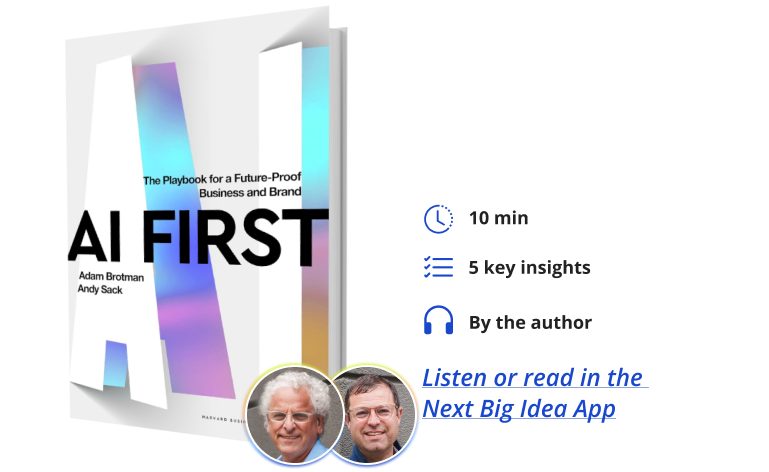
Adam Brotman and Andy Sack are co-founders of Forum3. Adam was a Chief Digital Officer at Starbucks where he helped lead the creation of their mobile order payment and loyalty programs. He has also served as co-CEO of J.Crew, and today he works with companies navigating their brand, digital strategy, and AI strategy. Andy spent over two decades as a tech entrepreneur and venture capitalist. He had the privilege of serving as a Senior Advisor to Satya Nadella at Microsoft, where he led digital transformation and innovation of new products.
What’s the big idea?
Our AI moment is a time for business leaders not just to adapt to the new wave of technology, but to imagine something new and lead with it. To help start shaping your company’s next chapter, AI First is a real-world playbook based on conversations with top AI builders and business executives making their transition to the AI era. It lays out action points that every leader needs to be thinking about right now if they want to stay in the game.
1. 95 percent of marketing as we know it will be done by AGI.
When we sat down with Sam Altman, he shared a perspective that completely reframed how we think about the future. Within five years (and granted, this was 18 months ago at this point) he believed that 95 percent of what marketers rely on agencies, strategists, and creative professionals to do for them will be handled by AI: free, instant, and nearly perfect. Sam was talking about marketing, but this applies to every function of a business.
As long-time brand builders and innovators, we took that seriously. This isn’t about some distant possibility. If you’re leading a team or growing a company, now is the time to experiment and start getting fluent. The real risk isn’t that AI will replace your people. It’s that others will learn how to use it faster and more effectively, and replace your company. When we spoke with Sal Khan, he reflected that his only regret about adopting AI at Khan Academy was not doing so sooner. We hear versions of that all the time. Companies that act now will leapfrog the competition. Those who wait will be playing catch-up.
People ask, “When will AI start really changing how we work?” Our answer is that it already has. The companies that we’re learning the most from aren’t on the side lines. They’re experimenting right now, using and learning with AI today.
2. An AI first enterprise starts with an AI first leader.
Culture moves at the speed of the CEO’s own AI “holy shit” moment. When leaders model curiosity, learning, and AI-powered thinking, that growth mindset spreads across the company. Teams grow braver, experiments happen faster, and AI fluency goes viral.
We’ve seen it first hand. At Moderna, a C-suite podcast and internal prompt contest helped pull 5,000 employees into daily AI use. At Suzy, the CEO took a build-it-yourself approach by showing, not telling, what it looks like to lead with AI. These visible examples build trust and break down scepticism of AI.
“People don’t need to be pushed into AI.”
Being an AI first leader isn’t about mastering every tool. It’s about creating the conditions for your organization to move with confidence. That starts with a belief in the usefulness of the technology, but even more so in your people. People don’t need to be pushed into AI. They need permission to explore it in ways that feel relevant to their work. You can’t outsource this mindset. If you want your company to be AI first, you have to go first.
3. AI is the new utility.
One of the biggest mindset shifts is treating generative AI not as a tech initiative or bolt-on project, but as something foundational to how your business runs. Like electricity or the internet, it will soon be impossible to imagine doing your job without AI.
Brice Challamel, VP of AI Products and Innovation at Moderna, said it best: Nobody asks for the ROI, electricity, or laptops. AI belongs in that category. It’s becoming an always-on cognitive layer across how work gets done. Organizations that move the needle stop isolating AI as something experimental and start baking it into their systems, workflows, and expectations. It becomes part of how the company operates.
The technology is evolving quickly. Scaling laws suggest we’ll see multiple generations of improvement over the next few years, each bringing stronger reasoning and more agentic capabilities at every turn. This moment demands a dynamic mindset, as the landscape is changing in real-time. It’s not just about whether AI will integrate into your company. It’s about how thoroughly and how fast.
4. AI co-pilots for every role.
Reid Hoffman, co-founder of LinkedIn, Manas AI, and Inflection AI, often describes the shift we’re seeing as the steam engine of the mind. A future where every function—finance, operations, legal, creative—has an AI co-pilot by its side. Not replacing humans but augmenting them and enhancing judgment, speed, and imagination. This is what makes AI so powerful.
“The payoff is real.”
Hoffman said it will be like having a 10x multiplier on every key function in your company. We’ve seen companies use co-pilots to help less experienced team members ramp faster. We’ve seen internal assistants generate legal summaries, polish executive communications, build financial models, and follow up on sales leads all within the same week. The payoff is real. Studies have already shown productivity gains of up to 25 percent and quality improvements of nearly 40 percent when people work in tandem with generative AI tools.
More than anything, co-pilots create leverage. They help you move faster with fewer meetings, test more ideas with smaller teams, and get more done with the same headcount. That’s not just efficiency. That’s a competitive advantage. The question is no longer whether AI will show up across your business. It’s whether you’ll structure teams and workflows to take advantage of it.
5. You can pick your approach, but you can’t wait.
There’s no one-size-fits-all model for rolling out AI. But one thing is clear: doing nothing isn’t a strategy. Effective AI transformation is ultimately about people, culture, and leadership, which means the right approach depends on understanding your team and how change occurs within your organization. After speaking with hundreds of leaders, we have observed that different paths can be effective. Here are three that stand out:
The run approach, a fast company-wide push. Leaders like Eric Vaughan, CEO of IgniteTech, took this path of immediate company-wide activation. It was gamified, fast-paced, and intentionally designed to encourage every employee to engage in hands-on experimentation from day one.
Start small and prove fast. Alicia Parker at Tishman Speyer began within her marketing team, rolling out AI tools and training, capturing quick wins, and using them to build momentum and influence the broader Tishman organization. It was focused, fast, and designed to scale.
The top-down pilot approach. Matt Britton, CEO at Suzy, began by building and demoing internal tools himself. Instead of selling AI to his teams as a transformational idea, he showed what was possible and let the results speak for themselves.
No matter where you start, the first unlock is going to be AI literacy and education. People need to understand how these tools work, what they can do, and how to use them responsibly. Without that foundation, you can’t govern well, spot good use cases, or build with confidence. And you can’t afford to wait.
Sam Altman said AGI might be five years out, and he said that 18 months ago. This wave is gaining speed, but it’s not too late to catch up with it. The companies that win in this era won’t be the ones that have the most resources. They’ll be the ones that move first, learn fast, and scale what works.
No more cropping photos uploaded directly from your smartphone.
There is a small update that Instagram rolled out, but it is of significant importance to users as the app now supports the standard aspect ratio of photos in the 3:4 format.
This aspect ratio is best known for being the standard format for most smartphone cameras, particularly iPhones, and with this, users no longer have to crop their images for uploading.
Instagram Rolls Out Support For Standard 3:4 Aspect Ratio
Instagram CEO Adam Mosseri has shared a new announcement via Threads that talked about the latest change in Instagram’s photo-sharing experiences, with the app now rolling out support for the 3:4 aspect ratio.
While this may not be that big of a deal for others, for avid Instagram uploaders, it makes a significant difference as it now allows the standard size to be shared directly on the app.
Previously, Instagram only accepted the square aspect ratio but later extended it to the 4:5 aspect ratio which offered more breathing room for smartphone photos.
Meta’s Instagram Updates, New Features Available
Meta and Instagram are fairly regular in releasing updates which bring new features and experiences for users. The company is recognized for its active involvement in the community. One of the most recent updates from Instagram is the upgrades added to direct messages (DMs), where users may now easily share music, use a built-in translation tool, and more.
While this may not be that big of a deal for others, for avid Instagram uploaders, it makes a significant difference as it now allows the standard size to be shared directly on the app.
Previously, Instagram only accepted the square aspect ratio but later extended it to the 4:5 aspect ratio which offered more breathing room for smartphone photos.
Meta’s Instagram Updates, New Features Available
Meta and Instagram are fairly regular in releasing updates which bring new features and experiences for users. The company is recognized for its active involvement in the community. One of the most recent updates from Instagram is the upgrades added to direct messages (DMs), where users may now easily share music, use a built-in translation tool, and more.
Additionally, one of the most beloved features on TikTok and other video streaming platforms has also made its way to Instagram’s Reels, its vertical video experience. Users only need to long press on either side of the screen to activate the 2x speed feature for playing clips.
Another additional feature on Instagram that was recently added is the ability to rearrange one’s posts on their profiles which makes it easier for users to categorize them based on different aspects.
Mosseri has promised that there will be regular updates for Instagram, with the company looking to introduce more meaningful experiences on the platform.
In today’s fiercely competitive e-commerce world, launching a Shopify store isn’t enough. You need a conversion-optimized, lightning-fast machine that turns browsers into buyers—and keeps them coming back. Having launched and scaled dozens of stores myself, since my agency is a Shopify Partner, I’m going to share some of the strategies that actually work in 2025.
Nail Down Your Brand Identity
Before you design a single page, get your brand fundamentals right. One of the biggest mistakes I see new store owners make is rushing their branding. Without consistency in your logo usage, fonts, colours and tone of voice, you create friction and may confuse your customer.
Here’s how to nail your brand identity:
• Create mood boards and templates with your team. We like to use Canva.
• Create a comprehensive style guide so everyone touches the brand the same way, from product pages to email headers.
I recommend running a quick visual audit across all your assets. Ask: “Would a customer recognize this as my brand if the logo were removed?” If not, you’ve got work to do.
Choose A Theme That Matches Your Strategy
Themes aren’t just about looks. They dictate load times, user experience and whether or not your store feels trustworthy. Don’t choose a theme based on vibes. Your Shopify theme isn’t decoration—it’s the foundation of your conversion machine. Pick the wrong one, and your store could bleed money.
As you’re considering themes, prioritize speed first. If it’s not lightning-fast on mobile, forget it. Mobile is everything. Almost 80% (registration required) of your traffic will come from phones.
Next, make sure your theme is built to convert. Look for sticky add-to-cart buttons, reviews, upsells and trust badges baked in. You’ll also want to look for a theme that is easy to edit. You shouldn’t need a developer to make changes. Scalability is key as well. Can the theme handle more products, more traffic and more complexity?
Final rule: Only use themes from the official Shopify store. They’re the safest bet.
Forget pretty. Choose performance. That’s how stores scale.
Use Photography To Sell, Not Just Show
Product photos are critical. In our studio, we always include four images:
• A clean front-facing image
• A lifestyle shot in context
• A close-up of product textures or features
• A quirky, off-angle or brand-specific image
Make sure you shoot with natural lighting whenever possible, and always avoid cluttered backgrounds. Customers buy what they can visualize in their lives. Your job is to help them picture it.
Optimize Collection Pages Like Landing Pages
Most store owners forget that category pages are often entry points from Google. So treat them like landing pages: Add sticky filters for size, colour and availability. Use consistent thumbnail ratios. Add quick-buy buttons to reduce the number of clicks it takes shoppers to add something to their cart. Include star ratings right on the thumbnails for instant trust.
We recently saw a 28% lift in click-through-to-cart rate after adding sticky filters and visual reviews.
Use Product Pages As Your Sales Pitch
Think of your product page as your 24/7 salesperson. Here’s our structure:
• Include a hero image and lifestyle images up top.
• Include a bullet point list of benefits above the fold (before users have to scroll down).
• Put trust icons (free return or free shipping badges, security badges) in view.
• Include a detailed story and search engine optimized (SEO)-friendly content lower on the page.
We often add a “why customers love it” section using actual quotes. It builds social proof and makes the page feel alive.
Optimize For Search
This isn’t about gaming Google. It’s about matching intent. Here’s a simplified approach:
• Write your page titles as if you’re writing Google Ads headlines.
• Include your main keyword in the URL.
• Use image alt tags and compress images.
• Write blog posts answering the exact questions your customers Google (e.g., “What’s the best eco detergent for baby clothes?”). I call this the Honeytrap Method: You create helpful content that pulls them in and subtly leads them to your product.
Boost Average Order Value With Smart UX Tweaks
Here are three features that consistently increase average order value in our clients’ stores:
• Including sticky add-to-cart buttons.
• Using cross-sell messages like “Customers also bought.”
• Bundled deals on product pages: We all love feeling like we’re getting a deal. Bundles work because they remove decision fatigue.
• Adding express checkout buttons (Shop Pay, Apple Pay) to reduce drop-offs, especially on mobile.
Don’t Ignore Internal Search
If someone uses your search bar, they want to buy. Make the process frictionless. Use tools like Searchanise or Searchspring to auto-correct, offer suggestions and show products immediately. Review the “no results” queries weekly. We once recovered 7% of lost searches just by fixing bad synonyms.
Encourage Customers To Leave Reviews
Products with five reviews are 270% more likely to be purchased than products without reviews. We generate reviews by setting up an automated workflow to ask for reviews seven days post-delivery. I like to use Klaviyo for this and Okendo for seamless review capture and display. (Full disclosure: My agency is a Klaviyo Partner.) We also offer a small discount or bonus for photo or video reviews.
Own Your Customer List With Email And Text Messaging
Your list is your moat, and it’s still the best return on investment (ROI) channel. For every new store, we launch pop-up ads timed for exit intent or scroll. These are for building the list of subscribers we can send emails and text messages to. We embed text messaging opt-in at checkout as well. We then offer subscribers real value: a discount, a quiz result or exclusive access.
Here are some benchmarks we aim for: a pop-up opt-in rate of 3% to 5%, an email open rate of 20% or more and a text message open rate of 30% or more.
Set up automated workflows for welcome, abandoned cart and post-purchase messages. These are your always-on money machines.
Iterate Like A Scientist
Your Shopify store isn’t just a website—it’s a live experiment. Treat every element like a variable. Test, track and refine. The difference between average and amazing is just a few well-placed tweaks.
Polson is the founder and Managing Director of Australian Internet Advertising, a boutique digital marketing agency. Read William Polson’s full executive profile here.
Working in silos can lead to fragmented experiences, inefficiencies, and lost revenue. Amie Owen at IPG Mediabrands explains that while integration requires brand buy-in, it’s worth the effort.
I’ve been working closely with retailers for more than 20 years. During that time, the number of media options available to brands has exploded, and tech has advanced to enable optimization of infrastructure behind the scenes.
While the tools available to us have improved, brands’ organizational structures are lagging. When media, content, retail operations, and tech are managed in isolation, the consumer experience suffers and opportunities to drive efficiencies are missed.
The goal for all brands should be synchronized commerce, eliminating fragmentation and ensuring every touchpoint in the consumer journey is optimized for maximum impact. To achieve this, brands need to embrace a paradigm shift.
No silos
One of the biggest hurdles facing brands today is the fragmented way in which various commerce functions are managed. Retail and sales teams concentrate on the supply chain, inventory levels, and getting products onto shelves, yet they remain disconnected from the media and content teams responsible for driving traffic and consumer interest.
At the same time, media investments may successfully attract shoppers, but without alignment to retail readiness, those efforts may fail to convert into sales.
Creative teams face a similar challenge. Too often, content is developed without considering the nuances of individual retail environments, resulting in assets that feel generic or misaligned with the intended audience. Technology, although abundant, is frequently siloed as well. Without proper integration across functions, it becomes difficult for brands to track performance in real time, let alone optimize or pivot strategies as needed.
The net effect is a commerce strategy that looks busy on the surface but struggles to deliver meaningful results. This disjointed execution reduces efficiency, slows down responsiveness, and prevents brands from seizing the full potential of the opportunities in front of them.
New approach
Brands need to adopt a unified framework that connects media, content, retail operations, and technology into a single, coordinated system. When all parts work together, brands can execute more effectively, adapt quickly, and drive stronger results across every channel.
The priority is integrating retail media with broader advertising efforts. Brands should activate across platforms such as Amazon DSP, Walmart Connect, and Target Roundel, while using audience insights to deliver the right message in the right place. Omnichannel planning and shoppable technology make it easier for consumers to move from ad to purchase.
Content must also be designed with retail environments in mind. Shoppers engage differently depending on where they browse or buy. Creative should reflect those differences with tailored messaging, retail-specific assets, and influencer-driven content that encourages conversion. Search optimization ensures products are easy to find.
Strong retail operations are essential. This means managing inventory, optimizing product pages, tracking performance, and securing effective shelf placement. Streamlined shopper journeys help reduce friction and boost conversion.
Technology ties everything together. Real-time data, predictive planning, and automation allow brands to measure, optimize, and respond to market changes more efficiently.
By aligning all aspects of commerce under one connected strategy, brands can move faster, work smarter, and capture more opportunities.
Total commerce
A connected commerce model ensures that every part of a brand’s strategy works toward the same goal of driving meaningful business outcomes. When retail execution is aligned with media and content, efforts become more efficient and impactful. Media investments can then be measured by sales performance, not just reach or awareness. Creative assets are built for conversion, tailored to the unique needs of each retail platform.
Technology plays a critical role by enabling real-time optimization, improving both speed and effectiveness. This kind of integration eliminates fragmentation, accelerates growth, and creates consistency across every consumer touchpoint.
It’s not simply about placing ads or moving products – it’s about building a seamless, end-to-end experience that turns strategy into results.
Nobody cares about your generic LinkedIn comments. If you’re adding messages of cookie-cutter nonsense that scream “I used AI for this,” your well-intentioned engagement is actually hurting your reputation. Those comments read like everyone else’s and add zero value to the conversation. What if you could turn comments into a business growth tool instead?
Write comments that make people stop scrolling. Showcase your unique perspective and attract your dream clients. Here are the prompts to make that happen. Copy, paste and edit the square brackets in ChatGPT, and keep the same chat window open so the context carries through.
ChatGPT prompts for LinkedIn comments that actually stand out
Figure out your strongest beliefs
Most LinkedIn comments sound the same because most people think the same. They play it safe with vanilla statements nobody could disagree with. You post meaningless support that blends into the background noise. Your voice gets lost in the endless stream of “Great post!” and “Couldn’t agree more!” Take the below prompt and make better comments. Then personalise each one with another line.
“Help me create statements for LinkedIn comments that express my unique viewpoint. First, ask me questions about my core beliefs regarding [your industry/niche]. After each response, refine these into short, bold statements that would make compelling LinkedIn comment openers. Aim for statements that some might disagree with but that my ideal customers would strongly support. Make each statement direct, clear and under 15 words.”
Test your beliefs in a standalone post
You’ll never know what resonates until you put it out there. Writing comments with untested opinions is a waste of your valuable time. You might hit something with viral potential or you might miss completely. Most people never take the risk to find out what works. Test how comments are likely to perform by turning ideas into posts for your LinkedIn profile.
“Review the statements we just created together. Help me write a strong LinkedIn post testing these ideas with my network. Start with a powerful hook such as ’10 rules I live by in [my field]’ that creates curiosity. Then, list my statements in a numbered format. End with a call to action inviting people to share which ones they agree with, disagree with, or would add to the list. Write the entire post in my voice.”
Build a comment arsenal
One good comment isn’t enough. You need a stockpile of perspectives ready to deploy at the perfect moment. But building this (not to mention posting the ~20 daily comments that LinkedIn growth takes) takes hours you don’t have. Most business owners give up on commenting entirely when they realize the time investment required to do it right. Don’t let that be you.
“Take my core belief statement: ‘[Insert your strongest belief from previous exercise].’ Transform this into 10 different LinkedIn comments, each taking a slightly different angle on the same core idea. Each comment should start with the belief stated directly, then elaborate with a personal anecdote, practical example, or follow-up insight. Keep each comment under 100 words and maintain my natural speaking style.”
Create your target account list
Random commenting gets random results. Throwing generic thoughts on viral posts from strangers wastes your time. Spraying meaningless reactions across your feed does nothing for your business. Your limited attention deserves strategic direction. With the right tactics at the ready, your VA can run this system.
“Help me create a tactical plan for LinkedIn commenting. Ask me questions about my business goals, ideal clients, and industry thought leaders. Based on my answers, help me develop a list of 20 LinkedIn profiles I should engage with regularly. For each account type, suggest what content I should look for and which of my core beliefs would resonate most with their audience. Create a simple system for tracking my commenting activity and results.”
Make it personal
Copy-paste commenting is obvious and ineffective. Everyone can spot when you’re dropping the same thoughts everywhere. Generic beliefs without context feel jarring and out of place. Your brilliance gets lost when it’s not tailored to the conversation at hand.
“I want to customize my belief-based comments for specific posts. First, ask me to share an example LinkedIn post I want to comment on (I’ll paste the text). Analyse the post’s main message. Then, help me craft a comment that opens with my relevant belief statement and continues with 2-3 sentences that directly reference something specific from their post. End with either a thoughtful question or an additional resource that adds value. Make the comment feel personalized without being lengthy. [Optional: include a typo or something that breaks conventional grammar rules]”
Create LinkedIn comments that win clients and build your brand
Stop contributing to the LinkedIn noise. Start making comments people actually thank you for. Find your strongest beliefs that resonate with your dream audience. Test them openly, build your arsenal of perspectives, and target them strategically. Add personal touches that show you’re paying attention.
The best LinkedIn comments attract the right people to your profile. They start conversations that lead to connections and relationships that turn into business. Make your comments the reason someone reaches out today.
(Reuters) -Meta Platforms aims to allow brands to fully create and target advertisements with its artificial intelligence tools by the end of next year, the Wall Street Journal reported on Monday, citing people familiar with the matter.
The social media company’s apps have 3.43 billion unique active users globally and its AI-driven tools help create personalized ad variations, image backgrounds and automated adjustments to video ads, making it lucrative for advertisers.
A brand could provide a product image and a budget, and Meta’s AI would generate the ad, including image, video and text, and then determine user targeting on Instagram and Facebook with budget suggestions, the report said.
Meta also plans to let advertisers personalize ads using AI, so that users see different versions of the same ad in real time, based on factors such as geolocation, according to the report.
The owner of Facebook and Instagram, whose majority of revenue comes from ad sales, referred to CEO Mark Zuckerberg’s public remarks about AI-driven ads, when contacted by Reuters.
Zuckerberg last week stressed that advertisers needed AI products that delivered “measurable results at scale” in the not-so-distant future. He added that the company aimed to build an AI one-stop shop where businesses can set goals, allocate budgets and let the platform handle the logistics.
Social media firms such as Snap, Pinterest and Reddit are increasingly investing in AI and machine learning tools to attract advertisers in an intensely competitive ad market.
Meta’s shares were up nearly 1% in morning trading, while stocks of ad giant Interpublic Group and Omnicom Group fell 1.9% and 3.2%, respectively.
Shares of France’s Publicis Groupe SA slid 3.8%. U.S.-listed shares of WPP, the owner of agencies GroupM, Ogilvy and VM, were down 2.2%.
Technology firms such as Google and OpenAI have also launched video and image-generation AI tools, but their widespread adoption in advertising remains in doubt as marketers weigh concerns over brand safety, creative control and quality.
(Reporting by Jaspreet Singh in Bengaluru; Editing by Leroy Leo)
Here’s a step-by-step system for startup founders to build their first 1,000 engaged email subscribers — without guesswork or gimmicks.
he digital world is saturated with social algorithms, pay-to-play platforms and constantly changing SEO strategies. However, one channel remains consistently consequential, direct and owned: email.
Building an email list early on in your business development isn’t just a marketing move for startup founders and business leaders; it’s a smart growth strategy. Yet many wait until too late, focusing instead on social media followers or one-off ad campaigns. Email is where genuine relationships are nurtured, conversions happen and loyal communities are built.
The magic number? Your first 1,000 subscribers. This isn’t a vanity milestone or one I simply pulled out of nowhere — it’s the start of a high-value, compounding asset. Here’s a framework to get you there faster and smarter.
1. Define who you’re talking to (and why it matters)
Before writing a single email or designing a signup form, answer this: Who are your ideal subscribers, and what do they want from you?
You’re not collecting email addresses to simply just collect them. You’re doing so to start a conversation. Getting hyper-specific with your audience will be the best thing you can do to ensure those conversations are valuable. For example:
A productivity app may target remote tech workers struggling with distractions.
A wellness brand may target millennial parents looking for five-minute self-care tips.
Once you’re clear on your ideal audience, define your unique value proposition. It should answer the following questions: Why should someone join your list? What will they get in return?
2. Create an irresistible lead magnet
In 2025, people won’t give away their email for just a “newsletter.” They want value, and they want it now.
A lead magnet is a free, high-value offer that your target subscriber can receive instantly in exchange for their email. Effective lead magnets typically include:
Checklists or cheat sheets
Industry trend reports or whitepapers
Templates or toolkits
Short video tutorials or mini-courses
Quizzes with personalized results
Discount codes or early access (for product-led businesses)
Your lead magnet should be hyper-relevant to your offer and audience. Make it:
Easy to consume (no 50-page PDFs)
Immediately actionable
Aligned with what you plan to sell later
3. Optimize your signup experience
You’ve got attention. Now, remove friction.
Place your opt-in form or landing page where it matters most:
Website homepage
Blog posts with relevant content
Top bar or exit-intent popups
Product pages
Social bios and link trees
Partner content (guest blogs, webinars, etc.)
Make the form frictionless:
Ask only for what’s essential (usually just name + email)
Use persuasive microcopy (“Get the free guide” instead of “Submit”)
Add social proof if possible (“Join 850+ founders getting weekly growth tips”)
And make sure the design is clean, mobile-friendly and aligned with your brand voice.
4. Launch a welcome series that converts
Your first few emails set the tone. A welcome series isn’t just polite — it’s strategic.
Here’s a simple three-email sequence to start:
Email 1: Deliver the lead magnet and set expectations
Introduce yourself. Explain what they’ll get from your emails and how often.
Email 2: Your origin story and value add
Share why you started this business and how it helps them. Include a helpful tip or insight.
Email 3: Social proof and soft CTA
Highlight a testimonial, case study or popular product. Include a light-touch call to action (visit your website, book a call, check out your offer).
This sequence helps build trust before selling — the key to sustainable growth.
5. Drive targeted traffic to fuel growth
Now that your system is ready, it’s time to get eyes on it. Don’t wait for organic search to work; get proactive.
Here are five scalable traffic sources:
Organic social: Share lead magnet snippets on LinkedIn, Instagram and X. Use storytelling and pain-point content.
Partnerships: Do email swaps or joint webinars with complementary businesses.
Paid ads: Run low-budget tests on Meta or Google Ads with lead magnet landing pages.
Communities: Engage in relevant Slack groups, subreddits and forums — share value and link to your opt-in.
Content marketing: Blog posts optimized for long-tail keywords that tie into your lead magnet.
Pro tip: Use UTM parameters to track which channels bring the highest-quality subscribers.
6. Segment and engage (even with a small list)
You don’t need 10,000 subscribers to start segmenting — you just need an intelligent system.
Tag or segment based on:
Source: where they signed up
Behaviour: what they clicked or downloaded
Interest: what content they engage with
Then, personalize future content, send relevant offers and nurture based on behaviour. The more relevant your emails, the faster your list will grow because people will start sharing them.
7. Don’t just build — engage
Your email list is not a vault; it’s a living asset. Keep it warm.
Show up consistently — whether it’s weekly, bi-weekly or monthly
Deliver value more often than you pitch
Encourage replies (and read them)
Test different types of content: behind-the-scenes stories, how-tos, Q&As, curated lists
When people feel heard and helped, they stay. And they share.
Reaching 1,000 subscribers isn’t about overnight success. It’s about setting up a repeatable, value-driven system that compounds. Once you have it, every new partnership, blog post or campaign fuels a growing engine.
Email marketing isn’t just a channel — it’s your direct line to the people most likely to become loyal customers, fans and ambassadors. Start building that line early, and your future self (and business) will thank you.
Jonathan Herrick is CEO and chief high-fiver at Benchmark Email, BenchmarkONE and Contacts+, bringing together 150 employees serving over 25,000 customers and 1 million users in 15 countries and nine languages worldwide.

 Image Credit: andreybiling – Adobe Stock
 Image Credit: adistock – Adobe Stock
 Image Credit: Negro Elkha – Adobe Stock