Tag

advertising

Browsing

By Ivan Kreimer

So you have a team of salespeople hungry for more leads.

You already have a few channels that help you acquire leads, but such efforts aren’t scalable and the lead quality isn’t high.

What do you do?

If you want to start generating more leads and avoid any of the problems you currently face, then you’ve got to try LinkedIn ads.

In contrast with two of its most popular counterparts, Facebook Ads or Google Adwords, LinkedIn ads represent a unique opportunity for B2B marketers. eMarketer found that B2B marketers named LinkedIn advertising to be as effective as Facebook.

Last year LinkedIn generated over $2 billion in revenue from its advertising platform. While a small fraction of Facebook or Google’s revenues, increasing numbers of marketers are shifting budgets to LinkedIn, with 42% of media buyers planning to increase their spend in 2019.

Driven by this stellar growth LinkedIn updated it’s ad platform in mid-2019 focussing on what it calls objective based advertising. In this guide you’ll learn everything you need to know about the new experience, so you can understand how to advertise on LinkedIn today.

  1. Campaign objectives
  2. Audience targeting
  3. Ad types and formats
  4. Costs, bids and budgets
  5. Creating a winning ad
  6. Analysis and optimization

Get the Basics Right

“The devil is in the detail” or so the saying goes, so before we get started with the nitty-gritty of creating a LinkedIn advertising campaign, let’s cover the basics.

In order to start a LinkedIn ads campaign, you need to have a company page.

You likely already have one opened.

If you don’t, then this handy guide that will show you the steps you need to take to open it.

Another important basic is to install LinkedIn’s Insight Tag. This is a small Javascript tag that will help you set up conversion tracking (so you can measure how many people convert from your ads), website audiences, and uncover your visitor’s demographic data. You can find it under the Account Assets menu in your Campaign Manager.
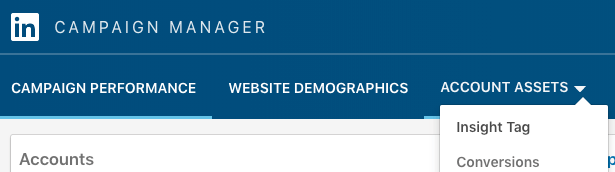
What’s more, the Insight Tag will help you run retargeted advertising campaigns, which as you will see, are incredibly effective and powerful.

While you install the tag, you also want to set up conversion tracking, which will help you see the actual conversions of your campaigns.

With the basics covered, let’s start with the actual LinkedIn ad campaign creation process.

LinkedIn Ad Campaign Objectives

Step 1: How to pick a winning objective

The first step in any successful LinkedIn ads campaign starts with picking the right objective.

The objective will impact on your entire campaign—from the ad type to the budget to the ad format.

Each objective corresponds to a different part of the marketing funnel, as LinkedIn shows:
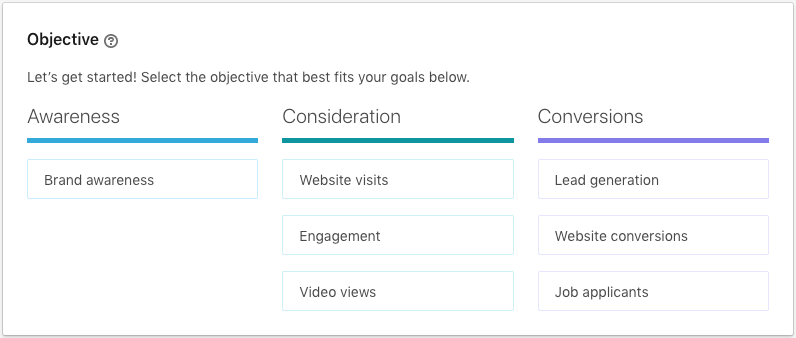
These three steps correspond to the typical marketing funnel, where each step focuses on a different objective:

  • Awareness focuses on reaching as many people as possible
  • Consideration focuses on engaging and persuading visitors to take action and find out more about your business
  • Conversion focuses on generating leads and converting people in your site

These new objective based advertising campaigns will focus on delivering your ad to the person most likely to take your desired action—let’s take a look at each of these three steps and which objective works best for your campaign goal.

Awareness Objectives

Awareness is all about showing your brand to everyone with whom you can connect. You don’t focus so much on clicks or conversions; what matters most is that people see your ads, that they get to know your brand through mere exposure, and to get them familiarized with it.

In this step, your key metric is the number of impressions you generate—the point at which an ad is displayed in front of a visitor, regardless of whether they actually see your ad or read its content.

Brand Awareness

LinkedIn offers only one objective for this stage of the funnel, one that’s appropriately called “brand awareness.”

One of the beautiful aspects of online advertising is that you can track the effectiveness of a campaign down to the click. Awareness, however, is all about getting people to see your ad, not act on it, so why would anyone choose this ad?

Simply put, because this objective can help you increase your reach (if that’s what you care about), get more followers to your page, and engage with a new audience.

For example, if you’re running an account-based marketing (ABM) campaign, and you have a specific audience you want to connect with, the awareness objective will help you reach them before you start a sales conversation.

Consideration Objectives

Here’s where the advertising gets scientific. At this stage of the funnel, you want people to click on your ads; you want visits, views, and actions (albeit in a non-commercial way).

There are three objectives you can use in this stage:

Website Visits

The name is self-explanatory: with this objective, you get people to visit your site.
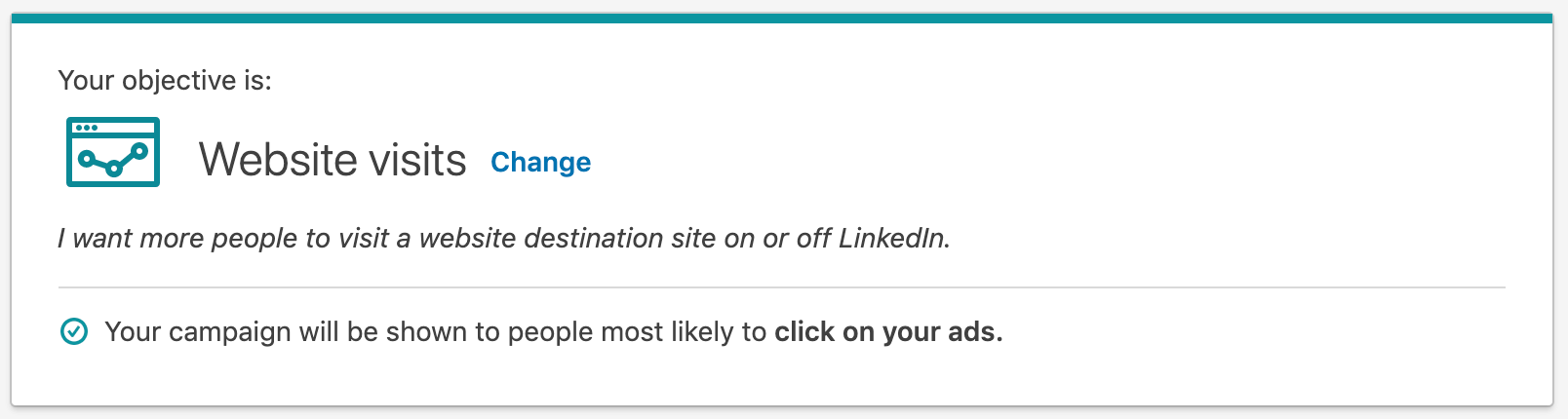
Clear, simple, and awesome—who wouldn’t want more visitors to their company’s site?

What you do with people once they do so is a different game.

You can get people to check a new post of yours (which is great if you’re retargeting them from a previous article they read), to sign up for your latest webinar, or to sign up for a trial.

Because the volume of data needed to optimize your bidding is much lower than with the lead generation objective (as you will see later), this objective is a great start for any action you want people to take in your site.

Engagement

When you’re getting started with LinkedIn advertising, you may want to increase the quantity and quality of your following.

That is, you want people to follow you, and you want them to like you; you want to develop a relationship, and as you know, that takes time.

The engagement objective is the perfect fit if you want to get more people to follow your business page and to like or comment on your posts.

The more people that follow you and the more engaged they are, the cheaper it will be to promote your content to them. What’s more, your messaging will be more effective, a goal worthy to any advertiser.

Video Views

Video has become a staple of the marketer toolkit, especially on LinkedIn. So far, several studies have shown that using video ads drive high engagement rates and higher quality of leads generated.

If your business goal is tightly connected with developing thought leadership, brand awareness, and traffic acquisition, then using videos, and the video views objective in LinkedIn, will help you increase the distribution of your content.

Conversion Objectives

This is the stage where the rubber meets the road. This stage is all about getting people with whom you’ve engaged before to take a specific action.

More specifically, that action could be an information exchange for lead generation, a download, a signup, or a job application.

Similarly to Facebook advertising, these objectives tend to have a higher CPC and the focus needs to be on your cost per conversion, but they are highly effective once you get the whole system working.

In the case of LinkedIn, there are three objectives available, which you’ll see in greater depth below.

Lead Generation

The beautiful aspect of LinkedIn is that it’s a perfect match for those marketers are looking for strategies to generate leads. Just think that 80% of their users are decision makers, and because of that, as Hubspot found, their lead conversion rates are 3x higher than other major ad platforms.

You can acquire leads with a network like Facebook, but you’d need to do a lot of pre-qualification before you can attract professionals to your site. There’s a lot of people who simply aren’t interested in registering for a webinar when they’re relaxing in their homes.

With LinkedIn, you know who’s who—you want a director of marketing to sign up for a demo for your enterprise software? You got it; your entire campaign can be built only for that specific audience.

To make things even better, LinkedIn lets you generate leads right from their site without having prospects go to your site.

Enter lead gen forms, which pre-fills their information and gets them to sign up to your offer right away.

Website Conversions

If you want to target specific conversions on your site, then this objective is perfect for you.

Thanks to the Insight Tag, which by this point you should have installed, you can optimize for any type of conversion—from a product purchase to a demo request to software sign up.

Once you have set up the campaign with the conversions objective, LinkedIn will then optimize towards the people most likely to complete a conversion. That is, the more data LinkedIn gathers on the types of people that complete your on-site conversion, the better it will get at optimizing your ads to show to people with similar profiles.

If you’re a marketer who’s conversion-driven, then this objective is perfect for you.

Job Applicants

The last objective is perfect for those companies who are competing for the best talent and need an extra boost to their job application listing.

As with the previous objective, LinkedIn optimizes your ads for the users who they’ve found to be more likely to click on your job post. Not only do you get more applicants to your job listing; you bid for the right ones.

LinkedIn Ads Targeting

Step 2: How to target the right audience

When it comes to B2B sales and marketing, LinkedIn advertising has a unique advantage over competing ad platforms. Due to the detailed employment information that LinkedIn’s 630M members upload to their profiles, you can target people based on extremely accurate employee and company data.

If you want to target the VP of Engineering at tech companies with more than 500 employees, then guess what? You can do that with LinkedIn; it’s the perfect matchmaker for your brand.

The targeting options LinkedIn provides allow you to develop incredibly precise B2B marketing campaigns which you can use to attract the right accounts.

Alongside basic data such as Location and Language there are five targeting options you can choose from:

  • Company: Which include company connections, followers, industry, name, and size
  • Demographics: Which include age and gender of the specific people to whom you want to contact
  • Education: Which include degrees, fields of study, and member schools
  • Job Experience: Which include job function, seniority, job title, skills, and years of experience
  • Interests: Which include groups the user is part of and its interests

One of the most interesting ways you can create unique targeting options is to use the “exclude,” “include,” or “narrow by” options. With these options, you can potentially target someone who doesn’t traditionally fit within a certain audience (like chief executives with not more than 10 years of experience) or that’s highly targeted (like vice presidents who are under 40 years old).

What’s more, you can utilize LinkedIn’s own internal data to grow your reach, a feature that LinkedIn calls “audience expansion,” or your own data to retarget users and prospects who often already know you, a feature which LinkedIn calls “matched audience.”

Use Audience Expansion for Lower Costs and Increased Reach

Once you’ve found an audience that works for your advertising campaigns, you can create a new campaign that targets other similar audiences.

That’s where the “audience expansion” feature comes into play. Audience expansion uses LinkedIn’s algorithms to find and reach people that have similar attributes to your tested target audience.

For example, if you’re getting high conversion rates with a campaign that targets VPs of Marketing, then LinkedIn may find that a campaign with the same message that targets Directors of Marketing works equally well.

Use Matched Audiences for Retargeting

If you’re constantly targeting new people who don’t know your brand, you’re wasting a lot of opportunities.

There’s nothing wrong with generating new demand for your offers, but since your company already generates traffic in your website, that traffic is a potential goldmine for new business opportunities.

Matched audiences help you target people who have visited your site, signed up for a gated piece of content (think a webinar or white paper), or who have done any type of business with you (think a demo trial or a proposal).

Two of the most common uses of matched audiences is to retarget website visitors based on your pixel’s data, or target your email list.

You can even mix and match these matched audiences with audience expansion to expand your audience from your email list.

Use Matched Audiences for Account-Based Marketing

What’s more, you can upload account lists to your matched audiences. That means, you can upload a list of company names and site URLs, and then target anyone who works at those companies.

One of the easiest ways to get started with this is to upload a list of high-intent accounts and advertise to your key buyer persona job titles at these companies. If you’re into ABM, then this is a game-changer.

How do you find high-intent accounts? A great way to get started is to use a platform like Leadfeeder. This enables you to identify the companies visiting your website by connecting with your Google Analytics. You can then export lists of companies visiting your website, upload to LinkedIn as an account list in your matched audiences, and use this data to power your LinkedIn ABM ad campaign.

Take a no-obligation 14-day free trial of Leadfeeder today, identify the companies visiting your website and try running some LinkedIn ABM campaigns with this data.

Forecasted Results

Once you’ve selected your audience targeting, LinkedIn will show the forecasted reach and expected volume of traffic for your campaign. These numbers will be affected by your daily budgets and bids—which you’ll select shortly—and they provide a great way to benchmark the actual performance of your campaign versus LinkedIn’s predictions.

LinkedIn Ad Types

Step 3: How to choose the right ad for your business

LinkedIn offers a wide format of ads, which vary in cost and complexity of implementation.

Such a wide range of options will raise an immediate question: which ad type should you use?

As always happens with anything related to marketing, the answer will depend on your needs, budget, and expertise.

Without a deep look at your company, no one can tell you which LinkedIn ad type to choose from. The best way to make the right decision is to take a look at each ad type with more detail.

Fortunately, that’s exactly what we’ll do next.

If you’ve ever been browsing through LinkedIn and you saw an ad right in your news feed midway through your scrolling, then that was a sponsored content ad.

Or, guess what? If a post has a small piece of text that says “Sponsored Post,” then that’s sponsored content.

Simply put, a sponsored content ad promotes content. If this sounds too basic and obvious, it’s because it is.

You’ve got content—a blog post, a white paper, a webinar—and you just want more people to see it. What do you do? You get this ad working.

There are many ways you can feature your content in the news feed, and next I will show you how they look.

Single Image Ads

Single image ads are the standard type of sponsored content. They promote any post you publish to a broader audience, with a single landscape image to capture your audience’s attention.

Video Ads

Video ads are the same as single image ads with the exception that the ad creative is a video instead of a static image. Similarly to Facebook, the video will auto-play as a person scrolls over it in their feed. The sound will be set to mute by default—so it’s a good idea to include subtitle captions in your video.

There will be cases where you will have multiple images to show within a given post. Carousel ads allow you to showcase those images and maximize the impact of your ad.

Carousel ads are especially useful when you want to tell a story within your carousel images, so you can command your audience’s attention and connect through the power of storytelling.

Lead Generation Ads

As explained before, lead gen forms allow you to pre-fill your ads with your prospect’s information so you can acquire a lead right from the ad.

It goes without saying that the effectiveness of lead gen form ads lays in the ease to convert a LinkedIn user into a lead. If you have a piece of content, like an ebook, a report, or a specs sheet, then lead gen forms will be the best investment you can make.

Dynamic Ads

The dream of sending personalized ads on scale is starting to become a reality. Dynamic ads allow you to create an ad that targets a specific audience.

For example, if you want to show an ad to chief executives, dynamic ads deliver targeted messages that speak to that audience specifically.

Currently, you can only access dynamic ads if you spend at least $25,000 per quarter on LinkedIn advertising.

Text Ads

Text ads promote a message in the right column of the newsfeed. These ads are smaller and less intrusive than sponsored content, and tend to have a lower CTR.

You can show these ads within a user’s inbox or on the side of the LinkedIn homepage. The text snippet is accompanied by a thumbnail to call the attention of your audience.

These ads look more similar to the traditional Google Ads, where you have a headline, a small description, and a CTA (plus the image, which the former doesn’t show).

If you’ve ever received a message from someone you don’t know and who’s trying to promote a piece of content or push some time of offer, that was a sponsored InMail.

LinkedIn allows users to message people who are within their network. If you’re promoting a piece of content and you have hundreds of relevant connections, you may get some good results. But if you want to message thousands of potential leads, you can’t do it unless you use InMail.

InMail is a premium feature that allows you to send a message to anyone you want, regardless of the fact you lack any connection with that person.

Sponsored InMail takes this feature even further, allowing you to promote a message so it shows up at the top of the recipient’s inbox. Such promotion can be useful when matched with a retargeting campaign.

LinkedIn Ads Costs, Bids and Budgets

Step 4: How to pick an ROI-friendly bid

In order to make your LinkedIn ads cost-effective, you must bid to the point where you get the most exposure—whether that’s measured in impressions, clicks, or actions—and the least amount of money spent.

Such balance is hard to get, especially when you’re first getting started and LinkedIn’s algorithms don’t have enough data to optimize your ads correctly.

There are two types of bids you can choose from that vary slightly dependent on your campaign objective:

  1. Maximum cost bid: With this option, you select the maximum amount of money you’re willing to bid for, by providing a CPC, CPM or CPV.
  2. Automated bid: With this option, LinkedIn uses historical campaign data and user information to automatically set and adjust your bid, optimizing towards your chosen campaign objective.

To define which bid strategy you want to take, think on what’s your ultimate goal behind your campaigns.

If you want the most amount of impressions, clicks, or conversions, then the automated bid is the best option for you. Since LinkedIn optimizes your bids with the intention of maximizing your objective, they will make sure you get the results, albeit by overspending.

If you want to control your costs, then the maximum cost bid is your best choice. The problem with this strategy is that you may underbid—that is, you’ll bid for less than the amount you need to get any exposure whatsoever. For that reason, it’s a smart idea to start with an automated bid—letting LinkedIn gather data for you—and pair this with a daily budget cap to ensure your spend is limited.

Once you know how much each bid really costs, you can then optimize your campaigns based on this data.

You can optimize your bids around different metrics, depending on your objective. LinkedIn offers a handy table with all the information available around this topic:

(Image Source)

LinkedIn Ad Examples

Step 5: How to create a high-performing ad

The ad you create will depend on your LinkedIn ad type and format. Since there are three ad types and eight ad formats, we’ve got 24 different variations from where to create an ad. That’s a lot of combinations.

But to simplify everything, here are the basics for creating the best sponsored ads, the best sponsored inmail, and the best text ads.

Creating a high-converting LinkedIn Sponsored Ad

Sponsored ads are native advertising—that is, the content fits naturally within the LinkedIn feed amongst non-sponsored content your target audience is browsing.

The key to creating sponsored ads then is to make them look natural.

You want people to feel as if they’re not seeing an ad, but reading a useful and relevant piece of content.

Your headline should be under 70 characters, and your main copy should be under 150 characters, both of which act as the leverage that stops people in their tracks and makes them read your ad. You can create ads with longer text, but the copy will likely be truncated.

The image is another important element, which often magnifies the idea of the piece. You can use a text-free image, which should illustrate the idea of the ad, or one with text to cement the message of the ad even further.

You can play with video as well, which is a type of media that has shown more engaging than images or text.

The IAB has found that video ads have much higher CTRs than native, banner, and interstitial (i.e., full-screen) ads.

While it’s time-consuming and more expensive to produce than written content, video ads are part of the new wave of media content that you need to try to differentiate your ads from the competition.

Creating a high-converting LinkedIn Sponsored InMail

No one likes to get unsolicited mail. Such is the fact of anyone who tries to get someone to act upon an offer when sent by mail or LinkedIn’s InMail, but it shouldn’t demotivate you.

LinkedIn has reported that the sponsored InMail campaigns have open rates between 35 to 50%, and they go as high as over 70%, comparing very favourably with email campaigns.

Such results make a sponsored InMail campaign pretty enticing.

Think of your sponsored InMail campaign as if you were writing the recipient an email. Therefore, the rules that apply to effective email outreach apply as well to a sponsored InMail campaign.

To start, your InMail should be clear and concise to get your target to pay attention to your message. Your offer should be clear right away so the recipient doesn’t have to guess what you’re trying to do.

Related to the clarity of your InMail comes relevancy. To increase the relevancy of your message, consider using a list of your website visitors or target accounts you’d like to work with as a potential target list for a sponsored InMail campaign.

Finally, given the upfront and cold nature of the contact, you want to align your offer with your recipient. Think on a high-value offer that doesn’t demand much time or effort for your recipient to act upon, especially if this recipient knows you.

Download our guide for more help on getting started with social selling.

Creating a high-converting LinkedIn Text Ad

As I’ve said before, text ads have more in common with the traditional Google Ads than with the other ads seen in this guide.

You have much less ad real estate to play with, so your job is to maximize the words you use to engage with your audience.

Text ads are made up of four elements:

  • Headline
  • Ad Copy
  • Ad Destination
  • Image

There’s not a lot of space for creativity with text ads. It’s all about positioning your ads the right way with the right words and expressions.

Given the constraints imposed with text ads, you want to follow the advice from Upworthy and write a number of variations of each headline and ad copy so you can pick the right combination based on performance.

In contrast with sponsored content, text ads look like ads. There’s no way you can convince people that what you have isn’t an offer. Your text ad thus won’t be competing with other feed content, but with other ads.

The text ads that get all the clicks are the ones that best speak to the end user.

If your audience is made up of directors of marketing, then your headline can say something like:

  • Are You a Director of Marketing?
  • To All Directors of Marketing
  • Director of Marketing: Check This Out

Source

Your images, while small, can also help make your ad stand out. Something that’s a bit surprising or shocking can work wonders as long as it’s not offensive or misleading.

To find the right text ad combination, there’s a lot of testing you can do. As a marketer, you never know what people like or what will connect with them. Test every element until you find the best-converting ad.

LinkedIn Ads Optimization

Step 6: Analyze, improve, rinse and repeat

One of the wonders of online marketing is that you can track and measure everything you do. LinkedIn Ads are no exception.

Earlier in this guide you saw how the Insight tag allows you to track and measure your conversions, including your content downloads, sign-ups, purchases, and more.

This information is easily accessible in the LinkedIn Ads Dashboard, where you can see all the basic data expected from paid media — like impressions, clicks, CTR, conversions, among other metrics — as well as a performance chart which displays a graph of the results of your campaigns.

Beyond this standard analytics dashboard, LinkedIn offers a unique demographics chart which breaks down your campaign engagement by your audience’s job function, job title, industry and much more.

The data provided in the demographics chart is another fantastic feature which B2B sales and marketing professionals won’t get with another ad platform—it goes beyond basic numbers to show you much more detail about who is actually engaging with your campaigns.

Conclusion

If you have read this far, then you must be thinking “where do I get started?

The answer is easy: pick one objective; the one that’s most pressing.

From there, define a target audience—if you have an email list or target account list, then upload this as a matched audience, and use it to engage and educate these targets.

Finally, choose your ad type—sponsored content is the safest bet to start with—and the ad creative.

Let LinkedIn optimize the bidding for you, and wait until you start to see results. Rinse and repeat.

Like any new marketing channel, LinkedIn ads will take some time for you to master. But if you keep refining your audience targeting, bidding strategies, and your ad creatives, you will start to see an increased return on your investment.

Want to get started with LinkedIn Account Based Marketing ad campaigns? Sign up to Leadfeeder to generate lists of high-intent accounts that have visited your website and use them to power your LinkedIn ad campaigns. Get started with a 14 day free trial today.

By Ivan Kreimer

Sourced from leadfeeder

Sourced from Inc.

It’s a testing and assessing game.

As the old question goes, “If a tree falls in the woods, and no one is around to hear it, does it make a sound?” Well, I want to update it: “If you have a great product, but no one knows about it, then what’s the point?”

I’m proud of my e-liquid, so I want to get the word out to my demographic. How else will they know about it? But budgeting for marketing can be tricky, especially for a small business, so I have to switch my trucker hat for my thinking cap or else I might rush into spending too rashly.

So what is the right amount to budget for marketing when you own a small business? Should you focus on ads or public relations? I’m going to break it down for you.

Advertising vs. PR

Before I get into how to budget, let me define my terms. Advertising is what you project to the world, as in a social media ad that says, “Hey, check out my new e-liquid.” PR involves more of a subtle dance with the community. You want to interact with your consumers and get them to fall in love with your product, and then they can tell the world how awesome it is.

Case in point: Spending money on a billboard at a music festival is advertising, but showing up at the festival and giving out samples is PR. By interacting directly with the public, you can create a buzz. Who knows? You might even make a splash in the local paper, which creates another wave of PR momentum.

Setting Your Budget

When it comes to marketing, you usually get what you pay for. It’s a numbers game, and it scales to fit the size of your business and the scope of your growth. According to marketing communications consultant Caron Beesley in a post on the U.S. Small Business Administration’s blog, many businesses set aside 2-3% of their revenue for “run-rate marketing and up to 3-5% for start-up marketing.” The percentage can vary by industry, the size of your company and what stage it’s in, of course. Retail businesses in their early years, for example, spend as much as 20% of sales on marketing. After all, you’ve got to create a spark before you can ignite your dreams.

Setting a marketing budget can be different for small businesses like mine. “As a general rule, small businesses with revenues less than $5 million should allocate 7-8% of their revenues to marketing,” Beesley writes. That number might even double when you’re first building your brand to account for trial and error, video production and other ancillary factors.

PR is an entirely different beast from advertising, even when it comes to budgeting. Ideally, PR and advertising should each have their own individual budget. I recommend testing some advertising and PR strategies to find out what works best for your brand before you decide how to divvy up your budget. Try putting a small advertisement in a magazine that shares the same customer base as your product.

Or better yet, think of some free or low-cost PR options. In my case, extreme sports events, car shows and concerts are all places where I’ve created some word of mouth by showing up and introducing my product to attendees.

Is It Working?

This is a question to ask early and often as you determine how to allocate your marketing budget. Check the data on where the traffic to your website is coming from and how much of that traffic is converting to sales, and then assess your return on investment before heavily investing in any specific advertising channel or form of PR. If people are seeing your social media ads but ignoring them, for example, then they’re worthless. Ditch the lower performing ads, and determine where your advertising dollars may be better spent.

In conclusion, budgeting for PR and advertising is a testing and assessing game. Some products resonate with people through PR better than they do through an advertisement, but in my experience, trial and error is the best way to find out where you should be spending your money.

Feature Image Credit: Getty Images

By Young Entrepreneur Council @yec

By Colbey Pfund, co-founder of LFNT Distribution

Colbey Pfund is co-founder of LFNT Distribution, a leading international distributor of premium eliquid.

Sourced from Inc.

By

It can be difficult for SMEs to remain competitive today, but AdRoll’s new report ‘The Ultimate Guide to Growth’ provides a detailed step-by-step guide to help small to mid-sized businesses, solopreneurs and entrepreneurs to accelerate their growth. The robust report is split into seven categories with each providing case studies and takeaway lessons.

Identifying audiences

The report stresses the importance of marketers to first determine their ideal customer, knowing this then allows them to accurately target them. It cites various characteristics to look out for when compiling customer profiles and suggests that marketers should also tap into customer geographics and work on understanding their online behavioural habits. Empathising with their customers’ needs will help marketers to capitalise on their audience’s activity.

Understanding competitors

While getting to know your customers is important, the report also urges marketers to understand how their competitors operate, so that they can have a strong understanding of their positioning in the market. Marketers should conduct research and analysis on their competitors to work out where marketplace opportunities and threats lie, as well as keep a close eye on their opponent’s messaging.

Know your USP

Key differentiators set companies apart, so identifying these – no matter how big or small they are – is vital. The guide advises marketers to focus on your key attributes but encourages them to avoid concentrating on replicable differentiators such as new technologies or competitive prices as these can easily be beaten by competitors.

Marketing strategy creation

Marketing strategies should act as a roadmap for growing businesses with clear steps as to how to reach and engage new and existing customers. Working out the company’s value proposition will help. Marketers should consider where their customers are struggling and how they can help relieve their pain through the services they offer. They should then develop messaging to reflect this strategy, set attainable goals and create a realistic marketing budget to ensure that progress can be tracked.

Using marketing tactics

The marketing strategy set out earlier in the guide will provide marketers with clear business goals and budgets. Working out actionable tactics and which marketing channels to push marketing messages out on is essential. The report suggests looking at AdRoll’s digital advertising tactics and offers marketers the opportunity to sync up their e-commerce website with their growth platform to attract new visitors and convert existing prospects.

Creating content assets

Marketers should work out which type of content asset will suit their strategy best; the report provides pros and cons of using visual, written and ad content formats, with advice on how best to combine content assets to save on time and avoid duplication. The guide reminds marketers that ad sizes and formats also vary according to each platform, so messages need to be punchy and to the point for them to be effective.

Implementing and testing

Testing is one of the most important steps in the digital marketing growth journey. The report suggests that ads don’t need to be perfect before going live and encourages marketers to experiment with different renditions of ads to see how audiences respond. Various techniques for testing are listed, ensuring that marketers can get the most out of the experiments they do on ads, so that they know what to look out for.

Measurement

The guide advises marketers to build quantifiable KPIs and metrics that correspond to the business strategy and goals outlined earlier. Marketers should look at various analytics tools and work out which would best suit their business, but the report urges them to continue testing tactics to ensure that processes and information are consistently refined throughout the journey. Attribution models can also help marketers to gain better insight into consumer purchase habits.

Feature Image Credit: The Ultimate Guide to Growth report, with AdRoll

By

Sourced from The Drum

By Alison Griswold

Online advertising will soon just be “advertising.”

Online ads will claim more than half—52%—of global ad spending for the first time in 2021, according to a new forecast from analytics firm Zenith. That’s up from 47% this year and 44% in 2018.

Growth in online ad spend is coming fastest in online video and social media, something that probably isn’t surprising to anyone who’s waded through ads on YouTube or Instagram lately. Each of these categories is growing at nearly 20% a year. There’s a lot of money to made in the influencer economy.

Ad services are an increasing focus for Amazon, which is challenging internet giants Alphabet and Facebook in the space. Growth has slowed in paid search, Alphabet’s bread and butter and a more established category that made up 37% of internet ad spend in 2018.

Advertising is a massive industry that could reach $639 billion in spending globally this year, Zenith estimates, up 4.6% from the previous year. Almost half of that growth is coming from the US, followed by China, the UK, and India.

By Alison Griswold

Sourced from Quartz

By Karissa Bell

Facebook is trying to shine a light on one of the more confusing aspects of the advertising industry: how webs of seemingly unrelated companies use your data to serve ads.

The social network is updating its advertising settings to make it a bit easier to see how advertisers are getting your information, why you’re targeted for specific ads, and how to opt out of them.

To make this happen, Facebook is making a couple updates. The most notable change are new sections in Facebook’s advertising preferences that lets you see exactly how companies wind up with your info.

The first section, labeled “advertisers who have uploaded a list with your information and advertised to it,” includes businesses you’ve frequented (either online or IRL) that have uploaded your information to Facebook.

The second section, called “businesses who have uploaded and shared a list with your information,” might be more surprising. These are the so-called data brokers — firms you’ve likely never heard of that buy large swaths of data about people that businesses are able to use for targeted advertising. (Check out BuzzFeed’s story for more details on how these companies operate.)

While these companies are well-known in the ad industry, it’s not something that the typical social media user had much visibility into until now. But with Facebook’s new tool, you can see exactly how a company with a name like “3Q Digital” or “LiveRamp” has used your info to show you targeted ads from seemingly unrelated companies.

Facebook's new settings page lets you see how data brokers share your info for other companies' targeted advertising.
Facebook’s new settings page lets you see how data brokers share your info for other companies’ targeted advertising.

Image: screenshot / facebook

It’s not a perfect explanation, but it at least exposes the relationships retailers and others have with these firms.

Additionally, Facebook is making it easier to see more about why you’re being shown a given ad. Now, when you select “Why am I seeing this ad?” on a post in your News Feed, you’ll get a more detailed look at why you’re being targeted with that particular ad. This includes Facebook’s infamous ad “categories,” the seemingly random group of interests, locations, and activities Facebook guesses are relevant to you based on your use of the service.

The updated “Why am I seeing this ad?” page will also let you dive into your ad settings to opt out of these categories. Facebook users have been able to do this for awhile now, but the setting is fairly buried so it’s likely not something most people check. Having it available directly from an ad might make it a little easier to get to.

Of course, all this disclosure still requires a good bit of clicking around to find. But, if you’re willing to make the effort, the new tools should at least help you understand how your information is getting passed around the internet, and why certain ads seem to be “following” you.

By Karissa Bell

Sourced from MASHABLE India


By Rachel Gantz

Data-Driven Thinking” is written by members of the media community and contains fresh ideas on the digital revolution in media.

Today’s column is written by Rachel Gantz, SVP, commercial, at Comscore.

Time’s up. #MeToo. Equal pay. This is the world many of us proudly live in.

Gender identity and norms have become more fluid and expansive – and they are often at the forefront of discussions across industries.

As a participant in the advertising ecosystem, I believe that today’s environment begs the question: Is advertising doing its part to keep up with the gender conversation? Isn’t advertising supposed to be aspirational and fill the needs we don’t even know we have? How can a successful ad guide me to my next car, or help me select my next roll of paper towels if it doesn’t reflect our modern-day collective experience?

As brands look to adapt to today’s environment and pivot their businesses to engage the next generation, it has become critically important to understand shifts in gender constructs and identity.

Thirty-five percent of Generation Z says they personally know someone who uses gender-neutral pronouns like “they” and “them,” according to Pew Center of Research, compared to 25%, 16% and 12% percent for millennials, Generation X and baby boomers, respectively.

There has been much discussion about inclusive creatives and how gender should be represented or depicted in advertisements. But what about the data used to target those creatives? How can brands refine their targeting strategies to effectively reach audiences in this new era?

Inclusivity in ad targeting 

While gender constructs are certainly evolving as a whole, it’s clear that the advertising industry isn’t quite ready to retire basic demographic targeting, and there are several examples we can point to as evidence. Comscore data shows, for example, that 88% of consumers shopping for a BMW X7 are male, and 73% of buyers of baby goods are female.

Demographic targeting – at least today is far from irrelevant, and for some goods it continues to be an important part of a successful ad targeting strategy. However, it’s imperative for brands to recognize today’s rapidly-changing world and that consumers are no longer defined solely by their age and gender; they’re a collection of interests, preferences, behaviors and affinities.

Saying goodbye to outdated stereotypes

Already, we see emerging trends that defy traditional stereotypes. Per Comscore data:

  • Only 55% of video game console and accessory buyers are male, defying the accepted thinking that gamers and the surrounding markets are nearly all men.
  • Forty-one percent of visitors to sports sites are female, even though the common perception is that men consume most sports content.
  • Nearly half of social media site visitors are older than 45, despite conventional wisdom that younger generations are power users of social media.

If you’re targeting based on assumptions and preconceived notions, you’re likely missing out on a large group of in-market, high-value consumers. At best, this simply results in wasted spend. At worst, mistargeted creatives could annoy and even offend particular groups, possibly damaging a brand.

It’s clear that the currency of decades past is no longer sufficient in today’s climate. Brands, agencies and data providers must pivot quickly to a more comprehensive, advanced and inclusive set of targeting criteria.

The targeting for many industries must go beyond age and gender. The advancement of behavioral-based targeting audiences furthers this cause and deserves more buy-side attention.

But how can brands and agencies do that successfully when they are faced with hundreds of demographic data providers and thousands of targetable audiences in any DSP or DMP? Blaming brands and agencies for not digging in deeper on what data they use and settling for cheap alternatives is easy, but it’s just as much on data providers to hold themselves to a better standard.

Inclusivity and quality amid targeting clutter

Our industry is undergoing a reckoning of purging low-quality targeting data (finally). Recently, Oracle Data Cloud announced a set of premium data partners (Disclosure: Comscore is included). Even the Interactive Advertising Bureau is getting involved, as evidenced by their new data label initiative. This is critical not only for the betterment of the industry but is also a key driver for more inclusive advertising.

While these are important first steps, more is needed.

If a brand wants to target a baseball fan, it should be able to target a baseball fan, and not just a man (this from an avid female sports fan).

When our family and friends ask what we do for a living, instead of saying “we keep the internet free,” perhaps it’s time to say, “We keep it free, relevant – and, most importantly – inclusive.”

Follow Comscore (@Comscore) and AdExchanger (@adexchanger) on Twitter.

By Rachel Gantz

Sourced from ad exchanger

By

Stop Funding Fake News, the social movement pressuring brands to boycott newsbrands that it believes routinely spread misinformation, is turning its attention to media agencies.

Anonymous officials from the activist group told The Drum that for it to achieve its goals of demonetising fake news sources, it has realised it must court the middlemen between brands and publishers.

Inspired by Sleeping Giants in the US and Stop Funding Hate in the UK, the group operates anonymously, claiming activists could be at risk if their identities were known.

Adobe, Chelsea FC, Harry’s, Experion, eBay, Moonpig and Manchester United are among the 40 brands and charities that the group has convinced to block out a number of sites off the back off a campaign it launched March 2019.

Now, it’s looking to advertising and media agencies to engage in a dialogue about the news industry. A spokesperson said agencies have approached the group, keen to grasp what sites should be considered for blacklist.

This is particularly beneficial for Stop Funding Fake News’ cause as agencies handling multiple clients ought to be able to widely blacklist offending sites – a step-up from the brand-by-brand approach the group previously took.

It said it is now expanding its network to help “persuade” ad agencies that it is “bad for their clients to be associated with the lies and racism found on these sites, so it’s in the interest of ad agencies to ensure they don’t put them there.”

It urges agency figures to get in touch at [email protected] for discussion.

Misinformation has been linked with deaths around the world, not to mention that fact that generating clickbait lies can be a lucrative trade. Earlier this year, The Drum explored the harms fake news causes globally, talking to misinformation experts, Wikimedia, and BBC News about how to curtail the issue.

As a largely ad-funded media, greater scrutiny is being placed upon the brands that are enabling these stories.

By

Sourced from The Drum

Sourced from B&T Magazine

In this opinion piece, founder and head of growth at digital marketing agency King Kong, Sabri Suby, speaks on why you need to be spending more on advertising than your competitors are, or face a slow death.

In the past decade, there’s been a huge migration of businesses moving online, in search of better clients and fewer overheads. Every man and his dog is jumping on the online advertising bandwagon, and it’s showing no signs of slowing down.

But if you think online marketing is a free ticket to an endless supply of leads that will cost you next to nothing, then you’re in for a rude awakening. If there’s one thing your business should never, ever cut corners on, it’s digital ad spend and acquiring new customers into your business.

Supply and demand

Digital advertising has now out surpassed TV as the number one advertising channel. Meaning the number of advertisers is increasing and the quality of the competition is rising – but the inventory available isn’t increasing at the same rate.

There are only so many humans on the planet, and they only spend so much time per day scrolling through Facebook or Instagram. The basic laws of economics will tell you what happens next: the cost per click across all channels is driven up, and up, and up.

Increased demand and higher cost of entry has sharpened the competition and kicked the chancers to the kerb. Small businesses want their ads showing up in potential customers’ newsfeeds – but so do McDonald’s and Uber Eats and Coca-Cola. In this supposedly level playing field, we’re all competing for the same people, but the big guys can spend a lot more to acquire a customer than a regular small business.

This doesn’t mean there’s no hope for the little guys; but it does mean that they need to step up, get smart and start learning how to spend their hard-earned money wisely.

The digital marketing sea is turning red with businesses that can’t survive the rising costs, leaving their skeletons dotted along the shoreline. These dying businesses are typically filled with lazy marketers who still think they’re back in the good old days, where the competition was weak and winning was easy.

They spend the majority of their time plotting out how they can spend less, get the cheapest clicks, and reduce their costs. They reminisce about the times when all they had to do was put their ads in the Yellow Pages, sit back, and wait for the phone to ring.

Anyone who continues to think like this is going to get eaten alive by those who truly understand the cost of acquiring good customers. The business that can afford to spend the most to acquire a customer will always win, every single time. If you stop thinking of advertising as a cost, and start realising that it’s an investment, the leads and clients will begin to flow.

This shift in mindset will allow you to justify spending more than any of your competitors, putting you one step ahead of the rest. You will be able to go out and market more aggressively than any of your competitors, allowing you to get all the customers and win.

Stop panicking and start learning

So, what if you want to start winning, but you’re scared to make the jump? Here’s the secret: stop spending all your time worrying about costs, and start educating yourself. In order to justify the increased spending, you’re going to need to know your numbers inside out.

Force yourself to understand the technology. Learn about CRMs. Discover how automation can help your business. Once all the pieces start to fall into place, increasing your ad spend won’t feel like such a risk – it will simply make sense.

And when you start to get your digital marketing right, you’ll be making so much money from your customers, that the rising costs of acquiring those customers won’t matter anymore. For every dollar you spend, you’ll get three, five or ten back.

When the results are that good, you’ll want to be putting in as many dollars as you can afford. And if you’re still too scared, don’t come crying to me about how your $10 boosted post didn’t generate you any leads.

Sourced from B&T Magazine

Our advertising columnist Ben Kay blames Apple for the decline in standards of creativity in ad land. He’s not giving up his iPhone just yet though

Why has creative advertising been in a decade-long malaise? I would suggest that the rot began with the arrival of the Apple Mac.

This wonderful personal computer was the first significant step in the democratisation of creativity. It enabled its users to change typefaces and sizes at the click of a mouse, a process that had hitherto taken letterpresses, typesetters and paste-up artists. What had for decades been an expensive, time-consuming skill, practised by highly skilled artisans, became practically free, virtually instantaneous and practised by anyone.

It took a few years for this transfer of abilities to seep its way into the consciousness of clients, but what started as a seep soon became a deluge, peaking with thousands of passive aggressive notes to flatmates written in 14-point Comic Sans.

That made it impossible to tell a client that making the logo bigger would take a couple of days and cost hundreds of pounds. They soon became aware that it would take seconds and cost nothing, and that strengthened their hand beyond recognition.

Sourced from Creative Review

By

Social media started out with Myspace and Bebo (oh the nostalgia) before graduating to platforms such as Twitter and Facebook. Here we are now in 2019, ‘hashtagging’ and ‘storying’ like it’s nobody’s business.

What’s next for the social media industry?

1. A shift in focus: less on feeds, more on private messages

The feed is such an integral part of social media networks that it could never just vanish overnight. Regardless, people are using social media more and more as a way to get in touch with people and have instant message conversations.

To remove the feed entirely could be problematic though. The feed is the main source of incoming for many social media networks as most people will spend their dwelling time here. It’s also used as a key space for advertising. With visual formats such as Stories and Facebook Watch gaining speed, it’s likely that advertising will inhabit these forms in the absence of a feed. After all, IGTV is in the midst of discussions on adding advertisements to the content as we speak.

We have no doubt that the feed will start to play a smaller role in the growth of social media networks, but it’s here to stay for a long while yet.

2. Despite numerous industry worries, influencers aren’t going away

2018 / 2019 has been a tricky time for influencers with a lot of bad press and finger-pointing documentaries. However, not all influencers are deserving of the bad rep.

Influencers who are troublesome in the industry will become extinct over the next few years. Their followers will lose trust and begin to diminish, while brands will ‘wise-up’ to influencer red flags and learn how to find influencers who will work more effectively with their brand.

Although social media networks are still likely to be saturated with #ad and influencers galore, it’s not really the end of the world. If trustworthy and authentic influencers are all that reminds then the odd paid promotion will be much less problematic than it is today.

One trend we expect to see more of very soon is brand marketers educating themselves more about the influencer marketing supply chain. This will enable them to only work with influencers who promote their brand effectively and actually sell their product. Watch this space for further developments.

3. Brands will be making more of an effort to plan their content and be more consistent across channels

As social media continues to be an incredibly saturated space, the quality of content must also rise.

Brands that are smart will invite a social media specialist to take a look at what they’re currently doing, as well as give advice on where social media (and the internet in general) is headed. This will enable them to get a leg-up on future trends and plan ahead for the next five years.

Brands not able to identify what works for their business will lose customers to their competitors.

Plan, execute, analyse and repeat what works.

4. Small communities will trump big networks for most businesses (even more than they already do)

We all know that Facebook Groups and messaging apps have become so very popular over the last couple of years as a way to unite people with similar interests in thousands of niche topics. Whatever your tipple, there’s a group for it, filled with like-minded individuals posed for a heated discussion.

The general public is bored of seeing the same story over and over again. But having the context of a group changes things. A post about a new coffee shop only becomes interesting and relevant to you when it’s posted within a Facebook Group specific to your location.

Furthermore, the average person is usually more comfortable participating in conversations and sharing opinions within a smaller community, without fear of judgement from the entire world wide web. This ‘safe space’ atmosphere will continue to help groups become a hub of activity and engagement.

One thing that won’t change is that social media is the cheapest, fastest and the most scalable marketing channel available to most companies. That isn’t going away, period.

Welcome to the next five years of social media marketing.

By

Sourced from The Drum