
By Joe Hindy
All you need to take to the virtual skies now is a browser.
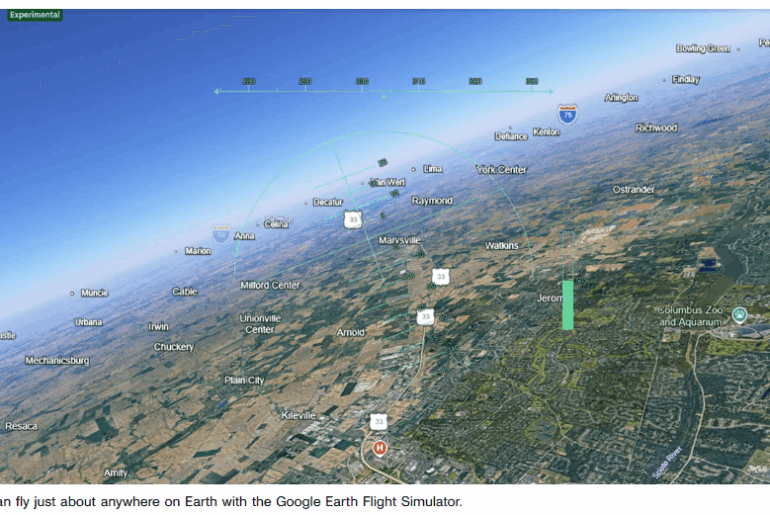
For decades, Google has hidden a flight simulator game in the desktop app for Google Earth, and now everyone in the world can access it through a web browser.
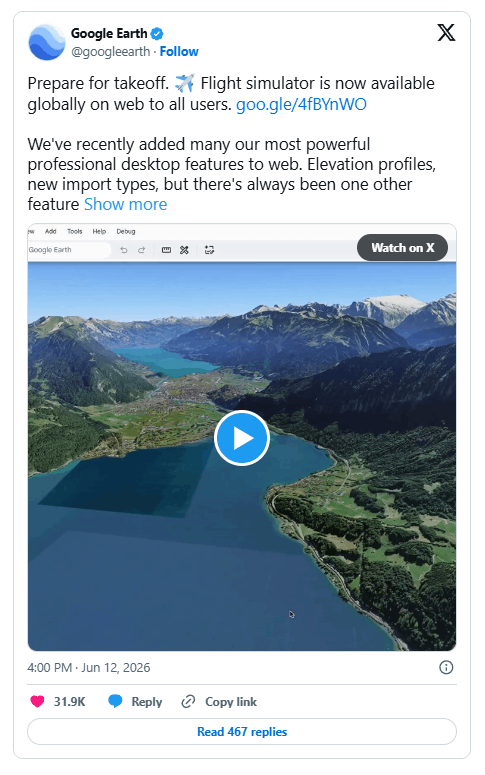
The game is part of a larger push by Google to add pro-level features to the website interface. Some of those features include elevation profiles, new import types, extra data layers and the flight simulator.
Most of the above features are for professional and hobbyist use, but the flight simulator is just for fun. It’s been around since 2007 in the desktop app, and Friday marks its first appearance in the website version of Google Earth.

How to play the flight simulator in Google Earth
It doesn’t take a lot of effort to get into the game. Start by following this link to the Google Earth website and clicking the Explore Earth button in the top right corner. Use the search bar to load the point on Earth where you would like to fly. Finally, click Tools, and the flight simulator is the last option on the list.
The controls aren’t shown in the game, but you can find them on Google’s developer website. You can choose to use the mouse or arrow keys to control the pitch and roll of the plane. The Page Up and Page Down buttons increase and decrease thrust, respectively. But be careful — it is quite easy to lose control of the airplane, leading to a topsy-turvy browser screen. The game ends if you crash the airplane, but Google lets you try again as often as you want.

What’s it like to play Google’s flight simulator?
The Google Earth flight simulator is an Easter egg in what is ultimately a tool used for education and by a surprising number of businesses.
Playing the game is fun, but not in the same serious-gaming sense as playing Microsoft Flight Simulator or Ace Combat. Those are the types of games you play to complete objectives, for the enjoyment of realistic flight, and the scenery. The only part of that mix where Google Earth’s flight simulator keeps up is its breath taking scenery.
Microsoft Flight Simulator models the Earth at 1:1 scale, allowing players to fly globally using real-world geography, airports, and terrain. It combines Bing Maps data, satellite imagery, and AI-assisted procedural generation to create a highly detailed and often photorealistic representation of the planet. Google Earth lets you do the same, except your map is made up of pictures taken by the Google Maps team or sourced from satellites and low-flying aircraft.
Both platforms present a similar global-scale environment and incorporate photorealistic elements. Microsoft Flight Simulator generally delivers a higher level of visual fidelity through real-time rendering, while Google Earth relies on actual aerial and satellite photography, offering a different form of realism based on real-world imagery rather than fully rendered graphics.

The photorealism is the best part of Google Earth’s flight sim. The controls are too simple for experienced flight sim players, and they can be a little janky at times, making control of your virtual aircraft frustrating. Other than the thrust settings, there are no additional customization features. This was intended to be a lightweight, novelty experience, not a serious flight simulator.
That said, its simplicity is part of its appeal. Pausing for 15 minutes in a busy day to glide over a football field or descend toward Mount Rushmore—freely accessible from a browser tab and without the need for specialized gaming hardware—remains a quietly remarkable experience.
Feature image credit: Google Earth
By Joe Hindy
Joe is a freelance journalist. It all started with a long-running affection for building his own PCs, which he did for the first time as a teenager. It evolved into a lifelong enjoyment of putting words on the internet about the subject. He’s written for CNET, PCMag, Mashable and SlashGear as a freelance writer, and worked as a Senior Editor at Android Authority for 10 years. When he’s not writing about tech and science, he’s learning the ins and outs of DIY home repair, gaming, playing his bass guitars and posting help on PC building and gaming subreddits. He is a staunch believer that orange juice should have pulp. See full bio