Author

editor

Browsing

More than 140 brands are advertising on low-quality content farm sites—and the problem is growing fast.

People are using AI chatbots to fill junk websites with AI-generated text that attracts paying advertisers, according to a new report from the media research organization NewsGuard that was shared exclusively with MIT Technology Review.

Over 140 major brands are paying for ads that end up on unreliable AI-written sites, likely without their knowledge. Ninety percent of the ads from major brands found on these AI-generated news sites were served by Google, though the company’s own policies prohibit sites from placing Google-served ads on pages that include “spammy automatically generated content.” The practice threatens to hasten the arrival of a glitchy, spammy internet that is overrun by AI-generated content, as well as wasting massive amounts of ad money.

Most companies that advertise online automatically bid on spots to run those ads through a practice called “programmatic advertising.” Algorithms place ads on various websites according to complex calculations that optimize the number of eyeballs an ad might attract from the company’s target audience. As a result, big brands end up paying for ad placements on websites that they may have never heard of before, with little to no human oversight.

To take advantage, content farms have sprung up where low-paid humans churn out low-quality content to attract ad revenue. These types of websites already have a name: “made for advertising” sites. They use tactics such as clickbait, autoplay videos, and pop-up ads to squeeze as much money as possible out of advertisers. In a recent survey, the Association of National Advertisers found that 21% of ad impressions in their sample went to made-for-advertising sites. The group estimated that around $13 billion is wasted globally on these sites each year.

Now, generative AI offers a new way to automate the content farm process and spin up more junk sites with less effort, resulting in what NewsGuard calls “unreliable artificial intelligence–generated news websites.” One site flagged by NewsGuard produced more than 1,200 articles a day.

Some of these new sites are more sophisticated and convincing than others, with AI-generated photos and bios of fake authors. And the problem is growing rapidly. NewsGuard, which evaluates the quality of websites across the internet, says it’s discovering around 25 new AI-generated sites each week. It’s found 217 of them in 13 languages since it started tracking the phenomenon in April.

NewsGuard has a clever way to identify these junk AI-written websites. Because many of them are also created without human oversight, they are often riddled with error messages typical of generative AI systems. For example, one site called CountyLocalNews.com had messages like “Sorry, I cannot fulfil this prompt as it goes against ethical and moral principles …  As an AI language model, it is my responsibility to provide factual and trustworthy information.”

NewsGuard’s AI looks for these snippets of text on the websites, and then a human analyst reviews them.

Making money from junk

“It appears that programmatic advertising is the main revenue source for these AI-generated websites,” says Lorenzo Arvanitis, an analyst at NewGuard who has been tracking AI-generated web content. “We have identified hundreds of Fortune 500 companies and well-known, prominent brands that are advertising on these sites and that are unwittingly supporting it.”

MIT Technology Review looked at the list of almost 400 individual ads from over 140 major brands that NewsGuard identified on the AI-generated sites that served programmatic ads, which included companies from many different industries including finance, retail, auto, health care, and e-commerce. The average cost of a programmatic ad was $1.21 per thousand impressions as of January 2023, and brands often don’t review all the automatic placements of their advertisements, even though they cost money.

Google’s programmatic ad product, called Google Ads, is the largest exchange and made $168 billion in advertising revenue last year. The company has come under criticism for serving ads on content farms in the past, even though its own policies prohibit sites from placing Google-served ads on pages with “spammy automatically generated content.” Around a quarter of the sites flagged by NewsGuard featured programmatic ads from major brands. Of the 393 ads from big brands found on AI-generated sites, 356 were served by Google.

“We have strict policies that govern the type of content that can monetize on our platform,” Michael Aciman, a policy communications manager for Google, told MIT Technology Review in an email. “For example, we don’t allow ads to run alongside harmful content, spammy or low-value content, or content that’s been solely copied from other sites. When enforcing these policies, we focus on the quality of the content rather than how it was created, and we block or remove ads from serving if we detect violations.”

Most ad exchanges and platforms already have policies against serving ads on content farms, yet they “do not appear to uniformly enforce these policies,” and “many of these ad exchanges continue to serve ads on [made-for-advertising] sites even if they appear to be in violation of … quality policies,” says Krzysztof Franaszek, founder of Adalytics, a digital forensics and ad verification company.

Google said that the presence of AI-generated content on a page is not an inherent violation. “We also recognize that bad actors are always shifting their approach and may leverage technology, such as generative AI, to circumvent our policies and enforcement systems,” said Aciman.

A new generation of misinformation sites

NewsGuard says that most of the AI-generated sites are considered “low quality” but “do not spread misinformation.” But the economic dynamic of content farms already incentivizes the creation of clickbaity websites that are often riddled with junk and misinformation, and now that AIs can do the same thing on a bigger scale, it threatens to exacerbate the misinformation problem.

For example, one AI-written site, MedicalOutline.com, had articles that spread harmful health misinformation with headlines like “Can lemon cure skin allergy?” “What are 5 natural remedies for ADHD?” and “How can you prevent cancer naturally?” According to NewsGuard, advertisements from nine major brands, including the bank Citigroup, the automaker Subaru, and the wellness company GNC, were placed on the site. Those ads were served via Google.

Adalytics confirmed to MIT Technology Review that ads on Medical Outline appeared to be placed via Google as of June 24. We reached out to Medical Outline, Citigroup, Subaru, and GNC for comment over the weekend, but the brands have not yet replied.

After MIT Technology Review flagged the ads on Medical Outline and other sites to Google, Aciman said Google had removed ads that were being served on many of the sites “due to pervasive policy violations.” The ads were still visible on Medical Outline as of June 25.

“NewsGuard’s findings shed light on the concerning relationship between Google, ad tech companies, and the emergence of a new generation of misinformation sites masquerading as news sites and content farms made possible by AI,” says Jack Brewster, the enterprise editor of NewsGuard. “The opaque nature of programmatic advertising has inadvertently turned major brands into unwitting supporters, unaware that their ad dollars indirectly fund these unreliable AI-generated sites.”

Franaszek says it’s still too early to tell how the AI-generated content will affect the programmatic advertising landscape. After all, in order for those sites to make money, they still need to attract humans to their content, and it’s currently not clear whether generative AI will make that easier. Some sites might draw in only a couple of thousand views each month, making just a few dollars.

“The cost of content generation is likely less than 5% of the total cost of running a [made-for-advertising] site, and replacing low-cost foreign labour with an AI is unlikely to significantly change this situation,” says Franaszek.

So far, there aren’t any easy solutions, especially given that advertising props up the entire economic model of the internet. “What is key to remember is that programmatic ads—and targeted ads more generally—are a fundamental enabler of the internet economy,” says Hodan Omaar, senior AI policy advisor at the Information Technology and Innovation Foundation, a think tank in Washington, DC.

“If policymakers banned the use of these types of ad services, consumers would face a radically different internet: more ads that are less relevant, lower-quality online content and services, and more paywalls,” Omaar says.

“Policy shouldn’t be focused on getting rid of programmatic ads altogether, but rather on how to ensure there are more robust mechanisms in place to catch the spread of misinformation, whether it be direct or indirect.”

Feature Image Credit: Stephanie Arnett/MITTR | Envato

Sourced from MIT Technology Review

By

Recently OpenAI rolled out a new feature to its ChatGPT AI in the form of a new code interpreter which can be usefully wide variety of different tasks. If you are interested in learning more about the new ChatGPT Code Interpreter this quick guide will provide an overview as well as a few examples to get you started.

Watch the video embedded below, kindly created by the App Of The Day YouTube channel to learn 10 ChatGPT Code Interpreter tips and tricks you can use to help improve your productivity, research or data analysis.

Quick Links:

ChatGPT Code Interpreter tips

In a nutshell, the ChatGPT Code Interpreter is a multi-faceted tool that streamlines a range of tasks. From data interpretation and visualization to Python code analysis and optimization, this tool has the potential to revolutionize your digital tasks. Give it a try and experience the difference.

1. Diving into Data Interpretation

The Code Interpreter is more than just a basic AI tool. It goes beyond the mundane, digging deep into diverse datasets to extract meaningful trends. This function can be utilized to understand your data, whether it’s a personal dataset or test data obtained from online platforms like Kaggle.

2. Creating Compelling Visualizations

Ever needed to represent your data visually but felt overwhelmed by the process? The Code Interpreter comes in handy by automatically generating engaging visual representations such as graphs and diagrams from your data. This feature takes away the guesswork, leaving you with clear, impactful visuals.

3. Processing Images

Have a stack of images that need editing? Look no further than the Code Interpreter. This versatile feature can crop, transform, and even create color palettes from images. Now, you can efficiently handle your image editing needs, all within ChatGPT.

4. Handling File Conversions

File conversions can be a hassle, especially when dealing with different formats. Here’s where the Code Interpreter shines. It simplifies file conversion tasks, such as transforming a song into an MP3 or a JPEG into a PNG.

5. Crafting QR Codes

A QR code is a quick way to direct people to specific online content. Whether you’re running a digital campaign or want to share a web page quickly, the Code Interpreter can create QR codes for you with minimal fuss.

6. Financial Data Analysis

If you’re seeking to understand financial data like stock prices, the Code Interpreter can be your best bet. This tool does the heavy lifting, helping you make sense of complex financial data without the need for an economics degree.

7. Data-based Predictions

While not an oracle, the Code Interpreter does an impressive job of making predictions based on datasets. Although the accuracy may vary, it can be a handy tool for forecasting trends, guiding decision-making processes.

8. Interacting with Personal Data

The Code Interpreter isn’t just a data viewer; it’s an interactive tool. It can work with your personal datasets, helping you understand and visualize your data more effectively. This can be a game-changer for personal or professional projects requiring data analysis.

9. Optimizing Python Code

If you’re a Python enthusiast or just dabbling in the language, the Code Interpreter can become your new best friend. It can help you analyze, optimize, and improve your Python code. Its detailed analysis allows you to understand your code’s functionality and purpose better, paving the way for improved coding skills.

10. Crafting Presentations from Datasets

Imagine having an AI assistant help you design a compelling presentation using a dataset. Sounds too good to be true? With the Code Interpreter, it’s a reality. This feature can use datasets to suggest content and design full presentations, saving you precious time.

If you would like to learn more about the latest ChatGPT Code Interpreter and how you can use it check out our previous article. Or visit the official OpenAI website and developer documentation if you would like to implement the new features into your AI application or service.

By

Sourced from Geeky Gadgets

Sourced from Entrepreneur

Want to boost your qualifications but not sure which certificates to pursue? Check out these in-demand professional certifications to pick your path.

Professional certifications are vital additions and improvements to your resume. In fact, the right professional certifications can help you qualify for higher-paying jobs or break into new industries even if you don’t have a specific degree.

Whether you’re looking to upgrade your current position or switch careers, you need to know about the most in-demand professional certifications you can get ASAP. Let’s take a closer look.

What are professional certifications?

Professional certifications are credentials you earn through short-term classes or programs, depending on the subject matter. Once you earn a certification, you can put it on your resume, join certain organizations and qualify for different positions.

As an example, you may need a professional certificate to become a project manager at your current place of employment. To become a certified professional, you’ll attend a certification program from an organization like Google.

Think of professional certifications as extra qualifying credentials on top of degrees. In many cases, degrees are combined with certifications to show that a job candidate has the skills and practical expertise to fulfil a position’s requirements.

Professional certifications typically take anywhere from a few weeks to a few months to earn (although a few may take several years), and some just require you to take a test without completing a program beforehand. A certification exam covers the fundamentals of the topic and lets you demonstrate competency. They’re often required for certificates in information technology, healthcare and business management.

Many professional certifications require several years of experience or a degree before you can apply for them. Completing online courses also allows you to qualify for critical career path certificates. Organizations like the Project Management Institute offer certification courses for professional development and continuing education purposes.

Why do you need professional certifications?

You may need a professional certification for a variety of reasons, including:

  • You want to progress your career. Some high-level and high-paying positions in your field may require you to have one or more certifications on top of a degree and several years of experience.
  • You want to enter a new field or industry. In some cases, a certification can stand in as a degree if you already have a bachelor’s in another major. For instance, if you have a bachelor’s degree in English but you wish to become a teacher, a teaching certification could qualify you for teaching positions.
  • You want to maximize your salary potential and resume attractiveness. Simply put, if you wish to earn a promotion or qualify for a higher pay grade, you might need a professional certification so management can justify the pay raise.
  • You just want to learn more about your field or a specific subject. Since professional certification programs take less time to complete than degree programs, they are optimal opportunities to learn more about a particular topic without committing a few years of your life to the process.

For these reasons and more, you might want to know about the most in-demand professional certifications to pursue. However, you should look at factors like pricing, continuing education units and more to find the right certification for your needs.

Top 9 in-demand professional certifications

Good news: there are dozens of different professional certifications you can earn in the near future. However, it’s wise to prioritize your professional certification education.

To that end, here are nine top professional certifications that should help you in a variety of different industries and jobs.

1. Certified Associate in Project Management (CAPM)

Project management is one of the most in-demand skill sets in business, finance, technology and more. If you want to become a supervisor or manager in any capacity, you’ll need a certificate proving you have the skills needed to succeed.

That’s where the CAPM certificate comes in. This associate-level certification is perfect if you still need to gain experience managing company projects. You need 1,500 hours of project experience or 23 hours of project management education. Then you’ll need to pass a 150-question exam and pay a fee of up to $300.

2. Project Management Professional (PMP)

Another good project management certificate to complete is the PMP certification. This advanced certification is perfect for professionals with project management experience. It marks you as a capable project management specialist, and it requires 7500 hours of project leadership experience. If you have a four-year degree, you can cut down the hours requirement to 4500 hours instead.

You’ll also need 35 hours of education project management. Pass the 200-question exam and pay the fee of up to $555, and you’ll get the certificate in no time.

3. IIBA Agile Analysis Certification (IIBA-AAC)

Business analytics is a growing field, and it’s no surprise why. Businesses need a lot of data to understand their customers, and those who can analyse that data are invaluable employees.

To prove your data analytics skills, consider pursuing the IIBA Agile Analysis Certification. This standalone certification designates you as an adaptable, high-performing data analyst in changing and evolving environments. To acquire this certificate, you’ll need to finish an 85-question exam in two hours, plus pay the exam fee of up to $525.

Notably, you don’t have to complete any eligibility requirements besides two to five years of agile-related experience. To maintain this certification, you must pay for recertification every three years.

4. Certified Supply Chain Professional (CSCP)

Aspiring or current supply chain managers should consider the CSCP certification. This is a globally recognized supply chain certificate proving you are a credible, experienced supply chain management specialist.

Fortunately, many supply chain professionals will already have most of the requirements needed to acquire this certificate. You need a bachelor’s degree or equivalent, at least three years of related business experience and at least one other approved certification. Then you just need to pass the exam after paying a fee of up to $969.

5. CompTIA A+ Technician Certification

IT professionals can often benefit from pursuing certificates that prove specific skill sets. The CompTIA A+ Technician Certification is perfect for beginning workers who want to get into the technology field without formal computer science degrees or education.

When you graduate from this certification program, you’ll be able to troubleshoot technology of all types. It’s a perfect certificate for pursuing support specialist or help desk technician positions, plus it qualifies you for further on-the-job training. You need to pass the written exam and pay a minor fee to acquire this certificate.

6. SHRM-CP Certification

Every business needs a team of human resources professionals. The SHRM-CP certification could qualify you for open HR positions, and there are other good reasons to pursue this human resources certification as well.

For example, HR professionals with this certification have more credibility than others, qualifying them for higher-value positions. Once you have this certificate, you’ll likely also earn 14% to 15% more than your peers. In other words, it’s a fantastic progression certificate to pursue if you know you want to stick with the HR field.

To get this certificate, you should apply for the program and study for three to four months before taking the exam. It takes about four hours to complete, but most candidates complete the exam and earn their certificates before the allotted time expires.

7. Google Digital Marketing and eCommerce Professional Certification

Google offers a handful of very desirable certificates as well. One of them is the Digital Marketing and eCommerce Professional certificate, which is split into seven courses with distinct focuses. These help you develop new insights and knowledge into digital marketing and online commerce strategies for your brand.

It’s a go-to marketing certification choice for those who want to become digital marketers without marketing degrees. It takes about six months to complete with 10 hours of study per week, and you have to pay $39 monthly for a Coursera subscription. Still, this adds up to less than $300 over the six-month timeframe for most students.

8. Google Project Management Professional Certificate

Then there’s the Google Project Management Professional Certificate: another in-demand certificate to pursue for project management specialists and team leaders across industries. The certificate program includes 140 hours of instruction and many different practice-based assessments.

Upon completion of this certificate program, all students can apply for jobs at Google and many other employers throughout the US. It takes about six months to complete and once more, you need to pay a $39 per month fee for Coursera’s subscription.

For this program, you can take advantage of financial assistance from Google. All in all, it’s a great certificate to pursue for middle-level managers wanting to increase their skills and job responsibilities.

Don’t forget to check out Google’s other certificates in Google Analytics, Google Cloud security and machine learning and more.

9. IBM Data Science Professional Certificate

The IBM Data Science Professional Certificate is a stellar choice for future data scientists and IT professionals. It doesn’t require any prior knowledge of computer science or programming languages, and it entails nine courses in total.

Not only will completing this certificate program qualify you to work in entry-level data science jobs, but you’ll also get an IBM digital badge. You can add this to your portfolio and resume, making you more likely to be hired. You can even earn up to 12 transferable college credits since the lessons are ACE recommended.

To complete the program, you’ll need to take about 11 months of study. You’ll also need to subscribe to Coursera for $39 per month. In total, expect to pay around $429 for 11 months of study.

Get the certification you need to propel your career

Ultimately, any professional certification could be just what your professional portfolio needs.

Some other excellent professional certifications that look great to potential employers include:

  • SEO certification.
  • AWS fundamentals certification.
  • Social media marketing certification.
  • SFP (Sustainability facility professional) certification.

Consider acquiring one or several certifications in the near future, and fuel your career.

Feature Image Credit: Maskot | Getty Images

Sourced from Entrepreneur

By Sam Driver

Navigating the vast digital marketing world can be daunting, right? But, with the right digital marketing tools, it’s as breezy as a summer sail.

Whether you’re a seasoned marketer or just starting, these tools can sharpen your strategies, making your campaigns more effective and efficient.

From SEO to social media management, we’ve compiled a list of over 10 indispensable tools you need.

Excited?

Let’s jump in!

1. Harness the Power of Google Analytics for Market Insights

In the ever-evolving digital ecosystem, staying on top of market trends is vital.

Google Analytics is your window into this world, offering invaluable insights about your audience’s behaviours, preferences, and interactions.

It’s not just about gaining an understanding of what’s currently capturing attention, but also about leveraging this data to propel your marketing efforts.

For example, if you run an e-commerce store, Google Analytics can help you identify which products are most popular among your visitors, or which marketing channels are driving the most traffic to your site.

You can then tailor your promotional campaigns around these high-performing products or double down on the most effective channels.

You can even understand user behaviour on your site, such as the average time spent on a page or the bounce rate, helping you make informed decisions about improving your website’s user experience.

And the best part?

Google Analytics offers all these insights in real-time, for free!

2. Switch Up Your Content Creation with Lumen5

Creating engaging content is a marketer’s holy grail, and with a tool like Lumen5, it’s simpler than ever.

While blog posts, articles, and whitepapers are still essential, visual content is emerging as a more potent way to grab and hold audience attention.

Lumen5, an AI-powered video maker, is designed to transform your written content into appealing videos quickly and efficiently.

For instance, if you’ve just published an in-depth guide on ‘Home Gardening Tips,’ you can convert this blog post into a series of short, snappy, and shareable videos using Lumen5.

These videos can be shared across multiple platforms — your website, social media, email newsletters — to reach a wider audience.

Plus, the tool’s user-friendly interface and customizable templates mean you don’t need to be a professional video editor to create stunning visuals.

It’s an investment in creating content that not only stands out but also increases user engagement.

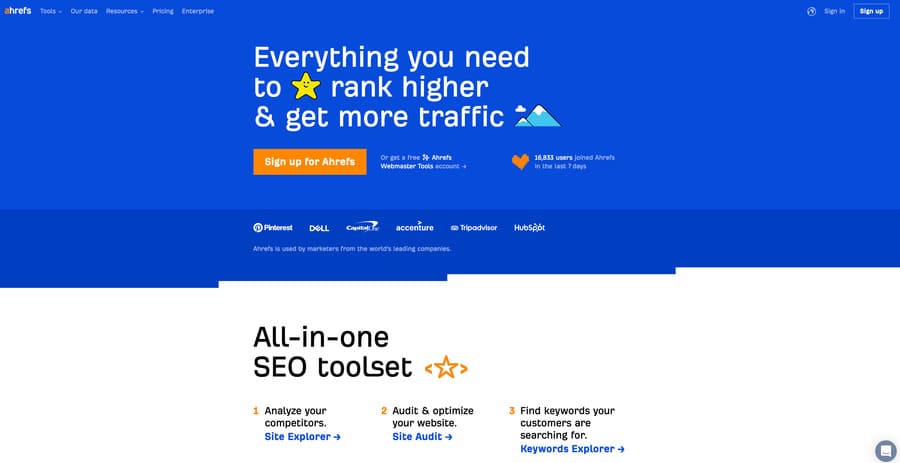
3. Boost SEO with Ahrefs

digital marketing tools, ahrefs homepage

While Google is often the focal point of SEO efforts, other resources can offer unique insights. Ahrefs is one such tool, providing in-depth analysis and data to optimize your SEO strategies.

For instance, if you’ve been concentrating your SEO efforts primarily on Google, integrating Ahrefs can open a treasure trove of insights. From backlink analysis to keyword research, Ahrefs provides a comprehensive view of your website’s SEO performance.

You might discover untapped keywords or learn about valuable backlinks from your competitors.

It’s relatively simple to set up, and once your site is verified, Ahrefs starts collecting and delivering insights that you can use to fine-tune your SEO strategies.

Remember, a multifaceted approach to SEO ensures you reach a wider audience and achieve better results.

4. Stay in the Know with Feedly

The importance of staying up-to-date with industry news and trends cannot be overstated for a digital marketer. Feedly, a premier RSS reader, is your one-stop solution to staying informed.

Imagine having a single platform that can keep you abreast with the latest articles, blogs, and news from all your favourite sites.

Sounds convenient, right? But that’s not all.

Feedly also allows you to categorize your feeds into different topics, making it easier to sort through the information.

Plus, the platform offers AI-driven insights to help you discover emerging trends before they become mainstream.

By investing a few minutes each day, you’ll keep your finger on the pulse of your industry, giving you an edge over competitors who are still sifting through dozens of websites for information.

5. Enhance Email Marketing with MailChimp’s A/B Testing

Even in the dynamic landscape of digital marketing, email campaigns retain their crucial role.

But are you getting the maximum return from your email marketing efforts?

If you’re not conducting A/B testing, also known as split testing, you could be missing out on significant improvements.

With a powerful tool like MailChimp, you can easily implement A/B testing for various elements of your emails.

For instance, you might experiment with different subject lines — one might be quirky and attention-grabbing, while another could be more direct and benefits-focused.

Each version is sent to a portion of your audience, and MailChimp tracks the performance of each, giving you valuable data on which one resonates more with your readers.

But why stop at subject lines?

You can also test different types of email content, from the length and tone of your message to the images and call to action (CTA).

You could also experiment with sending times, finding out whether your audience is more responsive first thing in the morning, later in the afternoon, or even on weekends.

Remember, the key to successful email marketing is continuous improvement, and with A/B testing through MailChimp, you’ll be well-equipped to make that a reality.

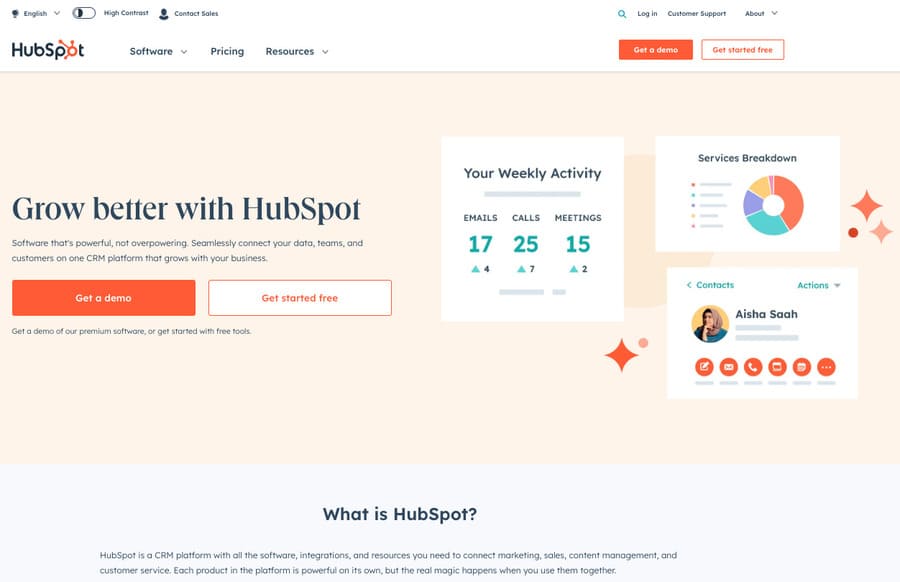
6. Dive into Inbound Marketing with HubSpot

digital marketing tools, hubspot homepage

While discussing digital marketing tools, one simply can’t overlook HubSpot, a leading platform in the realm of inbound marketing.

HubSpot combines a variety of marketing features in a single, integrated platform, including SEO, content creation, email marketing, social media management, and analytics.

But how does it add value to your digital marketing strategy?

Firstly, HubSpot is all about attracting, engaging, and delighting customers through relevant and helpful content.

Let’s say you’re managing a fitness blog.

With HubSpot’s SEO tools, you can ensure your blog posts are optimized to reach your target audience.

HubSpot’s Content Strategy tool can help you discover topics your audience cares about, and the Blog Ideas Generator can provide a year’s worth of blog post ideas in a matter of seconds.

Secondly, HubSpot’s email marketing tools can help you create professional emails without needing a designer, personalize your outreach, and track the success of your campaigns in real-time.

Their social media management tools can assist you in scheduling posts, monitoring social mentions, and analysing performance across all your social platforms in one place.

And if you’re into data, HubSpot’s robust analytics can give you detailed insights into your audience’s behaviour, helping you refine your marketing strategy.

7. Spruce Up Your Social Media Marketing with Sprout Social

Managing multiple social media platforms can indeed be daunting. The process involves more than just posting content — it’s about engaging with your audience, analysing performance, and refining your strategy.

Enter Sprout Social, a tool that transforms social media management from a headache into a breeze.

For example, if you’re managing a brand with presence on Facebook, Instagram, Twitter, and LinkedIn, Sprout Social allows you to schedule posts across all these platforms from a single dashboard.

No more hopping between tabs and apps! But the benefits go far beyond just saving time.

With its powerful analytics, Sprout Social offers insights on key metrics like engagement, reach, and conversions. This data can guide you on what’s working, what isn’t, and where you need to focus your efforts for better results.

Additionally, Sprout Social’s listening features can help you understand the broader conversation about your brand and industry.

In short, Sprout Social is more than a tool — it’s an essential partner in your social media marketing strategy.

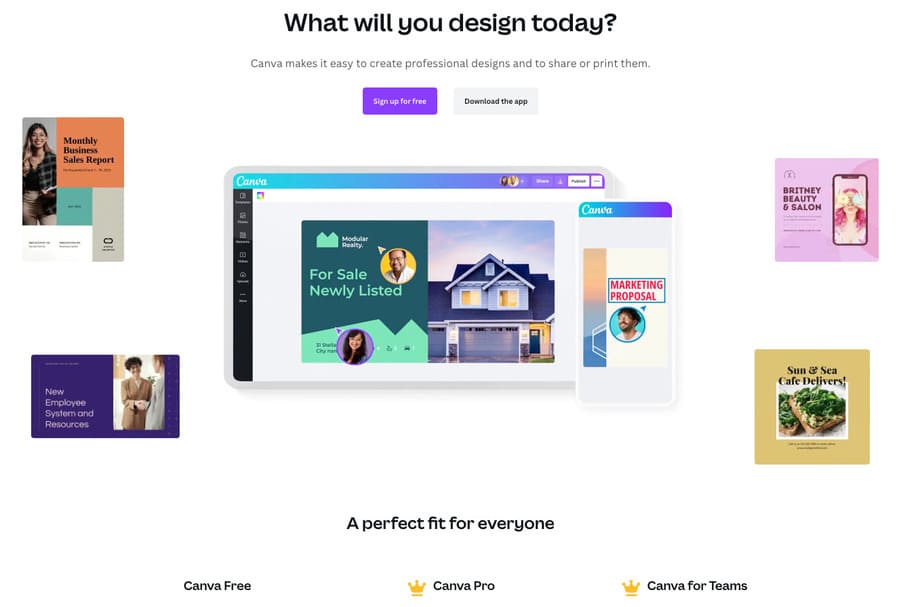
8. Elevate Your Visual Content with Canva

digital marketing tools, canva homepage

In the realm of digital marketing, visual content can be the differentiating factor that sets your brand apart from the competition.

The compelling power of well-designed graphics, compelling presentations, and eye-catching social media posts can’t be underestimated.

Canva, a versatile design tool, is here to empower you to create stunning visual content effortlessly.

Imagine you’ve just written a fantastic blog post, and now you need an equally fantastic graphic to promote it on your social channels. Canva has you covered.

With an intuitive drag-and-drop interface, you can quickly design graphics that align with your brand identity. It offers a vast library of templates, fonts, illustrations, and images that caters to all design needs, from social media posts to email headers and beyond.

Whether you’re an experienced designer or a beginner, Canva is designed to make the process as easy and creative as possible.

9. Empower Your Content Marketing with Yoast SEO

It’s no secret… even the best content can fall flat without proper optimization. That’s where Yoast SEO steps up to the plate.

This powerful WordPress plugin helps you optimize your blog posts for SEO within minutes.

For instance, if you’re writing about the latest trends in digital marketing, Yoast SEO will guide you to include relevant keywords, meta descriptions, and ensure that your text is easily readable.

The best part?

The plugin will also evaluate your content’s readability — from paragraph length to sentence structure and even passive voice usage.

If you’re not using Yoast SEO yet, you’re missing out on a straightforward way to attract more organic traffic to your website, subsequently improving your brand’s visibility and credibility.

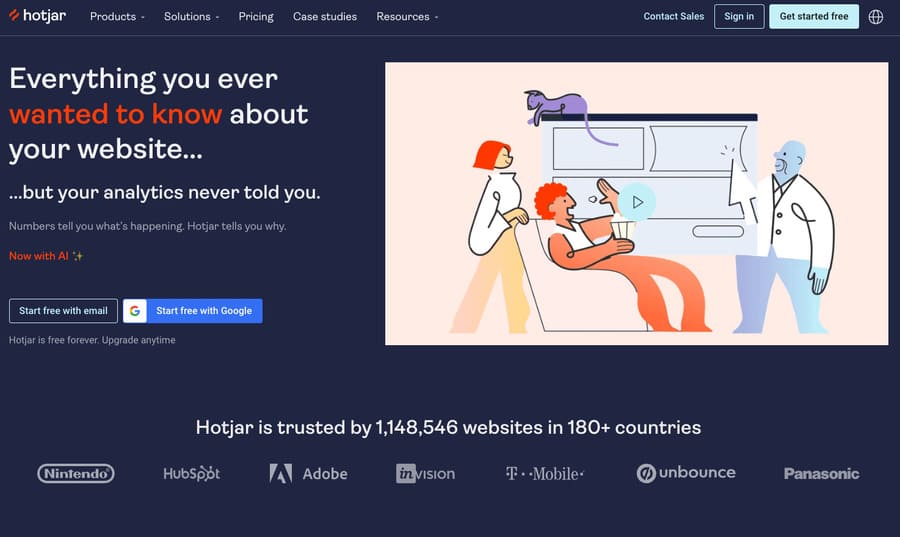
10. Unlock User Behaviour Insights with Hotjar

digital marketing tools, hotjar homepage

Sometimes, the conventional numbers and graphs from analytics tools just aren’t enough to paint the full picture of your users’ journey on your website.

Enter Hotjar, a game-changing tool that provides a deeper understanding of user behaviour.

How does it work?

By generating heatmaps and session recordings, you gain a visual understanding of how users interact with your content.

For example, the heatmaps can show where users click the most, helping you identify high-engagement areas on your webpage.

Session recordings, on the other hand, can reveal any difficulties users face when navigating your site.

Using these insights, you can make data-driven changes to enhance your website’s usability and user experience, thereby improving conversion rates and customer satisfaction.

11. Revolutionize Your Outreach with Hunter.io

Networking and outreach remain key elements in digital marketing, and Hunter.io is the perfect tool to bolster these efforts.

This brilliant tool allows you to find and verify professional email addresses tied to a specific domain or company, ensuring that you’re reaching out to the right people.

Consider this scenario…

You’re planning an email marketing campaign targeted at the decision-makers of potential partner companies.

With Hunter.io, you can quickly compile a robust contact list, verifying the legitimacy of each email address to boost your email deliverability rate.

Moreover, this tool can also aid in competitor analysis, giving you insight into the professional networks of your competition.

In less than an hour, you can create a formidable contact list for your next outreach campaign, ensuring your message is delivered directly to the decision-makers’ inboxes.

This significantly boosts your chances of forming strategic partnerships, gaining insights, or even securing new customers.

Future-Proof Your Strategy with These Essential Digital Marketing Tools

digital marketing strategy icons

We get it. The digital landscape is constantly changing, and keeping up can feel like a never-ending uphill climb.

Remember, with every challenge comes an opportunity.

These digital marketing tools are your secret weapon to navigate the future.

Every tool we’ve shared today will add a new layer of effectiveness to your strategy, empowering you to meet the challenges of the evolving digital world head-on.

So, gear up and conquer the digital marketing space.

The future is yours for the taking!

By Sam Driver

Sam is an Associate Editor for Smart Blogger and family man who loves to write. When he’s not goofing around with his kids, he’s honing his craft to provide lasting value to anyone who cares to listen.

Sourced from SmartBlogger

By Kristopher Tait 

What happened to DTC brands and why — and the evolution that is now required in direct-to-consumer branding.

Just a few years ago, direct-to-consumer (DTC) brands were the new kids on the retail block. Agile, innovative and hungry for success, they leveraged digital channels to target niche audiences, ultimately disrupting how we shop.

Fast forward to today, and the landscape has changed dramatically. While some DTC brands have soared, others face significant challenges navigating an ever-evolving landscape. This begs the question: Why is this happening, and what lessons have been learned for hopeful brands?

Not too long ago, getting products into customers’ hands meant relying on mediators like wholesalers, distributors and retailers. But then direct-to-consumer brands burst onto the scene, challenging the traditional model and carving a direct path to their target audience. They embody the innovative spirit that drives many entrepreneurs to launch their own ventures, challenging the status quo and reimagining how products get to consumers.

With that in mind, here are four key areas where DTC brands are hitting some turbulence and also explored potential solutions, highlighting the role AI-based technology can play in terms of helping brands overcome these challenges and other tools brands can use to connect the dots.

Related: 3 Reasons Brands Should Shift to a Direct-to-Consumer Model

1. Increasing customer acquisition costs

Remember when Meta and Google were all you needed to execute your digital marketing utopia? Just spin up some ads, and the dollars would follow… Well, times have changed. With skyrocketing CPM rates and conversion data becoming less reliable, even the most well-funded DTC brands are feeling the pinch. Plus, iOS 14.5 has also thrown a wrench into the mix, making it harder to track customer acquisition costs due to enhanced privacy features. So, what’s a DTC brand to do?

It’s time to get creative, folks. Firstly, it’s worth noting that most brands still spend the majority of their dollars on Meta and Google — that hasn’t changed. But now, more than ever, exploring alternative advertising platforms like Pinterest, TikTok and good ol’ premium publishers increases in value and deserves your attention. By diversifying your marketing mix, you will tap into new growth audiences you need to grow awareness.

Thus far, brands have been somewhat slow to implement technology and strategies when collecting and activating first-party data to improve acquisition efficiency in light of the iOS 14 privacy changes. Most companies use platforms like Klayvio or Mailchimp for marketing automation and Segment or Bloomreach for personalization. Still, the key step involves using predictive modeling within that data to unlock incremental revenue. Most are still analyzing activity after the money has been spent, what if we optimized things before or during money leaving our bank account?

Related: 3 Ways Direct-to-Consumer Brands Can Leverage Media Coverage

2. Scaling and operational challenges

Now, let’s talk about growth. It’s all well and good when you’re small and nimble, but scaling up makes everything harder. Managing inventory, expanding product lines and ensuring a seamless customer experience, all while finding new audiences, can feel like a Herculean task.

Investing in technology, infrastructure and human resources to help you navigate the rough seas of scaling is necessary — now. Platforms like TradeGecko or Fishbowl streamline inventory management, while ShipStation or Shopify can automate order fulfillment. There are also incredible tools in the market that can help brands stay agile and responsive in the face of changing consumer preferences and market trends. Building that technology stack remains critical.

On scaling customers, brands are often focused on ROAS as their holy grail — but I’d argue that this is an incredibly limiting factor when it comes to scaling. Instead, there needs to be a greater focus on new customer CAC, LTV and revenue goals. That also means that a correctly balanced KPI and measurement framework can be a freeing exercise toward realizing your growth potential.

Google Analytics still powers most insights for brands, but exploring tools like Rockerbox or Triple Whale can provide tooling to help you grasp a more holistic picture of performance. And at the top end of the most advanced marketing functions, MMM (media mix modeling). Not only that, MMM with added predictive capabilities on where you should spend your budget.

3. The need for an omnichannel presence

Alright, here we are, we’ve reached a point of maximum friction for DTC: omnichannel presence. With mobile shopping gaining importance and brick-and-mortar stores offering undeniable benefits, DTC brands need to understand better how they can utilize brick-and-mortar to support their growth, or they risk getting left behind.

Whether that’s a showroom where customers (and potential customers) can try your products, a store in a densely-populated city or a smart activation like SSENSE where you can order to store for try-on, it’s the dealer’s choice. The challenge lies in managing a consistent customer experience from online to store and ultimately connecting experiences for your customer so that things not only feel positive but seamless.

Here’s where technology and data integration come into play. Platforms like Adobe XD or Sketch can help with user experience design, while Segment or Tealium can assist in data integration across channels. A cohesive brand presence across all touchpoints fosters customer loyalty and drives long-term growth. And for those considering physical stores, always weigh the potential advantages and costs carefully before taking the plunge.

Maybe a pop-up with a short-term lease or a “store-within-a-store” will do the trick beautifully.

Related: 3 Ways Direct-to-Consumer Brands Can Leverage Media Coverage

4. An AI-first mindset

Simply put, AI-based technology can help DTC brands enhance their business processes and customer experience. Companies can improve personalization, customer service, demand forecasting, pricing optimization and supply chain management—all by leveraging the power of AI.

Using AI to analyze customer data and deliver tailored product recommendations, content and promotional offers is a space where brands are already innovating. We’ve seen Amazon, Starbucks and Ulta have done great things to deliver growth and increased basket sizes in recent months. Plus, AI-powered chatbots and virtual assistants provide instant, round-the-clock support for customers, improving response times and allowing customer service representatives to focus on more complex issues.

Demand forecasting is another brilliant area to deploy AI. By examining historical sales data and market trends, AI can generate accurate demand forecasts, optimize inventory management and reducing stock-related challenges. AI can also help brands monitor competitor pricing and market conditions (like search trends) to determine the optimal pricing strategy or bidding strategy in media, ensuring profitability and helping brands of all sizes maintain a competitive edge.

What does this all mean when taken together? The meteoric rise of DTC brands in recent years has disrupted traditional retail and created new opportunities for growth and success.

However, as the industry matures and competition intensifies, these companies face considerable challenges in the coming decade. Rising customer acquisition costs, exacerbated by the impact of iOS 15 and scaling difficulties, not to mention the need for an omnichannel presence, will test the resilience and adaptability of these companies.

By exploring alternative advertising platforms, leveraging customer data and market insights, and investing in technology and an AI-based infrastructure, DTC brands can more strategically navigate these challenges and maintain their growth trajectory in an increasingly competitive landscape. So, buckle up and enjoy the ride!

By Kristopher Tait 

Entrepreneur Leadership Network Contributor. US Managing Director, Croud

Kris Tait is Managing Director of Croud US and has been an integral part of the business, establishing Croud in the US by winning new clients, including St. George’s University, Audible and NewYork-Presbyterian, driving forward our service offering and delivering upon ambitious growth plans.

Sourced from Entrepreneur

By

There’s never been a better time to invest time and energy in your own website – especially if you’re a creative freelancer, small agency or designer-maker.

As the fierce battle for social supremacy between Musk and Zuck rages on, it’s become all-too-clear in recent months that the social channels we’ve dedicated so much of our promotional bandwidth to can become obsolete just as soon as something shiny and new comes along.

Social channels come and go – but your business website is here to stay. And it deserves your full attention.

The journey to hooking your next client begins with making the best possible introduction, more often than not online these days. So here are five key elements that all successful ‘About’ pages have in common. It’s time to tell your story the right way.

1. Who are you?

Much like every superhero comic ever written, all businesses and creative endeavours begin with an origin story. A starting point that makes them unique. A reason for existing. What’s yours?

In the same way that a great PR pitch to a journalist looks to hook interest early on, your ‘About’ page should kick off with why you do what you do.

Make it personal. What led to you founding the business? Why are you so passionate about this creative area? How are you solving a problem that needs solving? If your ‘About’ page achieves nothing else, it should quickly convey your roots while also making your offering relevant to the here and now.

2. Be bold and confident

Brits, especially, aren’t always great at patting ourselves on the back and shouting about our accomplishments. Sure, that’s a respectable attribute in daily life. But when it comes to business, it pays to be bold and confident.

Your ‘About’ page is the perfect place to shout, loudly and proudly, about your experience in the industry: awards you’ve won, testimonials you’ve received, high-profile clients you’ve worked with and campaigns you’ve delivered.

If you’ve achieved big results in the past, use your ‘About’ page to really showcase what sets you apart from the rest. After all, if you can’t be a cheerleader for yourself, how can you expect anyone else to believe in you?

3. Get social

With your ‘About’ page serving as a digital introduction to your creative offering, don’t miss the crucial chance to take this fledgling relationship with your audience further by linking to your social channels on your ‘About’ page.

Whether it’s LinkedIn, Twitter, Instagram, TikTok, YouTube, Facebook or –yes – even Threads, make it super-easy for anyone with a passing interest in what you do to connect with you on social media, truly learn who you are, and begin that all-important first conversation with you.

4. SEO, SEO, SEO

There’s no point crafting beautiful prose for your ‘About’ page if nobody will read it – so always take the time to maximise your content with an SEO-first approach.

Much like with the rest of your website, carefully consider the keywords you want to be linked to and smoothly weave these into your copy.

Optimise your meta descriptions, header tags and images. Use short paragraphs and SEO-friendly headings to keep the page punchy. Link to existing content on your site and other trusted external sources to further boost your search rankings. Paying attention to these small details can make a huge, huge difference.

5. Be you

There’s only one you in this world – and that’s a very good thing. Your ‘About’ page should celebrate your unique you-ness, serving as an authentic window into who you are, both in the workplace and away from it.

How much of your ‘true’ self you want to bring to your website is a personal judgement call – but if the pandemic years proved anything, it’s that we all crave real human connection and that genuine personalities sell. It’s a hugely overused adage, but it’s trotted out time and again for good reason: people really do buy from people.

Whether it’s sharing your favourite movie, talking about your slightly unusual pastime, including photos of your gorgeous office dog (which, let’s face it, is guaranteed to improve dwell time) or quoting your philosophy on a happy life, visitors to your ‘About’ page should leave with a much clearer idea of who you are and what gets your creative juices flowing – and be itching to work with you.

By

Sourced from Creative Boom

By Kausar Salley

Want to unlock the full potential of Google Workspace? Here’s a comprehensive overview of the most useful Google apps to boost your productivity.

Google Workspace (formerly G Suite) is an integrated suite of web-based applications designed to streamline workflows and enhance productivity for individuals, teams, and businesses.

You’re probably familiar with some of the popular Google Workspace apps like Gmail and Google Docs. But you may not be aware that there are currently 18 apps in this workspace—each serving a unique purpose and offering a wealth of features to boost your efficiency and collaboration with others.

In this article, we’ll take a deep dive into each of these apps, what they do, and discuss some of their best features.

1. Gmail

Gmail in action

Gmail is an email tool that lets you create unique email addresses (that end with at_gmail.com or a custom domain) for sending and receiving emails. You can also use features like priority inbox, filters, favourites, and labels to manage your emails and reduce clutter. Creating a Gmail account is free, and if you don’t have one yet, you can learn to set up a new Gmail account for yourself or for others.

The Best Features of Gmail:

  • Undo sending a message up to 30 seconds after clicking “send”.
  • Integrates seamlessly with other Workspace apps like Drive, Calendar, and Meet.
  • Advanced spam filtering algorithms to automatically identify and filter out malicious emails.
  • Customize your Gmail by connecting with external apps from Google Workspace’s Marketplace.

2. Google Meet

Google Meet in action

Google Meet (formerly Hangouts) is Google’s version of Zoom—a video conferencing tool for hosting virtual meetings and webinars with friends, co-workers, or clients. You can start a meeting instantly, create one for later, or schedule it in Google Calendar. If you need help on how to do this, check out this complete guide to hosting meetings in Google Meet.

The Best Features of Google Meet:

  • Engagement features like raising a hand, sending emojis, and a chat.
  • Share documents, slideshows, and other documents using the screen-sharing feature.
  • Provides real-time captioning in 10+ languages, including English, French, and Italian, with more being added.
  • A comprehensive library of visual effects for applying filters and blurring or changing your background.

3. Google Chat

Google Chat in action

Google Chat is a messaging tool that acts as a centralized hub for seamless communication and collaboration within the Google Workspace ecosystem. It empowers teams to connect, communicate, and share files in real-time, fostering efficient project discussions and enhancing productivity.

The Best Features of Google Chat:

  • Integrates with Drive, Docs, Sheets, and Slides for creating and sharing files.
  • A native Tasks feature for creating and assigning tasks to team members.
  • Have video chats by launching an instant meeting with the Add video meeting feature.
  • Receive email notifications when someone mentions (using @mentions) or direct messages you.

4. Google Calendar

Google Calendar in action

Google Calendar is a tool that lets you schedule events, coordinate meetings, and keep track of important deadlines. You can create multiple calendars for different aspects of your personal or professional life, and toggle between calendars to view specific events or have an overview of all your activities.

The Best Features of Google Calendar:

  • Share calendars with others, so they can view or schedule appointments.
  • Set up customized reminders to receive alerts (via mobile or email) before events or tasks.
  • Syncs perfectly with the Calendar app on your mobile device, so you can stay connected and updated.
  • Access pre-made calendars with national holidays for every country and easily add them to your calendar.

5. Google Drive

Google Drive in action

Google Drive is a cloud storage platform that allows individuals, teams, and businesses to store, access, and share files from any device—as long as you have an internet connection. Any files you create in Google Docs, Sheets, Slides, or Forms are automatically stored here. You can also upload files from your computer and manage all your documents by grouping them into folders and sub-folders.

The Best Features of Google Drive:

  • Offers 15GB storage space for free users, which is shared across Google Drive, Gmail, and Google Photos.
  • View and edit your files on the go with Drive’s mobile app, available on Android and iOS devices.
  • Offers offline access to your files, so you can work on them without an internet connection—changes are automatically synced when you re-connect to the internet.

6. Google Docs

Google Docs in action

Google Docs is Google’s version of Microsoft Word—a cloud-based word processing tool that lets users create, edit, and collaborate on documents in real-time. It has 50+ templates spanning multiple categories, including Resumes, Business letters, Proposals, and Lesson plans—making it easy to get started with your document in little to no time.

The Best Features of Google Docs:

  • A simple and intuitive interface that makes it easy for users of all skill levels to find their way around.
  • A wide range of formatting options—from customizing text styles to generating a table of content—to create professional-looking documents.
  • The revision history feature makes it easy to track changes, review edits, and restore previous content if needed.

7. Google Sheets

Google Sheets in action

Google Sheets is Google’s version of Microsoft Excel—a cloud-based spreadsheet app to edit and analyse data in an organized and collaborative manner. You can either enter data manually or import large datasets from multiple file formats, including CSV, TSV, XLSX, TXT, HTML, and ODS.

The Best Features of Google Sheets:

  • Extensive formulas and functions for performing data manipulations, complex calculations, and statistical analysis.
  • Has data visualization features like charts, heatmaps, spark lines, and pivot tables.
  • Link Excel tables and charts in Google Docs and Slides and update them with the click of a button as the source data changes.

8. Google Slides

Google Slides in action

Google Slides is Google’s version of Microsoft PowerPoint—a cloud-based presentation tool that lets you create, edit, and deliver engaging presentations. You can add speaker notes, which can be helpful for organizing your thoughts or cues during a presentation. Presenter view provides a separate display that shows your speaker notes, the current slide, and upcoming slides, helping you deliver a smooth presentation.

The Best Features of Google Slides:

  • Engage your audience by conducting live polls and Q&A sessions.
  • Export Slides in multiple formats, such as PPTX, PDF, TXT, JPG, PNG, ODP, and SVG.
  • Has 20+ templates (and more from other websites) spanning multiple categories like Pitch, Proposal, Case study, Lesson plans, and Flashcards.

9. Google Forms

Google Forms in action

Google Forms is a versatile form builder that allows you to create and distribute online surveys, quizzes, questionnaires, applications, and feedback forms. Asides text, you can add images and videos to your forms, change colour schemes, and even insert your own logo. You can share the form via a link, embed it on a website, or even send it directly to specific email addresses.

The Best Features of Google Forms:

  • Define required questions, enforce specific formats (such as email addresses or URLs), and limit answer choices to a particular range or pattern.
  • Create branching or skip logic in your forms, guiding respondents to different sections based on their answers.
  • All responses are updated in real-time under the Responses tab of the forms.
  • Responses can be exported to Google Sheers (for further analysis) with the click of a button.

10. Google Sites

Google Sites in action

Google Sites is a website builder tool that allows you to design and publish websites easily. It has a user-friendly drag-and-drop interface that makes it easy to add and arrange different elements on your website. These elements include text boxes, images, videos, Google Drive files, and embedded content via URL or code.

The Best Features of Google Sites:

  • The websites created in Google Sites are responsive.
  • Has 15+ customizable templates across categories like student portfolio, wedding, salon, and restaurant.
  • Built-in search feature that enables visitors to search for specific content within your website.
  • Integrates with Google Analytics for tracking and analysing website traffic and user behaviour.

11. Google Keep

Google Keep in action

Google Keep is note-taking app that lets you quickly jot down notes, ideas, or reminders. You can create text notes, add checklists, add images, and even add drawings and sketches on the go. The simplicity and speed of this app make it convenient for capturing information whenever inspiration strikes.

The Best Features of Google Keep:

  • Add color-coded labels to your notes to categorize and organize your notes visually.
  • Set time and location-based reminders on your notes and receive notifications that help you stay on top of your tasks.
  • Use the Archive feature to hide notes from the main view and minimize clutter.
  • Your notes are synced automatically, allowing you to access and edit them from anywhere, anytime, and from any device.

12. Google Apps Script

Google Apps Script in action

Google Apps Script is a JavaScript-based scripting platform that allows you to extend the functionality of Google Workspace applications. This lets you add new features like custom menus, dialog boxes, custom functions, and even carry out task automation to enhance your user experience.

You can also build add-ons for Google Workspace applications and publish them in the Workspace Marketplace for others to use.

The Best Features of Google Apps Script:

  • Apps Script supports collaboration, allowing multiple users to work together on the same script or project.
  • Provides testing and debugging capabilities, including logging, breakpoints, and error handling.
  • An active developer community that shares code snippets, tutorials, and best practices.
Google Cloud Search in action
Image credit: Google

Google Cloud Search is an advanced mega-search tool that lets businesses search and retrieve data from across all Google Workspace apps (Gmail, Drive, Docs, Sites, Keep, etc.) and third-party applications—with one single search query. This is much easier and faster than running an individual search query inside each of the Workspace apps.

  • It’s super fast and smart—you can quickly find the exact information you’re looking for using autocomplete suggestions and even if there are a few mistakes in your search query.
  • Provides a preview of search results, allowing you to quickly glance at the content and find what you’re looking for without opening it in a separate application.
  • Advanced filter options (such as date range, file type, location, etc.) for quickly narrowing down your search results.

14. Google Jamboard

Google Jamboard in action

Google Jamboard is a digital whiteboard tool that lets individuals and teams jot down notes, sketch diagrams, brainstorm ideas, and visually collaborate from anywhere. It is equipped with drawing tools, sticky notes, shapes, a text box, and a laser pointer—making it easy to express your ideas creatively.

The Best Features of Google Jamboard:

  • Super simple and intuitive interface which is easy to navigate even for first-time users.
  • Change the background of the canvas using any of the pre-made templates or by uploading a custom image.
  • Download each frame to your computer as an image or PDF file.

15. Google Admin

Google Admin in action
Image credit: Google

Google Admin is an administrative portal for managing users and devices registered on your business account. You can add new users, update user information, and organize users into organizational units for easier management.

The Best Features of Google Admin:

  • Manage data storage and sharing settings within Google Drive at the organizational level.
  • Control access to Workspace apps by enabling or disabling specific apps for users, and managing app settings and access permissions.
  • Configure organizational settings such as customizing business logos and colours, setting up single sign-on (SSO), and managing third-party apps.

16. Google Endpoint

Google Endpoint in action
Image credit: Google

Google Endpoint is the security management feature of the Google Admin app that safeguards data and devices used in your business from cyber threats. It ensures that only authorized individuals can access information and allows you to remotely erase data when necessary.

The Best Features of Google Endpoint:

  • Remotely lock or wipe data from lost or stolen business devices.
  • Secure devices in your businesses regardless of their operating system.
  • Enforce security policies and access controls, such as setting password requirements and enabling two-factor authentication.

17. Google Vault

Google Vault in action
Image credit: Google

Google Vault is a data archiving and retention tool that ensures compliance with legal requirements and helps with facilitating eDiscovery processes when the need arises. In addition to retention, admins can search or export data from Google Workspace apps, even when such data have been deleted by individual users.

The Best Features of Google Vault:

  • Set retention policies to automatically retain data for a specified time period.
  • Place legal holds on specific user accounts or organizational units, ensuring that the data associated with those accounts can’t be deleted.
  • Advanced search options, including searching by specific criteria such as sender, recipient, date range, keywords, and labels.
  • Export data from Google Vault in standard formats like PST (for emails) and MBOX (for chats).

18. Google Work Insights

Work Insights in action
Image Credit: Google

Google Work Insights is an analytics tool that lets you track how users in your business use the Workspace apps. This gives you insight into user activity, app usage, and collaboration patterns—so you can optimize productivity and collaboration strategies in your business.

The Best Features of Google Work Insights:

  • Filter insights by specific organizational units (aka departments, groups, or teams) and time periods.
  • Tracks whether users actively use Google Workspace apps outside of working hours and on weekends.
  • Interactive visualizations that present key metrics with colorful graphs—making it easy to quickly identify trends and user patterns.

Work Smarter, Faster, and More Efficiently With Google Workspace Apps

Now that you are familiar with the functionalities of all 18 tools bundled in the Google Workspace suite, you can harness the full potential of each tool to elevate both personal and team productivity.

As technology evolves, Google Workspace remains at the forefront, regularly releasing new features and updates—so it’s essential to stay updated and adapt to the latest advancements. And if you still find that Google Workspace isn’t your cup of tea, there are other alternatives worth exploring.


By Kausar Salley

Sourced from MUO


By Jeremy Rodgers

Meta has revealed that WhatsApp Business, the arm of the social messaging app designed for use by businesses, has just surpassed 200M monthly active users (MAUs).

This signals a four fold growth in users since the service began shortly after the pandemic broke out back in 2020.

The good news comes amid the tech giant’s “year of efficiency” as it works its way through thousands of job cuts and a costly restructuring job to the tune of $5 billion to navigate away from its largely failed foray into the metaverse.

But what’s next for the world’s most loved social messaging app? And what new features can businesses get excited about using to communicate with users?

New Features Roll out for WhatsApp Small Business Users

Earlier this month, WhatsApp rolled out its new channels feature enabling small businesses to send one-way announcement-style broadcast messages to groups in a similar fashion to how companies use other apps, such as Telegram, to post news and build communities.

Now, Meta has announced more features including click-to-WhatsApp ads that can be placed across Facebook and Instagram. This means sellers can now create and publish ads to Meta’s other two social apps directly from within WhatsApp Business.

This latest feature complements WhatsApp channels, enabling small businesses (which WhatsApp Business is primarily geared towards) to further integrate the social messaging app into their sales and marketing activities.

Other upcoming features include automated personalized messages and customer segmentation, for example sending new customers discount codes with “buy now” links.

Meta Focuses on WhatsApp Business for Revenue Generation

Ad sales, to the tune of $114 billion in 2022, have traditionally been the source of Meta’s revenue (over 97% of total revenue in ‘22). Primarily this has come from ads on its two flagship platforms, Facebook and Instagram. Generating revenue in this way is something Meta shares closely in common with the other tech giants.

But as Meta looks for new revenue streams, it’s steadied its gaze on revenue earned through paid messaging via WhatsApp Business. This shift commenced in February when the company announced a change to the pricing model and the messaging categories to include utility, authentication, marketing, and user-initiated conversations.

Following these changes, the latest raft of new features for businesses is set to expand on Meta’s plans for WhatsApp Business. Indeed, during Meta’s 2022 Q3 earnings call Zuckerberg mentioned that click-to-WhatsApp ads exceeded the annual revenue run rate of $1.5 billion, showing a year-on-year growth rate of 80%.

“I shared last quarter that click-to-message ads reached a $10 billion revenue run rate. And since then, the number of businesses using our other business messaging service—paid messaging on WhatsApp—has grown by 40% quarter-over-quarter.” — Mark Zuckerberg, CEO of Meta

This announcement was significant because Meta doesn’t usually declare WhatsApp revenue separately. But, in 2023 Q1, the company announced the business arm of the social messaging app had strong growth in messaging revenue, suggesting we’ll see more of this to come.

What’s Next for WhatsApp Business?

Zuckerberg has poured billions of dollars into attempting to develop a metaverse. As he tried to lay claim to the trending and nebulous web3 world, Meta has had to look for ways to offset the revenue gap. This included ramping up WhatsApp, which has been free for users since Meta purchased it back in 2014.

This comes hot off the heels of Meta’s recent challenges with the $80 billion write-off following its foray into the metaverse and the ensuing 21,000 staff laid off over the last six months.

In the wake of these challenges, it seems that Meta is working tirelessly to bounce back as it focuses development on the world’s favourite social messaging app and its breakthrough and continued introduction to the B2B sector.

Around the globe, WhatsApp has introduced business payments to the platform. In Brazil, customers can now pay merchants directly from the app with a similar payment function also rolled out in Singapore.

Looking ahead, Meta has revealed the first AI tools for WhatsApp, Facebook, and Instagram this month, such as ChatGPT-esque bot conversations, to incorporate the big tech firm’s proprietary AI tools into its products.

By Jeremy Rodgers

Sourced from tech.co

By Kent Lewis

Kent Lewis, an Entrepreneurs’ Organization (EO) member in Portland, Oregon, is the founder of pdxMindShare, an online career community focused on Portland professionals. We asked Kent how small businesses can benefit from the input of an advisory board, and how to build one. Here’s what he shared.

Shortly after joining Entrepreneurs’ Organization in 2007, I attended a learning event about the benefits of building an advisory board for your business, which is particularly valuable for smaller, high-growth businesses. While I’d served on multiple advisory boards for start-ups, non-profits like SEMpdx, and companies like PacificWRO, it didn’t occur to me to create my own.

A few years later, I built an advisory board for Anvil, which existed for nearly eight years. Following are my insights into creating and managing an advisory board based on my experience as a business owner, advisor, and marketer.

Advisory Boards 101

If you’re unfamiliar with advisory boards, they are designed to help protect and grow a company while holding the business owner accountable. Creating an advisory board can be both affordable and require minimal management, but the insights and actions driven by the advisors can have exponential impacts.

Boards do come with challenges, however. The most common issues include a lack of consistent communication, meeting regularity, undefined roles and expectations, as well as a lack of preparation.

Traditionally, advisory boards are designed for one or more strategic reasons, including seeking funding, refining operations, building a network for sales or partnerships, or gaining relevant industry expertise from experienced professionals who have already been where you want to go. Less commonly, advisory boards may consist of potential or existing customers, employees, or partners. The key is to create an advisory board overview document addressing all aspects of the program that may also double as a contract. That approach worked well for our boutique marketing agency.

Play to Strengths and Weaknesses

An advisory board can provide you with insights into areas where you may have blind spots. I have a solid grasp of what I don’t know, don’t like, and disciplines in which I lack talent. As a result, I stacked my first advisory board with financial and operational gurus — including a bank co-founder and the president of a much larger full-service agency — which helped tremendously. A few years later, I refreshed the board to include a business development expert to help bolster our lacklustre sales processes.

The results were instant and impactful; the new advisor coached me on outbound sales strategies, which led to securing the largest client in our 22-year history. My weak spots, including operations (anything with math), outbound sales, and HR, were strengthened by my advisory board. Other common areas where an advisory board may contribute include diversity, equity, inclusion, and belonging (DEIB), and generational, industry, or economic issues requiring additional expertise.

Make the Numbers Work

The first question to ask when building your advisory board plan is: How many board members do you want to secure? I recommend a critical mass of five to ten members due to inevitable schedule conflicts. Another best practice is to maintain a 3:1 ratio of advisors to employees present in meetings. Compensation is also a factor. I don’t believe in giving away equity for advisory positions, but I do believe in compensation.

I’ve received payments as an advisory board member, ranging from $500-1,000 per meeting. A stipend ensures everyone is invested in the concept, and you only pay for performance (meeting attendance).

Another important number is board tenure. I recommend two- to three-year cycles for advisors. That will balance their understanding of the business against the natural path toward the status quo that occurs when you’ve outgrown the advisor, or they become complacent. It’s a best practice to bring in fresh perspectives and energy regularly.

Embrace Accountability

To address advisory board challenges, set expectations up-front for all parties and ensure that scheduled meetings are on-time and on-topic. For starters, schedule quarterly meetings a year in advance to maximize attendance. Create a standardized agenda which can evolve based on feedback and insights. For example, I found that I talked for two hours straight in the first year of meetings, leaving almost no time for discussion. I moved to creating and distributing pre-meeting materials (primarily financials and operational updates) for advance review, allowing more time for strategic discussion. It’s important to share meeting recaps routinely, including action items, timelines, and owners.

To streamline meetings, aim to keep meeting dates, times, and locations the same for each quarter. The less everyone has to think and plan, the better. Since my board was pre-Covid, we rarely had remote attendees, but I recommend being flexible. Hybrid remote meetings provide an opportunity to record the meeting for those not present and to reference in the future.

Encourage advisors to challenge your decisions and actions. If they don’t, you’re setting up an expensive exercise to validate your “genius.” One regret I have is failing to include networking and team-building into the first few meetings in order to quickly build connectivity, alignment, and trust.

While advisory boards require time and money to create and manage, the return on investment can be exponential. I found that the more I reached out to my advisors for advice and ideas, the more value I created for all parties involved. While I never scheduled emergency meetings, I recommend keeping that option open, as many fellow EO members have benefitted from advisors and fellow members in times of crisis.

Feature Image Credit: Getty Images

By Kent Lewis

Sourced from Inc.

By Sam Driver

Ready to breathe some fresh air into your brand? These marketing strategy examples are exactly what you need!

You know that feeling when you’re just stuck in a rut? Like, “What’s next?”

Well, friend, we’ve got your back.

From guerrilla tactics that’ll make you feel like a cunning ninja, to social media campaigns that’ll turn you into an online rockstar — we’ve cherry-picked the cream of the crop.

Get ready to take notes and revamp your game.

Let’s dive right in!

1. Tesla’s Word-of-Mouth Marketing

Remember when we thought we couldn’t buy a car online? Elon Musk didn’t just push the envelope — he threw it out of the SpaceX rocket window.

Despite having an initial marketing budget that’s as scarce as a white rhino, Tesla rose from obscurity to global renown. And it wasn’t by accident or sheer luck.

Tesla’s masterstroke lies in their word-of-mouth marketing strategy, where they capitalized on the power of customer advocacy and the cult-like following of its founder.

So what’s the secret sauce here?

Treat your customers like the very oxygen you breathe. Exceed their expectations, over-deliver, and they’ll become your brand ambassadors.

The key takeaway…

Strive for excellent product or service delivery, and let your customers do the talking. Remember, a satisfied customer can often become a better advocate for your brand than any advertisement.

2. Dollar Shave Club’s Viral Video

YouTube video

Razor subscription service. Sounds as exciting as watching paint dry, right?

Dollar Shave Club chucked that presumption out the window and raced into the spotlight with a video campaign that was as unexpected as finding an oasis in the Sahara.

Their genius marketing strategy consisted of an offbeat viral video that made you laugh till your belly hurt. They fused humour with real-world struggles, striking a chord with the common man’s shaving woes.

The result?

Dollar Shave Club went from being virtually unknown to an overnight sensation.

Your nugget of wisdom here…

Don’t be afraid to step outside the box and bring some humour into your marketing campaigns. Authentic, unexpected content that entertains and resonates with your audience can cause your brand to skyrocket in popularity.

3. Dove’s Real Beauty Campaign

YouTube video

In an industry often accused of peddling fantasy beauty standards, Dove chose to march to the beat of a different drum.

Their ‘Real Beauty’ campaign was less about selling soap and more about promoting self-acceptance and celebrating diversity.

Dove tapped into something more profound than surface-level beauty — they touched the heart.

The campaign resonated powerfully with a broad audience, catapulting the brand into the stratosphere of public admiration. It was more than just a marketing strategy; it was a movement.

So why not dare to challenge the status quo.

Align your brand with a purpose that reaches beyond just selling products. Emotional resonance builds stronger, deeper connections with your audience, and those connections can turn customers into loyal brand advocates.

4. Coca Cola’s Content 2020

Have you ever felt that warm, fuzzy feeling while watching a Coca Cola ad during Christmas? That’s the power of Coca Cola’s “Content 2020” initiative.

They pivoted from traditional product marketing, choosing instead to stir up emotions and sell experiences.

Through captivating storytelling, Coca Cola placed the viewer smack dab in the middle of an unfolding narrative, leading them down a path of emotional connection.

What can you learn from this?

Start thinking of your product or service as part of a larger story, a story that your customers can connect with on a deeper level.

It’s not just about selling anymore, folks.

It’s about creating a meaningful journey with your brand at its heart.

To implement this strategy, you could create content around highlighting customer stories, or aligning your brand with a significant cause. The aim is to strike an emotional chord that resonates beyond a simple transaction.

5. GoPro’s Be a Hero Campaign

YouTube video

GoPro’s “Be a Hero” campaign is a textbook example of user-generated content done right.

They incentivized customers to become ambassadors of their own adventures, equipped with a GoPro camera. This genius move allowed GoPro to showcase the versatility and robustness of their product while simultaneously fostering a vibrant community of users.

Imagine this: not just you selling your product, but your customers doing it for you!

To apply this in your own strategy, consider ways you could inspire your customers to share their experiences with your product or service.

Perhaps you could run a photo contest on Instagram, or maybe incentivize reviews with discounts or giveaways. The key is to make your customers feel like they’re part of the story your brand is telling.

6. Deadpool’s Satirical Campaign

YouTube video

When it comes to the Deadpool movies, the marketing was as much a spectacle as the films themselves.
By breaking the fourth wall — a term borrowed from theatre to signify when characters address the audience directly — marketers crafted a campaign as quirky and rebellious as Deadpool himself.

Billboards, cheeky social media posts, and a playful Tinder profile all embodied the irreverent spirit of the character.

From this, you can glean the power of brand authenticity.

Sure, not all of us have a wisecracking antihero to market, but that doesn’t mean you can’t infuse your campaign with genuine personality.

If your brand were a person, who would it be? How would they speak? What would they value?

Find these answers, and use them to break your own metaphorical fourth wall.

This could be as simple as adopting a more conversational tone in your marketing copy, or engaging directly with consumers on social media platforms.

Remember, authenticity resonates, and can set your brand apart from the faceless corporate crowd.

7. Amazon Prime Day

Talk about making a splash! Amazon’s Prime Day turned a simple sale into an annual festival of savings that customers eagerly anticipate.

The ecommerce giant’s 48-hour extravaganza of exclusive deals for Prime members was a masterclass in leveraging FOMO — that’s the Fear of Missing Out, folks.

The countdown to Prime Day sparks a thrill of anticipation that ignites the internet, creating a buzz of conversation and frantic deal-snatching.

But how can you harness this in your own marketing strategy?

Start by creating exclusive opportunities or events that evoke a sense of urgency.

Limited-time offers, sneak peeks, and members-only benefits can all trigger this reaction.

Make your audience feel like they’re part of an elite club, and they’ll be eager to join in.

Remember, the key to FOMO marketing is exclusivity, urgency, and a dash of creative promotion.

8. Oreo’s Dunk in the Dark

When Super Bowl XLVII was hit with a blackout, most brands were left in the dark. But not Oreo.

Their quick-witted “You Can Still Dunk in the Dark” tweet made headlines as a brilliant instance of real-time marketing.

This isn’t just about reacting swiftly, it’s about crafting a perfectly timed, on-brand message that takes advantage of an unexpected situation.

In a world where trends ebb and flow in the blink of an eye, speed and flexibility are paramount. Real-time marketing requires a keen awareness of current events and a readiness to jump on opportunities as they arise.

By keeping your finger on the pulse, your brand can be a part of the conversation, instead of just a bystander.

Embrace the unexpected, and remember, sometimes the best opportunities aren’t planned — they’re seized.

9. HubSpot’s Inbound Marketing

Who says education has to be boring? HubSpot has positioned itself as an authority in the digital marketing world by providing free, valuable resources like blogs, webinars, and guides.

This isn’t just giving away free stuff — it’s a brilliant strategy that draws in customers and nurtures them into a loyal, engaged community.

Embrace a similar approach by offering your audience value beyond your products or services.

Perhaps it’s a blog with expert advice, an e-book filled with industry secrets, or webinars that provide actionable insights.

When you educate your audience, you’re not only positioning your brand as a trusted leader but also building a loyal customer base that’s more likely to return to you for more.

Remember, valuable content doesn’t just inform — it engages, persuades, and cultivates a relationship with your audience.

10. Glossier’s Customer-Centric Strategy

social media jargon

A dedicated audience can be your brand’s greatest asset, and Glossier understands this like no other.

By embracing intensive social media engagement and listening to their customers, they’ve not only built an impressive customer base but also fostered a community.

They’ve shown us that the secret sauce isn’t just about selling a product — it’s about understanding and responding to your customer’s needs.

Take a page from Glossier’s book by actively seeking out and responding to customer feedback.

Engage with your audience on social media, create spaces for conversation, and truly listen.

The key takeaway here is that when you build a community around your brand, you’re fostering trust and loyalty.

By making your customers feel heard and valued, you’re creating a robust customer base that’ll stick around for the long haul. Remember, a loyal community is more than just a customer base — it’s a powerful marketing force.

Unleash the Power of These Marketing Strategy Examples

So, you’ve reached the end, and your brain might be buzzing like, “Where do I even start with all these golden nuggets?”

Breathe, pal.

That’s normal!

What you’ve got here is a treasure chest, and you’re the pirate that’s hit the jackpot.

So, get your creative juices flowing, build bridges, and make waves!

By Sam Driver

Sam is an Associate Editor for Smart Blogger and family man who loves to write. When he’s not goofing around with his kids, he’s honing his craft to provide lasting value to anyone who cares to listen.

Sourced from SmartBlogger