Author

editor

Browsing

By Katie Lamb

If you want more traffic, conversions, and revenue from your blog or website, you need well-optimized content that’s consistent and engaging. But how do you know if your text is hitting the mark? This list of content analysis tools is going to show you a range of software that can be used to analyse what you produce.

Because you can create the most interesting and valuable piece of content out there, but if it isn’t optimized correctly, your efforts will go to waste.

Content analysis tools use a range of analytics to see how well your content is performing against some of your closest competitors.

They also help you see if you’re winning backlinks and whether your content is well-optimized for SEO.

Armed with this data, you can start improving the performance of your content so it ranks higher and drives more traffic.

11 Best Content Analysis Tools

Now let’s take a look at the best content analysis tools that are well-known to get excellent results.

Some are free, and some are paid, but all give you extremely helpful data that’ll improve your content efforts extensively.

Surfer SEO

Surfer SEO is one of the top content analysis tools where you can research, write, optimize, and audit your content.

Using Surfer, you get a tailored SEO content strategy that’ll increase the visibility and improve the rank of all your written work.

You can write content directly in the platform and benefit from a list of relevant keywords and recommended headings.

Surfer keeps you in check by scoring your content as you go from 0 – 100.

When you get into the green, you know your article will have a good chance of ranking on the first page of Google.

Price: Ranges from $99 – $199 a month.

Fancy trying out Surfer SEO right now?

Check out our full, in-depth Surfer SEO review.

Market Muse
content analysis tools

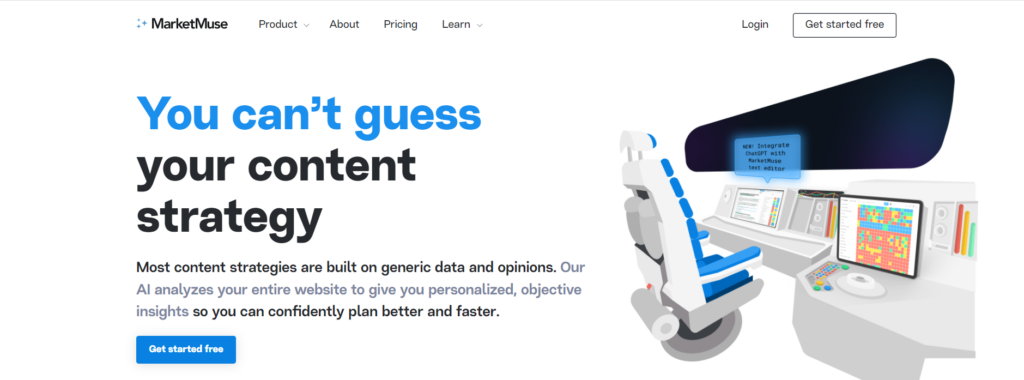
Market Muse uses artificial intelligence to help you optimize your content and rank higher in search.

You can also use it to analyse your whole website and get personalized insights into what you could be doing better.

It’s a simple-to-use content analysis tool. Just type your keyword into the topic box, and you’ll be rewarded with a ton of data.

At the top, you’ll see a suggested content score and word count that you have to hit.

And on the right, you’ll see a list of suggested keywords to distribute throughout your article.

Price: 10 Free keyword queries a month. $149 – $399 a month for 100+ queries.

For more info on what this tool can do, read our Market Muse review article.

Frase
Frase

Frase is another top content analysis tool that also includes an AI writer.

Using Frase, you can write high-quality SEO-optimized content in minutes instead of hours.

This tool allows you to:

  • Create well-researched content briefs in 6 seconds
  • Generate high-quality content at the click of a button
  • Optimize your content to outrank competitors
  • Use content analytics to unveil new opportunities

This is one of the best tools if you’re looking for help with content planning, writing, and optimization.

Plus, you can use their ready-made templates for blog introductions and listicles.

Price: 5-day trial for $1. Plans range from $14.99/month for 4 articles/4,000 words AI and up to $114.99/month for unlimited articles/4,000 words AI.

Our thorough Frase review goes into more detail.

Clearscope
content analysis tools

Clearscope is another premium content analysis tool that works similarly to Surfer SEO.

After typing in your main keyword, you get a content optimization outline to follow that includes:

  • Related keywords
  • Word count
  • Content grade
  • Readability score

The goal is to get your score in the A+ or A++ green range so it competes with your closest competitors.

It also monitors your content and alerts you when something needs updating so you don’t lose your ranking and traffic.

Price: $170/month for 10 content reports and custom pricing for anything more.

Google Analytics

Google Analytics is one of the best free content analysis tools that anyone can use.

It’s where most bloggers and website owners start monitoring their website performance, plus real-time data.

You can even customize your dashboard and get custom reports and alerts.

Other types of reports available on the Google Analytics tool include:

  • Real-time
  • Audience
  • Acquisition
  • Behaviour
  • Conversions

Inside these reports, you can find useful information such as landing page performance and your best traffic sources.

This allows you to decide where improvements and extra effort need to be made.

Price: Free.

Google Search Console

Google Search Console is another handy free tool for bloggers and website owners.

It gives you information on how Google is crawling and indexing any errors on your website and detailed traffic reports.

Armed with this data, you can troubleshoot potential reasons why your website is under performing.

The main features of Google Search Console include:

  • URL inspection
  • Performance
  • Indexing
  • Page experience
  • Core web vitals
  • Mobile usability
  • Enhancements

Price: Free.

Ahrefs

ahrefs

Ahrefs is an all-in-one SEO toolset that gives you all the data you need to create better content and rank higher in search engines.

Using Ahrefs, you can:

  • Analyze your competitors
  • Do a content audit
  • Optimize your website pages
  • Find relevant keywords
  • Discover content ideas and link opportunities
  • Track your ranking progress

You can even take free courses in the Ahrefs Academy and get community support from experienced insiders.

Price: Use Ahrefs webmaster tools for free. Paid plans range from $79 – $799 a month.

SEMrush
Semrush

SEMrush is another highly robust tool for SEO, content marketing, competitor research, PPC, and social media marketing.

Using SEMrush, you can grow your organic traffic, plus:

  • Run technical SEO audits
  • Track your daily search engine positions
  • Analyse the backlinks of any domain
  • Advanced keyword research

Semrush has the usual tools all SEO suites have, plus a Surround Sound Tool that uncovers pages and domains that rank for your keywords and details on those sites mentioning you.

Also, the free writing assistant is pretty handy and does similar things that Surfer SEO and Clearscope can do.

Price: Limited access to some SEMrush tools and features for free. Paid plans range from $119.95 – $449.95 a month.

Rank Math 

Rank math

Rank Math is a powerful search engine optimization plugin for WordPress that makes it simple to optimize your content to perform better.

It contains a range of free features such as:

  • Set SEO titles and meta descriptions
  • Focus keyword analysis
  • XML Sitemap
  • Structured data/schema
  • Local SEO and image SEO
  • Internal link suggestions
  • Link counter and redirections
  • 404 monitor and Google Analytics

You can even get access to a personal AI assistant that gives you AI-generated suggestions of what keywords and headings to use in your content.

Price: Use the plugin free with limited features. Paid plans start at $59/year for 15 AI credits/track 500 keywords and up to $499/year for 600 AI credits/track 50,000 keywords.

Yoast SEO
Yoast seo

Yoast SEO is a WordPress plugin that has a ton of useful features.

Using this plugin, you’ll help your content rank higher and ensure your website adheres to the highest standards of SEO.

It can be used on WordPress websites and Shopify stores, and you can even take advantage of the free SEO for beginners training and Yoast SEO Academy.

It’s incredibly easy to use, and once you have it installed, it automatically takes care of your site’s technical SEO.

Price: Use main features for free. Get extra features and support with the paid plans – $99 or $229 a year.

If you’re undecided between Yoast vs Rankmath, check out our comparison.

Moz Pro
Moz pro

Moz Pro is another one of the great content analysis tools every creator should know about.

It offers an all-in-one suite of SEO tools that’ll help you get more quality traffic and higher search engine rankings.

Moz Pro will remove the guesswork from SEO and help you to understand your visitors, target the right keywords, optimize your pages, and track your rankings.

To start, you can access free SEO tools on Moz, such as:

  • Domain analysis
  • Moz Bar
  • Competitive research
  • Keyword explorer
  • Link explorer

Price: Basic SEO tools are free. Paid plans range from $99 – $599 a month.

Conclusion: Best Content Analysis Tools

The content analysis tools mentioned are all extremely powerful and useful for online content creators.

Whether you have a blog, a business website, or an online store, these tools will help to increase your visibility in search and get more traffic to your site.

While these SEO content analysis tools do a great job, always make sure you check over your text manually and use your own judgment.

Do you need a little extra help with content creation?

Check out how to use ChatGPT to write a blog post and how to use ChatGPT for SEO.

By Katie Lamb

Katie Lamb is a professional freelance writer and blogger who loves to write about new and unique ways to make money online. She spends most of her time writing for different blogs and small business websites and when she’s not working you’ll find her in the gym, planning a new hiking trip or enjoying a live music gig.

Sourced from Niche Pursuits

By Miriam Ellis

Learning to be the best in town at the top seven elements experts feel impact your rankings in Google’s local packs is a smart strategic foundation. Thanks to Darren Shaw who has been running the Local Search Ranking Factors survey since 2017, we all benefit from this respected annual report in which local SEO professionals get to pool their practical knowledge of what they see impacting clients’ rankings most.

Today, we’re going to look at how to set the local businesses you market apart by mastering the tippy-top of the list of factors, with lots of practical tips for improving your rankings so that you’re earning greater visibility.

But, first, what is a local pack?

This is the umbrella term for the local business results Google displays when it feels a searcher’s query has a local intent. Local packs have a variety of formats, like this one with the large map and lettered results:

And this one, also with the large map, but no letters and no links to the website or driving directions:

And this one, with the map above the results, and again, no letters or website/directions links:

There are many variations, based on query, industry, and device. Frequently, local packs appear above the organic results, but they can also be displayed further down the page. Mostly, local packs contain three results, but this number can sometimes change and they may also contain paid ads. Aspects of your Google Business Profile, as well as other sources like your own website and third-party websites, have a demonstrable impact on whether or not you show up in Google’s local packs and the extended listings they click to that are called the Local Finder results.

Now that we’ve got that covered, let’s look at this year’s 7 most influential local pack ranking factors.

1. Primary Google Business Profile category

It’s a local search fact of life that you can’t rank for your most important search phrases unless you’ve selected the right GBP category, and the primary category matters most. Usually, Google displays the primary category on your Google Business Profile (see “Italian restaurant”, above), but not always. You select your primary category by logging into your Google account, searching for your business by name, and then clicking on the Edit Profile tab in the New Merchant Experience editor:

Your primary category is the one you enter into the primary category box, and you can add a total of ten categories:

To discover the best category for your business, follow these steps:

  1. Search for the #1 phrase for which you most need to rank in the local results and look at which categories the top-ranked businesses are using.

  2. If you see diverse categories represented amongst the top 3 businesses, note which one most closely matches your business. For example, is your broadest and most accurate category “Italian restaurant” or “Fine dining restaurant”?

  3. If the listing you are creating isn’t for your main business but is for a practitioner within a multi-practitioner company (like a legal firm with three lawyers or a dental practice with five dentists), try to diversify the categories you choose so that they don’t compete with the main listing for the practice.

  4. If the listing you are creating is for a multi-location business, it’s okay to use the same primary category across all your listings, but if the close proximity of one branch to another appears to be causing one of your locations to be filtered out and invisible in the local packs, consider diversifying your primary categories.

  5. If your market research indicates that your local market is extremely competitive/crowded for a particular category (think personal injury attorneys in Los Angeles), make a decision about whether you can reasonably compete for local pack visibility for the same category the top competitors are using, or whether you want to try to earn business from a less competitive category while you work to establish the brand you are marketing. Note how most of these businesses have chosen the primary category “Italian restaurant”, but one has chosen to be more specific with “Northern Italian Restaurant”:

That small difference could either positively or negatively impact the restaurant’s ability to rank for its most desired search phrases. So, pick a primary category, but don’t be afraid of changing it at a later date if you feel it might be holding you back. Testing is a smart practice.

We’ll be returning to the topic of choosing categories when we get to factor #7, below.

2. Keywords in Google Business Profile business title

Local SEOs keep a running agony column of spammy GBP business title examples, like this tweet from Darren Shaw. Unfortunately, seeing that keywords in the business title is such a powerful ranking factor can mislead business owners and marketers into believing they should be putting something other than their real world business name in this field of the New Merchant Experience editor:

The field is meant to contain only your real-world business name as it appears on your street signage with no extraneous keywords. In this screenshot, you can see that the name is just listed as “Moz”. Not “Moz Vancouver” or “Moz Seattle” or “Moz best SEO software company in America”.

Unfortunately, a weak spot in the algorithm Google uses to order results causes them to reward listings with spammy business titles. It’s probably the least-sophisticated aspect of Google’s system that it can be fooled by keyword-stuffing business titles. You can flag businesses with spammy names, and sometimes Google will edit them, but the penalties are never severe and, in my experience, the spammy names often simply re-appear shortly thereafter.

This problem with the system has business owners and marketers wondering whether they should be honest or try to game the system. Of course, the former is the best policy for companies that plan to build a lasting good reputation, but here are a few tips to help you work amid a rather messy scenario:

  1. If you are trying to understand how to write the business title for something other than a single location business (such as a co-located business, solo practitioner, or multi-practitioner business), consult the Guidelines for Representing Your Business on Google for detailed instructions.

  2. Feel free to report competitors in your market with spammy business names. Google may or may not act on your reports, but if they do, it can help decrease the ranking power of spammers and help your listing with its legitimate name move up.

  3. Don’t name your business something that could limit its future growth. For example, think carefully before calling your new restaurant “Tacos San Diego” if there is any possibility that you may someday open branches in San Jose, San Francisco, and Santa Rosa.

If circumstances have made you realize that your real-world business name appears to be holding you back, you do have the option to legally change your name. If you decide on this course of action, try to choose a name that will stand you in good stead for many years to come. Be wary of trendy fads. For example, some local businesses have gone viral, as in the case of a NYC restaurant named “Thai Food Near Me”, but be careful you aren’t dubbing yourself with a phrase that could look dated three years from now.

If your company does rebrand, be sure to update all legal registrations, local business listings across the local search ecosystem, all social media profiles, and all references to the old name on your website and third-party websites

3. Proximity of address to the point of search

Back in 2017 when Darren Shaw first noted that the distance between the person searching and the thing being searched for had become the #1 local search ranking factor, he created the above graphic to illustrate this phenomenon. Your business may be situated on Jasper Avenue near the centre of Edmonton, but each of your customers is in a different location, on a different device.

In 2023, proximity of address to the point of search may have slipped to number 3, but it is still every bit as important to understand that there are no static number 1 local search rankings because Google shows each of your customers different results based, in part, on the location of their mobile phone, laptop, or other device. You can witness this in action by walking or driving around town, searching for the same keyword phrase. Local market research involves either engaging in this process manually to assess your overall visibility throughout your market, or using a local rank checker like the ones offered by Whitespark, Local Falcon, or Mobile Moxie’s Serperator.

You can’t control where your customers are and the only option you have if you discover your physical address is limiting your ability to meet goals is to move to a new location (a daunting prospect). What every local business marketer can and should do, however, is to observe how Google is behaving for each desired search phrase.

For example, you might discover that when you search for “tacos”, Google is casting a very narrow net for local results, showing restaurants mainly clustered in a single neighborhood of your city. But when you change your search to “organic vegan tacos”, suddenly Google is widening the net to encompass the whole city or even reaching beyond city boundaries. That’s amazing business intelligence because it shows you opportunities to optimize for more specific terms and show up for more distantly-located customers. Use this knowledge in choosing your:

  • Categories

  • Services

  • Photo and video subjects

  • Attributes

  • Website topics

While you can’t control Google’s heavy emphasis on proximity, you can respond to it with a smart local search strategy. And this segues nicely into the next factor.

4. Physical address in city of search

Look up your city in Google and click on the map. The red border, as shown above, indicates Google’s concept of the perimeters of your town or city. The reason this matters to local SEO is that businesses located beyond the border often have a much harder time becoming visible for searchers located within the border or for search phrases that contain the name of the town or city.

“I want to rank beyond my location,” has got to be one of the commonest requests local SEOs hear from clients (so common that I wrote an entire column about this in 2019 you might like to read). If you come to suspect that your physical address is severely limiting the number of customers who are finding you online, you have three main options:

  • Moving to a new location inside Google’s borders

  • Re-optimizing your presence to compete for less-competitive terms, as described in relation to factor #3

  • Making a substantial investment in multiple aspects of your local search marketing so that your Google Business Profile becomes so strong that it overcomes Google’s city border bias.

There is no guarantee that the third option will work, but it is often the best bet. To undertake this work from an informed stance, you will need to conduct a competitive local business audit of the top competitors for each of your most important search phrases. By using the free spreadsheet included in that article, you will be able to identify multiple factors that are likely contributing to the high visibility of the top-ranked competitors, and determine what you need to do to surpass their efforts. You may find yourself investing in review acquisition and management, local business listing development, link building, content development, and other areas. Sometimes, you can find sweet spots in which Google is willing to go beyond the borders for strong brands, so studying the maps and Google’s behaviour is an essential local search marketing habit.

5. Removal of spam listing through spam fighting

Four years ago, I wrote a column on Simple Spam Fighting: The Easiest Local Rankings You’ll Ever Earn and I’m sorry to say that the tactics I covered for recognizing spam are every bit as necessary today as they were back then. Google’s listing spam problem is massive. Both novice and bad actors have filled up the index with results that mislead the public and violate Google’s guidelines.

It’s a sad story that’s as old as local search, and every year is a new year to hope that Google will give more attention to protecting businesses from misrepresentation and unfair competition, while protecting consumers from disinformation. Perhaps the challenges now being posed by AI, like ChatGPT, and competitors for attention, like TikTok, will put some healthy pressure on Alphabet to defend the relevance of Google’s local results.

In the meantime, local business owners and their marketers have the toilsome (yet, perhaps satisfying?) option of reporting spam listings so that they can move up in the local pack rankings if/when the spammers are removed. To do this effectively, you need to know what constitutes spam in Google’s environment. This can range from:

  • Fake business names

  • Ineligible business models

  • Multiple ineligible listings for the same business

  • Fictitious businesses

  • Fictitious locations

  • Fake reviews

Learn the Guidelines for Representing Your Business on Google like the back of your hand, and you will become adept at spotting listing spam. When you believe you’ve encountered a spam listing, your best bet is to use the business redressal form to report it. If you come across a widespread pattern of spam in a given results set and use of the form isn’t getting any traction, you may need to use your marketing skills to bring public attention to the problem in hopes of inspiring Google to act. Want more spam fighting tips? Sterling Sky has a good piece on this.

6. High numerical Google ratings

Your average star rating isn’t just a top local pack ranking factor, but it’s also a top conversion factor. In our report on the Impact of Local Business Reviews on Consumer Behavior, respondents cited the star rating as the most important component of reviews:

Meanwhile, a majority of 51% say a business must have at least 4 stars for them to consider choosing it.

Chances are, if your reputation is below 4 stars, you’ll have some work ahead of you in both improving customer experiences and in actively seeking reviews so that a small number of negative reviews isn’t having an outsized impact on your average rating. For a complete tutorial, read How to Repair and Improve Local Business Reputation via Google Star Ratings and Reviews. Embrace the welcome news that 37% of customers may still give your business a chance, even with a less-than-four-star rating, and this may give you the time you need to make strategic business changes to raise your rating and start winning better rankings and more customers.

7. Additional Google Business Profile categories

The fact that two of the top seven local search ranking factors relate to categories emphasizes just how important these small elements are. Once you’ve selected your most influential primary category, you have nine more chances to help Google understand your relevance to specific customer intents.

Inspiration for filling in those category fields is easiest to find if you either download the GMBSpy Chrome extension or fire up GMB Everywhere to see all of the categories your top local competitors have chosen. If they relate to your business, add them to your profile. Then, read How to Choose GBP Categories (With Cool Tools) for further suggestions on researching and implementing the right identifiers of your business. Over time, keep an eye on Sterling Sky’s running tally of new business categories, in case Google adds something that was previously missing and helps further describe what your business is.

And that’s it for today! Once you’ve gotten a great handle on perfecting your management of the top 7 local search ranking factors, move on to tackle the rest by reading WhiteSpark’s full report. Meanwhile, if you’ve got a new tip or tactic for climbing up the local pack rankings, please don’t hesitate to @ Moz on Twitter!

By Miriam Ellis

Miriam Ellis is the Local SEO Subject Matter Expert at Moz and has been cited among the top five most prolific women writers in the SEO industry. She is a consultant, columnist, local business advocate, and an award-winning fine artist.

Sourced from MOZ

By John Hall

A robust content creation strategy is no longer just a nice-to-have for your business. Without great content and a high-ranking internet presence, your business practically doesn’t exist.

Content is both an important facet of your company’s reputation and a critical factor in achieving its business goals. Your content educates your readers, engages your audience and establishes you as an authoritative subject matter source. If you’re not already set up for content success, here are some ways to give your brand the content makeover it needs.

1. Be Everywhere and Be Useful

You can’t just rely on weekly subscription-based emails anymore. Your company needs a comprehensive strategy that bridges multiple channels and covers all angles. Your website should have a blog that’s updated regularly—at least once weekly. You also need well-researched white papers and studies to demonstrate your industry expertise. Use data and infographics to illustrate your points. Round out your written content and visuals with videos, podcasts and webinars.

And don’t just use your content to talk up your company. Think about what will make readers want to come to your site. Feature actionable advice that your readers will turn to, time and again, for help. Where possible—and appropriate—consider timely newsjacking pieces that link your company’s offerings to current events. These pieces should showcase why your product or service is more relevant than ever.

2. Find Your Audience

Before you get too far into content creation, think about whom you want to appeal to. Who are your readers, and what can they stand to gain by immersing themselves in your content? If you offer a B2B technology solution, maybe your blog can provide actionable tips for small business owners. If you sell beauty products, consider common skincare complaints and position yourself as a solution. Whatever the product, think of your content as helpful advice, not advertising.

Finding your audience doesn’t just mean knowing your target demographics. It also means meeting your potential customers where they are. Do you need to be on Instagram? TikTok? The hottest new beauty blog? Figure out where you should post your content, especially on social media, so your most likely readers will stumble upon it.

3. Explore New Content Solutions

If you’re feeling out of your depth in deciding how to meet the content needs of your organization, you may want to think about partnering with an experienced content solutions provider. They can assist with services like preparing technical and software documentation and developing employee and customer training. They can also help pair you with scalable technology solutions or transition to a new type of content management system.

Some content creation solutions providers, like Contiem, can do an audit of all your content needs and walk you through each stage of revamping your entire content ecosystem — whether that’s creating, managing, or delivering the quality content your business needs to succeed. When you’re struggling to gain traction, the right provider can take a close look at your content and figure out what is and isn’t working. And then they can set you on the right path.

4. Boost Your Search Results

To be truly successful in the content world, you have to stay on top of search engine optimization. Plugins like Yoast SEO can boost your Google GOOG +0.2% rankings by helping you optimize your keyword distribution, assess your content’s readability and more. Use alt tags and metadata wisely, and make sure your links are current and flow naturally within the sentence structure. Pin your links to relevant keywords, avoid overlinking and don’t force links or keywords in where they don’t make sense.

In short: don’t go crazy. It’s no longer so easy to trick the search engines into doing your bidding. The most important thing is that your content be relevant, interesting and updated regularly. For optimal traffic and rankings, you should post on your site or blog about two to four times a week. But don’t just post garbage (see point 1). Make your content pertinent and educational so your readers will keep coming back for more.

5. Analyse and Iterate

Once you’ve got your content up and running, you’ll require a system for tracking what’s effective and what’s not. Which channels and types of posts are performing well, and which can you spend less time on? A host of tools and tips are available for measuring content engagement and effectiveness. Use Google Analytics and other services to keep an eye on your metrics.

You should be monitoring not just how many people visit your site, but who they are and how long they stay. You’ll also want to note how many visits actually turn into conversions. Track the number of people who like your content enough to share it with their circle. In addition, consider who’s choosing not just to read your content, but to subscribe to updates. Lastly, look at your costs and figure out what to cut or invest more in.

Great Content Serves a Need

It bears repeating that the most important component of a good content strategy is usefulness. Your customers don’t read your content because they want to be advertised at. They come to you because they believe your content has something to offer them. Think about what causes you to remember a great piece of content or makes you want to share it with friends or co-workers. The best content centres the reader and builds trust in you as someone who can make their life easier.

Feature Image Credit: getty

By John Hall

John Hall is a top motivational speaker and the co-founder of Calendar, a scheduling and time management app. He’s also an adviser for the growth marketing agency Relevance, a company that helps brands differentiate themselves and lead their industry online. You can book him as a keynote speaker here.

Sourced from Forbes

By William Arruda

Personal branding is about authentically delivering value to the people you seek to influence, inspire and impact. One of the best places to do that is in meetings. In fact, meetings (both in-person and virtual) are among the most powerful ways to build your brand and advance your career, when you actively engage in them. That’s because:

The people you seek to impact and influence are there

Many of the people you need to impress so you can keep you career moving upward are right there, face to face or on Zoom. It’s the place to showcase your work and talk about the unique contributions you make to your team or a project.

Meetings take you out of your solo world

Delivering value that’s invisible will not catapult your to career new heights. Everyone’s busy. You can’t expect your boss and other influential people to be actively figuring out what you’re doing every day. Meetings bring your value out of the shadows.

You learn what’s going on

Meetings are learning opportunities. They often provide context, important details and sometimes valuable insights—all of which can be helpful to your success and make your contributions more impactful. You also learn things that have nothing to do with the project at hand—like who the boss chose for the new team member—but are important for you to know.

You build connection and relationships with your peers

It’s hard to build a relationship via email, texting or Slack. Meetings let you connect more deeply and bolster relationships with key stakeholders. Relationships are built through multiple consistent touchpoints. Meetings are among the most meaningful touchpoints.

Meetings let you showcase your expertise

That doesn’t mean bragging. It means demonstrating what makes you exceptional. Meetings let you make your mark and reinforce your brand differentiation. By actively participating (not multitasking) and sharing your ideas and opinions, you show your knowledge and point-of-view.

You demonstrate your communication skills

Meetings provide the forum for articulating your ideas clearly and concisely (and in a branded way—with humor or structure or data). Solid communication skills make you look confident. And by actively listening and participating (no checking your email!), you show respect for your colleagues and let people know you are interested.

Meetings provide a forum for acknowledging others publicly

Everyone wants to be recognized for their contributions. Acknowledging others and expressing gratitude is fuel to those around you. And when you do this in meetings, in front of a group, it’s more like rocket fuel.

You can get feedback

Feedback is essential if you want to learn and advance your career. Meetings provide a forum for others to provide candid actionable input you can use to refine what you do and how you do it.

You demonstrate that you are a leader

Meetings are places where decision makers identify emerging leaders—those who demonstrate leadership skills without holding the title. When you take an active role in meetings, you demonstrate your leadership and collaboration skills and get on the radar of those who have the power to promote you.

You enhance your credibility and likability

By actively participating in meetings and providing valuable input and unique insights, you build your credibility as an expert in your field. The way your deliver your input and interact with other meeting participants can make you likable. Strong personal brands sit at the intersection of likability and credibility.

Make meetings matter. Be deliberate in the way you participate in meetings so you can stand out, grow your brand and advance your career.

Feature Image Credit: getty

By William Arruda

Follow me on Twitter or LinkedIn. Check out my website.

I’m a personal branding pioneer, motivational speaker, founder of Reach Personal Branding and cofounder of CareerBlast.TV. I’m also the bestselling author of the definitive books on executive branding: Digital YOU, Ditch.Dare. Do! and Career Distinction. I’m passionate about how personal branding can inspire career-minded professionals to become indispensable, influential and incredibly happy at work—and I teach my clients (major global brands and 20% of the Fortune 100) to increase their success by infusing personal branding into their cultures. Here’s a fun fact: I have the distinct privilege of having delivered more personal branding keynotes to more people, in more countries, than anyone on earth.

Sourced from Forbes

Facebook apologizes after a bug saw the social network send automatic friend requests to profiles that users viewed. Some people even deactivated their accounts due to embarrassment.

A Facebook bug that saw the social network send automatic friend requests to any profiles that users viewed has been fixed by Meta.

In a statement shared with the Daily Beast, a Meta spokesperson blamed the glitch on “a recent app update that caused some Facebook friend requests to be sent mistakenly. We’ve stopped this from happening and we apologize for any inconvenience this may have caused.”

Facebook does not let people see who has viewed their profiles. Strangers can also view public Stories without giving away their identities. That means you can creep on an ex, former friend, or co-worker without them knowing you’re having a stalker moment. This glitch, however, sent a friend request the second anyone clicked through to someone’s profile.

The glitch was widely discussed on social media. One Facebook user tweeted: “facebook stalking and somehow a friend request was sent. Thats [sic] it guys. See u [sic] in another life.”

In some cases, Facebook sent friend requests to people users were attempting to block. As The Daily Beast notes, some people deactivated their Facebook accounts due to embarrassment. The problem is fixed, but perhaps it’s a sign to leave certain people behind and move on with your life.

Last month, a different Facebook bug meant ads on the platform overcharged customers, forcing it to briefly stop all advertising. Last week, Meta also had to remove Facebook ads from hacked pages that contained links to malware.

By Marco Marcelline

Sourced from PC


By Dejon Brooks

Here are five great benefits I’ve enjoyed after just one month of being verified on Instagram.

If you have an Instagram account, you’ve probably always dreamed of having a blue checkmark next to your name. There’s just something about it that lets people know that you’re important.

I recently got verified on Instagram, and to be honest, the chase was more exciting than the catch. But over the past four weeks, I’ve noticed some amazing benefits from being verified on Instagram that I was not expecting.

Here are the top five benefits I noticed and gained from being verified on Instagram.

Benefit #1: It makes it easier to hold up/increase prices

I always encourage business prospects to follow me on social media within my sales process. I specifically like sending people to LinkedIn and Instagram. I love sending prospects to my social media accounts because my personal branding does all of the heavy lifting for me. I set up those accounts so it will leave people eager to attend future meetings and buy.

Prospects being more eager to purchase from me made it easier to increase my prices and charge exactly what I’m worth.

I could still do this without being verified, but the blue badge beside my name made me feel more confident asking for what I’m worth.

Benefit #2: High-profile accounts follow you back

I follow a couple of well-known public figures on social media. This includes athletes, entrepreneurs, journalists and everything else in between. I specifically like reading people’s posts and watching their stories. When a verified account likes a post or watches someone’s stories, it stands out significantly.

This is enough to cause the high-profile account I’m following to check out my page and eventually follow me back. I noticed this benefit by accident after four high-profile verified accounts followed me back out of the blue within the span of a week.

This could be very valuable for networking.

Benefit #3: Increased credibility and authority

I already had enough credibility on my Instagram account without having the blue checkmark next to my name. I built this credibility through the accumulated press, showcasing my accomplishments and customer case studies. However, having the blue check next to my name was the icing on the cake and helped put everything together. The blue check has a way of causing others to perceive you as someone with both credibility and authority.

Benefit #4: It’s easier to close on high-profile individuals

I recently attended an event where a high-profile, motivational speaker was talking on stage. Halfway through his talk, I got the idea to approach him afterward and offered to help him write his book. At the end of the event, I managed to cross paths with him and speak with him for a bit. At the right moment, I presented my offer of helping him write his book. He was slightly interested, but his interest took off once I showed him my Instagram account and the book I was writing.

Once he saw my page, his excitement went through the roof, and I got a meeting booked through his assistant the next day.

Benefit #5: Reduced flakes and no-shows

Not only have I noticed this within business, but I have also noticed it within dating — the amount of flakes and no-shows I receive has gone down. I’m unsure if this directly correlates to getting verified on Instagram, but I have noticed that people have started to value me and my time more seriously.

It is a great way to decrease your flakes and no-shows dramatically. Being verified is just the icing on the cake that indicates that you’re in demand.

In reality, being verified on Instagram means nothing. When I first got the blue checkmark, I honestly felt so empty. But when you combine the blue badge with your purpose, it does something to your self-esteem. It can make you feel like you’re already a rockstar or you already have a million or billion-dollar business.

Now, you don’t want this to go to your head to where you’re living delusionally, but I noticed it helps with pushing harder to reach your dreams and reassuring you that you can do hard things.

If you think getting verified on Instagram will be worth it, I’d highly recommend attempting it. You’d be surprised at the opportunities it brings and the doors it opens up.

By Dejon Brooks

Entrepreneur Leadership Network Contributor

CEO & Founder of Trend Watchers. Dejon Brooks is an entrepreneur who founded Trend Watchers with his life savings. Aged 21, Dejon has turned Trend Watchers into a successful business. After reaching over 100M+ people on his personal accounts, he now helps content creators go viral by taking advantage of internet trends.

Sourced from Entrepreneur

By Nick Hobson

Kia violated these four basic design principles.

Feature Image Credit: Getty Images

By Nick Hobson

Chief behavioural scientist, Apex Scoring Solutions, BAD Sciences at Potential Project. @NickMHobson

Sourced from Inc.

By Sam Anderson

We ask a bumper crop of marketers from The Drum Network why the humble QR code it still enjoying its long renaissance, and where the tech will head next.

Packaging, payment, a gateway to augmented reality worlds, and a star of the organized response to the Covid-19 pandemic: the QR code has emerged as the little technology that could. But, deep down, is it all just a gimmick? Is it living on borrowed time? Or is there more growth on the horizon?

Here, leaders from The Drum Network tell us why that relatively low-fi tech has become quietly indispensable to advertisers despite being almost 30 years old, and what tricks it’s still got up its blocky sleeve.

Alessandro Camaioni, UK strategy director, Momentum Worldwide: “February 2022. The humble QR code, mocked for a decade as a useless gimmick, was rescued by turning into an unlikely metaphor for social distancing, eventually surging as the most popular and talked about ad of Superbowl LVI.

“Was that the peak of QR fever? No. As one of the most democratic forms of smartphone technology, it will only become more ubiquitous in line with universal smartphone adoption.

“QR code payments alone are projected to grow from $8bn (2020) to $35bn (2030).

“Behavioral science can explain why QRs are the perfect marketing tool. Visual, immediate, able to offer a kick of instant gratification and reward our curiosity: QRs cut through the noise in a way no other medium can (until AR contact lenses enter our lives).”

Jim Hare, digital creative director, Bulletproof: “Over-communicating the ‘reason to scan’ remains the key challenge – otherwise all content stays hidden. People are happy to scan if the execution is novel enough. Cygames’ drone show, forming a QR in the Shanghai night sky, is a spectacular example.

“But, like anything that takes effort to engage with, QR codes are only as effective as the payoff they provide. Ritual driving is where we’re headed now. Codes that recognize how many times they’ve been scanned and serve up new, sequenced content, provide people with a fresh reason to retain and revisit QRs. Repeated scans form habits and therefore give the tech a longer, more meaningful lifespan – brilliant for brands seeking to drive ritual building or instructive learning.”

Yahye Siyad, diversity & accessibility lead, Cyber-Duck: “As someone with a serious visual impairment, if QR codes (as typically used today) died out tomorrow, almost nothing would be lost in terms of my engagement with brands. Blind people simply don’t know they’re there unless we’re told, and they mostly link off to sites incompatible with screenreaders. For people with motor control impairments, it’s hard to hold a phone (and the object the QR code is on), and scan it. And taking people who’re deaf to audio descriptions or videos without captions is a dead end.

“It wouldn’t take much to rethink this to deliver brilliant, inclusive brand experiences. QR alternatives like NaviLens can be used at long distances, scanning the environment. Near-field communication (NFC) integration could directly ‘ping’ a disabled user’s device via assistive technology rather than having to scan.

“QRs should lead to a choice of accessible content. Without this type of inclusive design thinking, any brilliant potential QR use cases are simply beside the point.”

Del Credle, head of strategy & media, Laundry Service: “Having lived in China, where QR codes are part of daily life, I’ve seen their potential. I used them multiple times a day: buying groceries, exchanging personal details, renting bicycles, opening doors, and paying bills.

“They are not yet being fully realized here in the US. And, while there are endless implications for marketers, the meaningful opportunities lie in their potential for e-commerce and to ease our use of technology in everyday living. We should push to integrate them natively first in our social ads and organic posts.”

Feature Image Credit: Toa Heftiba via Unsplash

By Sam Anderson

Sourced from The Drum

Richard Attwater, founder of new agency Sergeant Walnuts, shares seasoned advice.

If you’ve always wanted to start a creative agency but fear has held you back, you’re not alone. Owning an agency is top of the list of many creative’s ambitions, but there is a lot to learn in the process – and not every agency ends up being successful.

We spoke to the co-founder of creative agency Sergeant Walnuts, Richard Attwater, to find out about his experience and impart his wisdom. Sergeant Walnuts opened its doors in Manchester, UK in 2022, so the journey is still fresh in Attwater’s mind. Here, he gives insight into the pitfalls and successes he, and his partner Gary Toal, encountered along the way.

So, read on for 8 top tips for success and remember, if you’ve got an example of outstanding branding you think deserves an award (from packaging design to print ads and beyond), consider entering the Brand Impact Awards on its tenth consecutive year.

How to start a creative agency

01. Find the right time, and the right partner

Sergeant Walnuts

Richard Attwater and Gary Toal, co-founders of Sergeant Walnuts (Image credit: Sergeant Walnuts)

I’d always thought I’d like to start my own agency one day, but it was important for me to first garner enough experience at really top-draw agencies, so I felt ready. And then it became a case of ‘now or never’. I felt I’d reached the right age, and had the right level of experience, and so decided to go for it.

By 

Georgia is Creative Bloq’s Editor. She has been working for Creative Bloq since 2018, with a recent stint helping out on Tech Radar’s Entertainment section. Georgia has the responsibility of the day-to-day running of the site, managing the team and the diverse content streams CB is known for.

Sourced from Creative Bloq


By Trevor Sinclair

Have you ever been glued to a blog post that you just couldn’t put down?

You laughed, learned something new, and felt inspired all at once.

What was it that made that experience so captivating?

Well, the secret lies in the blog writing format.

In this article, we’ll explore the crucial components of an effective blog writing format that will keep your readers hooked from start to finish.

So, let’s dive in!

1. Craft a Compelling Headline (Blog Post Title)

Imagine you’re scrolling through your social media feed, your eyes skimming over post after post.

Then, BAM! A blog post title grabs you. It’s clever, intriguing, and promises something you’re interested in.

That, my friend, is the power of a well-crafted headline.

Headlines are your first (often only) chance to grab your reader’s attention. And the stats back this up.

According to Moz, 8 out of 10 people will read your headline on average, but only 2 out of 10 will venture further into your post.

But the power of a headline extends beyond just catching the eye. It also prepares the reader for the content, shaping their expectations from the start.

If your headline hints at one thing and your content delivers something different (clickbait), readers will disconnect.

So, a great headline isn’t just catchy – it’s honest. It hooks your reader with a promise and then delivers on that promise with your content.

Tips for Creating Attention-Grabbing Headlines

So how do you create a headline that will captivate potential readers?

One tried-and-true method is using numbers in your headlines. According to a study by Conductor, headlines with numbers are 36% more likely to generate clicks.

For example, “5 Techniques for Crafting Compelling Headlines” immediately tells the reader what they can expect from the post.

Another effective strategy is posing questions in your headlines. This creates curiosity and encourages readers to click through and find out more.

For example, “Why Your Blog Writing Format Could Be Costing You Readers” is much more interesting than simply saying, “Improve Your Blog Writing Format.”

2. Engage Your Readers With a Captivating Introduction

Did you know that 55% of people who click on a blog will only spend 15 seconds or less reading it?

That’s why crafting a compelling introduction is crucial. It’s the first thing your readers will read and can determine whether or not they will continue reading your post.

Examples of Effective Introductions

To give you an idea of what makes for an effective introduction, here are some examples:

  • “Have you ever wondered why some people seem to have it all together while others struggle to get through their day? In this post, we’ll explore some simple habits successful people use to stay on top.”
  • “Imagine waking up every morning feeling energized and ready to take on today’s business challenges. With these five tips for improving sleep quality, you’ll be well on your way.”
  • “As someone who struggled with self-doubt for years, I know how debilitating it can be. In this post, I’ll share my journey towards self-confidence and provide actionable tips for anyone struggling with imposter syndrome at their workplace.”

3. Writing the Blog Body

blog writing format - writing the body text

At its core, the blog body serves a noble purpose: to deliver value to your readers.

It’s where you give your readers the good stuff: cool facts, exciting ideas, and new things to learn about your topic.

But the blog body serves another equally important role. It’s your platform to gently persuade readers, providing them with the nuggets of information they need to make informed decisions about products or services in your niche.

Simply put, the blog body has two jobs:

    • Teach your readers something new
    • Help them make smart decisions.


Include Relevant Statistics or Data to Support Your Points

Data and statistics amplify your blog posts.

When you bring in relevant stats, it helps you show just how big a problem is or why we need to take action or make changes.

Take this, for example – if you’re writing a blog post about why green tea is so good for you, you could use a quote from a health expert about green tea’s benefits.

Or, you could link to a scientific study that shows how green tea’s antioxidants can help keep us from getting sick.

You can also use stats that show trends or patterns that go along with what you’re writing about.

For example, say you’re writing about how much time millennials spend on social media – why not throw in some Pew Research Center data showing how many hours they spend scrolling each day?

And remember how important it is to link to other sources. When you include links to other good-quality sources, your readers (and Google) will recognize your expertise. Plus, readers get the chance to learn even more about the topic!

Incorporate Relevant Examples and Anecdotes

Besides data, real-life examples and stories can make your blog posts more lively and relatable.

These can be things you’ve experienced yourself, stories from people you know, or even made-up scenarios that help get your point across.

But remember – it’s not about stuffing your blog with any examples you can find. They have to be carefully picked and must clarify what you’re writing about.

And always go for quality over quantity! It’s much better to have one strong, well-chosen example than a bunch of weak ones that don’t tie in with your topic.

When you’re developing the main points in a blog post, it’s all about finding the right balance. You need to balance facts with feelings and substance with style.

4. Structure Your Blog Post for Readability

In an era where 43% of people admit to skimming blog posts (HubSpot), it’s critical that your blog format is easy to navigate.

Think of subheadings as the unsung heroes of your blog content. They take on the hefty task of breaking down that intimidating wall of text into friendly, bite-sized pieces.

This makes it easier for readers to skim through your article and hone in on what piques their interest.

Imagine this: you’re writing a post about gardening tips. Would you mash all advice together or create standout sections like “Choosing the Right Soil,” “Watering Techniques,” and “Pruning Tips”?

Each section can then be further broken down into subsections with their subheadings. This type of organization doesn’t just make your content more readable—it makes it 78% more likely to be shared, according to CoSchedule’s data.

blog writing format: Use Bullet Points To Break Up Text

Imagine this: turning your blog post into an easy-to-scan masterpiece with bullet points or numbered lists. Not only can this jazz up your layout, but there’s science behind why it works too.

Our brains love patterns and order.

According to research by the Nielsen Norman Group, we’re natural skimmers, especially when we read online. Lists help us do just that, making sense of information in a snap.

Ever wondered why recipe instructions or DIY steps are usually listed out?

It’s because bullet points help break down complex ideas into simple, bite-sized pieces.

Bullet points shine when you’re sharing quick tips or benefits. On the flip side, numbered lists are your best friends when sharing a process or sequence, like “7 steps to acing your job interview.”

Remember, though, not to overdo it. Lists should be short and sweet, focusing only on the key points.

Keep Paragraphs Short and Concise

Ever tried to digest a hefty, dense paragraph in a single read? It’s overwhelming and not particularly enjoyable. That’s where the magic of short, sharp paragraphs comes in.

Short paragraphs are easy to digest and keep your reader’s attention sharp. Plus, they make your text look more inviting.

Think about it – are you more likely to read a page filled with dense blocks of text or a page broken up into manageable chunks?

There’s actually research backing this up. The Nielsen Norman Group conducted an eye-tracking study and found that short paragraphs keep readers moving through your text. That’s a win for readability!

5. Add Visuals to Enhance Your Post

blog writing format - add appealing visuals

While words can paint vivid pictures, often it’s actual visuals that can drive your point home.

Visuals serve a dual purpose: they enrich your blog while also breaking up long chunks of text, making your content more digestible for your readers.

Images, for instance, can reinforce your points, inject a dash of humor, or showcase your unique writing style. They’re a fantastic way to add some flavor to your blog post.

On the other hand, videos offer a dynamic way to explain complex subjects. Plus, they signal to Google that you’re dedicated to providing value to your readers, which can benefit your SEO.

Lastly, don’t discount the power of infographics! They’re the perfect tool for condensing data-heavy information into an easy-to-understand format.

Tips on How to Choose the Right Visuals

Here are some tips on how to choose the right visuals:

  • Choose high-quality visuals: Blurry or low-quality images will detract from the overall quality of your post.
  • Pick visuals that convey emotion: A picture is worth a thousand words.
  • Use relevant images that relate to what you’re discussing in the post.
  • Consider using custom graphics: Infographics or other custom graphics can add depth and enhance understanding.

6. Blog Post Structure and SEO

blog writing format - structure

Remember, a well-structured blog post doesn’t just cater to readers—it’s like a signal flare for search engines.

Structure helps search engines understand your content, boosting rankings in the search results.

When structuring your blog post with SEO in mind, don’t forget to use HTML header tags like H1s, H2s, and H3s. Think of your H1 as your blog post’s main title, while H2s are for the big sections of your post. If you have smaller ideas within those sections, use H3s.

It’s also a good idea to use bullet points or numbered lists. They make information easier to read and understand, which is good for your readers and SEO.

And remember, keep your paragraphs short. Short paragraphs are easier to read and can help keep your readers interested.

Keywords in Blog Writing Format

Keywords are the bedrock of your content. They’re the words or phrases encapsulating the core topics or themes.

Search engines use keywords to pinpoint which pages resonate best with a user’s search.

Hence, sprinkling relevant keywords throughout your blog post can bolster your standing on search engine results pages (SERPs).

More so, weaving in targeted keywords lures readers hunting for information on those specific themes – that’s your potential audience!

However, steer clear of keyword stuffing – overloading your content with keywords can hamper readability and rankings. Instead, keep your keyword density within 1-2% of the overall word count.

blog writing format - internal linking

Internal linking is the art of creating links to other pages on your website within your content.

Embedding internal links in your blog posts offers additional context and insights to both readers and search engines.

One key benefit of internal linking is that it helps search engine crawlers understand the architecture and hierarchy of your website.

By connecting links to various pages on your site, you’re essentially sketching a roadmap for Google, indicating which pages hold prominence and how they interrelate.

The SEO Significance of Internal Linking

Beyond enhancing your website’s structure and credibility, internal linking carries several other SEO benefits.

For instance, it can increase the time visitors linger on your site by offering more pertinent information on a topic.

This can eventually reduce bounce rates and boost engagement metrics, both vital signals for search engines.

  • Use descriptive anchor text that clearly indicates what the linked page is about.
  • Only link to relevant pages that provide additional value or context to your content.
  • Ensure your internal links are easy to find and click on by using clear formatting and placement.
  • Avoid overusing internal links, as this can appear spammy and hurt your SEO.

When it comes to internal linking, here is a tool that has been incredibly helpful. It’s called Link Whisper. This handy tool suggests the most fitting internal links for your content, automating the process and maximizing the SEO impact. I especially like its auto-linking feature, which automatically adds links to my older posts whenever I publish new content.

7. blog writing format: Concluding with Impact

Ready to bring your post to a memorable close? The conclusion is your final opportunity to make a memorable impact on your readers.

Engage with an Intriguing Question

Propose an engaging question that prompts readers to ponder on the insights they’ve gleaned from your post.

The real power comes if the question taps into their personal experiences or stirs up a challenge.

Take this, for instance – if your post delves into strategies for boosting employee morale, you could conclude with something like, “What’s one action you could take today to show your employees they’re valued?”

This tactic not only nudges readers to reflect but also propels them to implement a key takeaway from your post.

That’s the ultimate aim, isn’t it?

Include a Call-to-Action (CTA)

Embedding a CTA at the tail end of your blog post can drive readers towards taking action – be it subscribing to your blog, downloading an eBook, reaching out for more information, and so on.

Blog Writing Format Final Thoughts

The process of producing compelling blog content is a marathon, not a sprint. As we’ve journeyed through this article, we’ve uncovered that each element of your blog writing format – from the headline to the conclusion – holds immense weight.

But let’s remember, understanding isn’t enough; we must put it into practice. The real magic happens when you start integrating these insights into your writing.

So, pause for a moment. Reflect on the insights you’ve collected today. What resonated the most with you? What can you apply to your blogging toolkit right now?

By Trevor Sinclair

Trevor Sinclair is an entrepreneur and online business expert. He’s seen first-hand how the internet can empower people to create businesses and lifestyles they love. Now, he’s passionate about helping others do the same.

Sourced from Niche Pursuits