So, if you’re fed up with all these paid advertisements trying to push different courses down your throats, luring you to make ‘easy’ money using ChatGPT, welcome to the club! Search engines and social media platforms like Instagram, Twitter, Facebook and even LinkedIn are brimming with such posts. These ‘influencers’ make ChatGPT seem like an easy money-minting machine.
But have people actually been able to monetise ChatGPT and its free version? Well, a lot of individuals claim to have been leveraging its capabilities to generate income. From branding to app-creation to providing writing services, they claim it opens avenues to earn ‘free money’ whether you’re an aspiring entrepreneur, content creator, or a freelancer.
You must’ve also come across tons of articles listing numerous ways to rake in the greens. These articles usually either bank on the chatbot’s capabilities to code and hint at it being used to build apps or websites ‘without any prior knowledge’ or for affiliate marketing, content marketing, optimising video production, or becoming a prompting expert amongst many other things.
However, there are some who claim to have made money this way. Ukrainian entrepreneur Ihor Stefurak built a Chrome extension using ChatGPT despite having zero coding knowledge. He claims to have generated $1000 in revenue within just 24 hours of launching the extension.
Many such claims and tutorials are flying fast and thick on YouTube, claiming to help make $100 a day but seem to know nothing about the tool, the model it is based on or even its name. Some coolly call it ChatGTP!
Meanwhile, there has also been a notable surge in AI-written ebooks on Amazon. These are ranked as high as 50,377 on the Kindle book store and also have five-star ratings in the hundreds. According to reports, as of mid-February there were over 200 e-books in Amazon’s Kindle store, listing ChatGPT as the author or co-author. The number may not seem like a lot but the actual number may be much higher since many authors do not disclose in the Kindle store that their book was written entirely, or in part, by a computer because Amazon’s policies do not require it.
In fact, the market is so saturated that making decent money out of this is improbable. According to Reuters, Brett Schickler, who wrote a children’s book titled, ‘The Wise Little Squirrel: A Tale of Saving and Investing’, (sold at the Amazon Kindle store for $2.99 and $9.99 for a printed version) netted less than $100.
Can Only Enhance
The reality is that ChatGPT alone cannot guarantee financial success. While ChatGPT can be an invaluable tool in reducing your workload, it is crucial to understand that it is not a magical solution that will automatically generate top-tier content for you. If you lack familiarity with a particular subject, you will struggle to differentiate between good and poor quality content.
For example, let’s consider a scenario where you follow someone’s advice on starting a successful blogging business with the assistance of ChatGPT despite having no prior experience in content creation. Even if ChatGPT generates a basic piece of content, you might perceive it as exceptional because you lack the knowledge of what constitutes top-tier content.
What you can actually do is create videos on how to make money with AI. As they say, ‘When there’s a gold rush, sell shovels and pickaxes’.
On a serious note, what you can actually do is automate parts of your workflow with ChatGPT APIs, which are free to use. One can take up email affiliate marketing, content marketing, or learn and preach better avenues like prompt engineering.
It is crucial not to be deceived by influencers who disseminate misleading content. Do not believe them when they claim that ChatGPT holds the secret to success or that it can effortlessly make you money. Instead, focus on learning and honing your skills, utilising ChatGPT as a tool to support you in accomplishing your goals.
Shyam is a tech journalist with expertise in policy and politics, and exhibits a fervent interest in scrutinising the convergence of AI and analytics in society. In his leisure time, he indulges in anime binges and mountain hikes.
In the past, businesses would send out a few leaflets and put an ad in the newspaper and hope customers found them. Today, online marketing has opened up a world of new opportunities and ways to get your business seen. Digital marketing apps have been created to help you do that, and there are many to choose from.
Today, we will look at the best marketing apps to help you with:
SEO
Social media marketing
Content creation and design
Data reporting
And project management
Some of these apps are free to use with basic features, and others require you to pay a monthly subscription. But, all are tried and tested and proven to get results and will help boost every digital marketing campaign you work on.
Digital Marketing Apps for Search Engine Optimization (SEO)
Here are the best digital marketing apps for SEO.
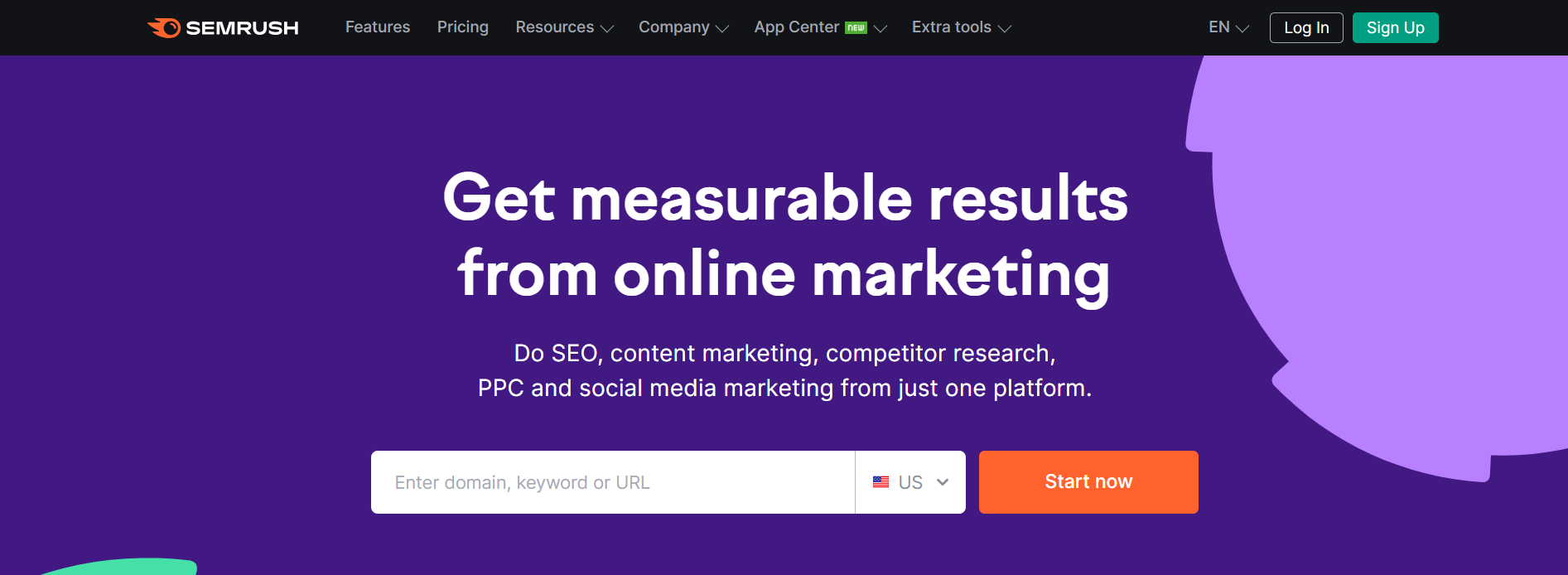
Semrush
Semrush is an all-in-one tool suite that helps marketers and business owners grow their organic traffic.
It’s trusted by some of the worlds leading brands that use it to help boost their online marketing efforts.
The main Semrush features include:
On page SEO
Keyword research
Competitor analysis
Content marketing
Link building
Social media management
Content optimization
Website monetization
But there are 50+ tools to use in total. And you can also analyze any domain’s backlink profile and track your SERP positions daily.
Having won over 21 international awards as the best SEO software suite, this is one of the best digital marketing apps to enhance your marketing campaigns.
Cost: Free trial available. Pro $129.95/m, Guru $249.95/m, Business $499.95/m.
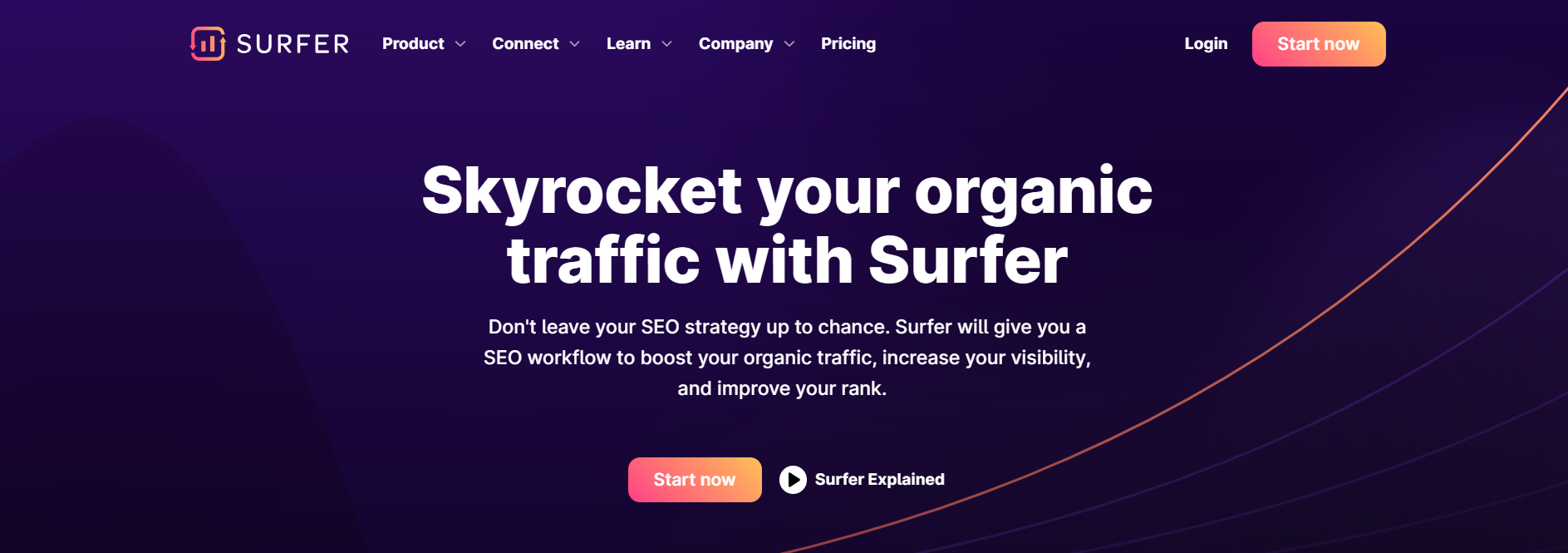
Surfer is a content intelligence platform where you can research, write and generate SEO-optimized content.
By using Surfer SEO, you can improve the rank of your articles and boost the organic traffic to your website or blog.
The main Surfer tools include:
Content Editor
Audit (to help you easily update existing content)
It also comes with a few add-on tools, such as Surfer AI, where you can generate optimized articles in one click. And Grow Flow, which integrates with Semrush and gives you weekly bite-sized tasks to grow your domain.
You can also use their free Surfer AI Outline Generator and the Surfer Keyword Extension to get search volume and keyword data in the Google SERPs.
Ahrefs is another popular SEO tool suite that offers a range of features to help you analyze your niche and competitors and grow your search traffic.
Not only does it provide a range of great marketing tools, but you can also take advantage of the Ahrefs Academy, which contains video tutorials, guides, and free courses to help you improve at digital marketing.
The main Ahrefs tools include:
SEO toolset
Site explorer
Keyword explorer
Site audit
Rank tracker
Content explorer
It also has a few unique features, such as its own search engine, which helps them understand how search works and what it takes to rank #1 for various keywords.
Cost: Free with limited access to tools. Lite $79/m, Standard $159/m, Advanced $319/m, Enterprise $799/m.
Google Search Console contains a range of tools that measures your site’s performance and search traffic, and you can use them to fix issues to better your Google ranking.
The search insights show you what terms bring users to your site, and you can use the Google URL inspection tool to understand how Google search sees your pages.
If you struggle to rank your site in Google, you can follow the Google search console training to optimize your search appearance and increase traffic.
Here are the best apps to enhance your social media strategy.
Buffer
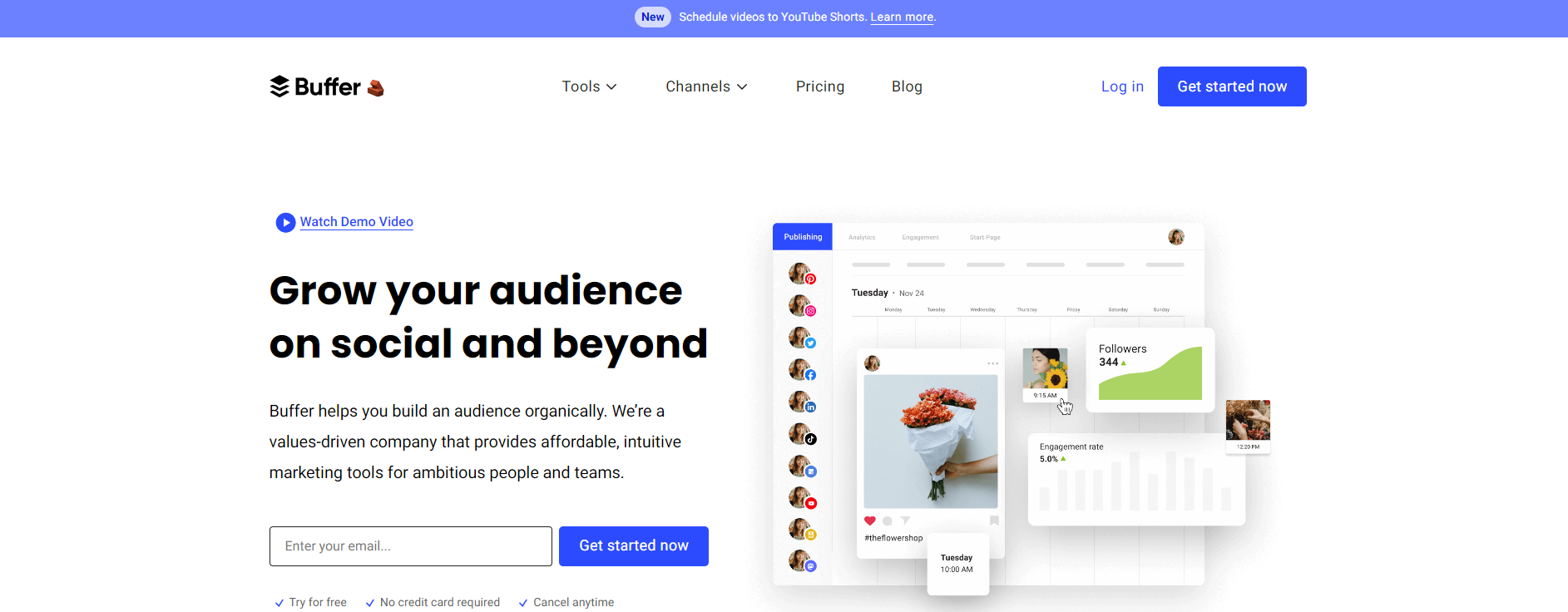
Buffer is an all-in-one social media management tool designed to help you manage your social accounts and grow your audience organically.
It works with all the popular social media platforms, such as:
Facebook
Instagram
LinkedIn
Pinterest
Google Business Profile
From inside Buffer, you can plan, write and publish social media posts and analyze your results in the analytics dashboard.
Other features include being able to read and reply to comments, build customized landing pages, and use the AI assistant to write posts that get noticed.
Cost: Free for up to 3 social channels and limited features. Essentials $6/m, Team $12/m.
Facebook Ads Manager
Facebook ads manager allows you to set up and monitor ad campaigns on Facebook and Instagram for your target audience.
With detailed analytics, you can track your ads’ performance and tweak your campaigns where necessary.
You can also set your ad budgets so you never go over what you’re willing to spend and choose advertising objectives to fit your business goals.
The Facebook ads manager app is worth using as part of your digital marketing strategy. It is available on iOS and Android, so you can watch your digital marketing campaigns wherever you are.
Cost: Free.
Sprout Social
Sprout Social is one of the best social media management tools for helping digital marketers and business owners enhance their social media presence.
It includes smart listening features to understand your audience and uncover trends. Plus, you can effortlessly publish and schedule social media posts and track your efforts in the analytics dashboard.
Use Sprout Social with all the major social media platforms, such as:
Instagram
Facebook
Twitter
Tik Tok
LinkedIn
Pinterest
YouTube
Whatsapp
Facebook Messenger
Cost: Free 30-day trial. Standard $249/m, Professional $399/m, Advanced $499/m, Enterprise custom pricing.
Ripl
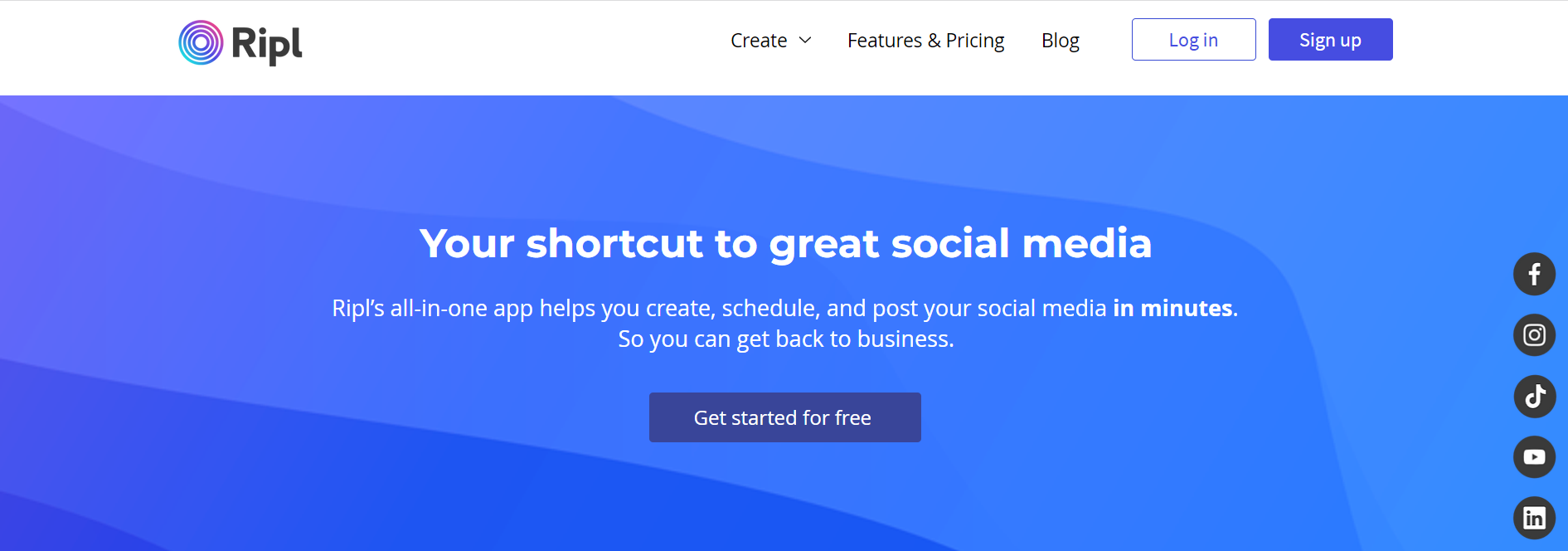
Ripl is a social video and content app that allows publishers to create professional-looking Instagram videos, YouTube intros, and social media posts.
One of the top digital marketing apps, Ripl includes thousands of ready-made templates, stock media, and customizable brand settings so you can create social content that stands out.
Use the advanced scheduling and sharing features to engage customers, promote your business and announce new products at any time of the day.
Cost: 7-day free trial. Base Plan $8.33/m, Premium Plan $13.75/m.
Digital Marketing Apps for Content Creation and Design
Here are the best apps to help you create scroll-stopping content and visual media.
Canva
Canva is an online design tool where you can create visual content for your social media marketing posts, website, and marketing campaigns with zero technical knowledge.
It includes a range of features such as a drag-and-drop editor, incredible graphics templates, stock photos, fonts, and more.
Download your creations or share them on social media thanks to Canvas’s integrated social share functionality.
Cost: Free with limited options. Canva Pro $10.99/m, Canva for Teams $12.99/m.
Grammarly
Grammarly is a writing assistant tool that helps users create error-free, clear, and compelling content.
It works across various desktop applications such as emails and messages, documents and projects, and social media.
The Grammarly main tools include:
Grammar checker
Plagiarism checker
Citation generator
Essay checker
AI writing assistant
If you want to write content that search engines and people love to read, Grammarly is a great tool that’s well worth using.
Cost: Free version available. Premium and Business plans with added functionality. Email for pricing.
Digital Marketing Apps for Data Insights and Reporting
Here are the best digital marketing apps for website analytics and insights.
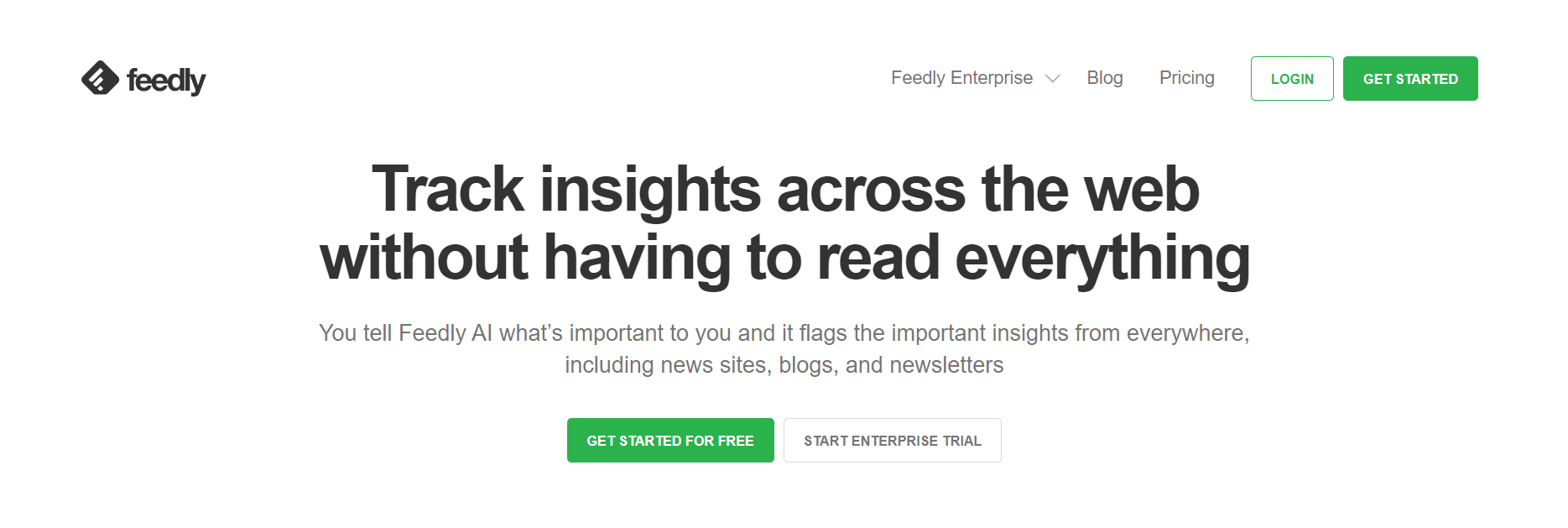
Feedly
Feedly is a handy tool that allows users to track audience insights across the web without spending time scrolling and reading everything.
All you have to do is type relevant keywords into Feedly AI that are important to you, and it’ll flag insights from various places such as blogs, newsletters, and news sights.
This information can be extremely useful for a digital marketer. It can help shape your online marketing campaigns, knowing what people are talking about and want to know about in their industry.
Cost: Free plan available. Pro $6/m, Pro+ $8.25/m, Enterprise custom pricing.
HotJar
HotJar is a website heatmap and behaviour analytic tool that allows you to see what customers do on your website and why.
Using HotJar, you get access to:
Heatmaps
Recordings
Surveys
Feedback
Interviews
The heatmaps are particularly useful, showing where users move, click and scroll on a page. This information shows you which buttons get missed, which are working and which areas may frustrate people.
Recordings even allow you to see what your customers see as they move through their journey on your site.
Cost: Free/up to 35 sessions, Plus $32/m up to 100 sessions, Business $80/m up to 500 sessions.
Google Analytics
The Google Analytics app is a place where you can track the performance of your website, including how many visitors use your site, what pages they click on, where they come from, and more.
This information lets you see where you need to improve and who to target for your marketing campaigns.
The new GA4 version even includes a data visualization tool to see your visitors by country via an interactive map.
Whether you’re a new or seasoned website owner, Google Analytics is an essential tool to help with your market research and digital marketing efforts.
The more ways you use to promote your business, the better chance you have to outrank the competition and keep a steady flow of customers coming to your site.
Katie Lamb is a professional freelance writer and blogger who loves to write about new and unique ways to make money online. She spends most of her time writing for different blogs and small business websites and when she’s not working you’ll find her in the gym, planning a new hiking trip or enjoying a live music gig.
One of the best ways to create a company culture has to do with rewarding behaviour within your team to encourage more of the same.
As a business coach for more than 25 years, I have helped a lot of business owners create company cultures that not only help shape their business for years to come, but can actually help increase their profits and bottom line. And in the past, I have talked about company culture and shared ways that you can help shape the behaviours of your team slowly over time to build a solid foundation. But did you know that there are many instances where you may actually be rewarding the wrong behaviours accidentally? And that simple mistake can really set you back in terms of growth and development.
Behaved Priorities Get Rewarded Over Time
One of the best ways to create a company culture has to do with rewarding behaviour within your team to encourage more of the same. I recently met with a business owner who was struggling with responsiveness in his team members. And he came to me with two examples of how others in his team handled responses in their Slack channel.
Paula was hyper-responsive to getting back to others on the team about any questions that they might have. She answered emails and Slack messages within seconds, and was always available to help in any way that she could.
And then he had Daniel. Daniel would always respond, but it might take him a few hours to get back to others in the Slack channel. And emails might be answered a few times a day, but when compared to Paula, there was a distinct difference in terms of responsiveness.
So in his mind, Paula was the one that needed to be rewarded for her behaviour in order to encourage others like Daniel to follow suit.
The Unspoken Question
But we were missing a crucial part of the equation. What was Daniel doing during his radio silence? Was he taking a nap under his desk? Or was he meeting with an important client that would increase the company’s revenue next quarter? Was he watching cat videos on his phone? Or was he one of the company’s top programmers who was solving a difficult coding issue that would help streamline the website’s performance and help customers check out more easily?
Think about that. If this business owner were to reward pure responsiveness, or in this case hyper responsiveness, that could actually do a lot of damage within his business. What if Daniel stopped taking those client calls in order to sit in front of his screen watching for Slack messages? What if everyone on your team stopped doing high-value tasks because they were conditioned to believe that hyperresponsiveness was more important?
Putting It All Together
Every behaviour we reward and encourage has the potential for unwanted consequences. So taking a moment to think through all the possible outcomes before committing to something within your company culture will go a long way to help you build a robust culture that can withstand the test of time.
Trust between advertisers and consumers is the bedrock of effective advertising, not least when it comes to influencer marketing. The nature of influencers’ relationships with their followers means that transparency and authenticity are non-negotiable when it comes to communicating branded messages to their communities – and doing this successfully requires trusted partnerships between influencers and the advertisers they work with.
So, how are technological developments impacting the industry’s ability to deliver transparency? What does the growth of AI mean for authenticity in this space? And how is affiliate marketing helping to deliver a full-funnel view of influencer activations? Members of our Influencer Group share their views.
AI & influencer content
Melanie Kentish, managing partner, Gleam Futures: “As the influencer marketing industry matures with greater regulation and in-depth reporting, brands’ trust in the channel is building. Not only is the quality of content often as good as a brand’s own content, the production costs are a fraction of the price. But the most valuable asset of all is the trust fostered within influencers’ communities.
“However, the momentum at which AI is growing is startling and – now more than ever – it’s important that influencers are leading the way by turning their backs on beauty filters and holding their accounts to account to sustain that trust. Progressive advertisers will be casting authentic, filter free and diverse talent for their audiences to be truly represented. This in turn will do what’s right for both brands and society at large. It’s time to do better.”
The role of robust reporting
Ceres Cueva, SVP global publisher partnerships, Rakuten Advertising: “With marketers calling for greater measurement and transparency of campaign performance in influencer marketing, we’re seeing more brands combine influencer and affiliate marketing strategies. You get more robust reporting and actionable insights by layering affiliate tracking links into influencer campaigns; getting a full-funnel view into how influencers drive conversions throughout the consumer journey and better understand the creators, messages and creative that resonate most with your audience.
“These insights build trust between brands and influencers, solidifying relationships and allowing creators to make decisions that actively engage and convert consumers. The outcome? Lasting partnerships that transform influencers into brand ambassadors. After all, when a great storyteller or content creator can directly impact performance growth, it’s a win-win for both parties.”
Authenticity is essential
Izzy Treacy, senior campaign manager, Buttermilk: “Transparency and authenticity are key to building trust in influencer marketing. The recent #deinfluencing trend sparked some controversy amongst advertisers, but it also proved that influencers are striving to be increasingly authentic with their audiences and, in turn, brands are taking more action to encourage transparency in their collaboration.
“Technological developments are key to this – providing brands with improved access to the metrics that matter. As a result, they can clearly understand the impact of their investment and build confidence in future strategies. Additionally, with more tools providing API access directly from the platforms, advertisers can also feel more confident about their influencer selection. Finally, the increase in clear disclosure practices from bodies such as the ASA has created a level of assurance and brand safeguarding for brands investing in influencer marketing.”
These days, harnessing the power of SEM tools can mean the difference between languishing in obscurity and shooting to the top of search results.
With the right tools, you can optimize your campaigns, dive deep into analytics, and turn your marketing goals into realities.
It’s not just about merely surviving, it’s about thriving as a marketer, no matter the external situation.
Sounds like a dream, right? Well, fasten your seatbelts because we’re about to explore the 10 best SEM tools that will skyrocket your traffic this year.
Are you ready to propel your website’s visibility to stratospheric levels?
Let’s go!
What is an SEM Tool?
An SEM (Search Engine Marketing) tool is a software application or service that aids in managing, optimizing, and analysing search engine marketing campaigns.
Whether you’re a small business owner or a marketing manager for a global corporation, an SEM tool can be your secret weapon for getting your products or services seen by the right people at the right time.
But an SEM tool isn’t just a tool. It’s a Swiss army knife packed with features that help you track your keyword performance and spy on your competitors.
Let’s say you’re a bakery owner, and you’ve just launched your website. You want to run ads targeting locals looking for a birthday cake.
With an SEM tool, you can find the best keywords for your campaign, set your budget, create your ads, and track their performance.
That way, you ensure your ads are seen by folks who are actively searching for a bakery like yours.
In a nutshell, a SEM tool is your trusty compass, empowering you with insights, automating tedious tasks, and giving you a leg up over your competition.
Think of SEM as a faster car on the digital highway.
While SEO focuses on organic traffic, SEM tools are turbo-charged with features to handle both organic and paid traffic.
They provide insights, strategies, and execution plans for running effective PPC campaigns, in addition to SEO functionality.
So, why should you gear up with SEM tools yourself?
Imagine the digital world as a city and the search algorithms as the city’s rules and regulations. Just like city rules change, search engine algorithms keep updating too.
SEM tools help you stay ahead of these updates, giving your business the edge in the digital race.
The ability to predict and adapt to changes is the new game-changer!
The 10 Best SEM Tools That’ll Propel Your Success
That said, let’s explore 10 of the top SEM tools, each with its own superpower and in no particular order…
1. SEMRush
Ever wished for an all-rounder SEM tool, like the Swiss Army knife of digital marketing?
Well, meet SEMRush. It’s like a one-stop-shop where you get keyword research, competitor analysis, SEO, PPC, and content marketing tools under one roof.
Want to know what keywords your competitors are ranking for? Simply plug their URL into SpyFu, and a detailed dossier of their top keywords appears, giving you a clearer picture of their SEO strategies.
But it doesn’t stop there. SpyFu not only shows you the keywords they’re ranking for but also the actual ads they’ve run, their click-through rates, and even their ad budget.
SpyFu also allows you to scrutinize your competitors’ PPC ad history, seeing what’s worked for them, what hasn’t, and how often they’ve run their ads. It’s like getting a sneak peek into their playbook, providing you with the knowledge you need to craft more successful ad campaigns.
It’s a multitasking genius that handles your PPC tasks like keyword management, ad creation, and data analysis.
Need to manage your bids or create new ads on the go? Optmyzr has your back.
Imagine having a smart assistant who’s got the digital marketing savvy to manage your campaigns, giving you more time to focus on your big picture strategies.
That’s Optmyzr!
5. Google Ads Editor
Google Ads Editor acts like a turbo-charged word processor for your ad campaigns.
You want to make bulk changes to your ads, copy, or even the structure of your campaigns?
This tool turns hours of tedious work into a few clicks. It’s like having a super-efficient secretary who can type 100 words per minute.
This tool integrates your marketing data from various platforms into one place, making data reporting as simple as reading a bedtime story.
Now you can have all your data in one neat package, ready to tell you the story of your business’s online performance.
7. HubSpot Ads
HubSpot Ads is like the GPS tracker for your ads. It’s the kind of tool you’d want in your kit if you love tracking every move your ads make.
It shows you the journey of your ads, from the time they left your ‘marketing garage’ until they reached your customers. It’s like getting a play-by-play commentary for your ad campaigns.
It offers a comprehensive database of digital advertisements across the web, including display, video, mobile, and even native ads.
Having Moat is like having an enormous digital library at your fingertips, ripe with thousands of ad examples from different brands, industries, and countries.
It also provides advanced analytics, tracking your ads in real time.
Whether you’re interested in viewability, reach, attention, or brand safety, Moat delivers the data you need to make informed decisions about your ad campaigns.
It even offers metrics like ‘hover rate,’ ‘audible on completion,’ or ‘video player size,’ details that can provide valuable insights into the minutiae of ad performance!
9. Unbounce
Unbounce is your digital construction and testing crew.
Whether you’re looking to build landing pages from scratch or optimize the ones you already have, Unbounce is there to lend a hand.
Lastly, meet Lunio (formerly PPC Protect), the watchdog of your ad budget.
Lunio excels in the area of fraud prevention, spotting and eliminating invalid or suspicious clicks that can drain your budget.
It also offers robust reporting capabilities. Not only does it flag potential fraud, but it also provides detailed reports explaining where, when, and how it occurred.
Lunio is like a detective, piecing together the clues and equipping you with the knowledge to prevent such incidents in the future.
It’s an insurance policy for your campaigns, ensuring you’re only paying for genuine, worthwhile interactions.
How to Choose the Best SEM Tool for You
Choosing the right SEM tool for your needs is all about finding the right fit.
Start by identifying your needs and goals. What part of your SEM strategy needs the most help? Which objectives are you aiming to achieve?
Once you’ve got that sorted, consider your budget.
High-end tools may offer flashy features, but there’s no point breaking the bank if cheaper alternatives can do the job.
Remember, the most expensive tool isn’t necessarily the best for you.
It’s like picking between a Ferrari and a Ford. Sure, the Ferrari might be flashier, but if you’re only driving to the grocery store and back, the Ford is a more sensible choice.
Also, consider integration.
If a tool plays well with the other software in your stack, it’s like adding a new member to an already great team. It should seamlessly fit in and enhance the team’s performance, not cause disruptions or require completely new playbooks.
Remember, it’s not just about selecting the right tool; it’s also about knowing how to wield it effectively, which brings us to the next crucial point…
Best Practices for Using SEM Tools
Having the best SEM tools won’t make a difference if you don’t know how to use them properly.
Firstly, make sure to set up tracking and analytics properly.
This will help you understand what’s working, what’s not, and where there’s room for improvement.
Next, leverage automation.
It’s like using cruise control on a long road trip. Automation can help save time and energy, allowing you to focus more on strategic decisions rather than repetitive tasks.
Lastly, keep an eye on your competitors.
Monitor their strategies, learn from their successes and failures, and always strive to stay one step ahead. It’s like having a spy in the world of James Bond, but for marketing.
Unlock Your Marketing Potential with These SEM Tools
SEM tools are essential components in the modern digital marketer’s toolkit. They help you create, manage, optimize, and monitor your search marketing campaigns.
Each tool has its unique strengths and specializations, and with the right set of SEM tools under your belt, you can become the maestro of marketing!
Remember, these tools are your secret weapons to increase visibility, optimize campaigns, and stay ahead in the game.
So, go forth and conquer the SEM landscape with these powerful tools!
By Sarah Cha
Sarah Cha is an avid writer, reader, and lifelong learner who loves making magic behind-the-scenes at Smart Blogger. When she’s not wrangling words onto a screen or page, you can find her strumming a guitar, tickling a canvas, or playing fetch with her favourite four-footed friend!
Discover the magic of Copy.ai! Our blog provides a step-by-step guide on what Copy.ai is and how to effortlessly create outstanding copies that captivate your audience. Don’t miss it!
In the digital era, generating compelling content is no longer a luxury but a necessity for businesses. However, crafting engaging content can be a time-consuming task. For those who aren’t professional writers, it can be daunting. But what if an artificial intelligence (AI) tool could handle the heavy lifting for you? This is where Copy.ai comes into play. If you’re looking to learn what Copy.ai is, stay tuned to this blog.
This detailed guide will walk you through the ins and outs of Copy.ai, how it could be your secret weapon in content creation, and why it is making waves in the digital marketing world.
Diving into Copy.ai: What is it?
Introducing Copy.ai
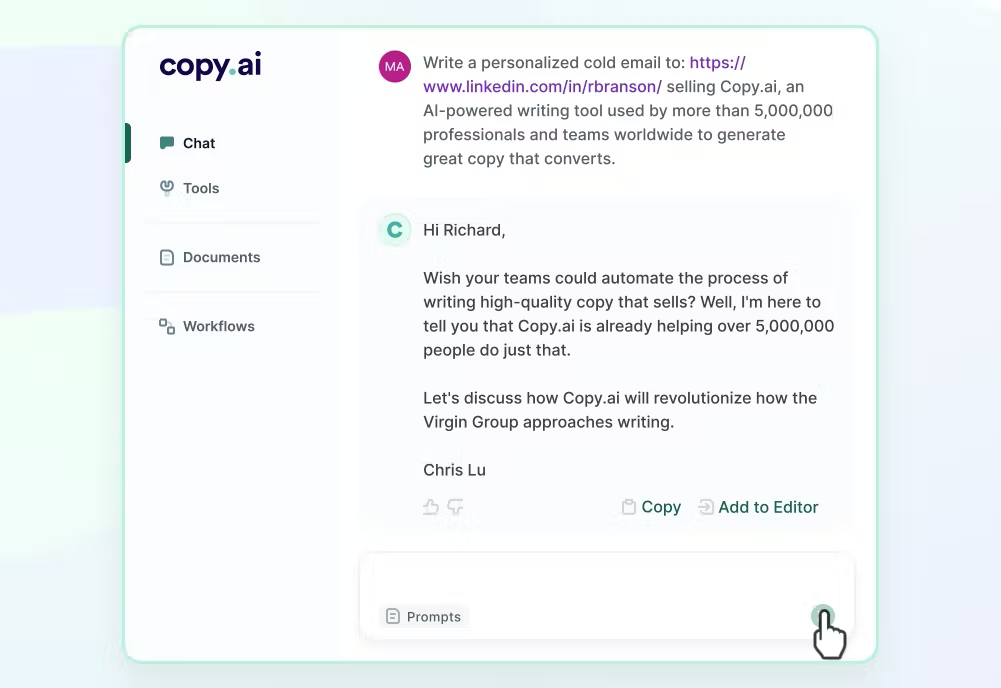
Copy.ai is a cutting-edge content creation tool that leverages AI technology to automate the copywriting process. It utilizes OpenAI’s GPT-3, a sophisticated language prediction model trained on over 175 billion machine learning (ML) parameters. This gives Copy.ai the power to generate high-quality content that sounds as if a human wrote it.
Founded by Paul Yacoubian in 2020, Copy.ai is an AI-powered platform that offers an extensive library of more than 90 use cases and delivers top-tier AI content in mere seconds. It’s currently used by over three million active users and well-known companies like Microsoft, Nestle, and eBay.
A step-by-step guide to using Copy.ai
Now that we have a grasp of what Copy.ai is and what it offers let’s dive into how to use it:
Step 1: Visit the Copy.ai website
The journey with Copy.ai starts with visiting its official website. Here, you’ll find a brief introduction video and an overview of the guide.
Step 2: Choose your desired template
Copy.ai offers a plethora of templates for different types of marketing copies. Pick the one that best suits your needs.
Step 3: Customize the template for your business
Replace the placeholders in the template with your business information. This might take a couple of tries to get it right, but the tool will update it for you automatically.
Step 4: Generate your copy
Once you’ve filled out the template, click “Create Copy”. The AI will then work behind the scenes to generate your marketing copy.
Step 5: Review and finalize your copy
The final step is to review the generated copy. Spend some time refining it to match your brand’s voice and style.
Copy.ai is packed with a variety of features that make it one of the top AI writing tools for generating high-quality content. Let’s delve into its pivotal features:
Wide range of copywriting templates
Copy.ai boasts more than 90 pre-built copywriting templates, making it an all-in-one solution for any type of copy – be it email marketing, website copy, social media posts, or even personal copy support like journals and resumes.
High-quality and unique content
Copy.ai is designed to generate unique and engaging copy. Every template gives a different approach to the content’s main subject, thus ensuring a diverse and fresh perspective for your audience.
Support for multiple languages
Copy.ai isn’t limited by language barriers. It supports content creation in over 25 languages, making it a versatile tool for businesses aiming to reach a global audience.
Chrome extension for easy access
For writers who constantly switch between tabs for research and writing, Copy.ai’s Chrome extension is a game changer. Additionally, this innovative feature lets you use Copy.ai alongside your regular work and productivity apps like Google Docs and Gmail.
Check out Bearly AI and 13+ other AI writing tools and their comprehensive review in our blog.
In-built plagiarism checker
Copy.ai goes above and beyond by providing an in-built plagiarism checker, ensuring that your copy is both original and effective.
Exploring the pros and cons of Copy.ai
Copy.ai is an AI-powered copywriting tool that assists users in generating content for various purposes. Here are the pros and cons of using Copy.ai:
Pros
Time-saving: Copy.ai can significantly speed up the content creation process. It quickly generates content suggestions, headlines, blog intros, social media captions, and more, reducing the time and effort required to come up with an engaging copy.
Versatile writing styles: Copy.ai offers various writing styles, allowing users to adapt their content to different tones, moods, or target audiences. From professional and persuasive to creative and conversational, the tool covers a wide range of writing styles.
AI-powered creativity: This tool leverages AI algorithms to provide fresh and creative ideas. It can help overcome writer’s block by offering unique angles, alternative phrasings, and unexpected content suggestions.
Ease of use: The user interface of this tool is intuitive and user-friendly. It requires minimal technical knowledge, making it accessible to users with varying levels of expertise.
Cons
Limited customization: While this tool offers versatile writing styles, the level of customization is somewhat restricted. Users may not have complete control over the output and may need to spend additional time editing or refining the generated content.
Reliance on AI capabilities: This tool heavily relies on AI algorithms, which means that the quality and accuracy of the output may vary. Users might need to review and validate the generated content to ensure it aligns with their specific requirements and brand guidelines.
Learning curve: While Copy.ai is designed to be user-friendly, there can still be a learning curve involved in understanding its features, options, and the most effective ways to utilize the tool. Users may need to invest time in experimenting and exploring different functions to get the most out of it.
Teleport to our treasure trove of 110+AI copywriting tools that can add that sprinkle of magic to your content creation journey!
Copy.ai pricing
Copy.ai offers two pricing plans: a Free plan and a Pro plan. The Free plan offers 2000 words per month and access to over 90 copywriting templates. On the other hand, the Pro plan, priced at $49/month ($36/month when billed annually), offers unlimited words, priority email support, and access to a blog wizard tool.
Users leveraging Copy.ai to create amazing copies – Image via Unsplash
Final thoughts: Is Copy.ai worth it?
In a nutshell, yes, Copy.ai is worth it. This powerful tool can save you time and effort in creating engaging content. Furthermore, while it might not completely replace a human writer, it’s a valuable asset that can enhance your digital content and streamline the copywriting process. If you’re ready to take your content to the next level, give Copy.ai a try today!
Prakriti is a Content Writer at AMBCrypto. She describes herself as a passionately creative individual, with a dash of strategic prowess. With over 3.5 years of experience in the field of content writing and marketing, she is dedicated to churning out top-notch content in domains like Crypto, Web 3.0, AI and contributing to quench the thirst for technical knowledge of her readers.
Do you want to make money blogging? Let’s get into it.
Here are the seven best ways.
So, the first idea is to
Put ads on your blog.
If you’re getting a lot of traffic to your site, there are pages that could earn a significant income from strategically placing ads on them. You could use a service like Ezoic, Mediavine, or Google AdSense.
This is the most passive way to earn income from your blog. If you build up traffic and keep it steady, you can earn thousands of dollars every month from ads alone.
The second idea is to
Sell a service.
First, you want to define your offer — what it is you can help people with and what people are willing to pay for. Then, spend some time creating content around your expertise. For example, if you’re a highly skilled divorce attorney with thousands of hours of experience, you can write about your personal experiences working with clients and how you’ve helped them.
By doing keyword research and writing about topics people are searching for, you’ll start to build an audience and become an authority on the topic. From there, you can offer your services and build up a client base purely from blog traffic. This can work in just about any field you have experience with.
The third idea, in my opinion, is the best way to monetize your blog
Affiliate marketing.
When done right, your income grows the more time you put in. Affiliate marketing is all around you, but you might not be aware of it. Let’s take TVs as an example. People often look up TV reviews and comparisons before making a purchase.
Review sites like ratings.com, TechRadar, and Tom’s Guide include links to each TV, and every link makes money whenever someone clicks through and makes a purchase.
Affiliate marketing has tremendous earning potential. Just look at NerdWallet, for example. Their main revenue source is affiliate marketing, and they made $379 million last year.
It’s the best way to build passive income in 2023.
The fourth way to make money blogging is by
Doing sponsored product reviews.
When you build up a sizable audience and get a decent amount of traffic, you become attractive to potential sponsors. Reach out to companies whose products align with your blog’s niche and share your traffic stats with them. Offer them the opportunity to be featured prominently in your content for a set monthly fee. Most companies will want that top spot because it generates the most visibility and influences purchase decisions.
Here is to go where the money is.
People often think of blogs as hobbies or online journals, but those people aren’t really making any money. If you want to turn your blog into a real source of income, think in terms of niches that make the most money. Avoid oversaturated niches or subjects that are not easy to monetize.
The most popular topics that make money include health, wealth, personal development, and dating. Create content around those topics and monetize them through services, digital products, physical products, and affiliate marketing.
Build an email list
Marketers often say that money is on the list, referring to an email list. To make money from blogging, you need to build a relationship with your readers.
Encourage visitors to sign up for your email list by providing multiple calls to action on your website. Building an email list ensures you always have a direct connection to your audience, allowing you to market to them whenever you have promotions or want to share new content.
Another way to monetize your blog is by
writing on Medium and earning money.
Medium is a popular online platform where you can publish your articles and reach a wide audience. It offers a Partner Program that allows writers to earn money based on the engagement their articles receive. When you join the program, your articles can be eligible for earnings based on member reading time and engagement, which includes claps and responses.
Writing on Medium provides an opportunity to showcase your expertise, connect with a community of readers, and earn income through your published content. Consider exploring Medium as a platform to expand your blogging endeavours and generate additional revenue.
By combining these strategies or selecting the ones that align best with your blog’s niche and target audience, you can create a diversified income stream and maximize your earning potential.
Remember, success in monetizing your blog requires dedication, consistency, and a commitment to providing valuable content that resonates with your readers. With determination and the implementation of these methods, you can transform your blog into a profitable venture and achieve financial success in the world of blogging.
Let’s dive in and discover how ChatGPT can empower your affiliate marketing journey and help you achieve remarkable results
In the world of affiliate marketing, conversions are the lifeblood of success. As an affiliate marketer, your ultimate goal is to drive users to take action, whether it’s making a purchase, signing up for a service, or clicking on an affiliate link. To achieve this, you need effective strategies that engage your audience and maximize conversions.
One powerful tool that has revolutionized the way affiliate marketers engage with their audience is ChatGPT, an AI-powered language model. ChatGPT allows marketers to create dynamic and interactive chat experiences that address user queries, provide personalized recommendations, and guide potential customers along their buyer’s journey. By integrating ChatGPT into affiliate marketing strategies, marketers can optimize conversions and unlock new possibilities. So, let’s dive in and discover how ChatGPT can empower your affiliate marketing journey and help you achieve remarkable results.
Personalized Recommendations
Personalized product recommendations are one way in which incorporating ChatGPT into your affiliate marketing approach may benefit you and your audience. Using ChatGPT’s AI features, you may examine a user’s data, preferences, interests, and browsing history to produce recommendations that meet their unique requirements.
According to Jitendra Vaswani, you may leverage information from user registration forms, surveys, and other channels to provide personalized recommendations using ChatGPT. This can include your age, gender, location, interests, income, and online shopping behaviours. ChatGPT can then generate customized product recommendations based on the information provided.
Create Conversational Experiences
Conventional advertising methods typically include broadcasting information to consumers without soliciting their feedback. But with ChatGPT’s help, you can have lively chats that feel genuine to your users. By integrating ChatGPT into your affiliate marketing plan, you can give your customers a more personal and engaging experience.
There are many benefits to affiliate marketing conversations that can help increase conversions. Users are encouraged to join the conversation rather than receive information, making for a more exciting and involved experience. When users are actively involved in the process, retention rates, user satisfaction, and conversion rates all rise. When designing conversational experiences with ChatGPT, consider the following techniques:
Prompt Engagement: Use open-ended questions, quizzes, or prompts to encourage users to participate in the conversation actively. You create a sense of involvement and investment by asking for their opinions, preferences, or experiences.
Address User Queries: Incorporate ChatGPT to address user queries in real-time. According to Rand Fishkin, Co-founder of Moz: “ChatGPT empowers you to provide immediate answers to user questions, overcome objections, and guide potential customers towards making a purchase. You establish trust and demonstrate your commitment to excellent customer service by providing immediate responses to their questions or concerns. This level of responsiveness and support can significantly improve conversion rates in affiliate marketing.”
Guide Through Decision-Making: Use conversational experiences to guide users through decision-making. Ask probing questions, offer comparisons, and provide helpful insights that help them make informed choices.
Personalize Interactions: Tailor the conversational experiences to the individual user by using their name or referencing their past interactions. Personalization creates a sense of connection and familiarity, leading to higher engagement and conversions.
Use Multimedia Elements: Enhance conversational experiences by incorporating multimedia elements such as images, videos, or GIFs. Visual and auditory stimuli can capture attention, convey information more effectively, and evoke emotional responses.
Storytelling Approach: Frame the conversation as a narrative or story that unfolds gradually. This approach captivates users’ attention, keeps them engaged, and creates a compelling journey toward conversion.
Call-to-Action Prompts: Strategically place call-to-action prompts within the conversation to guide users toward the desired action. Well-timed prompts can nudge users to purchase, subscribe to a service, or explore further.
Creating conversational experiences with ChatGPT transforms the traditional marketing approach into an interactive dialogue. Users feel more connected to your brand as they actively participate and engage with your content. This heightened engagement increases their likelihood of taking the desired action and ultimately boosts conversion rates. Experiment with different conversational styles, analyse user responses, and iterate to optimize conversational experiences over time.
Guide Users Through the Buyer’s Journey
To maximize conversions in affiliate marketing, it’s crucial to guide users effectively throughout their buyer’s journey. By implementing ChatGPT at various touch points along this journey, you can provide valuable assistance, address concerns, and ultimately nurture users toward making a purchasing decision.
Initial Research: At the beginning of the buyer’s journey, users are typically in the research phase, seeking information and exploring their options. Implement ChatGPT-powered chatbots on your website or landing pages to engage with users, answer their queries, and provide relevant information about the products or services you’re promoting. By assisting users during this crucial stage, you establish credibility, build trust, and position yourself as a helpful resource.
Comparison and Consideration: As users progress along the buyer’s journey, they begin comparing and considering different options. According to Jitendra Vaswani, a renowned affiliate and SEO expert,” ChatGPT can assist by offering side-by-side comparisons, highlighting the products’ or services’ unique selling points, and addressing specific concerns or questions. This personalized guidance helps users make informed decisions and increases the likelihood of conversion.”
Decision-Making: When users are on the verge of making a purchase, they often have final questions or may need reassurance. ChatGPT-powered chatbots can provide that extra level of support and encouragement. They can highlight customer testimonials, offer limited-time promotions, or address last-minute hesitations. By providing this personalized support, you instil confidence in users and help them finalize their decision.
Post-Purchase Support: ChatGPT can continue to play a role even after the purchase is made. Use chatbots to offer post-purchase support, such as order tracking, product usage tips, or troubleshooting assistance. Providing a seamless post-purchase experience enhances customer satisfaction, encourages repeat purchases, and potentially generates positive word-of-mouth referrals.
Remember, the goal is to make the buyer’s journey as smooth and seamless as possible, providing users with the necessary information and support at each stage. By guiding users effectively with the help of ChatGPT, you can create a positive user experience that leads to higher conversion rates and long-term success in affiliate marketing.
Measure and Analyse Performance
To maximize conversions in affiliate marketing, measuring and analysing the performance of your ChatGPT-powered strategies is essential. Set clear objectives, track engagement metrics, monitor conversion and click-through rates, and utilize A/B testing to identify practical elements. Analyse user feedback, integrate with analytics tools, and continuously refine and optimize your approach based on the insights gained. You can optimize your affiliate marketing efforts by leveraging data-driven decision-making and driving better results.
Wrapping Up
To sum up, maximizing conversions with ChatGPT and affiliate marketing can be a game-changer for your business. To achieve this, you should choose the right platform, create an engaging chatbot, use targeted messaging, optimize your affiliate marketing strategy, and leverage customer feedback. Remember to test and tweak your approach for maximum results continually. Overall, it’s important to remember that maximizing conversions takes time and effort, but the results are well worth it. Using these tips and taking action will make you one step closer to achieving your business goals. Best of luck!
Disclaimer: This article is a paid publication and does not have journalistic/editorial involvement of Hindustan Times. Hindustan Times does not endorse/subscribe to the content(s) of the article/advertisement and/or view(s) expressed herein. Hindustan Times shall not in any manner, be responsible and/or liable in any manner whatsoever for all that is stated in the article and/or also with regard to the view(s), opinion(s), announcement(s), declaration(s), affirmation(s) etc., stated/featured in the same.
Elevating your brand to new heights requires a strategic approach and the guidance of a leading marketing agency.
In today’s competitive business landscape, it’s crucial to have a strong online presence and effective marketing strategies to stand out from the crowd.
With the help of a reputable agency, you can leverage their expertise, creativity, and industry knowledge to propel your brand forward and achieve remarkable results.
In this article, we will explore the benefits of partnering with a leading marketing agency and how it can positively impact your brand’s success.
One of the primary goals of a marketing agency is to enhance brand visibility and awareness.
Through strategic marketing campaigns, they can create a strong brand identity and convey your brand’s unique value proposition to the target audience.
By leveraging various channels such as social media, content marketing, and advertising, a leading marketing agency can effectively position your brand in the minds of consumers and increase brand recognition.
Targeted Marketing Strategies
A skilled marketing agency understands the importance of tailored strategies to reach the right audience.
They conduct thorough market research and develop comprehensive buyer personas to identify your target customers accurately.
With this information, they can craft personalized marketing campaigns that resonate with your audience, leading to higher conversion rates and improved ROI.
Creating Engaging Content
Content is king in the digital landscape, and a leading marketing agency knows how to create compelling content that captivates your audience.
They have a team of talented copywriters, designers, and videographers who work together to produce high-quality content, including blog posts, videos, infographics, and more.
Engaging content not only attracts potential customers but also establishes your brand as a thought leader in your industry.
Expanding Online Reach
In today’s digital age, having a strong online presence is crucial for success.
A reputable marketing agency will employ various tactics to expand your brand’s reach across different online platforms.
From search engine optimization (SEO) techniques to social media advertising and influencer partnerships, they will utilize the most effective channels to increase your brand’s online visibility and attract a wider audience.
Analysing Data and Insights
One of the key advantages of working with a leading marketing agency is their ability to analyse data and derive actionable insights.
By monitoring and tracking the performance of your marketing campaigns, they can identify areas of improvement and make data-driven decisions.
This helps optimize your marketing strategies and ensures that your brand’s efforts are focused on the most lucrative opportunities, resulting in better outcomes and increased ROI.
Optimizing Search Engine Rankings
Securing a prominent position in search engine rankings is vital for driving organic traffic to your website.
A marketing agency specializing in SEO can employ proven techniques to improve your website’s visibility on search engine results pages.
By optimizing on-page elements, conducting keyword research, and building authoritative backlinks, they can help your brand rank higher in search results, leading to increased website traffic and better brand exposure.
Harnessing Social Media Potential
Social media platforms offer immense opportunities to connect with your target audience and build brand loyalty.
A leading marketing agency can create and execute effective social media strategies that engage your audience, increase followership, and drive conversions.
From crafting captivating posts to managing social media ad campaigns, they know how to leverage the power of social media to elevate your brand and foster meaningful relationships with your customers.
Questions and Answers
How can a marketing agency help my brand stand out from competitors?
A marketing agency can help your brand differentiate itself from competitors through strategic positioning, unique messaging, and creative campaigns that highlight your brand’s strengths and value proposition.
Can a marketing agency help my brand gain more online visibility?
Yes, a leading marketing agency can employ various tactics like SEO, content marketing, and social media advertising to increase your brand’s online visibility, allowing you to reach a wider audience and attract more potential customers.
How can a marketing agency improve my website’s performance?
A marketing agency can conduct a thorough website audit and implement necessary optimizations to enhance your website’s performance.
This includes improving site speed, user experience, mobile responsiveness, and search engine rankings.
Will a marketing agency help me generate more leads and sales?
Absolutely!
A marketing agency will develop targeted lead generation strategies and implement conversion-focused campaigns to drive more qualified leads and boost your sales numbers.
How do marketing agencies measure the success of their campaigns?
Marketing agencies track key performance indicators (KPIs) such as website traffic, conversions, engagement metrics, and return on investment (ROI) to measure the success of their campaigns.
These metrics provide valuable insights into the effectiveness of their marketing efforts.
Can a marketing agency assist with brand reputation management?
Yes, a reputable marketing agency can help manage and monitor your brand’s online reputation.
They can implement strategies to address negative reviews, manage customer feedback, and cultivate a positive brand image.
Conclusion
Elevating your brand’s success requires a strategic approach, innovative marketing techniques, and a deep understanding of your target audience.
By partnering with a leading marketing agency, you can tap into their expertise, creativity, and industry knowledge to take your brand to new heights.
From driving brand awareness to expanding your online reach, a marketing agency can provide the essential tools and strategies to enhance your brand’s visibility, engage your audience, and generate meaningful results.
So, don’t hesitate to collaborate with a reputable marketing agency and unlock the true potential of your brand.
Big brands usually try not to dis each other, at least not in public. Marketing that criticises a rival instead of extolling a brand’s own virtues is generally frowned upon, and serious beef is saved for the courtroom.
But we do see some exceptions. They can be very funny when they hit the mark, and totally cringeworthy when they don’t. Below we recap examples of both in four of the best brand vs brand battles we’ve seen recently. For more on branding see our pick of 20 iconic brands and the best branding books.
01. Peacock vs HBO
I know you’re all very disappointed, but I will *not* be dropping the first half of my name any time soon 👀May 23, 2023
HBO Max’s recent rebrand to Max left many people dumbfounded as to why it would drop the best-known part of its name. Some genius at NBC’s rival streaming platform Peacock saw the perfect opportunity for a little dig.
It joined in with the general public incredulity by clarifying that it had no intention of dropping the first half of its own name, a move that would, of course, have rather NSFW results. The cheeky jibe caused much hilarity on Twitter and suddenly made NBC seem a lot cooler (I’m not sure when brands started referring to themselves in the first person singular though).
02. McDonald’s vs Burger King
ChatGPT has become the latest weapon of brand warfare (Image credit: David São Paulo)
The burger wars have seen McDonald’s and Burger King trade blows in advertising multiple times over the years (remember Burger King’s Mouldy Whopper ad and its app that invited users to burn rival’s ads?) For the most recent bout, the two fast-food giants had a new weapon at their disposal: AI.
When McDonald’s asked ChatGPT ‘What is the most iconic burger in the world?’ The bot spat out a typically ChatGPT answer that dutifully granted the title to the Big Mac (“First introduced in 1967, the Big Mac has become synonymous with fast food…). McDonald’s proudly turned this into a type-heavy poster in São Paulo.
But the very next day, Burger King responded with its own poster right alongside it, in which it asked the question ‘And which is the biggest?’ to which ChatGPT replied the Whopper. It was impressive how quickly the agency David São Paulo reacted to get its retaliation up so fast.
03. Pepsi vs Coca-cola
ALL burgers go #BetterWithPepsi…even when we’re not on the menu, we’re always in the picture. 😉 Try for yourself this Friday on #NationalBurgerDay and the Pepsi is on us pic.twitter.com/6KRF77ONnfMay 26, 2021
Pepsi vs Coca-cola is a rivalry on the same scale of McDonald’s Vs Burger King but for colas. In one recent episode, Pepsi took packaging from restaurants that serve Coke (including both Burger King and McDonald’s, as it happens), and managed to find its own logo lurking therein.
Using some clever photography (and perhaps a little Photoshop), the ads read: ’Even when we’re not on the menu, we’re always in the picture’. Part of the brand’s #BetterWithPepsi campaign, the ads work so well because of how they make light of Pepsi’s underdog position, but the brand also claimed to have some evidence to back it up, alleging that in blind taste tests, 60% of participants preferred their Big Mac or Whopper with a Pepsi.
Samsung vs Apple is a scrap in which the blows all seem to go one way. No matter how much the Korean tech company continues to bait it, Apple just carries on acting all cool and aloof like it doesn’t care (we know the ads probably hurt its feelings really).
Samsung’s thrown increasingly blunt jabs at Apple over the years, but most recently its attacks have taken the form of mocking the Cupertino company for its lack of a folding device. It even made a video showing an army of Samsung Galaxy Z Flip4s performing a Mexican wave to drive home the point, the suggestion being that Apple would make a folding iPhone if it could and hasn’t yet managed it.
However, Samsung’s attempts to troll Apple, are starting to feel a bit cringeworthy. And this is one brand battle that shows the dangers of criticising rivals so publicly. Samsung ended up deleting old posts in which it had criticised Apple for no longer providing power adapters with its phones after it ended up doing the same thing.