Do you have a knack for writing that you want to harness into a really cool business model that earns substantial cash? A newsletter side hustle might be just the thing to put those writing skills to the test and move beyond basic email marketing.
You can encourage subscribers and scale your income off of minimal time invested.
If you have been thinking about what you could do to earn a little (or a lot of) extra cash, here is what you need to know about this growing trend and business model.
Let’s dive right in!
Why Do You Need to Start a Newsletter Side Hustle?
Before we can get into the nuts and bolts of starting a newsletter side hustle, let’s take a quick minute to define what the business model is. A paid newsletter is one where you create exclusive content for your audience in exchange for a monthly subscription fee.
You only need to write the newsletter once, but you can send it to an infinite number of your subscribers.
Paid newsletters don’t require you to run paid ads within the content, though this can improve your overall income even further. Unlike social media and other forms of advertising, you have complete control over what you write about and how many people see it.
So why start a newsletter side hustle?
The easy answer here is that you invest a certain number of hours in creating content on a weekly or monthly basis. No matter how many subscribers you have, you spend the same time investment. It makes for some seriously scalable income that will line your pockets – if you’re able to create content that people care enough about.
Tips for Creating Paid Newsletters
With that out of the way, it’s time to turn our attention to how you can create a paid newsletter in just a few simple steps.
1. Define Your Niche
Similar to starting a blog or a personal website, you need to know what you want to write about. You should pick a niche that you know a lot about or covers something you are passionate about.
For some people, this might be personal finance, while for others, it could be writing tips or productivity hacks.
If you need a little help finding your niche, it is very similar to finding a topic you are excited about when it comes to blogging. See our full guide on how to find a blog niche here.
2. Creating Exclusive Content for Paid Subscribers
With some email marketing, you might send out reminder emails each time you post a new blog article. While this type of marketing is important, you need something exclusive for an audience that is paying to hear from you.
Your target audience wants relevant content, and they want it for a reasonable fee.
What kind of content could you put together for premium subscribers?
Take a look at some of the possibilities found here:
Interviews with industry experts or exclusive podcast content
Worksheets, habit trackers, and other tools to help them grow
Video updates about a project that you’re working on
Access to a private Discord server or Slack channel
Ask me anything sessions
Events just for subscribers
Early access to new product sales
3. Setting a Schedule and Expectations
One of the first things you’ll need to do to make more money with your newsletter side hustle is to determine your schedule. How often will you release new content to your audience, and when can they expect it?
When someone is paying for access to you, they want to know what they can reasonably expect to get in exchange.
You should know how often you’ll send out a new edition, what day you’ll send it out, and even what time your audience can expect to receive it. Many people will wait anxiously by their email inbox, waiting for your deliverable. Make sure you don’t disappoint them by missing a promised arrival.
4. Create a Simple Landing Page
Landing pages are important for finding an audience for your paid newsletter and connecting with your target audience. This is where people will find you, and it isn’t as simple as just setting up a YouTube channel.
You’ll need to write persuasive copy that tells people exactly why they want to subscribe to your newsletter. Why should they trust you, and what will they actually receive?
This is also a great place to display reviews and testimonials from your existing audience. Any form of social proof that you can offer puts you one step closer to cashing in on the free money that your audience will give you in exchange for your written content.
As a bonus, you might take out paid ads to direct people to this page. It gets you more eyeballs on your paid content and makes you more visible in the search engines. It may not be as great as finding free subscribers, but it’s a great way to jumpstart your newsletter.
5. Focus on Building Your Email Marketing List
When it comes to a paid newsletter, some people might want a taste of what they’ll be getting before they part with their credit card information. Your email marketing list is a great way to reach more people and start to earn more money.
If you can build your email marketing list, you will have a captive audience already warmed up to you, your brand, and what you have to offer. They are one step closer to actually paying for your exclusive newsletter subscriptions.
6. Tracking Metrics for Success
It isn’t enough to simply send out an email marketing blast and hope people will sign up for your latest big business idea. You also have to keep tabs on the performance metrics of your newsletter.
Here are just a few of the things that you will want to track:
Conversions from your landing page to subscribers
Growth of your email subscribers list
Delivery rates
Return on investment
Referral traffic
Pricing Your Newsletter Side Hustle Properly
If you want to earn a source of recurring revenue by producing high-quality content, you need to ensure that you are pricing it appropriately. It sounds like a simple idea, but you need to be mindful of how you price your paid newsletter.
How much are people willing to spend on this type of content that isn’t available any other way?
First, you need to consider how long it takes you to create content and how often you will release it. A newsletter that only comes out once a month will go for a lower rate than one sent out twice weekly.
In other words, you need to know how often email subscribers are expecting to hear from you.
Second, you should factor in the costs associated with reaching your target audience. That might mean paid ads and the cost of your platform. It also means creating a living wage for yourself and the time you invested.
According to Convertkit, the average price of a paid newsletter is $11 a month. You may want to keep that in mind as you think about your pricing.
Why You Should Have a Free Version Too
Of course, not everyone is going to spring for the paid version of your newsletter right away. You should also put out a free version that gives people a taste of what you have to offer. This warms them up to your style and content.
If creating two different newsletters is too much work for you, you can also provide your audience with free content via a YouTube channel or a blog.
Once they get a glimpse at how beneficial your content is, they are more likely to part with their money for your paid subscription. Provide as much value as you can with a newsletter idea, and you’re more likely to see your email marketing pay off in the form of subscribers.
The question is: how do you make money with a free newsletter?
How to Generate Revenue with a Free Option
If you’re going to send out a newsletter, you should make sure that there is an opportunity for you to earn free money. This can happen in a couple of different ways: affiliate marketing and sponsored content.
Affiliate Marketing for Free Newsletters
Affiliate marketing is a legit way to promote goods and services for another brand. For example, let’s say that you run a personal finance newsletter. You might refer people to a high-yield savings account. The bank might then give you a small sum for each customer that opens an account.
You can do this with just about any item on the market.
Even Amazon has an affiliate program that allows you to tap into their massive storefront and earn real money for items you sell to your audience. Tap into their purchase history to see what types of items are more likely to go over well with your customers.
Sponsored Content
Sponsored content is another way to make money with your email marketing. Building relationships with other brands will open the door to sponsored content. You can send a few emails with designated sections about services that your audience needs: checking accounts, savings accounts, and investment opportunities (in keeping with our personal finance example).
Partner with brands offering these items and other stuff your audience truly wants or needs.
Of course, you can also use sponsored sections for your own products. You can alternate sponsored content with other brands and those offered by your own small business such as a digital product that your audience can download.
This type of content is an excellent side project that gives you a great opportunity to make money.
Tools for Creating Paid Newsletters
How do you start to create a premium version of your soon-to-be award-winning newsletter? You need your first subscribers; these platforms can help you get started quickly and easily.
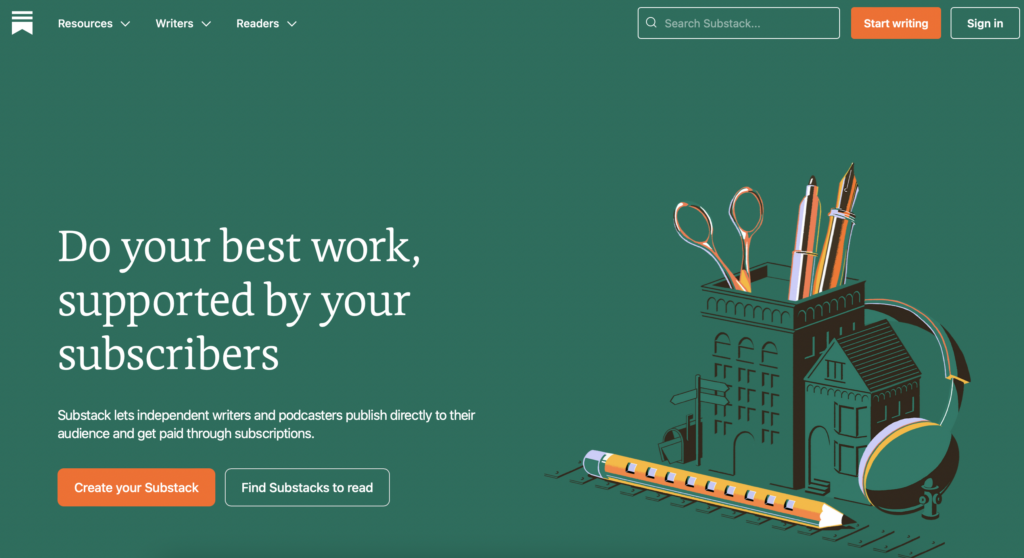
Substack
Perhaps the most well-known option for an in-depth email newsletter is Substack. They allow you to create email newsletters quickly and easily, even if your email list is currently on another platform.
They can help you format and juggle both a paid and a free newsletter so that you can keep all your operations under one platform. Focus more on the writing and less on the tech side of things.
Better yet, you get to keep more money in your pocket. Unlike some other large organizations, Substack only takes a 10 percent cut of the profits, making this a great way to earn extra money in your spare time.
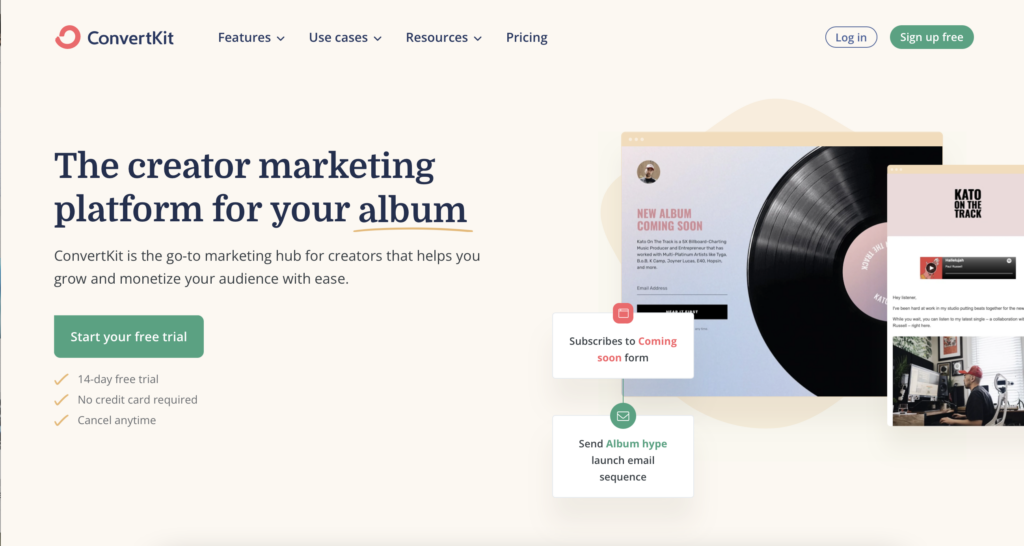
Convertkit
Many small businesses trust Convertkit for their email marketing. And you can also use it to create paid email newsletters that make money for your own brand. It’ll take care of everything for you except the writing.
Some of their users say that they start earning upwards of a thousand dollars within a single year of using the platform.
Transaction fees are kept low for these email newsletters, starting at just 3.5 percent and $0.30 per transaction.
Most people know of Kajabi for their online course creation, but they can help with email newsletters as well as other types of digital products. If you want to make money with a luxury travel newsletter idea or something else, Kajabi is an all-in-one platform that is simple to use.
They handle recurring revenue so you can focus more on the small business side of things instead of the tech side of your email newsletters.
Pricing starts at $149 per month for access to their robust platform. But be sure to check out our comparison of Kajabi vs Kartra to learn more about the platform!
Newsletter Side Hustle Success Stories
Sometimes, success stories can give you great ideas for how you can make money with a new venture. Here are some successful ways that newsletter content creators have leveraged this tool to increase their income:
Final Thoughts: Is a Newsletter Side Hustle Right for You?
A newsletter side hustle can be a great way to make money apart from the more traditional avenue of creating digital products. If you can convince subscribers to sign up for recurring access to your content, there are tons of ways that you can make money from your marketing efforts.
Whether you decide to launch a free version or a paid version, these tips will help you make more money doing the writing you love on topics you’re interested in!
Ashley is an experienced freelance writer with an enthusiasm for finding creative ways to earn money online. She uses her passion for words to share what she has learned with the world.
She spends most of her time blogging for a multitude of websites and consuming everything she can get her hands on in relation to personal finance and side hustles.
In December, Elon Musk, then only two months into his tenure as owner and CEO of Twitter, put out a poll asking whether he should resign as CEO of the company. When a 57.5 percent majority encouraged him to resign, Musk tweeted, “I will resign as CEO as soon as I find someone foolish enough to take the job! After that, I will just run the software and servers teams.”
Ten days ago, Musk announced that he had indeed found someone foolish enough to helm the floundering social media company: Linda Yaccarino. Taking a CEO seat was a step up for Yaccarino, who previously led global advertising at NBCUniversal, and it enlarged the tiny pool of women leading tech companies.
But although Yaccarino is widely regarded in the ad industry as highly competent, people who study workplace gender dynamics see her as the latest victim of a pernicious pattern known as the glass cliff, in which women are more likely to be promoted into top jobs at organizations in crisis. That makes women leaders appear less likely to succeed, because they are drafted when times are toughest.
“In some ways I have yet to see a better definition of the glass cliff than the challenge Elon has set out here,” says Christy Glass, a sociologist at Utah State University who has studied the phenomenon. “This just seems to be the perfect storm of a situation at Twitter.”
Past examples of the glass cliff in tech include the appointment of Google executive Marissa Mayer as Yahoo CEO in 2012, when the company was rapidly losing ground to Google and Facebook. She eventually negotiated a $4.5 billion sale to Verizon and stepped down. Investor Ellen Pao was appointed CEO of Reddit in 2014 to clean up the platform but resigned in 2015 after backlash from users.
Musk’s acquisition of Twitter created textbook glass cliff conditions, sending the platform into a downward spiral. The company made 90 percent of its revenue through advertising in 2021 but has seen advertisers flee and revenue dip.
Shortly after purchasing the company in October 2022, the entrepreneur began a campaign of layoffs that included firing much of the company’s content moderation and policy staff. At the same time, he offered an “amnesty” to previously banned users, including neo-Nazis. In December, just two months after Musk’s acquisition, Twitter’s earnings had fallen by 40 percent, according to The Wall Street Journal. Musk’s plan to build a subscription business stream by charging for a service called Twitter Blue has netted little revenue.
Those challenges would be daunting for any CEO. But Alexander Haslam, professor of social and organizational psychology at the University of Queensland in Australia, who co-coined the term “glass cliff,” says that while many organizations contain capable women leaders there’s often a preference for the patriarchal status quo—until things come to a breaking point. When a company is in trouble and wants to send a clear signal it is making substantial changes, choosing a radically different leader is an easy option.
“You need to communicate as vividly and clearly as possible that you’re on some different trajectory. And the stronger the break from the past, the clearer the signalling,” Haslam says. “For that reason women or members of other minority groups are often preferentially appointed under these circumstances.”
Yaccarino’s background in advertising, Twitter’s primary source of revenue, certainly makes her a logical choice to try to salvage the company’s crumbling business. But experts who spoke to WIRED say that one reason women step into risky glass cliff roles is that they generally have few other chances to take leadership positions, despite being highly qualified.
“For a lot of executive women, sometimes their first opportunity to step into a role that’s really that powerful is to do a turnaround of an entire division or company,” says Coco Brown, CEO of the Athena Alliance, a networking organization for women executives in business.
That can make turning down a precarious glass cliff role difficult, even when the risks are evident. According to Glass of Utah State University, though women are more likely to be appointed in times of crisis they are also more likely to be blamed for the crisis itself and, later, replaced by a white male CEO in what researchers have dubbed the saviour effect.
“Very rarely are women CEOs given a second chance,” Glass says. “It’s a double whammy for women CEOs: These crisis appointments may be the only opportunities they have, and by virtue of stepping into them they put their future leadership careers in jeopardy.”
But, Glass says, many times women are often best suited to help right the ship. Mary Barra, CEO of General Motors, famously brought the company back from the brink of failure after the 2008 financial crash. Anne Mulachy took over as CEO of Xerox as it was flailing, making it profitable, before stepping down in 2009.
Yaccarino’s chances of success, says Sandra Quince CEO at Paradigm for Parity, an organization addressing the gender gap in businesses, will partly depend on how much time and freedom she’s given to turn the ship around. The support of the board and Musk’s willingness to truly let go of the reins could be crucial.
Musk has said that with Yaccarino in as CEO he will become executive chair of Twitter’s board as well as the company’s CTO. He’s also CEO of Tesla and of SpaceX, where president and COO Gwynne Shotwell is responsible for day-to-day operations.
“She’s going to need the board to be supportive of her vision that she has for the organization,” Quince says. “She’s going to need someone to run air cover for her. In times like this, where you’re trying to figure it out, no one is perfect, and mistakes can be made.”
It may be tempting to see Yaccarino’s appointment as the cynical last gasp of a failing company. But Brown of the Athena Alliance says Yaccarino’s bravery should be applauded, whether or not Twitter turns out to be salvageable.
“We shouldn’t be saying that has been set up to fail publicly but that she has decided that this is her shot to try something a bit heroic,” says Brown. “By most people’s accounts, she is going to fail. But wouldn’t it be cool if she pulls it out?” If Yaccarino manages that, it might be the most surprising twist of all in the spiralling tale of Musk’s takeover.
Google Photos comes pre-installed on most Android devices and Chromebooks, but it’s not the safest way to manage your photos.
Although Google takes many steps to secure its services, there is always a chance of vulnerability and risk—and third parties are not always the threat. It can at times be Google itself that capitalizes on your photos or fails to keep them private.
1. Targeted Advertisements
The continuous monitoring of your online activity and behaviour on your devices is what leads to targeted advertising. The algorithm collects and analyses your information to display things you might like or find interesting. According to a report by Statista, Google generated $224.47 billion in revenue in 2022 from targeted ads provided through Google Ads.
Although Google claims it does not have access to your photos and videos kept in Google Photos, users have frequently felt they are being watched. For instance, someone may have taken a picture of a table at a store and then saved it on Google Photos. The next day, the person saw three Facebook ads for tables from the same or different shops.
The ads are now more likely tailored to their exact needs, increasing the chances that they will choose one of the shops to purchase the table.
Such ads help Google’s advertising campaigns succeed, but targeted ads might also violate customers’ privacy. If Google has access to your photos and videos, it could easily expose your interests to third-party marketing and tracking companies.
2. Google’s Privacy Policy
Google is one of the biggest companies in the world, but it has earned much of its money by collecting and utilizing user data. Google has been fined several times for failing to follow user privacy laws.
Sundar Pichai, the CEO of Google, has stated that the company doesn’t use data from apps where you keep personal information, including Gmail, Drive, Calendar, and Photos, for advertising purposes. According to Google’s privacy policy, it does not sell your personal information to other companies.
However, a law firm sued Google in 2020 on behalf of individual customers, claiming that the company continues to gather data even when users tell it not to use the Web & App Activity setting. So, does Google’s privacy policy make false promises?
Many customers have claimed that Google doesn’t provide clear and comprehensive information about its data use policies. Additionally, Google is subject to government data requests and surveillance. If Google has access to your images and videos, it might be required to provide them to the government upon request.
All of this raises customers’ privacy concerns, particularly because unauthorized parties may misuse, handle, or access personal data on Google’s products.
3. Vulnerability to Hackers
For hackers, having access to your Google account is like winning the lottery since it gives them access to all the services offered by Google, including Google Photos. If you use a weak password or reuse passwords, hackers can easily hack into your account—that’s why we recommend using a password generator.
Once the attacker has access to your Google Photos, they can download every media there and use it however they like. If it contains sensitive content, the hacker may use the images as blackmail to threaten you and demand a large sum of money.
According to Dhaka Tribune in early 2023, a delivery man blackmailed several women by hacking their Google Photos and threatening to post their private photos online in India.
Hackers can even threaten to share your photos on adult websites or apply artificial intelligence (AI) tools like Deepswap on your images as a kind of blackmail.
Your information cannot be sold to celebrity gossip websites, but it can be sold on the black market to other hackers. The hackers can then scam people by using your pictures. For instance, they might create illegitimate dating profiles using your images and request money transfers to their bank accounts. To stay safe, it’s helpful to know how to spot fake dating profiles.
4. Glitches
Every application will inevitably have bugs, and Google Photos is no exception. However, some bugs can be harmful to your privacy. A privacy incident involving Google in 2019 was brought on by one such bug, referred to as a “technical issue” in Google Takeout.
Jon Oberheide of Duo Security shared a screenshot on Twitter containing an email from Google. The email revealed that between November 21 and November 25, the problem led to some users’ private videos being shared with other users.
Google did not publicly address the problem or provide information regarding the number of videos shared or users impacted. The affected users quietly received the email message
5. Phishing and malware
Google Photos allows image link sharing, which means that you can allow anyone with the link to access the photos or albums. The link could fall into the hands of a hacker, who could easily add pictures with hidden malware to the album. When you click or download the infected image, the malware will be installed on your device.
The malware that has been installed gives the hacker access to your device. Now, a hacker has the ability to steal or delete data, disrupt the system’s core functions, and monitor your activity. Some malware gives attackers access to your browsing history, credit card information, and passwords. As a result, in addition to your Google account, they can also get into your other accounts.
Attackers can even send you a link to a Google Photos album. When you click on it, you will be taken to another website where you are asked to log in to your Google account. If you log in, the hacker will obtain your credentials and access your Google account, including your Gmail, Google Drive, Google Keep, and other private apps.
Should You Use Google Photos?
Keeping your main Google account safe can help you reduce the security risks associated with using Google Photos, but concerns about confidentiality could be an issue. Google denies collecting users’ personal data, including videos and photos, but many are worried, given its reputation for data collection.
You might want to choose a more private alternative to Google Photos for peace of mind. Various secure cloud storage platforms can keep your media safe, including Sync, MEGA, Nextcloud Photos, and more.
LinkedIn remains one of the most essential platforms to establish a professional online presence and showcase your skills and accomplishments. With over 930 million users (and counting), LinkedIn remains the go-to platform for recruiters, hiring managers, and professionals looking for potential candidates.
“Your LinkedIn profile is your digital brand,” says Lianne Zhang, a director of talent at Milestone Technologies. “I can’t tell you the number of times where we had two equally qualified candidates and the one with the stronger LinkedIn profile got the job.”
In the personal branding workshops I regularly host, I often get questions about what recruiters and hiring managers prefer candidates include (and exclude) on their LinkedIn profiles. Since I’m not a recruiter myself, I solicited and compiled guidance from over 100 experienced recruiters and hiring managers around the world to find out exactly how to craft a LinkedIn profile that stands out to recruiters.
While I haven’t featured quotes from all 100 of them in this single article, the guidance that emerged from their collective views in response to the most frequently asked questions I receive about each LinkedIn section follows.
1. Photos: Upload Professional Images
At the photo studio a model is posing for a photograph. getty
What are the characteristics of a good headshot? Does customizing your background banner photo make a difference?
Two primary photos create the initial personal branding people see when visiting your profile: your profile photo and your background banner photo. Make sure to use a professional profile photo.
First, upload a current picture of yourself. You should absolutely include your face on your profile. The lack of a profile photo tends to create a negative impression with recruiters. “The absence of a photo on LinkedIn in some cases can cause distrust for a particular account,” says Oleksandra Syzonets, a recruiter at Reply.io. She says that when a headshot is missing, some employers may question if a real person is behind a profile.
Emma Lindberg, recruiting manager at IT staffing agency Advantis Global agrees that headshots make a big difference to recruiters trying to differentiate between real and fake accounts. “Real accounts are likely to have their background images personalized without stock photos,” Lindberg says.
Second, the photo should be an actual headshot. “Avoid using full-body shots or a photo that looks like a selfie or includes a cluttered or busy background,” says Stacey Mallory, managing director at Altis Recruitment. The photo should ideally not be cropped from another photo because it rarely conveys the same level of professionalism as a solo headshot from the shoulders up.
Third, your headshot should feel professional. “There’s a delicate balance [between] having a profile picture that represents your character or personality while still maintaining some professionalism,” says Trent Cotton, senior global director of talent acquisition at Hatchworks. While you may want to have your personality come through, the picture should still be business focused according to Maciej Kubiak, Head of People at PhotoAiD. “LinkedIn is not Facebook, so the profile picture needs to be business-related,” Kubiak states.
Lindberg does concede that those in the arts, design, or fashion can potentially break away from the typical ‘business professional’ standards of wearing neutral groomed hair, makeup, and formal clothing. “However, across all industries, a clear, well-lit photo is the minimum standard of a good headshot,” she says.
Finally, the image should be high quality. Mallory suggests always using a professional headshot that offers a clear, well-lit view of your face. “Anything that looks amateur or DIY can be a turn-off for recruiters.” These days, you can take a high-quality picture with most phone cameras in a bright room against a neutral background.
“The most important thing is to have a flattering, professional picture,” says Arno Markus, a former recruiter and founder of iCareerSolutions. “This doesn’t mean you need to go out and get a studio headshot, but you want to make sure that the photo is recent, well-lit, and shows you at your best.”
Customizing your background photo is helpful, but not mandatory. Behind your round profile photo sits the rectangular banner image area that appears as a plain grey box by default, but can also be customized. Most recruiters I connected with stated that customizing your background image can be helpful but not absolutely required.
“Having any photo, whether it is a background or a headshot, is a form of self-branding. First impressions are 100% real, and those two images are the first thing people see when they visit someone’s profile,” says Piotr Sosnowski, head of HR at hiJunior. “A background photo is not a must. Some of our best employees didn’t have one during their recruitment process, but it definitely helps recruiters understand what type of person you are.”
According to other recruiters though, while customizing your LinkedIn background image doesn’t hurt, it may not necessarily help either. “Background images don’t really make too much of a difference when you’re being sourced by a recruiter since they are most likely viewing your profile from the LinkedIn Recruiter view, which does not show the background image,” says Weronika Pajdak, talent acquisition manager at Mighty.
2. Headline: Highlight Unique Skills
microphone for audio record or Podcast concept, single microphone on soft blue background with copy … [+]. getty
What’s your view on candidates saying “Ex-[company name]”? What should candidates include in a headline?
Your headline is one of the first parts of your profile someone will see, so it deserves some extra attention. “When we run a search on our LinkedIn Recruiter account, the first thing that shows up underneath your name is your headline,” says Pajdak. “More importantly, it’s the only part of your profile in that search view that doesn’t get cut off by a See All button. It’s literally a recruiter’s first introduction to your experience and a great place to make yourself stand out,” she says.
Selectively Articulate Your Unique Value
Use the 220 characters available in your headline statement to specifically and selectively highlight the title, skills, or areas of expertise for which you want to be known. Margaret Buj, a senior talent partner at Mixmax, shared a few useful frameworks to optimize your headline for keyword searches:
1. Role | Specific achievement
B2B Inside Sales Rep | $2.4MM generated in 2020
Digital Ads Manager | 5 Years Experience Managing 7-figure ad budgets
2. Role | Years of experience in industry | Fun fact
Human Resources Manager | 10+ Years of People Experience |Disneyland Annual Passholder
3. Role | Helping ___ (type of company) do ___ (result)
Social Media Manager | Helping software start-ups manage and grow their social media to drive more sales
4. Role | specializing in _____, _____ and _____
Content Marketing Strategist specializing in press releases, blog content, and social media
The vast majority of recruiters don’t prefer the use of Ex-Company. “I’d advise against using ‘ex-[Company]’ in the headline because a recruiter will be reviewing the candidate’s whole profile anyway,” says Mallory. “Use your Headline to list your job title, skills or areas of expertise rather than using an ambiguous line.” Nathan Deily, chief people officer at nth Venture agrees. “Ex-Company does a candidate no favors in my book. Any recruiter or hiring manager who’s paying attention will see that the candidate worked those places without them bragging about it in a headline,” Deily says.
Note, a small minority of recruiters felt there could be some upside to mentioning your former organization in the headline. “Having a well-known company name in the headline gives me the impression that the candidate has already been vigorously screened and may be very capable of delivering quality projects,” says Lindberg. Although she doesn’t prefer to see “Ex-Company” in a headline, Sosnowski states some recruiters and hiring managers will hire someone who worked at a well-known company rather than someone with similar skills from a lesser-known company.
Nima Mirpourian, a former recruiter and CEO of Will Be Live says candidates should ultimately focus on crafting a headline that highlights their unique skills, experiences, and accomplishments. “Stating you worked for a well-known company does not provide any specific information about your experience or skills,” Mirpourian says.
3. About: Summarize Your Unique Value
Pile of business document files. getty
How long should this be? What’s the ideal scope of info captured? Err on the side of brevity. Most recruiters prefer candidates to get straight to the point about their professional ambitions, personal brand, and unique skillset in no more than two paragraphs. Mallory believes the About section on LinkedIn is one of the most important. “It’s a career synopsis or professional summary of a resume. In one succinct paragraph, candidates should summarize the types of industries they’ve worked in, areas of expertise, projects they are proud of, and key deliverables.” Mallory states this section also offers a glimpse into a candidate’s writing style.
Selectively Highlight Non-Work Interests
While the About section should be primarily focused on your professional life, selectively highlighting personal interests can help humanize your profile. “Your summary doesn’t need to be entirely focused on your work,” says Kimberley Tyler-Smith, VP of strategy and growth at Resume Worded. “A couple of details about your interests and activities outside of the office will help you seem more relatable and personable,” she says.
End With An Invitation
Markus also recommends including a clear call-to-action at the end of your summary. “Let people know what you’re looking for and how they can get in touch with you,” he recommends. For example, the call-to-action could be an invitation to contact you, visit your website, or check out a certain resource of yours.
4. Featured Content: Highlight Key Accomplishments
One woman looking at white frames in an art gallery. getty
How much do recruiters pay attention to your Featured section?
LinkedIn gives you the option to manually populate your Featured Section with posts, a newsletter, articles, links, or media. Most recruiters recommend utilizing this area to draw attention to specific aspects of your skills and expertise you feel are most relevant to those working in areas you’re trying to target. “Use the Featured section to showcase your achievements. Include links, articles and case studies of your work,” says Mallory.
Reinforce Your Personal Brand
Selectively highlight articles, presentations, conference talks, or projects that build credibility around the skills you claim to possess. From a branding standpoint, using eye-catching visuals can increase the chances of this section grabbing a recruiter’s attention. You should also ensure you keep this section up to date, removing outdated or irrelevant content, which can also signal you’ve made the effort to keep your profile current.
5. Activity: Signal You’re Professional Engaged
close up of hands of business person working on computer, man using internet and social media. getty
What impact does one’s Activity feed have on your perceptions of a candidate?
Your Activity section provides a running feed of what you’ve shared, published, and commented on. Being active on LinkedIn can also demonstrate to recruiters that the candidate is actively seeking ways to grow their professional network and skills according to Steven Waudby, senior recruiter at Delta Hire. “Sharing insightful articles, congratulating your network on professional achievements, and updating one’s network on their professional journey shows that the candidate is engaged and motivated to advance their professional career,” Waudby states.
Engage Regularly With Your Network
Most recruiters agree a candidate who’s active on LinkedIn creates a more positive impression compared to those with more static profiles. “Seeing a candidate who is active on LinkedIn – posting, commenting, sharing, connecting with others on the platforms shows a high level of engagement within their networks,” says Jonathan Reynolds, CEO of Titus Talent Strategies.
Share Useful Commentary
Your commentary can also give a recruiter a glimpse into your professional approach, values, or personality. “A post advocating for diversity and inclusivity could reveal a commitment to social justice and equality. A comment praising a colleague for their accomplishments could demonstrate a collaborative and supportive attitude,” says Mirpourian.
Thoughtful activity can even make a difference when deciding between two candidates. “Intelligent and well-written posts, shares or commentary could be a differentiator in a tight decision between two otherwise well-qualified candidates,” says Deily.
6. Experience: Include More Detail
Cropped view of business woman hands working, typing on laptop computer and making notes in notebook … [+]. getty
What level of detail is best? Just role & company? Summary of responsibilities? Bulleted list of accomplishments? All of the above? Do you prefer more or less detail?
You can certainly find LinkedIn “experts” who recommend simply including your role titles and company names. I’ve crossed paths with plenty of career coaches who claim a “less is more” approach to the LinkedIn Experience section is more appropriate for an online medium. However, recruiters who weighed in on this article overwhelmingly prefer seeing more detail about your professional experiences.
Include Accomplishments
Detailing out your accomplishments can help recruiters immediately assess your viability as a candidate without having to go through the extra step of requesting your resume. “Your Linkedin profile should be able to act as your resume,” says Brianna Rooney, founder and CEO of TalentPerch.
Your experience section should be treated almost like a resume says Lindberg. “If the resume is not available on the candidate profile, I prefer more detail. Having the roles and companies listed, summaries of responsibilities, and bulleted accomplishments are important.” Lindberg also states that when working for a smaller or lesser-known company, candidates should also include a few sentences about what the company does, which can save recruiters time in having to research that company.
The Experience section should mirror the candidate’s resume, highlighting their skills and experience in as much detail as possible says Mallory. “Since a LinkedIn profile is sometimes the recruiter’s only source of information about a candidate, the more detail they provide in the Experience section, the better because it makes it easier to determine their suitability for the role at a glance. If the recruiter can’t easily see what they’re looking for, they might move on to other candidates,” says Mallory.
Use Bullet Points
A job title and company name are not enough for a recruiter to draw meaningful conclusions about your qualifications. “I’d recommend having a few bullet points listed, ideally tangible achievements,” Buj says. Yes, you can use bullet points, just as you would in a resume, when detailing accomplishments.
“A candidate should list out bullets describing their responsibilities and any measurable achievements from their time at that position,” says Waudby. “Recruiters want to know quantifiable metrics in addition to the soft skills that helped you achieve success and grow your professional development.”
Bullets are indeed an effective format for the Experience section according to Reynolds. “Long paragraphs are hard to read so keep it in bullet formatting and make sure to tie it back to your headline,” says Reynolds.
Buj also recommends starting (rather than ending) bullet points with a quantifiable result. She shared this example: “Instead of saying: ‘Promoted to my current position where I excelled in sales, increasing them by 12% in the first year,’ say ‘Increased sales by 12% in the first year following my promotion.” Leading with quantified results enables someone scanning through your accomplishments to quickly understand your measurable impact.
7. Education
Closeup of a 2022 Graduation Tassel at a graduation ceremony. getty
Does it matter if dates attended are included? The verdict on whether to include dates on your Education section is a bit split.
Including Dates Can Introduce Age Biases
The dates of your schooling may have no impact on how a recruiter perceives you, but it does introduce some risk around age discrimination. “I don’t recommend including education dates on your LinkedIn profile because it can trigger unconscious bias related to age,” says Molly McIlvaine, executive recruiter at Hanover Search.
“As someone in HR, I’m concerned that this might create an occasion for discrimination,” says Jennifer Miller, head of people and coaching for Lingo Live. “As candidates hit the category where they’re in a protected class (i.e., ages 40+), including these dates may put them at risk for discrimination.”
But Excluding Dates Can Also Raise Questions
Other recruiters stated that including dates is actually helpful to recruiters trying to make sense of how your education fits into your broader professional narrative. According to Mirpourian, leaving out dates in the Education section can raise questions and appear misleading. “Potential employers may wonder if you are trying to hide gaps in your education or work history. By including dates, you can provide a clear and transparent history of your academic achievements.”
Waudby agrees that Education dates are important to include because they help to illustrate a complete timeline of your career. “At the very least, candidates should include the year they completed their education so that recruiters are able to better gauge the timeline of their professional development,” he says.
You could also take an in-between approach, keeping dates in if you are a recent graduate, but removing them after a certain period. Mallory states, “If the education or past roles took place more than 15 years ago, I don’t recommend including the dates.”
8. Licenses & Certifications
A close up of a gold seal adorned with a blue ribbon is attached to the corner of a certificate of … [+]. getty
How much does this section matter? What types of certifications are worth mentioning?
Mention Relevant, Prerequisite Licenses Only
Including licenses and certifications on your LinkedIn profile is a good way to showcase your professional credentials and highlight your skills and expertise according to Danielle Bedford, senior manager at Coople. “While there is no hard and fast rule about which licenses and certifications should be included on a LinkedIn profile, as a general rule of thumb, only list those relevant to your current occupation or industry,” says Bedford.
McIlvaine agrees that industry recognized certifications are extremely important to detail on your LinkedIn profile. “Particularly in finance, CFA CFA-1%, CFP, or Series 7 are some important requirements we search for, particularly regulatory ones.”
Signal Professional Commitment
“Not everyone wants to add the letters after their name but adding certifications to your profile shows dedication to continued development,” says Reynolds. “Certifications are a great way to showcase additional knowledge and professional achievements to your profile.”
A certification can signal how much importance a candidate places on continuous learning and skills development says Rooney. “This means this person makes a conscious effort to better themselves and this makes them an excellent addition to your team.”
9. Recommendations
Businessman Signing An Official Document. getty
How much does this section matter? Which recommendations carry more weight?
While recruiters are aware that solicited recommendations may contain some positive bias, most agree they can help support your candidacy. “Recruiters are aware that a lot of people trade recommendations, and achievements and skills can be blown out of proportion,” says Sosnowski. However, he states that recommendations do more good than bad because they provide social proof to support the claims a candidate makes in the other profile sections.
Markus agrees written recommendations generally help. “If other people are vouching for your skills and experience, then recruiters will be more likely to take you seriously as a candidate,” he says.
Source Recommendations Through Direct Relationships
Waudby states recommendations from current or past managers carry the most weight when trying to showcase your skills and experiences. He also suggests managers get recommendations from direct reports who can speak to their leadership abilities. “If a candidate has sufficient, relevant recent recommendations, it may even decrease due diligence time and the need for multiple reference checks,” says Waudby.
Use Keywords To Increase Visibility
Having a robust recommendation section on LinkedIn can enhance an individual’s profile’s visibility and searchability. “Recommendations that contain relevant keywords and phrases that can improve an individual’s search engine optimization (SEO) and increase their chances of appearing in relevant search results,” says Mirpourian.
Pace Yourself
Having too many recommendations suddenly appear on your profile, especially before a job change, may be less effective according to Himanshu Jain, managing director of recruitment company ReachExt K.K. “Avoid too many recommendations during a short period of time or several recommendations just before any job change,” Jain says. Instead, consider drip-feeding these out periodically over time to demonstrate a steady track record of positive work relationships across various roles and organizations.
10. Endorsements
Close-up Of Business Man Hand Pressing Rubber Stamp On Document. getty
Does this section matter at all to recruiters?
Endorsements Carry Little Weight
In short, no, endorsements don’t count for much on one’s LinkedIn profile. While a very small handful of recruiters say endorsements can feed into a candidate’s overall personal brand, the vast majority feel endorsements are not necessarily related to a candidate’s actual skills. “These have very little weight since people can endorse you who don’t even know you,” says Charlie Saffro, president of CS Recruiting. For this reason, Mallory also agrees the Endorsements section “carries very little weight when our recruiters are assessing candidates.”
Get Recommendations, Not Endorsements
Eva Chung of Advantis Medical Staffing explains that endorsements aren’t meaningful because they’re not linked with any concrete details or measurable outcomes. “Looking at the Experience and Recommendations section is more valuable for me as a recruiter to understand where they applied these skills,” Chung says.
Optimizing Your LinkedIn Profile Helps You Stand Out
Confident male entrepreneur. getty
Your digital persona is part of your personal and professional brand. It often creates that important first impression when someone looks you up online, so taking some extra time to shape your professional narrative is absolutely worth the investment. “Your LinkedIn profile is your personal presentation to the professional world. Don’t miss this opportunity to present yourself properly,” says Syzonets.
Following this guidance from recruiters on how to optimize your profile can help you stand out as a candidate, remain top-of-mind for relevant roles, and increase your chances of landing your dream job in a competitive job market.
Joseph Liu helps people bravely pursue more meaningful careers during professional transitions, applying principles from his 10 years of international brand management experiences. Based in London, he’s a professional speaker, personal branding consultant, and host of the Career Relaunch® podcast, featuring personal stories of career reinvention with listeners in 170+ countries.
Discover how AI is transforming qualitative research — increasing efficiency and accuracy and driving faster insights.
Qualitative research has become an integral part of market research in the past few decades. Businesses have recognized the value of subjective experiences and perceptions of their consumers. In the early days of market research, quantitative methods dominated, with surveys and statistical analyses used to gather data about consumer behaviour. However, as the market became more competitive and consumer preferences more complex, qualitative methods gained popularity.
Paul Felix Lazarsfeld, widely regarded as the father of qualitative research, by 1945 demonstrated that psychology could offer a valuable framework for interpreting human behaviour. He revolutionized the field by introducing novel techniques such as unstructured interviewing and group discussions. The data from these methods enabled researchers to delve deeper into the subjective experiences of individuals. He emphasized the importance of answering the fundamental question of “why?” — which remains the guiding principle of qualitative research to this day. Through his pioneering work, Lazarsfeld paved the way for the evolution of qualitative research and its growing recognition as a powerful tool for exploring complex social phenomena and understanding the diverse perspectives of individuals.
Qualitative market research really took off in the 1950s and 1960s, when psychologists and sociologists began using focus groups to study consumer behaviour. These early studies focused on understanding the motivations behind consumer choices and the impact of advertising and branding on consumer attitudes. In the 1970s and 1980s, ethnographic methods were introduced, with researchers observing consumers in their natural environments to gain a deeper understanding of their behaviour.
Today, qualitative research in market research has evolved to include a wide range of methods, including in-depth interviews, online communities and social media analysis. The goal of qualitative market research is to provide a rich, nuanced understanding of consumer behaviour and preferences, allowing businesses to make informed decisions about product development, branding and marketing strategies. Qualitative research has become an essential tool for businesses seeking to stay competitive in a rapidly changing marketplace.
Introducing AI into market research
AI has revolutionized market research by offering tools for data analysis and insight generation. As AI technology continues to evolve and grow, it is expected to become an even more integral part of market research. It’ll be imperative in helping businesses to stay ahead of the curve in an increasingly data-driven world.
AI can quickly process vast amounts of data, identify trends and patterns in consumer behaviour and analyse unstructured data such as social media posts, reviews and customer feedback.
With predictive analytics models in the picture, machine learning algorithms are used to forecast future trends and consumer behavior, guiding product development, marketing strategies and pricing decisions.
AI can also automate time-consuming tasks such as data cleaning and coding, freeing up researchers’ and marketers’ time. This allows teams to focus on more complex tasks, such as interpreting results and developing actionable insights.
Revolutionizing qualitative research with AI
AI, as we know it, is changing as you read this. It has penetrated into business workflow and operations, promising to make lives easier and more efficient. AI has empowered marketing to become hyper-personalized, targeting consumers at the right time and at the right place. Qualitative research, an integral backbone of marketing, is no exception. Researchers are able to generate insights that would have been impossible to obtain using traditional research methods.
Facial coding is one such AI-powered technology that can analyse micro-expressions and emotional responses. It can provide valuable insights into consumer behaviour and preferences.
Sentiment analysis, on the other hand, can help researchers identify the sentiment behind written or spoken responses, enabling them to understand the emotional impact of campaigns, products or services on consumers.
Confidence metrics, a by-product of sentiment analysis, is another technology that is sought after by brands these days. It measures the level of certainty or conviction expressed by respondents in their answers, allowing researchers to gain a deeper understanding of consumer behaviour.
Voice AI, meanwhile, can help researchers analyse the tonality, inflection and other vocal cues in spoken responses, providing additional insights into consumer attitudes and behaviours.
By using technology like facial coding, sentiment analysis and voice AI, researchers are able to tap into their leading to better product development, branding and marketing strategies.
AI-powered qualitative research platforms
There’s a platform for almost everything — from recruiting respondents to automating surveys to generating insights.
Digital transformation of qualitative research through AI has transformed the way researchers execute studies. It is time that brands take up an AI-led qualitative platform to streamline their research efforts.
The use of AI-powered technologies such as facial coding, sentiment analysis, tonality analysis and voice AI can enable businesses to make data-driven decisions about product development, branding and marketing strategies and stay competitive in a rapidly changing marketplace. As AI technology continues to evolve, it is likely that we will see even more advanced tools and methods being developed, further enhancing the power and potential of qualitative research. Adopt an AI-led qualitative platform today before it’s too late.
Entrepreneur Leadership Network Contributor, Content Manager with a background in management, Sriya Srinivasan has been actively helping B2B startups scale their content engines. She is well-versed in transforming complex brand stories into simple and engaging content. She is also passionate about building content marketing and product initiatives.
It’s graduation season, which means many parents will observe a sacred rite of passage: dispensing terrible life advice to their kids.
Mom and dad mean well. But the class of 2023 will enter a job market during one of the worst periods of uncertainty since the 2008 financial crisis.
I’ve endured similar crises, from growing up in poverty, to dropping out of high school to care for my disabled mother, to holding down two jobs while earning my college and law degrees.
Throughout my trials and my journey to becoming a self-made millionaire, bestselling author, CEO and investor, the one key to thriving was to not play it safe.
Here’s the worst and most outdated advice young people should ignore, and what to do instead:
1. “You need a fall back plan.”
A Wharton study found that just thinking about a backup plan can significantly reduce the likelihood of Plan A from happening, along with the motivation to even try.
There are only a handful of things you can break in your 20s that you can’t fix in your 30s. The only way you’ll have a shot at being the next Taylor Swift is to believe that you will be, and to not worry about what happens if you fall short.
Trust your capacity and agency to figure things out if Plan A doesn’t work.
2. “Cut down your screen time.”
Screens are the future of work. Playing video games for 10 hours straight might not help, but you can learn all sorts of lucrative new skills online.
If you want to start a side hustle, write a business plan, launch a website or market a product or service, the right resources are out there, and often at low or no cost at all.
3. “Don’t sweat the small stuff.”
Partially untrue. While crippling anxiety should be addressed, not all anxiety is problematic. In fact, studies show that the most successful entrepreneurs harness anxiety and make it work for them.
They maintain what’s called a state of “optimal anxiety:” the balance between having enough anxiety to catalyse focus and improve performance, but not so much as to inhibit excellence.
4. “Go work at a big, stable company.”
It used to be sage advice to start your career at giants like Facebook, Google, Lyft, Netflix and Disney. But even companies that once promised 30-year careers are now facing massive layoffs.
Instead of going with a big name, go for the right role. Ensure that your interests and skills line up with the position you want, even if it’s at a small startup or midsize company.
Even better, use your skills and passion to start a business. It may sound crazy, but with a week of intense focus, you could use AI to launch a business earning $10,000 a month. And then you won’t have to worry about layoffs.
5. “Buy a house and settle down.”
Lastly, the most important piece of advice every young person should know: Cash is king.
Save cash and preserve as much liquidity as possible. If it means renting or living at home, that’s fine. The housing market is due for a big correction that may take years to unwind.
And in a high inflationary environment, saving cash is more important than piling on debt. Credit card debt among people between 18 and 25 years old is also at the highest rate compared to any other age demographic, so be more cautious with excessive spending.
Commercial Earth-observation companies collect an unprecedented volume of images and data every single day, but purchasing even a single satellite image can be cumbersome and time-intensive. SkyFi, a two-year-old startup, is looking to change that with an app and API that makes ordering a satellite image as easy as a click of a few buttons on a smartphone or computer.
SkyFi doesn’t build or operate satellites; instead, it partners with over a dozen companies to deliver various kinds of satellite images — including optical, synthetic aperture radar (SAR), and hyperspectral — directly to the customer via a web and mobile app. A SkyFi user can task a satellite to capture a specific image or choose from a library of previously captured images. Some of SkyFi’s partners include public companies like Satellogic, as well as newer startups like Umbra and Pixxel.
The startup is taking a very 21st-century approach to the Earth observation industry. SkyFi co-founders Bill Perkins and Luke Fischer emphasize that their company is focused on user experience and creating a seamless purchasing process for the consumer, contrasted sharply with what Fischer called “business models based on the ’80s and ’90s.”
“We’re very customer-focused,” Bill Perkins said on the TerraWatch Space podcast. “The industry is science-focused and product-focused.”
SkyFi’s mission has resonated with investors. The company closed a $7 million seed round led by Balerion Space Ventures, with contributions from existing investors J2 Ventures and Uber alumna’s VC firm Moving Capital. Bill Perkins also participated. SkyFi has now raised over $17 million to date.
The startup is targeting three types of customers: individual consumers; large enterprise customers, from verticals spanning agriculture, mining, finance, insurance and more; and U.S. government and defense customers. SkyFi’s solution is appealing even these latter customers, who may have plenty of experience working with satellite companies already and could afford the high costs in the traditional marketplace.
“Even though we have companies that are multibillion dollar corporations using our platform that could afford to have a multimillion dollar contract year with [any] public satellite company, they’re being more cost conscious and that’s where this offering of SkyFi comes in,” Fischer said.
Perkins and Fischer experienced firsthand the pain points of the traditional satellite imagery marketplace. For Perkins, the process of trying to buy satellite images for his hedge fund was frustrating enough that he decided to try to solve the problem himself.
He decided to team up with Fischer, an Army aviation officer whose work experience includes stints at Uber Elevate, Joby Aviation and Shield Capital. The two incorporated SkyFi in December 2021 and officially launched the first product offering this past January. As of today, the company has over 20,000 accounts from 185 countries registered on the platform.
One of their bets is that the overly bureaucratic, time-intensive sales process has actually constrained demand for satellite images. By making purchasing easier — and providing transparent pricing — SkyFi anticipates whole new customer bases and use cases opening up.
“There is no and will never be a ‘contact sales’ button on SkyFi,” Fischer said. “Because it just was ruining the industry.”
Looking ahead, the Austin, Texas–based startup is planning on integrating insight and analytics capabilities into the SkyFi app. This feature will be especially useful for customers interested in hyperspectral or SAR images. The company also plans to do more feature updates as it integrates more providers — from satellites, to stratospheric balloons, to drones — to the platform.
“I think of SkyFi as the Netflix of the geospatial world, where I think of Umbra, Satellogic and Maxar as the movie studios of the world,” Fischer said. “I just want them to produce great content and put it on the platform.”
Silicon Valley’s leading artificial intelligence weighs in on how you can make your business more resilient to economic downswings.
Entrepreneurs everywhere always have to look out for the dreaded “r-word.” They come around every so often and wreak havoc on businesses by reducing sales, dropping revenues and cutting employment. Of course, we’re talking about recessions — a natural, but certainly painful, part of the economic cycle.
While there’s no way to completely insulate a company from the effects of recessions, there are steps you can take to help mitigate them.
As a marketing and technology entrepreneur, I was curious to learn more about how to “recession-proof” my businesses. That’s why I asked ChatGPT, the world’s leading large language model (LLM) and the artificially intelligent darling of Silicon Valley.
Below, I’ll share my conversation with ChatGPT about how entrepreneurs can protect their businesses from recessions and, ultimately, share my own thoughts on these ideas.
The prompt
I opened our conversation by asking the following question in the form of a written prompt:
How can I make my business recession-proof?
Then, ChatGPT responded with the following steps after providing a brief disclaimer that no business can completely protect itself from inflation.
ChatGPT’s “recession-proof” entrepreneurship formula
Below are, verbatim, the seven recommendations offered by ChatGPT to help businesses weather the storm during recessions:
Build a strong cash reserve.
Diversify your offerings.
Focus on efficiency.
Maintain good customer relationships.
Keep an eye on your finances.
Prepare for the worst.
Stay flexible.
My thoughts on ChatGPT’s formula
Personally, I think ChatGPT’s advice is excellent, and I generally agree with each point. However, I have slight qualifications for some. Below, I’ll share my thoughts on each:
1. Build a strong cash reserve:
To make it through down periods, you need to have cash saved for a rainy day. This is as true for businesses as it is for your personal finances. However, I’d go a step further and recommend holding non-cash savings as well to protect against inflationary effects. An asset such as gold and other precious metals, or even real estate, can serve as highly resilient stores of wealth during recessions — although they’re far less liquid than cash on hand.
2. Diversify your offerings:
This is a big one. Ensure you don’t count on a single product or service to carry your business. Diversify your revenue streams by offering several products or services so that if one gets hit badly by the recession, another can keep your business afloat.
For example, a car dealership could diversify its offerings by adding commercial vehicles and trucks to its pre-existing line up of passenger vehicles.
3. Focus on efficiency
This one deserves a caveat. Prepare for a lean, hyper-efficient operation if economic circumstances require it, but don’t single-mindedly focus on efficiency by automating, downsizing and streamlining each and every task. Sometimes customer satisfaction and product refinement require a larger crew and more time dedicated to non-core functions, so allow space for that as well.
4. Maintain good customer relationships
This one is a given. Longstanding, loyal customers are far more likely to stick around during recessionary periods if you offer friendly, high-quality service. I suggest adding deal-sweeteners and discounts to repeat customers to keep them coming back.
5. Keep an eye on your finances
Create a budget, and stick to it. ChatGPT emphasizes the importance of monitoring your cash flow, and it’s right. If cash inflows aren’t leaving enough left over to cover all expenses while saving for a rainy day, you need to reevaluate your expenses and re-budget accordingly.
6. Prepare for the worst
Actively plan for an upcoming recession. In modern history, recessions have occurred every 3.25 years on average. Good entrepreneurs should use this as a baseline for when they should anticipate periodic business slowdowns, and contingency plans should account for these. This way, you can respond quickly if economic events lead to decreased sales.
7. Stay flexible
Always be willing to adapt. Market conditions can change suddenly, and savvy business owners need to be prepared for that by being flexible and able to pivot when necessary.
Overall, ChatGPT presents a great set of principles to abide by if you want your business to be more resilient to recessions. But it’s worth reiterating that no business strategy is “recession-proof” as deep, economy-wide events can and will have unmitigable effects on businesses of all kinds.
Yet, keeping a flexible and responsible approach to business management — as ChatGPT suggests above — would certainly make your company more likely to survive an economic downturn than one that doesn’t.
Influencer-marketing company Ubiquitous is looking for three “professional TikTok watchers,” who will be paid $100 an hour to view videos on the platform for 10 hours — making a cool $1,000 to pinpoint new trends “in the field,” according to the company’s site.
Competition for the job’s likely to be fierce: As of March, TikTok, which is owned by Chinese company ByteDance, claimed 150 million U.S. users amid increasing concerns surrounding national security, NBC News reported.
Ubiquitous is banking on users’ collective urge to scroll and earn some extra cash. The company’s ideal applicant will be familiar with TikTok, have an eye for upcoming trends and be at least 18 years old.
The platform has helped launch a range of viral moments over the years — including work-related trends like quiet quitting and bare minimum Mondays.
When the 10-hour TikTok watch session’s complete, the lucky side hustlers will tag Ubiquitous on their social media platform of choice and recap their experience; they’ll also fill out a document to record the emerging trends they discovered.
Those who meet the criteria can apply on the company’s site by May 31 for consideration, and hopeful side hustlers who tweet why they deserve the job (and tag Ubiquitous) “will receive priority consideration in the application process.”
Amanda Breen is a features writer at Entrepreneur.com. She is a graduate of Barnard College and received an MFA in writing at Columbia University, where she was a news fellow for the School of the Arts.
True intelligence extends beyond the acquisition of knowledge.
Conventional wisdom may point to smart people with advanced cognition, creativity, or high IQ. Still, if you ever wondered whether you belong with the brainy bunch, these four signs may confirm what you already know. For others, it may be a pleasant surprise that you are, indeed, smarter than the average bear.
1. You’re highly curious
Harvard Business Reviewreports that people with a higher curiosity quotient (CQ) are more inquisitive and generate more original ideas, and that this thinking style leads to higher levels of knowledge acquisition over time. CQ, the author states, “is the ultimate tool to produce simple solutions for complex problems.” Now imagine a corporate culture of curious, innovative, and risk-taking entrepreneurs working for you. Are you getting the picture? It may explain why Albert Einstein famously said, “I have no special talents. I am only passionately curious.”
2. You question everything
Expanding on the last point, you may experience an inclination to scrutinize the prevailing norms or challenge those in positions of authority, but fear not, for this propensity to question everything may very well indicate your intellectual prowess. Consider this: True intelligence extends beyond the mere ability to analyze information or solve equations. It encompasses an innate curiosity, a receptive mindset, and a willingness to embrace multiple perspectives. And this is precisely what happens when you question everything. It shows that you refuse to settle for surface-level acceptance; instead, you yearn to dive deeper, explore new ideas, and engage in critical thinking. Questioning everything epitomizes genuine intelligence and an inquisitive, open mind.
3. You are self-aware
When it comes to leadership, emotional intelligence (EQ) matters as much as, if not more than, IQ for work effectiveness and managing the people side of the business. While definitions differ, leading scholars say EQ is having the ability to recognize and manage your own emotions as well as recognize and influence the emotions of others. One of the cornerstones of EQ, self-awareness, is widely considered one the most important skills to master. With self-awareness, future leaders can probe their emotions in any situation to understand what they’re feeling and why. This is key for understanding how to appropriately respond to complex business situations rather than impulsively react to challenges going south.
4. You have a strong desire for continuous learning
Smart individuals display a strong desire for continuous learning and personal growth. They seek out new knowledge, stay informed about industry developments, and actively pursue opportunities to enhance their skills and expertise. One way to increase your learning and make you even smarter is to associate with people better than you. When you choose to surround yourself with better and smarter individuals and learn from their success habits, you absorb their knowledge and become better and smarter yourself. Do the opposite — spend time with procrastinators, complainers, and pessimists — and over time, you’ll become like them, severely limiting your success.