So many brands today sound exactly the same. And that’s because the advertising industry has mostly abandoned one of the most powerful assets a brand can have: a distinctive brand voice. Pick up almost any brand style guide, turn to the tone voice section, and I bet you’ll find some variation of these attributes:
FRIENDLY
OPTIMISTIC
CLEAR
HELPFUL
GENUINE
All that’s missing from this insipid list is “useless.” Who would intentionally craft a brand that’s rude, pessimistic and phony?
Another “tone of voice” steer that pops up a lot in brand guidelines is this classic:
“We’re like that trusted, smart friend who always gives you great advice.”
Sorry, that’s not a brand voice—that’s a content strategy.
Everyone speaking in the same CLEAR and OPTIMISTIC tone giving HELPFUL, FRIENDLY ADVICE is making the work less effective. As Amy Kean observed, to their detriment, brands are all parroting the same vapid marketing speak. And this mind-numbing sea of sameness is obviously the opposite of what strong brands do. Because how a brand sounds is just as important as how it looks.
But there are a few brands that still understand how effective a tool brand voice is. And they’re getting noticed for it. Take Oatly.
Oatly is milk made from oats—it’s a bit of an oddball product. So they leaned into that weirdness and struck an irreverent, playful, somewhat sarcastic tone. And it’s worked. Whether it’s your cup of tea or not, it certainly stands out. And it’s pretty hard to argue with these results.
Now I’ll toot my own horn a bit—or I should say, David Abbott’s.
When I was leading creative at The Economist Group, I was determined to bring back AMV’s great “white out of red” campaign in social and digital. I couldn’t think of a reason why the iconic brand voice Abbott created for the brand—distinctly British, witty, and confident—wouldn’t work just as well as Instagram posts or banner ads. And sure enough, it did.
So how does one avoid the robotic pablum that’s taken over the industry and create a fresh brand voice? Here are three things to try.
A former ECD of mine, Cameron Day, had a particularly ingenious method. To create a brand voice, he combined two familiar, but distinct, personalities. A good example of this is the brand Cam came up with for a gourmet grocery store: “Dr. Seuss meets Dr. Frasier Crane.” So imagine a person who is deeply knowledgeable about fine foods—but delivers it with a dash of whimsy. Here’s what that sounded like. Delicious, yes?
Let’s go back to that helpful friend, the one always giving you good advice. To give that imaginary confidant a real voice, you have to ask yourself questions such as:
Is your friend a man or a woman?
Is she from New York or New Orleans?
How old is she?
Does she have a sense of humour? And is it the smart kind or a bit juvenile?
In other words, you have to imagine an actual person. Brands are like people, and what makes people memorable and likable works for brands, too.
Replace that milquetoast tone of voice list with attributes that will give the voice some real character. And keep the list to two or three, not five. Doesn’t a brand that strives to be “irreverent, playful, and sarcastic” immediately seem more impactful than a brand that’s just “clear, friendly, and genuine”? Of course, you can’t just force random attributes on a brand. You have to unearth something about it that makes the voice seem inevitable. This is harder for some brands, to be sure—especially in certain categories—but it’s worth the effort.
Finally, I’d argue that brand voice is especially important in an era in which the business is more and more reliant on stock photography. If everyone is using the same pool of imagery, one way to stand apart from the pack is to give your brand a unique voice. Don’t settle for FRIENDLY.
If you’re an SEO like me, you probably spent at least a year or two at an agency where you worked with other experienced SEOs. On large teams, there’s always someone to learn from, bounce ideas off of, or to help finish projects on time.
But what happens when the SEO team is just you? This is the question I had when, after several years agency-side, I moved in-house to be the first and only SEO the organization ever had.
More than three years later, I’m still a team of one. I had to figure out how to accomplish my goals without the built-in support of an established team, and although there are challenges, being the only SEO is an opportunity to flex your knowledge, develop the practices that will bring the organization into the digital age, and maybe even grow your own team.
Here’s how I get things done, and hopefully some of these practices will be helpful for you as well!
How and why some organizations start with just one SEO
Many “legacy” organizations are going through a digital transformation: transitioning from traditional media to a digital presence by investing in their websites and digital specialists. The pandemic likely accelerated this process, and these groups will be hiring their first dedicated SEOs.
This is how I was hired. The Nature Conservancy is one of the largest environmental nonprofits in the world, with offices in dozens of countries and thousands of employees. One SEO. Yet this is fairly advanced — most nonprofits have zero*.
*Sidenote: If you are a nonprofit SEO I would love to connect!
One of the first digital transformation hires was the analytics director, Jenny. Jenny’s mission was to find opportunities to grow the site. Almost immediately, she saw that half of the website’s traffic is from organic search. So she asked, “Who manages search here?” Turns out, no one. She believed that if the website was important, the organization needed to invest in it. And that meant a strategy for search.
Jenny needed to highlight how beneficial an SEO would be. She built an analytics dashboard for the CMO, who was from a traditional media background. His first question was, “What’s organic search?”
Yes, really. Then he had a lightbulb moment: “Oh, so Google! Wow, that’s all our traffic?”
And a new SEO position was funded.
A rough start
Unfortunately, this realization came at a less than ideal time. The Nature Conservancy was in the middle of this digital transformation, starting to heavily invest in digital marketing, building a team, thinking strategically about the website, and the CMS was shutting down. They scrambled to find a new CMS and execute a site migration.
No worries, they thought, the web developer vendor will handle SEO. Their contract included this line item: “SEO industry best practices for relaunch”.
If your stomach just clenched, imagine how I felt when, during an interview, my soon-to-be-boss excitedly said, “You might have noticed that the website looks a little different today. Our relaunch went live this morning!”
Yes, they went through a site migration while hiring for an SEO. They celebrated with cake.
Teams without an SEO don’t know what they don’t know, and they’ll make mistakes that you will be responsible for fixing. Until that moment, I had been thinking that I’d be setting the SEO strategy for the future of the organization, help the website emerge as an authority and a leader in the nonprofit space, and contribute to my personal goal of furthering the mission. Instead, my first several months on the job would be cleaning up the migration.
When I started, there were hundreds of errors across the site. It was slow, there were no dedicated SEO fields in the CMS, and there were broken links everywhere. Worse, there was no SEO guidance for content creators, meaning each new page created more errors.
So, how did I start to move the needle on over 2,000 pages that were published with zero thought towards SEO? I had to triage: there was no way I could fix all the issues myself, so my priority was slowing the rate at which new, problematic pages were published.
The solo SEO process
Step 1: Make friends on other teams and find your evangelists
When you’re the only SEO, especially if you’re also the first, it might seem like no one at your organization understands your job. But someone, somewhere, does — at least a little. You just need to find them.
And when you do, don’t immediately ask for favors or demand they change how they do their jobs. Approach your new friend with empathy, interest, and understanding. Start by learning how you can help them do their jobs.
Analysts
My first friends were on the analytics team. Obviously I had Jenny, the analytics director, and I also had Leigh Ann, an amazing analytics architect. She had been with The Nature Conservancy for 20 years and knew how desperate the site was for SEO guidance. Chances were if I was annoyed at an issue, she had been annoyed at it for years. She was thrilled some of these issues were finally being addressed, and I was thrilled I had current and historical data to back up my recommendations.
Developers
My second friends were the developers. When you’re the only SEO, you’re the default expert on both content and technical SEO. I give the developers a heads up on what the content team has planned that might require their involvement and, more importantly, educate the content team on the level of effort required for seemingly small tasks. This not only helps me directly, it also increases understanding and keeps relationships smooth across teams.
Other marketers
One unexpected friend I made early on was Rachel, a marketer with the Florida chapter. She worked with SEOs in a previous role and understood the value of organic search. She reached out to me after a training, wanting to collaborate. Together we created a new page specifically designed to bring in organic traffic.
The topic was mangroves, trees that grow in coastal saltwater that provide important habitat for animals and protect communities from storm impacts. The Florida chapter talked quite a bit about mangroves but didn’t have a dedicated page for them. I sent Rachel some keywords, questions, and examples of mangrove content and she built a new page. We collaborated on every element. We both wanted to show how SEO could improve the kind of content most marketers were creating.
A persistent notion among marketers is that their pages are primarily seen because they’re promoted. While the page was shared on social media and in an email, within a few weeks, it was ranking for our target keyword. Six months later, 85% of the traffic to that page was from organic search. I made sure to give that page — and Rachel — a shout out, both to give her credit and to show other marketers the kind of success SEO can bring. She also shares the success of the page with other marketers and is a valuable SEO evangelist.
Step 2: Provide SEO education every day
It doesn’t matter if you work with hundreds of SEOs or you’re the only SEO, every SEO role involves a good amount of education. The field changes frequently, new clients and stakeholders have varying levels of understanding (or worse, outdated ideas), and websites and priorities change. You need to keep up with the field and communicate changes and best practices simply and effectively.
Agency clients expect their vendors to be consultants, but when you’re in-house, it can be easy to forget to treat your colleagues and superiors like a client. And when you’re the only one with SEO expertise, everyone has questions. It’s your job to not only answer their questions, but also to be proactive.
Being the only SEO means speaking up and asserting your knowledge. Within my first two months, I conducted an SEO 101 training open to anyone at the organization. I covered what SEO is, what it means for content creators, busted myths, walked through what a SERP looks like, how to optimize pages using our CMS, and highlighted examples of pages that were already doing a great job. I ended the training by giving attendees steps for conducting their own research, and offering to help anyone creating new content. (Giving out candy doesn’t hurt, either.)
Of course, not everyone is going to react well to someone who comes in and tells them the way they’ve been doing things this whole time is wrong. Naturally, you’ll encounter resistance. That’s okay — focus on those who do want to work with you, and minimize conflict with everyone else. Results, hopefully, will speak for themselves.
You get to choose the SEO hill you die on. Figure out what’s going to move the needle the most at your organization. Understand when to fight and when to let something go in order to appease that higher up you just can’t win over right now.
Step 3: Do (at least some of) the work yourself
One of the biggest culture shocks moving in-house was the level of bureaucracy standing in my way. The larger the organization, the more hurdles you’ll have to jump. Sometimes it takes half a dozen people to approve a title tag change and content owners are sometimes always too busy to fix their broken links. I quickly realized there would be times I’d need to just do things myself.
If your SEO agency experience ever involved providing recommendations to your point of contact and then wondering why almost nothing got implemented, you may have no idea how long it takes to actually do the work you’re recommending, or what very real barriers your client faces. I didn’t when I was with agencies.
At The Nature Conservancy, I tried everything I could think of to encourage content owners to fix their issues: meeting one-on-one with them, sending emails with step-by-step instructions, even setting up automated email reminders. They just didn’t have the time.
So, I started making some of the changes myself. I’d remove a few broken links on one page, update title tags and meta descriptions on another, and worked with my team’s writer (who was willing to pitch in) to update content. It’s important to not be too busy, proud, or afraid to do the work.
If you’re thinking this is time consuming, you’re right. If content owners didn’t have the time to manage a dozen pages, how could I manage thousands? Right when I was starting to resign myself to spending Saturdays doing all the stuff I was recommending so we could start seeing results, we hired a production manager, Lane. He quickly made a sizable dent in our backlogged work.*
*In the never-ending cycle that is nonprofit work, Lane’s plate is now also overloaded.
I was lucky that we had the budget to hire Lane, but what if we didn’t? It would have been unrealistic and unfair for me to actually spend my weekends implementing optimizations across thousands of pages. If anyone is in this position now, build a case for hiring someone. Estimate the time it would take to implement your recommendations, and the cost of not implementing as much as you can. Use the metrics that matter to the powers that be, and show how SEO contributes to their own goals. Ask your advocates for help, especially if they might have some insights you don’t.
In the meantime, protect your priorities: Block off time on your calendar for focused work (and use it), enforce no-meeting Fridays, don’t let “perfect” be the enemy of “good” or “done”, learn how to say “no” to tasks that don’t fit your priorities, and recognize and admit to your limits.
In essence, do the work, but don’t actually work through your weekends!
Step 4: Find your community
It can be a bit lonely and isolating to be the only SEO at your organization. Who do you go to for a gut check, a proofread, or to ask a dumb question without judgment when you’re the only SEO? You need to find your community outside your employer.
First and foremost, you don’t need to have every answer immediately. “I don’t know, let me find out” is an acceptable answer. You can Google answers to the questions you’re asked, or you can find people to ask.
Former colleagues, former classmates in similar positions, website forums, even Twitter hashtags can be a good community. Women in Tech SEO is a wonderful, global community for women in the field. I also had some success reaching out to others in similar positions at related companies. There are SEO podcasts, YouTube videos, webinars, conferences, and online courses to learn from.
No matter where you find your community, don’t just take: remember to help others as much as they help you.
Why it’s actually great to be the only SEO
Being the only specialist at a company comes with unique challenges, as outlined here. But there are some wonderful benefits to being the only SEO on your team.
The wow factor
Chances are, your colleagues and superiors are learning a TON from you. I regularly hear things along the lines of, “Wow, I never knew we needed to do this!” or “This is hugely helpful!” for simple best practices.
Employee appreciation
Your colleagues can be extremely happy you’re on the team. Like Leigh Ann, the analytics architect, who had spent years measuring metrics that no one had been working on. And Rachel, from the Florida chapter, who got to show her boss results from our collaboration.
It feels good
When there’s no one else who knows SEO at your organization, there’s also no one to disagree with you! But in addition, if you’re the only SEO on the team, your company may be low on digital expertise, maybe even transitioning from traditional media to a digital presence. You get to genuinely help bring an organization into the digital future and show how SEO can have incredible results.
Fluid design is having a moment—and embracing it will save start-ups time and money in the long run.
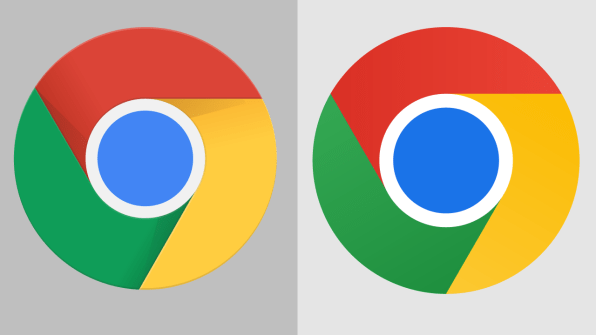
When Google Chrome revealed its first logo refresh in nearly a decade earlier this year, the internet was left scratching its head. The change was so slight, the new logo so simple, merely removing the highlights and shadows to completely flatten the logo, slightly adjusting the proportions, and saturating the colours.
[Images: Google]
As someone who has worked in branding for more than 15 years, I don’t think this subtlety was a failure—it shows that the company is paying attention to where the design world is going. If you look at the major rebrands of 2021—from Burger King to GM—almost all of them involve paring down, flattening, or simplifying a brand’s look.
The driving factor is more than just a trend in our visual language—it’s about adjusting to our new normal as companies and consumers. As we’re all too aware, the world is changing at an unprecedented pace. Brands are looking for simple designs that give them flexibility to adapt across new platforms, appeal to new audiences, and pivot as things change around them. And—jokes about Chrome’s new logo aside—consumers are craving simplicity in an increasingly complex world. A 2021 study by brand strategy agency Siegel+Gale found that 76% of people are more likely to recommend a brand that delivers simple experiences.
While this shift is important for all companies to pay attention to, it presents an especially exciting opportunity for start-ups, which are constantly changing by nature. When done correctly, approaching branding with simplicity can help start-ups more easily align their brand with their strategy—and save a lot of money in the process.
Why distinctive branding doesn’t work for start-ups
Company branding used to feel permanent: You spent a lot of time and money getting it right and then didn’t change it for as long as possible. Take American Airlines, which didn’t change its branding for 40 years. While the original branding was classic, it ended up looking a little too patriotic as the world became increasingly globalized. When they addressed this issue with a major rebrand, they faced some pushback for such a drastic change. And yet, too many founders still adhere to a mindset where they see branding as a boxed-in solution that will last, even if their business changes.
The reality is exactly the opposite. There’s no way to create strong visual branding without a solid understanding of a company’s core product, purpose, and audience—something start-ups are still figuring out in the early years. As start-ups pivot their strategy to find product-market fit or appeal to different audiences, branding that used to work might not anymore. I’ve even seen designer friends work on projects where the brand is already dated by the time they’re exporting the final files (no exaggeration!) because of the speed at which the client is pivoting.
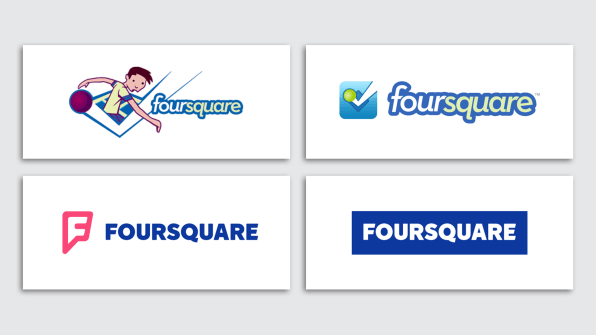
The more distinctive a brand identity, the more exaggerated this problem becomes. Foursquare is a great example: They launched over a decade ago with complex, consumer-focused branding and have had to significantly rebrand every few years as they found their footing and eventually expanded to include a B2B business model.
The evolution of Foursquare’s branding. [Images: Foursquare]
A more fluid way forward
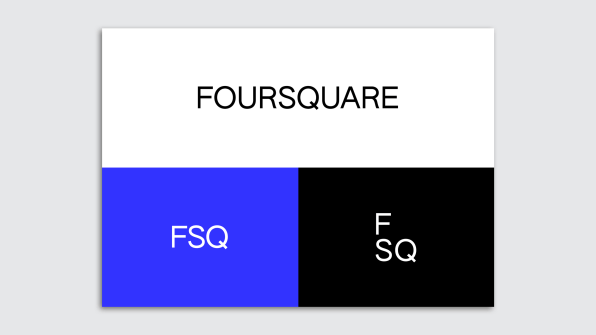
Looking at Foursquare’s latest rebrand, you see how simplicity helps solve these issues. The company stripped its branding back to a wordmark and a few basic colours, describing the new approach as a “simple, scalable system” that allows them to appeal to the multiple audiences they’ve grown to serve.
[Images: Foursquare]
Simplicity not only helps growing brands be more things for more people, but it also gives them more flexibility to tweak things as they grow and evolve. I like to think of this approach as “fluid design”—start with something simple, and make subtle updates as your strategy changes or you learn more about your audience.
Chat app Discord took a fluid approach last year in a brand update they described as “not too different: just a little friendlier”—a move to make the product more welcoming as they expand beyond the gaming community.
[Screenshots: courtesy of the author]
Dropbox has seen a similar fluid evolution, starting with a simple logo that has seen small upgrades over the years, and more recently adding pops of colour to their traditional blue branding in order to appeal to a more creative audience. It’s still obviously the Dropbox brand—just more playful.
Save money on simplicity
So, why am I talking about this approach when there are plenty of brands—big and small—that already do it?
For one, there are still plenty of start-ups taking the old approach, looking for trendy or flashy design to help them stand out, when they should really be seeking a simple brand that gives them flexibility while they find product-market fit.
The other issue is that start-ups are hiring branding agencies at all—at great cost. Top agencies for early-stage companies typically charge $150,000–$500,000 for their branding work; even entry-level agencies often start at $50,000. At that price, growing companies (that barely have that money in the first place) feel pressure to get it perfect and never update their branding.
Instead, young companies can DIY a simple design system, with a sleek wordmark, professional fonts, and a basic color palette. Moreover, when they take the fluid approach, there’s no pressure for this early branding to be perfect: Tweaks can and should happen along the way.
I’m not saying that the work brand designers do isn’t valuable—but it’s only valuable once a company feels secure in what it’s doing and who it’s marketing to.
So, my advice for start-ups: Take advantage of this simple design trend to create something that’s good enough for now, make perhaps imperceptible changes as you learn along the way, and spend the bulk of your resources getting your product right. Once that’s in place, you can pay for all the fancy design work you want.
By Saskia Ketz
Saskia Ketz is the founder of MMarchNY, a New York City-based branding agency that’s worked with brands like Netflix, IKEA, Timberland, and Mojomox, an online wordmark builder that allows start-ups to create dynamic, professional-looking logos themselves.
A dashboard is an excellent way for businesses to consolidate their data and use it to improve various aspects of their operations. In this article, we will look at step-by-step instructions on how to make a dashboard in Excel. You can use Excel to create different dashboards, including a financial dashboard, sales tracking dashboard, product metrics dashboard, and more.
Continue reading for a deep dive on how to make a dashboard in Excel using interactive charts such as a pivot chart or a bullet chart. In this article, you will discover why Excel is essential and the benefits of using Excel to make a complex or simple dashboard. We also cover some advanced dashboard elements and features.
What Is a Dashboard in Excel?
A dashboard is a simplified visual representation of data relating to business performance. A dashboard keeps all essential data in one place so that managers can look at the data and make crucial decisions. A dashboard usually contains key performance indicators and compares data points.
There are three different dashboards that all have specific functions. A strategic dashboard helps managers identify opportunities or forecast issues. An analytical dashboard helps managers find trends and make decisions quickly, while an operational dashboard helps managers monitor their employees and processes.
Why Learning How to Make a Dashboard in Excel is Useful
It will help you improve your Excel skills. Learning how to make a dashboard on Excel can enhance your skills and help you learn new aspects of this program. Many jobs use Excel for various tasks, so learning and practicing how to use it is extremely useful.
You can use Excel to make better visuals for your dashboard. By learning how to make a dashboard in Excel, you will also learn the best visuals for your dashboard depending on what data you need to display, whether in tabular format, a chart, or a graph. Your dashboard will report important values and data, so it must be easy to read.
You can explore new chart types and learn how to use them best. Sometimes, we get stuck in habits and avoid change, but you can embrace change in your dashboard creation and try various charts with Excel. Take the opportunity to experiment with a new chart type that you have never used before because formatting matters.
It will help you gain a new viewpoint on your data. It can help you spot problems and gain a new perspective on your data. When working on Excel to make a dashboard, you must enter the data into multiple places. It will help you choose the perfect visuals, such as a pivot chart or a doughnut chart.
How to Make a Dashboard in Excel: A Step-By-Step Guide
Step 1: Import the Data Into Excel
You cannot create a dashboard without a dataset. First, you’ll transfer the entire dataset you need to Excel. When making a dashboard from scratch using Excel, you don’t need to worry about scary formulas to move data. You can use an application programming interface, test file, copy and paste, or use Microsoft Power Query to help you transfer the initial dataset from your external data source.
Step 2: Create your Excel Workbook
Next, you must select the insert tab option to open three worksheets. One separate worksheet is for your raw data, the next one will be for the specific data going into your dashboard, and the third will be your dashboard tab. Creating three sheets will keep your work organized and ensure the easy creation of a dashboard structure.
Step 3: Make a Table and Insert Your Raw Data
The next step of this process is to insert your raw data into a table. You can insert the table on your first Excel sheet and name it “Raw data”. A table will help you read the data, making the next step easier.
People often refer to this stage as the data cleaning phase. Make sure you look for any missing data or mistakes during this stage. You will save real time and avoid major errors if you pay attention to the cleansing process.
Step 4: Analyze the Data in the Table
Once you have all the necessary data in one place, you must consider what you want to display on your dashboard. A sales dashboard may require different features than a project management dashboard. There are many dashboard examples online that can give you an idea of the cool features available.
Select the data you need for your dashboard, insert it into a table on the second sheet, and name it “Chart data”. This phase will help you determine additional tools you will use, such as a pivot table or excel formulas.
Step 5: Choose the Best Visual Representation for Your Dashboard
Now that you have all your data sorted, you should decide on the visuals for your dashboard and your dashboard background color. There are numerous chart types available in Excel for all dashboard types. You can use a pie chart, pivot chart, bar graph, column chart, gauge chart, bar chart, or dynamic chart.
For example, if you want to summarize your data in a table with statistics, you will use a pivot chart. If you need ideas, you can use a dashboard template or use an existing dashboard as inspiration. You will want to make sure to use an easy-to-understand format to ensure you get your vital metrics across.
Step 6: Construct your Excel Dashboard
Now you’re prepared to construct the actual dashboard. Open the third sheet and name it the “Dashboard tab”, select the “Insert” button and choose the type of chart you need, such as a pie chart, pivot chart, or a column chart. It will open a blank box.
Then, click “Select data,” open your chart data tab, select the data you need, and press “enter”. You will see your chart when you move back to the dashboard sheet.
Step 7: Customize the Dashboard
Now you can customize your stunning dashboard. You can modify chart colors, change fonts, add a chart title, and decide whether you want an interactive or static dashboard. Interactive dashboards allow you to change what data you see using a drop-down list or a slicer.
Use a dynamic chart if you want your dashboard to be interactive, and you can constantly update your dashboard with this type of chart. An interactive screen can grab viewers’ attention more than boring graphs, but may not be necessary to get your essential metrics across. You can add dialogue boxes and adjust each chart widget to make sure your dashboard is visually appealing.
Benefits of Making a Dashboard in Excel
It has excellent analytics abilities. Excel has statistical calculations built into its software and can handle complex calculations. The formula tab enables you to enter specific calculations that you need. This nice feature cuts down the average time it takes to analyze large data sets.
Excel is very flexible. Excel is fantastic for dashboards because it is flexible, and you can modify data or add additional chart options, such as a pivot table, at any time. Flexibility allows for correcting mistakes that you may have overlooked, and you can create a dynamic dashboard with the drop-down menu.
It is a software program that is easy to learn and use. Excel is an excellent option for creating various types of dashboards because it’s simple, and anyone can learn to use it. Many businesses and schools use excel, so most people have already come across and used this program.
Excel is a cost-effective tool. Excel has fantastic capabilities, as discussed above, and it has a much lower price than other software programs used to make dashboards. The average price of Tableau, a program that helps people understand data is $70 per month, while Excel only costs around $7 a month.
Utilize Microsoft’s Business Intelligence Visualization Software with Excel. When you use Excel to create a dashboard, you can also use Microsoft’s BI program , which helps you manage and store your data. Power BI and Excel work well together and improve your dashboard design experience.
Importance of Learning How to Use Excel Sheets
Learning how to use excel sheets is useful because it can open up new job opportunities and help you organize data better. Companies use Excel to share core performance metrics, create insightful reports, and even for customer service. Excel is part of Microsoft Office 356, a group of software programs that make our lives easier. Statista has mentioned that over one million companies worldwide use office 365 .
If you are interested in learning about using Excel sheets, you can consider enrolling in one of the best Excel bootcamps . Bootcamps are a short-term learning path and can quickly teach you everything you need to know. Other learning pathways available are online Excel courses, classes, and training .
How to Make a Dashboard in Excel FAQ
How can I make an effective dashboard?
You can make an effective dashboard by understanding the audience, using clear labels, and enhancing your dashboard constantly. You can use Excel to make editable reports that share key information on a single screen. This can be anything from feedback about customer satisfaction to an interactive to-do list.
What does a slicer on an Excel dashboard do?
A slicer is similar to a drop-down list, but a slicer is a filter you can see directly on a complex dashboard. You don’t need to click on an arrow or toggle button to show it. You can click on a word within the slicer to custom view the displayed data.
What industries use dashboards?
Most industries that work with data use dashboards. Some industries that use dashboards include healthcare, marketing, human resources, social media, and project management . A social media dashboard can improve a platform’s infrastructure.
What are key performance indicators (KPI)?
KPIs are targets set for companies or professionals to meet to succeed. It provides evidence of performance and progress and helps businesses make crucial plans and decisions.
Danel is from South Africa but currently lives in Cambodia. After teaching English as a foreign language to children in Asia, she started working as a content writer. She is eager to share her love for teaching and learning by helping others find their passions and access the tech industry. Danel’s personal interests include travelling and learning about new cultures.
Sourced from Career Karma
About us: Career Karma is a platform designed to help job seekers find, research, and connect with job training programs to advance their careers. Learn about the CK publication.
Are you interested in affiliate marketing? Well, I don’t blame you. Today we’ll teach you how to start affiliate marketing with no money.
Affiliate marketing can be an additional income stream where you promote products and services to consumers that you’re a fan of. You then direct them to the websites of retailers selling these products and services. A commission is earned when someone you refer purchases something or completes an action, such as joining a service or email list. This is one of the rare occurrences where it’s a win-win for the advertiser and the affiliate.
What’s more, the sky is the limit when it comes to earning potential. In fact, it’s totally possible to make six figures with affiliate marketing.
But, doesn’t it take a boatload of cash to get started. Well, believe it or not, you can actually start affiliate marketing today with no money using the following strategies.
Decide your niche and audience.
Want to be successful in affiliate marketing. You must first establish yourself within a niche. But, how exactly can you settle on a niche?
If possible, choose an that is both passionate and knowledgeable to you. “This helps you come across as authentic and as a trusted source of information for potential customers,” explains Mark Hayes over at Shopify. Additionally, it lets you determine which brands and products to promote.
“Say, for example, you started a blog about dogs,” he adds. “You own a sprocker spaniel and you’re passionate about helping other owners care for their sprockers.”
Then, you create a blog like Sprocker Lovers — which I’ll get more in detail shortly. After that, you can promote your content by soliciting subscribers and encouraging them to share it. “Sprocker spaniels are your niche, and you’re going to invest in content marketing and optimization to grow your audience of owners,” says Hayes.
This is exactly what Elise Dopson, founder of Sprocker Lovers, did.
“The niche you choose for your affiliate site guides how much time or effort you’ll need to put into building it to a point where you begin to see SEO results,” says Elise.
“SERPs for software, marketing, and health care, for example, are all dominated by huge blogging sites with even bigger marketing budgets. The secret is finding untapped areas where competition isn’t as fierce—and getting in there before other people recognize it.”
To learn who and what your audience likes, you can use affiliate marketing tools like social listening tools, website analytics, and social media insights as you post more.
Don’t forget, you won’t be paid to post, it’s not free money. An affiliate program is a performance-based marketing system. By knowing what products your audience enjoys, you can recommend more affiliate products to them to bolster your income.
Join your audience’s conversations.
There’s another reason why you first need to settle on a niche and get to know your audience. You can join their conversations organically.
What exactly does that mean? Well, Kyle Kostechka from ClickBank explains this in a YouTube video from October 2021. In a nutshell, this is nothing more than commenting with affiliate links. The caveat here is that you want to leave these comments where your audience hangs out, whether that’s Reddit, message boards, or forums.
He uses the example of people selling Trump coins. Now, I’m not going to engage in political discourse here. The point Kyle was making was that the people selling these products sold look hotcakes. How? Because these coins were shared on platforms where there were political conversations occurring.
For example, people were leaving comments on message boards like, “Hey, if you really want to stick to Nancy Pelosi, you should really look at this product.” But, that comment only works when the audience is discussing topics like how fed up they are with democrats.
On the flip side, these comments wouldn’t work on unrelated discussions. For instance, you wouldn’t peddle Trump coins when the topic was about a sick family member or sports trade rumors. If you did, that’s spam. And, why honestly enjoys spam?
Even worse? Engaging in spam techniques could get you kicked off the platform as this could be a violation of the platform.
3 Build your social media presence.
What if I told you that you can monetize your online presence through social media? This can be achieved by placing affiliate links in your posts, updates, and profiles. But, instead of spreading yourself too thin, focus on the social channels where your audience hangs out.
What’s more, you should also consider the pros and cons of each social media platform.
Facebook
Pros: It’s the largest social media platform available with close to 3 billion global users. Suffice to say, a large audience is accessible.
Cons: It’s not as appealing to a younger audience. And, it’s not as effective using organic search.
Instagram
Pros: Excellent for displaying products and services because it’s highly visual. Also. video content such as reels and stories is emphasized heavily.
Cons: The organic reach of feed posts is low.
Pinterest
Pros: Pinterest offers an advantage in that you can directly share affiliate links in the pins you make. Take advantage of the platform to share quality, as well as trend-driven content in your niche.
Cons: Pinterest traffic caters to a very specific audience.
Twitter
Pros: With around 397 million users Twitter is another popular social media platform that is great for showing off what you have to offer.
Cons:
Because of Twitter’s character limit (280) for each post, affiliate marketing can be challenging.
YouTube
Pros: Excellent for SEO. Additionally, there’s a worldwide audience of 2.3 billion people.
Cons: Most niches are flooded with competition. And, you’ll need to invest in professional and high-quality videos.
LinkedIn
Pros: Impressive organic reach. Also, it’s the leading platform for professionals.
Cons: Mostly aimed at business-to-business audiences.
TikTok
Pros: Short videos that do not need a professional appearance like YouTube. Also, the experience is more genuine. Moreover, TikTok has become a trend-setting platform.
Cons: Descriptions don’t have clickable links.
Blog (for free).
There are other ways to market your affiliate products besides social media. You can establish your credibility and engage readers to click on your affiliate links by blogging on free platforms like Medium, Blogger, Quora, Steemit, and Hubpages. However, most of the major players, such as WordPress, Wix, and Webley are also free. However, you will have to pay for website hosting.
Whatever blogging platform you use, producing high-quality content within your niche is paramount. When you do so, you can generate a lot of traffic to your affiliate links using these free blogging platforms. Some suggestions would be;
Product reviews
Tutorials
How-tos
Q&As
The best tips and tricks
On both Medium and Steemit, affiliate links can actually be used within your content, as long as certain conditions are met. And, even though hosting isn’t free with WordPress, it’s extremely flexible. That means you can create whatever content your audience will dig, as well as drop affiliate links wherever you need them.
Leave glowing reviews.
Reviewing a product or brand positively is at the heart of affiliate marketing. With that in mind, you have an advantage by using review platforms. If you are consistent in your reviewing process, people will start to trust your input.
However, it’s important to give honest feedback. And, most importantly, only on the products and services you have personally experienced.
Where can you leave these reviews? The most obvious places would be review-style websites or the review section of a product website.
Not can does this allow you to give honest feedback, you can also promote your affiliate links. Or you can steer other viewers to your original content, such as your blog. You can then add more in-depth reviews and explanations to your content while embedding your affiliate links in the product description.
Choose an affiliate platform.
As soon as you’ve selected a niche and built an online following, you can apply for affiliate networks. Besides being free to join, these programs are also looking for publishers who can promote their products effectively.
You can search for affiliate products on these top affiliate networks:
ClickBank
CJ Affiliate
ShareASale
FlexOffers
Amazon Associates
JVZoo
Awin
Rakuten Advertising
This is only a small selection of the many affiliate programs available. For the best platform for your business, you should conduct your own research — simply searching your keyword + (affiliate program) on Google can help. To be successful in this endeavor, you need to be specific and find a niche that appeals to you and your audience.
Final Words of Advice
It isn’t necessary to make a huge investment to get started with affiliate marketing. In most cases, all you need is time, effort, and consistency.
When you begin to earn money with affiliate marketing, you can reinvest some of your earnings. For example, you may want to use paid strategies like ads and purchasing equipment, such as microphones, computers, and cameras. Until then, use the strategies above to start affiliate marketing with no money.
Frequently Asked Questions About Affiliate Marketing
1. What is affiliate marketing?
Affiliate marketing is fundamentally about relationships. An affiliate relationship is one between a merchant (Retailer) and you, the affiliate, as well as one between you and the consumer.
Your blog, website, social media feed, or other platform allows you to promote the merchant’s products or services. When consumers purchase products/services from the brand based on your promotion, the merchant pays you a revenue share.
Affiliates may receive join incentives; special discounts or special offers in order to familiarize themselves with a merchant’s brand. Examples include product giveaways, blog post bonuses, and, commissions.
2. What is an affiliate program?
An affiliate program is an all-in-one package you offer a potential publisher to promote your product or service. Details about the product, the retail value of the product, commission levels, and promotional materials are all required.
3. What is a commission rate?
As a rule, commission rates are based on a percentage of the sale (e.g. 10%), but sometimes a flat amount can also be charged. Each merchant determines the commission rate.
4. Is there a cost associated with signing up for an affiliate program?
Getting involved in an affiliate program for a brand is free. Affiliate networks allow you to sign up for as many programs as you wish. It is free for you to do so.
5. How big is the industry of affiliate marketing?
In the US, about $6.8 billion is invested in this industry. The global investment in this industry is at or above $13 billion.
Are you unable to bring UK Instagram followers to your business profile? Then you must be lacking something, and it needs your consideration. We have collected the top branding plan after detailed research to boost your brand on the photo-sharing application.
Many businesses feel the urge to showcase their products on every social media stage. And in the wish of more, ignore the policy. Never do such mistake if anyone desire to approach the right audience. Because Instagram is so different from other famous social sites, it needs a perfect marketing policy.
What are the top Instagram Branding Plan to bring sales
Start here to create your unique style for our brand and bring more engagement and interaction to your post. Yes, you can buy real Instagram likes UK and followers for the marketing plan but how. Stay tuned; you will also learn this.
Set your aims for Instagram:
Before posting on Instagram, you must verify one thing: Why are you on Instagram? Do you have any goals here? As famous as the site is, your answer must be no, “because everybody else is.” To be growing on Instagram in the long term, you need to set goals and objectives to explain your time, energy, and financial investment. It is essential for businesses.
Be sure to specify your Instagram aims first. And guess what? Your Instagram can have several aims — you can also post product pictures while sharing user-generated content (UGC). It’s more about the type of your posts and more about why you are sharing them. If you know the reason, you can learn how to achieve your achievement and use Instagram features to achieve your aims.
Decide your Instagram targeted followers:
Before you start marketing on Instagram, determine the audience you want to reach. If you have other marketing plans, use them to keep up your attempts. Consider age, gender, interests, motivations, income, location, and pain points. Your post style, captions, and Instagram features depend on the target market
Conduct a competitive research about your competitive profile:
After you decide on your Instagram audience, do detailed research to see what other firms post in your sector.
Quickly view the relevant accounts to find which posts are having the high interaction:
What are their captions are
What popular hashtags they are using
How often they post and how often.
So, having all this data help you to create the right content and compete with the others.
When reviewing your competitors’ content, note the chances they missed. Using content that other profiles; will help your business be distinct from the others.
Create a logical brand on Instagram:
Random or interrupted content can confuse your audience, and you may lose UK Instagram followers. To avoid this, maintain a permanent brand image on your Instagram account. Consider posting pictures with your brand in mind. Adding great stories to your captions can make your business more related.
Listen to Your Customers:
As you increase your Instagram presence, you will search for more and more users raising their voices with questions and proposals.
For example, Instagram is used as a user facilitate channel to answer your users’ questions to help them decide on an appropriate purchase.
As a result, Instagram is another site for gathering responses and understanding what people want from your store. These beneficial visions can help you to better your products and significantly improve your Instagram marketing plan
Create Instagram-Specific Landing Pages:
Only Instagram provides the option to reach the landing page. Go for the valuable bio link to drive traffic directly from this platform to your site.
We never lost this real estate.
For example, do not just post a simple homepage link in your Instagram bio. But be sure that your landing pages and website are also mobile-friendly. So, make sure that your landing pages are suitable for most of Instagram mobile user support.
That’s why many brands assist with landing pages specific to Instagram or, at the very least, landing pages suitable for cell phones. The advantage here is two-fold:
you create complete shopping skills for viewers
It provides you the chance to measure how well your Instagram followers turn.
Build up your Instagram follower base:
It takes serious time and energy to increase your following. Many businessesbuy real Instagram followers UKto kick start their game on this photo-sharing application! Buying followers from an authentic seller will increase engagement and brings more likes.
More to add: This is what you can focus on to follow the right path.
Confirm your username is identifiable and searchable. If people fail to search for you, they cannot follow you! Complete your bio. It is the last thing anyone sees before they decide to follow you, so make sure to know who you are and what are you doing.
Once your profile is improved, begin posting. It’s a good plan to expand your catalogue with 15 to 20 excellent posts before you seriously start attracting people. If customers visit your profile and find it blank, then it is possible that they may not be following you.
Then, start following accounts of interest to you and link them with your business. Think of Instagram as a community and find other companies or influential people in your area who may entertain your products.
Inspirit others to share your content. Contact the influencers to share your account and products.
Build up your brain to be an asset rather than obstacle.
Do you ever wonder how some people appear to have an easier time with intimidating undertakings such as group presentations, navigating difficult conversations with peers, or networking in a room full of strangers? I have good news. It’s not that they were born with a gene for courage. Instead, they have learned how to manage the body’s natural reaction to fear and uncertainty. It’s a skill we can and should all develop if we want to move past mental obstacles that keep us from reaching peak levels of accomplishment.
However, it’s not always easy to train your brain to react differently to fear and uncertainty. Even if you are confident in certain areas of your life, your brain can stop you from acting on goals, opportunities, and situations when you feel less self-assured.
For example, you might be poised and assertive in individual meetings but feel anxious in larger social settings where speaking with poise and confidence is just as important. Anyone who wants to reach the top of their field needs to be a good conversationalist in every environment. When you know how to manage your brain, you can move past feelings of uneasiness on those occasions when the task in front of you is daunting and causes internal stress, but you need to further your success.
I feel competent in many areas, but my brain has other ideas when it comes to speaking in front of large groups. The only way I was able to give a talk on the TED stage was because I knew how to relax my brain and body. I was able to manage my mind, so my mind did not control me and ruin the opportunity to present on a large platform.
Here are three ways to manage your brain and increase your ability to succeed in any situation.
Know your nervous system
The fight-flight-freeze response is your body’s natural reaction to danger. It’s a survival instinct that our ancient ancestors developed many years ago.
When you feel threatened or afraid, the amygdala, the brain’s “panic button,” activates your sympathetic nervous system, releasing stress hormones that prepare your body to fight, run away, or hide. Of course, that would be ok if you were in real danger. The problem is that the fight-flight-freeze response can be triggered by psychological threats such as preparing for an important interview or leading a big meeting.
When you are scared or intimidated by the task in front of you, the amygdala takes your prefrontal cortex offline, the part of the brain needed to make thoughtful decisions in a controlled manner. As a result, your heart starts to pound fast, your breathing increases, your muscles get tense, you start to sweat, and you get anxious butterflies in your stomach. It’s hard to feel confident and in control when your body is telling you otherwise.
Emotions may be automatic, but it is up to you how you deal with them. The key is to recognize when your thoughts have triggered the flight-fight-freeze response so you can take action to tell your brain you are safe. This can be done by activating the parasympathetic nervous system, decreasing arousal, and returning your body to a regulated state. From here, your prefrontal cortex will come back online, and you can proceed with calm, clear, and confident action.
So how do you do this? It starts by getting off of autopilot.
Get off autopilot
Again, the brain’s amygdala reacts automatically when you feel angry or scared, so you have to make a conscious effort to stop and give your prefrontal cortex time to come online before responding to any uncomfortable or challenging situation you are confronting. That isn’t easy to do when rushing through life on autopilot.
One of the best ways to keep the amygdala from taking over your emotions is to be more mindful as you move throughout your day. We have all sent that email that we regret just a few moments later. When you practice mindfulness, your prefrontal cortex stays in charge, and you are less likely to make impulsive decisions. You also see things from a broader perspective, which leads to wiser choices.
Here are a few relaxation techniques you can use to trigger your parasympathetic nervous system and remain present and self-aware.
Take a few deep abdominal breaths
Focus on a calming word
Visualize a peaceful image
Repeat a mantra such as Be Here Now
Science shows our body can go from stressed to calm within 60 seconds, so we can all use these tools, no matter how busy we may be.
Practice compassion
Self-deprecating thoughts activate our sympathetic nervous system. Our inner bully causes our brain to perceive danger, even if we are the danger. Our inner bully makes us both the attacker and the attacked.
Our brain sends signals that increase blood pressure, adrenaline, and cortisol, which mobilize the strength and energy needed to confront or avoid a threat. But over extended periods, it leaves us feeling emotionally and physically drained. We might believe berating ourselves is a helpful tool for motivation, but science has proven otherwise.
When you practice self-compassion, you shift your body chemistry, changing your emotional experience. Research shows that compassion is a powerful prompt for the release of oxytocin. High levels of oxytocin increase feelings of calm and safety, lowering cortisol levels, making us feel better, and allowing the body to operate at a more optimum and healthy level. When you guide your actions with compassion, you are much more likely to succeed because your brain is in a state to support your efforts.
When it comes to professional settings, it’s helpful to keep in mind that what you say and do can trigger someone else’s flight-fight-freeze response. There will always be conflict at the workplace, but it can be productive and constructive if neither party feels attacked. If each person shares their opinions and analyses the situation together, you are much more likely to have a calm conversation with a mutually beneficial outcome. To lead and collaborate effectively, both individuals need a relaxed nervous system.
Understanding the inner workings of the brain and the physiology behind how thoughts directly impact emotions and, therefore, behaviour is knowledge every professional should have in their arsenal.
When you start to feel those feelings like butterflies in your stomach or sweaty palms, or it gets hard to talk or move, remember there’s nothing wrong with you or your body. You’re just having normal feelings of fear, and they’re trying to help even if they’re not very good at it sometimes.
It is impossible to eliminate stress from your life altogether, but if you understand how to relax your brain and work around its tendencies, you can transform your mind from an obstacle to an asset for reaching your fullest potential.
Taking charge of your wellbeing
Nearly half of Americans have become more proactive about their health since 2019, new research suggests.
In a recent survey of 2,000 Americans, more than half cited the pandemic as the cause, with a similar amount saying they’ve become more conscious of getting older and noting their family health history or current health issues.
The past two years have inspired people to try a variety of wellness trends. The No. 1 that caught on? Immune health supplements (45%), followed by mindful eating (43%) and yoga or mindfulness meditation (40%). Others gave “listening to ASMR videos” a go, or opted for “medicinal cannabis,” “acupuncture” and “Tai Chi.”
Among the most hyped recent self-care innovations are more personalized nutrition options (50%), at-home diagnostic tests (43%) and fitness streaming platforms (41%).
Conducted by OnePoll on behalf of Nature’s Bounty, the survey also learned that when it comes to health trends, millennials are overwhelmingly more likely to be “early adopters.”
Eight in 10 respondents between the ages of 25 and 40 consider themselves to be well-informed on emerging health trends. By contrast, Gen Xers ages 41 to 56 (63%) and baby boomers ages 57 to 75 (35%) are less likely to be caught up on the latest developments in the health care space.
For most millennials (57%), becoming more proactive meant eating healthier.
Forty-six percent of respondents have sought out wellness support from their primary care physician or specialist and 43% turned to friends or family, more so than those who relied on the expertise of bloggers or influencers (36%).
And seven in 10 have started experimenting with their diet to be healthier at home.
That includes adding vitamins or nutritional supplements to the mix (46%) and decreasing their sugar intake (43%).
Simply the process and help your customers convert.
When it comes to marketing funnels, there are a lot of things to consider. And depending on your product or service, the sales funnel can be rather lengthy — which means that you need to put a lot of time and effort into crafting a sales funnel that keeps your customer engaged, educated, and ultimately ready to convert. So today, I wanted to share with you some tips on how to make the most out of your marketing funnel efforts.
1. Get clear on the goals of the funnel.
Anyone can create a series of emails to send out to your client base, but creating a targeted funnel that will address their pain points and get the intended response is a little more difficult. Begin the process by looking at your intended client and doing a little research. What do they care about? What do they worry about? What other things do they have going on in their lives? What would prevent them from purchasing your product? And what pain points and frustrations are they looking for you to solve. These are the things that you should be talking about in your marketing funnel. And get very clear on your goal. Do you want them to purchase from you? Do you want them to keep purchasing from you down the road? Do you want them to tell their friends about your product?
2. Lay it out visually.
Once you have a good idea of what you want to address and the intended goal, it’s time to lay out the funnel visually. There are some great software options out there that will help you do this. But if all else fails, you can draw it out on a piece of paper or on a whiteboard. Lay out where they enter the funnel (lead capture form, social media, your website, a paid ad, etc) and then where they will go in the journey. This could include SMS messaging, follow up phone calls or visits, webinars, emails, videos, etc. Clearly mark anywhere in the funnel that is considered a “conversion point.” These are the areas that you will want to track to determine whether your funnel is successful or not.
3. Add a little spice.
Now that you have a first draft, go back over the flow and take note of where you plan on going for a logical appeal versus an emotional one. Do you have a good enough mix of the two? Too much logic and you will fail to motivate your clients to act now. Too much emotional appeal and you risk losing your prospect because they won’t have a clear plan of action. The perfect funnel has a mixture of both.
4. Simplify it.
At this point, you might be ready to start writing, but hold off just a little bit longer. You want a well-thought-out funnel that addresses everything you want to address, but you also want to make it as simple as possible for your clients to take the next step. So it’s time to review your funnel with an editing eye. Are there too many hoops to talk to a sales rep? Does the sales message get lost in a sea of emails? Simplify the process, and help your customers convert.
5. Write your funnel.
Now that you have spent some time planning out your funnel with a good mixture of emotional and logical information and you have gone through the editing process, it’s time to start writing. Begin with a draft, and have other team members (or a sales writer) review the copy for edits and clarity. Once you think you are at a good place with the draft, it’s time to launch. Review your numbers often, and make note of any emails that don’t have a good open or click-through rate, and focus on those for future rounds of edits.
The About page is one of the most important pages in your blog. When building or running a blog, there is a lot you need to focus on — content creation, design, SEO among other things. In addition to all these, you should also spend considerable time and put sufficient thought into creating an About page for your website.
When a site visitor navigates to your About page, it means that they have a level of interest in your site and want to know more and you. With the perfectly crafted About page, you can grab a visitor’s attention and make it easy for your audience, first-time site visitors, and potential sponsors to learn more about your blog and about you.
Why You Need an About page
Legitimacy
Your About page gives your site legitimacy and it is integral in creating a trustworthy brand. According to Statista, there are about 1.88 Billion websites currently existing – with more being created every minute. Many of these websites are spam websites, automatically populated by bots, and even fraudulent. This is why it is important that you differentiate your website and show that you are a legitimate brand. People want to know that a real person is running a website, and then they want to have a level of trust and familiarity with that person.
Audience Building
Your About page is your chance to speak directly to your audience and bring them into your world. It is not the place to appear mysterious or cagey. You should address your audience directly and write in the first person. Share who you are, what your blog is about, what you’re passionate about, and what they should expect from you when they visit your blog. This will also help differentiate you from the competition.
Sponsorship Opportunities
When a potential sponsor or advertiser visits your site, the first page they go to is your About page. Think of it as the billboard of your business. Make sure the About page is professional-looking, comprehensive, and showcases your blog in the best light for sponsorship opportunities.
SEO
When I optimize a site for SEO, one of the first things I look at is the About page. Amongst other factors that contribute to SEO, search engines crawl website About pages to determine the credibility of the website. A properly constructed About page can improve search engine rankings. Secondly, other websites will look at your About page before linking to your site. This is to ensure that they are linking to legitimate sites. So a properly constructed About page can lead you to get quality backlinks.
What Should Be Included on Your About Page?
Your Mission Statement
Some of the most compelling writing you’ll be doing when you start a blog is crafting a mission statement. It should be a few sentences that succinctly describes the reason your blog exists. To write a good mission statement, think about what your core message is, who you want to reach with that message, and how you want to reach them. This What, Who, How approach will help you easily define your mission and communicate it to the world. It’s also a good place to include the values and guiding principles of the blog.
About the Founder
In addition to sharing the mission statement of your website or blog, you should devote a good section to sharing information about the founder and owner of the blog. People want to know who’s running a website and this is the place to share that information thoroughly. Share your background, the origin story of why you started the blog, and list your credentials. By sharing the origin story of your blog, you are giving readers a glimpse into what inspires and drives you as you create content for them. It helps them get to know you better and form a connection with your blog. When writing about yourself, be authentic.
Target Audience Definition
As mentioned above, your mission statement should encompass your core audience. You can also take it a step further and expand on this by sharing more about why you have chosen your target audience. Your target audience definition should answer the following questions: Who do you create content for? Who are your key readers? Who do you intend to reach with your message? Your target audience should also be narrowed down to an age range and demographic. Your target age and demographic does not have to be front-facing unless it is crucial to your blog’s messaging.
Social Media Handles
Include links to your social media pages. You can also embed a social media account on the page using several plugin options. Ensure that your social links always open into a new tab. If you have a large following, this is the place to highlight it.
Press Mentions
Have you been featured in a magazine, been a podcast guest, or mentioned in the press? You should put this information on your About page. Sharing the press opportunities you’ve had gives you social proof and shows that you have a significant presence in your industry.
Media Kit
You can include your media kit directly on the page or as a downloadable PDF. It is important to share information that will grab the attention of sponsorship partners and a media kit is the best way to do that. Your media kit should show your audience demographics, social media stats, reach, and past sponsorship partnerships. Many factors come into play when it comes to including your pricing in your media kit. Unless you are fully sure of your pricing, have done market research, and have been selling sponsorship packages for a while, it’s best to not include your prices. If you are unsure, it’s best to leave it out and instead showcase in other ways the types and tiers of sponsorships you are open to. When you start to talk with a potential sponsor, then you can share your prices.
Author Bios and Team Members
If you have contributing authors, employees, and team members, your About page is the best place to showcase them. Some websites have a large team and they showcase them on a separate page. However, if you have a small team, you should include their names and photos on the About page. Highlight your writers by including their photos, bios, and a description of their role.
Photos
Your About page should showcase a professionally taken photo of yourself. They say a picture is worth a thousand words and that holds in this case. Include photos of the founder, team photos, and any photos or videos that help communicate what you do. Your photos should be professional looking but that doesn’t mean they have to be stiff or boring. Include photos that show your personality or show you in action. For example, if you’re a food blogger, include a photo of you in an apron, in the kitchen, or with one of your creations.
Contact Information
Some people prefer to have a separate page with your contact information and that is fine. Regardless of if you have a separate contact page or not, you MUST include your contact information on your About page. This is a key factor in making your blog user-friendly and making it easy for potential partners and advertisers to contact you.
What Makes a Good About page
A good About page should contain just the right amount of information about you, your blog, and your business. It shouldn’t have too much information or too little. Keep the following factors in mind when creating your About page.
Don’t Bury the Lead
It takes only a few seconds to grab the attention and interest of a site visitor. At the top of your About page, you should state in a few clear sentences what your blog is about. When a reader visits, they should be able to tell in a few seconds what your website is about. You can have a long description but these few sentences (which should be your mission statement or your blogging goals) should be at the top of your About page. You can make them bold text, and put them in a unique design that pops out and grabs the reader’s attention. A site visitor shouldn’t be left wondering what your blog is about even after visiting your About page. Make your message succinct, clear, and straight to the point.
Clearly Show Who Runs the Website
Include your name, photo, location, email address, and location on the About page. If you have a registered business, include your business name and registration number, etc. If you have a team, include their names, photos, and bio as well.
Emphasize Key Points
Just as you highlight your site’s mission you should also emphasize the key points about you and your blog. State clearly who you intend to reach with your message, what city are you located, what types of partnerships are you open to etc. These key points should be highlighted and should be easy to find.
Hyperlink and Navigation
The information on the About page should all be one page and make sure the hyperlink is straightforward. Use any of these hyperlink structures
website/ about-us OR about(insert website name) OR about-me OR about-page .com/
Secondly, make sure the About page is easy to navigate to from any page on your website. Include it in the overhead menu right below or above your masthead. You can also include it in your footer menu but it MUST also be in your overhead menu.
Keywords
Your primary keyword should be directly related to what your website is about. It’s best to choose one or two keywords and place them strategically on the About page. When choosing your keyword, make it as descriptive and niche as possible. Place the keyword within the text and if possible, include it in an H1 or H2 header. Don’t keyword stuff as that will backfire. We recommend using keywords 8-10 times for every 1000 words. Your About page should probably not contain up to 1000 words of the text so use your primary keyword 4-6 times within the page. Also, make sure your mission statement or website goal contains this keyword or a variation of it. For example, if your blog is about home-schooling kids, then your keyword should be something that describes this like “ home-schooling tips for parents” or “home-schooling tips for moms”.
Concluding Tips
As you build and update your About page, keep these important things in mind:
Avoid spelling and grammar errors.
Make it easy for site visitors to find the information they need.
Show them how to interact with your blog. Give them some article suggestions to get started. You can include a “start here” link or include a must-read article.
Be personable, interesting, and authentic.
Don’t stuff the About page with too much information.
Show why you’re different from the competitor.
Put the About page in the Header menu and ensure site visitors can navigate to it from any page on the website.
Nearly all marketers are using this approach to respond to data deprecation, but less than half know how to use zero-party data effectively, according to the Forrester study.
Nearly all marketers (97%) agree the personalized digital experience is a cornerstone of marketing programs, and a new study finds 90% of marketers are actively responding to data deprecation by capturing zero-party data within a year.
Data deprecation is occurring because of browser and OS restrictions and privacy laws. This has made it more difficult to capture the data necessary to do personalized marketing, according to the study by Forrester.
The findings also revealed that 85% of marketing firm respondents said zero-party data is critical to creating effective personalized experiences.
Forrester defines zero-party data as data that a customer intentionally and voluntarily shares with a brand. Usually this is done in exchange for a benefit such as an exclusive offer or reward, the firm said
“Zero-party data has emerged as a powerful tool to help deliver personalized experiences. However, many firms underestimate the benefits of zero-party data, even going so far as to unnecessarily limit their use of it to post-acquisition tactics,” the study said.
However, while 82% of respondents said they have access to zero-party data, 42% admitted they don’t know how to use it effectively, according to the study. This means marketers must learn how to acquire and effectively use zero-party data.
Zero-party data: challenges and opportunities
A majority of respondents acknowledged that data deprecation has made it more difficult to acquire customer data, cross sell or upsell, while over half (70%) said it has become more challenging to track customer journeys across channels and touchpoints, the study said.
While most marketers recognize that zero-party data is part of the solution, they are experiencing a number of challenges in acquiring and using zero-party data. The most common challenge reported is that the data is not accurate (36% of respondents). Because consumers are volunteering information about themselves, there is concern that consumers won’t always provide accurate information about who they are or what they want. Additionally, nearly a third (32% of respondents) said they’re concerned that customers won’t share zero-party data, according to the study.
The survey findings also suggest that marketers underestimate how beneficial zero-party data can be. When asked, “How is your organization using or planning to use zero-party data?” less than half (45%) of respondents said, “Deriving customer insights and customer intelligence.” An equal number answered, “Tracking customer journeys across channels and touchpoints,” the study said.
Forty-three percent of respondents said they are using or plan to use zero-party data to learn who their customers are or “create personalized experiences or messages.” Only 35% are using or plan to use zero-party data to remarket to existing customers, cross or up-sell, the study said.
Marketers are investing in technology to leverage zero-party data
As data deprecation threatens the effectiveness of marketing throughout the customer journey, marketers are turning to zero-party data to form direct relationships with prospective customers. As part of their zero-party data strategies, many of the marketers surveyed said they plan to work with partners over the next 12 months.
A top priority for nearly two-thirds of respondents (63%) is to use third-party technology to help them “deliver personalized experiences using zero-party data.” For 47% of respondents, utilizing technology is a top priority for verifying the accuracy of zero-party data provided by consumers.
Additionally, 59% said they plan to gather zero-party data by running sweepstakes and giveaways, and 66% said that building or enhancing their existing loyalty programs in order to capture more zero-party data is a top investment priority, according to the study.
“Because zero-party data is entirely opt-in, brands need to open their minds to the multitude of ways they can inspire consumers to provide them with high-quality data,” said Jake Weatherly, CEO of SheerID, which commissioned the study. “The good news is that there are myriad opportunities to do so, ranging from offering VIP services, to discounts on products, to products customized for the individual.”
Marketers who offer real value, Weatherly added, will not only be rewarded with valuable customer data, but also set the stage for long-term customer relationships.
Forrester Consulting surveyed 200 digital marketing decision-makers focused on customer acquisition. The study was conducted in February 2022.