Author

editor

Browsing

By Rebecca Deczynski

Privacy restrictions have made it harder for businesses to target customers through paid social media advertising. The Facebook owner suggests its new tools can help.

The age of third-party cookies is over. Artificial intelligence can help–at least, according to Meta.

The Menlo Park, California, company announced earlier this month that it is rolling out new A.I.-powered tools that aim to help businesses reach new and existing customers. Its “custom audience” tool within Meta Advantage, the company’s existing suite of automated marketing products, offers to deliver ads beyond retailers’ selected target audience to help them find new customers. Previously, advertisers could target specific audiences via third-party data (an in-platform option that Meta turned off in 2018 and Apple further restricted outside use of in 2021), opt-in lists, or specific demographics. With this new tool, the platform will serve ads to potential customers–who are selected by an algorithm that determines if they are likely to engage with the ad–outside of those retailer-specified audiences.

Since Apple rolled out new privacy restrictions in its iOS 14.5 update in the summer of 2021, businesses have been unable to use third-party cookies to target new customers through paid social advertising; this has made growth on social platforms a challenge, especially for those that previously relied on cost-effective ad placements. So, businesses are increasingly interested in new ways they can find and convert new customers.

And Meta is trying to help. In August, the Facebook owner rolled out Advantage+ shopping campaign tools to advertisers globally, which it says allow businesses to automatically generate Facebook and Instagram ads. The company shared that, in a study of 15 A/B tests, these automated campaigns led to a 12 percent lower cost per purchase compared with traditional ads. Meta says that its new custom audience tool will enable advertisers to reach an even greater number of potential customers, by serving ads to algorithmically selected customers outside of the advertiser’s selected audience.

It remains to be seen if marketers will embrace Meta’s A.I. and automation tools. IOS 14.5 changed the way businesses are able to target customers on platforms like Facebook, says Lee Joselowitz, growth marketer and co-founder of Los Angeles-based performance marketing company The Quality Edit. Apple’s privacy changes have led businesses to increasingly rely on first-party data, long-form content, and strong creative to reach their target audiences. “A good Facebook marketer has had to develop more technical skills around signals and measurements, in addition to becoming a really strong creative strategist and storyteller,” she says. With Meta’s push for A.I.-driven marketing solutions, there may yet be an easier way forward.

Feature Image Credit: Getty Images

By Rebecca Deczynski

@rebecca_decz

Sourced from Inc.

By

Are you thinking of raising VC money in this environment? Ask your marketing team for these four crucial indicators before pitching.

In this day and age of shrinking VC funding for startups, you might think your business is the exception. You might think your business model is so ripe for growth with a little cash infusion that VCs should compete to see who can be your primary investor.

Besides the fact that startup founders are rarely objective about their business prospects, it’s always good to get outside perspectives before heading down the potentially long, winding and soul-bruising road of VC pitches.

Do you know who you might want to check with as a first step before you sink a bunch of time and energy into your pitch deck? Your marketing agency. (If you don’t have an agency, make a friend with an agency exec pronto.)

If an agency isn’t your first choice as a sounding board — hear me out. I’ve worked with dozens and dozens of intelligent, ambitious startups since founding Playbook Media. Throughout those relationships, I’ve recognized a few significant indicators of whether your business is positioned to sprout unicorn wings with some extra resources — or whether you have some fundamental issues to address before you take your pitch to your version of Sand Hill Road.

1. Burn threshold

Also known as “burn multiple,” this metric takes a broad view of your business to calculate how much revenue you bring in for every dollar you spend. Divide your net burn by net new revenue for a given period, and you’ve got your number. (Anything over 2 these days, and you’ll have difficulty getting funding because your operational efficiency needs work.)

Your agency partners won’t have all that data on hand to calculate your burn threshold, but there are plenty of ways they can help you improve it. They can reduce costs by lowering your average CAC (the cost of acquiring a customer). They can improve your customers’ average LTV (lifetime value) using lifecycle marketing, referral programs, upsell campaigns, etc. They can also run frequent forecasting models to ensure your strategic decisions are informed by current data and market conditions — which have been evolving rapidly.

An agency can be beneficial in understanding your entire marketing picture and assessing where you can cut spending and suffer minimal revenue effects. Agencies proficient at MMM (media mix modelling, which I’ll touch on more in a bit) will be great partners in that endeavour.

2. K Factor

Your K Factor is your natural growth rate if you aren’t doing any marketing. It usually boils down to product-led growth and virality stemming from your existing customer base, site users, media outlets picking up on your momentum, etc. This isn’t specific to products, by the way; if you have a software service or platform, you can build tons of product-driven growth.

Agencies can help you determine your K Factor if they’re proficient at understanding the impact of each of your advertising channels. Ideally, your agency is using media mix modelling to determine the incremental impact of each channel; when they analyse all of your channels and touchpoints and compare it to your overall growth, they’ll be able to isolate a baseline level of growth that isn’t explained by those channels. That’s your K Factor.

The key to optimizing your K Factor is growth loops. Reforge defines growth loops as “closed systems where the inputs through some process generates more of an output that can be reinvested in the input.” This can go beyond organic loops, too — although K Factors are defined in the absence of ads, you can apply a little advertising budget to great effect if you’re working with growth loops. An example is taking a popular TikTok post from either your company’s or a relevant creator’s page and doing a Spark ad, which boosts the post and prompts more engagement that feeds the post’s organic momentum.

3. Channel reliance

Despite recent setbacks (check out the last couple of quarterly earnings reports), Google and Facebook still dominate their competitors in gobbling advertising budgets, as we see time and time again with new clients coming to us to jump-start their growth.

I think brands should almost never spend more than 50% of their budget on Google and Facebook (combined), which is easier said than done. There are several reasons for this, but the two most important are that Google and Facebook are getting increasingly expensive and that all companies should protect themselves against over-reliance on one channel that could get hit by, say, algorithm updates or outside influences like the iOS14 release.

Beyond those reasons, there are clear warning signs that you should diversify your marketing channels ASAP:

  • Diminishing returns (CPAs keep climbing no matter what you try)
  • A lack of new users
  • Demographic trends shifting away from your core platforms (e.g., younger generations are now using TikTok instead of Google for their search engine of choice)
  • Business goals evolving out of alignment with your core channels

If any of these sounds familiar, start carving out ideas and resources to reallocate the budget into new channels.

4. Market penetration

There are a few market-penetration scenarios that potential investors will hone in on right away (for better or for worse):

  • The market is small, and you’re dominating but might have a hard growth ceiling (example: Wild Earth)
  • The market is large but ripe for disruption, and you have one or more differentiators that will help you carve out market share (example: Dollar Shave Club)
  • The market is new, and you have the plan to build awareness for the market’s need and your solution (example: Fitbit, back in the early 2010s)

Agencies can analyse and tell you what segment you might be in. For Wild Earth, an agency would help define the target market by segmenting data into silos (e.g., vegans, dog owners, owners who only feed their dogs dry food, owners who order online, and owners who will pay a premium for food and shipping). Cross-reference that relatively small audience that lives in the intersection of those segments with data like rising CACs and relatively high impression share. That company looks like a poor choice for investor funds unless you can leverage what you’re already doing well into other product categories.

If things like search volume and available impression volume are curiously low, you may have a tremendous opportunity to build awareness for your product or service as the leader of a new market (or market segment). “Video rentals” probably had a ton of search volume when Netflix was in its early stages, but “online video rentals” or “video rentals by mail” were exponentially less popular queries that, when combined with the rising trends of online shopping and engagement, evidenced a market ripe for introduction. Brands like Peleton (spinning classes at home vs. spinning classes) and Rent the Runway (luxury fashion for rent vs. luxury fashion) represent similar scenarios that, when the story is told well, represent catnip for intelligent investors.

The takeaway

With startup funding relatively hard to come by, you should recognize that poor indicators in any of these areas put you out of position to leave a VC pitch with millions of dollars. But there’s hope yet. First, most issues in these areas are fixable. Second, fixing them now will mean you’ll be extraordinarily well-positioned to take full advantage of future VC investments when you have a better story.

By

Sourced from Entrepreneur

By Louise North

Artificial intelligence is the latest buzzword in the tech world. It’s everywhere and has been for a while, but AI-powered writing software is a relatively new concept.

AI Writing Software uses artificial intelligence to write articles, blog posts, and other content in your voice. The goal is to provide a tool that will save you time and energy so you can focus on different aspects of your business or life.

To help you get started, we’ve compiled a list of 20 AI writing software you can use to create content for your website, blog, or social media accounts.

1. Copy.ai

Copy.ai uses Natural Language Processing (NLP) to produce high-quality content for your business, ebooks, blog posts, articles, product descriptions, social media content, and more. It can also be used to rewrite existing content so that you can use it on your website, blog, or social media pages.

Since it uses artificial intelligence to mimic human writing patterns and styles, the copy will be more natural and easier to read than the typical machine-generated text we’re used to seeing.

Copy.ai differs from traditional content creation tools because it doesn’t just offer suggestions on improving your current content; it generates new text based on what it thinks would be most relevant for the topic or audience.

Key Features:

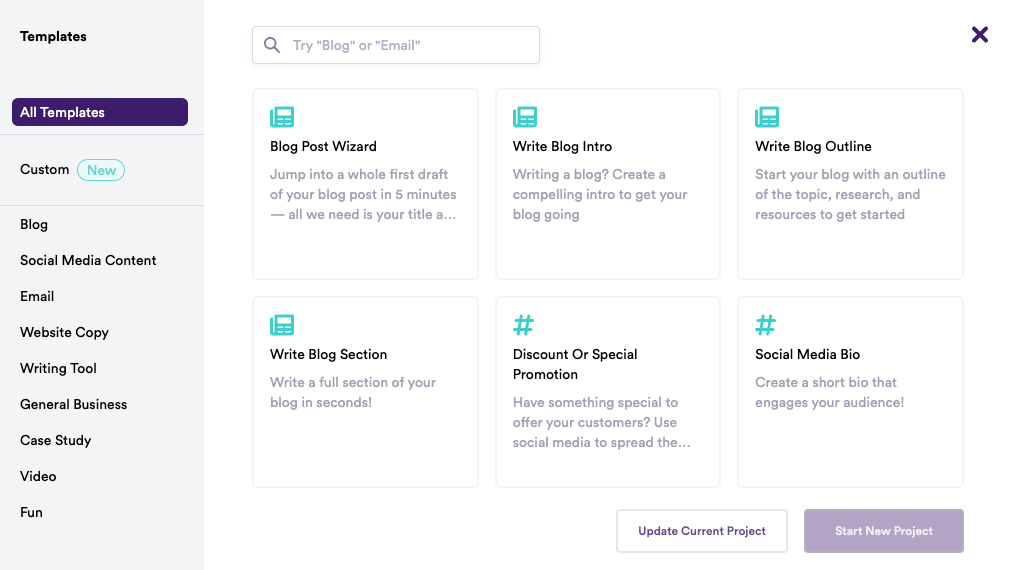
  • Pre-built Templates – Copy.ai has a ton of pre-built templates for different kinds of content. For example, you can see below that it has options for blogs, social media content, video, case studies, and more:
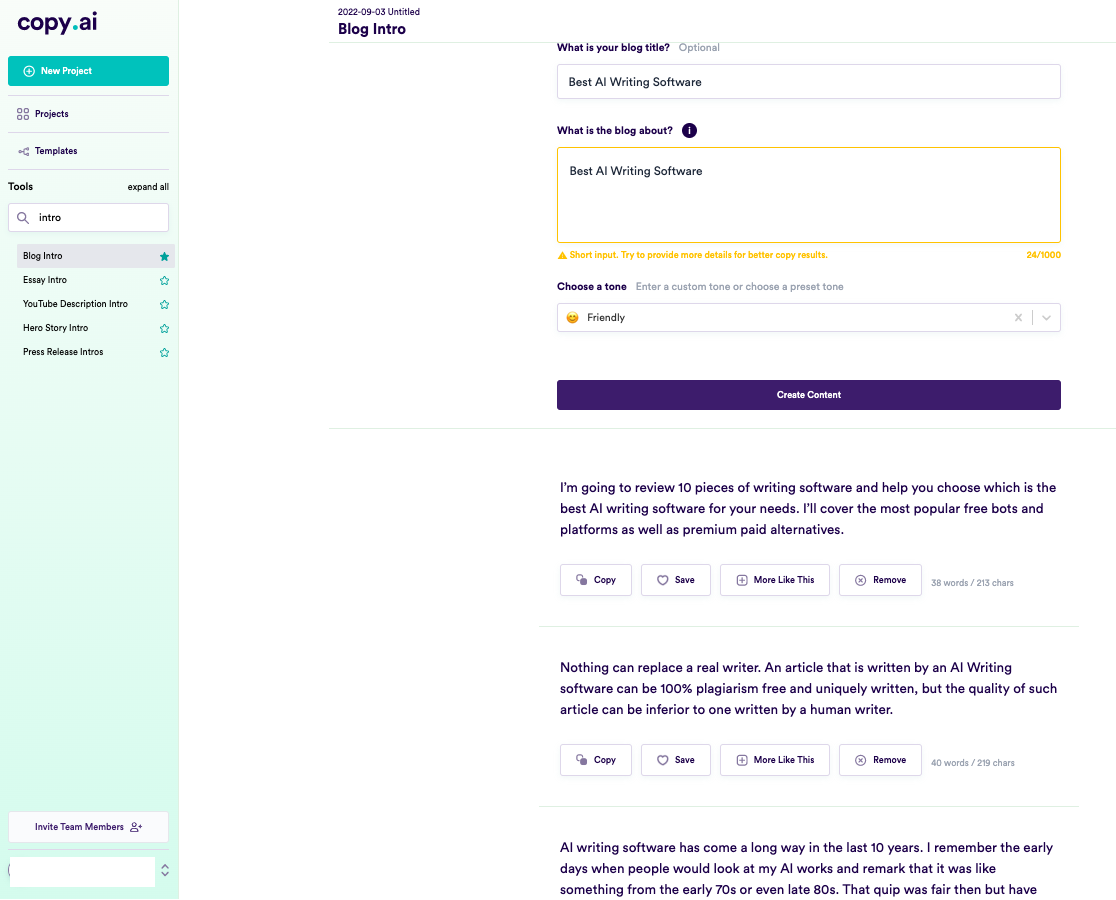
  • Different tones and variations – Get access to tones like friendly, persuasive, professional, luxury, witty, bold, and more to align the content with your writing style. It also creates multiple variations based on your input – you can pick the one you like or make more.To illustrate this, here’s a screenshot of the results we got while trying to write the introduction for this article using Copy AI.
  • Writing and Brainstorming tools – You also get tons of writing tools, brainstorming tools, and personal tools. Writing tools include essay intro, cliffhanger generator, adjective accelerator, passive to active voice, verb booster, and the like. Brainstorming tools have a name generator, startup ideas, viral ideas, and more – while Personal tools include birthday cards, clubhouse bios, cover letters, love letters, and shower thoughts.You can save your content and then return to it later if you wish. Plus, the software’s user interface is easy to navigate, and the program is simple.

Luciano Viterale, Co-founder of Ticker Nerd, also shares his experience with Copy.ai,

“I’ve been experimenting with AI copywriting tools since GPT-3 was released. I have explored many of the popular tools. However, my favourite tool by far is Copy AI. They have an outstanding blogging outline feature; the UX is clean and easy to navigate, and the pricing is reasonable.

Copy AI also generated the name of my startup, “Ticker Nerd,” which is an investing newsletter that was recently acquired.”

That said, Viterale suggests that the blog outlines can be repetitive. He says, “one thing I don’t particularly like is that blog outlines include the same point repeatedly but articulated slightly differently, essentially adding no value.” 

Pros:

  • Copy.ai produces content at least 80% as good as a human writer (and often better). The system continually learns, which means the more you use it, the better it gets.
  • It has an extensive library of templates available for different requirements.
  • It supports over 25 languages, including English, French, Spanish, Portuguese, German, Italian, Dutch, Russian, and more.

Cons:

  • Not suitable for long-form content.
  • The content can get a bit repetitive after a while.
  • The free plan lets you create only 2000 words per month.

Pricing:

It starts from $39 per month (if you pay yearly) for up to 40k words per month, unlimited copywriting tools, priority email support, Blog Wizard tool, support for 25+ languages, and five user seats.

2. Jasper

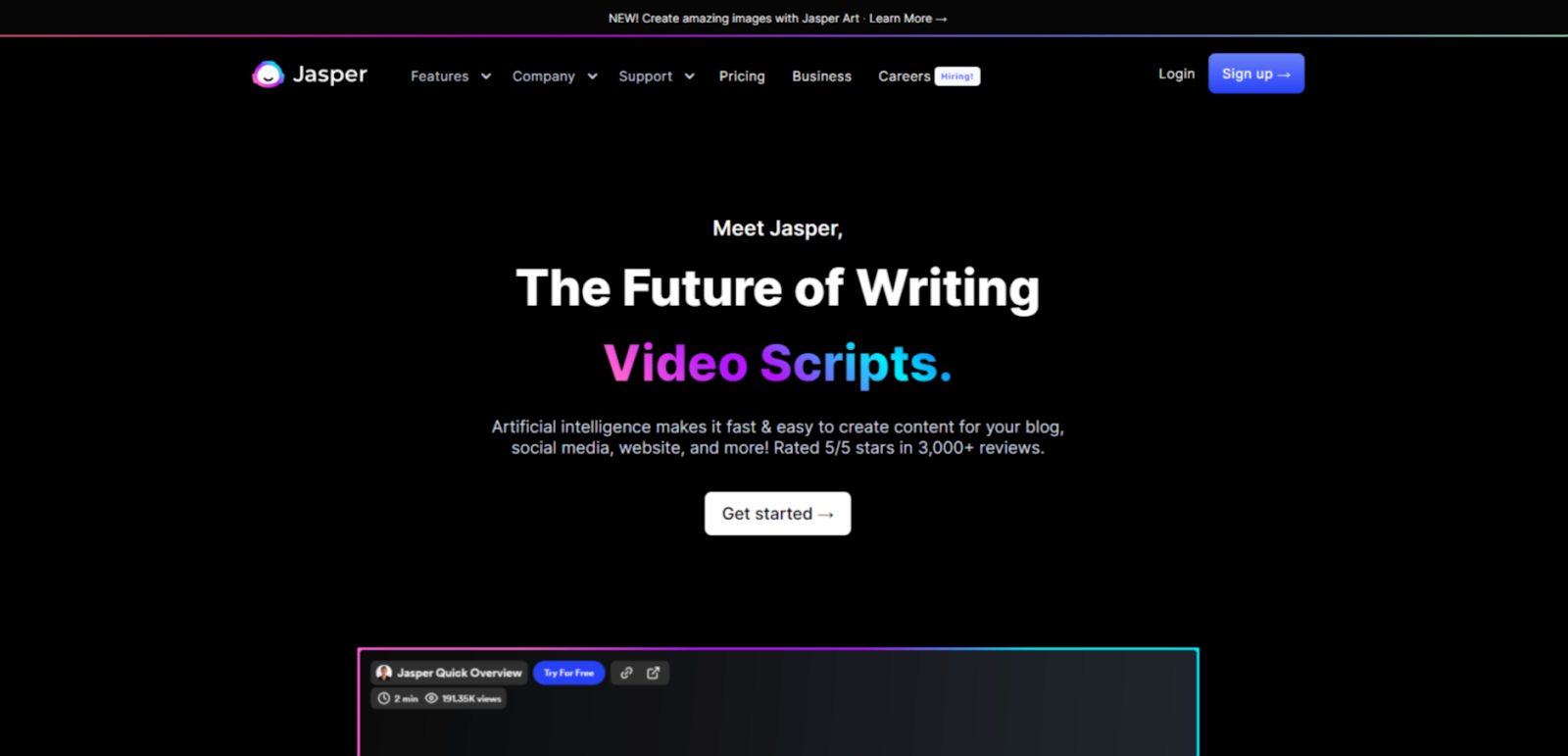
Jasper.ai is an AI copywriting tool that uses a combination of artificial intelligence (AI) and natural language processing (NLP) to create content based on user input.

It helps you generate original content for your blogs, social media, websites, and more. Jasper also knows 10% of what’s on the internet and continues to learn more daily.

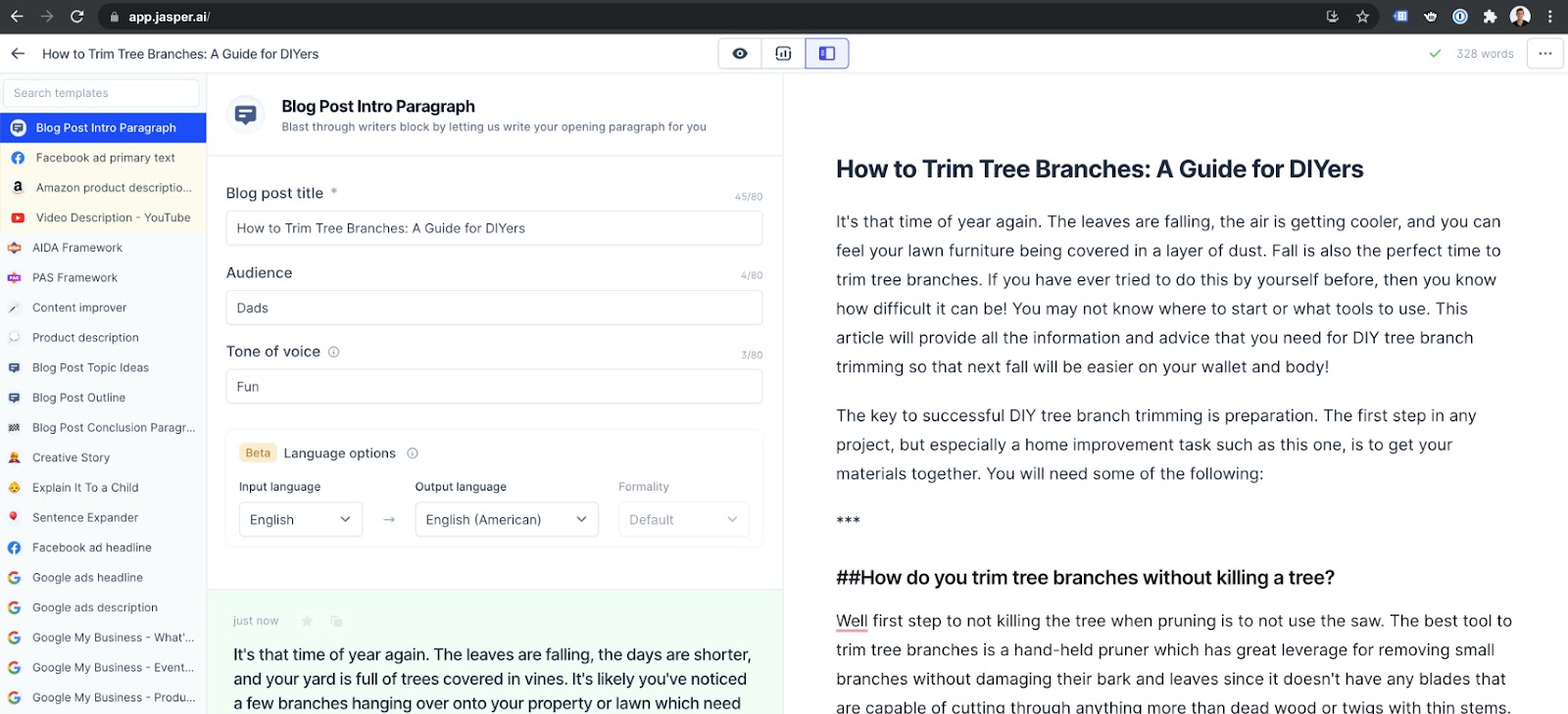
Just like Copy.ai, Jasper’s user interface is easy to use and navigate around. With its specific template for blog posts, articles, ebooks, and more, it’s also one of the few AI writing software suitable for long-form content.

All you have to do is enter the title, your intended audience, tone of voice, and language options, along with the main point of your copy, and voila – Jasper can churn out a high-quality piece of content for you within seconds.

(Jasper Interface)

Key Features:

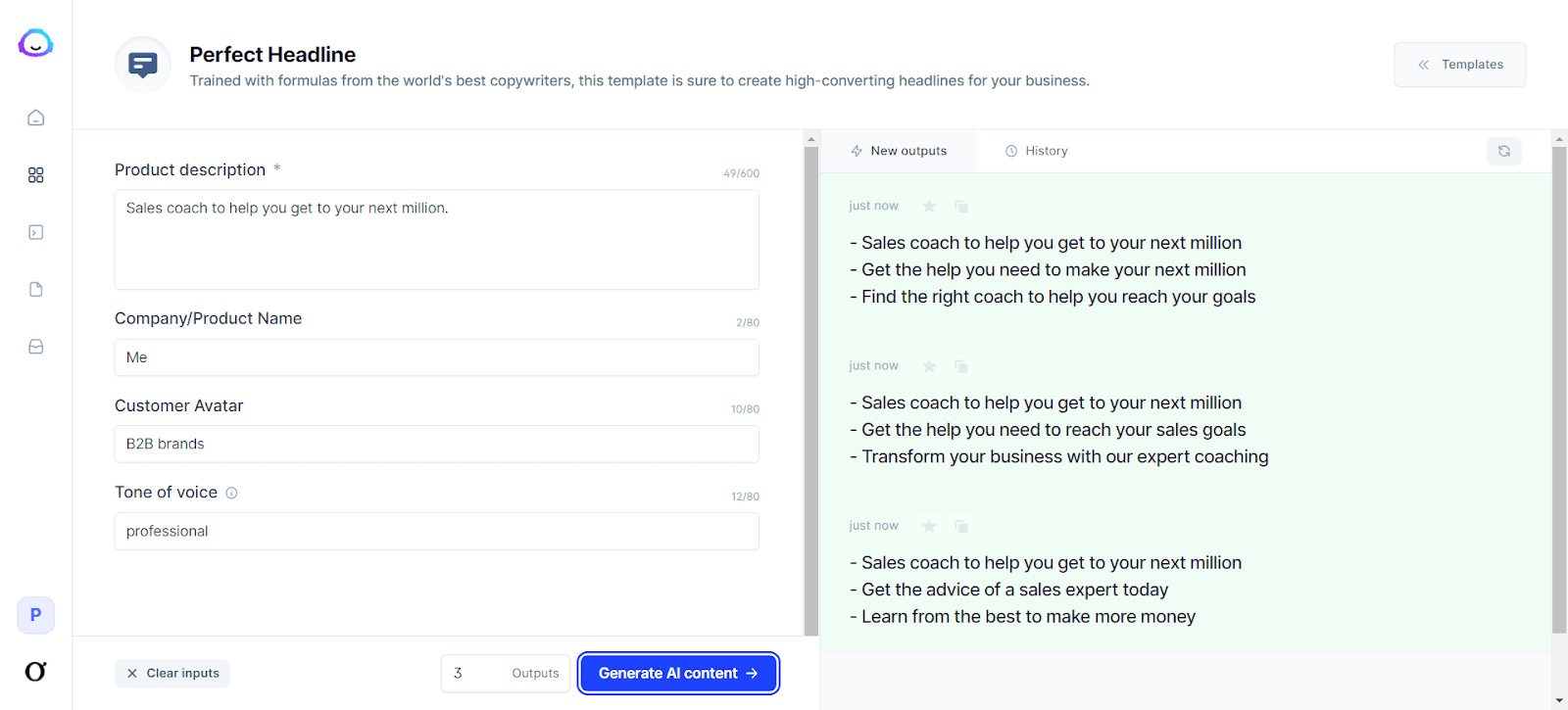
  • 50+ AI templates – Jasper.ai offers a variety of AI templates, including Blog Posts, Summary, Conclusion, Q&A, Ads, Videos, Social Media, Rewriter, Marketing Frameworks, Articles, and more. Each template has several use cases – for example, a blog has Blog Titles, Content Briefs, and Outlines.

Headline Generator

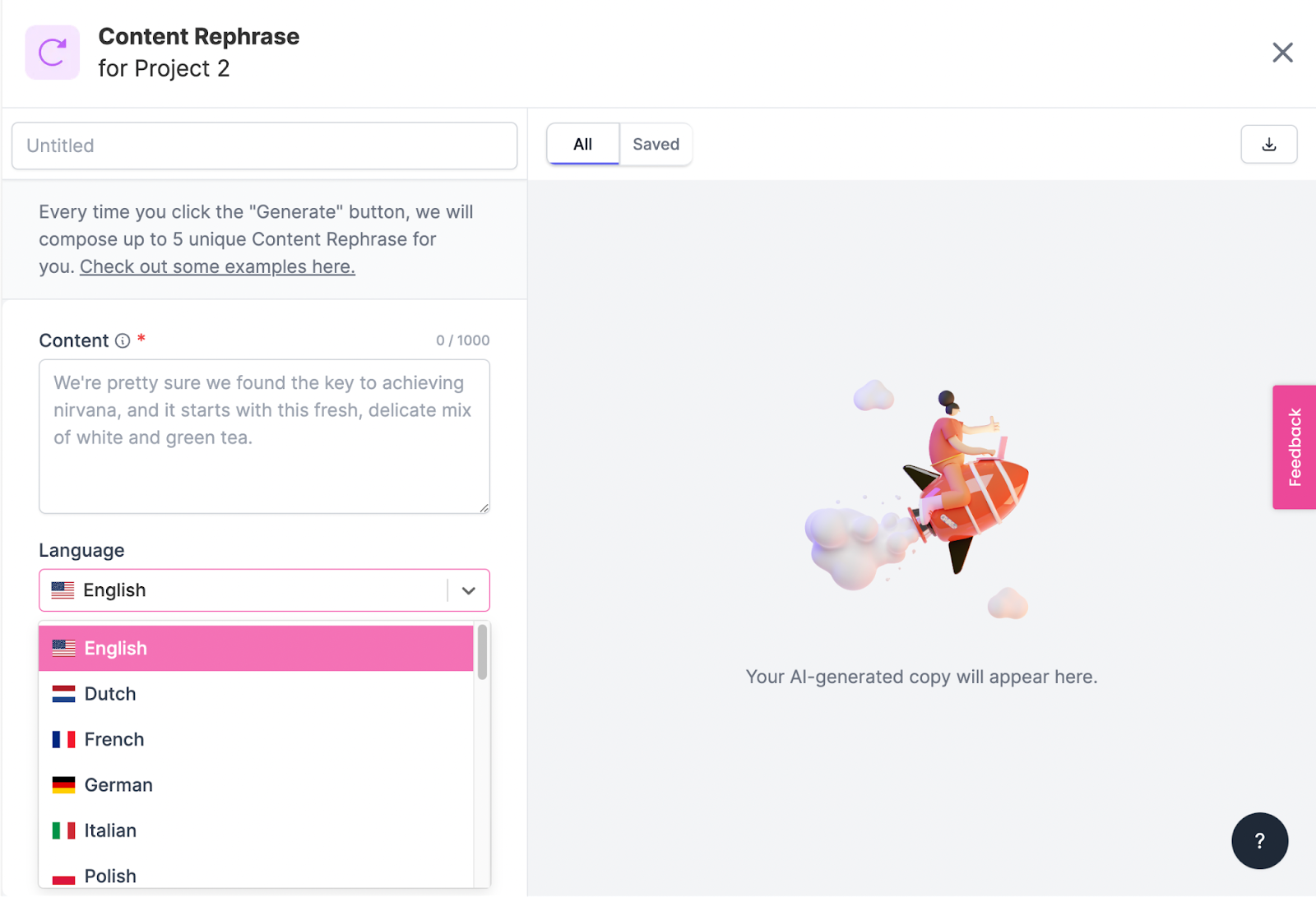
  • Boss Mode lets you write long-form content such as blog posts, stories, and books. It also allows you to organize your content into projects and find help with priority chat support, Grammarly integration, and plagiarism checks. You can also choose from 25 languages, including English, French, German, Italian, Spanish, Polish, and more.
  • SurferSEO Integration – If you have a Boss Mode plan, you can add SurferSEO to your Jasper account. This integration will enable you to find the best keywords, build a content strategy, create blog outlines, and more.

Content production using Surfer SEO Integration

Pros:

  • No technical assistance is required.
  • Simple, easy-to-use interface.
  • Provides plagiarism-free content every time.
  • It helps you build a content strategy based on high-ranking topics and keywords.
  • Ready-to-use templates cover most of the use cases that a writer or marketer will need.
  • Excellent customer support is provided through live training sessions, live Q&A sessions, blogs, Facebook community, help docs, and emails.

Cons:

  • Plagiarism-free content doesn’t always mean unique content.
  • Customer support options via chat or email are limited.

Pricing:

It starts with $40/mo for 35K words, 50+ AI templates, 20+ languages, up to 5 seats, and chat support

3. Rytr

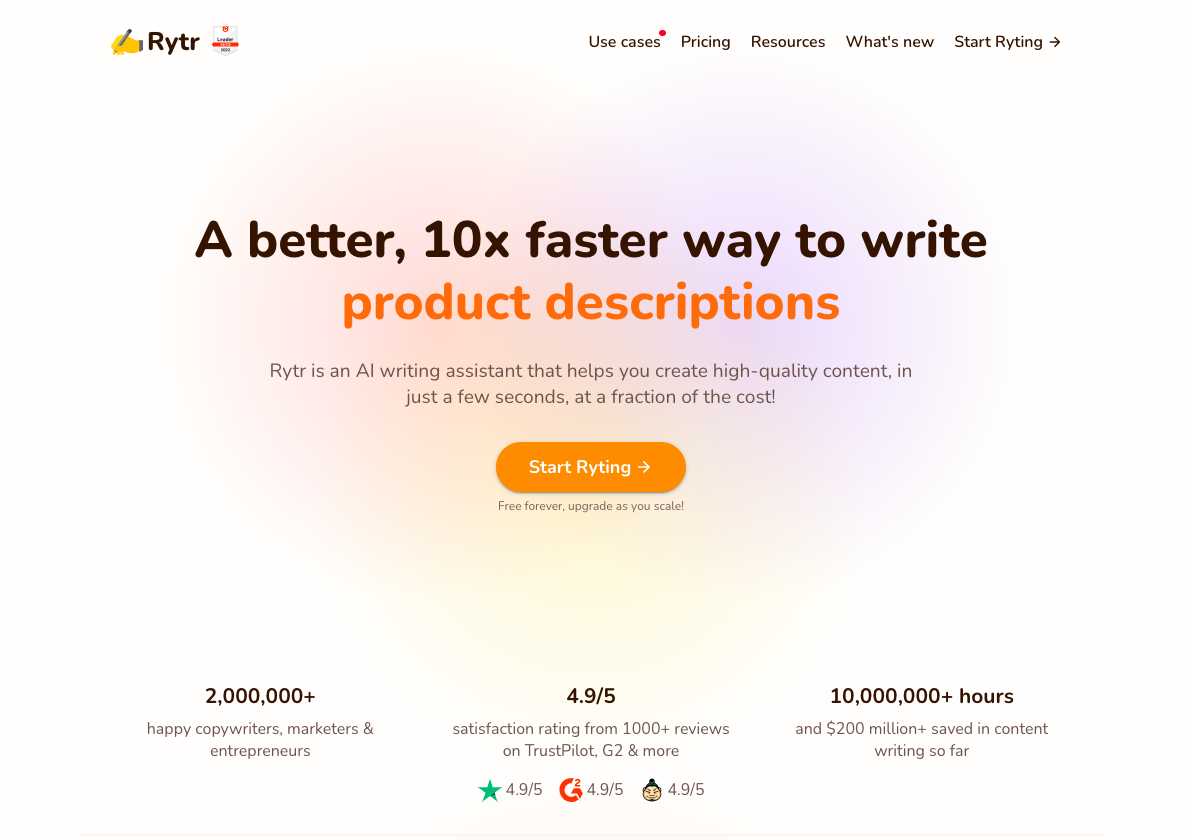
Rytr is a content generation tool that uses AI to generate high-quality, human-sounding content for emails, blogs, YouTube videos, and landing pages.

It also supports multiple languages and tones and uses copywriting frameworks, including AIDA & PAS. And to ensure that your content is free of plagiarism, it comes with a built-in plagiarism checker.

Like Copy.ai. Rytr is also more suitable for short-form content and copywriting than long-form content.

Key Features:

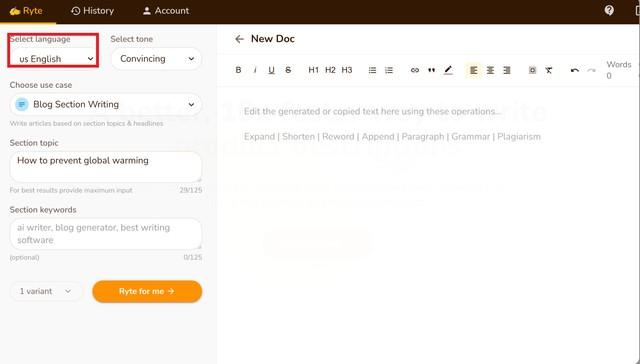
  • 30+ languages – Rytr supports many languages, including English, Finnish, French, German, Greek, Italian, Japanese, Korean and Polish. It also uses a proprietary approach to support languages that are not supported by the limitations of GPT3.

Language Support

  • Use Cases: Rytr offers 40+ use cases, including Blog Section Writing, Blog Ideas & Outline, Brand Name, Business Idea Pitches, Call-to-action, Cover letters, Emails, and more.

    Each use case has a short description of what it’s about below it. Select the use case to write about, give a little context about what you want to write, and then select how many variants you want the AI to write for you (max is 3).

You can also choose a creativity level by selecting one of 6 options, including Default, Non, Low, Medium, High, or Max.

Generating Blog Ideas & Outlines

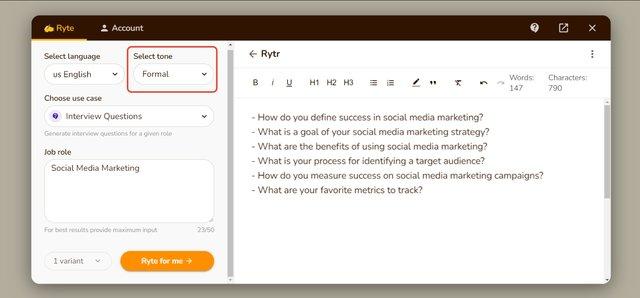
  • Tone – You can add a personal touch to your content by choosing from over 18 tones, including Formal, Convincing, Inspirational, and more.

Writing in a formal tone.

Pros:

  • Simple user interface.
  • Fast live chat support.
  • Using the magic command, you can produce content for poems, letters, and more.
  • Comes with an in-built tool for plagiarism checks.
  • Provides multiple resources for guidance.

Cons:

  • Tone options are limited.
  • You will receive a small number of credits per month.

Pricing:

It starts at $9/month for 100K characters per month. There is also a free plan with a 10K characters limit.

4. Writesonic

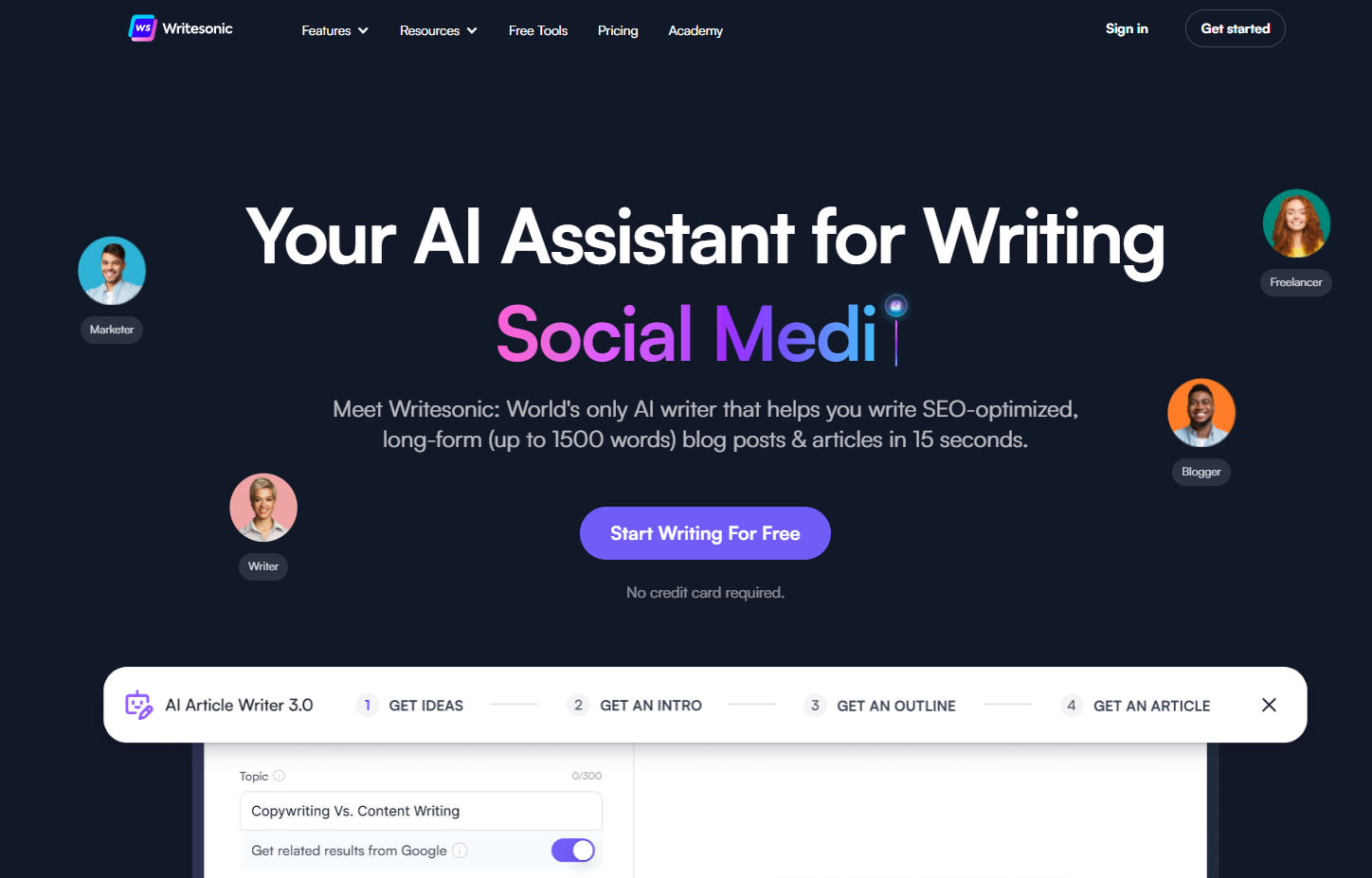
Writesonic is a content-creation platform that uses generative artificial intelligence models to write SEO-optimized long-form blogs and articles.

It has 65+ use cases or templates, including Article Writer 3.0, Landing Pages, Tweets, Quora Answers, Facebook Ads, and more.

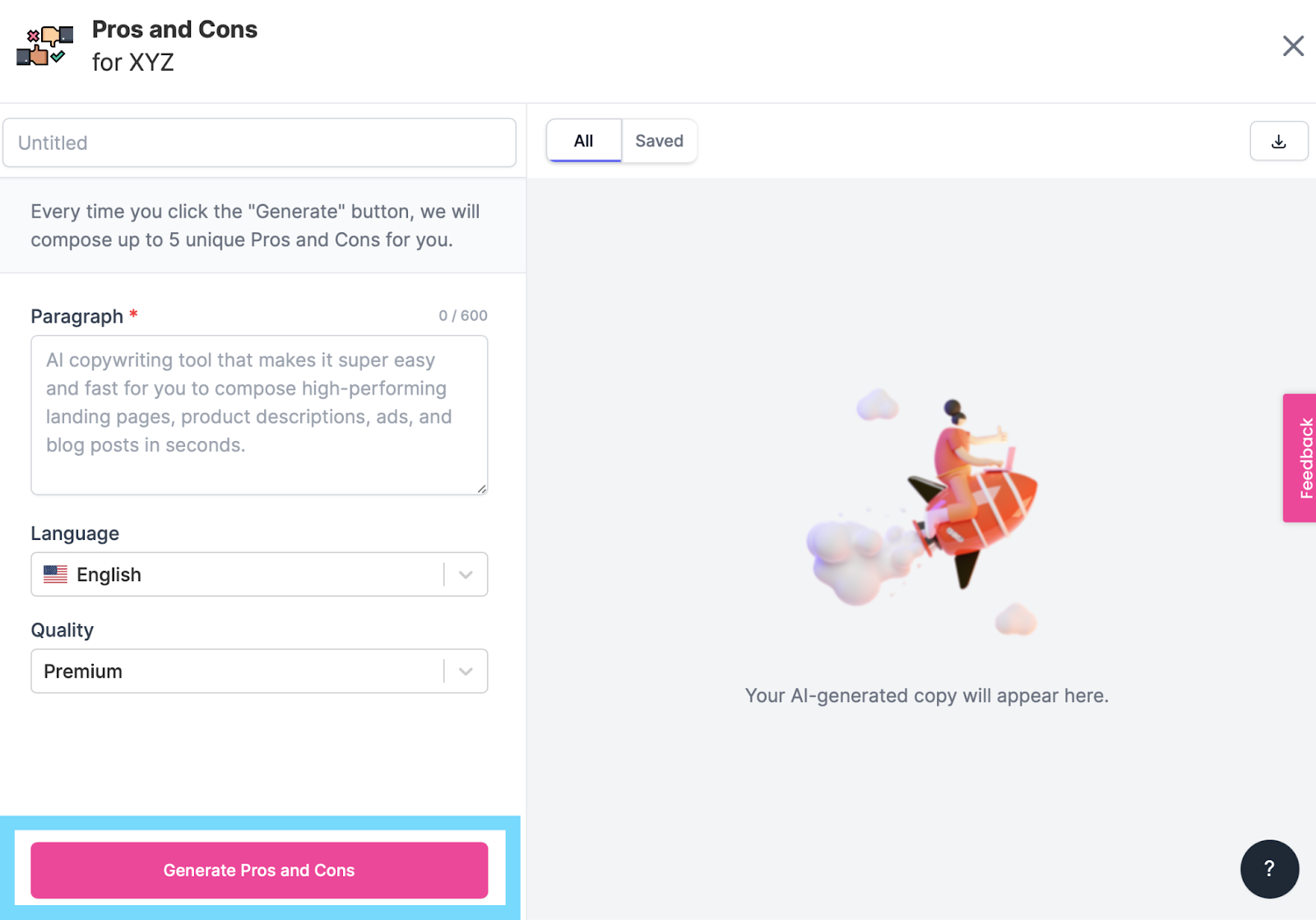
You can easily create desired content by picking a suitable use case, typing a topic, and adding a paragraph of your own words. You can also set the language and quality level before generating it.

Generating Pros and Cons

Key Features:

  • 24 Languages: You can produce content in 24 languages, including English, Dutch, French, German, Italian, Russian, Czech, Danish, Greek, Hungarian, and more. They’re also continually adding more language options.

Languages

  • Unconventional Use Cases: It’s got a more comprehensive range of templates, including Sentence Expander, Text Summary, Conclusion Writer, YouTube Outlines, LinkedIn Ad Descriptions, Analogy Maker, Question Generator, Song Lyrics, Definition, and more.
  • SEMrush and WordPress Integrations: Writesonic integrates with SEMrush, Zapier, and WordPress.org. SEMrush helps you optimize your content for search engines, and WordPress.org lets you publish your blog directly from Writesonic. Zapier integration enables you to automate your content from Writesonic.

SEMrush Integration

Pros:

  • Easy to use.
  • The User Interface gives you step-by-step instructions and tips for how to use the tool more efficiently.
  • There are many unique use cases, including a hook generator, pros and cons generator, and landing page creator.
  • Free trial available.

Cons:

  • Like other tools on this list, the copy may not always be accurate.

Pricing:

It starts at $10/month for 12K words, 70+ AI templates, a Landing page generator, a browser extension, Zapier integration, and more.

5. Grammarly Business

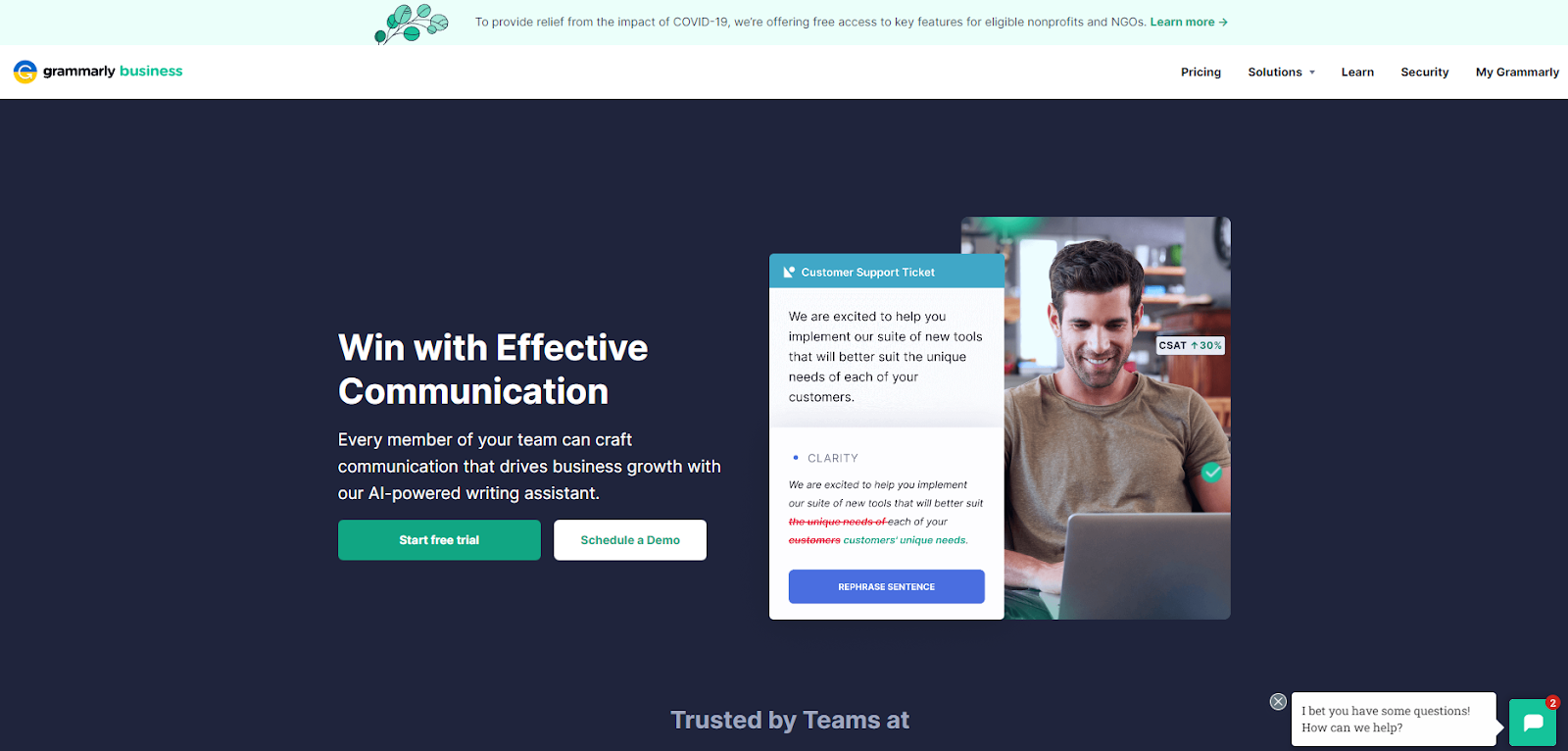
Like most other tools on this list, Grammarly Business isn’t an AI-based content writer per se—it’s more like an AI-based writing assistant. Specifically, it checks your documents for grammar, spelling, plagiarism, and style mistakes.

Grammarly Business also provides feedback on your writing style so that you can improve as a writer over time.

You can use Grammarly Business to:

  • Get suggestions to improve your writing style, including word choice and sentence structure.
  • Identify common grammatical mistakes and fix them in one click.
  • Improve your email response time by checking emails before they’re sent out.

It’s also ideal for larger teams of writers who need to access the same Grammarly accounts, enabling multiple users to edit documents simultaneously.

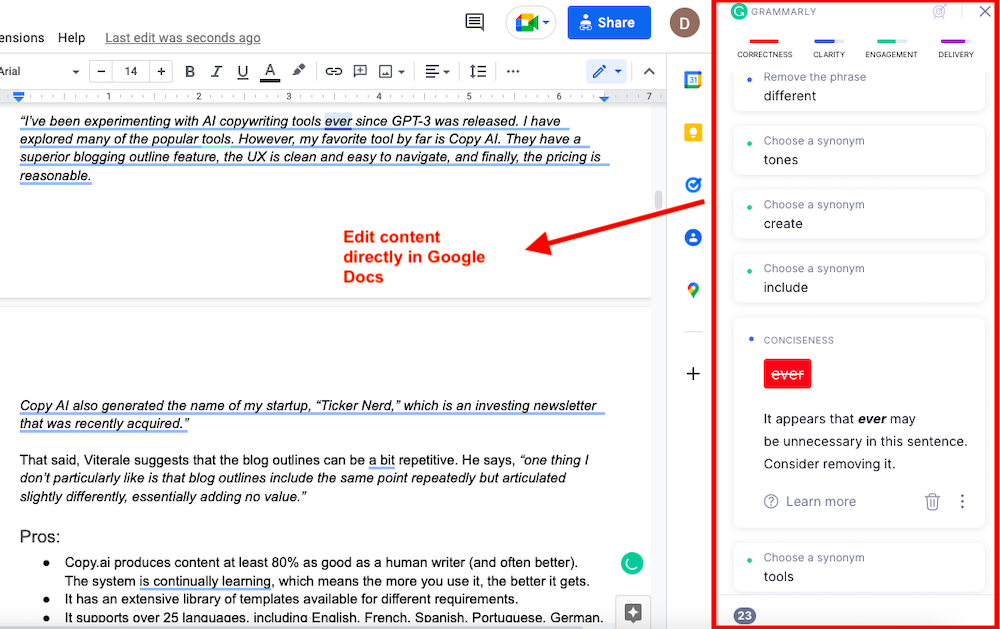
One of the best parts about this tool is that it integrates with every online writing space, including Google Docs. This allows you to write and edit simultaneously without waiting for one draft to be finished before making changes to the next.

Key Features:

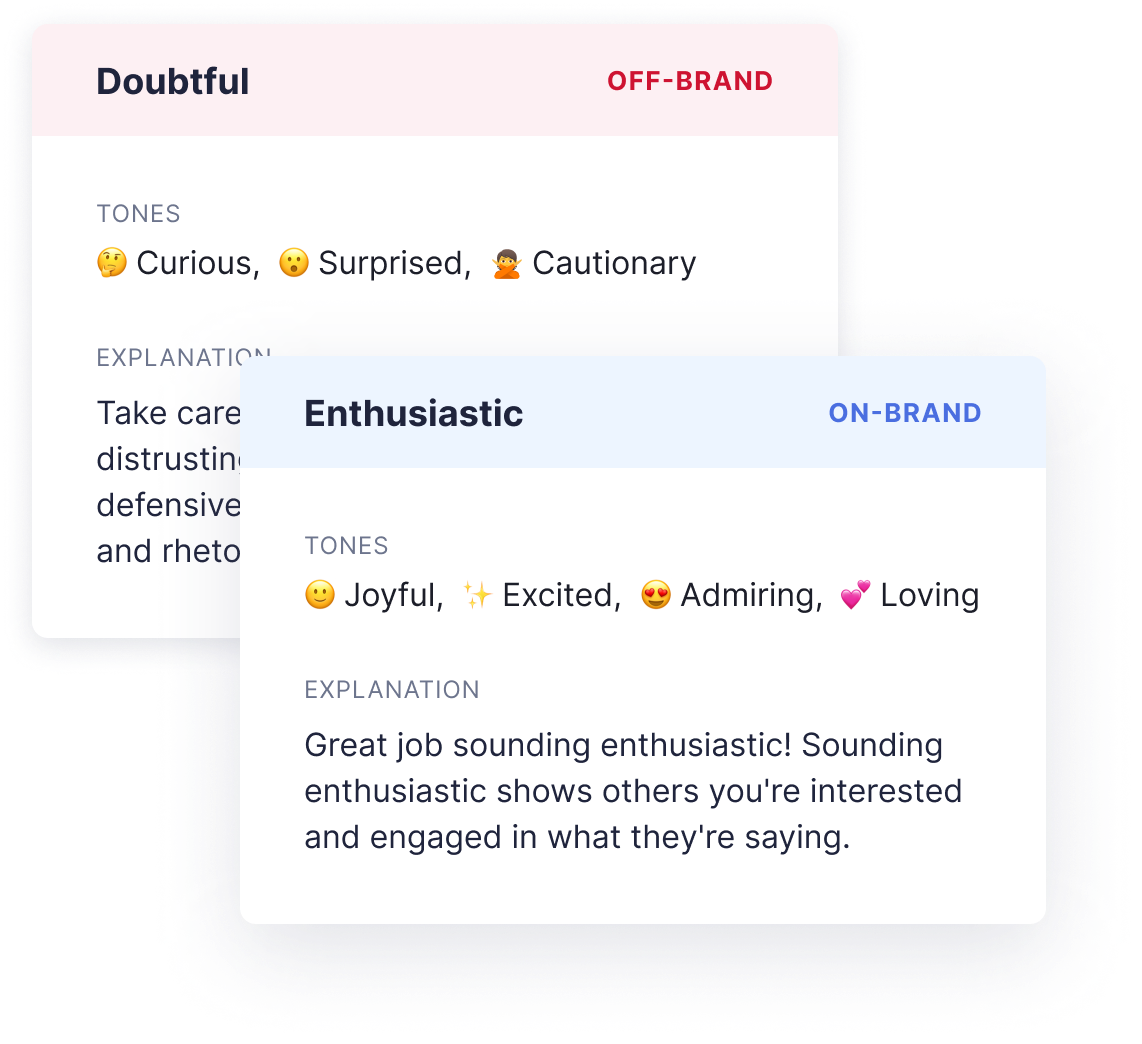
  • Custom Brand Tone: You can create multiple tone profiles to suit your needs and assign them to different Teams. You’ll also get real-time feedback on your tone and can adjust it while writing. Your tone can be anything from Joyful, Excited, Loving, and Surprised to Curious, Formal, and Cautionary.

Brand Tone Feedback

  • Grammar Checker: Grammarly gives you feedback on everything that can be improved in your writing – from typos to sentence structure. It also checks for grammar mistakes, spelling errors, and incorrect punctuation.
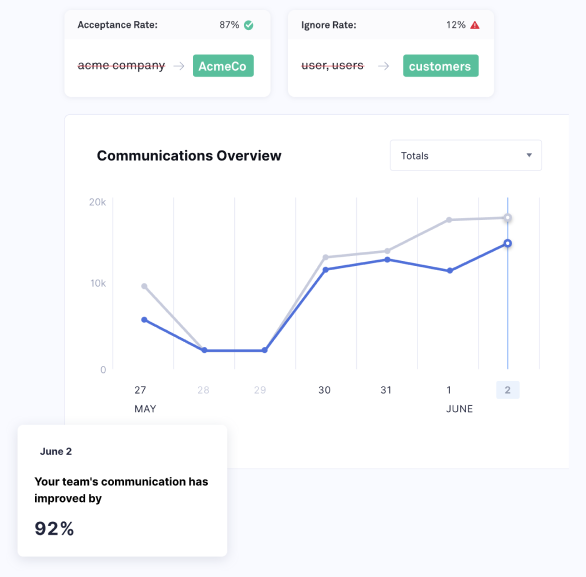
  • Style Guide: Grammarly Style Guide enables you to establish a uniform tone and style across all your teams. You can set a library of words, terms, and phrases that your teams should adhere to.You can also prevent them from using complex acronyms or jargon. Lastly, you can get feedback on how the performance has increased with the Style Guide.

Style Guide Analytics

Pros:

  • Real-time feedback on errors and tone usage.
  • Grammarly gives instant, easy-to-understand feedback and lets you fix mistakes with just one click.
  • You can always add new words to the dictionary.

Cons:

  • It flags passive voice as an error.
  • Grammarly is good at catching mistakes, but sometimes it corrects things unnecessarily.

Pricing:

It starts at $15/month for one member, real-time feedback, style guide, snippets, brand tones, admin controls, and more.

6. Peppertype.ai

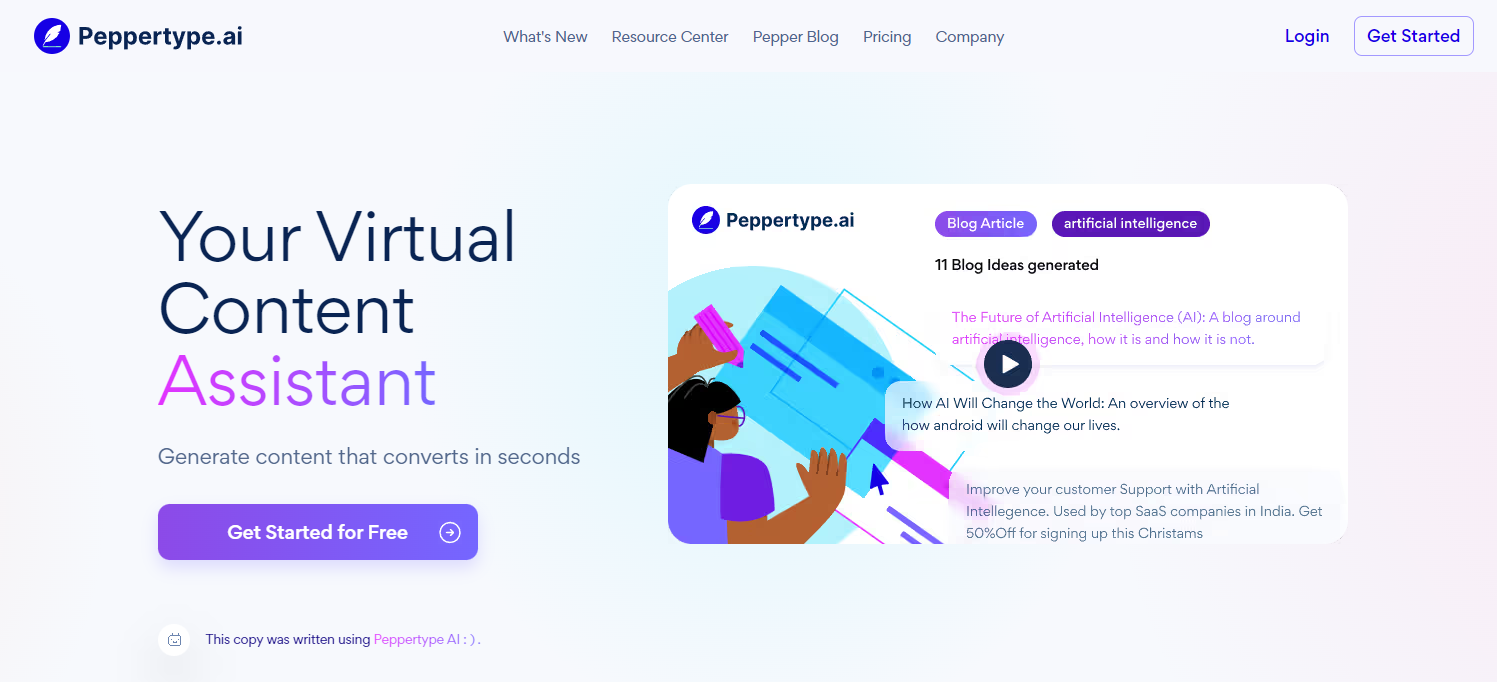
Peppertype.ai is another AI-based content generation tool that claims to create content ten times faster, boost Google ranking, and optimize conversions.

It’s a simple but valuable tool for writers who need help getting started on their next article, email, or blog post.

Some of its use cases include a product review generator, Amazon product descriptions, personal bio, email subject lines, cold emails, paragraph writing, Google Ad copy, Meta descriptions, blog outlines, blog conclusion, and more.

Key Features:

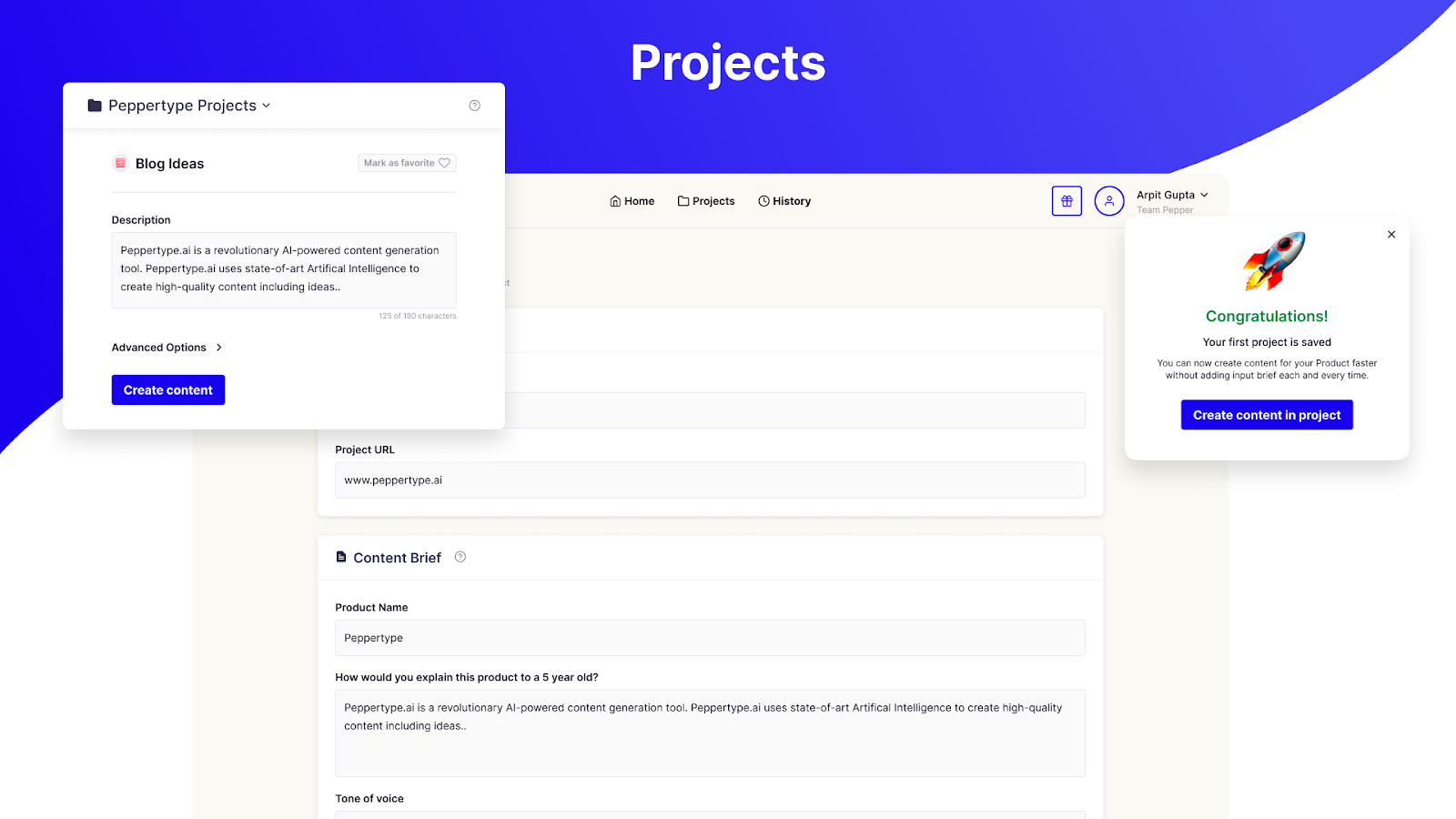
  • Projects: You can organize your content under Projects, which will group similar types of content so that you have an easier time finding and repurposing the content.

Projects

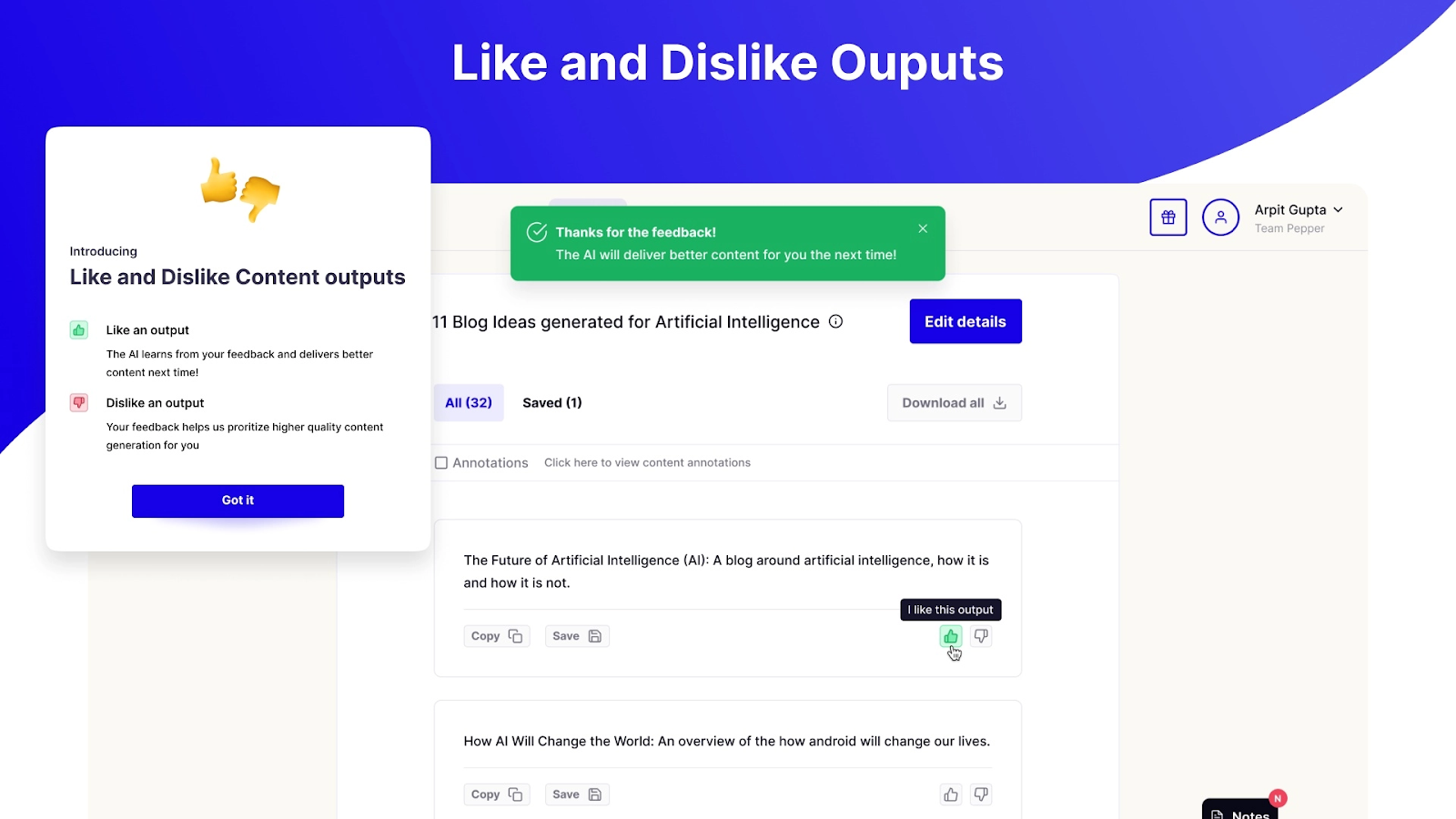
  • Output personalization: You can like or dislike the output so that the AI behind it can learn your preferences and improve its performance.

Personalizing output

Pros:

  • If you invite your friends to use Peppertype.ai, join our community, write them a review, and schedule a training call, they’ll reward you with more word credits.
  • You can create teams, projects, and workspaces.
  • You can filter out unwanted results with annotations.

Cons:

  • One seat is expensive, and the price increases with each added seat.

Pricing:

It starts at $35/month for one user, 50K words, 40+ use cases, unlimited projects, customer support, and more.

7. Anyword

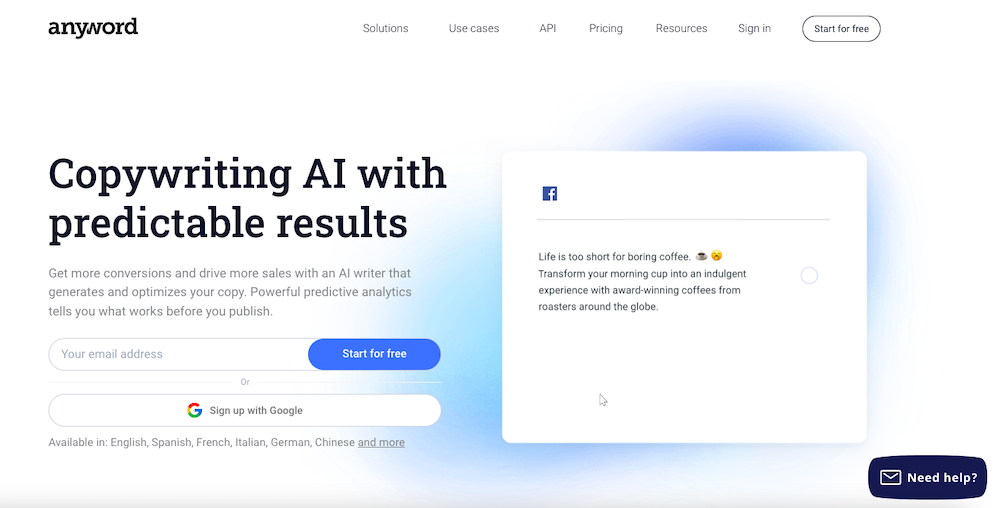
Anyword is a copywriting AI that creates content tailored for your customers and target audiences.

It has a unique feature – the predictive performance score to predict how well your copy will perform and engage with your audience. This helps you write optimized texts that boost your conversions.

It has 11 major use cases, including a social post generator, Instagram caption generator, sentence rewriter, AI writer tool, meta description generator, Ad copy, landing page, blog, and more.

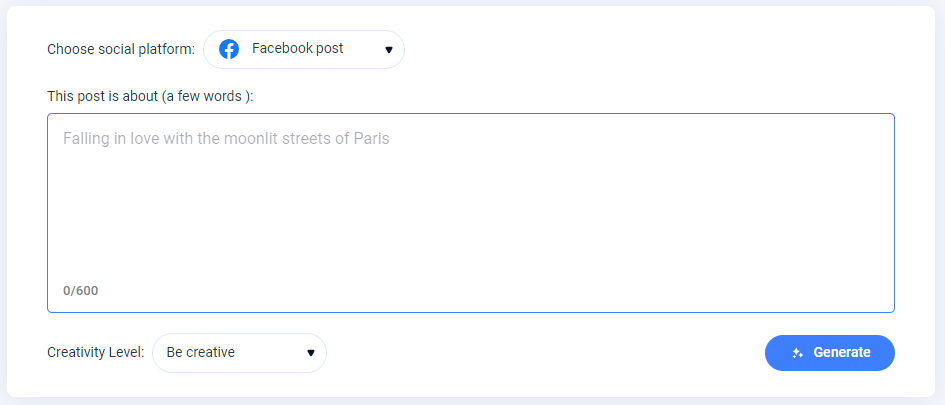
Generating Facebook Post

Although it can create blog post titles and outlines, it’s better suited for writing short-form content like ad copy, product descriptions, and headlines. When writing a blog post, it can generate the title, outline, and introduction before creating body paragraphs.

Key Features:

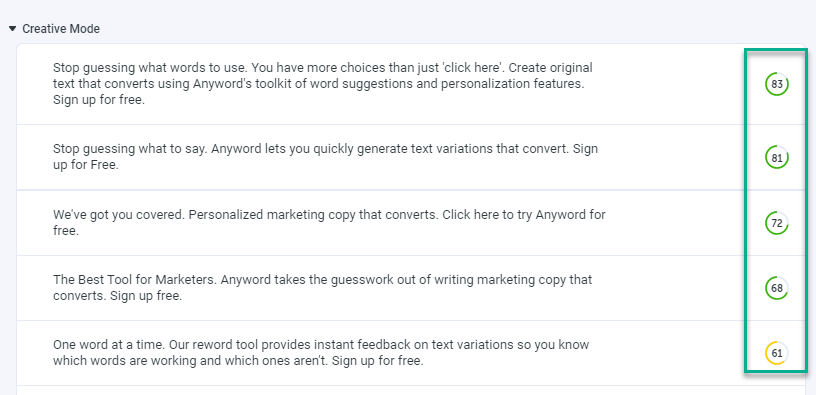
  • Predictive Performance Score: This score is given to your copy based on its potential to perform well with your target audience. This can help you immediately improve your copy.

Predictive Performance Score

  • Website Triggered Messages: This feature helps you create and deploy multiple copy variations on your website and apply the best one automatically.

Pros:

  • It offers a predictive performance score to optimize your copy beforehand.
  • It also offers a free social post generator. No sign-up is required.
  • It automatically creates and runs multiple copy variations to determine the best one.
  • A Freemium plan is available.

Cons:

  • Limited use cases.
  • A bit expensive for the credits and the number of use cases it offers.

Pricing:

It costs $24/month for 20K words and one seat.

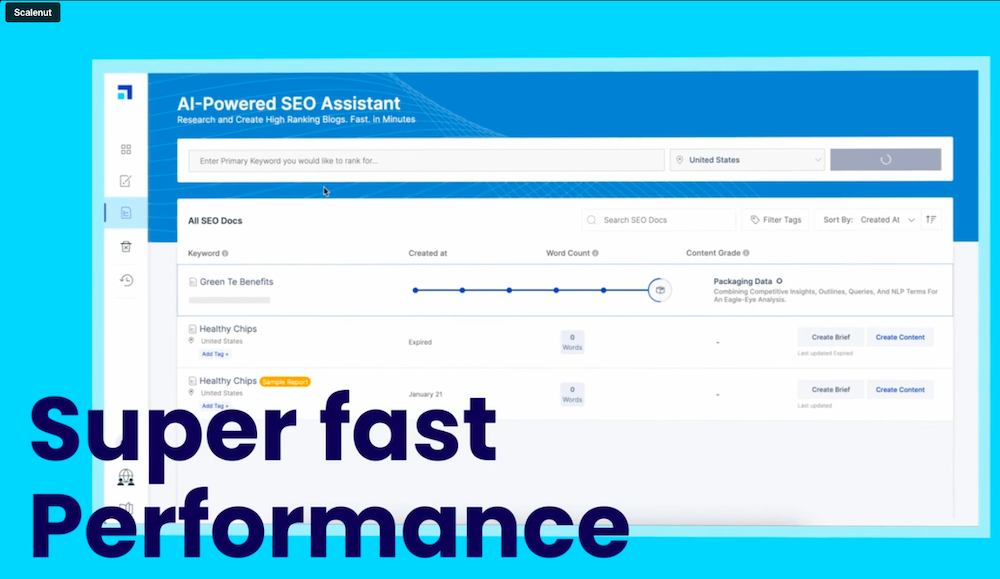
8. Scalenut

Scalenut uses Natural Language Processing (NLP) to produce content that ranks higher on search results. It also gives insights into statistics such as word count, grade level, H tags, readability, and the number of images you should use in your content piece.

Aside from that, it offers a variety of use cases, including SEO Hub, AI Copywriter, Talent Network, Chrome Extension, Cruise Mode, and more. With these features, you can create content for blog ideas, product descriptions, website copies, blog intros, and more.

Key Features:

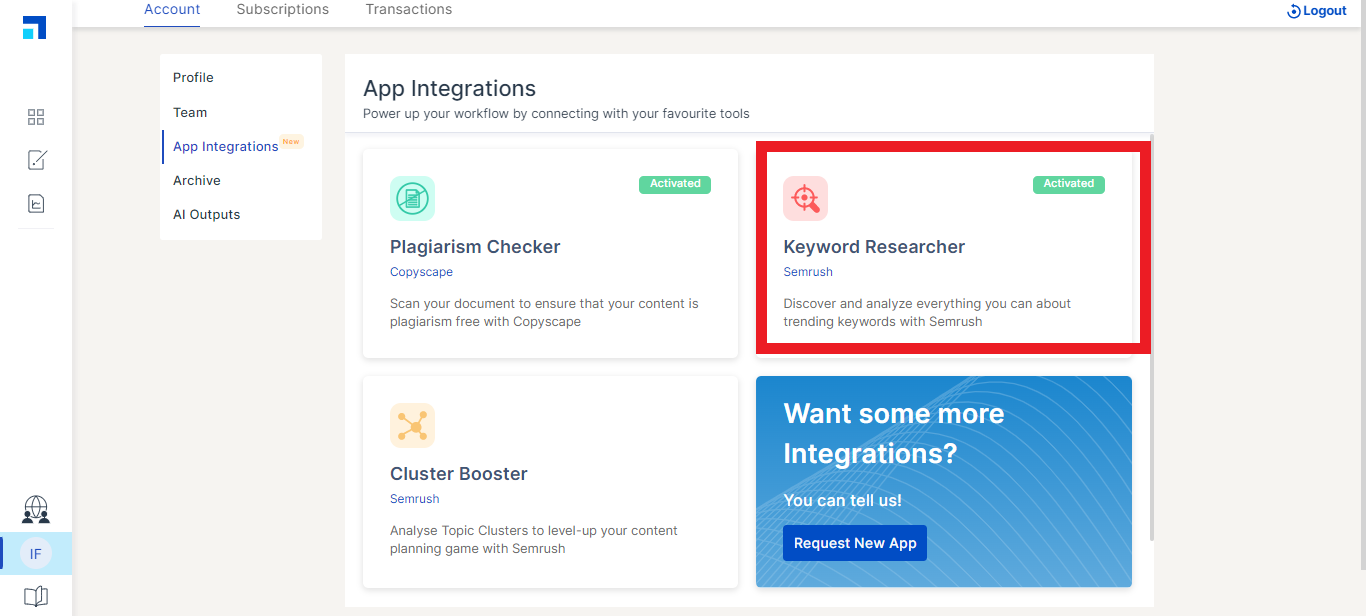
  • Integrations: You can integrate Scalenut with SEMrush for keyword research, cluster boost, and Copyscape to check plagiarism.

App integrations

  • Cruise Mode: Cruise Mode helps you create blog content in 5 minutes. You just need to provide your blog post’s title, outline, and main points to get your intended content. You’ll also get a real-time quality score that helps you improve your search ranking.

Pros:

  • It offers a quality score.
  • Affordable plans with a 7-day free trial.
  • 24*7 chat & email support.

Cons:

  • Limited use cases and features.
  • Content quality is not consistent for all businesses.

Pricing:

It starts at $12/month for 100K AI words, 5 SEO reports, 24*7 chat and email support, and more.

9. Frase.io

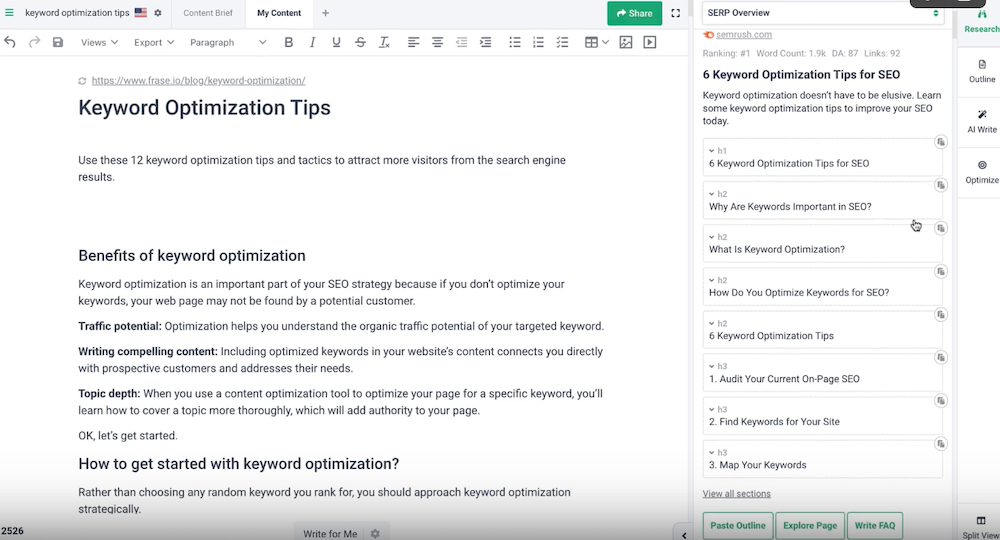
Frase.io is an all-in-one AI writing tool that helps you, research competitors, develop content briefs, and produce and optimize content.

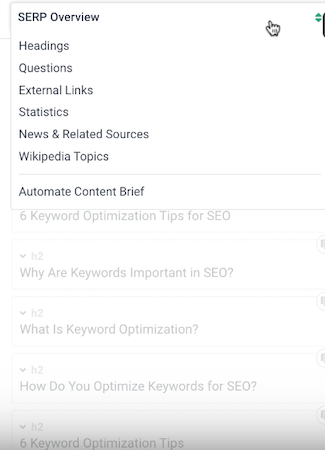
First, you’ll analyze your search competitors using Frase so you can see what your competition is writing about. Next, you can focus on Then, your overall outline or dig deeper by focusing on individual headlines, external links, statistics, etc.

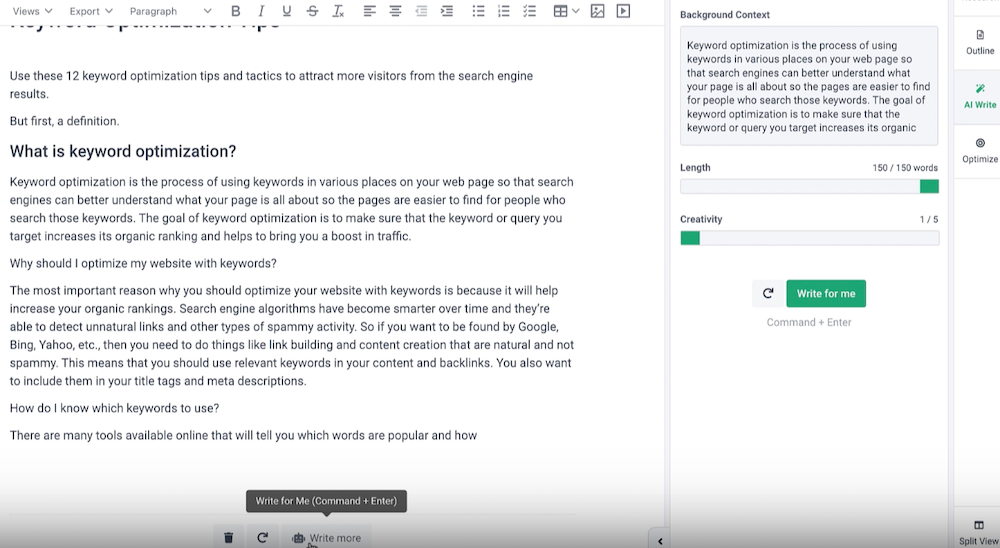
Next, use Frase’s AI writer to finish your draft. You can choose from dozens of use cases to generate content, including product descriptions, blog introductions, and more. You can even automatically expand on what you’re currently writing or rewrite what you’ve already written.

Finally, you can optimize your draft using recommended keywords and readability scores. Again, Frase provides real-time feedback as you fill in the gaps.

Key Features:

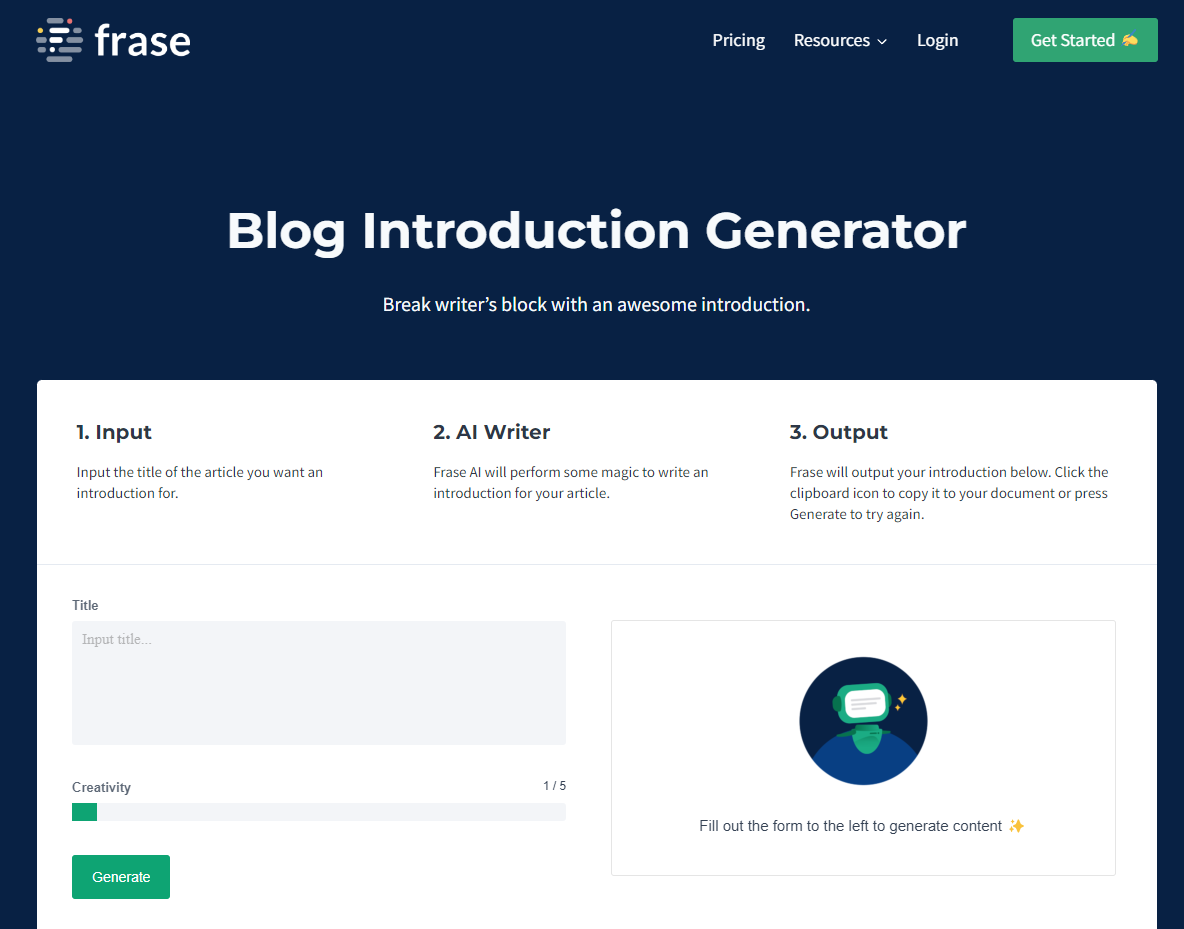
  • AI Writing Tools: They include an AI content generator, introduction generator, outline generator, paraphrasing tool, paragraph rewriter, blog title generator, meta description generator, product description generator, slogan generator, summary generator, sentence rewriter, and more.

Blog introduction generator

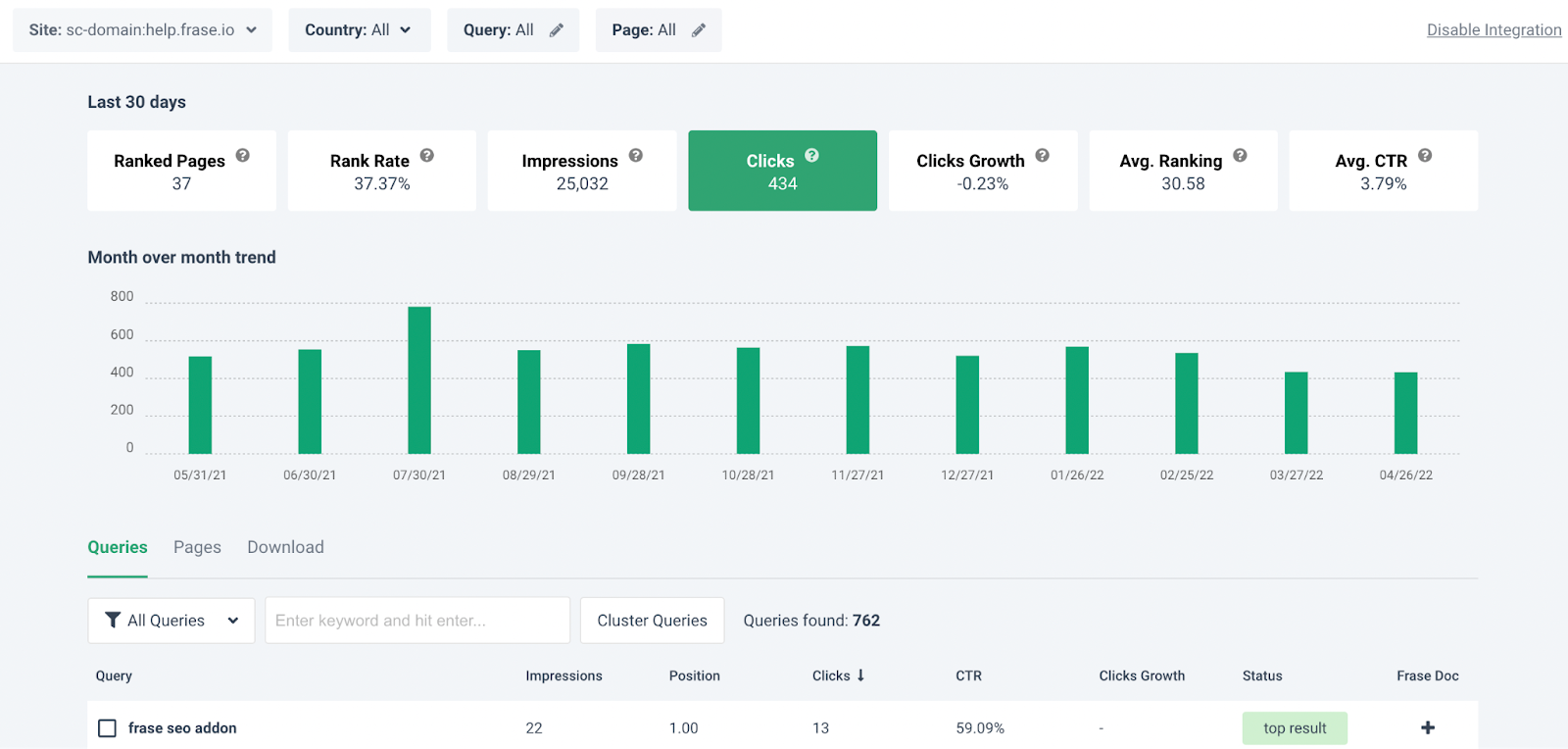
  • Content Analytics: It fetches data from Google Search Console to provide insights into organic growth, content decay, and keyword opportunities.

Frase Content Analytics

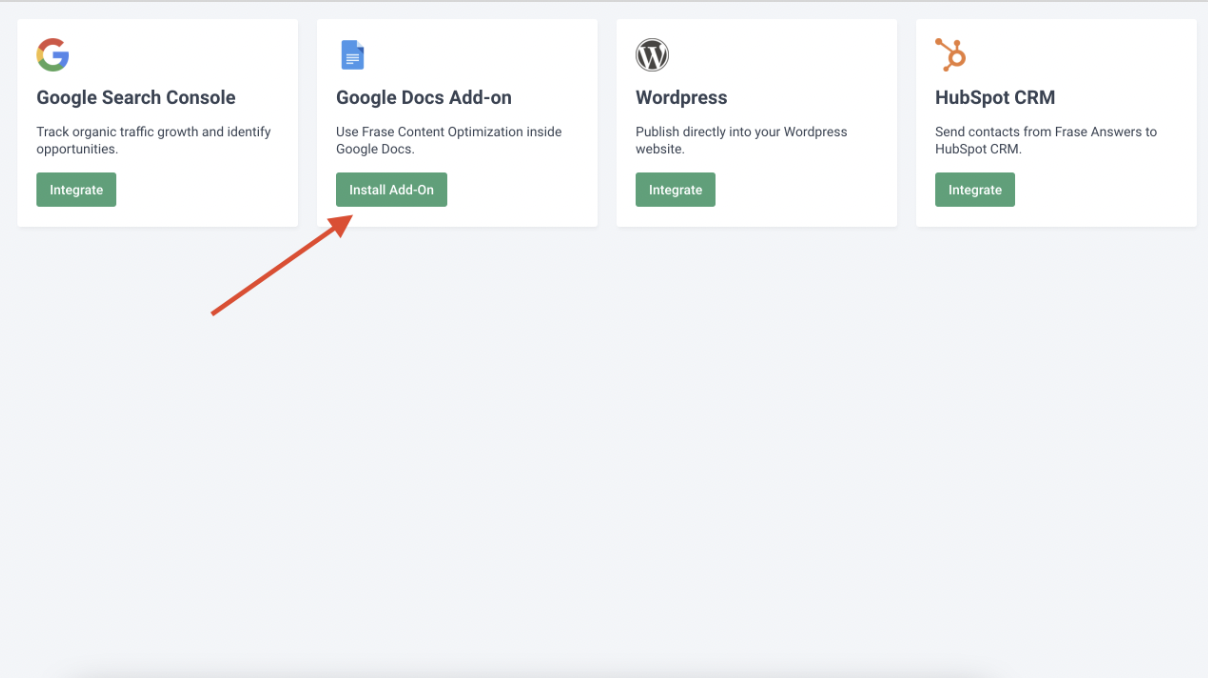
  • Integrations: It integrates with Google Docs, Google Search Console, and WordPress. It also offers a Chrome extension.

Frase Integrations

Pros:

  • You can add multiple pages in a single doc.
  • It offers content analytics, allowing you to see which articles are getting the most traction and which ones are not.
  • It enables you to do competitors’ research.

Cons:

  • Limited word credits in each plan.
  • Max 3 seats available.

Pricing:

It starts at $14.99/month for one user, 20K AI characters, and four articles (write/optimize) per month. There’s also a 5-day free trial for $1.

10. Surfer SEO

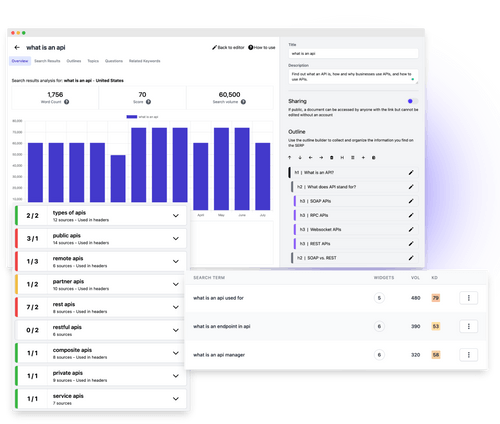
Surfer SEO is an SEO tool and AI writing assistance that uses Natural Language Processing (NLP) and machine learning (ML) to help you manage and improve your content strategy.

Rather than creating the body of your copy, it helps you create outlines and optimize the content you write based on that outline.

It helps you to evaluate your content and find places to improve it using its content score metric, competitor research, SERP analyzer, and keyword recommendations. It also offers a content planner that you can share with your team.

Key Features:

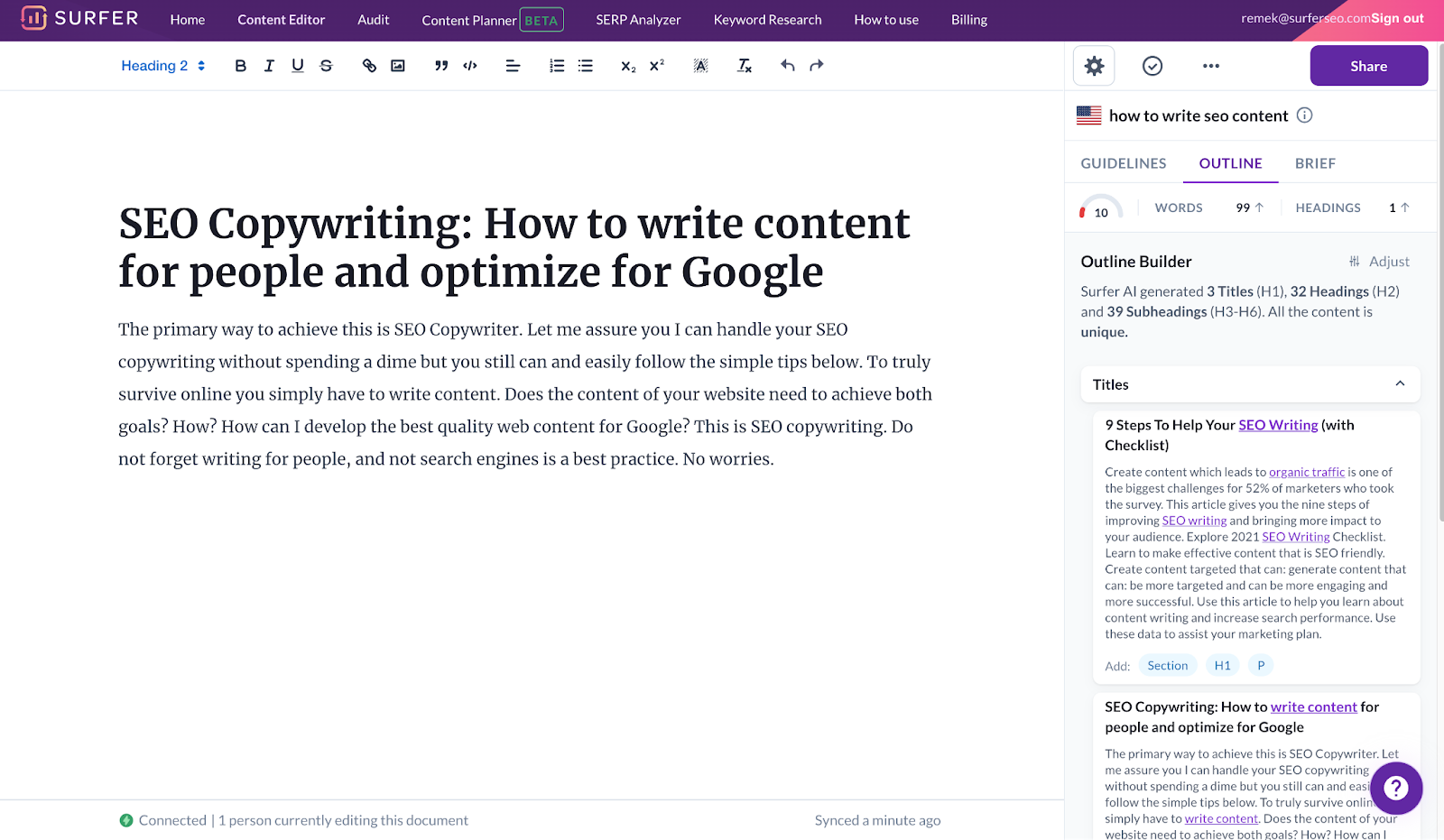
  • Outline Builder for Content Editor: The tool generates headlines and paragraphs based on your competitors’ postings. You can use that content as is or edit it by copy-pasting it into the editor. Content paragraphs are available in English, German, French, Polish, Swedish, and Dutch.

Outline Builder Content Builder

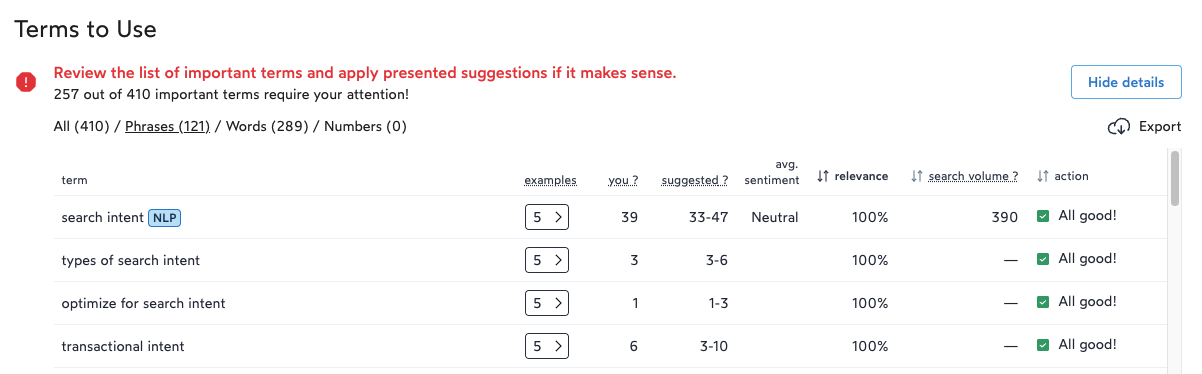
  • SEO Audit Tool: This tool performs step-by-step optimization on your website to improve your Google search results. When you pick an URL to audit, it provides suggestions such as missing backlinks, internal links, word count, and important keywords to use.

Terms to use

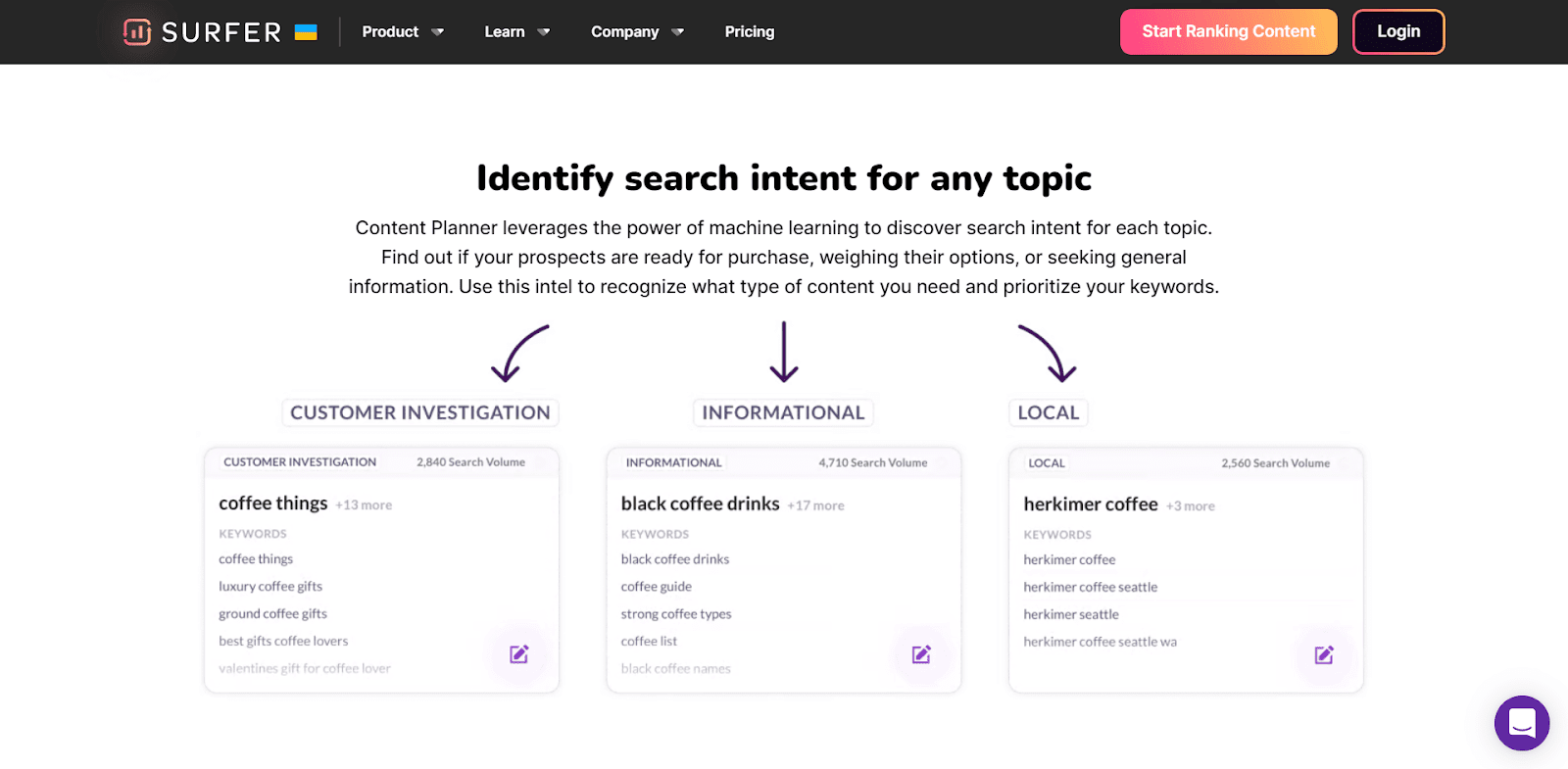
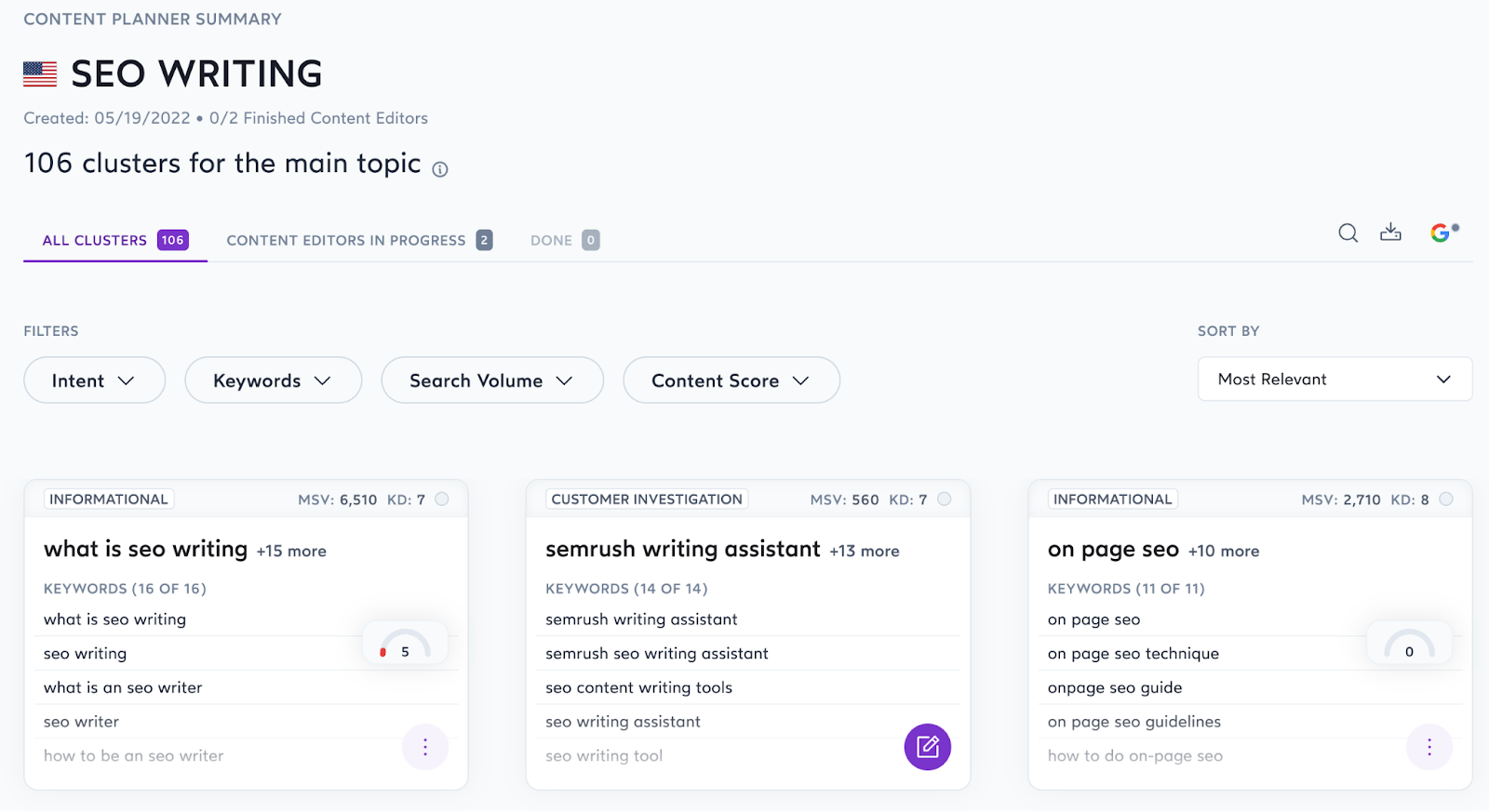
  • Content Planner: You can start with your content planner by keyword or domain. Based on your keywords, it comes up with clusters that you can use to create your content topics.However, there is a learning curve involved. You will need to understand topic clusters, search intent, and keyword difficulty, among other metrics.

Content Planner

Pros:

  • Easy to use interface.
  • They offer a 7-day money-back guarantee – if you don’t find it helpful, you get your money back.
  • It identifies keyword stuffing and prevents you from doing so.

Cons:

  • Each plan offers a limited number of pages that you can audit.

Pricing:

It starts at $49/month for one website tracking and ten articles/month.

11. Copysmith

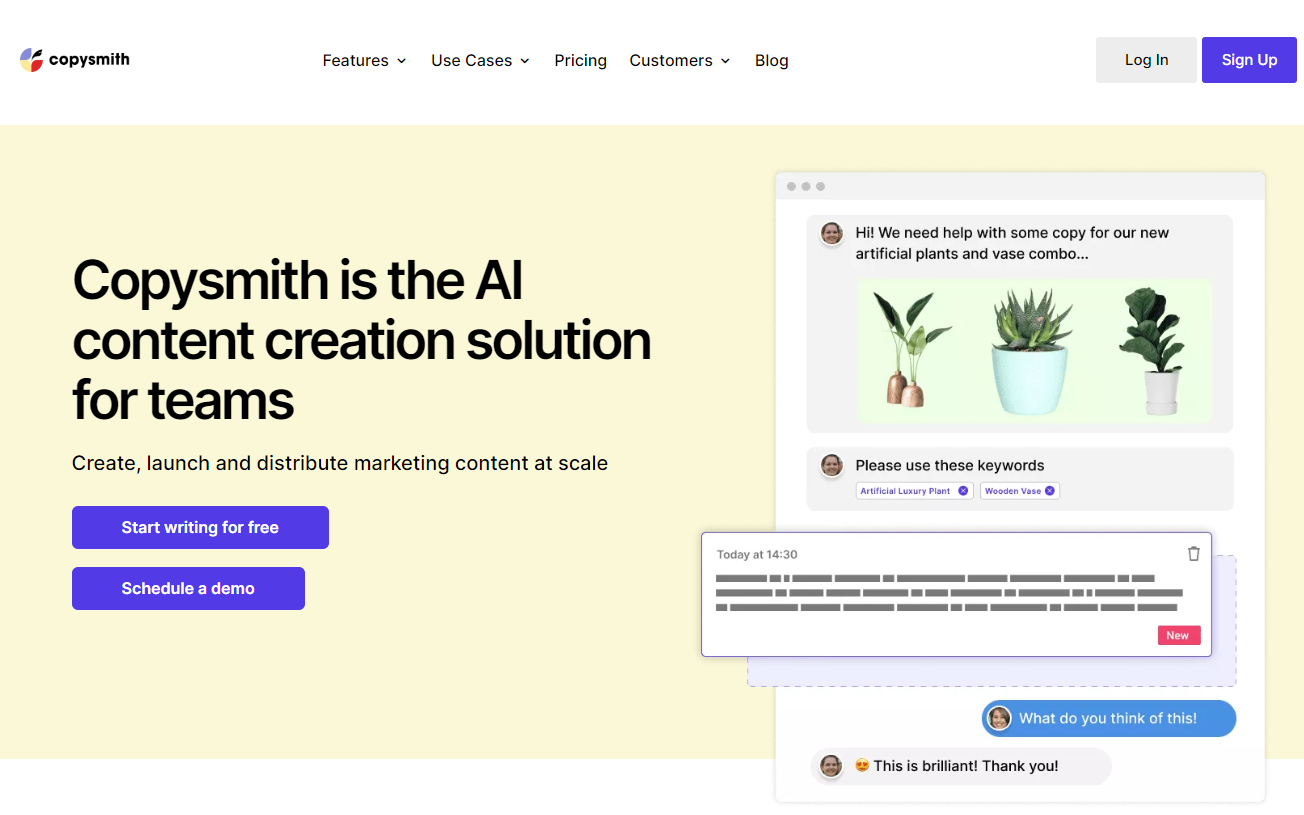
Copysmith markets itself as an AI content creation solution for teams.

This AI writer is best suited for bulk and short-form content copy like product descriptions, blog templates, social media content, advertising content, and more.

Key Features:

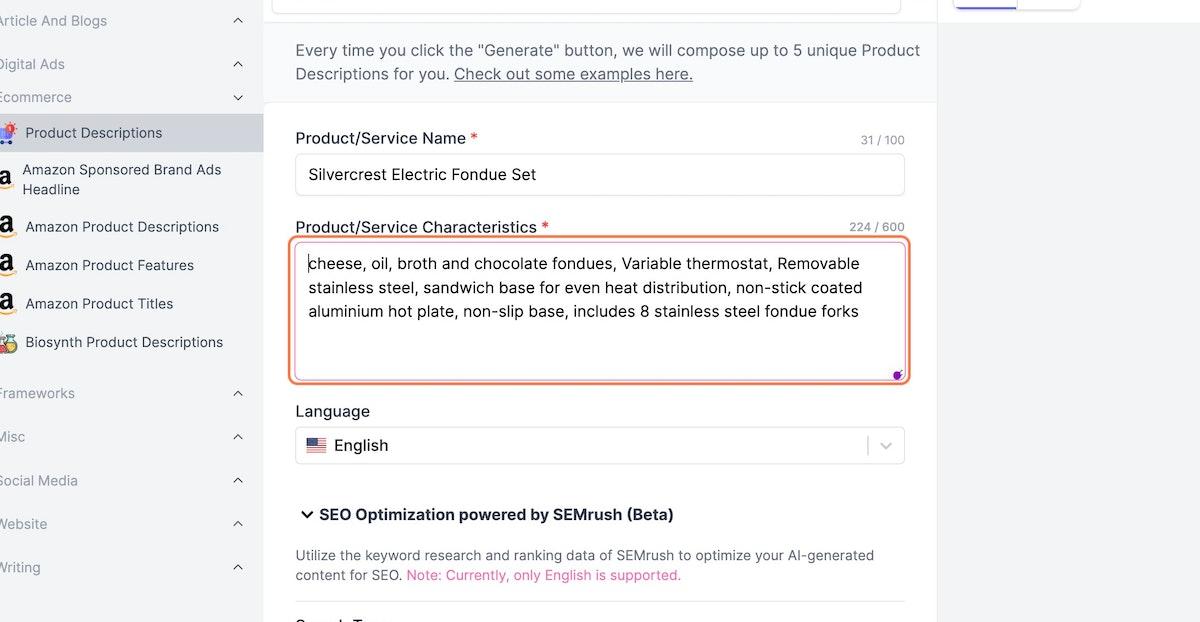
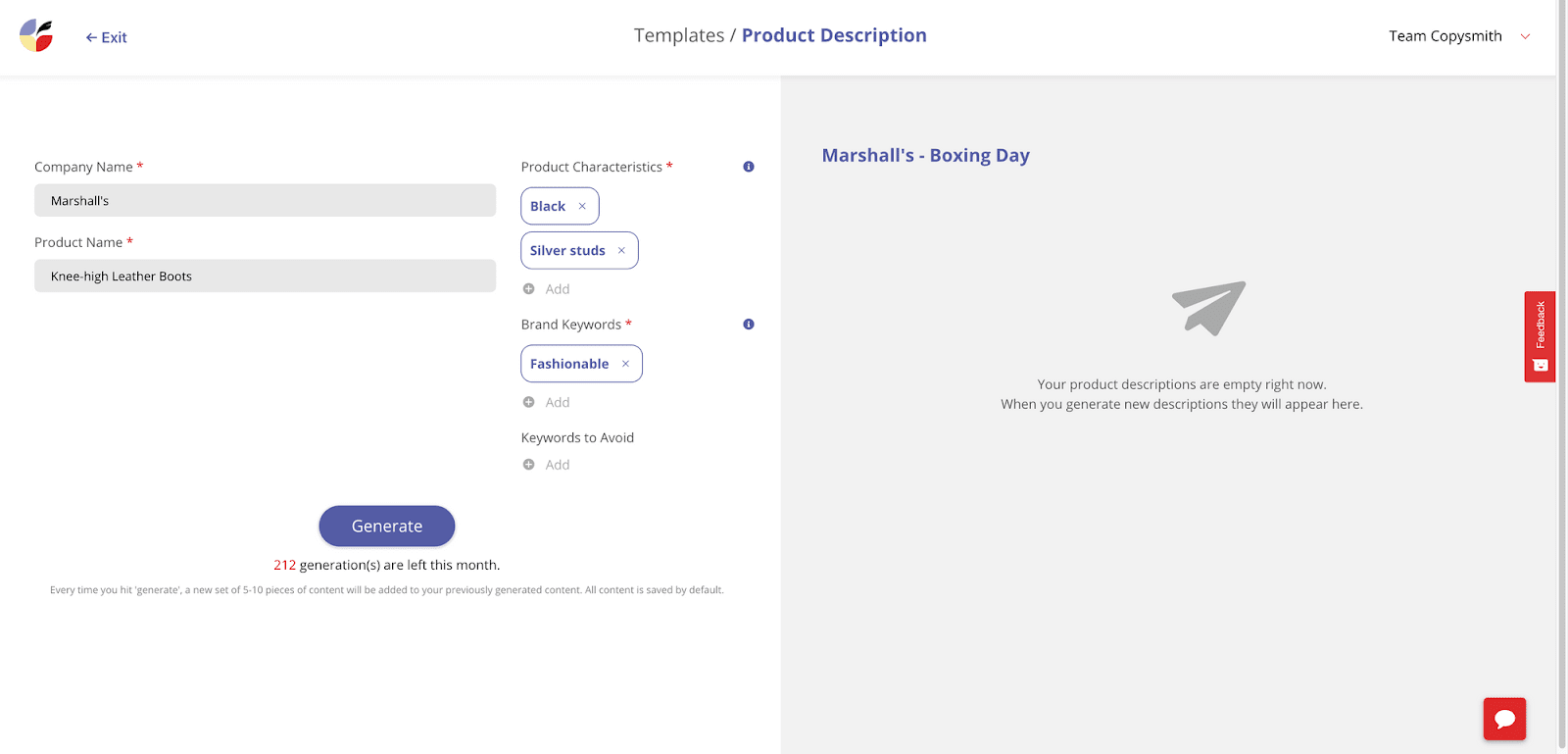
  • Use cases: It includes product descriptions, content enhancement, ads & social media, blog templates, and brainstorming. With Product descriptions, you can generate descriptions for eCommerce Products, Instagram, Amazon, eBay, Etsy, and Flipkart. Blog templates include blog titles, blog ideas, outlines, intro, Kickstarter, and more.

Product Description

  • Campaign Builder: It includes several AI templates to help you generate SEO-optimized product descriptions, Facebook posts, and Google ads in just a few seconds.
  • Integrations: Copysmith integrates with Frase to use SEO data, Google Ads to publish campaigns, Microsoft Word to produce content, and WooCommerce for products.

Pros:

  • It’s easy to use and generates SEO-optimized content.
  • It comes with an in-built plagiarism checker.
  • Provides good training material for new users.

Cons:

  • Not suitable for long-form content.

Pricing:

It starts at $19/month for 75 credits, up to 40K words, and up to 20 plagiarism checks.

12. ClosersCopy

ClosersCopy is an AI writing robot that provides various templates for producing marketing materials, including website content, sales copy, email marketing campaigns, and social media posts. This tool doesn’t require any special skills or training to create engaging text.

Key Features:

  • Use cases: It includes Facebook & Google Ads, email subject lines, landing pages, sales copies, social media content, and more.
  • LongForm editor: You can create blog posts, articles, sales copies, and email marketing copies.
  • Drag-and-drop builders: The drag-and-drop content builder makes your tasks more manageable by allowing you to drag and drop elements on your copy. The only thing you need to do is provide some context at the time of configuring this builder.

Pros:

  • Its user interface is easy to use and navigate.
  • You can easily create content with their drag-and-drop builder.
  • The video tutorials provide in-depth, step-by-step instructions for each process.
  • Tone analysis helps you understand the emotions in your writing.

Cons:

  • No free plan or trial period is available.
  • More expensive than most other AI tools.

Pricing:

It starts at $49.99/month for two seats, 300 AI runs, 50 SEO Audits, an SEO planner, Email support, and more.

13. LongShot AI

LongShot AI is another writing tool that can help you write SEO-friendly content. It comes with over 30 use cases and a plagiarism checker to ensure your content is original.

While most of its use cases are for short-form content, you can use templates like the content expander, write more, or bullets to text generator to assist you with your long-form piece.

Key Features:

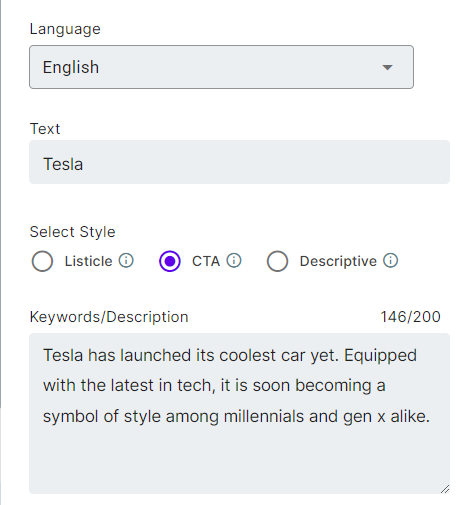
  • Use Cases: It includes content rephrasing, FAQ generator, headline generator, blog ideas generator, meta description generator, text extender, blog insights creator, headline intro generator, product description generator, FAB copywriting framework generator, content readability improver, sales email generator, video description generator, and more.

Headline Generator

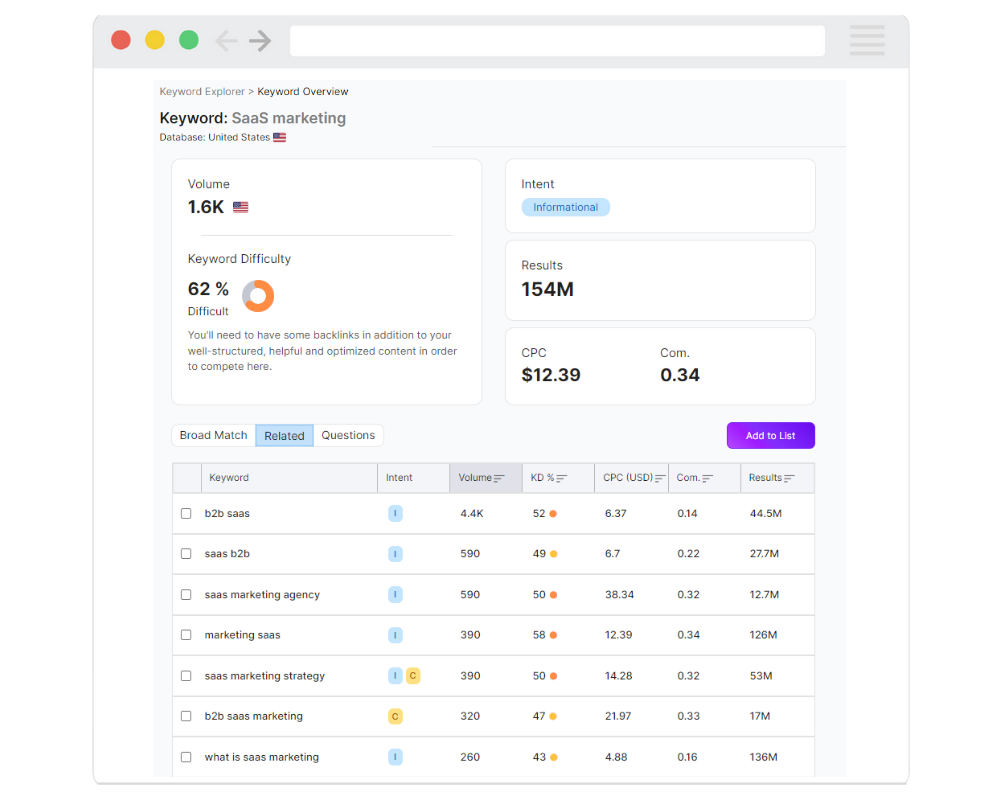
  • Integrations: It integrates with WordPress to enable you to export AI-generated copies directly to WordPress. Its integration with SEMrush will help you write SEO-friendly content. Apart from these, LongShot AI will also provide integration with Hubspot and Grammarly soon.

LongShot X SEMrush

  • LongShot AI Community: The LongShot AI Community is a group of researchers and developers working on open artificial intelligence problems. Anyone can join and contribute to the research.

Pros:

  • The free forever plan offers ten credits daily.
  • Community is a big help for new users.
  • It gives you multiple ways to know more about the product, including blog posts, help videos, customer support, and announcements.

Cons:

  • Aside from the free plan, it’s costly, especially considering the limited number of use cases and credits.
  • Doesn’t have use cases for social media content.
  • Supports only eight languages.

Pricing:

It starts at $49/month for 1000 monthly credits, one user, basic integrations, and more.

14. INK Editor

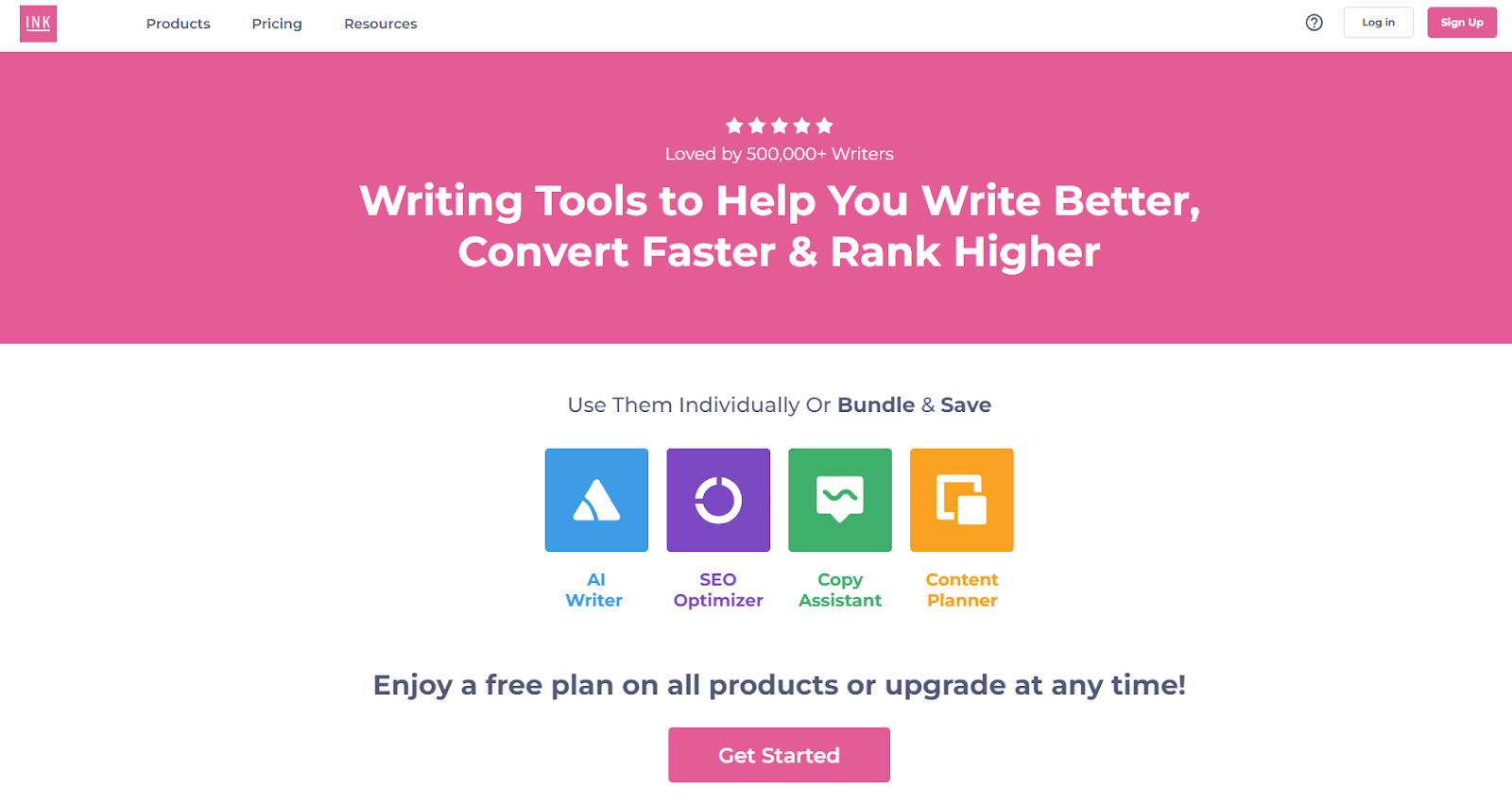
Inky is a suite of content marketing tools that include AI-powered tools: AI Writer, SEO Optimizer, Copy Assistant, and Content Planner. These features can be used individually or collectively, and the price will be adjusted accordingly.

The AI Writer offers unlimited credits and helps you write long-form and short-form content. In addition, you can re-edit the generated copy with a single click as often as you want. The tool also offers WordPress plugin integration and open-source export API.

In addition, you get access to use cases like product descriptions, social media copies, sales copies, blogs, essays, emails, microcopies, product ideas, and more.

AI Writing Tools

Key Features:

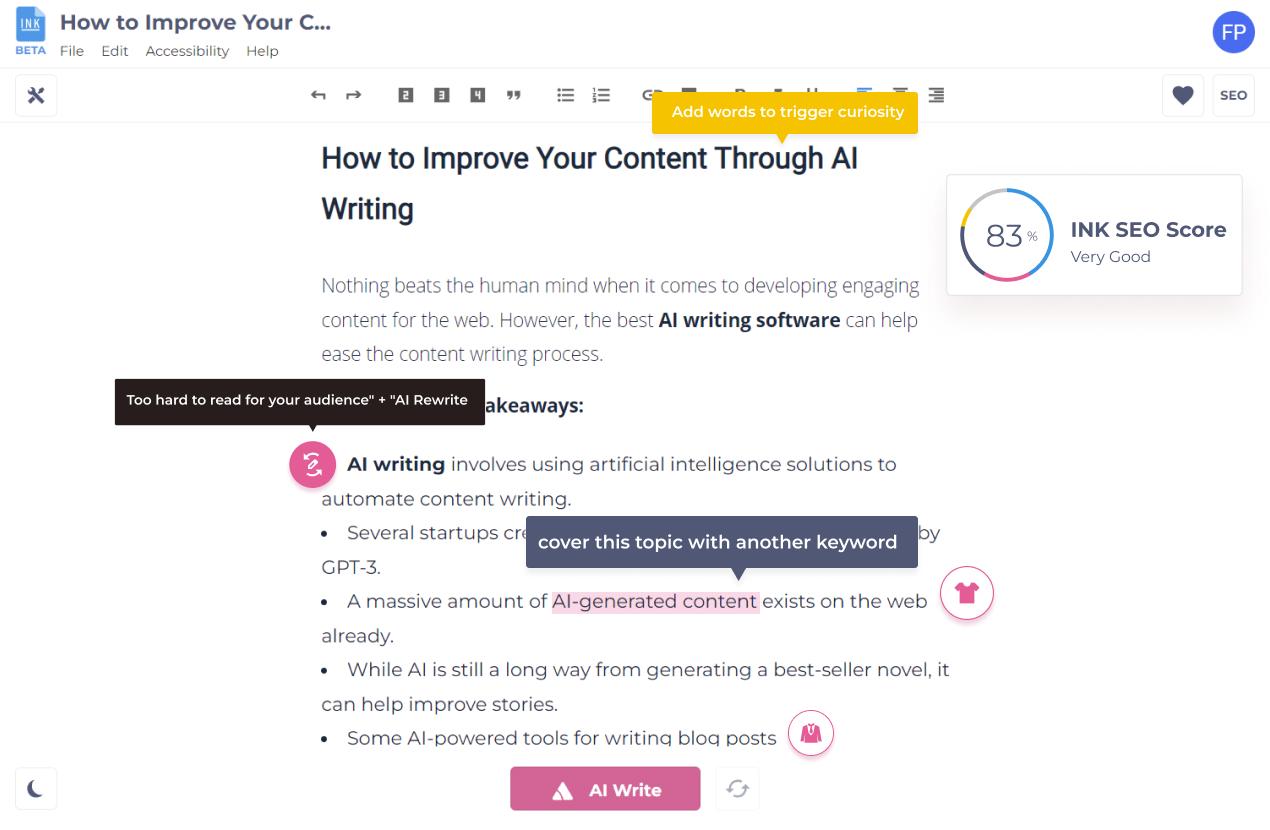
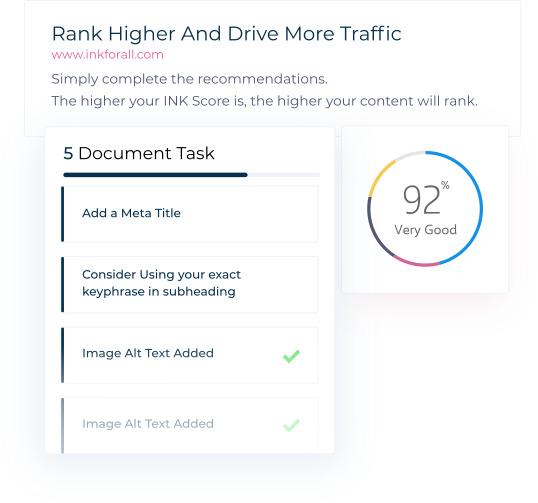
  • SEO Optimizer: INK’s SEO Optimizer is a natural language optimization tool that can improve your SEO score and increase engagement by providing recommendations on keywords, titles, alt text, and the like. Enter a keyword or phrase, and the INK SEO Optimizer will do the rest.

SEO Optimization Score

  • Content Planner: The INK Content Planner helps you group keywords and analyze search intent. You can also import your keywords and download your clusters for further analysis.
  • Copy Assistant: A built-in grammar checker automatically checks your grammar and spelling. It also checks words, tone, and sentence fragments.

Pros:

  • Easy to use.
  • You can use it as an all-in-one content marketing tool.
  • Offers unlimited AI text writing even on a free plan.
  • Offers keyword clusters to optimize your SEO strategy.

Cons:

  • The paid plan is relatively costly for one seat.

Pricing:

It starts at $50/month for one seat, INK Copy Assistant PRO, INK AI Writer PRO, INK SEO Optimizer PRO, and INK Content Planner PRO with 1,000 Keywords.

15. Articoolo

Articoolo is an AI content generator developed by a group of mathematicians, computer scientists, content writers, and marketing specialists. Thanks to NLP and AI technology, the tool drafts articles in a way that mimics the human brain.

Key Features:

  • Use Cases: It includes Text Writer, Article Rewriter, Article Summarizer, and Image Scraper. Based on your keyword, Articoolo will also fetch images from royalty-free websites.
  • WordPress Plugin: This will help you export your copies directly to WordPress so you can post faster.
  • Plagiarism Checker: All you have to do is enter your text into the program, and it will scan for instances of plagiarism.

Pros:

  • It has pay-per-use plans.

Cons:

  • There’s no official website.
  • Customer support is missing the mark.
  • Not much information about the tool online.

Pricing:

It starts at $19/month for a ten-article fixed package.

16. NeuralText

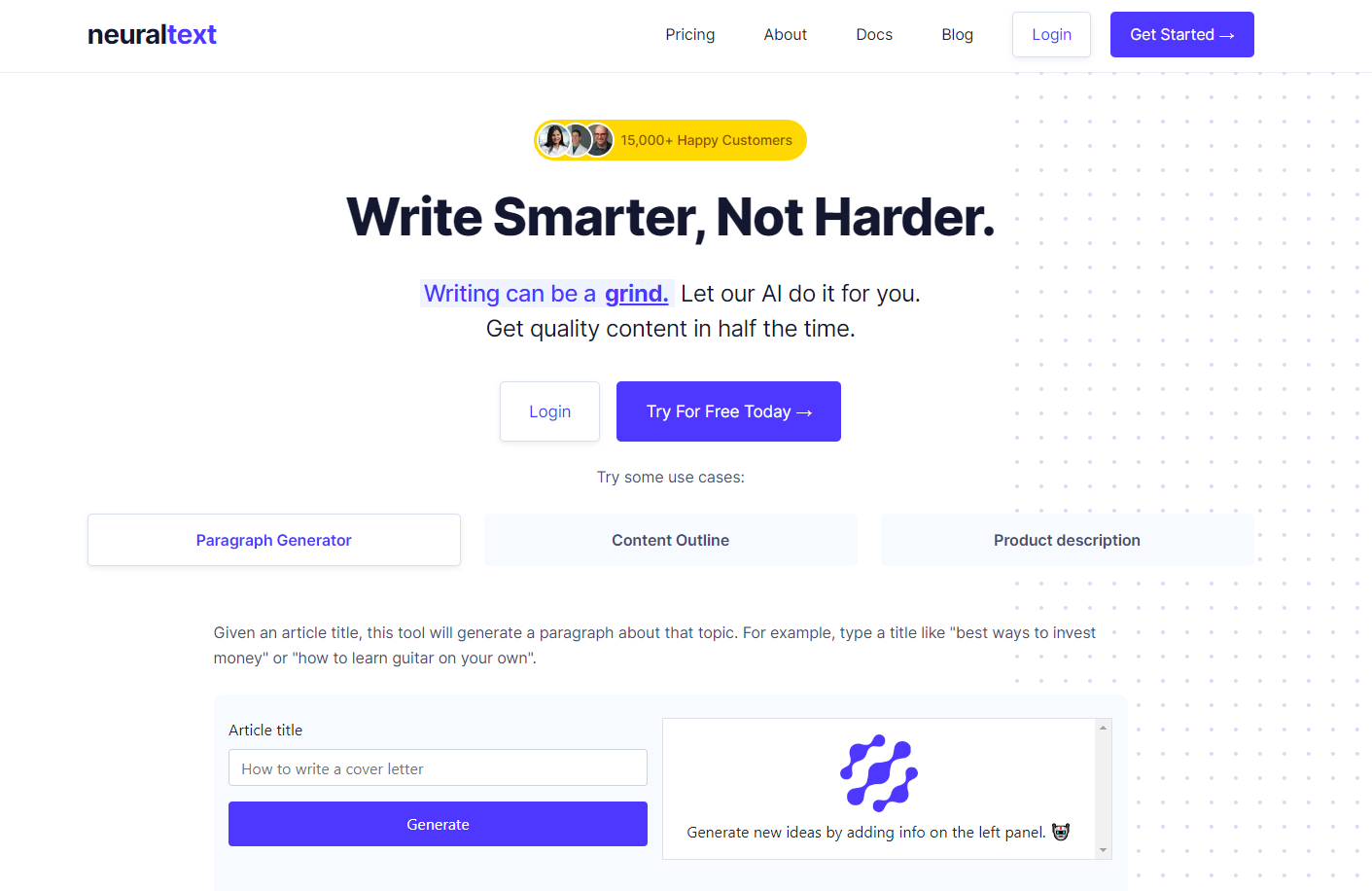
NeuralText is a writing tool that offers users keyword reports and cluster credits. It also has an API for developers looking to integrate its services into other programs.

Some of its most prominent use cases include a paragraph generator, content outline, and product description – making it a short-form content-centric tool.

The best part is that it not only creates content but also creates content briefs and optimizes the content based on keywords and SERP analysis.

Key Features:

  • AI Writing Assistant: This tool will help you produce text in any format. It also provides text recommendations while you write.

AI Writing Assistant

  • Content Optimization: NeuralText can help make your content more search engine-friendly and improve its score in Google’s search results. It analyzes your word choice and sentence structure to ensure your content is easy to scan and relevant to your topic.

Content Score

  • Content research analysis: It makes content research and studies more accessible, allowing you to see real-time data across SERPs. It also has a Google Docs-style editor, making managing your data points and keeping track of your research effortless.

Content research analysis

Pros:

  • Free plan available.
  • Offers keyword clusters.
  • You can group content into different projects.

Cons:

  • The community is not active.
  • A bit on the expensive side.

Pricing:

It starts at $49/month for one user, unlimited AI text generation, 50 content analyses, and 50 keyword reports.

17. AI Writer

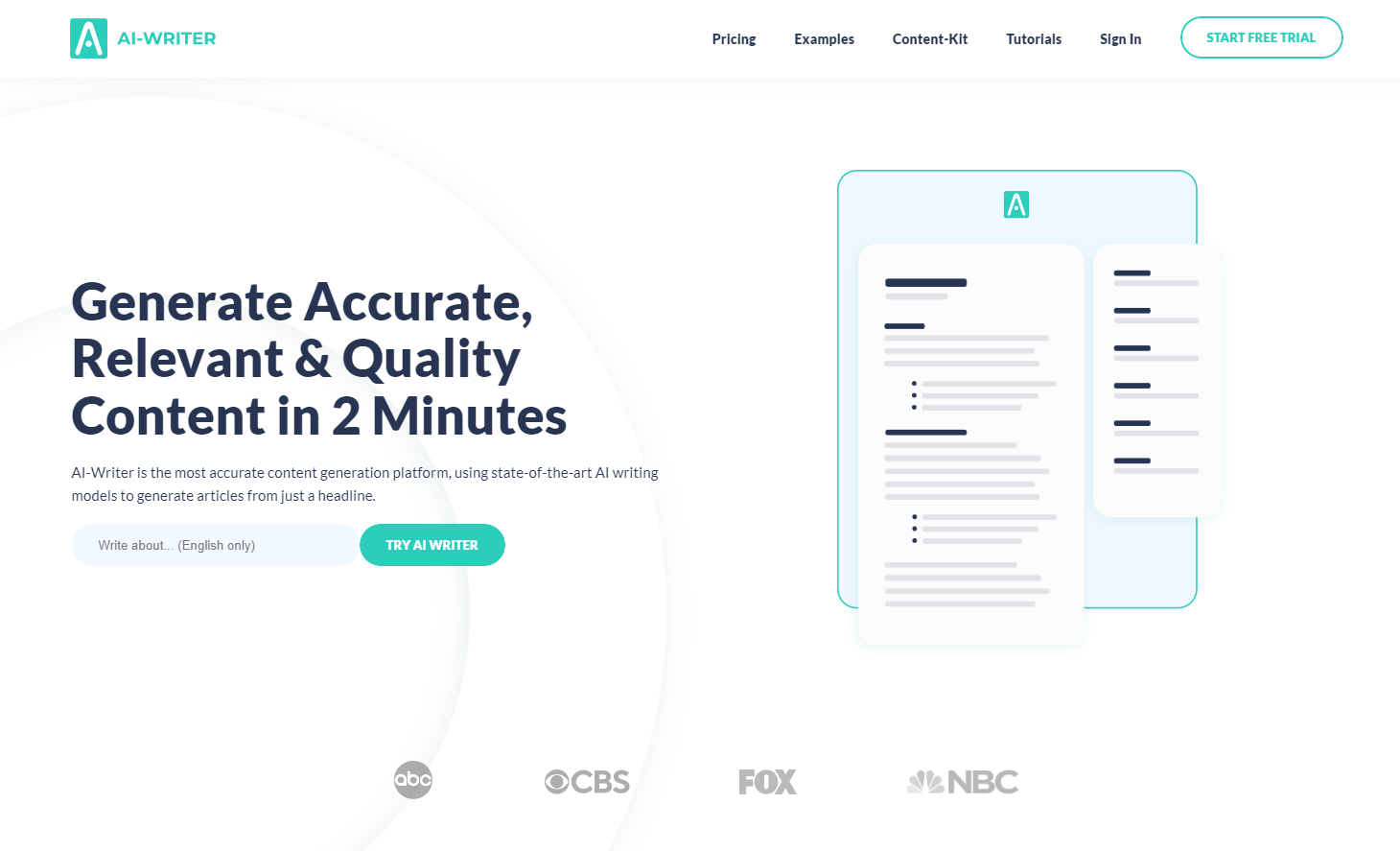
AI Writer helps you create unique, SEO-friendly content that you can publish directly to WordPress. In addition, it offers features like research & write, text rewording, verifiable citations, and source summarizer.

Key Features:

  • AI-Writer Content Kit: AI Writer uses artificial intelligence to analyze keyword difficulty and ranking opportunities based on the field you enter. It chooses up to 250 keywords and generates one article per keyword, which can be directly published to WordPress.
  • (Sub)Topic Discoverer: It checks to see what other writers have written about and then uses that information to create new topics for you.
  • Verifiable Citations: When it produces content for you, it also provides a list of citations so that you can check the accuracy of the information.

Pros:

  • It offers a free trial for seven days.
  • One of the few AI writing tools to offer verifiable citations so you can confirm the accuracy of the content.

Cons:

  • Not enough resources in the knowledge base for new users.
  • Fewer use cases.
  • Does not offer a free version.

Pricing:

It starts at $29/month for one user and up to 40 articles.

18. Wordtune

Wordtune makes your previously written content clearer, more compelling, and more authentic by bringing out the best.

Although this tool doesn’t write content from scratch, it makes your content look more professional. It also integrates with Microsoft Word, so you can edit your work while you write your content.

It provides tools to: 

  • Rewrite your content
  • Make your content casual
  • Make your content formal
  • Shorten your sentences to make them crisp
  • Expand your sentences to give more detail

Key Features:

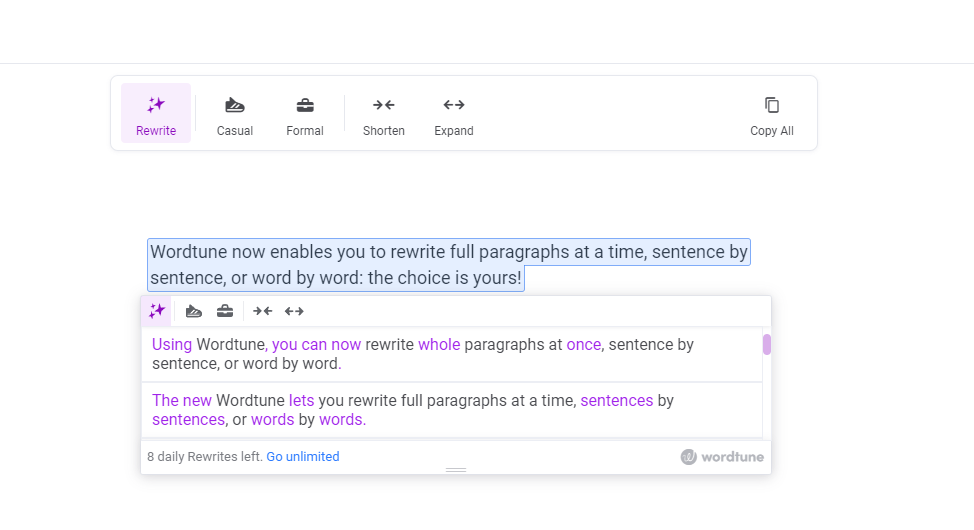
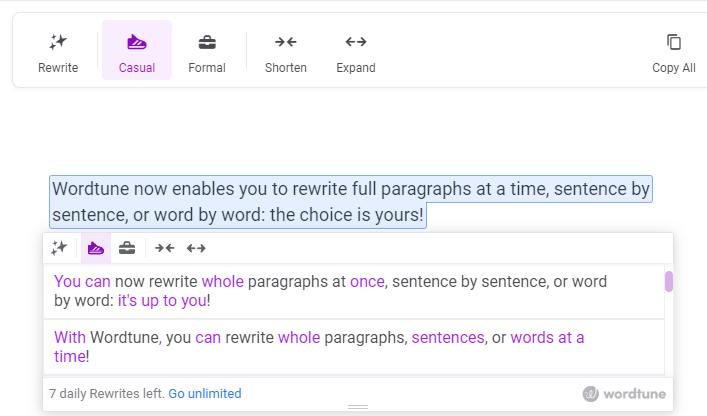
  • Paragraph Rewriter: Wordtune can rewrite your paragraphs entirely at once, one sentence at a time, and one word at a time. See below for an example.

Paragraph Rewriter

  • Tone: You can alter how your content appears by making it more informal or formal. Here’s an example:

Casual Tone

Pros:

  • You can make the text longer or shorter.
  • It offers a casual and formal tone.
  • Simple and easy-to-use interface.

Cons:

  • It doesn’t offer any other benefits besides rewriting.

Pricing:

It starts at $9.99/month for unlimited rewrites.

19. ProWritingAid

Rather than a full-fledged artificial intelligence writer, ProWritingAid is a grammar checker and style editor that’s available online. It helps prevent spelling errors, suggests impactful words, and corrects grammar and punctuation.

It supports general English, British English, US English, Australian English, and Canadian English.

Key Features:

  • Document type: You can choose from 35+ document types for your content. They include general academic abstract, academic essays, admission letters, book reviews, business books, and more.
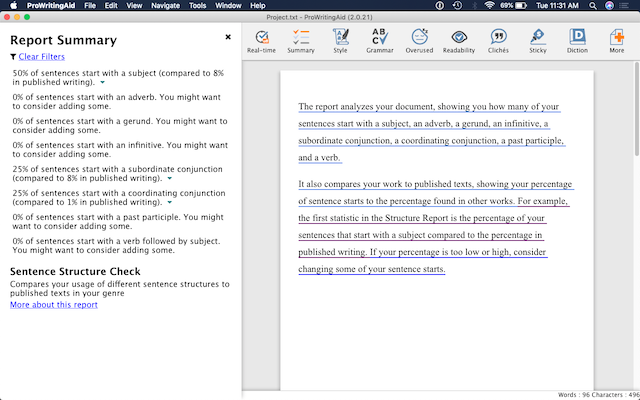
  • Reports: ProWritingAid provides three types of reports: real-time reports, summary reports, and style reports.

    Real-time reports show errors and corrections as you write. Summary reports provide an overview of all reports. It contains a spelling score, grammar score, and style score. On the other hand, Style reports identify problems in writing style and readability.

Summary report

Pros:

  • It offers 20+ reports to track your progress as you improve your writing.
  • There are no limits on the number of words you can use with premium plans.
  • Notifies of style changes and suggests corrections if needed.

Cons:

  • Only available through the web browser.

Pricing:

It starts at $20 per month or $120 per year (if you pay yearly).

20. Article Forge

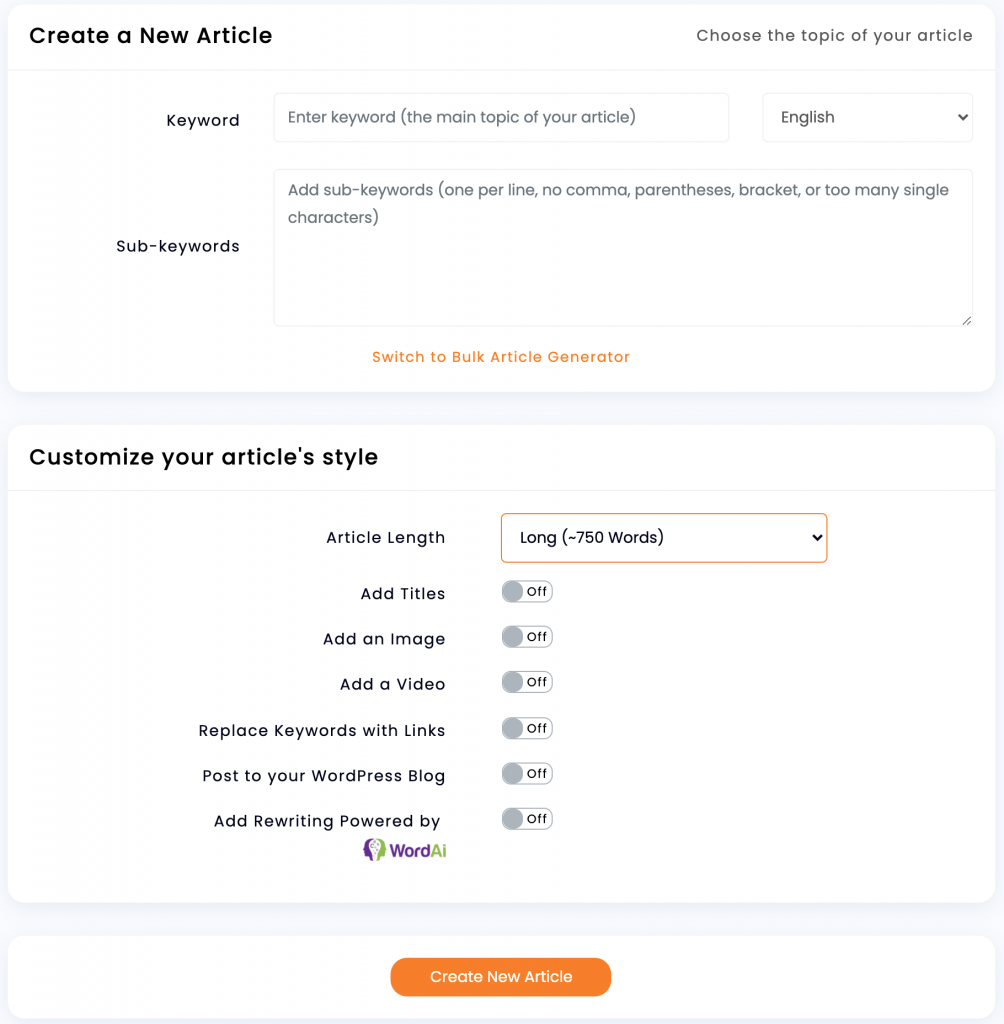
Once you provide ArticleForge.com with a keyword, article length, and other custom information, the program creates a 1500+ word article in seconds.

Your content will be checked for plagiarism and uniqueness before being delivered.

Key Features:

  • Media-rich content: It can automatically find and insert relevant images, videos, titles, and links in your articles. To make it more relevant, ArticleForge also uses LSI keywords.

Creating an article

  • SEO Automation: It integrates with WordPress to automate your scheduling and posting of articles.

WordPress Integration

  • Interlinking: It can automatically turn URLs into links within your article. You can choose how often to do this for every keyword or just the first occurrence.
  • Languages: It can generate content in English, French, German, Dutch, Portuguese, Spanish, and Italian.

Pros:

  • Produces SEO-optimized content.
  • Can schedule posts on WordPress automatically.
  • Plagiarism-free content.
  • Automatic keyword linking.

Cons:

  • The content can be repetitive.
  • You need to check the accuracy of the content before publishing.

Pricing:

It starts at $13/month for 25K words and the rest of the features.

Frequently asked questions about AI writing software.

1. What is AI Writing Software?

AI writing software is an artificial intelligence program used to write text. It can generate content for websites, blogs, and other fields. The content created by AI writers is often indistinguishable from human-created content. Still, sometimes it has a slightly robotic feel or may include words or phrases that seem out of place in the context of the writing.

2. How does AI Writing Software work?

The software uses an algorithm to mimic the creative process of human writers. It first creates a base text that modifies by adding words and phrases specific to your content. This ensures that you get high-quality original content every time you use it.

3. Who can use AI Writing Software?

Anyone who needs to create texts for their business or website can benefit from using this software. It’s also an excellent option for freelance writers and content marketers facing writer’s block. As it’s easy and fast, even beginners can start using it immediately and see great results within minutes!

4. Can I use AI writers for everything I write?

No — AI writers are best suited for shorter pieces like headlines or product descriptions because they don’t have much time to learn about your company’s brand voice or personality.

While there are tools to churn out long-form content, you still need the human touch for longer and more research-intensive pieces like blog posts or sales copy. AI algorithms still can’t pick up on nuances like a human can.

5. What are some of the benefits of using AI Writing Software?

There are many benefits to using AI writing software. The most obvious benefit is that you no longer need to spend time creating content yourself. The software will do it for you!

Another benefit is that AI writing software allows you to create content in any niche or topic you desire. You can even target multiple niches at once! This makes it possible to scale your business quickly and easily by leveraging the power of automation while still keeping your hands on the work itself.

6. How much does it cost?

The pricing depends on the type of service you want to use. Some companies offer free trials or even freemium versions with limited credits so that you can test their services before making a purchase decision. Some companies offer lifetime discounts for repeat customers, so keep an eye out for those offers when making your choice!

7. What’s the difference between AI-powered and human-written content?

While humans are still required for high-quality content creation, AI makes scaling up your content marketing efforts easier. By automating much of the writing process – from keyword research to formatting – AI can help you create more content at a lower cost per article. In addition, this frees your team members to focus on other tasks that require their expertise (like outreach) or simply spend more time enjoying their lives!

8. What is the best AI Writer?

The best AI writer depends on what you want it to do and how much you want to spend. If you’re going to write books or articles, many different programs can help you with this task. Our top pick for long-form would be Jasper.

On the other hand, if you only need help with short-form content such as blog posts or press releases, there may not be any need for an AI writer because these documents don’t require as much work or effort from the user. In that case, you might want to use tools like Copy.ai, Rytr, and more.

9. Can I use AI Writing Software to replace my human writers?

No, AI writing software isn’t meant to replace human writers. It’s designed to work alongside them, helping them create more engaging and relevant content for their audiences. You’ll still need human writers who can add style and personality to your content.

Over to You!

Do you find writing to be an exhausting activity? If yes, you would want to try one of the AI Writing Software tools we suggested above. These are some of the best AI writing tools specially developed to boost creativity, motivation, and productivity.

There’s room for experimentation with AI-generated content as long as you can recognize where specific tools are lacking and how to incorporate that into your work. Ultimately, the future of AI writing assistant software will mean ever-more versatile tools for writers, so don’t be shy about testing the waters.

Featured Image Credit by pch.vector on Freepik.

By Louise North

Louise is a staff writer for WebdesignerDepot. She lives in Colorado, is a mom to two dogs, and when she’s not writing she likes hiking and volunteering. More articles by Louise North

Sourced from webdesignerdepot.com

By Denis Sinelnikov

“I’m doing everything I’m supposed to. I don’t understand why my online ads aren’t working anymore,” a client—let’s call her Mary—said to me when we sat down to look at her digital marketing strategy together. Like many entrepreneurs, Mary had been handling her own marketing when she launched her small art gallery five years ago. Now, she found herself at a plateau, unable to grow from where she was. When I told her the first step was to complete a digital marketing audit, she may have paled slightly. After all, an audit is supposed to mean something went wrong, right?

What Is A Digital Marketing Audit?

When most people hear the word “audit,” their minds immediately turn to taxes. Like a tax audit, a digital marketing audit involves a lot of digging through details—in this case, the details of a digital marketing strategy and campaign. While the scope of a digital marketing audit is big—covering SEO, analytics, audience engagement and everything in between—unlike a tax audit, it isn’t triggered by something necessarily being wrong.

The ‘Why’ Of A Digital Marketing Audit

The purpose of a digital marketing audit is to get a big-picture view of your digital marketing campaign and learn how (and if) your digital marketing strategy is meeting your business goals. Rather than a response to a problem, a digital marketing audit usually follows one of five triggers:

• Timing, such as the start of the fiscal year.

• Performance reviews, examining the overall status of a campaign or your overall strategy.

• Structural changes, such as rebranding or new business offerings.

• Strategy changes that may come in response to market changes or the above triggers.

• Relationship changes, such as Mary coming to a digital marketing expert to expand her marketing strategies.

How Do You Conduct A Digital Marketing Audit?

Conducting a digital marketing audit involves a great deal of time and patience. As with any major project, ensuring you have a solid system for assigning tasks (to yourself or partners in your audit), tracking progress and reporting to your team and client is essential.
Mary was focused on her ad performance, so she was surprised when I told her I needed access to the social media pages for her gallery. She didn’t consider herself as having a social media strategy; she just shared posts from time to time on the gallery’s Facebook and Instagram pages. When it comes to a digital marketing audit, everything the brand touches is examined, including but not limited to:

• Website.

• Online store.

• Social media platforms.

• Analytics tracking.

• SEO management.

• SEM management.

• Display advertising and other ad channels.

• Email marketing.

Mileage varies on what digital marketing aspects you’ll need to examine and what information you will find, so let’s break down these pieces:

Website

Since Mary’s primary concern was her ad performance, I wanted to know if her website had the kind of quality that search engines look for (SEO) and that keeps people from bouncing away when they find it. I examined content, format, link placement and keyword usage on the site.
Online Store

While Mary didn’t have an e-commerce platform, when working with clients who do, you’ll want to look at sales performance, searchability of the store, usability and, when possible, what products visitors start to buy and change their minds about.

Social Media

Even though Mary wasn’t (consciously) using social media as part of her marketing, I wanted to examine her social media presence to see what people responded to. I looked at her follower growth, posting frequency and posting engagement as well as the kind of content she shared.

Analytics Tracking and SEO and SEM Management

Much of what I examine for a website, store (for e-commerce clients) and social media comes from analytics and tracking tools for each platform. Use these tools to gather data about engagement, SEO rankings and ad performance over time.

Display Advertising and Other Ad Channels

Because Mary ran a small art gallery, local advertising in the newspaper and through flyers were important strategies for her starting out. While not digital, they still encompass her overall marketing strategy. Gathering hard analytics here was difficult, so we relied on correlating ads and flyers to gallery sales following.

Email Marketing

I’ve seen more and more new businesses overlook email marketing, but Mary was not one of them. She relied on email to keep local artists, gallery customers and local business partners updated on sales, showings and up-and-coming artists. I gathered email performance data from her platforms.

What We Learned From The Digital Marketing Audit

Once you have the information in hand, what do you do with it? Analyzing the data that you gather is vital to a successful audit. When I perform a digital marketing audit, I focus on gathering information to help me give a client, Mary included:

A Quantitative Analysis of the Digital Marketing Campaign or Strategy: What is and is not working? Look at what the metrics say, where the clicks are and the key performance indicators (KPI).

A Qualitative Analysis of the Campaign and Strategy: Look at industry best practices, content quality, user and customer experience, brand messaging and accessibility.

Multichannel Tactics: Examine ways to build a multichannel approach to help improve digital marketing performance. For a business like Mary’s, this includes offline channels.

A Long-Term Strategy: Digital marketing audits provide you with the information you need to build a framework for a long-term marketing strategy.

While Mary presented unique obstacles in how she engaged with social media and offline advertising, she is also a good example of how any kind of business can benefit from a thorough audit. For Mary, the audit demonstrated how we needed to build up her social media presence and how it would affect her SEO and online ads.

What will a digital marketing audit do for you or your clients?

Feature Image Credit: Getty

By Denis Sinelnikov

Denis Sinelnikov is the CEO of Media Components, an award-winning, full-service digital marketing agency. Read Denis Sinelnikov’s full executive profile here.

Sourced from Forbes

By Luke Burbank

Twitter may not be the biggest social media platform out there, but it’s certainly one of the most influential, because what happens on Twitter doesn’t just stay on Twitter. Which might be why the world’s richest man, Elon Musk, is such a fan.

Musk bought the company for an eye-popping $44 billion, despite the fact that Twitter, which relies on advertising for much of its revenue, has turned a profit in only two of the last ten years.

Tech journalist and podcast host Kara Swisher harked back to businessman Victor Kiam advertising Remington electric shavers: “There was an old thing, ‘I liked the shaver so, I bought the company.'”

Since his takeover, Musk has fired, or accepted resignations from, about two-thirds of Twitter’s staff. “He thinks he can reform it,” Swisher said. “If you looked at it as a business, you’d have to say, ‘No, no, stay away from this.’ But it’s sort of like buying a yacht or a baseball team for a rich person. This is interesting to him.”

Swisher has known Musk for over 20 years and has interviewed him extensively. Lately though, he hasn’t been such a fan of her coverage of him.

Since buying Twitter, Musk (a self-proclaimed “free speech absolutist”) has invited back some users who had previously been banned or otherwise restricted. He’s fired employees who have tweeted criticisms of him, and he posted (and then deleted) what one commentator called “the most expensive tweet ever”: a conspiracy theory about Nancy Pelosi’s husband. Expensive because there’s speculation that that tweet, and many others from Musk, have caused advertisers to flee Twitter in droves.

“Now he’s antagonizing advertisers and calling them ‘woke,'” Swisher told correspondent Luke Burbank. “Advertisers will advertise on Satan, Inc., if it’ll sell a Fitbit. I mean, honestly!”

A documented rise in hate speech since Musk’s takeover came to a head this past week after the rapper formerly known as Kanye West tweeted a photo of a swastika, prompting Musk to suspend his account.

Swisher said, “Anything that’s more moderated – and I’m using word ‘moderated,’ not ‘censored’ – tends to do better with users, with advertisers, with the entire experience.”

But Musk thinks Twitter’s prior management unfairly stifled conservative speech. On Friday, when reporter Matt Taibbi tweeted a trove of internal emails purporting to prove Twitter’s “liberal bias,” Musk retweeted the thread approvingly.

Alex Stamos, the former chief security officer at Facebook, says the Russian hacking of Democratic National Committee emails in 2016 made Twitter wary of foreign influence campaigns. “In the days before the 2020 election, Twitter made the decision to not allow people to post the New York Post story about Hunter Biden’s laptop until they could try to figure out whether or not that was part of a government influence campaign,” he said. “And then they decided, since it was going to get covered, that they should allow it to be posted. So, they did make a mistake. But the idea that it affected the election is just ludicrous.”

For some, Twitter’s suppression of that article became a First Amendment issue. But Swisher thinks that misses the point: “It’s gotten sucked up into a free speech conversation or First Amendment conversation, largely by people who’ve never read the First Amendment. Because it’s about ‘government shall make no law.’ That’s all it says, folks. And so, companies certainly can, and they certainly do.”

And speech on Twitter can have real-world implications. For years, Twitter’s “blue checkmarks” have verified that a user is who they say they are. But when Musk started selling the checkmarks without actual verification, a slew of imposter accounts sprang up, like one posing as Eli Lilly tweeting out “Insulin is free now,” causing the pharmaceutical company’s stock price to tumble. In fact, due to security concerns, CBS News briefly paused its Twitter use two weeks ago.


One current Twitter employee who spoke to “Sunday Morning” asked that we not identify him, for fear of reprisal from Musk and his online fans.

“He said that he wanted to experiment with long-form content, content longer than just a tweet,” he said. “That was already launched and was available on the platform. And he fired the team that had developed it and launched it.”

Burbank asked, “What is your employment status with Twitter as of right now?”

“I’m still technically an employee, but I’m on a suspended status until January 4th, when they will put us on severance, if we sign a severance agreement.”

Like many, this un-named, soon-to-be ex-employee believes Musk is trying to reduce what he owes former Twitter staff, in terms of severance and stock options. “And to be clear, Elon Musk bought the company. He can make any business decision he wants to make,” he said. “It’s the nature in which we were let go and potentially even ways that broke employment law. And it’s the hostile and almost cruel manner in which we’ve been let go in terms of no communication, no direction.”

In response to a proposed class-action lawsuit brought by its employees, Twitter has said in court that allegations it broke U.S. employment law are baseless.

Stamos said of Musk, “He’s actually a really bad manager, and that’s kind of shocking to me, how bad he is at the human management side of this. The odds of them being able to execute well over this next year, I think, are very long, unless he decides to bring in a CEO to calm things down. And it’s clear that’s what he’s going to have to do at Twitter if they’re going to try to stabilize and stop the bleeding of all of this talent that they need to be able to execute.”

“Sunday Morning” reached out to Musk, but did not receive a reply.

Burbank asked Swisher, “How does he strike you as a person?”

“Oh, it depends on what day,” she replied. “I sometimes think of Silicon Valley as a lot of smart people working on stupid things, and Elon was working on smart things.”

Things like Tesla and SpaceX, Musk’s companies that have arguably revolutionized life on this planet.

But before all that, in 1998, on “CBS Sunday Morning,” correspondent Rita Braver talked to then-27-year-old Elon Musk, who was working at his first startup, Zip2, a city guide on a new thing called the internet. Musk said, “There’s a level of freedom on the internet that really doesn’t exist anywhere else. And there’s no central controlling entity that gets to decide, ‘This content is good, this content is bad.'”

elon-musk-in-1998-1280.jpg
Correspondent Rita Braver at the offices of Zip2 with Elon Musk, who was its chief engineer and co-founder, in 1998. CBS News

But now, Musk is that controlling entity, at least when it comes to Twitter – free to moderate or to allow the spread of misinformation as he sees fit.

One person who understands Twitter’s power? That anonymous Twitter employee, the one who may soon be downsized by The World’s Richest Man: “Whether it’s local to national politics, whether it’s the conversation around important cultural events or cultural issues, whether people use Twitter or not, their lives are shaped by what happens on Twitter.”

By Luke Burbank

Sourced from CBS News

Microsoft is reportedly considering the introduction of a new super app that will look to disrupt Apple and Google’s dominance over mobile search.

As reported by The Information, the company is looking into launching an app that would combine “shopping, messaging, web search, news feeds, and other services in a one-stop smartphone app.” Executives at the company are mulling such a move in order to “wanted the app to “boost the company’s multibillion-dollar advertising business and Bing search, as well as draw more users to Teams messaging and other mobile services.”

According to the report, investment in the idea is coming directly from Microsoft CEO Satya Nadella. Nadella wants the company to potentially emulate the success that Tencent has achieved with WhatsApp.

While it isn’t clear whether Microsoft will ultimately launch such an app, the people with knowledge of the discussions said CEO Satya Nadella has laid the groundwork by pushing the Bing search engine to work better with other Microsoft mobile products. For instance, he has directed Bing to integrate with Microsoft’s Teams messaging and Outlook email apps, making it easier for customers to share search results in messages.

Such an app could be a way to entice more users to use Bing for search instead of Google, especially on the iPhone. iPhone users have been accustomed to Google being the default search engine on the iPhone for years. While Nadella has attempted to win over Apple, Google has won that contract year after year.

Microsoft has periodically bid on Apple’s mobile search contract, according to a former employee briefed on the situation, but Google has won the deal every time. The negotiations have typically taken place directly between Nadella and top Apple executives behind closed doors, leaving many top Microsoft executives in the dark about the process, this person said.

There’s currently no concrete evidence Microsoft will go after such an app and, if it does, when it could launch. Until then, Nadella can continue to try and outbid Google on the iPhone. Imagine a world where Bing was the default search engine!

Feature Image Credit: Microsoft

By Joe Wituschek

Sourced from BGR

Will Mastodon provide safe harbour for marketers amid a growing Twitter exodus?

While there’s still a long way to go for Mastodon to catch up with Twitter’s 238 million daily active users, the decentralized social network’s recent announcement it reached 1 million monthly active users could create fertile ground for a Twitter takeover.

Fears spawned by an increase in posts encouraging hate speech and conspiracy following Elon Musk’s purchase of Twitter, led to a swell of users and brands making the decision to jump ship in an effort to avoid association — and left marketers asking what to do amid the Mastodon vs. Twitter debate.

Some Marketers Still All in on Twitter

Khalil Garriott, vice president for creative content and copywriting strategy with the American Bankers Association, said he currently has no plans or interest in joining Mastodon.

“As a Twitter power user since January 2011, I am still all in on the little blue birdie,” Garriott said. “I’ll admit to not knowing much about Mastodon. I understand that its feed is presented in chrono order instead of algo-based, and I gather that it is an ad-free platform. Both of those seem to be benefits, which might entice me to explore it in the future. So, it’s a wait-and-see approach for me.”

While Garriott waits it out, Mark Freeman II, a senior data scientist at Humu, jumped right on. As someone who provides his audience with content on data and technology, he said he ultimately chose Mastodon for one simple reason — his target audience is already curated.

Mastodon provides access to individual communities, called “instances” or servers, and Freeman is currently part of an “instance” consisting solely of data professionals.

“What’s more exciting is that many of the people I’m meeting on Mastodon are not on LinkedIn and thus increasing my reach to new audiences,” Freeman said. “In addition, even though my ‘home’ instance is curated for data professionals, I can still reach other communities indirectly since Mastodon is federated. Thus, my current strategy to grow on the platform is to create two types of content, data content for my ‘home; community and meta content about Mastodon with hashtags utilized by other communities.”

Is Twitter Experiencing a Mass Exodus?

So who is leaving Twitter? In analyzing more than 3.1 million accounts on Twitter, Bot Sentinel believes approximately 877,000 accounts were deactivated between Oct. 27-Nov. 1.

According to PR Week, several brands including General Motors, General Mills, Volkswagen Group, Pfizer and United Airlines have announced a “pause” on Twitter ad. Ad-purchasing goliath, Interpublic Group, recommended its clients, which include Coca Cola, Accenture, American Express, Fitbit, GoPro, Johnson & Johnson, Levi Strauss & Co, Mattel, Spotify and others, followed suit.

In a call to action, the NAACP and nearly 50 other organizations wrote an open letter to Twitter’s 20 largest US advertisers, calling on them to make a public announcement of their intention to “cease all advertising on Twitter globally” if Musk “follows through on his plans to undermine brand safety and community standards including gutting content moderation.”

NAACP CEO and President Derrick Johnson tweeted that “Until he makes this a safe space for all communities, companies cannot in good conscience put their money behind Twitter.”

Should Leaders Flock to Mastodon?

George Davidson, founder of the marketing consultancy The Lantern and adjunct instructor on Consumer Behaviour and Marketing Strategy at the University of Chicago, said it’s not clear Mastodon will take off. However, brands that like to be first in a space and show their customers they’re leaders, had better get a move on, he added.

“This in itself, may create some momentum for Mastodon and who knows what can happen when a Mastodon gets momentum?” he said.

Davidson applied for Mastodon account but said the rush in the UK has been so great, they are currently processing a backlog. He foresees two big possible impacts for marketers.

“First, Twitter has advertising and Mastodon does not, so marketers used to paying for adverts will have to create compelling creatives that are interesting enough to get shared,” Davidson said. “Secondly, we are used to a rush to claim names online through bagging website addresses and Twitter handles. Owning your own name online has been difficult in the wild, wild web in the past. On Mastodon, you have to make a case to the person running your local server, and that ought to favor marketers who feel they own their own name. You just have to persuade the server owner they agree.”

Check out Michelle Hawley’s thorough examination of what Mastodon servers actually are and other important information on Mastodon.

How Do You Actually Move on from a Social Media Platform?

Curtis Sparrer, principal and co-founder of Bospar, said he often finds the “wait and see” approach cowardly; however, he does think this might be a moment when it’s a good idea.

“While some are fleeing Twitter, this creates an opportunity for some brands to command a stronger share of voice. That said, this is a time for brands to take a serious look at what constitutes their redline when it comes to Twitter,” Sparrer said. “In other words, what are the moments that make sense for your brand to publicly disassociate yourself from the platform? And, should that redline be breached, what is your communication strategy to make your position known so leaving Twitter doesn’t seem improvised, but rather part of a thoughtful communication strategy befitting of your brand?”

For brands that elect to leave Twitter, he recommends a creating a blog, a video testimony and a social media play with other outlets to demonstrate that you have moved on past Twitter and Elon Musk.

The Musk Effect: A Twitter Takeover

After months of machinations, Musk completed his $44 billion acquisition of Twitter on Oct. 27 — and the same day addressed the advertising community in a tweet titled, Dear Twitter Advertisers, sharing his desire to make Twitter the “most respected advertising platform in the world that strengthens your brand and grows your enterprise.”

And despite previously tweeting “I hate advertising” in 2019 — he now urged advertisers to join him in building “something extraordinary together” and insisted the platform would not become “a “free-for-all-hellscape where anything can be said with no consequences.”

According to Investopedia, the majority of Twitter’s revenue (nearly 90%) is generated through selling ad space on its platform to global advertisers — bringing in $4.5 billion in 2021.

Just a few days after Musk’s takeover, Montclair State University released a study revealing a significant spike in hate speech on the platform just prior to — and immediately following — Musk’s acquisition. nd within the week, amid a mass reduction in staff, Musk admitted the company was losing more than $4 million a day, something he attributed to “activist groups pressuring advertisers.”

Should You Stay or Should You Go: Mastodon vs. Twitter

Rachel Happe, founder of Engaged Organizations, said she doesn’t think most marketers will leave Twitter for Mastodon — at least until there is more there. But she recently told her Twitter followers to follow her on Mastodon “should Twitter either go up in (flames) or become a hell hole.”

“I am not leaving Twitter yet — just hedging my bets,” she told CMSWire.

Benjamin Goh, managing partner BCG said Mastodon could be the way forward for social media apps on the open-source platform. “I used to be active in Twitter, but it’s not popular in Southeast Asian countries where most of my contacts are located, so I’ve stopped using it,” Goh said. “As for Mastodon, my initial inquiry with my network is that most of them have not even heard of it. I guess it will require some time before it gains some significant presence here.”

Bret Smith, CEO and founder of HIPB2B, quit Twitter two months ago, leaving 70,000 followers behind. “As for Mastodon, not seeing lots of upside for B2B yet so will wait and see,” Smith said.

Marketers Can ‘Safely Ignore Mastodon’

David Meerman Scott, the author 12 books including “The New Rules of Marketing and PR,” wrote about Mastodon back in 2017 in a blog “Mastodon Is Better Than Twitter But You Should Ignore It.”

Five years later, he told CMSWire his thoughts remain the same.

“I just don’t believe that people will switch in any significant numbers,” Scott said. “As I said in the post, when a new social network pops up and the defining characteristic is that it is like another social network but better, it’s doomed,” Scott said. “I think marketers can safely ignore Mastodon. I do not think that this little flurry of interest is sustainable, and I do not think that Mastodon or any other social media service will take the place of Twitter. Throughout history, social networks that pioneer a new model can thrive — Instagram, TikTok come to mind — but copycats like Google Plus fail.”

Decentralized Mastodon Could Be Appealing

While Mastodon isn’t nearly as populated at Twitter at the moment, Zacharias Joseph, chief ideations and operations officer at ZACH Multimedia, said that’s exactly where opportunity lies. The decentralized nature of Mastodon should be very attractive to the crypto community.

“A rapid scaling up can help Mastodon pull near or alongside Twitter, especially with the anger of large sections of users, including me, against the childish, capricious manner in which Elon Musk conducts the business and himself,” Joseph said. “Before marketers join the bandwagon of Mastodon with just one million users, Mastodon has to aggressively market itself globally.”

At the moment, he said, it appears Mastodon is a bit slow-moving and needs to be out there aggressively with innovative schemes to ramp up the numbers quickly, especially using the zeal of the newly converted. In addition, a top priority should be to ensure the ease of signing up.

“I tried to join and will join, but the first time I tried I found the process too irksome, so I left it halfway through,” he said. “I am not familiar with the behind-the-screen architecture of Mastodon, and how to work around it, but if Mastodon can provide a unified face for the various federated servers, then the navigation and sign-up functions for customers could be considerably eased, and that would have a force multiplier effect.”

Is Community the Key to Social Platform Success?

Evan Hamilton, director of community at HubSpot and former director of community and customer experience for Reddit, said he was part of the first wave to join Mastodon.

“Having been at Reddit during the long cleanup to get advertisers to return and seeing the challenges of driving subscription adoption, I don’t have a lot of faith Twitter is going to thrive in the coming months,” Hamilton said. “I joined Mastodon to secure my username and explore. Marketers should absolutely do this — it’s good to explore new territory — but I worry that the complexity of Mastodon and the difficulty of moving your audience will keep it from taking off.”

Hamilton said the buzz he’s hearing from people is that they’re realizing Twitter (or at least corners of it) had a culture. They’re not so much lamenting the potential loss of a tool to communicate — because there are plenty of those — but the loss of the culture.

“So, while I think Mastodon, LinkedIn and others will get some bump, I actually think what people are realizing they want is a community, not a public-commons,” Hamilton said. “I predict we’ll see more sustained growth in communities focused on specific interests and practices. … I encourage marketers to think about how they can invest in building owned communities or participating in communities run by others.”

Sourced from CMSWire

By

Social listening tools can be a great addition to your social media and marketing incentives. Here’s what to look for when deciding on the best app for you.

Any marketer knows that social media is fertile ground for effective brand promotion and lead generation. A well-built business page on Instagram or TikTok brings thousands and thousands of followers that can eventually turn into a couple of hundred loyal consumers and brand advocates. Many businesses use social media listening tools to build a strong brand image and enhance their social media presence.

What is a social listening tool, and why do you need it?

The effectiveness of any social listening tool depends on the features it holds. Before we get to the features, let’s recap what a social media listening tool is specifically and who can benefit from it the most.

Social media listening tools are special digital solutions used for tracking diverse brand metrics on social media in real-time. These metrics include brand mentions, followers’ engagement, customer attitude to the brand or a product, target audience segmentation and many others.

You can use social media listening results for:

  • Evaluating the success of your marketing campaigns on social media
  • Tracking activities and marketing campaigns of your competitors
  • Discovering effective social media marketing strategies
  • Finding top influencers in your business area on various social media platforms
  • Learning about how to improve your product or marketing campaigns
  • Performing effective and timely brand reputation crisis management
  • Enhance SEO performance on your website
  • Learn about the latest trends in your business niche
  • Better adjust your content to your audience
  • Market research

How to choose a social listening tool

When choosing a social media monitoring app, you can easily find yourself like a kid in the candy store, not knowing where to look first. I’ve gathered the essential features that top social media listening tools should possess. Here is what to look for.

Mentions insights

Advanced social media monitoring platforms provide their users with an insights feature based on deep analytics. The feature detects any unusual activities in the created mentions and focuses users’ attention on them. This can be a sudden rise in the number of followers mentioning your brand, shifts in product perception and other unusual behaviour.

Historical data

Viewing data by history is another important feature any social media listening tool should possess. It allows users to track social media posts in certain periods. This can be useful when you run your marketing campaigns and want to track their success or find out how effective your previous campaigns were.

If a social media listening tool is empowered with advanced analytics, it will provide you with detailed results on the demographics of your target audience. This way, you can better understand who uses your product and your competitor’s products.

Alerts comparison

It’s great when a social media listening tool can provide detailed statistics on your brand performance and marketing campaign’s success. However, data analysis becomes even more valuable when equipped with cross-brand analytical tools. This way, you can deeply analyze your and your competitor’s brands and compare them by various metrics, from mentions, author gender and age, sources, and much more.

By comparing your data with your rivals‘, you can gain insights into how to position your brand on the market, make your offering stand out, or enhance your marketing campaigns to attract even more followers.

Sentiment analysis

Brands need to know what their customers and followers think about their products. For this, social listening tools provide their users with sentiment analysis features. They analyze customer attitudes to your brand, product and marketing campaigns and wrap this diverse feedback into simple and visual statistics.

Sentiment analysis can help you improve your brand positioning, quickly address negative mentions, heighten your followers’ interest and increase engagement in conversations, and analyze what you and your competitors are doing right and wrong in your and their marketing campaigns.

Share of voice

Share of voice is a compound measure that shows how much of your brand’s market share is compared to your competitors. You can measure it by comparing various metrics such as sentiment, mentions, hashtags, organic keywords, reach, and others. Professional social media listening tools can compare several brands and view the results in visual diagrams and graphs.

Whitelist

Sometimes you need to monitor only certain profiles or websites instead of gathering data from the entire web. For this, social media listening tools provide a Whitelist monitoring mode. It restricts the search to whitelisted web pages or social media profiles, focusing your attention on them. The feature allows tracking only your brand activities, critical social media influencers, brand ambassadors or competitors online.

Reporting

Imagine that you’re running a marketing campaign, but the results aren’t as obvious as they could be yet–the leads get generated slowly, or maybe everything just works smoothly, though you’ve just resolved a looming crisis.

How do you show your company’s head managers that you and your marketing team put a lot of effort into supporting your brand image and results are just pending? For this, most social media listening tools provide detailed reports with statistics and everything that’s going on with the brand.

With social media monitoring reports, you can show how much your brand has developed by comparing key metrics, e.g., how much awareness has grown or how customers’ sentiment has changed over time.

Social selling opportunities

Social media listening tools help marketers discover how to create relevant content for their social media, who are their potential buyers, and how to work with their followers. All these create the conditions for effective social selling.

By closely monitoring what’s happening with your brand on social networking sites, you’ll be able to keep up with the latest trends and stay on the same page with your audience, offering them precisely what they need and want. Apart from gathering valuable stats, some social monitoring tools allow users to quickly find and generate leads.

API integration

Marketers and business owners usually use several digital tools in an integrated environment. The social listening tool you choose should easily connect with any tools you’re currently using for your business development, whether a custom-built CRM or a ready-made solution.

Many social listening tools offer their clients integration with other digital systems via API. This way, you don’t have to use social listening tools’ to access and use their functionality.

Before you go

There is a wide variety of social media listening tools and platforms that offer diverse marketing services. Before opting for any of them, you need to consider all your marketing goals and objectives and understand what you will use this solution for. By doing so, you’ll make the most profit from the application, and it’ll be an effective instrument in your business development kit and a worthwhile spend in your company’s budget.

By

Sourced from Entrepreneur

Keep your phone private and block personalized ads on iPhone

It’s important to know how to block personalized ads on iPhone. In 2022, user data is a modern-day currency and even companies like Apple use iPhone owners’ usage patterns to personalize the ads they see.

While it’s not quite to the same extent as the likes of Meta, who are looking to track our every eye movement in the Meta Quest Pro, personalized ads tracking our behaviour might still be scary to some. It’s natural then to want to block ads on iPhone and, thankfully, privacy is something Apple is now championing. As such there is a super quick way to block personalized ads on iPhone. Here’s how.

Note: blocking personalized ads doesn’t mean ads will be blocked altogether, so you will still receive the same amount of ads. It’s just that your behavioural data won’t be used by Apple to tailor the ads to you. To block ads altogether, you’ll need one of the best ad blockers for mobile.

How to block personalized ads on iPhone

1. Open the Settings app and tap Privacy & Security.

(Image credit: Future)

3.  Scroll down then tap Apple Advertising.

(Image credit: Future)

4.  Toggle off Personalized ads.

(Image credit: Future)

And that’s all you have to do to block personalized ads on iPhone. Of course, there are plenty of other things you need to do to stay private online, using a VPN is a great way to do so but you could also consider a dedicated privacy browser such as DuckDuckGo.

Now that you’ve turned personalized ads off, you’ll want to consider other privacy mesaures. To start, learn how to stop iPhone apps from tracking you. Then, make sure you know how to stop spam texts on iPhone. If ads are getting to you on other devices, check out how to block ads on Chrome.

Feature Image credit: Tom’s Guide

Andy is Tom’s Guide’s Trainee Writer, which means that he currently writes about pretty much everything we cover. He has previously worked in copywriting and content writing both freelance and for a leading business magazine. His interests include gaming, music and sports- particularly Formula One, football and badminton. Andy’s degree is in Creative Writing and he enjoys writing his own screenplays and submitting them to competitions in an attempt to justify three years of studying.

Sourced from tom’s guide

By

In this post, you will learn to clarify business problems & constraints, understand problem statements, select evaluation metrics, overcome technical challenges, and design high-level systems.

LinkedIn feed is the starting point for millions of users on this website and it builds the first impression for the users, which, as you know, will last. Having an interesting personalized feed for each user will deliver LinkedIn’s most important core value which is to keep the users connected to their network and their activities and build professional identity and network.

LinkedIn’s Personalized Feed offers users the convenience of being able to see the updates from their connections quickly, efficiently, and accurately. In addition to that, it filters out your spammy, unprofessional, and irrelevant content to keep you engaged. To do this, LinkedIn filters your newsfeed in real-time by applying a set of rules to determine what type of content belongs based on a series of actionable indicators & predictive signals. This solution is powered by Machine Learning and Deep Learning algorithms.

In this article, we will cover how LinkedIn uses machine learning to feed the user’s rank. We will follow the workflow of a conventional machine learning project as covered in these two articles before:

The machine learning project workflow starts with the business problem statement and defining the constraints. Then it is followed by data collection and data preparation. Then modeling part, and finally, the deployment and putting the model into production. These steps will be discussed in the context of ranking the LinkedIn feed.

How LinkedIn Uses Machine Learning To Rank Your Feed 

LinkedIn / Photo by Alexander Shatov on Unsplash

1. Clarify Business Problems & Constraints

1.1. Problem Statement

Designing a personalized LinkedIn feed to maximize the long-term engagement of the user. Since the LinkedIn feed should provide beneficial professional content for each user to increase his long-term engagement. Therefore it is important to develop models that eliminate low-quality content and leave only high-quality professional content. However, it is important, not overzealous about filtering content from the feed, or else it will end up with a lot of false positives. Therefore we should aim for high precision and recall for the classification models.

We can measure user engagement by measuring the click probability or known as the ClickThroughRate (CTR). On the LinkedIn feed, there are different activities, and each activity has a different CTR; this should be taken into consideration when collecting data and training the models. There are five main activity types:

  • Building connections: Member connects or follows another member or company, or page.
  • Informational: Sharing posts, articles, or pictures
  • Profile-based activity: Activities related to the profile, such as changing the profile picture, adding a new experience, changing the profile header, etc.
  • Opinion-specific activity: Activities that are related to member opinions such as likes or comments or reposting a certain post, article, or picture.
  • Site-specific activity: Activities that are specific to LinkedIn such as endorsement and applying for jobs.

1.2. Evaluation Metrics Design

There are two main types of metrics: offline and online evaluation metrics. We use offline metrics to evaluate our model during the training and modeling phase. The next step is to move to a staging/sandbox environment to test for a small percentage of the real traffic. In this step, the online metrics are used to evaluate the impact of the model on the business metrics. If the revenue-related business metrics show a consistent improvement, it will be safe to expose the model to a larger percentage of the real traffic.

Offline Metrics

Maximizing CTR can be formalized as training a supervised binary classifier model. Therefore for the offline metrics, the normalized cross entropy can be used since it helps the model to be less sensitive to background CTR:


How LinkedIn Uses Machine Learning To Rank Your Feed 


Online Metrics

Since the online metrics should reflect the level of engagement of users when the model is deployed, we can use the conversion rate, which is the ratio of clicks per feed.

1.3. Technical Requirements

The technical requirements will be divided into two main categories: during training and during inference. The technical requirements during training are:

  • Large training set: One of the main requirements during training is to be able to handle the large training dataset. This requires distributed training settings.
  • Data shift: In social networks, it is very common to have a data distribution shift from offline training data to online data. A possible solution to this problem is to retrain the models incrementally multiple times per day.

The technical requirements during inference are:

  • Scalability: To be able to serve customized user feeds for more than 300 million users.
  • Latency: It is important to have short latency to be able to provide the users with the ranked feed in less than 250 ms. Since multiple pipelines need to pull data from numerous sources before feeding activities into the ranking models, all these steps need to be done within 200 ms. Therefore the
  • Data freshness: It is important that the models be aware of what the user had already seen, else the feeds will show repetitive content, which will decrease user engagement. Therefore the data needs to run really fast.

1.4. Technical challenges

There are four main technical challenges:

  • Scalability: One of the main technical challenges is the scalability of the system. Since the number of LinkedIn users that need to be served is extremely large, around 300 million users. Every user, on average, sees 40 activities per visit, and each user visits 10 times per month on average. Therefore we have around 120 billion observations or samples.
  • Storage: Another technical challenge is the huge data size. Assume that the click-through rate is 1% each month. Therefore the collected positive data will be about 1 billion data points, and the negative labels will be 110 billion negatives. We can assume that for every data point, there are 500 features, and for simplicity of calculation, we can assume every row of features will need 500 bytes to be stored. Therefore for one month, there will be 120 billion rows, each of 500 bytes therefore, the total size will be 60 Terabytes. Therefore we will have to only keep the data of the last six months or the last year in the data lake and archive the rest in cold storage.
  • Personalization: Another technical challenge will be personalization since you will have different users to serve with different interests so you need to make sure that the models are personalized for each user.
  • Content Quality Assessment: Since there is no perfect classifier. Therefore some of the content will fall into a gray zone where even two humans can have difficulty agreeing on whether or not it’s appropriate content to show to the users. Therefore it became important to combine man+machine solutions for content quality assessment.

2. Data Collection

Before training the machine learning classifier, we first need to collect labeled data so that the model can be trained and evaluated. Data collection is a critical step in data science projects as we need to collect representative data of the problem we are trying to solve and to be similar to what is expected to be seen when the model is put into production. In this case study, the goal is to collect a lot of data across different types of posts and content, as mentioned in subsection 1.1.

The labeled data we would like to collect, in our case, will click or not click labeled data from the user’s feeds. There are three main approaches to do collect click and no-click data:

  • Rank user’s feed chronically: The data will be collected from the user feed, which will be ranked chronically. This approach can be used to collect the data. However, it will be based on the user’s attention will be attracted to the first few feeds. Also, this approach will induce a data sparsity problem as some activities, such as job changes, rarely happen compared to other activities, so they will be underrepresented in your data.
  • Random serving: The second approach will be randomly serving the feed and collecting click and no click data. This approach is not preferred as it will lead to a bad user experience and non-representative data, and also it does not help with the data sparsity problem.
  • Use an algorithm to rank the feed: The last approach we can use is to use an algorithm to rank the user’s feed and then use permutation to randomly shuffle the top feeds. This will provides some randomness to the feed and will help to collect data from different activities.

3. Data Preprocessing & Feature Engineering

The third step will be preparing the data for the modeling step. This step includes data cleaning, data preprocessing, and feature engineering. Data cleaning will deal with missing data, outliers, and noisy text data. Data preprocessing will include standardization or normalization, handling text data, dealing with imbalanced data, and other preprocessing techniques depending on the data. Feature Engineering will include feature selection and dimensionality reduction. This step mainly depends on the data exploration step as you will gain more understanding and will have better intuition about the data and how to proceed in this step.

The features that can be extracted from the data are:

  • User profile features: These features include job title, user industry, demographic, education, previous experience, etc. These features are categorical features, so they will have to be converted into numerical as most of the models cannot handle categorical features. For higher cardinality, we can use feature embeddings, and for lower cardinality, we can use one hot encoding.
  • Connection strength features: These features represent the similarities between users. We can use embeddings for users and measure the distance between them to calculate the similarity.
  • Age of activity features: These features represent the age of each activity. This can be handled as a continuous feature or can be binned depending on the sensitivity of the click target.
  • Activity features: These features represent the type of activity. Such as hashtags, media, posts, and so on. These features will also be categorical, and also as before, they have to be converted into numerical using feature embeddings or one hot encoding depending on the level of cardinality.
  • Affinity features: These features represent the similarity between users and activities.
  • Opinion features: These features represent the user’s likes/comments on posts, articles, pictures, job changes,s and other activities.

Since the CTR is usually very small (less than 1%) it will result in an imbalanced dataset. Therefore a critical step in the data preprocessing phase is to make sure that the data is balanced. Therefore we will have to resample the data to increase the under-represented class.

However, this should be done only to the training set and not to the validation and testing set, as they should represent the data expected to be seen in production.

4. Modeling

Now the data is ready for the modeling part, it is time to select and train the model. As mentioned, this is a classification problem, with the target value in this classification problem being the click. We can use the Logistic Regression model for this classification task. Since the data is very large, then we can use distributed training using logistic regression in Spark or using the Method of Multipliers.

We can also use deep learning models in distributed settings. In which the fully connected layers will be used with the sigmoid activation function applied to the final layers.

For evaluation, we can follow two approaches the first is the conventional splitting of the data into training and validation sets. Another approach to avoid biased offline evaluation is to use replayed evaluation as the following:

  • Assume we have training data up to time point T. The validation data will start from T+1, and we will order their ranking using the trained model.
  • Then the output of the model is compared with the actual click, and the number of matched predicted clicks is calculated.

There are a lot of hyperparameters to be optimized one of them is the size of training data and the frequency of retaining the model. To keep the model updated, we can fine-tune the existing deep learning model with training data of the recent six months, for example.

5. High-Level Design

We can summarize the whole process of the feed ranking with this high-level design shown in figure 1.

Let’s see how the flow of the feed ranking process occurs, as shown in the figure below:

  • When the user visits the LinkedIn homepage, requests are sent to the Application server for feeds.
  • The Application server sends feed requests to the Feed Service.
  • Feed Service then gets the latest model from the model store and the right features from the Feature Store.
  • Feature Store: Feature store, stores the feature values. During inference, there should be low latency to access features before scoring.
  • Feed Service receives all the feeds from the ItemStore.
  • Item Store: Item store stores all activities generated by users. In addition to that, it also stores the models for different users. Since it is important to maintain a consistent user experience by providing the same feed rank method for each user. ItemStore provides the right model for the right users.
  • Feed Service will then provide the model with the features to get predictions. The feed service here represents both the retrieval and ranking service for better visualization.
  • The model will return the feeds ranked by CTR likelihood which is then returned to the application server.


How LinkedIn Uses Machine Learning To Rank Your Feed 

Figure 1. LinkedIn feed ranking high-level design.

To scale the feed ranking system, we can put a Load Balancer in front of the Application Servers. This will balance and distribute the load among the several application servers in the system.


How LinkedIn Uses Machine Learning To Rank Your Feed 

Figure 2. The scaled LinkedIn feed ranking high-level design.

6. References

  1. Strategies for Keeping the LinkedIn Feed Relevant
  2. Machine Learning Design Interview

By

Youssef Hosni is Co-Founder at Elfehres, Ph.D. Researcher – Computer vision, and Data Scientist

Sourced from KDnuggets