Maximizing your LinkedIn profile has never been more crucial in this digital era.
Whether you’re on the hunt for a new job, hoping to grow your professional network, or simply looking to improve your online presence, your LinkedIn profile is your first impression in the virtual professional world.
From creating a captivating headline to leveraging LinkedIn’s unique features, we’ve compiled the ten top tips to enhance your online presence.
So, ready to transform your LinkedIn game?
Let’s jump in!
1. Harness the Power of Your LinkedIn Headline
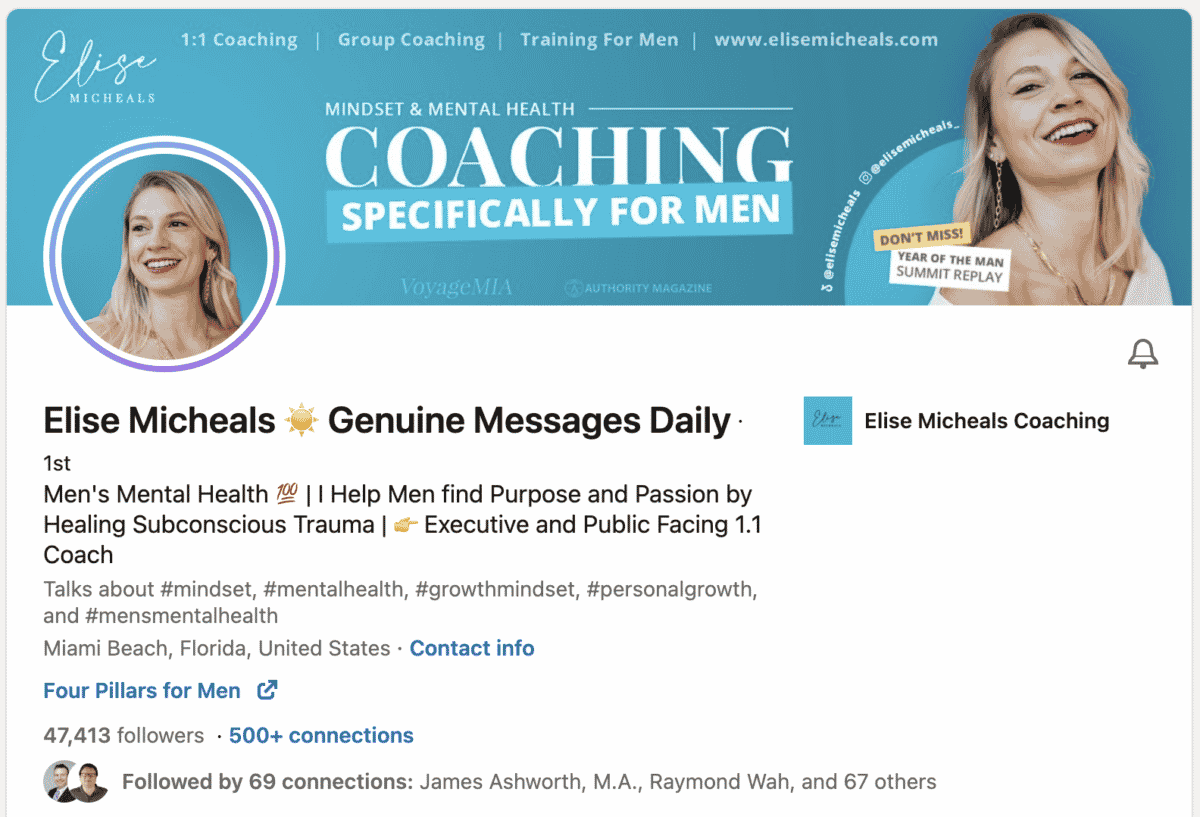
A compelling LinkedIn headline acts as your digital handshake, initiating your introduction to the virtual professional world.
The headline is more than just a statement; it’s your opportunity to quickly communicate your professional identity and peak interest.
Instead of merely listing “Data Analyst,” for example, consider fine-tuning it to “Data Analyst specializing in predictive models for e-commerce”.
This not only provides more detail about your unique abilities but also differentiates you in a sea of data analysts.
Furthermore, including relevant industry keywords in your headline can make your profile more searchable, increasing the chance of being found by potential employers or clients.
Remember, LinkedIn gives you 120 characters for your headline. Use this space to creatively encapsulate who you are professionally, your key skills, and your unique value proposition.
2. Craft a Stellar LinkedIn Summary
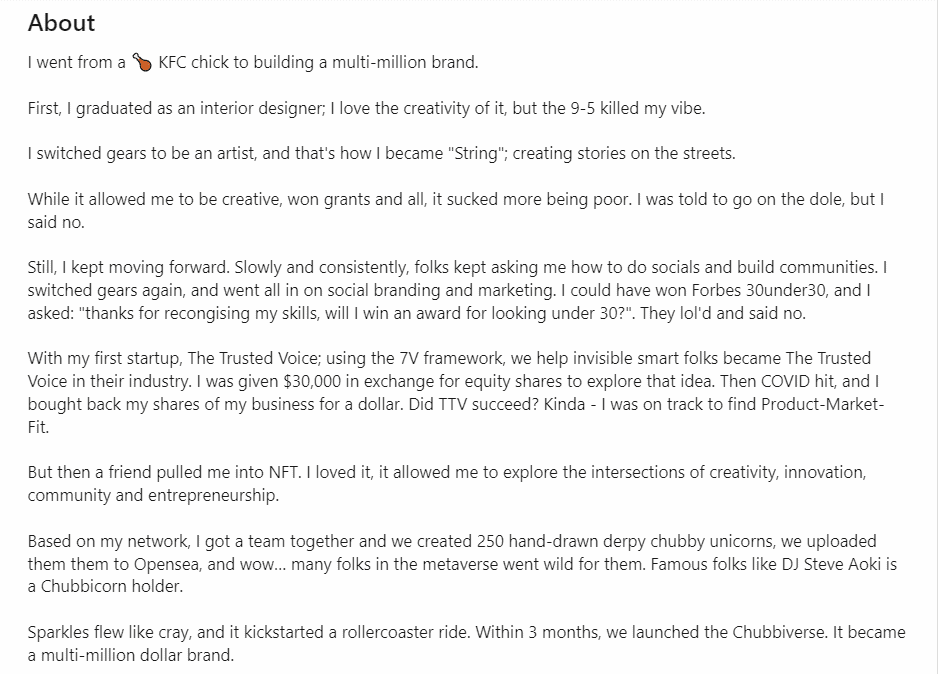
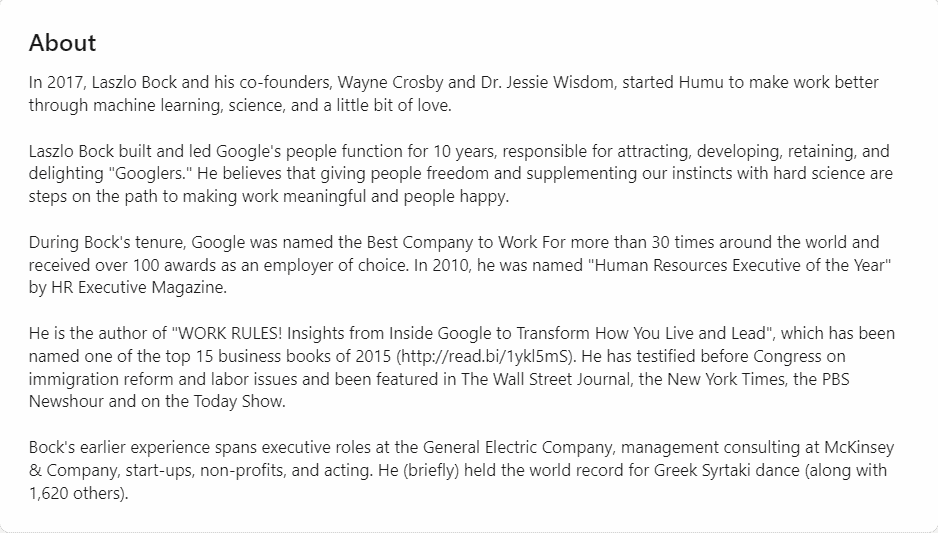
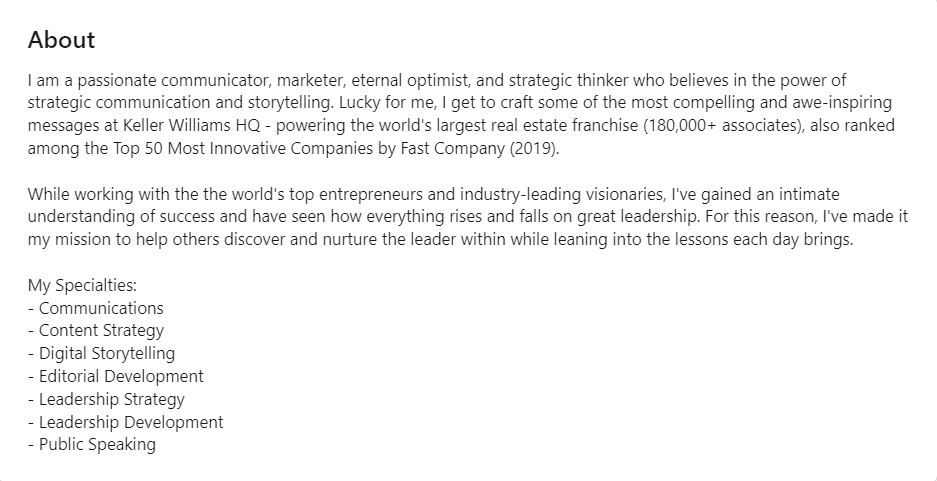
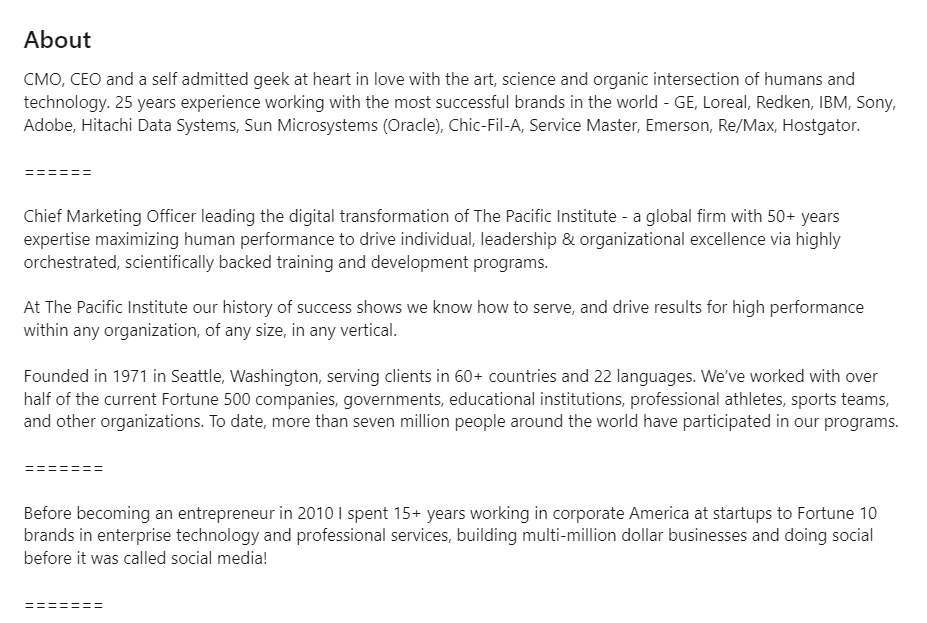
Your LinkedIn summary is essentially your professional autobiography. It’s a platform to humanize your profile, sharing not just your qualifications but also your journey, passions, and future aspirations.
This narrative can create an emotional connection with your reader, making you more memorable.
For instance, if you’re a marketer who transitioned from traditional advertising to digital marketing, this is your opportunity to share your evolution.
Discuss the challenges you overcame during this shift, the new skills you developed, and how this transformation has made you a better marketer.
Sharing these stories conveys your adaptability, growth mindset, and demonstrates your resilience — traits that employers often value.
Use the summary to show that you’re not just a list of skills and experiences, but a dynamic professional with a compelling story.
3. Spotlight Your Work Experience
When detailing your work experience on LinkedIn, think of it less like a job description and more like a highlight reel of your professional career.
It’s not just about what you’ve done; it’s about the measurable impact of your work.
For instance, rather than merely saying you “Managed social media accounts,” describe the specific initiatives you drove and their outcomes, such as “Increased social media engagement by 60% by implementing a new content marketing strategy“.
This illustrates your ability to drive results and gives prospective employers or partners insight into what they might expect if they work with you.
Remember to include specific metrics and data where possible as these quantifiable results can lend credibility to your achievements.
Also, highlight any unique projects or initiatives you’ve led that align with your career goals.
This can demonstrate your leadership, creativity, and strategic thinking to potential employers and connections.
4. Showcase Relevant Skills
Your LinkedIn profile is more than a resume; it’s a living testament to your professional capabilities.
The skills you list should be a curated collection, reflecting your career aspirations and key strengths.
Instead of merely listing a broad range of skills, consider focusing on those most relevant to your field or the position you’re aiming for.
LinkedIn also allows your connections to endorse your skills, adding a level of validation to your listed competencies.
Prioritize the skills you want to be known for, place them at the top, and encourage colleagues or supervisors to endorse you for them.
This not only validates your claim but also increases your visibility when recruiters search for specific skills.
5. Optimize Your LinkedIn URL
Your LinkedIn URL might seem like a minor detail, but it’s a powerful personal branding tool that can enhance your professional image and online visibility.
By default, LinkedIn assigns you a URL filled with random characters. However, you can (and should) customize it to reflect your name and profession.
For instance, instead of a URL like “linkedin.com/in/xyz123456789,” opt for a cleaner, more professional version like “linkedin.com/in/JohnDoeMarketing.”
It’s simpler, more memorable, and reinforces your personal brand.
Think of it as your digital business card. You can add it to your email signature, your resume, or your website.
Customization not only makes it easier for people to find you but also makes your profile look more polished and professional.
6. Understand LinkedIn Premium’s Benefits
While the basic LinkedIn account is free and offers numerous benefits, there’s value in considering a LinkedIn Premium subscription, especially if you’re actively job hunting or looking to expand your network.
LinkedIn Premium provides you with an array of tools not available with a basic account.
One standout feature is the advanced search filter that lets you target specific industries, job titles, or companies, offering a more tailored approach to networking.
With Premium, you can also send InMail messages to people you’re not connected with, opening a direct line of communication with potential employers, mentors, or collaborators.
In addition, it allows you to see who has viewed your profile, offering valuable insights about the types of professionals showing interest in your profile.
These are just a few examples of the potential advantages of LinkedIn Premium.
While it is a paid feature, consider it an investment in your personal brand and career growth. It might just give you the edge you need in a competitive job market.
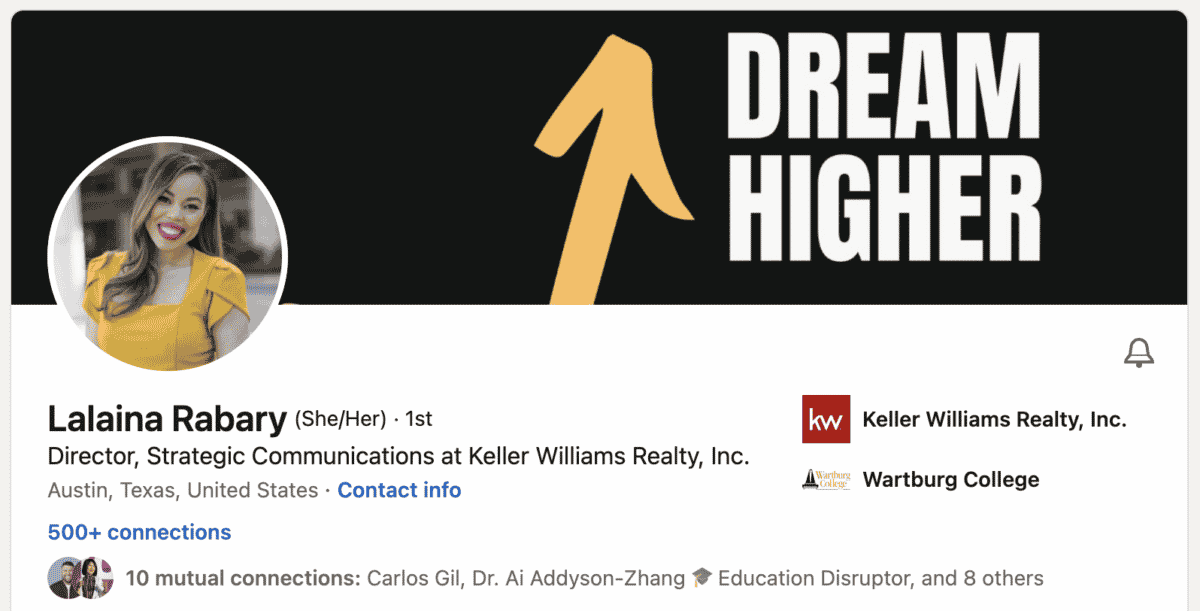
7. The Power of a Professional Profile Photo
A professional profile photo is much more than just a picture — it’s a visual representation of your brand.
It is what introduces you to the professional world before you even say a word.
This image is the first visual interaction someone will have with your profile, so ensuring it is clear, professional, and friendly is vital.
Opt for a picture with good lighting, a simple background, and appropriate attire. It’s not about the designer clothes or the perfect hairstyle, but rather about showcasing the professional, approachable, and confident individual you are.
A good rule of thumb is to make sure your photo aligns with your desired industry’s standards — a corporate banker’s attire may be different from a creative director’s.
8. Join LinkedIn Groups
LinkedIn groups are your secret passageways into the world of professional networking.
Participating in these groups doesn’t just expand your network; it gives you a platform to engage in intellectual conversations, demonstrate your knowledge and insights, and connect with like-minded professionals.
Start by looking for groups that are relevant to your industry or area of expertise. Don’t just join the group and be a passive member.
Engage in the discussions, ask insightful questions, and share helpful resources or articles. The key is to provide value.
Doing so helps establish your thought leadership, and remember, a meaningful comment or shared insight could catch the eye of a potential employer or collaborator.
9. Embrace LinkedIn Learning
LinkedIn Learning is not just a resource; it’s your growth partner. With a vast library of courses ranging from software skills to leadership techniques, it can help you stay at the forefront of your industry’s trends and requirements.
Courses you’ve completed are featured on your profile, which sends a clear message to potential employers about your dedication to personal development and continuous learning.
For example, if you’re in digital marketing, taking a course on the latest SEO strategies or Google Analytics can make you more valuable in the eyes of recruiters.
By consistently updating your skills through LinkedIn Learning, you’re not just improving yourself; you’re setting a high bar in your professional life and proving your commitment to staying ahead of the curve.
10. Seek & Give LinkedIn Recommendations
The power of word-of-mouth should not be underestimated, especially in the professional world.
LinkedIn recommendations function as mini letters of recommendation, giving weight to your professional competencies and achievements.
Aim to secure recommendations from a diverse array of colleagues, managers, or clients who have a first hand account of your work.
Remember, specificity is key in making these recommendations impactful. Encourage your endorsers to mention particular projects or instances that illustrate your abilities.
For instance, instead of a generic “they are a team player,” a more impactful recommendation would be “they displayed exceptional teamwork in the XYZ project by coordinating tasks effectively and fostering a positive work environment.”
At the same time, reciprocate this goodwill by endorsing your connections.
This not only strengthens your professional relationships but also keeps you on the radar of your network.
LinkedIn is, after all, a social platform — engagement is critical.
11. Make Use of LinkedIn’s ‘Featured’ Section
The ‘Featured’ section on LinkedIn serves as your personal exhibition space. Here, you can spotlight examples of your work that articulate your skills and capabilities better than words.
Showcasing real, tangible work adds credibility to your profile and captures the attention of anyone viewing your profile.
You could include links to articles you’ve written, slides from a presentation, graphics you’ve designed, or even a recording of a talk you gave.
For example, if you’re a content marketer, sharing a blog post that drove significant traffic to your company’s website will highlight your content creation and SEO skills.
Remember, this section is not just a repository for your work.
It’s a dynamic space that should be updated and refreshed as you create new, impressive work.
12. Leverage the Power of Keywords
Keywords are not just for SEO — they’re a fundamental tool to enhance your visibility on LinkedIn.
Using relevant keywords throughout your profile makes it more likely for you to appear in LinkedIn searches, potentially connecting you to a host of new professional opportunities.
Start by identifying the keywords or phrases relevant to your field that potential employers or clients might use.
By incorporating these into your profile, you increase your chances of appearing in searches by potential employers looking for these specific skills.
In the end, remember that while keywords help in visibility, they should not compromise the readability and authenticity of your profile.
Your LinkedIn profile is your digital narrative — ensure it remains a genuine reflection of your professional journey.
Ready to Enhance Your LinkedIn Profile?
In the vast world of LinkedIn, standing out is an art. It’s your first impression, your digital handshake.
Remember, your LinkedIn profile can either be an unnoticed drop in the digital ocean or a vibrant beacon attracting the right professional opportunities.
So embrace these tips, inject your profile with a hefty dose of professional charisma, and watch as opportunities begin to roll in.
Sam is an Associate Editor for Smart Blogger and family man who loves to write. When he’s not goofing around with his kids, he’s honing his craft to provide lasting value to anyone who cares to listen.
The results show that AI is a logically a big focus, while maximizing shrinking ad budgets, and customer retention, are also significant considerations.
And of course, LinkedIn remains the leading platform for many B2B industries.
You can check out the full results in the below infographic.
In this article, get ideas for your next LinkedIn carousel from different creators plus best practices to make this engaging format easy to produce.
LinkedIn carousels are a great content format for many reasons. First, the LinkedIn algorithm prioritizes this content format, probably thanks to the visual appeal and subsequent engagement. Much like Instagram carousels, they tend to be very appealing because they differentiate from the other types of content you might come across on your feed.
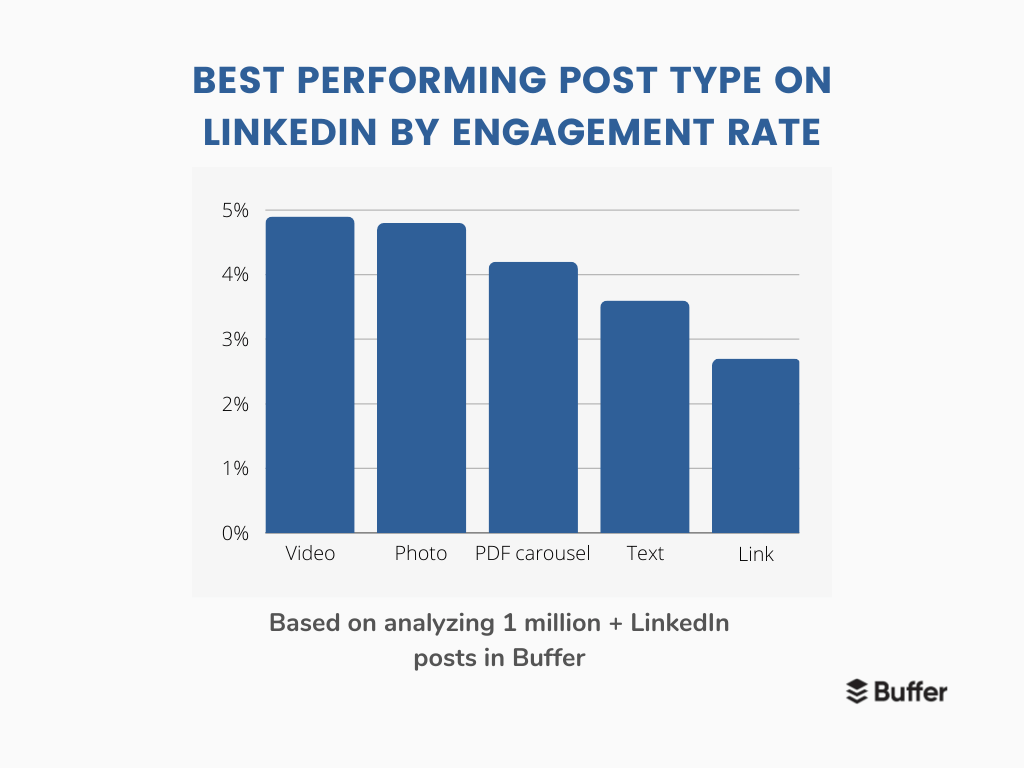
They also tend to perform quite well – I’ve only posted a few, but they tend to be one of my top-performing formats, a win for my personal branding efforts. And according to our internal data, they have the third-highest engagement rate after video and photo posts at 4.2 percent.
However, I’ll also be the first to admit that they can be difficult to work with, especially if your design skills are sorely limited. Thanks to tools like Canva (and our handy guide to creating and scheduling this format in Buffer), that hurdle is less difficult to climb – until you reach the next one: idea generation.
So, in this article, I’ll give you some ideas for your next carousel from different creators and share some best practices to make this engaging format easier than ever to produce.
1. Share news related to your industry
Keeping your audience informed about the latest industry news not only positions you as a knowledgeable source but also provides value to your followers.
Here are two creators who have mastered the art of sharing industry news through LinkedIn carousels:
Girl Power Marketing uses a distinct tone of voice and visual branding to share important social media updates.
Why this works: The carousel is visually appealing, and the information is presented in a concise, easy-to-understand format. This makes it easy for the audience to stay informed about the latest trends and changes in the social media landscape.
Pretty Little Marketer shares their favourite marketing moments of the year in a visually engaging carousel.
Why this works: By highlighting key campaigns and explaining their effectiveness, they provide valuable insights and learnings for her audience. The carousel is not only informative but also invites engagement by asking the audience to share their own favorite marketing moments.
2. Share company culture and employee highlights
Showcase your company’s culture, values, and team members through a carousel. This can help build brand awareness, humanize your brand, and build trust with your audience. For instance, you could create a carousel featuring employee spotlights or behind-the-scenes glimpses of your office.
Beehiiv uses LinkedIn carousels to welcome new hires. In this post, they introduce two new employees, sharing their roles and expressing excitement about their joining the team.
Why this works: This approach works because it not only introduces new team members but also gives a sense of the company’s growth and global reach. It creates a sense of community and shows that the company values its employees. This can help to attract potential employees and customers who value a strong, inclusive company culture.
Deel, an international company, uses LinkedIn carousels to highlight individual employees. In this post, they spotlight David Alejandro Lira, expressing their excitement about having him on board and hinting at his potential future influence.
Why this works: This approach works because it puts a face to the company, making it more relatable and human. It also shows that the company values its employees and their individual contributions. This can help to build trust with potential employees and customers, who may be more likely to engage with a company that values its people.
3. Give step-by-step instructions and advice
Use carousels to provide step-by-step instructions or guides. This can be useful for sharing how-to content, tutorials, or tips. For example, you could create a carousel that walks users through setting up a specific software or tool.
Jay Clouse shares a guide to posting over the holiday season. He provides a step-by-step approach to repurposing content and scheduling posts.
Why this works: This approach provides actionable tips clearly and concisely. The step-by-step format makes it easy for the audience to follow along and implement the advice. Additionally, the timely nature of the content (posting over the holiday season) makes it particularly relevant and useful for the audience.
Alex shares five things everyone should know about strategy. He breaks down complex strategic concepts into easily digestible points.
Why this works: This approach simplifies complex ideas (strategy) into easily understandable points. The use of a numbered list helps to structure the content and guide the reader through the key points. This makes the content more accessible and engaging, helping the audience to better understand and apply the concepts.
4. Share interesting information and facts
Sharing interesting facts, trivia, or insights related to your industry or niche can position you as a thought leader and engage your audience. For instance, you could create a carousel highlighting little-known facts about your industry.
Mad Over Marketing shares an interesting fact about how Heinz is fighting ketchup fraud with a genius hack, ‘The Label of Truth.’
Why this works: This approach works because it shares an intriguing story about a well-known brand, which can capture the audience’s attention. The post also highlights the brand’s innovation and customer-centric thinking, which can inspire other businesses and marketers. The information is presented in a fun and engaging way, making it more likely to be shared and remembered by the audience.
Verneri Brander shares a comparison between Claude AI and ChatGPT for email marketing. He provides insights into how these AI tools can be used to create effective email marketing campaigns.
Why this works: This approach works because it provides valuable insights into a trending topic (AI in email marketing). The post not only shares information but also provides a practical application, making it more useful for the audience. By sharing his experiences and opinions, Verneri adds a personal touch to the post, making it more relatable and engaging.
5. Turn complex data and ideas into easily digestible frames
Transforming complex data or information into visually appealing slides is an excellent way to make your content more accessible and engaging.
For example, you could create a carousel that breaks down a complex topic or showcases key statistics to help your audience better understand and retain the information.
Here are some creators who excel at turning complex data and ideas into easily digestible frames:
Why this works: Josue’s carousel effectively breaks down his content system into simple, actionable steps. The clean and consistent visuals make it easy for the audience to follow along and understand the process.
Why this works: Chase’s carousel highlights three design principles from an eye-catching ad. The carousel itself is visually appealing, with clear and concise explanations that make it easy for the audience to grasp the concepts and apply them to their own marketing efforts.
Why this works: Erica’s carousel focuses on the importance of parallelism in writing. By using clear examples and explanations, she helps her audience understand the concept and how to apply it to their own writing. The visuals are simple and consistent, making the content easy to digest.
6. Showcase your products or services
Use carousels to showcase your products or services in a visually appealing way. By highlighting different features, benefits, or use cases with each slide, you can demonstrate how your product solves a specific problem for your target audience. For example, you could create a carousel demonstrating how your product solves a specific problem for your target audience.
Jens Joseph Mannanal, Co-founder & COO at Passionfroot, shares a case study of how Superhuman, one of the biggest and fastest-growing AI newsletters globally, leverages Passionfroot to streamline their workflow and sponsorship process.
Why this works: This approach works because it provides a real-world example of how the product (Passionfroot) solves a specific problem (inefficient and inconvenient ways of organizing sponsorships and tracking payments). The post also includes a testimonial, which adds credibility and shows the product’s value. The carousel format allows for a detailed breakdown of the problem, solution, and results, making the case study easy to follow and understand.
Remote, a company that provides solutions for global employment, shares information about hiring talent in Portugal. The post highlights their services, such as visa sponsorship and standard onboarding processes.
such as visa sponsorship and standard onboarding processes.
Why this works: This approach works because it provides valuable information related to the company’s services. By addressing potential challenges (like visa applications and health checks) and explaining how their services can help, Remote positions itself as a solution provider. This makes the content more accessible and engaging, helping the audience to better understand the services offered by Remote.
7. Create zero-click content from your existing media
Zero-click content offers valuable, standalone insights or engaging material without users needing to click on a link.
While clicking might provide additional information, it’s not required for users to gain value from the content. Here are some examples of great zero-click content pulled from existing media.
We shared tips on creating content pillars for social media platforms, providing a clear and organized framework for content creation.
Why this works: This approach offers valuable insights and advice directly within the carousel without requiring users to read the whole article. The content is concise, visually appealing, and easy to understand, making it more likely to be shared and remembered by the audience.
SparkToro shares research findings on how much web traffic social networks send without correct attribution, shedding light on the undercounting of social media and word-of-mouth referral traffic.
Why this works: This approach presents intriguing research findings directly within the carousel, making it easy for users to grasp the key points without clicking a link. The content is informative and thought-provoking, which can help position SparkToro as a thought leader and engage its audience.
8. Share collaborative content
Elevate your content by embracing the power of collaboration. Collaborative content not only provides a fresh perspective to your audience but also expands your reach by tapping into the networks of your collaborators. This strategy can be particularly effective on platforms like LinkedIn, where professional networks intersect and overlap.
In this post, Ryan Musselman collaborates with Richard van der Blom to share insights on how to create a LinkedIn banner that positions you as an expert and attracts your ideal customers. The post provides a clear, step-by-step guide, complete with examples and ideas for incorporating social proof into your LinkedIn banner.
Why this works: This approach works because it combines the expertise of two thought leaders, providing a comprehensive guide that is both practical and actionable. By collaborating with Richard, Ryan can offer his audience a fresh perspective and additional insights. The post encourages engagement by inviting the audience to follow and support Richard’s content. This not only provides value to Ryan’s audience but also helps to expand Richard’s reach, creating a win-win situation for both parties.
In this post, Thinkific promotes a webinar featuring Jon Youshaei, a top creator and educator.
Why this works: This post works because it offers direct value to Thinkific’s audience, who are likely interested in the topic of conversation. By bringing in an expert like Youshaei, Thinkific can provide high-quality, relevant content to its audience. Furthermore, the promise of a special offer creates an additional incentive for viewers to attend the webinar.
9. Sharing thought leadership or how-to content
Share your expertise and knowledge through carousels that provide valuable insights, tips, or advice. This can help establish you as an authority in your field and attract new followers. For instance, you could create a carousel that offers tips for improving productivity or shares insights on industry trends.
Why this works: The post combines personal storytelling with educational content. Lara’s story resonates with her audience, and her SLAY framework provides actionable advice that others can apply to their own LinkedIn strategies
Why this works: Sam’s post empowers the audience to share their own experiences and learnings rather than conforming to generic content norms. It also promotes the idea that LinkedIn can be a platform for genuine connections and personal growth, not just business transactions.
Why this works: This post works because it challenges conventional wisdom and offers a fresh perspective on content creation.
10. Highlight members of your audience or community
Highlighting members of your audience or community is a powerful strategy to foster engagement and build a sense of belonging.
Passionfroot showcases the work of various creators in their “Creator Gallery.” This not only highlights the creators’ specialties but also provides them with potential sponsorship opportunities.
Why this works: By showcasing the creators that are part of its clientele, Passionfroot is not only promoting their work but also building a sense of community. This strategy can lead to increased engagement, as creators feel recognized and valued, and it can also attract new creators to the platform.
Klaviyo has built a thriving community where users and partners can learn, grow, and share tips on enhancing their ecommerce businesses. They encourage active participation and even suggest that members search the community for answers before starting a new thread.
Why this works: This approach not only fosters a sense of community but also positions Klaviyo as a valuable resource hub. It encourages peer-to-peer learning and engagement, which can lead to increased customer loyalty and brand advocacy.
ConvertKit highlights how Allea Grummert navigates the challenge of recommending other creators without shifting her audience’s attention away from her own work.
Why this works: This approach provides valuable insights to other creators and fosters a sense of community. It also positions ConvertKit as a thought leader in the creator economy, offering practical advice and solutions to common challenges.
11. Share micro interviews
Micro interviews are a concise and engaging way to share insights from industry experts or thought leaders. These bite-sized interviews can provide valuable information to your audience in a digestible format, making them ideal for platforms like LinkedIn, where users often consume content on the go.
In this post, Eddie Shleyner, founder of VeryGoodCopy.com, shares a 165-word “Micro-Interview” with copywriter, creative director, and author Cameron Day. The interview is concise, with clear questions and answers, providing valuable insights without wasting the audience’s time
Why this works: This approach provides valuable insights in a concise and engaging format. The micro-interview format respects the audience’s time, making it more likely for them to engage with the content. Additionally, by featuring an industry expert, Eddie can provide his audience with unique insights and perspectives, further enhancing the value of his content.
Best practices to consider when creating LinkedIn carousel posts
Creating a LinkedIn carousel that stands out and engages your audience requires a blend of creativity, strategy, and attention to detail.
We’re not afraid to defer to the expert, and no one has more LinkedIn expertise than Richard van der Blom, an expert LinkedIn consultant. He shared some best practices for LinkedIn carousels that are immensely valuable, which we’ve incorporated into the following list.
Structure your carousel for easy consumption: Aim for around 12 slides, with 25-50 words per slide and 500 characters to keep your content digestible and maintain audience interest.
Tell a story: Use your carousel to take the reader on a journey, whether sharing insights, presenting a case study, or explaining a concept. This storytelling approach helps to engage your audience and make your content memorable.
Include a clear call-to-action (CTA): What do you want your audience to do after viewing your carousel? Whether it’s visiting your website, signing up for a newsletter, or downloading a resource, make sure to include a clear and compelling CTA.
Maintain consistent visual branding: Design your carousels with your brand’s colors, fonts, and style to create a cohesive and recognizable look. This consistency helps to reinforce your brand identity and make your content stand out in the feed.
Optimize for mobile viewing: Since many LinkedIn users access the platform on their mobile devices, ensure your text is large enough to read and your visuals are clear on smaller screens. This will improve the user experience and increase engagement.
There are also a few common threads across the examples we’ve shared that can help you improve your LinkedIn carousels. The most successful carousels:
Distill necessary information for their audience into a digestible and fun-to-read format.
Distinct branding and visuals that stay consistent week over week.
Does the work for the audience by pulling from different sources for one cohesive piece of content.
Transforms complex data and information into easily digestible frames.
As you explore these ideas, remember to create carousel content that’s engaging, visually appealing, and relevant to your audience.
Whether it’s showcasing your company’s work, building your reputation as an industry thought leader, or trying to create demand for your products, a blog is one of the most important marketing tools a brand can leverage.
Posting about your brand on social media has become an essential part of any business marketing plan. But if you’ve let your blog lapse because longer-form content seems like too much of a commitment, you’re missing out on a major opportunity to connect with your audience — and convert them into customers.
At the content marketing agency I co-founded, I’ve seen just how incredibly powerful (and successful) blogging has been for clients like OXO and Nutanix that incorporate it into their business strategies. In fact, 68 percent of marketers find blogging more effective than it ever has been, according to data tracking tool Databox; brands that post content on blogs produce about 67 percent more leads than those that don’t. That’s because blogging can be one of the best ways to drive visitors to your site, whether it’s through organic search or the call to action you include in your posts on another platform — I like to think of both of those as free digital foot traffic.
If the idea of having to write blog posts regularly feels overwhelming, keep in mind that one of the best parts about blog content is it can be repurposed in so many ways. You can rework blog articles into social media posts, LinkedIn thought-leadership pieces, and editorial-style newsletters, helping to fill several channels at once and reach different audiences. Even if you don’t have the time to post very often, as long as you do it with some regularity, you’ll build a body of work that serves to tell your brand’s story and lets customers feel more connected to you.
There are lots of excellent blogging platforms out there, and they serve different needs. These are five of my favourites.
This might be the first site you think of when it comes to blogging. That’s because WordPress made a name for itself in the early days of self-published websites and blogs. Now, 43 percent of all websites are built using the platform.
WordPress has ready-made themes and layouts but also has a treasure trove of customization options. It’s easy to manage and maintain, thanks to the number of tutorials, and also has plug-ins that can help you drive sales, create newsletters, and more. The platform supports various types of media, so if you want to spice up your blog posts with images and videos, WordPress can handle it. Another plus is that most creators already know how to use the platform, so if you’re thinking of hiring someone to help write your blog posts, they’ll most likely be able to jump right in–no training required.
WordPress is best for those who want heavy customization, greater control over the function of the blog, and search engine optimization features. You can set up a site for free if you don’t mind the “.wordpress.org” tacked on to your URL. If you’d prefer your own domain name, you can do that starting at $4 a month.
If you’re not too concerned with customization, Wix is the platform for you. The drag-and-drop builder plus the ready-made layouts mean you’ll soon be able to get down to writing. The platform is optimized for mobile, so once you get your feet wet, if an idea for a post strikes you, you can write and publish even when you’re on the go.
Though Wix wasn’t always known for good SEO tools, a recent update means you can now optimize your blog posts. The paid plan is free for the first year and $22 per month thereafter. So you can play around and get up to speed at no cost, and once the paid plan actually kicks in, you may already be seeing the ROI.
Squarespace is the place for e-commerce businesses that want to leverage content to help them reach potential new customers and boost sales. And Squarespace is one of the best platforms for e-commerce functionality. With its easy-to-use platform (like Wix, it is drag and drop) and e-commerce features (including integrated shopping carts and product pages), Squarespace is ideal for that combination of selling products while sharing your brand story. Prices start at $16 a month, but the platform does have a free trial, so you can give it a test drive before committing.
You may be surprised to see a career platform on a list about blogging, but you can easily create “article” pages from your own personal account or business page. It’s as simple as typing up your article, choosing a header image to go with it (always a best practice to include an image!), and clicking publish.
I personally use LinkedIn as my blogging platform because it has the best engagement with our client base at Masthead Media and has allowed me to build a stronger connection between the LinkedIn community and my company. I highly recommend it if you already have a large following and if SEO isn’t your top priority.
If writing is something of a passion for you, and you like to share insights and opinions about your industry, Medium is your platform. Unlike WordPress and Wix, Medium won’t give your company a homepage with a unique URL, but it comes with an already-engaged audience who receive a daily email promoting the best new stories posted to the site. You simply write your piece and publish it, and it has the potential to be shared with millions of readers.
The platform has also rolled out a new payment model whereby popular pieces can earn you money. So if your blogging objective is to share your thought leadership with a broad audience, check out Medium.
Whether you’re a seasoned executive, a new entrepreneur or a subject matter expert, let’s explore why LinkedIn should be your digital podium for sharing insights, igniting meaningful conversations and leaving an indelible mark in your industry.
Publishing thought leadership content on LinkedIn is a game-changing strategy.
The platform is the beacon of expertise in the ever-evolving realm of professional networking and personal branding, and the influential power of its extensive network rewards thought leaders with organic growth and lead generation.
Whether you’re a seasoned executive, a budding entrepreneur or a subject matter expert, let’s explore why LinkedIn should be your digital podium for sharing insights, igniting meaningful conversations and leaving an indelible mark in your industry.
What are the benefits of creating thought leadership content on LinkedIn?
There’s lots of buzz around thought leadership, but it’s often misused and misunderstood.
Thought leadership is an essential part of any successful content marketing strategy. Companies and entrepreneurs in all types of industries can benefit from the many advantages of thought leadership to build a more competitive reputation and ultimately drive more revenue.
This type of content strategy is essential and can be a game-changer, especially in B2B companies. This is because of the complexity and length of the decision-making process and the many people involved. Leaders can use LinkedIn to create authentic and personalized relationships, while also elevating their authority on the platform.
A few benefits of creating thought leadership on LinkedIn are:
1. Increased visibility and exposure
The beauty of LinkedIn lies in its vast network of professionals spanning various industries and sectors.
You position yourself as a knowledgeable authority by consistently sharing insightful and valuable content, unlocking unparalleled opportunities to amplify your reach and connect with individuals who can elevate your career.
And more: This helps you attract the attention of like-minded professionals, potential clients, employers and industry influencers actively seeking valuable insights and expertise.
2. Enhanced credibility and authority in your industry
LinkedIn has earned its stripes as the go-to platform for professionals seeking to establish credibility and authority. As you provide valuable content that educates, inspires and solves problems for your audience, you position yourself as a trusted source of knowledge in your industry, demonstrating your expertise and your ability to provide meaningful solutions.
The platform professionally sets the stage for meaningful interactions and paves the way for valuable connections with like-minded individuals, potential clients and industry influencers. This helps to establish your credibility and sets you apart as a thought leader in your industry.
3. Opportunities for networking, collaboration and meaningful conversations
LinkedIn is not merely a platform for self-promotion; it’s a hub of intellectual exchange and robust dialogue. By publishing thought leadership content, you invite others to engage in insightful conversations and challenge conventional wisdom. Sparking discussions around your expertise allows you to gain new perspectives, refine your ideas and strengthen your professional network.
LinkedIn’s messaging and commenting capabilities enable you to contact individuals directly to initiate conversations, explore partnership opportunities or seek mentorship. Your thought leadership content can serve as an icebreaker and a reason for professionals to engage with you.
4. Increased engagement and connection with your audience
As your content gains traction through likes, comments and shares, LinkedIn’s algorithm recognizes your authority and rewards you with increased visibility in users’ news feeds and search results as your content gains traction through likes, comments and shares. This expanded reach allows you to connect with a larger audience, amplify your message and increase your chances of being discovered by individuals who may have otherwise never come across your profile.
Set aside 30 minutes daily to engage with industry-specific groups, participate in relevant discussions and like your network’s content, leaving meaningful comments when possible. Share insights that resonate with your audience and watch your engagement and connections grow.
5. Make a lasting impact
LinkedIn empowers you to showcase your expertise and leave an indelible mark on your industry. Your ideas can shape the direction of your field, inspire others and generate positive change, positioning yourself as a thought leader.
Don’t miss the chance to become the driving force behind significant industry advancements: In today’s fast-paced business landscape, leaving a lasting impact is crucial.
Harness LinkedIn’s thought leadership power
In today’s dynamic professional landscape, LinkedIn stands out as the ultimate platform for harnessing thought leadership power. It provides professionals a unique opportunity to establish credibility, expand their reach, foster meaningful conversations and leave a lasting impact in their respective industries.
Now that you understand the untapped potential of LinkedIn as the ultimate platform for thought leadership, it’s time to start putting your thought leadership strategy in place. As you embark on your journey to become a thought leader, you can unlock your ability to captivate audiences, drive engagement and propel your career to new heights. Embrace the platform’s potential, ignite conversations and leave an indelible mark on your industry.
Get ready to seize the reins of your industry and establish yourself as the go-to expert in your field, unleashing your thought leadership potential on LinkedIn, transforming your career trajectory and shaping the future of your industry.
Megan Thudium is an American marketer working in Berlin, founder of MTC | The Content Agency. As a branding, content and LinkedIn B2B marketing specialist, Megan works with innovative tech brands in Germany and throughout Europe.
Networking has been described as “getting to rub elbows with people who like to geek out about the same things you do.” As accurate (and as fun) as that sounds, growing our network virtually often lacks this joy. Most people are repulsed by cold outreach — both the act of doing the outreach and receiving it.
This fear of cold outreach exists for a reason: it has a history of being done so poorly. On a daily basis, I receive terrible cold outreach emails via LinkedIn. Here are just a few examples I’ve received in the last few months.
Would you consider responding to this one?
Example of failed cold outreach
Leadership Story Lab
No. And here’s why: there’s no personalization or specification. What “transaction” is he talking about? The phrase “I appreciate meeting and networking with successful people,” is as vague as it is cringeworthy. It makes the sender sound desperate to ingratiate himself with successful people when he cares neither their business nor them personally. Further, half the message is about the sender’s assistant Alan. The forced formalities and phony “I’ll have my people call your people” language make it appear that the sender is parading around in attempts to sound important—important enough to have an assistant named Alan.
No thanks. There is nothing sincere or inviting about this message. So let’s look at another example that isn’t quite as generic as the one above, but that still earned the same treatment: complete disregard. Here it is:
Esther, Our businesses and passion for storytelling have a lot in common. You can learn more at <link to my website>. I would like to see if you have an interest in being on our podcast. My background is in pharma, coaching, teaching and I have a PhD. I look forward to connecting.
The first sentence, even though awkwardly phrased, does make an attempt to show some connection between the sender and recipient, but it’s vague. It’s almost like saying, “We both ate breakfast this morning, so we have a lot in common.” And then, painfully, it only gets worse from there. The rest of the message is all about the sender. Their website, their degrees, their podcast, their interests.
This message is cold and transactional. I need X, you have X, I’ve got credentials, so give me X. There’s no joy or geeking out. There’s no conversation. What’s more, the message is shallow; it’s likely this exact message was probably sent to every other person on LinkedIn who has used the keyword “storytelling” in their bio. Who would want to respond to this message?
Let’s look at one more example of a failed cold outreach email. This one attempts to be more conversational and makes gestures toward personalization, but it is just as poorly received as the prior messages.
Incredible. You are an incredible inspiration to me.
We are all human however when I started to write this I hesitated multiple times. You are a wealth of knowledge. Which you know. My story is one of great sadness and over doing. Would you have time for a call?
I’d love to learn from you. Hopefully we can connect. I had to ask you …. especially after reading your book.
In this message, the sender again fails to make a convincing case that they know anything about the person she is trying to connect with. “You are incredible” and “You are a wealth of knowledge” fail as flattery because there’s no follow up with specification. What is so incredible? How has the sender come across this wealth of knowledge? What on earth is she talking about?
The second failure (beyond the poor grammar and run-on sentences) is that the self-deprecation raises red flags. While humility is a virtue that helps people connect, proverbially slouching through LinkedIn removes any joy or desire for connection. Why would someone want to connect with a person who seems to value their own potential so poorly?
The third failure is the call to action, “Would you have time for a call?” is as vague and meaningless as the sender’s flattery. If someone were to respond to this LinkedIn message, what would the phone call even be about?
From these three examples, we’ve learned what not to do:
Don’t be vague
Don’t be transactional
Don’t be pompous, listing your accomplishments and your personal assistants
Don’t be self-deprecating, apologizing for bothering the person
The Secret to Successful Online Networking
Think of a time when you were waiting in line at the airport and you struck up a conversation with the person in front you. The conversation flows easily. You discover you both travel frequently for your jobs and you trade tips on which airports have the best food choices. When it’s time to go through security, you part ways smiling. What was so pleasant about that interaction? You felt seen and understood. This is the scenario you want to create when networking on LinkedIn. How can you make the person you want to connect with feel seen and understood?
Let’s look at some real examples of networking experiences that received responses. In a prior article, filmmaker Bryce McNabb, shared how he networks on LinkedIn by commenting on posts. He observes that authenticity is key to cold outreach: “I didn’t want to be seen as fake and trying to get something from you. You can totally feel that and it’s offensive. So I didn’t force it. I made a point to only ever comment if I genuinely had something thoughtful to contribute.”
Unlike the cold emails above, commenting on a person’s posts is inherently more conversational. By default, you demonstrate your interest in their subject matter by reading their work and expanding on it or asking a good follow up question.
Another successful example of cold outreach also highlights authentic interest in the work of the person being reached out to:
Dear Jennifer,
Last night I was elated to read about your book, We Need To Talk: A Memoir About Wealth in the NYT article by Paul Sullivan. Serendipitously, I’ve been working with a research partner the last few months interviewing twenty-two first generation wealth creators.
What’s remarkable about your book is that you’re telling your story openly, something that is extremely hard to find. My interviewees were all either trusted friends or trusted friends of friends. We promised confidentiality and anonymity. And even then they were tentative to talk about their stories involving wealth.
The one thing I have going for the research is that no one had ever asked them the questions I am interested in. So they’re intrigued and ready to reflect.
I just ordered your book and am so looking forward to reading it. You must constantly be pinged by people. I hope you don’t mind my outreach. I hope to learn from your story so that the research report can be all that more enriching for the public.
The differences between the failed examples and this example, which elicited a response within hours of sending the message, are drastic, but let’s take a look. Here’s why this cold outreach email worked:
The specificity demonstrates sincerity. It is clear the sender of the email has a genuine interest in Jennifer’s story. The sender compliments Jennifer, but it’s authentic, personalized and specific. The sender shows why her work is so meaningful to her own work.
It’s about relationship building, not transaction. The sender is not asking for her to be on a podcast or to give her a free consultation. The sender is simply reaching out to say, I see you and I appreciate what you are doing.
When the sender does share about herself, it’s neither pompous nor self-deprecating. Rather, she is demonstrating her own personal investment in the subject matter.
Let’s take a look at the third example of networking that is short and simple.
Successful cold outreach message
Leadership Story Lab
Like Bryce’s approach, this example of a cold-outreach email focuses on carrying the conversation forward, simply and briefly. She acknowledges the recipient’s work and provides her interpretation in a way that demonstrates what she appreciates about it. In just one sentence the sender makes the recipient feel seen and understood.
The secret to successful networking on LinkedIn is this: Be human.
Humans thrive on conversation that is meaningful, specific, and demonstrates genuine interest and authenticity. So don’t be afraid to geek out and share authentically with a person you really want to connect with. You won’t regret it: You may find a new collaborator or business opportunity, or even a new friend.
I believe we can create a thriving economy where story connects humanity. The key is grasping the essence of one another. How do you really know a person? And how can you trust that a company truly has your best interest in mind? My late father advised me this way: Listen to their words. Observe their actions. Understand their hearts. Leaders, and the companies they lead, must have a consistent way of communicating what’s in their hearts through words and action. I am the author of the book “Let the Story Do the Work” and the CEO of Leadership Story Lab. I teach classical storytelling to modern leaders through my own practice, Kellogg School of Management and University of Zurich in Switzerland. They, in turn, use their stories to communicate authentically, inspire others and create lasting impact that they previously considered out of reach. Follow me on Twitter or Facebook, or email me.
LinkedIn remains one of the most essential platforms to establish a professional online presence and showcase your skills and accomplishments. With over 930 million users (and counting), LinkedIn remains the go-to platform for recruiters, hiring managers, and professionals looking for potential candidates.
“Your LinkedIn profile is your digital brand,” says Lianne Zhang, a director of talent at Milestone Technologies. “I can’t tell you the number of times where we had two equally qualified candidates and the one with the stronger LinkedIn profile got the job.”
In the personal branding workshops I regularly host, I often get questions about what recruiters and hiring managers prefer candidates include (and exclude) on their LinkedIn profiles. Since I’m not a recruiter myself, I solicited and compiled guidance from over 100 experienced recruiters and hiring managers around the world to find out exactly how to craft a LinkedIn profile that stands out to recruiters.
While I haven’t featured quotes from all 100 of them in this single article, the guidance that emerged from their collective views in response to the most frequently asked questions I receive about each LinkedIn section follows.
1. Photos: Upload Professional Images
At the photo studio a model is posing for a photograph. getty
What are the characteristics of a good headshot? Does customizing your background banner photo make a difference?
Two primary photos create the initial personal branding people see when visiting your profile: your profile photo and your background banner photo. Make sure to use a professional profile photo.
First, upload a current picture of yourself. You should absolutely include your face on your profile. The lack of a profile photo tends to create a negative impression with recruiters. “The absence of a photo on LinkedIn in some cases can cause distrust for a particular account,” says Oleksandra Syzonets, a recruiter at Reply.io. She says that when a headshot is missing, some employers may question if a real person is behind a profile.
Emma Lindberg, recruiting manager at IT staffing agency Advantis Global agrees that headshots make a big difference to recruiters trying to differentiate between real and fake accounts. “Real accounts are likely to have their background images personalized without stock photos,” Lindberg says.
Second, the photo should be an actual headshot. “Avoid using full-body shots or a photo that looks like a selfie or includes a cluttered or busy background,” says Stacey Mallory, managing director at Altis Recruitment. The photo should ideally not be cropped from another photo because it rarely conveys the same level of professionalism as a solo headshot from the shoulders up.
Third, your headshot should feel professional. “There’s a delicate balance [between] having a profile picture that represents your character or personality while still maintaining some professionalism,” says Trent Cotton, senior global director of talent acquisition at Hatchworks. While you may want to have your personality come through, the picture should still be business focused according to Maciej Kubiak, Head of People at PhotoAiD. “LinkedIn is not Facebook, so the profile picture needs to be business-related,” Kubiak states.
Lindberg does concede that those in the arts, design, or fashion can potentially break away from the typical ‘business professional’ standards of wearing neutral groomed hair, makeup, and formal clothing. “However, across all industries, a clear, well-lit photo is the minimum standard of a good headshot,” she says.
Finally, the image should be high quality. Mallory suggests always using a professional headshot that offers a clear, well-lit view of your face. “Anything that looks amateur or DIY can be a turn-off for recruiters.” These days, you can take a high-quality picture with most phone cameras in a bright room against a neutral background.
“The most important thing is to have a flattering, professional picture,” says Arno Markus, a former recruiter and founder of iCareerSolutions. “This doesn’t mean you need to go out and get a studio headshot, but you want to make sure that the photo is recent, well-lit, and shows you at your best.”
Customizing your background photo is helpful, but not mandatory. Behind your round profile photo sits the rectangular banner image area that appears as a plain grey box by default, but can also be customized. Most recruiters I connected with stated that customizing your background image can be helpful but not absolutely required.
“Having any photo, whether it is a background or a headshot, is a form of self-branding. First impressions are 100% real, and those two images are the first thing people see when they visit someone’s profile,” says Piotr Sosnowski, head of HR at hiJunior. “A background photo is not a must. Some of our best employees didn’t have one during their recruitment process, but it definitely helps recruiters understand what type of person you are.”
According to other recruiters though, while customizing your LinkedIn background image doesn’t hurt, it may not necessarily help either. “Background images don’t really make too much of a difference when you’re being sourced by a recruiter since they are most likely viewing your profile from the LinkedIn Recruiter view, which does not show the background image,” says Weronika Pajdak, talent acquisition manager at Mighty.
2. Headline: Highlight Unique Skills
microphone for audio record or Podcast concept, single microphone on soft blue background with copy … [+]. getty
What’s your view on candidates saying “Ex-[company name]”? What should candidates include in a headline?
Your headline is one of the first parts of your profile someone will see, so it deserves some extra attention. “When we run a search on our LinkedIn Recruiter account, the first thing that shows up underneath your name is your headline,” says Pajdak. “More importantly, it’s the only part of your profile in that search view that doesn’t get cut off by a See All button. It’s literally a recruiter’s first introduction to your experience and a great place to make yourself stand out,” she says.
Selectively Articulate Your Unique Value
Use the 220 characters available in your headline statement to specifically and selectively highlight the title, skills, or areas of expertise for which you want to be known. Margaret Buj, a senior talent partner at Mixmax, shared a few useful frameworks to optimize your headline for keyword searches:
1. Role | Specific achievement
B2B Inside Sales Rep | $2.4MM generated in 2020
Digital Ads Manager | 5 Years Experience Managing 7-figure ad budgets
2. Role | Years of experience in industry | Fun fact
Human Resources Manager | 10+ Years of People Experience |Disneyland Annual Passholder
3. Role | Helping ___ (type of company) do ___ (result)
Social Media Manager | Helping software start-ups manage and grow their social media to drive more sales
4. Role | specializing in _____, _____ and _____
Content Marketing Strategist specializing in press releases, blog content, and social media
The vast majority of recruiters don’t prefer the use of Ex-Company. “I’d advise against using ‘ex-[Company]’ in the headline because a recruiter will be reviewing the candidate’s whole profile anyway,” says Mallory. “Use your Headline to list your job title, skills or areas of expertise rather than using an ambiguous line.” Nathan Deily, chief people officer at nth Venture agrees. “Ex-Company does a candidate no favors in my book. Any recruiter or hiring manager who’s paying attention will see that the candidate worked those places without them bragging about it in a headline,” Deily says.
Note, a small minority of recruiters felt there could be some upside to mentioning your former organization in the headline. “Having a well-known company name in the headline gives me the impression that the candidate has already been vigorously screened and may be very capable of delivering quality projects,” says Lindberg. Although she doesn’t prefer to see “Ex-Company” in a headline, Sosnowski states some recruiters and hiring managers will hire someone who worked at a well-known company rather than someone with similar skills from a lesser-known company.
Nima Mirpourian, a former recruiter and CEO of Will Be Live says candidates should ultimately focus on crafting a headline that highlights their unique skills, experiences, and accomplishments. “Stating you worked for a well-known company does not provide any specific information about your experience or skills,” Mirpourian says.
3. About: Summarize Your Unique Value
Pile of business document files. getty
How long should this be? What’s the ideal scope of info captured? Err on the side of brevity. Most recruiters prefer candidates to get straight to the point about their professional ambitions, personal brand, and unique skillset in no more than two paragraphs. Mallory believes the About section on LinkedIn is one of the most important. “It’s a career synopsis or professional summary of a resume. In one succinct paragraph, candidates should summarize the types of industries they’ve worked in, areas of expertise, projects they are proud of, and key deliverables.” Mallory states this section also offers a glimpse into a candidate’s writing style.
Selectively Highlight Non-Work Interests
While the About section should be primarily focused on your professional life, selectively highlighting personal interests can help humanize your profile. “Your summary doesn’t need to be entirely focused on your work,” says Kimberley Tyler-Smith, VP of strategy and growth at Resume Worded. “A couple of details about your interests and activities outside of the office will help you seem more relatable and personable,” she says.
End With An Invitation
Markus also recommends including a clear call-to-action at the end of your summary. “Let people know what you’re looking for and how they can get in touch with you,” he recommends. For example, the call-to-action could be an invitation to contact you, visit your website, or check out a certain resource of yours.
4. Featured Content: Highlight Key Accomplishments
One woman looking at white frames in an art gallery. getty
How much do recruiters pay attention to your Featured section?
LinkedIn gives you the option to manually populate your Featured Section with posts, a newsletter, articles, links, or media. Most recruiters recommend utilizing this area to draw attention to specific aspects of your skills and expertise you feel are most relevant to those working in areas you’re trying to target. “Use the Featured section to showcase your achievements. Include links, articles and case studies of your work,” says Mallory.
Reinforce Your Personal Brand
Selectively highlight articles, presentations, conference talks, or projects that build credibility around the skills you claim to possess. From a branding standpoint, using eye-catching visuals can increase the chances of this section grabbing a recruiter’s attention. You should also ensure you keep this section up to date, removing outdated or irrelevant content, which can also signal you’ve made the effort to keep your profile current.
5. Activity: Signal You’re Professional Engaged
close up of hands of business person working on computer, man using internet and social media. getty
What impact does one’s Activity feed have on your perceptions of a candidate?
Your Activity section provides a running feed of what you’ve shared, published, and commented on. Being active on LinkedIn can also demonstrate to recruiters that the candidate is actively seeking ways to grow their professional network and skills according to Steven Waudby, senior recruiter at Delta Hire. “Sharing insightful articles, congratulating your network on professional achievements, and updating one’s network on their professional journey shows that the candidate is engaged and motivated to advance their professional career,” Waudby states.
Engage Regularly With Your Network
Most recruiters agree a candidate who’s active on LinkedIn creates a more positive impression compared to those with more static profiles. “Seeing a candidate who is active on LinkedIn – posting, commenting, sharing, connecting with others on the platforms shows a high level of engagement within their networks,” says Jonathan Reynolds, CEO of Titus Talent Strategies.
Share Useful Commentary
Your commentary can also give a recruiter a glimpse into your professional approach, values, or personality. “A post advocating for diversity and inclusivity could reveal a commitment to social justice and equality. A comment praising a colleague for their accomplishments could demonstrate a collaborative and supportive attitude,” says Mirpourian.
Thoughtful activity can even make a difference when deciding between two candidates. “Intelligent and well-written posts, shares or commentary could be a differentiator in a tight decision between two otherwise well-qualified candidates,” says Deily.
6. Experience: Include More Detail
Cropped view of business woman hands working, typing on laptop computer and making notes in notebook … [+]. getty
What level of detail is best? Just role & company? Summary of responsibilities? Bulleted list of accomplishments? All of the above? Do you prefer more or less detail?
You can certainly find LinkedIn “experts” who recommend simply including your role titles and company names. I’ve crossed paths with plenty of career coaches who claim a “less is more” approach to the LinkedIn Experience section is more appropriate for an online medium. However, recruiters who weighed in on this article overwhelmingly prefer seeing more detail about your professional experiences.
Include Accomplishments
Detailing out your accomplishments can help recruiters immediately assess your viability as a candidate without having to go through the extra step of requesting your resume. “Your Linkedin profile should be able to act as your resume,” says Brianna Rooney, founder and CEO of TalentPerch.
Your experience section should be treated almost like a resume says Lindberg. “If the resume is not available on the candidate profile, I prefer more detail. Having the roles and companies listed, summaries of responsibilities, and bulleted accomplishments are important.” Lindberg also states that when working for a smaller or lesser-known company, candidates should also include a few sentences about what the company does, which can save recruiters time in having to research that company.
The Experience section should mirror the candidate’s resume, highlighting their skills and experience in as much detail as possible says Mallory. “Since a LinkedIn profile is sometimes the recruiter’s only source of information about a candidate, the more detail they provide in the Experience section, the better because it makes it easier to determine their suitability for the role at a glance. If the recruiter can’t easily see what they’re looking for, they might move on to other candidates,” says Mallory.
Use Bullet Points
A job title and company name are not enough for a recruiter to draw meaningful conclusions about your qualifications. “I’d recommend having a few bullet points listed, ideally tangible achievements,” Buj says. Yes, you can use bullet points, just as you would in a resume, when detailing accomplishments.
“A candidate should list out bullets describing their responsibilities and any measurable achievements from their time at that position,” says Waudby. “Recruiters want to know quantifiable metrics in addition to the soft skills that helped you achieve success and grow your professional development.”
Bullets are indeed an effective format for the Experience section according to Reynolds. “Long paragraphs are hard to read so keep it in bullet formatting and make sure to tie it back to your headline,” says Reynolds.
Buj also recommends starting (rather than ending) bullet points with a quantifiable result. She shared this example: “Instead of saying: ‘Promoted to my current position where I excelled in sales, increasing them by 12% in the first year,’ say ‘Increased sales by 12% in the first year following my promotion.” Leading with quantified results enables someone scanning through your accomplishments to quickly understand your measurable impact.
7. Education
Closeup of a 2022 Graduation Tassel at a graduation ceremony. getty
Does it matter if dates attended are included? The verdict on whether to include dates on your Education section is a bit split.
Including Dates Can Introduce Age Biases
The dates of your schooling may have no impact on how a recruiter perceives you, but it does introduce some risk around age discrimination. “I don’t recommend including education dates on your LinkedIn profile because it can trigger unconscious bias related to age,” says Molly McIlvaine, executive recruiter at Hanover Search.
“As someone in HR, I’m concerned that this might create an occasion for discrimination,” says Jennifer Miller, head of people and coaching for Lingo Live. “As candidates hit the category where they’re in a protected class (i.e., ages 40+), including these dates may put them at risk for discrimination.”
But Excluding Dates Can Also Raise Questions
Other recruiters stated that including dates is actually helpful to recruiters trying to make sense of how your education fits into your broader professional narrative. According to Mirpourian, leaving out dates in the Education section can raise questions and appear misleading. “Potential employers may wonder if you are trying to hide gaps in your education or work history. By including dates, you can provide a clear and transparent history of your academic achievements.”
Waudby agrees that Education dates are important to include because they help to illustrate a complete timeline of your career. “At the very least, candidates should include the year they completed their education so that recruiters are able to better gauge the timeline of their professional development,” he says.
You could also take an in-between approach, keeping dates in if you are a recent graduate, but removing them after a certain period. Mallory states, “If the education or past roles took place more than 15 years ago, I don’t recommend including the dates.”
8. Licenses & Certifications
A close up of a gold seal adorned with a blue ribbon is attached to the corner of a certificate of … [+]. getty
How much does this section matter? What types of certifications are worth mentioning?
Mention Relevant, Prerequisite Licenses Only
Including licenses and certifications on your LinkedIn profile is a good way to showcase your professional credentials and highlight your skills and expertise according to Danielle Bedford, senior manager at Coople. “While there is no hard and fast rule about which licenses and certifications should be included on a LinkedIn profile, as a general rule of thumb, only list those relevant to your current occupation or industry,” says Bedford.
McIlvaine agrees that industry recognized certifications are extremely important to detail on your LinkedIn profile. “Particularly in finance, CFA CFA-1%, CFP, or Series 7 are some important requirements we search for, particularly regulatory ones.”
Signal Professional Commitment
“Not everyone wants to add the letters after their name but adding certifications to your profile shows dedication to continued development,” says Reynolds. “Certifications are a great way to showcase additional knowledge and professional achievements to your profile.”
A certification can signal how much importance a candidate places on continuous learning and skills development says Rooney. “This means this person makes a conscious effort to better themselves and this makes them an excellent addition to your team.”
9. Recommendations
Businessman Signing An Official Document. getty
How much does this section matter? Which recommendations carry more weight?
While recruiters are aware that solicited recommendations may contain some positive bias, most agree they can help support your candidacy. “Recruiters are aware that a lot of people trade recommendations, and achievements and skills can be blown out of proportion,” says Sosnowski. However, he states that recommendations do more good than bad because they provide social proof to support the claims a candidate makes in the other profile sections.
Markus agrees written recommendations generally help. “If other people are vouching for your skills and experience, then recruiters will be more likely to take you seriously as a candidate,” he says.
Source Recommendations Through Direct Relationships
Waudby states recommendations from current or past managers carry the most weight when trying to showcase your skills and experiences. He also suggests managers get recommendations from direct reports who can speak to their leadership abilities. “If a candidate has sufficient, relevant recent recommendations, it may even decrease due diligence time and the need for multiple reference checks,” says Waudby.
Use Keywords To Increase Visibility
Having a robust recommendation section on LinkedIn can enhance an individual’s profile’s visibility and searchability. “Recommendations that contain relevant keywords and phrases that can improve an individual’s search engine optimization (SEO) and increase their chances of appearing in relevant search results,” says Mirpourian.
Pace Yourself
Having too many recommendations suddenly appear on your profile, especially before a job change, may be less effective according to Himanshu Jain, managing director of recruitment company ReachExt K.K. “Avoid too many recommendations during a short period of time or several recommendations just before any job change,” Jain says. Instead, consider drip-feeding these out periodically over time to demonstrate a steady track record of positive work relationships across various roles and organizations.
10. Endorsements
Close-up Of Business Man Hand Pressing Rubber Stamp On Document. getty
Does this section matter at all to recruiters?
Endorsements Carry Little Weight
In short, no, endorsements don’t count for much on one’s LinkedIn profile. While a very small handful of recruiters say endorsements can feed into a candidate’s overall personal brand, the vast majority feel endorsements are not necessarily related to a candidate’s actual skills. “These have very little weight since people can endorse you who don’t even know you,” says Charlie Saffro, president of CS Recruiting. For this reason, Mallory also agrees the Endorsements section “carries very little weight when our recruiters are assessing candidates.”
Get Recommendations, Not Endorsements
Eva Chung of Advantis Medical Staffing explains that endorsements aren’t meaningful because they’re not linked with any concrete details or measurable outcomes. “Looking at the Experience and Recommendations section is more valuable for me as a recruiter to understand where they applied these skills,” Chung says.
Optimizing Your LinkedIn Profile Helps You Stand Out
Confident male entrepreneur. getty
Your digital persona is part of your personal and professional brand. It often creates that important first impression when someone looks you up online, so taking some extra time to shape your professional narrative is absolutely worth the investment. “Your LinkedIn profile is your personal presentation to the professional world. Don’t miss this opportunity to present yourself properly,” says Syzonets.
Following this guidance from recruiters on how to optimize your profile can help you stand out as a candidate, remain top-of-mind for relevant roles, and increase your chances of landing your dream job in a competitive job market.
Joseph Liu helps people bravely pursue more meaningful careers during professional transitions, applying principles from his 10 years of international brand management experiences. Based in London, he’s a professional speaker, personal branding consultant, and host of the Career Relaunch® podcast, featuring personal stories of career reinvention with listeners in 170+ countries.
OpenAI GPT models are coming to LinkedIn to help streamline the process of posting jobs and filling out your profile
LinkedIn is using generative AI to simplify the process of writing job listings, filling out resumes, and updating your profile, the company announced on Wednesday. The new feature will be similar to ChatGPT and the company said in a press release that it will “unlock opportunities” and “elevate your career.”
The AI option will provide suggestions in the “About” section and the “Headline” section on each profile, taking over for the user who would otherwise likely spend ample time trying to best describe their accomplishments. Although the new AI tool is meant to streamline the writing process, the company still recommends reading through the generated information and fact-checking it to ensure it reflects the intended theme and style.
LinkedIn is testing the AI tool with premium subscribers, consisting of “some of LinkedIn’s most active members,” a LinkedIn spokesperson said in an email to Gizmodo. She added the members “can provide feedback as we continue to iterate and evolve the tool” and will continue to roll out to the remaining premium user base over the next several months.
For premium subscribers who are listing job postings, the company will also make it easier to write and upload the job description. The process is marketed as a fairly simple one, requiring the user to provide basic information about the position, including the job title and the name of the company. The AI tool will then generate a job description based on the prompts provided and will allow the user to review and edit before posting the job listing.
Tomer Cohen, the Chief Product Officer at LinkedIn, said in the release, “I am excited to introduce new AI-powered experiences, leveraging the most advanced OpenAI GPT models, as we continue to look for ways to create more value for our members and customers.”
Cohen said the company is introducing a surprising addition to the company’s AI-themed news, saying the site will now offer more than 100 AI classes. The classes will be available to all LinkedIn users, free of charge, until June 15, 2023, and will include “What is Generative AI,” “Introduction to Prompt Engineering for Generative AI,” “Introduction to Conversational AI,” and Cohen’s course, “Generative AI for Business Leaders.”
The LinkedIn spokesperson said the courses will remain “available and free to all, regardless of if you subscribe to LinkedIn Learning or even have a LinkedIn profile.” However, after the period ends, the classes will continue to be available to LinkedIn Learning subscribers and will be included in the Premium subscription.
Cohen confirmed in the press release that the company will also roll out an additional 20 Generative AI courses to help users “stay ahead of the curve and acquire the skills needed to succeed in today’s job market,” and said LinkedIn will continue to learn, grow, and leverage AI and other technologies based on the user’s needs.
LinkedIn is a paradise for many types of business professionals, and if you are not finding success on the platform, it might just come down to your personal branding as manifested in your LinkedIn profile. I hope to inspire you to revise your profile by showcasing some standout LinkedIn profile examples.
Since LinkedIn is a great place to find a job or recruit a new employee, everyone on LinkedIn should have a profile that gives their experience and qualifications, which makes it easy to identify opportunities. Likewise, people in sales use LinkedIn to find sales prospects and decision-makers.
Of course, people don’t only use LinkedIn to locate immediate opportunities. Instead, it’s a place for networking and relationship building. Then, when the time comes, professionals have a network they can rely on for help. This could be a job, help fill a position or even a sale.
With that said, LinkedIn wouldn’t be a powerful tool if people didn’t have high-quality profiles to represent themselves online. Here are some tips to create a great profile, and some LinkedIn profile examples to inspire you.
What’s a LinkedIn Profile?
A LinkedIn profile is a LinkedIn member’s page, where they have a picture, career goals, and other material. In other words, it’s like a business card or personal website but with a social media twist. LinkedIn calls the profile a “professional landing page” because it’s supposed to be the first impression people have of you on the platform. Often, this is the “actual” first impression because LinkedIn introduces a lot of people who’ve never met in person.
Why Should You Update Your LinkedIn Profile?
Updating your LinkedIn profile makes sure that your profile accurately reflects your professional life. People go through a lot of transitions, both personally and professionally, over the years. By keeping your profile updated, you’ll make it easier to meet the right people, find the right opportunities online, and put your best foot forward.
Here’s an example. Especially during a recession, lots of people look for new opportunities. They might go get a degree or new certification, get laid off, or decide a new career is their best bet. Some people even start a business or retire early. In turn, their goals and needs on LinkedIn change. If someone switches from recruiting to operational management in another company or industry, they won’t need to find recruiting candidates anymore. Or, a person starting a business might need new employees. Either way, their LinkedIn profiles should reflect the job changes.
The Elements of a Great LinkedIn Profile
It’s difficult to talk about the best LinkedIn profile examples without talking about what makes them great. After all, some profiles are more effective than others. In addition, LinkedIn profiles can be quite different depending on the member, whether that’s related to their career, their personal goals, or individual branding. With that said, here are some “must haves” for a good profile.
Professional Profile Photo
Having a professional picture is important because profiles with photos are 14 times more likely to be viewed. Besides this, a great picture helps you introduce yourself, especially in an era where there are fewer in-person meetings than there used to be. Therefore, a nice profile picture also helps people recognize you when they meet or see you at some in-person event.
However, you should always use a full-focus photo, and it needs to be a close-up shot. This isn’t where you use special effects or a blurry, poorly focused selfie that you adapted from Instagram. Remember, your LinkedIn profile picture is part of what provides a good (or not so good) first impression.
Besides the need for clarity and professionalism, you’ll need these parameters:
PNG or JPG file, because this is what LinkedIn requires.
LinkedIn recommends a square photo shape of 400 x 400 pixels. You can get this by cropping a rectangular picture to showcase your smiling face.
Generally, you’ll want a file size under 8 MB, though you can go larger if needed.
In other words, choose a small, high-resolution photo that has a relatively small file size. These parameters will get you the best results. Otherwise, the photo might not look nice once it’s posted online.
Cover Photo or Background Picture
This is the picture or graphic that you see at the top of someone’s profile, and it’s a great opportunity to make a splash. Generally, I recommend something that promotes a professional accomplishment or other parts of your online presence. For instance, you can promote a portfolio of work, a website, free resources, books you’ve written, or client testimonials.
These aren’t as difficult to make as you might think. A graphics editing tool like Canva can help you create awesome content for social media. You can use several design elements with this tool and others, offering the opportunity to create something special.
Finally, your cover photo should always reinforce your personal brand. While most people are used to a personal brand when job hunting, in the social media age you should project your brand whenever possible. Ideally, people will see you as a go-to person when they need what you have to offer.
A Brief, Powerful Profile Headline
A great headline is one of the most important elements of great profiles, and you’ll see some of our LinkedIn profile examples highlight this element. One reason for this high level of importance is that the headline text gets shown in search results within LinkedIn and Google SERPs. This means that your profile will get discovered more easily if you have a great headline. Plus, a good headline can help you edge out the competition for that often-critical profile view.
Technically speaking, a headline can be difficult to write. That’s because the headline is limited to 120 characters long, so you need to say it quickly. Be sure to include your industry-related keywords, skills, and interests.
Summary or the About Section
Next, there’s the summary. This is the piece of text below your headline, and it allows for more detail about why you’re special. When people click through your headline and see your profile, they are often on the fence about following up, especially if they are looking for an opportunity more than a particular person (you). The job of your summary or about section is to convince people to contact you.
12 Killer LinkedIn Profile Examples to Inspire You to Update Your Own
Even the best LinkedIn profile tips can be hard to follow if you don’t have some examples. After all, these examples can help you understand the best way to apply the tips. In addition, some inspiration is always useful when you’re writing an expressive piece like this. Here are some of the best LinkedIn profile examples I could find. Each of these can give you some inspiration to write a killer profile yourself.
Why is this profile great? At first, her profile immediately grabs your attention. You can tell she is an artist at heart (her qualifications bear this out) and that she’s both unique and motivated. However, this is also one of our better LinkedIn profile examples because of its technical excellence.
Her headline precisely describes what she does. The string is a serial entrepreneur and creative who makes plenty of money helping other people create wealth (while doing it herself).
She uses emojis to make her message more memorable. For instance, since her name is String, she inserts violins (stringed instruments) in several places.
Presents a captivating story about her roller coaster ride from a “KFC Chick to building a multi-million brand.” That includes working a 9-5 job in a conventional career and deciding it wasn’t for her.
Uses self-deprecating humour: “I could have won Forbes 30 under 30, and I asked: “thanks for recognizing my skills, will I win an award for looking under 30?” They lol’d and said no. ” Somebody who talks like this is generally a competent person who doesn’t let success get to their head.
Is inspirational – “If a KFC chick can do it, so can you. ” In other words, String knows what she wants, and will work hard to achieve it. This is very attractive to many employers and potential business partners.
Laszlo is actually a prominent business leader, having served as an executive at Google. However, he left Google to start a new business that takes a more humane approach to human resources. This need for humanity in HR is deeply felt by many within the business community.
Why is this a great profile?
Besides checking on all boxes, what stands out is the summary section of Laszlo. In five succinct paragraphs, Laszlo weaves his professional story by highlighting his accomplishments and achievements while he was at Google. Then, he talks about his current activities.
Then, Laszlo gives you a reason to connect with him on a human level: he has a world record for Greek Syrtaki dance which reveals his personal passion. Of course, choosing this particular fun fact helps paint a picture of someone who knows how to relax and have fun.
Among the LinkedIn profile examples we’ve discussed so far, Lalaina’s profile is the most conventional. She tells you what she’s like in simple terms, but doesn’t use humor or fun facts to make herself out. It’s all business.
Why is this profile great?
Her simple background image is impactful because it uses simple symbolism to define her personal brand. In addition, she wears an outfit for her profile picture that’s the same color as her background image, boosting the brand message.
Reading her summary, you can easily see her passion for her job: She loves it and finds her work very satisfying.
She ties the messaging of her background photo as well as the passion for her job together in a convincing way to understand her mission, “to help others discover and nurture the leader within,” in a very memorable way.
Lalaina lists her volunteer work, which also helps support her personal brand as someone who dreams big with heart.
Ted is someone who’s spent a lot of his career in academia. Nowadays, he teaches marketing and communications to the next generation while staying active in the business.
Why is this a great profile?
Note the consistent branding of his glasses, from his background photo to his profile photo to the emoji in his name. Even better, he tries to use glasses on his profile that are similar to the ones in his photograph. Makes me wonder if similar frames are part of his signature look.
Ted uses the Featured section smartly to showcase a New York Times article in which he is quoted. Because the New York Times is a well-respected publication, being quoted there is often prestigious.
He clearly spells out his experiences in a succinct manner in his summary, including numbers so that we can better understand the scale of his many accomplishments. In other words, as someone who’s always looking for additional opportunities (Ted wears many hats), he makes it easy to see what value he can bring.
Beth specializes in helping non-profits navigate the digital age, including through a digital transformation. She also helps them reach out to donors and other stakeholders. Her goal is to keep non-profits focused on their human mission even with technology.
Why is this profile great?
Beth uses a mix of powerful keywords in her headline to convey that not only is she an innovator in the non-profit world for which she is best known. Beth is also known for both digital transformation and workplace wellbeing, creating a truly unique and compelling brand.
Beth speaks to us directly in her summary where she talks about the questions that have guided her career, leaving a lasting impression on the reader of her passion for serving others.
At the end of her summary, she not only talks about her past books but also about her present research, supported by the Bill and Melinda Gates Foundation, about Artificial Intelligence and Scaling Generosity. Talking about her sponsored research ties her branding together in a very concise and powerful way.
Neil is a world-famous marketer and technology person that lectures all over the world and owns an agency.
Why is this profile great?
If you searched Google for anything related to marketing, chances are that you have come across Neil Patel. His profile reflects the wide circulation of his work.
Neil’s got a professional profile photo and his cover photo lists his expertise in different aspects of digital marketing that reinforce his personal brand.
The summary section outlines his achievements, including being recognized by President Obama. He says all of this without bragging or coming across as arrogant.
Pam is another veteran marketer, and she’s had a recent job change.
Why is this profile perfect?
Pam has a nice picture that looks like it came straight out of a magazine and was probably taken by a professional. Besides this great picture, Pam has a cover photo of a foot race. That picture piques the viewer’s interest because there isn’t anything else about running on her profile.
Her headline has a list of keywords that describe exactly who she is. As a result, you not only know why you should contact Pam, but the keywords help her profile show up on a lot of searches.
Pam’s summary is quite elaborate, but without being overbearing. In other words, you can quickly see her many accomplishments.
She has a very complete profile, with information that includes courses, projects, honors, and awards.
Elise has a sales background, but she’s turned her skills into a new career: coaching.
What’s awesome about this profile?
Elise’s profile picture has a video behind it if you click. The video message makes her likable and approachable instantly, which is especially important for someone in her field.
Her banner image precisely says what she does – Coaching, specifically for men. She also helps men push past their failures and work through what’s holding them back.
The headline clearly states what problem she solves, how she does it, and for whom.
Elise’s summary uses bulleted lists to outline the problems and solutions she offers, being more specific than her headline.
As a professional coach, she has listed all her licenses and certifications to establish credibility.
Jay is a superstar marketer for Convince and Convert, as well as a conference speaker and writer. However, that doesn’t mean that his profile has to be boring. Far from it.
Why is this profile incredible?
Jay has a great headshot that makes one want to know more about him. In particular, his smile is friendly and engaging.
A branded cover photo shows off his skill set and his tagline while remaining minimalist.
Jay’s headline is precise and punchy so you’ll remember it easily.
The opening lines of his summary are to the point and give an immediate impression of his expertise in marketing.
Juhli is a trainer who specializes in teaching small businesses to do marketing. Her practice focuses on social media techniques.
What is good about this profile?
Juhli uses a very inviting profile photo combined with her background photo to almost personally welcome us into her backyard in British Columbia. For someone who works with small business owners, this is highly effective because SMBs thrive on personal relationships.
Her headline is equally inviting, not just in making it clear as to what her specialties are, but also that she is about building relationships online and connecting with opportunity. In other words, Juhli pitches herself as approachable.
She continues this welcoming environment by featuring her women’s business networking LinkedIn Live replays. Of course, it’s also a great example of simple content marketing.
Finally, her profile summary begins by focusing on her passion ”to help get more positive voices online” and ends with her real-life passions, humanizing her profile and truly completing a welcoming presence on LinkedIn.
Anthony is a business coach, but he also has a heavy IT background. This makes him a multifaceted professional with a diverse point of view. In this profile, Anthony emphasizes coaching because he runs a business doing it.
Why does this profile rock?
In the headline, he talks about someone named Rachel who charges what she’s worth. This is bound to immediately pique your interest. It also tells what problem he solves for people: not knowing what they are worth professionally, and how to ask for it.
You will never see another about section like this one. It tells a fictional story about Rachel who is struggling with imposter syndrome. The story is relatable because it talks about the struggles and aspirations of his target audience: small business owners.
The summary also has a clever CTA that subtly nudges the reader to connect with him – “Do you know a Rachel? She probably wants to connect with me.” Best of all, the CTA drives home his point that someone who is stuck in a rut business-wise needs a coach like him.
LinkedIn Profile Examples Conclusion
Writing a killer LinkedIn profile is important for professionals. After all, LinkedIn these days is more than a resume site. Instead, it’s a place where professionals build their personal brands and look for new opportunities. I hope that these LinkedIn profile examples have helped you to see where your own profile is great, and where it might be lacking.
Neal Schaffer is an authority on helping innovative businesses digitally transform their sales and marketing. Founder of the digital marketing consultancy PDCA Social, Neal currently serves as a Fractional CMO to several companies. He also teaches at Rutgers Business School and the Irish Management Institute. Fluent in Japanese and Mandarin Chinese, Neal is a popular keynote speaker and has spoken on four continents in more than a dozen countries. He is also the author of 4 sales and marketing books, including Maximize Your Social (Wiley) and the recently published The Age of Influence (HarperCollins Leadership), a ground-breaking book redefining digital influence. Check out Neal’s Maximize Your Social Influence podcast for marketing inspiration.
In this post, you will learn to clarify business problems & constraints, understand problem statements, select evaluation metrics, overcome technical challenges, and design high-level systems.
LinkedIn feed is the starting point for millions of users on this website and it builds the first impression for the users, which, as you know, will last. Having an interesting personalized feed for each user will deliver LinkedIn’s most important core value which is to keep the users connected to their network and their activities and build professional identity and network.
LinkedIn’s Personalized Feed offers users the convenience of being able to see the updates from their connections quickly, efficiently, and accurately. In addition to that, it filters out your spammy, unprofessional, and irrelevant content to keep you engaged. To do this, LinkedIn filters your newsfeed in real-time by applying a set of rules to determine what type of content belongs based on a series of actionable indicators & predictive signals. This solution is powered by Machine Learning and Deep Learning algorithms.
In this article, we will cover how LinkedIn uses machine learning to feed the user’s rank. We will follow the workflow of a conventional machine learning project as covered in these two articles before:
The machine learning project workflow starts with the business problem statement and defining the constraints. Then it is followed by data collection and data preparation. Then modeling part, and finally, the deployment and putting the model into production. These steps will be discussed in the context of ranking the LinkedIn feed.
Designing a personalized LinkedIn feed to maximize the long-term engagement of the user. Since the LinkedIn feed should provide beneficial professional content for each user to increase his long-term engagement. Therefore it is important to develop models that eliminate low-quality content and leave only high-quality professional content. However, it is important, not overzealous about filtering content from the feed, or else it will end up with a lot of false positives. Therefore we should aim for high precision and recall for the classification models.
We can measure user engagement by measuring the click probability or known as the ClickThroughRate (CTR). On the LinkedIn feed, there are different activities, and each activity has a different CTR; this should be taken into consideration when collecting data and training the models. There are five main activity types:
Building connections: Member connects or follows another member or company, or page.
Informational: Sharing posts, articles, or pictures
Profile-based activity: Activities related to the profile, such as changing the profile picture, adding a new experience, changing the profile header, etc.
Opinion-specific activity: Activities that are related to member opinions such as likes or comments or reposting a certain post, article, or picture.
Site-specific activity: Activities that are specific to LinkedIn such as endorsement and applying for jobs.
1.2. Evaluation Metrics Design
There are two main types of metrics: offline and online evaluation metrics. We use offline metrics to evaluate our model during the training and modeling phase. The next step is to move to a staging/sandbox environment to test for a small percentage of the real traffic. In this step, the online metrics are used to evaluate the impact of the model on the business metrics. If the revenue-related business metrics show a consistent improvement, it will be safe to expose the model to a larger percentage of the real traffic.
Offline Metrics
Maximizing CTR can be formalized as training a supervised binary classifier model. Therefore for the offline metrics, the normalized cross entropy can be used since it helps the model to be less sensitive to background CTR:
Online Metrics
Since the online metrics should reflect the level of engagement of users when the model is deployed, we can use the conversion rate, which is the ratio of clicks per feed.
1.3. Technical Requirements
The technical requirements will be divided into two main categories: during training and during inference. The technical requirements during training are:
Large training set: One of the main requirements during training is to be able to handle the large training dataset. This requires distributed training settings.
Data shift: In social networks, it is very common to have a data distribution shift from offline training data to online data. A possible solution to this problem is to retrain the models incrementally multiple times per day.
The technical requirements during inference are:
Scalability: To be able to serve customized user feeds for more than 300 million users.
Latency: It is important to have short latency to be able to provide the users with the ranked feed in less than 250 ms. Since multiple pipelines need to pull data from numerous sources before feeding activities into the ranking models, all these steps need to be done within 200 ms. Therefore the
Data freshness: It is important that the models be aware of what the user had already seen, else the feeds will show repetitive content, which will decrease user engagement. Therefore the data needs to run really fast.
1.4. Technical challenges
There are four main technical challenges:
Scalability: One of the main technical challenges is the scalability of the system. Since the number of LinkedIn users that need to be served is extremely large, around 300 million users. Every user, on average, sees 40 activities per visit, and each user visits 10 times per month on average. Therefore we have around 120 billion observations or samples.
Storage: Another technical challenge is the huge data size. Assume that the click-through rate is 1% each month. Therefore the collected positive data will be about 1 billion data points, and the negative labels will be 110 billion negatives. We can assume that for every data point, there are 500 features, and for simplicity of calculation, we can assume every row of features will need 500 bytes to be stored. Therefore for one month, there will be 120 billion rows, each of 500 bytes therefore, the total size will be 60 Terabytes. Therefore we will have to only keep the data of the last six months or the last year in the data lake and archive the rest in cold storage.
Personalization: Another technical challenge will be personalization since you will have different users to serve with different interests so you need to make sure that the models are personalized for each user.
Content Quality Assessment: Since there is no perfect classifier. Therefore some of the content will fall into a gray zone where even two humans can have difficulty agreeing on whether or not it’s appropriate content to show to the users. Therefore it became important to combine man+machine solutions for content quality assessment.
2. Data Collection
Before training the machine learning classifier, we first need to collect labeled data so that the model can be trained and evaluated. Data collection is a critical step in data science projects as we need to collect representative data of the problem we are trying to solve and to be similar to what is expected to be seen when the model is put into production. In this case study, the goal is to collect a lot of data across different types of posts and content, as mentioned in subsection 1.1.
The labeled data we would like to collect, in our case, will click or not click labeled data from the user’s feeds. There are three main approaches to do collect click and no-click data:
Rank user’s feed chronically: The data will be collected from the user feed, which will be ranked chronically. This approach can be used to collect the data. However, it will be based on the user’s attention will be attracted to the first few feeds. Also, this approach will induce a data sparsity problem as some activities, such as job changes, rarely happen compared to other activities, so they will be underrepresented in your data.
Random serving: The second approach will be randomly serving the feed and collecting click and no click data. This approach is not preferred as it will lead to a bad user experience and non-representative data, and also it does not help with the data sparsity problem.
Use an algorithm to rank the feed: The last approach we can use is to use an algorithm to rank the user’s feed and then use permutation to randomly shuffle the top feeds. This will provides some randomness to the feed and will help to collect data from different activities.
3. Data Preprocessing & Feature Engineering
The third step will be preparing the data for the modeling step. This step includes data cleaning, data preprocessing, and feature engineering. Data cleaning will deal with missing data, outliers, and noisy text data. Data preprocessing will include standardization or normalization, handling text data, dealing with imbalanced data, and other preprocessing techniques depending on the data. Feature Engineering will include feature selection and dimensionality reduction. This step mainly depends on the data exploration step as you will gain more understanding and will have better intuition about the data and how to proceed in this step.
The features that can be extracted from the data are:
User profile features: These features include job title, user industry, demographic, education, previous experience, etc. These features are categorical features, so they will have to be converted into numerical as most of the models cannot handle categorical features. For higher cardinality, we can use feature embeddings, and for lower cardinality, we can use one hot encoding.
Connection strength features: These features represent the similarities between users. We can use embeddings for users and measure the distance between them to calculate the similarity.
Age of activity features: These features represent the age of each activity. This can be handled as a continuous feature or can be binned depending on the sensitivity of the click target.
Activity features: These features represent the type of activity. Such as hashtags, media, posts, and so on. These features will also be categorical, and also as before, they have to be converted into numerical using feature embeddings or one hot encoding depending on the level of cardinality.
Affinity features: These features represent the similarity between users and activities.
Opinion features: These features represent the user’s likes/comments on posts, articles, pictures, job changes,s and other activities.
Since the CTR is usually very small (less than 1%) it will result in an imbalanced dataset. Therefore a critical step in the data preprocessing phase is to make sure that the data is balanced. Therefore we will have to resample the data to increase the under-represented class.
However, this should be done only to the training set and not to the validation and testing set, as they should represent the data expected to be seen in production.
4. Modeling
Now the data is ready for the modeling part, it is time to select and train the model. As mentioned, this is a classification problem, with the target value in this classification problem being the click. We can use the Logistic Regression model for this classification task. Since the data is very large, then we can use distributed training using logistic regression in Spark or using the Method of Multipliers.
We can also use deep learning models in distributed settings. In which the fully connected layers will be used with the sigmoid activation function applied to the final layers.
For evaluation, we can follow two approaches the first is the conventional splitting of the data into training and validation sets. Another approach to avoid biased offline evaluation is to use replayed evaluation as the following:
Assume we have training data up to time point T. The validation data will start from T+1, and we will order their ranking using the trained model.
Then the output of the model is compared with the actual click, and the number of matched predicted clicks is calculated.
There are a lot of hyperparameters to be optimized one of them is the size of training data and the frequency of retaining the model. To keep the model updated, we can fine-tune the existing deep learning model with training data of the recent six months, for example.
5. High-Level Design
We can summarize the whole process of the feed ranking with this high-level design shown in figure 1.
Let’s see how the flow of the feed ranking process occurs, as shown in the figure below:
When the user visits the LinkedIn homepage, requests are sent to the Application server for feeds.
The Application server sends feed requests to the Feed Service.
Feed Service then gets the latest model from the model store and the right features from the Feature Store.
Feature Store: Feature store, stores the feature values. During inference, there should be low latency to access features before scoring.
Feed Service receives all the feeds from the ItemStore.
Item Store: Item store stores all activities generated by users. In addition to that, it also stores the models for different users. Since it is important to maintain a consistent user experience by providing the same feed rank method for each user. ItemStore provides the right model for the right users.
Feed Service will then provide the model with the features to get predictions. The feed service here represents both the retrieval and ranking service for better visualization.
The model will return the feeds ranked by CTR likelihood which is then returned to the application server.
To scale the feed ranking system, we can put a Load Balancer in front of the Application Servers. This will balance and distribute the load among the several application servers in the system.
Figure 2. The scaled LinkedIn feed ranking high-level design.