What are the best tips to make LinkedIn your champion marketing channel? Here’s your answer.
LinkedIn is “the place to be” for online professional networking. But why is that? Why do more than 830 million business professionals from over 200 countries use the platform?
There’s no simple answer, but there are a few foundational reasons to employ a LinkedIn marketing campaign: to grow your professional network, to identify high-quality leads, to drive targeted traffic to your website and to share thought-leadership content.
Knowing why you should use LinkedIn is a good start, but it’s only that. A generic approach isn’t likely to generate the results you’re seeking. You need to supercharge your LinkedIn marketing efforts, and here are three of the best ways to do so.
Ask your team for help
You can make a lot of noise on LinkedIn as a single person, but there’s no reason to stop there. Ask your team to get involved. As the most reputable and reliable advocates of your brand, they can expand your reach in just a few short minutes each day.
Ensure that all employees have updated their profiles to reflect their position at your company. Request that they follow your company page. Encourage them to share personal and brand-related updates. And of course, support them on their quest to provide value to their audience.
Another idea is to create a LinkedIn Group related to your industry. This is a win-win. It’s a place for your team to share news, guidance, and advice with interested parties, while also building an audience that you can use to your advantage in the future.
If resources allow for it, hire a dedicated employee or contractor to manage your LinkedIn marketing strategy. With a singular focus, this person can make a bigger impact in a shorter period of time. It’s not required, but keep it on your radar.
Consistently publish relevant, insightful content
A social network with so many users is sure to generate quite a bit of low-quality content, but you don’t want to be part of this group. Be part of the group that consistently publishes relevant, insightful and actionable content. That’s how you stand out from the crowd.
Creating engaging content is a trial-and-error process. It takes time to pinpoint your audience’s needs and find a cadence that works for you, so don’t jump ship too soon. It could take days, weeks or even months to hit your content-related goals for the first time.
Tracking what does and doesn’t work and adjusting accordingly
Also, keep in mind that publishing original content is only one piece of the puzzle. It’s good practice to engage with your audience in the comment section of their posts. Share your take, answer questions and — when appropriate — send direct messages to continue the conversation in private.
Don’t bite off more than you can chew early on. Start slowly to gain your footing and to better understand the wants and needs of your audience. As you settle in, ramp up content production without sacrificing quality. A slow and steady ascent is the best approach.
Get serious about analytics for your content
This one word — analytics — can be the difference between success and failure on LinkedIn. Creating content is only the start. Knowing what’s resonating with your audience is what really matters. This allows you to continually adjust your strategy with the goal of reaching a larger audience and boosting engagement.
You can view analytics for all types of LinkedIn content including short-form posts, articles, videos, images, polls and events. This includes data such as:
Engagements
Discovery
Impressions by demographics
Article performance
Video performance
These insights are needed to understand the impact your content has on your audience. Soon enough, you’ll have the data you need to determine what type of content generates the best response. You can then create more content that matches what’s worked to date.
While it’s important to get serious about analytics for your LinkedIn content, don’t let it cloud your vision. Know what matters most to you — such as making industry connections or generating leads — and create content that points you in that direction. Vanity metrics will make you feel good, but they don’t always have the intended impact on your bottom line.
Repurpose your LinkedIn content
The guidance above will help you supercharge your LinkedIn marketing, but it can do more than that. It’s a good jumping-off point for growth on other platforms and channels marketing professionals will use to their advantage.
Examples include repurposing the content for publication on Twitter and Facebook, using it as a foundation for blog content or sharing it with your email list via a weekly newsletter. When you repurpose content, you give it new life. And with that, you’re taking the steps necessary to establish your authority and grow your brand on other platforms.
TikTok and LinkedIn created room for video resumes and more personalization for applicants
When social media first came into our lives, the common practice was don’t post anything you wouldn’t want your future employer to see. However, as social media has become more ubiquitous, our personal and professional lives have blurred. Social sites like Facebook, WhatsApp, and LinkedIn have offered ways for individuals to find new jobs using their platform of choice.
Even TikTok announced its own feature to help job seekers find opportunities. More individuals are using social media with the goal of getting employed, showcasing their interests, and creating a digital, resume-like portfolio.
For over a decade, social media platforms like YouTube and Instagram have enabled individuals to promote themselves and their personal brands while enjoying creative freedom to showcase their talents. Employers are still struggling to fill open positions and individuals searching for jobs that provide autonomy and higher levels of fulfillment. Luckily, many aspects of social media can help hiring teams reframe their talent attraction strategies to make the best talent match for their needs.
A resume is still the primary currency of hiring
No matter the job, company, or industry, resumes still largely drive the hiring process, but resume formatting and delivery have evolved. Video resumes help employers shift hiring requirements (pdf) from education and experience to skills. Although the need for a resume has remained constant, this new era of hiring calls for a more modern perspective.
The traditional resume emphasizes education and experience, typically with previous jobs and degrees at the top, taking up a significant portion of the document. Job-relevant skills are developed through many avenues, both in and outside of formal training or workplace projects. Yet hard and soft skills, certifications and credentials, general interests, outside activities and ways to express intent for continual upskilling get buried at the bottom of a resume—or left off entirely. While this has been the norm, resumes should now be revamped with candidate skills at the forefront, showcasing what they can do versus what they have done.
Recruiters and hiring teams need to adjust their approach to what a resume should entail—with an emphasis on skills as the forefront of qualifications—to better recruit and hire the right fit for the job.
Quick, easily digestible information is critical
Social media doesn’t show every waking minute of individuals’ lives (depending on who you follow), but instead can highlight meaningful moments, enticing viewers to learn more. In the same way, resumes don’t represent the totality of a candidate’s capabilities and potential for success. Resumes exist to garner the attention needed to advance a candidate through the hiring process. Unfortunately, traditionally formatted resumes struggle to effectively articulate skills, limiting a recruiter’s ability to evaluate whether a potential candidate has the skills to be successful.
Digital credentials can bring greater reliability and trust to the hiring process. By providing a unified language of understanding to individuals’ hard and soft skills, digital credentials signify verified, data-backed qualifications and provide greater insight into the whole picture of an applicant’s abilities rather than saddling hiring teams with the task of filling in the blanks.
Studies show us that a hiring manager spends on average 6-7 seconds reviewing a resume. In that time, hiring managers need quick, easily digestible insights to help determine if the candidate is qualified to move forward in the process. So, while watching 3-minute video resumes might not be easily scalable for most recruiters, the notion of putting one’s skills at the forefront of their resume is here to stay.
Skills-based hiring and digital credentials
There is a nearly unprecedented mismatch between the number of open jobs and the number of people applying for those positions, with over 6 million potential candidates (pdf) and more than 11 million job vacancies in today’s hiring landscape. This large gap has amplified the need for capable workers, with hiring teams shifting expectations from those who “have done” a job to those who “can do” the job because of their skills, qualifications, and interest more than their past experience alone.
Many workers who left roles as part of the great resignation have shifted their career trajectory entirely. While they may be entering new industries without a traditional background, these job candidates likely have transferable skills that match well with their ambitions for a new role. But to match talent with suitable roles and close the hiring gap, talent management teams must be willing to prioritize skills in their review practices.
Additionally, previously identified skills that were a nice-to-have for job requirements are now must-haves for hiring. For example, in this digital world, hard skills such as working with tools like Microsoft Suite are crucial for remote or hybrid work and ensuring collaboration capabilities. Similarly, in a remote-first, digital world, a soft skill companies should prioritize is a candidate’s propensity for learning and upskilling. Both of these skills can be shown through verified digital credentials, whether it is a certificate of completion for mastery of a specific tool or an individual’s many certifications and badges, demonstrating their willingness to learn and expand their skill sets.
For hiring teams, reorienting their talent management strategy is crucial to understanding this new era of skills-based hiring. Social media has provided an excellent opportunity to understand better what does and doesn’t work in this digital environment. Each individual has a chance to show their unique skills,while hiring teams will have a competitive advantage in finding and retaining the best talent.
Bailey Showalter, VP of talent solutions at Credly, a business of Pearson, where she is focused on growth initiatives that help people connect to the right opportunity at the right time on the basis of their verified skills.
And the biggest power users are turning to ghostwriters.
In August, the CEO of Ohio-based marketing company HyperSocial decided that the best way to publicly deal with the layoffs he authorized at his company would be to post a photo of himself crying. “This will be the most vulnerable thing I’ll ever share,” wrote Braden Wallake in a LinkedIn post, then proceeded to detail the emotional toll that letting go of two of his employees had on … him, the CEO, who still had a job.
Within days, Wallake had become a meme, shorthand for the type of oversharing, virtue-signalling hustle bro who racks up thousands of followers on platforms like Twitter, Instagram, and, most especially, LinkedIn. LinkedIn has always had its own curious posting conventions; while ostensibly geared toward average white-collar professionals seeking job opportunities or a talent pool to hire from, this year the company has gone all-in on “creators.” That is, users hoping to build a personal brand by spouting entrepreneurial advice or nuggets of wisdom (LinkedInfluencers, if you will). When such tools are wielded with skill, those who succeed can nab book deals and speaking gigs.
When done sloppily, they may end up on, say, the very popular Twitter account called @StateOfLinkedIn, which is devoted to mocking the worst offenders. A scroll through its timeline reveals long-winded, self-congratulatory threads detailing anecdotes that probably/definitely didn’t happen, bizarrely poetic descriptions of a day in the life of an entrepreneur, and “subtle” flexes of luxury logos. Together they make up a new sort of business-speak — less jargony a la Office Space and more inspiration-porn a la Gary Vaynerchuk — that runs rampant on places like LinkedIn.
For aspiring LinkedInfluencers, the field has never been more competitive. LinkedIn told Vox that there are currently 13 million users with “creator mode” turned on (a setting that expands the kinds of features users can deploy in order to grow their audience). Perhaps unsurprisingly, its focus on making its users famous has made it look and feel quite a lot like Facebook, as many have pointed out. There have never been more people trying to become LinkedInfluencers, and there have never been so many resources they can pay for to do it.
That’s why many of them are turning to professional ghostwriters to spearhead their content strategies. “There’s this perception that ghostwriting is like having someone else do your homework for you, but it’s a collaborative process, and it frees up so much of [the client’s] time,” says Amelia Forczak, founder of the ghostwriting firm Pithy Wordsmithery. In the past few years, her business has doubled.
Forczak specializes in ghostwriting how-to books for her clients, but social media is often a crucial first step. A typical client might be an executive in the corporate world who’s well-respected within their company or industry but not widely known outside of it, and often, those who’ve been in business and tech for decades have no idea how to self-promote. “They’ve had PR training where they’ve learned not to talk about anything personal,” she explains, “or anything that can be used against you.”
Now, the standard advice for LinkedInfluencers is to do the exact opposite: avoid business jargon and sound like a person. Nothing has made this clearer than the pandemic, which forced white-collar workers to move their lives, and more importantly, their reputations, online. “It’s cliché, but it’s true that people want to work with people, people buy from people, people want to see the human side of who you are before they decide to work with you,” says Tara Horstmeyer, an Atlanta-based ghostwriter who offers packages for 12 LinkedIn posts for anywhere between $2,000 and $3,000.
In the same time span, ghostwriting for entrepreneurs has turned into a desirable and potentially lucrative career. Earlier this month, Business Insider published an anonymous account of a tech startup founder who makes $200,000 on his side hustle writing tweets for venture capitalists. “Funders have to build parasocial relationships with founders,” he explains. “A founder might read a tweet from a VC and say: ‘Wow, he’s a cool guy. He’s in on the joke. I want him on my board.’”
LinkedIn ghostwriters I spoke to say that they receive daily inquiries on how to break into the field. Horstmeyer says she’s constantly referring incoming work to other writers she knows, and is considering offering an online course to help aspiring writers build up a client base. Mishka Rana, a 22-year-old college student in India, says that she’s turned down several job offers because her ghostwriting business generates enough income to support her. “I know a lot of people who have left their corporate jobs to start their own agencies,” she says, attributing this in part to the favourable exchange rates (several of her clients are US- or UK-based). Her content packages, which start at $800 for one month and go up to $9,000 for multi-month commitments, have afforded her the ability to buy a car and travel domestically and internationally.
Ghostwriters, though, do more than just write; most of the writers I spoke to also describe their work as content strategy and marketing. Emily Crookston of the Pocket PhD was a philosophy professor before pivoting to ghostwriting; she says her LinkedIn services, for which she charges $2,500 per month, including blogging, strategy, and posts, had become particularly popular during the pandemic. Just like any other social media platform, there’s a little bit of gaming the algorithm, too. Many LinkedIn super users join “pods,” or groups of people who agree to like, comment on, and share each other’s posts in an attempt to increase their engagement. “LinkedIn is really savvy about pods — it knows, and it will hurt your engagement,” she warns. But the biggest mistake people make is “posting and ghosting,” failing to engage with other people’s posts and “using it like a billboard,” she explains.
It’s ironic, considering that one of the major benefits of having a career in tech and finance is the freedom not to have to do this kind of laborious self-promotion. That’s more typically reserved for artists and other people in creative industries, where the field is saturated and competitive and relies heavily on relationships and clout. Like probably any writer, I’ve briefly fantasized about what my life might look like if I worked in, say, finance, or some other high-paying but entirely anonymous job where I felt zero attachment to the numbers I entered into the screen every day and forgot about them on my way out the door. The idea that such a job may also require you to preen and maintain your digital profiles for maximum consumption makes the whole career seem far less enviable — but I suppose that’s why people hire ghostwriters.
Wallake, it seems, has not arrived at this same conclusion. A week ago, the crying CEO ended up on @StateOfLinkedIn again. “My grandma passed away today,” he began his post. The moral of his story was that perhaps hustle culture was making all of us miss out on the important things. A nice sentiment, of course — but not without ending with a plug for his own company.
This column was first published in The Goods newsletter.
Can you imagine starting a blog and having no one read your articles?
Maybe you’ve already written some, but you’re unsure how people will find them.
In this post, I’ll show you all the places people can find your blog and what you can do to improve your blog’s exposure.
You’ll learn:
How to get seen on social media including YouTube and LinkedIn
Increase your visibility on search engines like Google
Get more traffic from other blogs
Get visitors from forums and Q&A sites like Reddit and Quora
The best part?
You’ll know exactly how people can find your blog AND how to keep them coming back, convince them to join your email list, and transform them into loyal followers.
Let’s dive right in.
How Do People Find Your Blog on Google?
People will find your blog on Google in two ways:
Organic results
Paid results
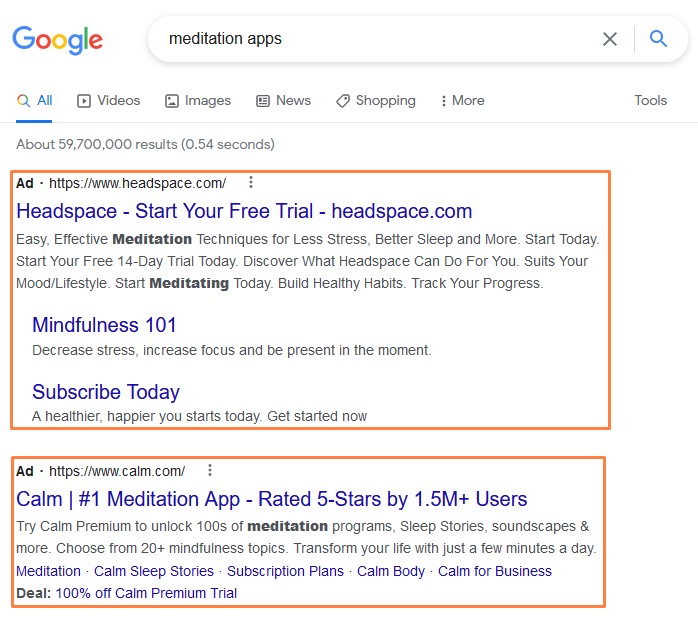
Paid results are shown at the top of the page, like this:
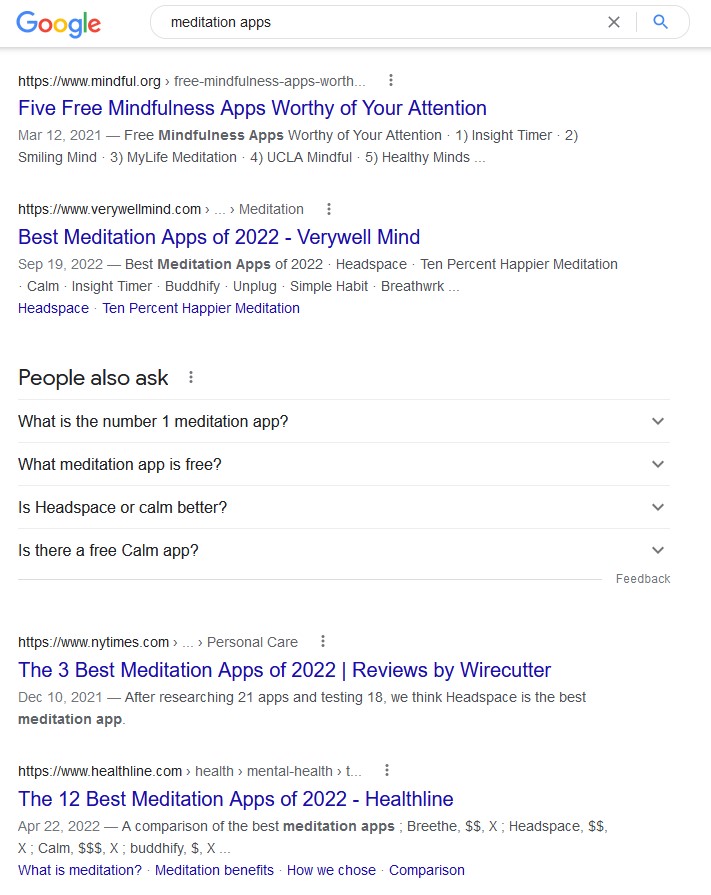
And organic results show below:
Paid Results
To get your blog to show up under a paid search result, you’ll need to join the Google Ads platform.
It works by listing keywords you want your blog to show up for and paying Google each time someone clicks on your ad.
The cost of clicks will depend on your niche and the competition of the keywords you choose.
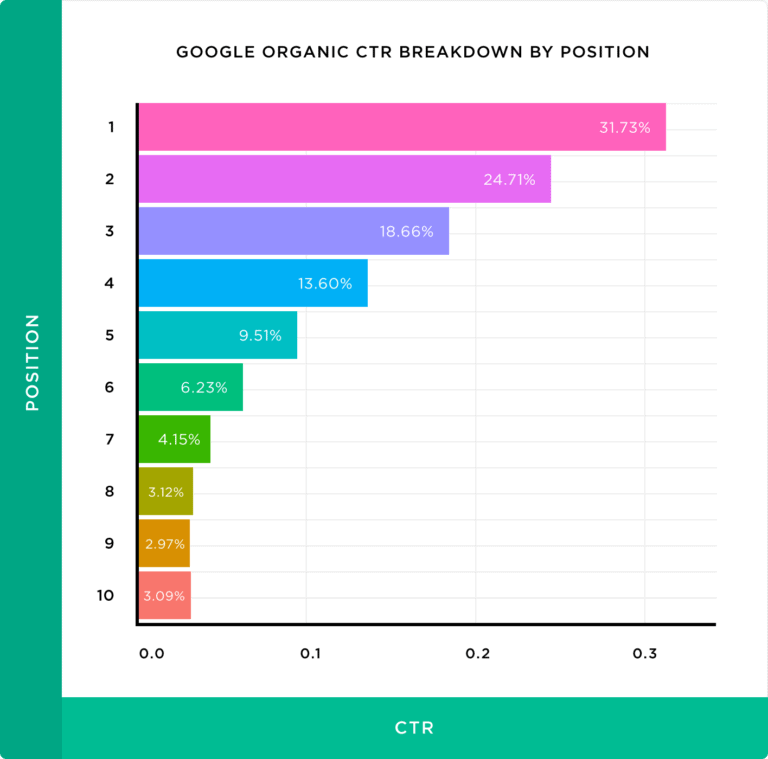
On average, ads get clicked 19% of the time compared to the rest of the page.
Organic Results
If you want Google to display your blog posts in the organic search results, then you need to optimise your blog for Search Engine Optimization (SEO).
Organic results are free, but will take longer to show up.
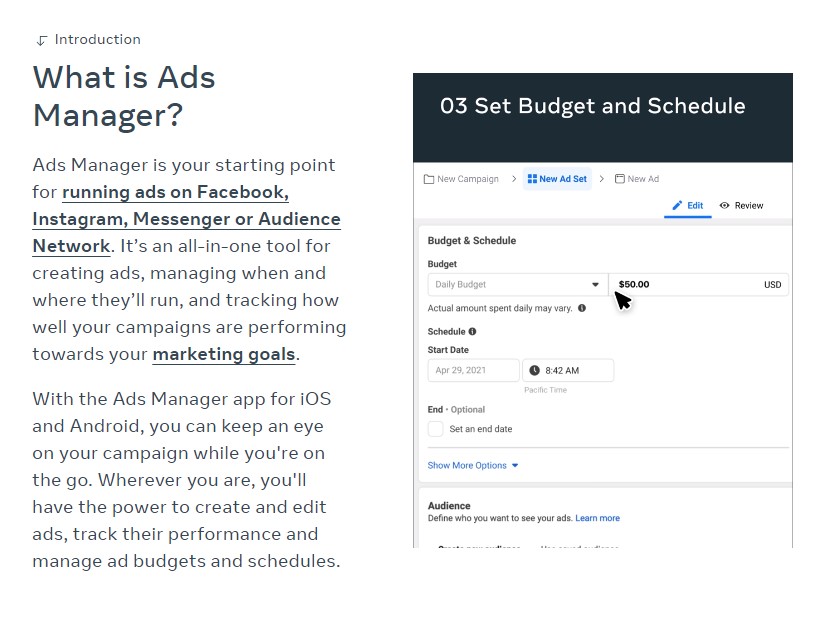
An ad with the goal of sending people to your blog will cost money each time someone clicks on the URL.
Again, the costs will vary depending on a multitude of factors, but you are in complete control by setting a daily budget.
Facebook Search
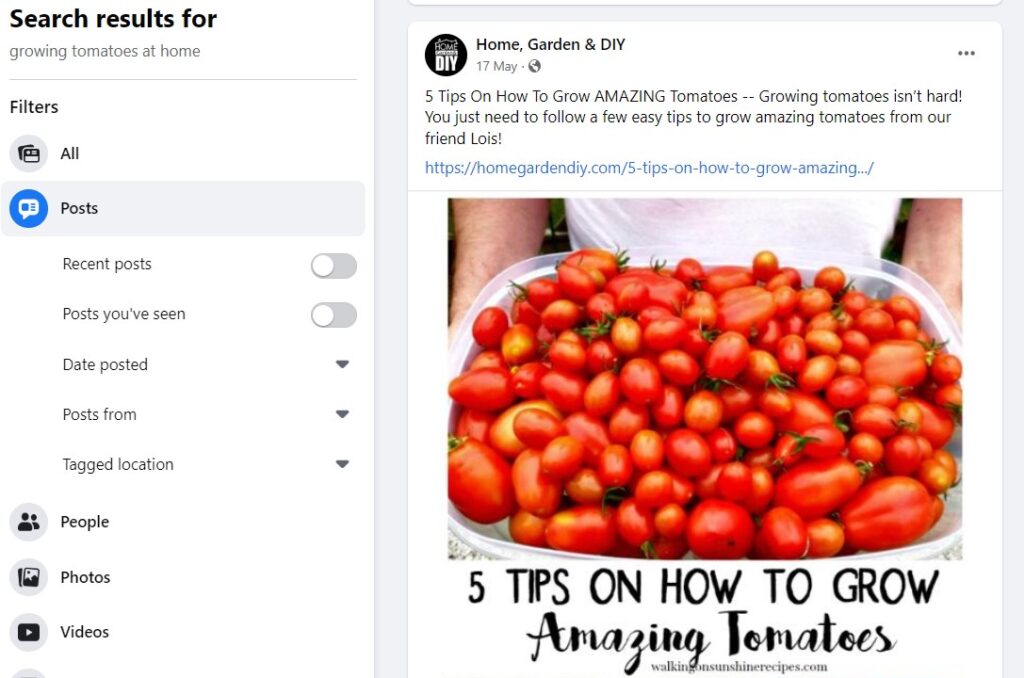
Another way people can find your blog on Facebook is through the search feature.
If someone is searching for a topic relevant to a blog post you have shared on your Facebook page, they can be shown in the results.
Like this one here about growing tomatoes:
The more Facebook posts you share on your page and the more you optimize the post with the relevant keywords, eye-catching images, and engaging copy, the more traffic you’ll get from Facebook search.
Facebook Pages
Facebook pages are another excellent way to help people find your blog, build a social media following on Facebook, and drive more traffic.
Once you have a Facebook page, follow these tips to grow your engagement and drive tons of traffic to your site.
Post high-quality posts that grab your followers’ attention. The more engagement, the better.
Video has been on the rise in recent years, so why not turn your blog posts into videos and share those on your feed?
Recycle your best-performing posts.
You can also boost posts with an ad to kick-start your engagement.
Facebook Groups
Facebook groups are great for building a loyal community on Facebook and getting your blog seen by more people.
The best way to grow your reach in a Facebook group is to share a ton of value without always posting links to your blog. This will get the conversation going with other members and they will soon start promoting your stuff for you.
Then every so often, let them know about new articles to get more eyes on your blog.
There are quite a few ways people can discover your blog on YouTube.Here are the most effective places to link to your blog content:
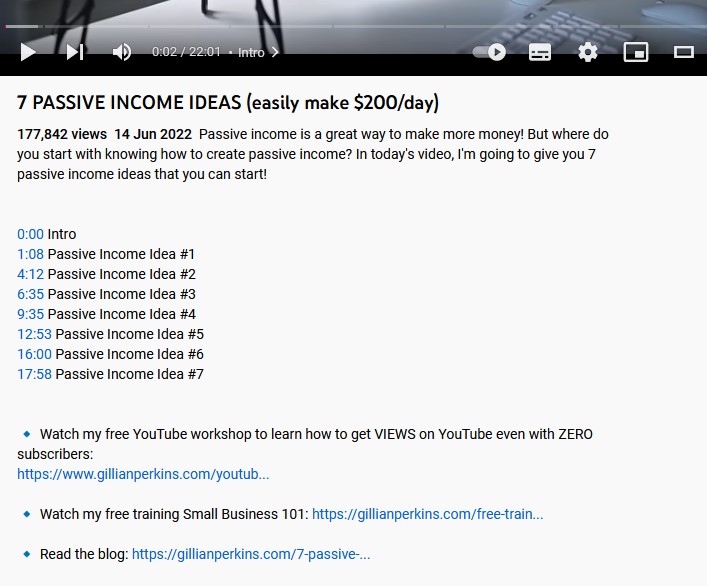
In the video description:
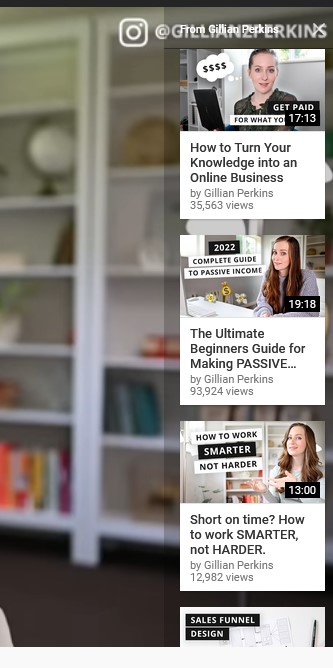
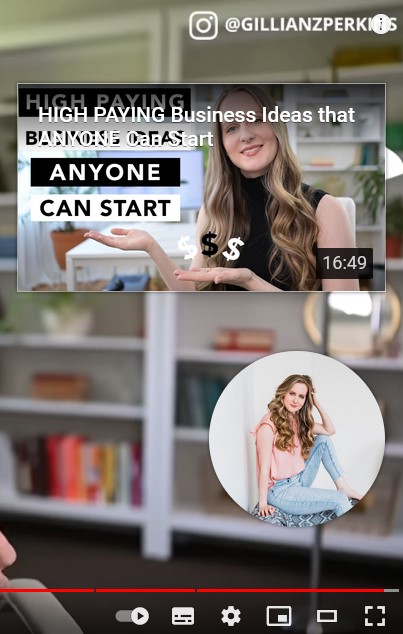
Links in video cards:
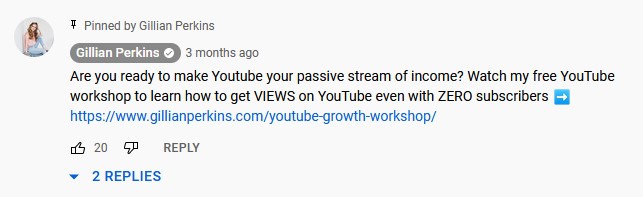
In a pinned comment:
The end screen (you can place YouTube videos and other links here):
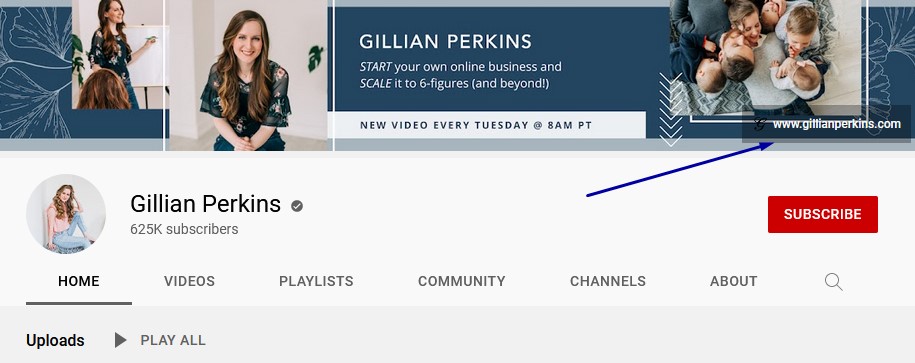
Your channel profile banner:
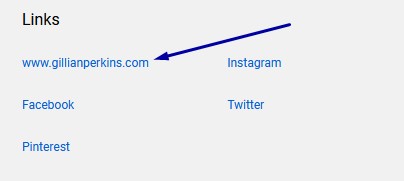
Your channel about page:
It’s a good idea to add a link to your blog and specific articles in these areas whenever you have the opportunity.
Then, you can focus on posting videos on your channel and using the YouTube algorithm in your favor to grow your engagement and reach.
Here are some ways to get the algorithm on your side to grow your channel:
Check Other Content to See What’s Already Performing Well
This helps your videos show up in the suggested sidebar when people watch videos similar to yours.
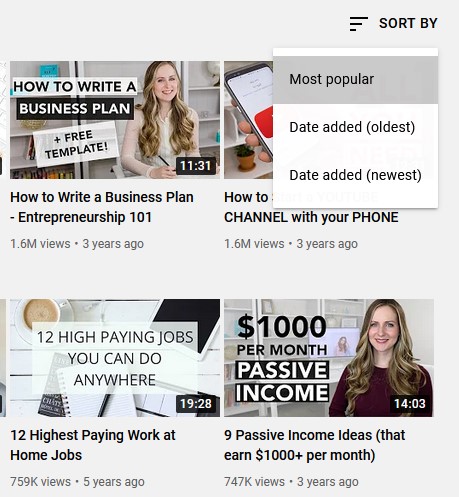
To find out what’s already performed well, go to a similar channel to yours and look at their videos with the most views.
Then open up a few of them and see which videos show up in the suggested section.
Creating videos like the ones suggested will help your own videos show up there.
Optimize Every Video
To increase the chance of your videos showing in search results, optimize your videos.
You can do that by talking about topics that people are searching for, including the keyword in the title, and saying the keyword and related terms in the video itself.
Also, make sure you add relevant keywords to the tags box under the advanced option of every video.
Keep People Engaged Throughout the Video
This is possibly the most effective way to grow your channel quickly because YouTube wants people to stay on the platform for as long as possible.
You can do this by starting your video with a pattern interrupt, a Neuro Linguistic Programming (NLP) technique that shifts a person out of their current state and helps them focus on what you’re saying.
Tell the viewer exactly what they’ll learn in the video early on and give them an incentive to stick around to the end.
That could be a gift you want to offer them or something insightful they will find interesting.
How Do People Find Your Blog on TikTok?
Did you know people can find your blog through your TikTok account?
It’s true.
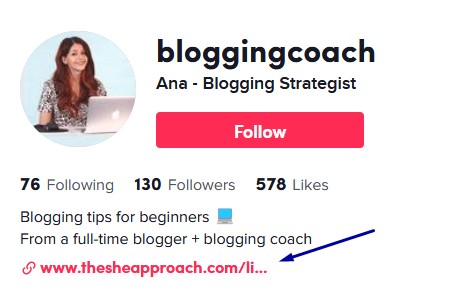
Unfortunately, the only place you can put a link to your blog is in your bio. Not only that, but you need a business account and 1,000 followers.
There are just two places to link to your blog on Pinterest.
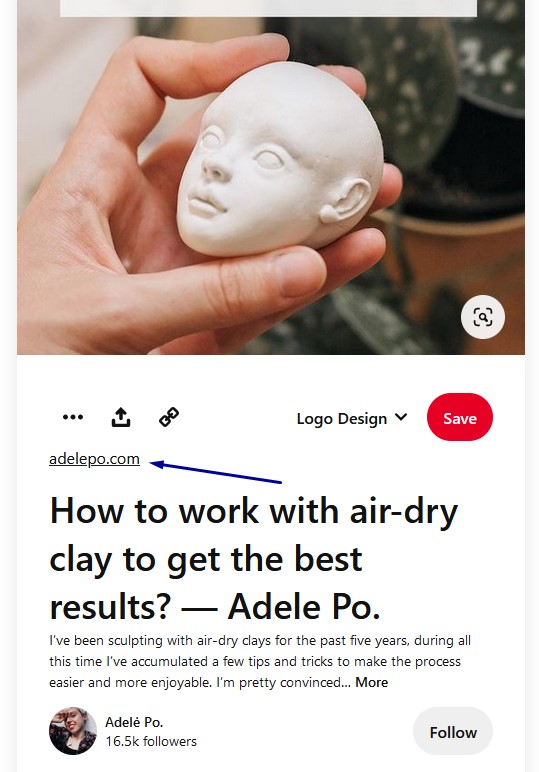
Standard Pins:
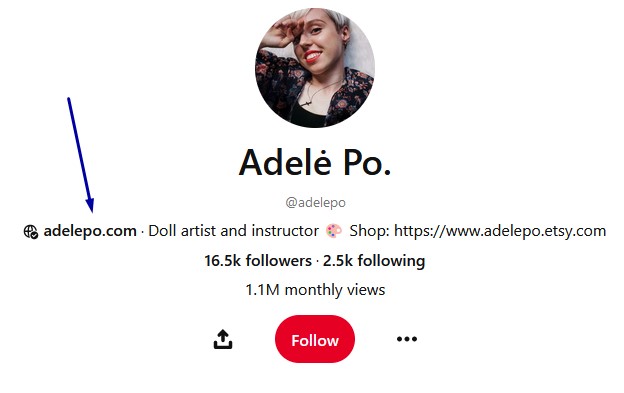
And your profile page:
But how do people find your blog when using Pinterest?
Like all social networks, the Pinterest algorithm determines the best content to show its users.
If you want to increase blog traffic with Pinterest, then you can improve your reach by optimizing your Pins and posting regularly.
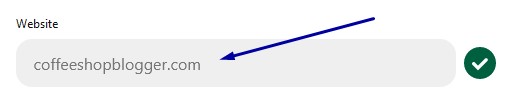
To add your blog URL to your profile, edit your profile and enter it under the website option.
Then, linking to a blog post happens automatically when you or someone else shares your content on Pinterest.
Alternatively, you can include your blog post link when creating Pinterest Pins manually.
How Do People Find Your Blog on Twitter?
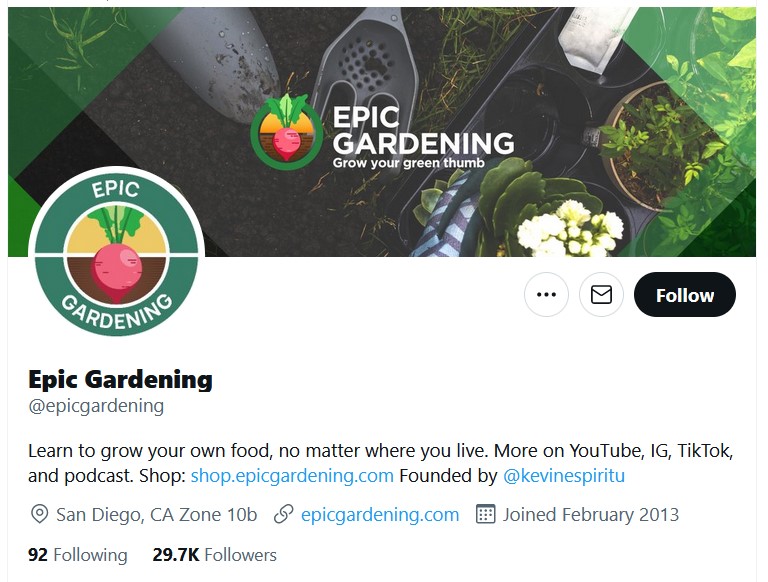
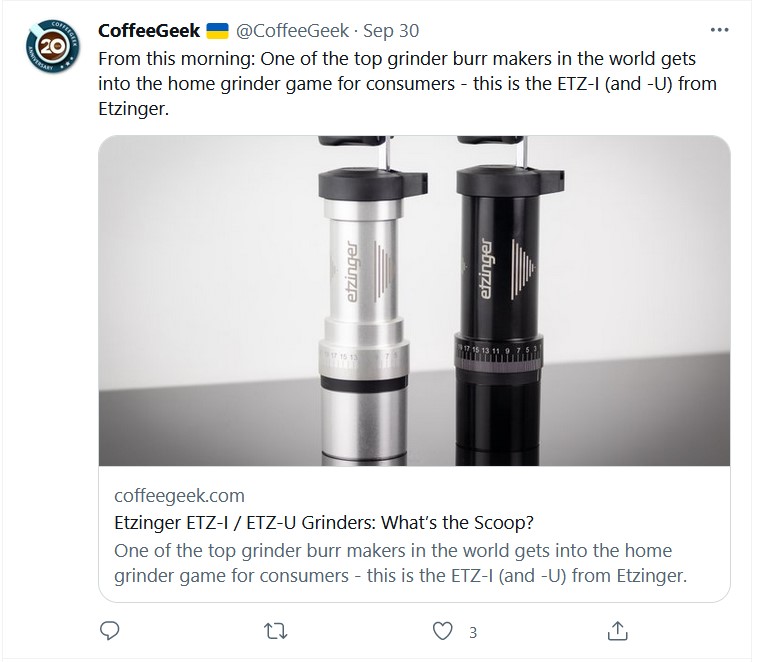
On Twitter, people can find your blog through the Tweets you post and from the link on your profile page.
Your profile:
In a Tweet:
It’s important to remember that people who use Twitter or any social network will need to grow their following to help people find their blog more frequently.
To grow your following on Twitter, follow other bloggers or influencers who are in your niche and comment on their posts with valuable insights.
The people who follow these accounts will soon start following you and find your blog that way.
People can also find your blog posts when searching for topics on Twitter.
The more you post relevant content that is well optimized, the more you’ll show up in the results.
How Do People Find Your Blog on LinkedIn?
LinkedIn is the social media site for B2B professionals and business owners.
You can send traffic to your blog by placing a link on your profile page and in posts you share.
Also, make sure you create a company page for your blog because you can add a link here as well.
Then, you’ll need to grow your reach and engagement by posting content on the platform.
You can do this from your personal and company profiles. Provide original content that your connections will find useful and you’ll generate a steady flow of blog traffic.
How Do People Find Your Blog on Forums and Q&A Sites?
Want to get more traffic with Reddit or Quora?
These are also great sites where people can find your blog.
Reddit is like a modern day forum where people can discuss almost every topic under the sun.
You can create an account, add your blog URL in your bio, and join subreddits in your niche. Then share things that the users will appreciate. Some people can get thousands of visitors using Reddit.
Quora is a question-and-answer site that has become extremely popular in recent years. Instead of people having discussions on Quora, users ask questions, and bloggers, experts, and thought leaders answer them.
You can be one of those people who answer questions, sharing your perspective on topics related to your blog.
Then add a link to blog posts you’ve published that expand on the topics.
How Do People Find Your Blog Through Other Blogs?
So far, we’ve looked at all the ways people can find your blog through social media and Google search results.
But how do you get a steady flow of traffic from other blogs?
There are several ways to increase your visibility and traffic through blog marketing.
Blog marketing involves getting other bloggers to link to your content. When their readers see a link to your article, they will click through to your blog.
Here’s how you can do it.
Other Bloggers Linking to Your Content Organically
This is the most organic way to get consistent traffic from other bloggers.
The best way to accomplish this is to focus on creating quality content on your own blog.
Then, link to other bloggers’ blog posts and reach out to them, letting them know you linked to them. Some will soon return the favor and link back to your blog.
Guest Post
Another way to get links from other blogs to your blog is through guest posting.
This is where you create an article for another blogger in your niche for a link back to your blog.
Podcasts and Interviews
A little known strategy for getting links back to your blog is by being a guest on another blogger’s podcast.
They will usually link to your website, which can help grow your blog readership.
How to Get People to Read Your Blog Posts?
You can ask people to read your blog in direct ways without being pushy. The key is to write influential words that develop trust and motivate people to take action.
Here are three tips for getting people to notice your blog and read your content.
1. Focus on Great Content with Tons of Value
Learn how to create blog content and develop a consistent publishing strategy.
Make your articles as valuable as possible so your audience will read for longer and want to join your email list.
2. Hook Them with Your Titles
No matter where people see a link to your blog, you’ll need to grab their attention. To do that, use catchy headlines on social media and in email subject lines. Also, optimize your SEO titles to get more traffic from Google search results.
3. Ask Them with a Call to Action
Most people are busy and easily distracted, that’s why it’s important to prompt them to take action at every opportunity including in your social media posts, in your bios, in your blog post introductions, and in your emails.
People have doubts and need motivation to take action, so tell them what you want them to do. They will appreciate the confidence in you and see you as a leader they can trust.
Conclusion
How do people find your blog? Well, this post provided you with tons of ways – through social media, Google search results, and even places like Reddit.
Ideally, because you want people to find your blog, the most effective way to get seen in the long run is by publishing quality articles and increasing organic traffic.
Then you can focus on other means of traffic when search traffic is steady.
This is not LinkedIn influencer drivel. Holding out for the perfect candidate is a terrible idea.
You are not a perfect boss, and you don’t run a perfect company.
It may be your baby, and you would like to think it’s perfect (just as all parents believe their babies are the most beautiful baby ever), but the reality is, your company is just average. There are good things and bad things. Maybe it’s slightly above average, maybe slightly below. But the chances of your company being in the top 10 percent of companies to work for are pretty slim.
And yet, when you hire, do you look for the perfect person? The person who checks all the boxes? After all, you want only the most qualified people working for you. And, as such, are you struggling to fill your positions? (If you’re not, then feel free to disregard the rest.)
What if you chilled out a little and started looking at people who don’t check all the boxes?
Don’t meet every single requirement? Studies have shown that women and people of colour are less likely to apply to jobs unless they meet every single qualification. At Tegus we are dedicated to building a diverse, inclusive and authentic workplace, so if you’re excited about this role but your past experience doesn’t align perfectly with every qualification in the job description, we encourage you to apply anyways. You may be just the right candidate for this or other roles.
What would happen if you followed Tegus’s example? Think about these things:
Lots of skills are similar. If you can program in one language, it’s easier to learn a second programming language. Look for similarities, not a perfect match.
You still have to train. Managers want to hire people who can “hit the ground running,” but those people don’t generally exist. You have to train everyone. So, don’t worry about the stress of having to train someone on a task. You’d have to train them in your systems, policies, and practices anyway.
There are more critical things than hard skills. You can teach hard skills. There are training classes for just about everything. But does the person have the drive? Are they interested in your industry? Do they have the soft skills that they need for this job? (Not every job requires the same soft skills.)
You get more candidates. Considering people without 100 percent of the skills broadens your talent pool. If you’re really set on finding the right person, getting more applicants can only help with that.
When you reject people who aren’t perfect, you have such a small talent pool of perfect people that they wouldn’t want to work for your imperfect company anyway. Go ahead and branch out, and it will benefit your business.
The professional social networking platform expands its available suite of content creation and profile customization tools
Over the past year, more than 10 million people have activated LinkedIn’s Creator Mode. The setting, launched last fall, gives users access to content creation and live streaming tools including LinkedIn Live and newsletters. Today, LinkedIn expands its creator tool offerings by debuting audio events and profile enhancements, pivoting the professional networking platform further into the creator economy.
Emerging from six months of beta-testing, LinkedIn’s audio events gives users the ability to schedule and host discussions, interviews, and other conversations—not dissimilar to apps and tools such as Clubhouse and Twitter Spaces. Later this month, users will also be able to add a hyperlink to the tops of their profiles, create a shareable follow link for promotional use on other platforms, automatically gain followers from incoming connection requests, and experience enhanced discovery via LinkedIn homepage feeds and via search.
“Since first launching Creator Mode last March, we’ve been excited to see the rapid adoption of our suite of creator tools—everything from newsletters to audio events to enhanced analytics,” Keren Baruch, product lead for creator strategy at LinkedIn, tells Fast Company. “What’s most exciting to watch is how creators are leveraging the different content tools to tell their stories in their own unique ways to spark member engagement.”
[Photo: LinkedIn]
Along with these new creator tools and products, users may notice their homepage feeds evolving as the LinkedIn team continues to focus on event discoverability, notifications, and scheduling—via enhanced RSVP tools, the ability to add LinkedIn events to personal calendars, and easier-to-find, browsable event listings.
In line with the global creator economy surge—link-in-profile company Linktree estimates there are 200 million monetized digital content creators worldwide—LinkedIn reports its users increasingly self-identify as content-makers.
In December 2021, more than 144,000 LinkedIn members included the word “creator” in their job titles—representing a 48 percent increase from pre-pandemic 2019. The job market has responded in kind—in the first four months of 2022, LinkedIn has seen more than 65,000 job listings with the word “creator” in the title, three times the number of creator job posts over the same period in 2021.
As for demographics, since 2015, women creators have grown 300 percent on LinkedIn—a statistic driven by the growth in Gen Z women creators, which LinkedIn reports has grown more than 1,000 percent in the past seven years.
As remote work continues to enter the mainstream thanks to the pandemic, professional online platforms are becoming increasingly important.
There is a definite uptick in LinkedIn usage as far as I can tell and for me, that results in a massive spike in engagement.
However, people continue to miss out on amazing opportunities on LinkedIn due to poor etiquette, and that has to stop.
Here are five things you should do after connecting with someone on LinkedIn:
It might seem trivial, but say hello.
Every time someone adds me on LinkedIn, or for that matter, when I add someone and they accept, I simply say hello. Way too many people send a pitch as their first message and that just leaves a really bad first impression. It makes you feel like they only added you in order to sell you their product.
So as soon as you connect with someone, simply say hello. No pitch, no agenda, just a “Nice to connect” message. Remember this is social media. Don’t forget the social element.
Take a look at their profile and familiarize yourself with their work.
If this connection is to lead to a possible collaboration of some sort, you need to know what this person does, what they’ve done, and what interests them. If I had a dime for every irrelevant pitch I got on LinkedIn, I’d probably be able to buy the whole platform.
This is such an important stage that sadly many people skip. I’m not talking about spending hours studying this person or conducting a background check, just skim their profile and understand who this person is professionally.
Ask them about their work.
This is somewhat of a networking hack. Often times, I’ll sit down at a meeting and the entrepreneur I’m sitting with jumps right into demoing their product. Other founders begin the meeting with their pitch.
Here’s an important tip. People like to talk about themselves, especially if they do work they’re proud of.
So instead of immediately pitching or selling that person on something, simply write “It’s great to connect. What are you working on nowadays?”
It’s so simple yet so effective.
Think about what you can do for them.
Once again, so many people get this wrong. One of my favourite strategies in the world is Ryan Holiday’s Canvas Strategy. Allow me to quote you a few of my favourite sentences.
“There is an old saying, “say little, do much”. What we really ought to do is update and apply a version of that to our early approach. Be lesser, do more.
Imagine it for every person you met, you thought of some way to help them, something you could do for them? And you looked at it in a way that entirely benefited them and not you?
The cumulative effect this would have over time would be profound: you’d learn a great deal by solving diverse problems. You’d develop a reputation for being indispensable. You’d have countless new relationships. You’d have an enormous bank of favours to call upon down the road.
That’s what the canvas strategy is about – helping yourself by helping others. Making a concerted effort to trade your short-term gratification for a long-term payoff. Whereas everyone else wants to get credit and be “respected”, you can forget credit. You can forget it so hard that you’re glad when others get it instead of you – that was your aim, after all. Let te other take their credit on credit, while you defer and earn interest on the principal.”
Instead of thinking “What can this person do for me?”, think “What can I do for this person?”
If there is synergy, set up a call to explore.
First of all, contrary to the way many people use the word, ‘Collaboration’ doesn’t mean a person helping you or advancing your professional goals. It means both sides helping each other.
If, after completing all the above steps, you think there is potential for a collaboration, ask them if they’d be up to explore synergies over a call or a Zoom.
Online messaging is a good way to get the conversation started, but if you’re going to get granular, a phone call will always be more effective.
Of course, if you need this person more than they need you, or even in general, offer to be flexible on time and once you agree on a time slot, offer to send the calendar invite with all the details so it’s locked in.
LinkedIn has tremendous potential and I can tell you that I’ve had endless wins on the platform, but like anything else, it can be abused or misused, which will lead you nowhere in the best case scenario, or even get you blocked in the worst case scenario.
Like any other social platform, your golden rule should be two simple words: “Be human”.
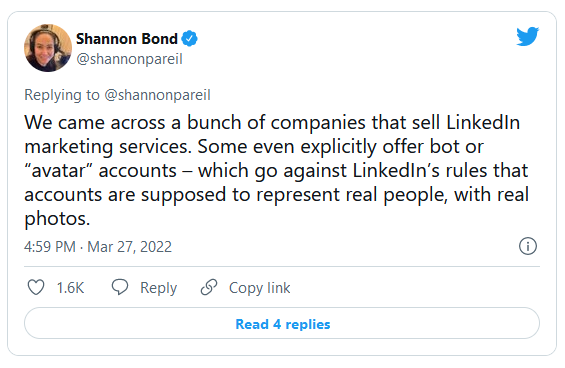
Two Stanford researchers have found widespread use of fake Linkedin accounts created with artificial intelligence-generated (AI) profile photos. These profiles target real users in an attempt to increase interest in certain companies before passing the successful leads to a real salesperson
Misinformation online takes different forms — from false or skewed facts presented as the truth to machine-generated photos and videos, that can be used for a variety of unethical and damaging purposes.
AI Photos Used as Fake Profile Photos
Two researchers, Renée DiResta and Josh Goldstein from the Stanford Internet Observatory, discovered that Linkedin, the same as Facebook and Twitter, is not immune to this digital age problem. In the case of Linkedin, they found that bots using AI-generated faces — as many as 1,000 fake profiles — are being leveraged to create false buzz around some companies, reports The Register.
The process is simple: a bot with an AI-generated profile photo contacts an unsuspecting Linkedin user and, if the target shows interest, they get passed on to a real salesperson to continue the conversation.
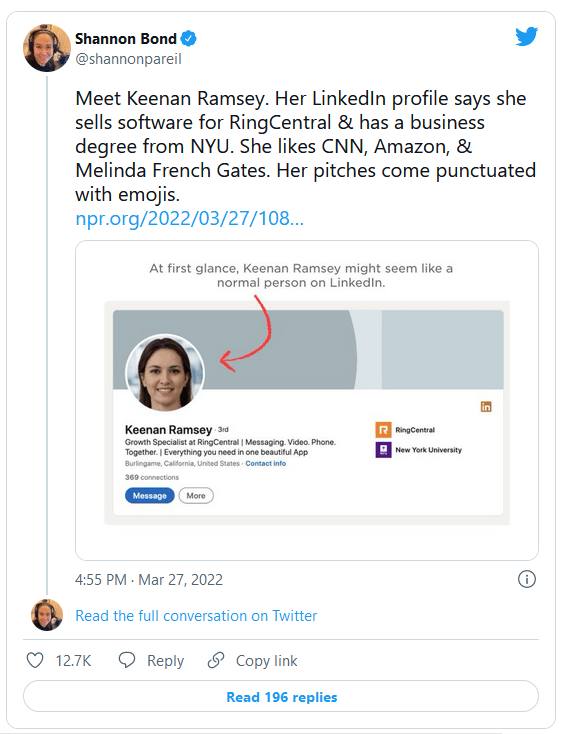
The two researchers made the discovery after DiResta received a message from a profile belonging to a “Keenan Ramsey.” At first, it looked like a normal sales pitch from a software company but it soon became clear that Ramsey was a fictitious person — the fake profile headshot contained multiple red flags, like the unusually central alignment of eyes, only one earring, and parts of hair were blurred into the background.
After the AI-generated profile photo jumped out as a fake, DiResta, who has also studied Russian disinformation campaigns and anti-vaccine conspiracies, began looking into the matter with her colleague Josh Goldstein and found over 1,000 profiles using AI-generated photos.
Using AI to Cut Down on Hiring Costs
Companies use profiles like these to cast a wide net of potential leads without having to use real sales staff and to avoid hitting Linkedin message limits. It was found that more than 70 businesses were listed as employers of fake profiles, with some companies telling NPR that they hired outside marketers to help with sales but hadn’t authorized the use of AI-generated photos, and were surprised by these findings.
The use of fake profiles is not permitted by Linkedin. The company’s spokesperson Leonna Spilman told TechRadar that the company’s policies make it clear that every Linkedin profile must represent a real person.
“We are constantly updating our technical defences to better identify fake profiles and remove them from our community, as we have in this case,” Spilman says. “At the end of the day, it’s all about making sure our members can connect with real people, and we’re focused on ensuring they have a safe environment to do just that.”
Difficult For Naked Eye to Detect Truth
Although some businesses may employ AI-assisted marketing tactics because they are cheaper than employing real people, it’s difficult for users on the other side of the screen to distinguish between a fake or real profile photo — a recent study by PNAS found that people have a 50% chance of guessing correctly. The research also found that some people find machine-generated faces more trustworthy because AI often uses average facial features, suspects Hany Farid, co-author of the study.
To make it easier for people to tell real and fake profiles apart, V7 Labs created a new AI software that works as a Google Chrome extension and is capable of detecting profiles belonging to a bot, with a claimed 99.28% accuracy.
The V7 Labs’s “Fake Profile Detector” extension aims to help authorities and regular Internet users spot and report profiles that spread fake news or otherwise create misleading content.
Want to write a professional bio for your LinkedIn profile? Here’s how Jasper can help you with this.
Whether you’re looking for a job, hoping to attract head-hunters, or want to network professionally, then LinkedIn is the go-to social media platform of choice for your career.
Some of your profile bio fields are simple to fill in—you already know the date you graduated from college or started at your new job. But creating a compelling and persuasive bio that makes other professionals want to connect with you is more challenging.
If you’re stumped, Jasper is an AI copywriting tool that could help you craft a winning personal statement.
What Should Be Included in Your LinkedIn Personal Bio?
Need some motivation to get started on LinkedIn? Well, if you’re looking for a job, know that 87% of recruiters regularly check out LinkedIn during the hiring process. But even better, how about the fact that 44% of LinkedIn users take home more than $75,000 per year. This is above the US national median.
If you’re ready to jump in, it might be tempting to publish some basic details about yourself quickly. But your LinkedIn personal summary shouldn’t be copied and pasted from your résumé—it needs to be unique and have plenty of personality.
This is your chance to break free from job titles or industry qualifications and write from the heart. Why do you love your career? Why are you the best at what you do? What project did you get great results with?
With a generous 2,000-character limit, your LinkedIn profile should give someone a great idea of your experience and what it would be like to work or collaborate with you. Don’t be afraid to incorporate a few non-work-related details, too, so recruiters know you’re human!
If building a LinkedIn profile sounds challenging, then it is! There’s plenty of pressure in knowing when someone googles your name, and your personal bio will usually show up within the first three search results.
But that’s precisely why you should put some effort into crafting these words and keeping your bio updated regularly.
What Is Jasper AI?
Jasper, (formerly known as Jarvis) is a GPT-3 copywriting tool built using artificial intelligence and machine learning. It writes high-converting copy for websites, blog posts, email funnels, ads, and social media posts.
Essentially, you give the software a description of what you want to create, a title idea, and any keywords you want to include. The software will quickly create text for you to use or edit as you wish. Using one of the inbuilt templates, Jasper can help you craft an eye-catching LinkedIn bio to win new clients and attract those recruiters who might be browsing your profile.
Jasper costs $29 per month for their starter package, which gives you access to 20,000 words per month and the use of 50 free templates. This increases to 50,000 words if you subscribe to their Boss mode plan for $59 per month.
To try Jasper out before investing in their software, there’s also a 10,000-word free trial available.
How to Use Jasper to Create Your Personal Bio on LinkedIn
To get started using Jasper to revamp your LinkedIn bio, head over to your profile and click to edit your About section. This is where you’ll place your finished bio.
Next, you’ll go to Jasper, open the dashboard and choose Templates > Personal Bio.
Note, there’s also an option to choose Company Bio if you want to try both.
There are three main sections within the Personal Bio template, to fill in.
Personal Information
400 characters are available here to provide basic details about yourself and your professional background. You might choose to add your current job detail, how you got into the industry, and what you love most about your profession.
Are you proud to have won an industry award or been promoted to CFO by the age of 25? Note down as much as you can in this box to give Jasper plenty to work with. Don’t forget to add those human details too.
Tone of Voice
The Jasper software completed base training at the end of 2019 and read 10% of the Internet. This means that Jasper doesn’t know about important events like Covid-19, but the software does have an excellent grasp of natural language.
Using the tone of voice feature, you can prompt Jasper on what to say and how to say it. Try experimenting with some of the following adjectives to get the tone you’re looking for:
Professional
Bold
Humble
Friendly
Casual
You can even go one step further by asking Jasper to imitate a specific person or character to write your LinkedIn bio. How about sounding like Oprah or Tony Robbins?
Point of View
The final information you need to feed Jasper is whether to create your LinkedIn bio in the third person or the first person.
Third-person example: “Michael Smith is a marketing executive from New York, with twenty years experience in the industry.”
First-person example: “Hi, I’m Michael Smith, a marketing executive from New York, with twenty years of experience in the industry.”
As this is a LinkedIn profile and recruiters will know you’ve created your own bio, it’s usually best to choose the first person point of view to be more personable.
Generating Your LinkedIn Bio
Once you’ve entered your details, head to the bottom of the screen and choose the number of outputs you want to generate. The default is set to 3. You’ll then hit Generate and watch Jasper get to work creating your bio.
On the right-hand side of your screen, you’ll read and choose the output you like best and select Copy to Clipboard. From here, you can paste the copy straight into your LinkedIn profile as the base of your bio. Alternatively, you might wish to open the Jasper editor to continue working on the text.
Making the Most of Jasper
The best way to use Jasper to create your LinkedIn personal bio is to think of the software as a creative tool. You’ll find that Jasper isn’t flawless and may even make up random details about you. But if you’re suffering from writer’s block, it’s a useful way to develop new ideas on how to present yourself to hiring managers.
Rebecca has 7 years of experience as a freelance writer covering topics related to work, careers, HR, and productivity. She specializes in creating long form blog content with a human touch. You’ll also find her offering tips and support to new freelance writers who are just starting out.
Building a strategic network requires formulating relationships, sending purposeful messages, and creating meaningful engagement.
In last week’s column, I discussed the importance of seeking out informational interviews as part of a job search strategy or career transition. This week, I want to include a complementary piece on how to properly network, build networking contacts, and create an effective networking strategy on LinkedIn.
Networking in the digital age is significantly easier than in the predigital age. This is because you have wide access to a larger portfolio of potential contacts — former co-workers, mentors, high-profile executives (such as the general counsel at Starbucks), business leaders, law firm partners, legal commentators and journalists, and fellow law school alumni. These individuals are merely a click away on LinkedIn and can easily loop us into a networker’s paradise.
Building a strategic network requires formulating relationships, sending purposeful messages, and creating meaningful engagement. Networking is not a race to build more followers on LinkedIn or engage in a “comment-for-comment” quid pro quo on your content. Networking is a long-term strategy with a tactical process involved. Yet, and probably like you, I get dozens of misguided and misdirected messages on LinkedIn every week.
Here’s an example of recent networking gone wrong on LinkedIn:
During the last days of December, I received a message in my inbox with an attempted networking call-to-action from a connection on LinkedIn: “Wendi, I’d like to introduce you to a UF graduate all-star. ____ was a student leader at (insert fraternity name here) and left his mark on future generations there. He works in support[ing] the legal industry. Of course, I thought of you when he told me what he is doing. Please review his profile and take his phone call as he will be reaching out to you soon.”
Typically, people reach out to me at the very end of the year to kick off their job search. The message did not seem to have a purpose other than letting me know the recent grad supported the legal industry (he marketed software to firms). So, I let my connection (a financial services professional who added me a few years ago on LinkedIn) know I was out on a holiday break and that I worked with senior attorneys, executives, and C-suite/board leaders for career services. I provided him with a referral to a colleague who was a more appropriate fit for him. The next response came in from the recent college grad:
“I appreciate the introduction. It’s a pleasure to continue to grow my Gator Alumni network. Wendi, it is very nice to meet you via LinkedIn and I hope you had a nice holiday. A few months back, I spoke with ____ about expanding my professional network and he has been helping to connect me with fellow colleagues in the legal space. If you have 15 minutes come January, I’d love to speak with you to learn about your practice as well as share some information about what it is I am doing. Please let me know what date might work.”
The initial sender was the past president of the same fraternity chapter nearly 40 years ago and had genuine motives and interest for his young protégé. However, he didn’t create a message with a purpose or address it to a targeted recipient. Instead, he quickly ran a search of his connections with “attorney” or “lawyer” in their headlines and sent out the same blanket message to each of those connections, hoping for something to stick. If you skim my LinkedIn headline and about/summary section, you’ll learn in less than 30 seconds what I do and who I serve. You’ll also quickly realize I’m not a Gator alumnus (I graduated from Florida State University in 1999), I’ve never owned my own law firm, and I haven’t held a legal role since I left practicing law in 2015.
Since the initial outreach was not targeted correctly, the outcome resulted in a new college grad asking to set up a 15-minute coffee chat with someone who would never be a potential client — a waste of time for both of us. The original message also lacked purpose, strategy, and clear messaging, which defies the goal of networking.
As the recipient of these messages (and repeated faux pas) on a weekly basis, it feels more like a pepper spray approach of hitting “connect” with the same cookie-cutter messages. While I realize many utilize automation software as part of the sales networking funnel and marketing strategy, lawyers are in a business (and industry) of building relationships. That means we connect purposefully and with intent. We know time is money and we also realize that relationship building is something that takes credibility and trust to foster.
A network is only as strong as the connections you have in it — and while we all welcome new connections, messages should have a purpose for that call-to action.
Here’s my simple advice for LinkedIn networking: be sure you read through the person’s profile thoroughly before you “pitch” them or ask for a coffee chat. Don’t send mass connection requests and cookie-cutter connection messages. Don’t assume that each person will want to engage in a “15-minute call” for networking. Instead, engage virtually and foster synergy. Think about how you’ll add value and create a truly authentic connection. Your LinkedIn inbox provides enormous networking capabilities, but you must use it wisely.
Remember, you want the right people connected to you as well as the right people in your network — otherwise networking loses its meaning and goal.
Wendi Weiner is an attorney, career expert, and founder of The Writing Guru, an award-winning executive resume writing services company. Wendi creates powerful career and personal brands for attorneys, executives, and C-suite/Board leaders for their job search and digital footprint. She also writes for major publications about alternative careers for lawyers, personal branding, LinkedIn storytelling, career strategy, and the job search process. You can reach her by email at [email protected], connect with her on LinkedIn, and follow her on Twitter @thewritingguru.